


Login Page Customizer – Customize Login Screen & Branding
Easily build a custom login page using the WordPress customizer. Customize login styles, logo, forms, and solve any link not found errors quickly.

Escolha sólida
Login Page Customizer is a solid plugin choice in 2026, with a few things worth checking first. It runs on 1K+ sites, is rated 3.2/5 and was last updated 3 months ago, and scores 65/100 on our health check.
- Testado com as últimas WordPress (7.1)
- Momentum — downloads up 48.8% vs the previous 30 days
- Low rating so far — 3.2/5 from only 5 reviews
Como ele se acumula?
Lado a lado em instalações, atualizações, avaliações e suporte



Downloads diários
Os picos de download geralmente seguem uma nova versão — cada site que atualiza automaticamente é um download.
Rankings
Where Login Page Customizer stands todayWordPress.org Classificações de pesquisa
Posição ao vivo na pesquisa de plugins, top 100| Palavra chave | Posição |
|---|---|
| branding | #12 |
| custom login | #59 |
| login design | #23 |
| login form | >100 |
| login-page-customizer | #5 |
Adoção da versão
Compartilhamento de sites ativos por lançamento.
Divisão de classificação
★★★★★★★★★★ 3.2 from 5 reviews
About Login Page Customizer
From the official readme · v2.1.5Descrição
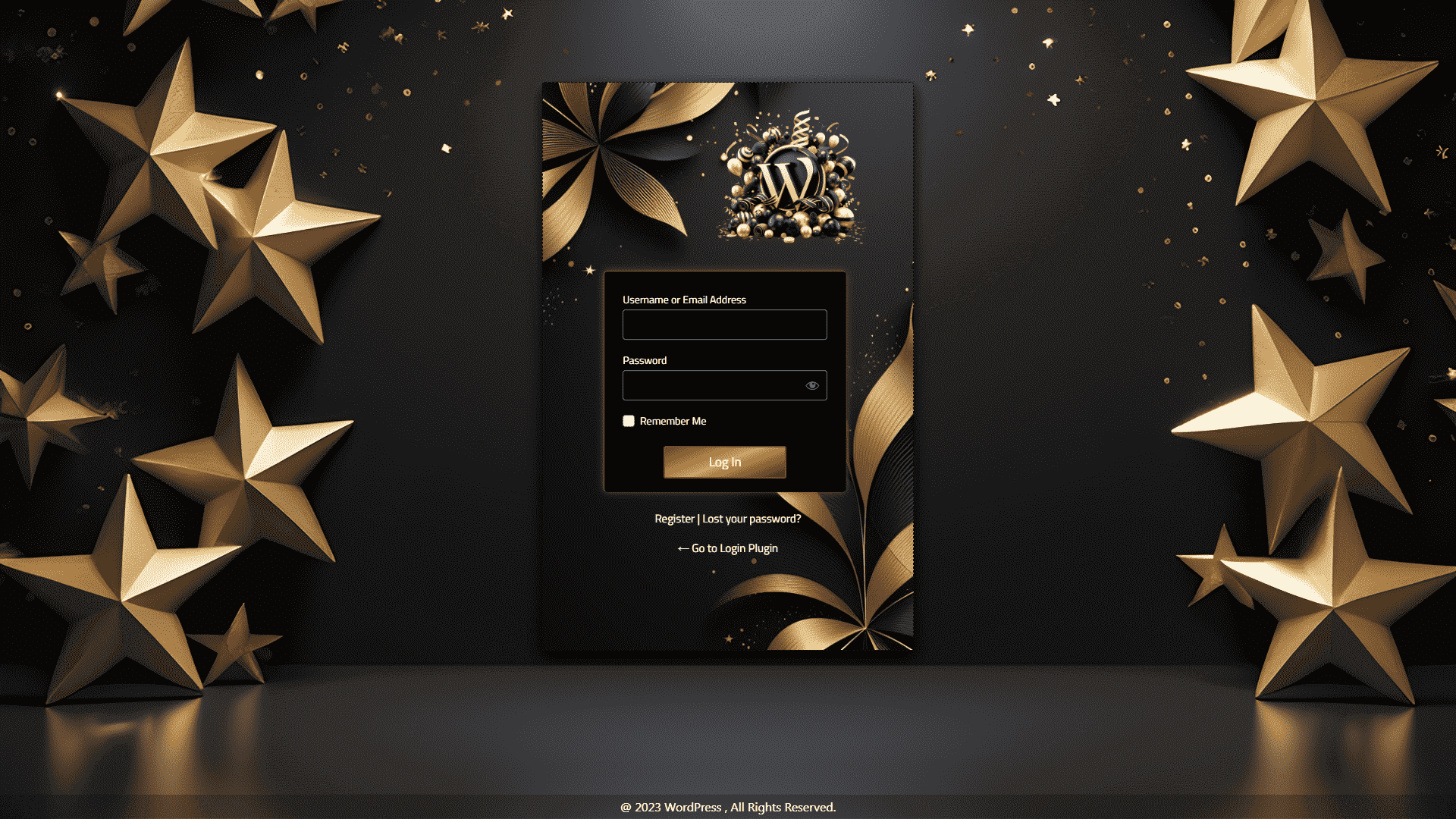
This plugin helps you design a custom WordPress login page. You can customize login settings in real-time. The plugin uses the native WordPress customizer. All edits display instantly. You do not need any coding skills.
You can customize your login page logo, form layout, colors, and input boxes. It also ensures that redirect URLs are correct so users never face a link not found error.
View Pro Login Page Templates: Customizer Login Page Premium Demo
Learn More About Pro: Customizer Login Page Premium Features
Get Pro: Buy Customizer Login Page Premium
This plugin works directly within the WordPress Customizer interface. You don’t need any coding knowledge to use it. Simply navigate to Appearance > Customize, and you’ll find all the login page options organized in easy-to-use panels.
Features of Login Page Customizer
Here is a list of what you can customize inside the customizer:
-
Logo Settings
- Upload your custom logo image.
- Adjust logo height and width.
- Set custom logo links to prevent link not found bugs.
- Control margins and logo position.
-
Background Options
- Select a background image from your media library.
- Set solid background colors.
- Apply gradient background styles.
- Control image repeat and size.
-
Customize Login Form Layout
- Set outer and inner form dimensions.
- Choose form background colors.
- Add custom border styles.
- Apply shadow effects.
- Position forms anywhere on the screen.
-
Input Fields and Labels
- Change input box colors and sizes.
- Style labels with Google Fonts.
- Edit default label texts.
-
Button Design
- Set normal and hover button colors.
- Adjust button size and padding.
- Apply border styles.
-
Links and Messaging
- Style “Lost Password” links.
- Design error message boxes.
Free vs Pro Versions
-
Free Version Features:
- Custom page title setup.
- Logo upload and size settings.
- Background colors and images.
- Form and button styles.
- Default templates.
-
Pro Version Extra Features:
- 18+ preset templates.
- Background video playback.
- Advanced gradient options.
- Full Google Fonts list.
- Form alignment controls.
How to Setup Your Login Page
- Log in to your WordPress Dashboard.
- Go to Plugins > Add New.
- Search for “Login Page Customizer”.
- Click Install Now and then Activate.
- Navigate to the “LoginPC” menu.
- Click “Start Customizing Login Page”.
Avoid Link Not Found Redirection Issues
Ensure your redirection URLs are correct. Setting a wrong custom logo link or registration page URL can result in a link not found error for your users. Double-check all URL values inside the settings options.
Log de Changes
2.1.5
- Directory guidelines compliance improvements
- Added direct file access checks (ABSPATH checks) to all PHP files
- Removed redundant direct wp-load.php bootstrap calls
- Corrected reviews link to follow guidelines (removed ?filter=5)
- Added missing translation text domains in all configuration and template files
- Removed redundant load_plugin_textdomain call
2.1.4
- Security improvements: sanitized all user inputs
- Added capability checks for import functionality
- Improved file upload validation for import feature
- Fixed deprecated get_page_by_title() for WordPress 6.2+ compatibility
- Added comprehensive settings sanitization for imports
- Fixed nonce variable name in settings page
- Code quality improvements
2.1.3
- Tested with WordPress 6.9
2.1.2
- Security vulnerability fixed
2.1.1
- Added WordPress Multisite support for WordPress 6.8.3
2.1.0
- Text domain error fixed
Capturas de tela



Para desenvolvedores
Este é o seu plugin? Mostre os números.
Adicione um crachá ao vivo ao seu site, Documentos ou Readme do GitHub. Ele é atualizado por conta própria - nenhuma conta necessária.
Best Login Page Customizer alternatives
All branding plugins →


FAQ
Login Page Customizer: quick answers
Respostas diretas, extraídas de dados ao vivo WordPress.org.
Fonte: WordPress.org
Is Login Page Customizer free?
Yes. Login Page Customizer is free to download and use from the official WordPress.org plugin directory.
Is Login Page Customizer safe to use in 2026?
Login Page Customizer is a solid plugin choice in 2026, with a few things worth checking first. It runs on 1K+ sites, is rated 3.2/5 and was last updated 3 months ago, and scores 65/100 on our health check.
How many websites use Login Page Customizer?
Login Page Customizer is active on 1K+ WordPress websites and has been downloaded 65,813 times since it launched in July 2018. It was downloaded 689 times in the last 30 days.
Does Login Page Customizer work with WordPress 7.1?
Yes. The developer has tested Login Page Customizer up to WordPress 7.1.5, the latest release. It requires WordPress 5.0 or newer.
What PHP version does Login Page Customizer need?
Login Page Customizer requires PHP 7.0 or higher. Most hosts run PHP 8.x today, so it works on any modern WordPress hosting.
When was Login Page Customizer last updated?
The latest version, 2.1.5, was released on August 20, 2026 (3 months ago).
Who makes Login Page Customizer?
Login Page Customizer is developed and maintained by A WP Life.
What are the best alternatives to Login Page Customizer?
The most popular alternatives to Login Page Customizer are White Label CMS (200K+ installs), Custom Login (10K+ installs) and Teydea Login Customizer (10K+ installs).
Alimentado por PageForge
Um modelo e uma planilha. Uma página real para cada pesquisa.
PageForge Transforma cada linha de um CSV em uma página WordPress com seu próprio título, URL, SEO campos e esquema, construído no layout que você já desenhou. Gratuito em WordPress.org.
- CSV e XLSX, mais Google Sheets em Profissional e Empresarial
- Seu próprio título, URL, SEO campos e esquema para cada página
- Funciona com o editor de blocos, Elementor, Divi e Avada
- Gratuito em WordPress.org, sem cartão de crédito