


CSS Class Manager – An advanced autocomplete additional css class control for your blocks
Advanced autocomplete CSS class control for blocks with inline styling, body/post classes, and powerful management tools.

Escolha sólida
CSS Class Manager is a solid plugin choice in 2026, with a few things worth checking first. It runs on 500+ sites, is rated 5/5 and was last updated 2 months ago, and scores 78/100 on our health check.
- Testado com as últimas WordPress (7.1)
- Base de usuários pequenas (mais de 500 instalações ativas)
Como ele se acumula?
Lado a lado em instalações, atualizações, avaliações e suporte


Downloads diários
Os picos de download geralmente seguem uma nova versão — cada site que atualiza automaticamente é um download.
Rankings
Where CSS Class Manager stands todayWordPress.org Classificações de pesquisa
Posição ao vivo na pesquisa de plugins, top 100| Palavra chave | Posição |
|---|---|
| dropdown | #72 |
| editor | >100 |
| Gutenberg | >100 |
| multiple | >100 |
| styles | #79 |
Adoção da versão
Compartilhamento de sites ativos por lançamento.
Divisão de classificação
★★★★★★★★★★ 5 from 12 reviews
About CSS Class Manager
From the official readme · v1.6.1Descrição
Struggling with adding multiple CSS classes to your WordPress blocks? CSS Class Manager simplifies the process with autocomplete suggestions and a dedicated manager for adding, editing, and organizing your classes. Boost your block styling efficiency!
There are two main motivations behind creating this plugin:
Limitation of Block Style – When applying a block style, only one CSS class can be added to a block. Unfortunately, the block editor lacks the ability to select multiple block styles. To address this, users must resort to the Additional CSS Class(es) inspector control to apply multiple classes. CSS Class Manager provides a powerful manager and an autocomplete inspector control, enabling users to easily add and apply CSS classes to their blocks.
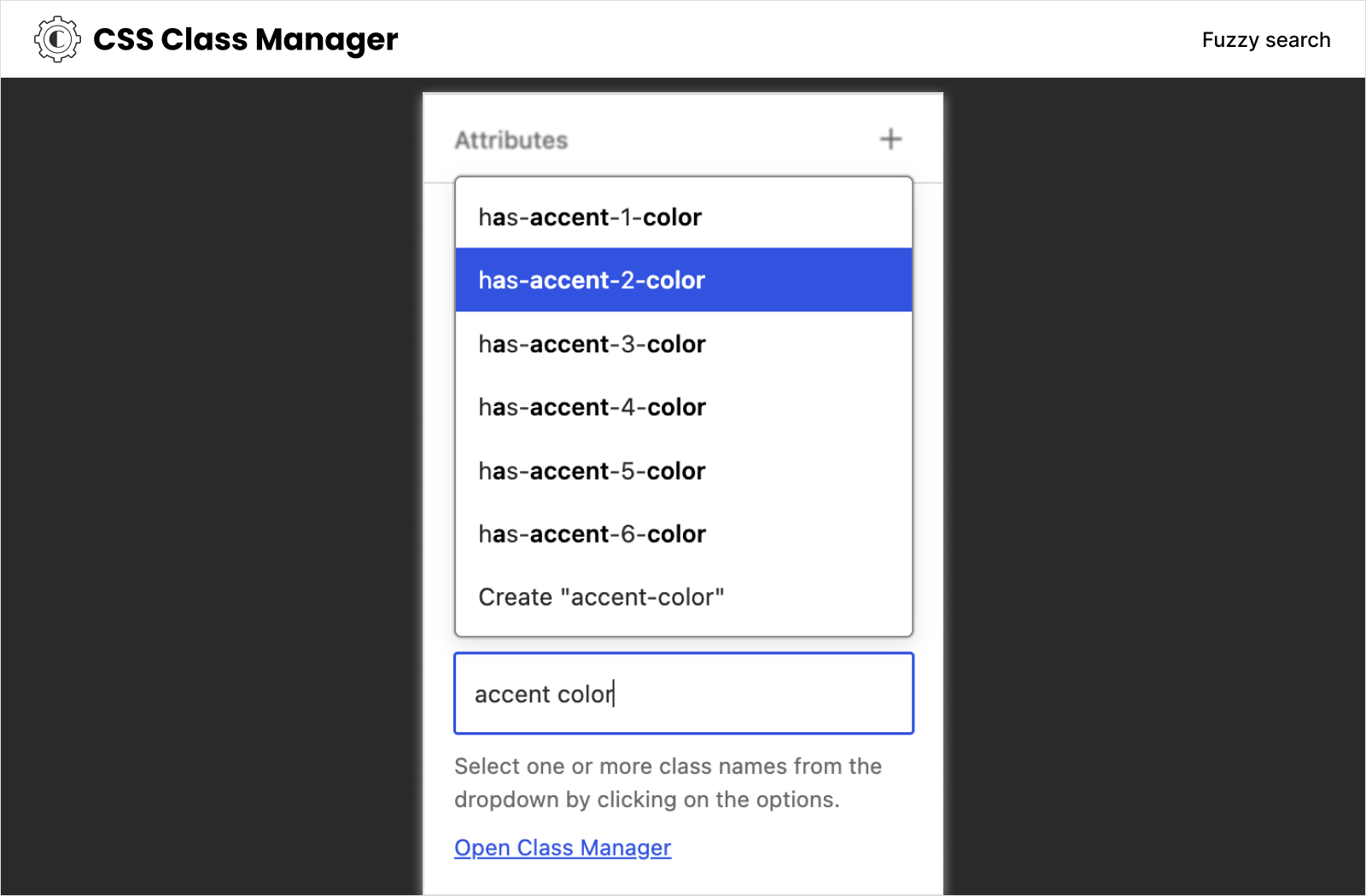
Poor UX of the Additional CSS Class(es) control – The default control for adding class names is a simple text input. This can be cumbersome, especially when applying CSS classes frequently. With the custom inspector control provided by CSS Class Manager, users can effortlessly add their class names, enhancing the user experience.
Recursos
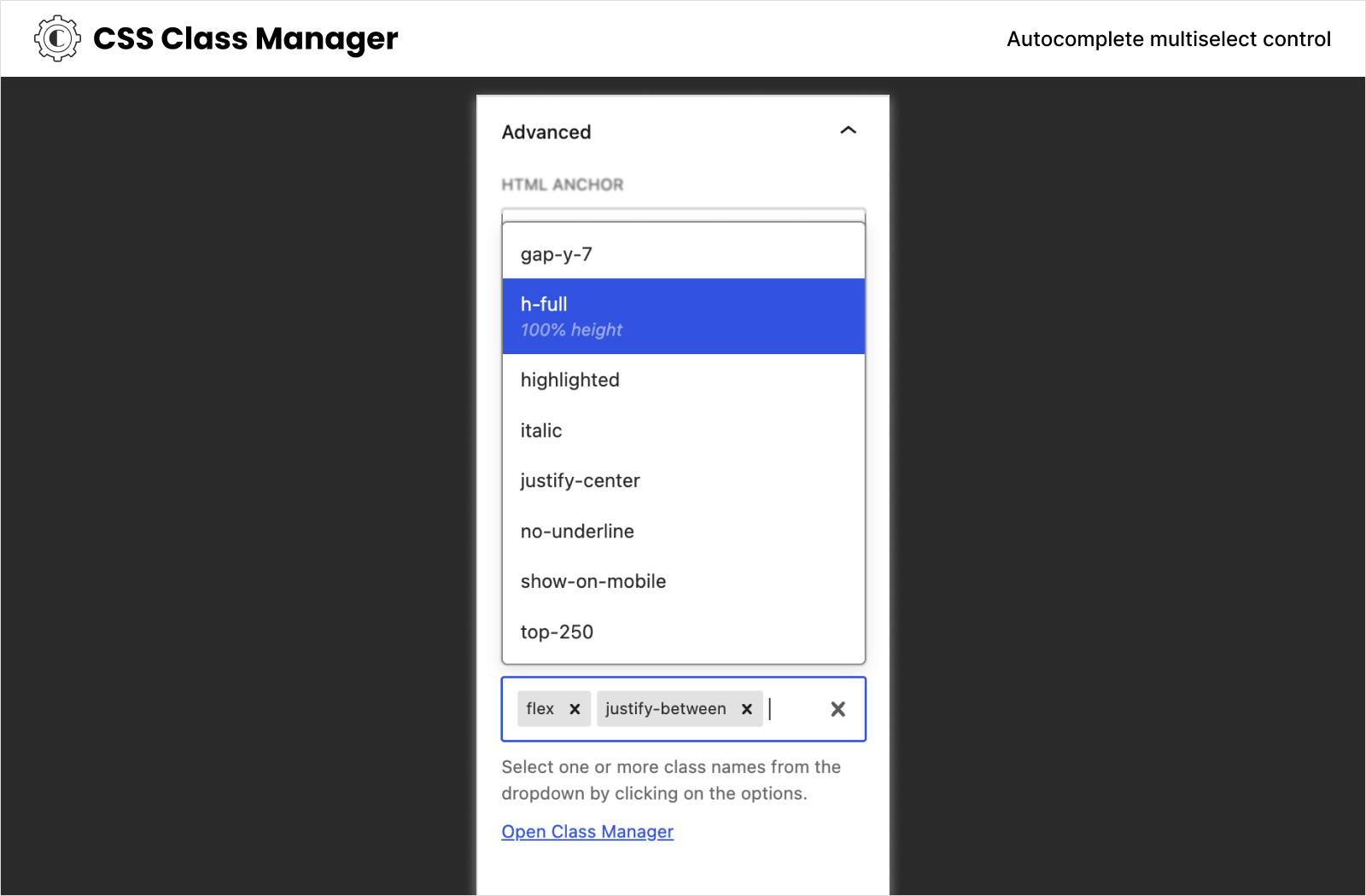
- Advanced Autocomplete Control: Streamline block styling with autocomplete functionality for CSS classes.
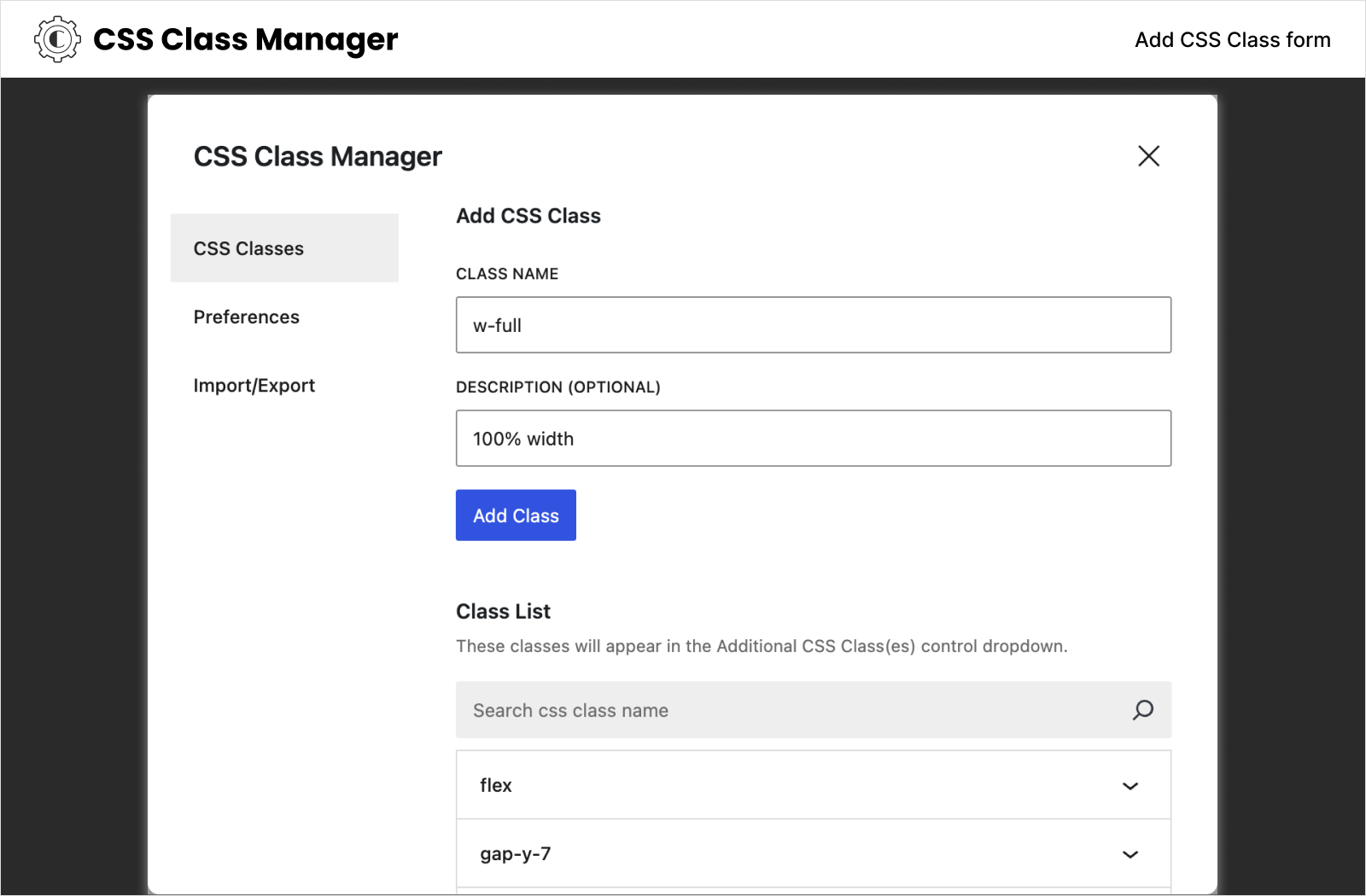
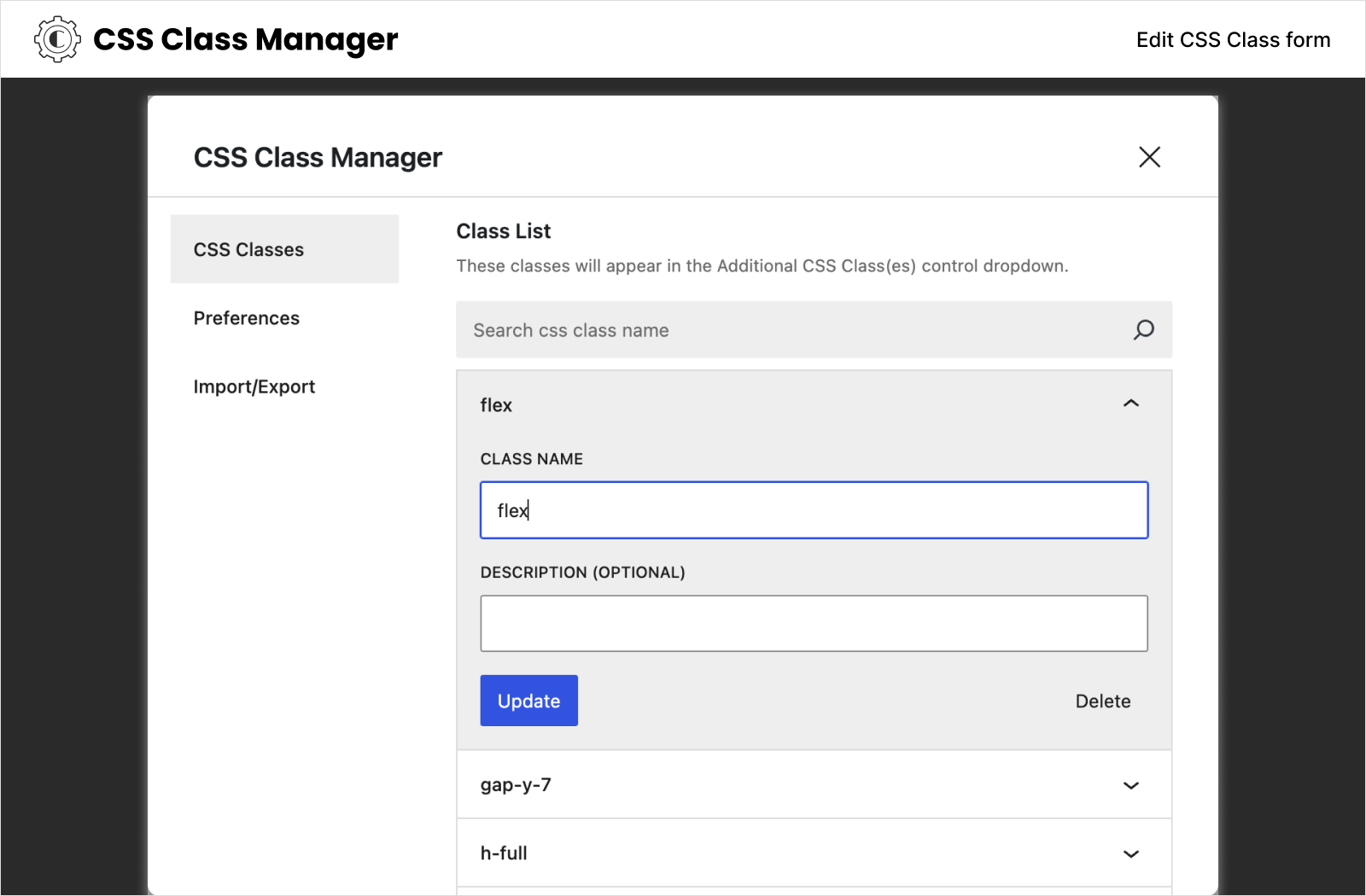
- Effortless Class Management: Easily add, edit, or remove CSS classes directly within the manager interface.
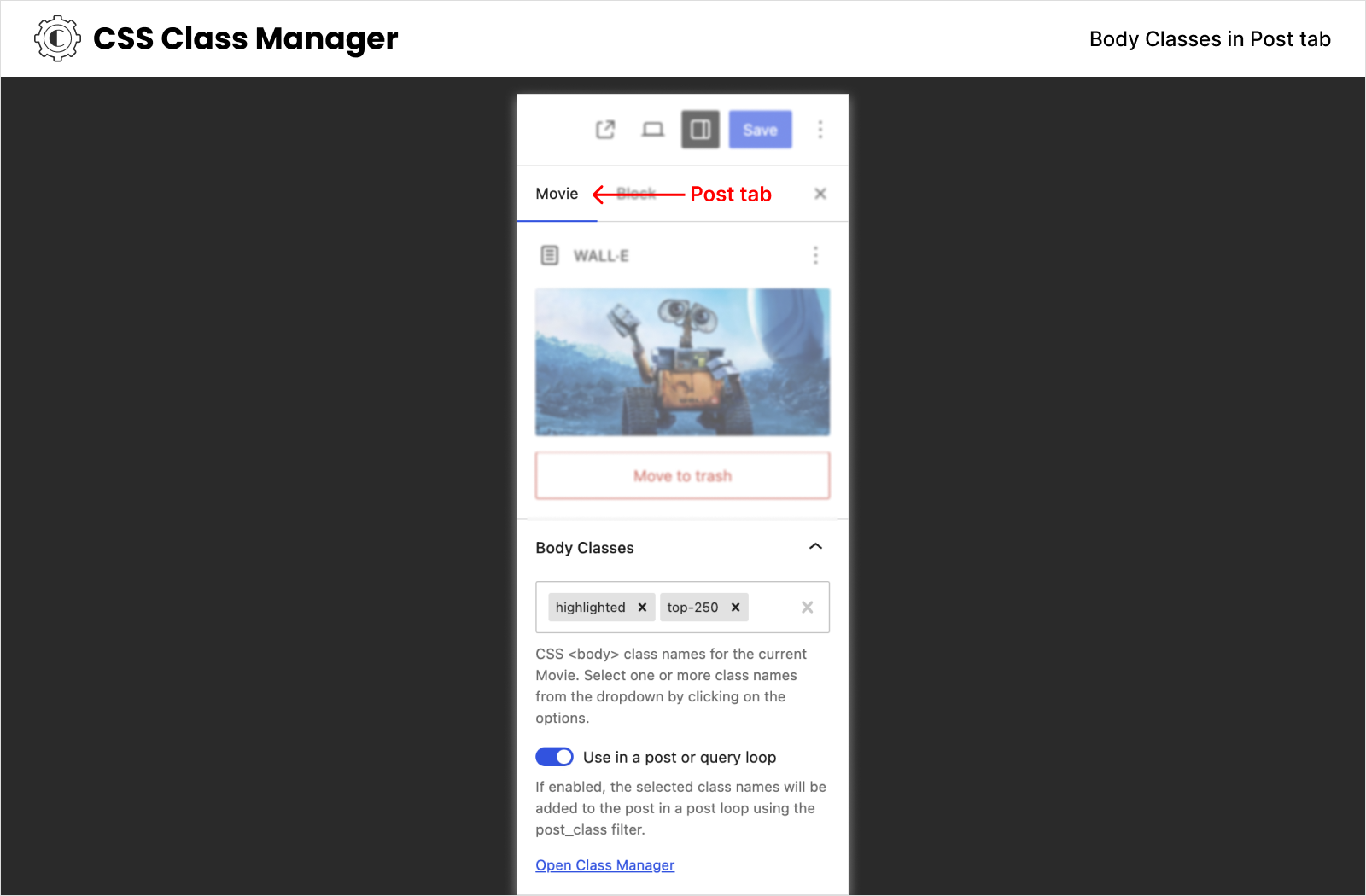
- Body and Post Classes: Add custom class names to post body and post containers using body_class and post_class filters directly from the post editor.
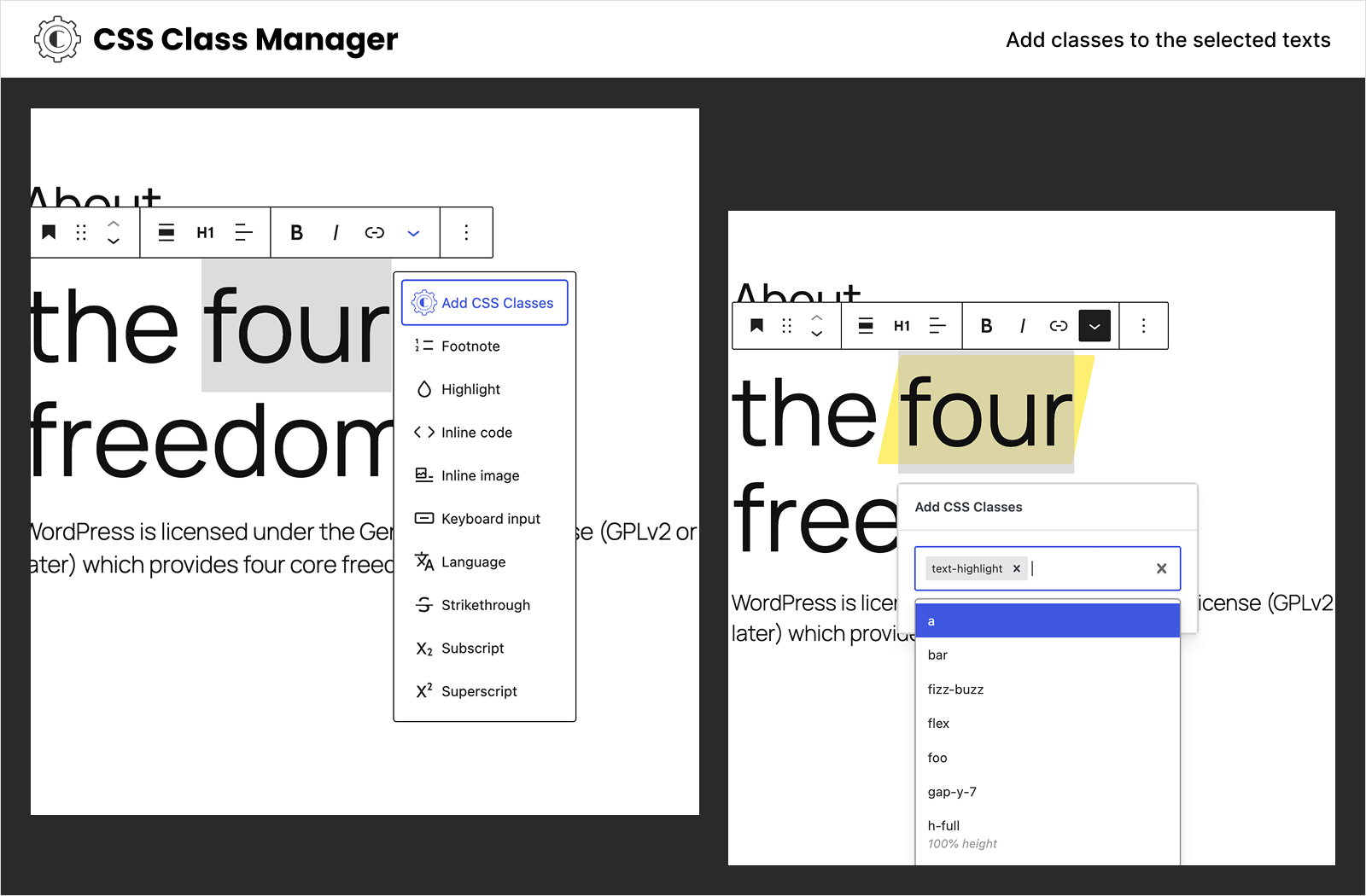
- Inline CSS Classes: Add custom class names to any selected text inside paragraph, heading and other blocks that support Rich Text.
- Theme.json Integration: Automatically include global class names generated from theme.json settings in your class suggestions.
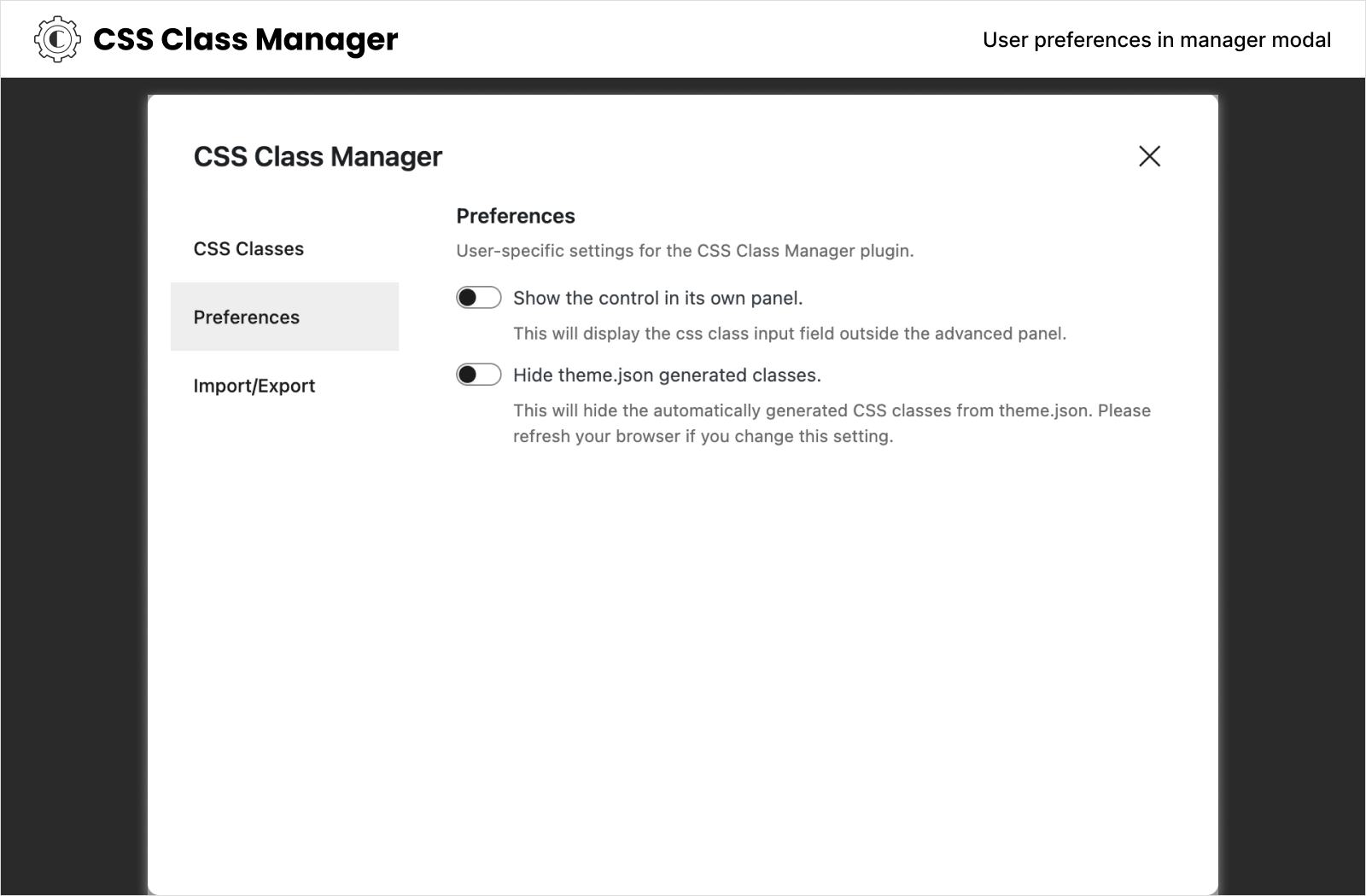
- Show the control in its own panel: User specific settings to show the Additional CSS Class(es) control in its own panel.
- Add classes without saving to the database: User specific settings to toggle saving classes to the database.
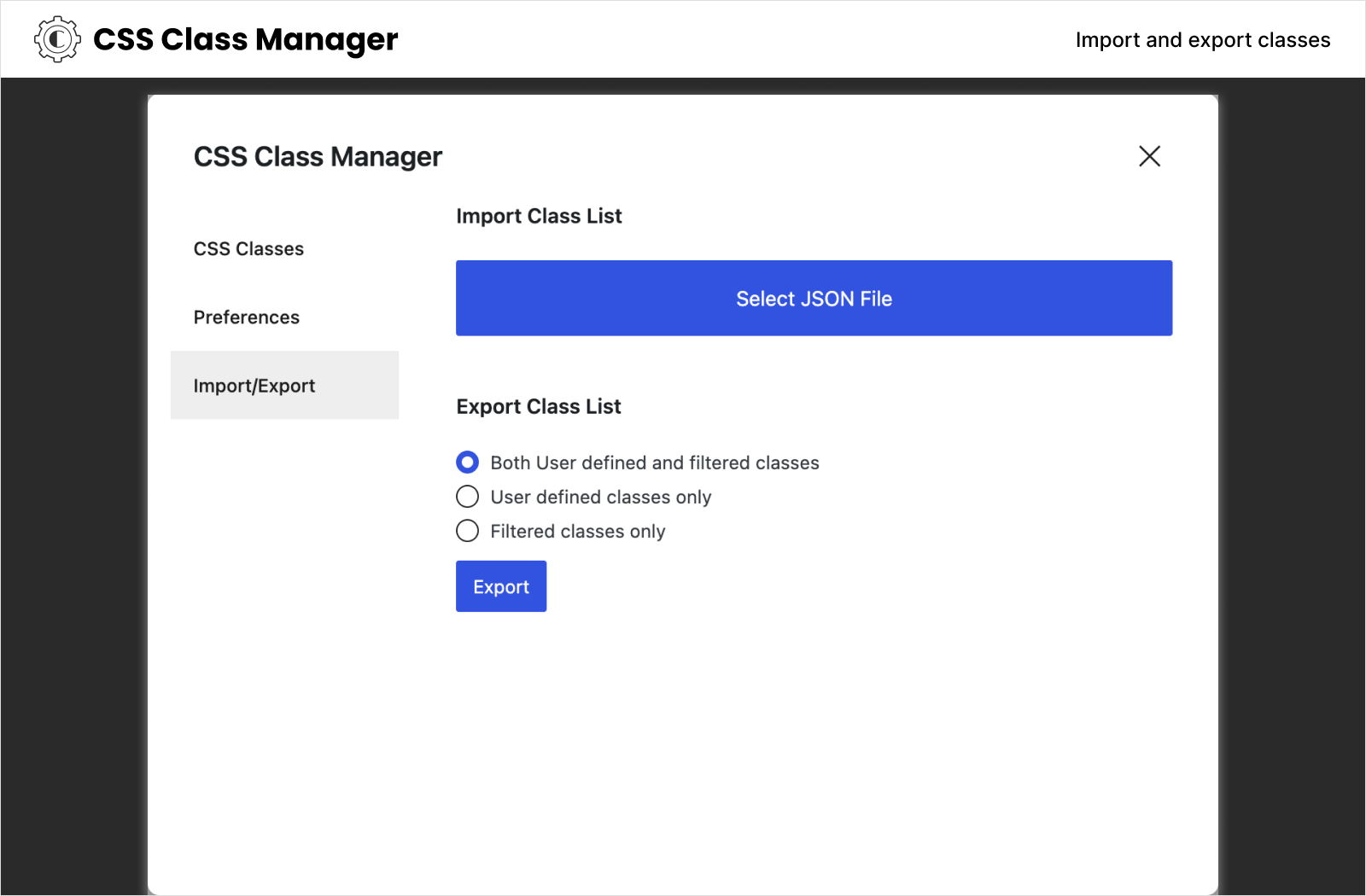
- Import and Export: Seamlessly transfer custom CSS class names to ensure consistency across projects.
Getting Started
- Activate the plugin within your WordPress setup.
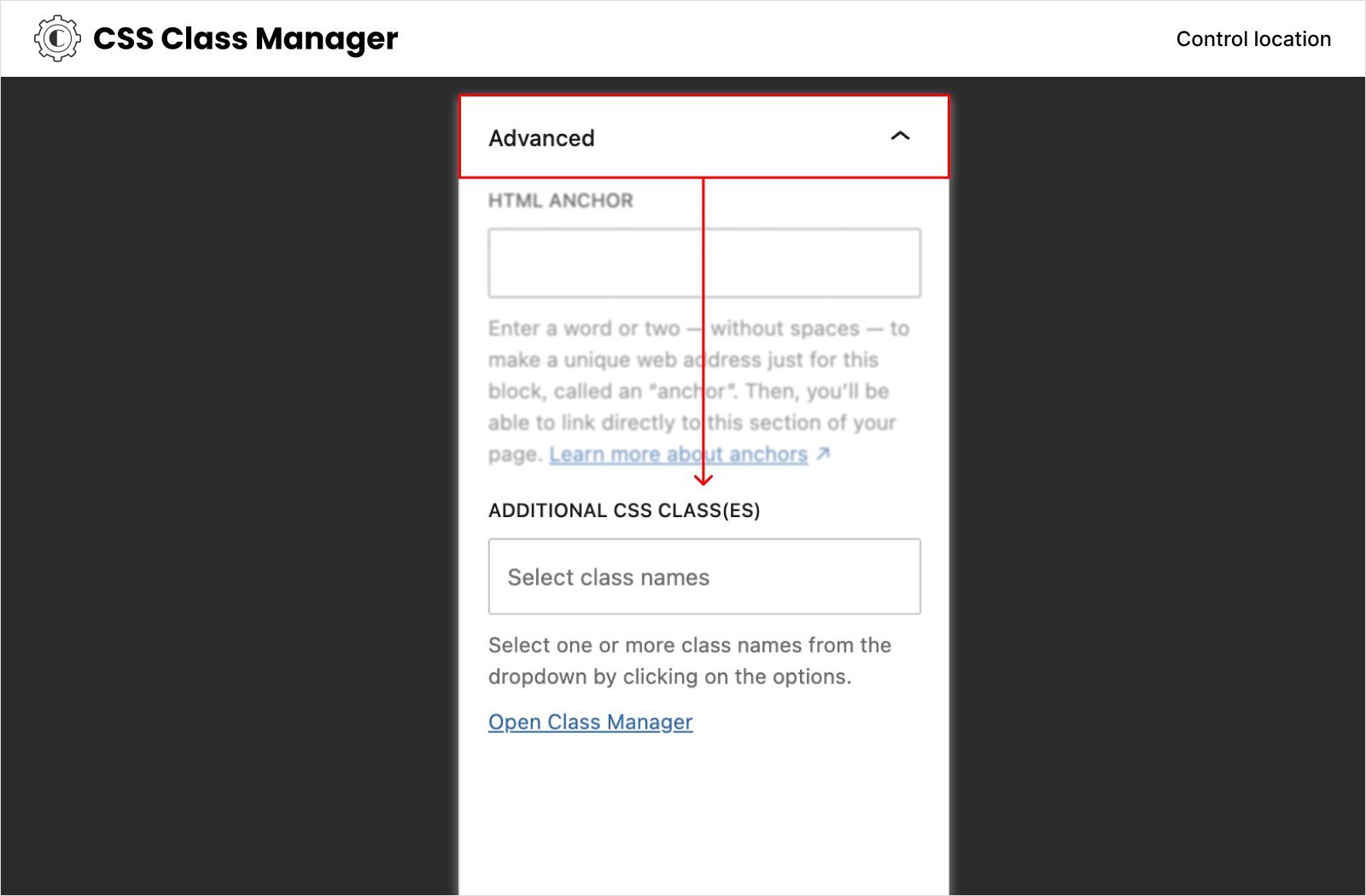
- The advanced control will replace the default “Additional CSS Class(es)” and can be found in the “Advance” block settings section.
- Adding and selecting classes in the autocomplete field is similar to the tags and categories fields.
- To add body or post classes, look for the “Body Classes” and “Post Classes” controls in the Post tab of the post editor (requires custom-fields support). See the limitations
- To add inline classes to the selected text, use the block format tool control in the text formatting tools options (available in blocks that support Rich Text).
- To edit and manage class names, click the “Open Class Manager” link or select “CSS Class Manager” from the More Menu.
- Import/Export can be done from the manager modal.
- Theme.json generated classes are automatically included and can be disabled from the Preferences in the manager modal.
- Use
css_class_manager_filtered_class_namesfilter to add class names with PHP files.
Log de Changes
1.6.1 – March 26, 2026
- Add priority option for class names. See documentation for more details.
1.6.0 – January 12, 2026
- Add classes without saving to the database feature.
- Add an user preference to toggle saving classes to the database.
1.5.0 – October 04, 2025
- Add Inline Element Classes feature to add custom class names to selected text inside paragraph, heading and other blocks that support Rich Text.
- Improve CSS class name parser.
- Exclude theme classes in exported class list json file.
- Add a filter to manage theme classes css.
- Fix unable to remove body classes issue.
1.4.2 – September 03, 2025
- Fix broken theme class generator when css contains line breaks.
1.4.1 – September 03, 2025
- Fix body classes not adding in pages.
1.4.0 – September 03, 2025
- Add Body Classes and Post Classes controls to the post editor for managing body_class and post_class filters.
- Integrate theme.json generated class names into the class suggestions dropdown.
- Add preference option to disable theme.json classes from appearing in suggestions.
Capturas de tela
Para desenvolvedores
Este é o seu plugin? Mostre os números.
Adicione um crachá ao vivo ao seu site, Documentos ou Readme do GitHub. Ele é atualizado por conta própria - nenhuma conta necessária.
Best CSS Class Manager alternatives
All dropdown plugins →





FAQ
CSS Class Manager: quick answers
Respostas diretas, extraídas de dados ao vivo WordPress.org.
Fonte: WordPress.org
Is CSS Class Manager free?
Yes. CSS Class Manager is free to download and use from the official WordPress.org plugin directory.
Is CSS Class Manager safe to use in 2026?
CSS Class Manager is a solid plugin choice in 2026, with a few things worth checking first. It runs on 500+ sites, is rated 5/5 and was last updated 2 months ago, and scores 78/100 on our health check.
How many websites use CSS Class Manager?
CSS Class Manager is active on 500+ WordPress websites and has been downloaded 13,876 times since it launched in May 2024. It was downloaded 1,522 times in the last 30 days.
Does CSS Class Manager work with WordPress 7.1?
Yes. The developer has tested CSS Class Manager up to WordPress 7.1.5, the latest release. It requires WordPress 6.6 or newer.
What PHP version does CSS Class Manager need?
CSS Class Manager requires PHP 7.4 or higher. Most hosts run PHP 8.x today, so it works on any modern WordPress hosting.
When was CSS Class Manager last updated?
The latest version, 1.6.1, was released on October 3, 2026 (2 months ago).
Who makes CSS Class Manager?
CSS Class Manager is developed and maintained by Edi Amin.
What are the best alternatives to CSS Class Manager?
The most popular alternatives to CSS Class Manager are Cities Shipping Zones for W… (4K+ installs), Min Max Step Quantity Limit… (3K+ installs) and Navigation menu as Dropdown… (2K+ installs).
Alimentado por PageForge
Um modelo e uma planilha. Uma página real para cada pesquisa.
PageForge Transforma cada linha de um CSV em uma página WordPress com seu próprio título, URL, SEO campos e esquema, construído no layout que você já desenhou. Gratuito em WordPress.org.
- CSV e XLSX, mais Google Sheets em Profissional e Empresarial
- Seu próprio título, URL, SEO campos e esquema para cada página
- Funciona com o editor de blocos, Elementor, Divi e Avada
- Gratuito em WordPress.org, sem cartão de crédito