


Crop Thumbnails
"Crop Thumbnails" made it easy to get exacly that specific image-detail you want to show in your featured image or gallery image.

Escolha segura
Yes — Crop Thumbnails is a safe, well-maintained plugin to use in 2026. It runs on 40K+ sites, is rated 4.6/5 and was last updated 3 weeks ago, and scores 93/100 on our health check.
- Comprovado em escala em mais de 40 mil sites ativos
- Loved by users — 4.6/5 from 69 reviews
- Desenvolvido ativamente — última atualização 3 semanas atrás
- Testado com as últimas WordPress (7.1)
- Momentum — downloads up 360.5% vs the previous 30 days
Como ele se acumula?
Lado a lado em instalações, atualizações, avaliações e suporte



Downloads diários
Os picos de download geralmente seguem uma nova versão — cada site que atualiza automaticamente é um download.
Rankings
Where Crop Thumbnails stands todayWordPress.org Classificações de pesquisa
Posição ao vivo na pesquisa de plugins, top 100| Palavra chave | Posição |
|---|---|
| imagens | >100 |
| media library | #79 |
| post thumbnails | #2 |
Adoção da versão
Compartilhamento de sites ativos por lançamento.
Divisão de classificação
★★★★★★★★★★ 4.6 from 69 reviews
About Crop Thumbnails
From the official readme · v1.10.0Descrição
The plugin provides the functionality to adjust the crop region of cropped images. It add buttons to the edit-pages and media-dialog to access a crop-editor.
In the crop-editor you can choose one or more (if they have the same ratio) imagesizes and cut-off the part of the image you want.
The plugin is especially useful for theme developers who want to keep full control over cropped image sizes. If you want to dive even deeper, you can get informations about the hooks and filters on the github page of the plugin.
Instalação
You can use the built in installer and upgrader, or you can install the plugin manually.
- You can either use the automatic plugin installer or your FTP program to upload it to your wp-content/plugins directory the top-level folder. Don’t just upload all the php files and put them in /wp-content/plugins/.
- Ative o plugin através do menu 'Plugins' em WordPress
- Configure any settings from “Settings > Crop-Thumbnails”.
- Use it.
Log de Changes
1.10.0
- fix crop filename keeping the source extension (e.g. “photo.jpg-150×150.webp”) if
image_editor_output_formatis used - fix deleting a file that is still used by another image size when re-cropping
- if the original of a scaled image is missing the editor now asks the user to confirm cropping from the smaller scaled image and shows its resolution (filter
crop_thumbnails_allow_cropping_from_scaled_imageto disable it) - fix saving the settings “Sizes and Post Types” failed with a PHP error (TypeError) on some sites, i.e. with plain permalinks (thanks to rainersnookh)
- if there is only one image size to crop it is selected automatically
- the crop editor shows a checkerboard (like the WordPress default crop) instead of black behind transparent images
- fix fatal error (HTTP 500, DivisionByZeroError on PHP 8) in the crop editor if the original of a scaled image is missing – the editor now shows a message instead (thanks to E1NSER)
- fix: image sizes hidden for a post type (settings) are now also hidden when cropping from the media dialog inside the post editor (e.g. SCF/ACF image fields) – the post type is derived from the edited post
- security: check if the user is allowed to edit the image before reading or cropping it (thanks to Pedro Pinho for reporting)
- security: harden input handling of the settings endpoints
- the plugin requires WordPress 5.7 or newer (it already used functions of that version)
- code cleanup (escaping, direct file access protection, WordPress file functions)
- filter
crop_thumbnails_user_permission_check: the default value now also contains the permission to edit the specific image (see github readme)
1.9.7
- fix the script loading in the backend if using wp_enqueue_script_module
- Remove legacy filter with typo error: “crop_thumbnails_activat_on_adminpages”
- update dependencies
1.9.6
- change the basesize for cropping from “large” to “full” to prevent that the wrong dimensions are created for the crop
1.9.5
- fix wrong filter parameter count for “image_editor_output_format”
- add filter
crop_thumbnails_crop_datato make the crop-area-background-image editable - make
crop_thumbnails_crop_data_image_sizesdeprecated in favor ofcrop_thumbnails_crop_data
1.9.4
- add wp-api script to wp-backend (seems that wp_enqueue_script_module to not do this on there own)
1.9.3
- use rename instead of copy-unlink to move the files from the temporary directory
- improve logging
Capturas de tela
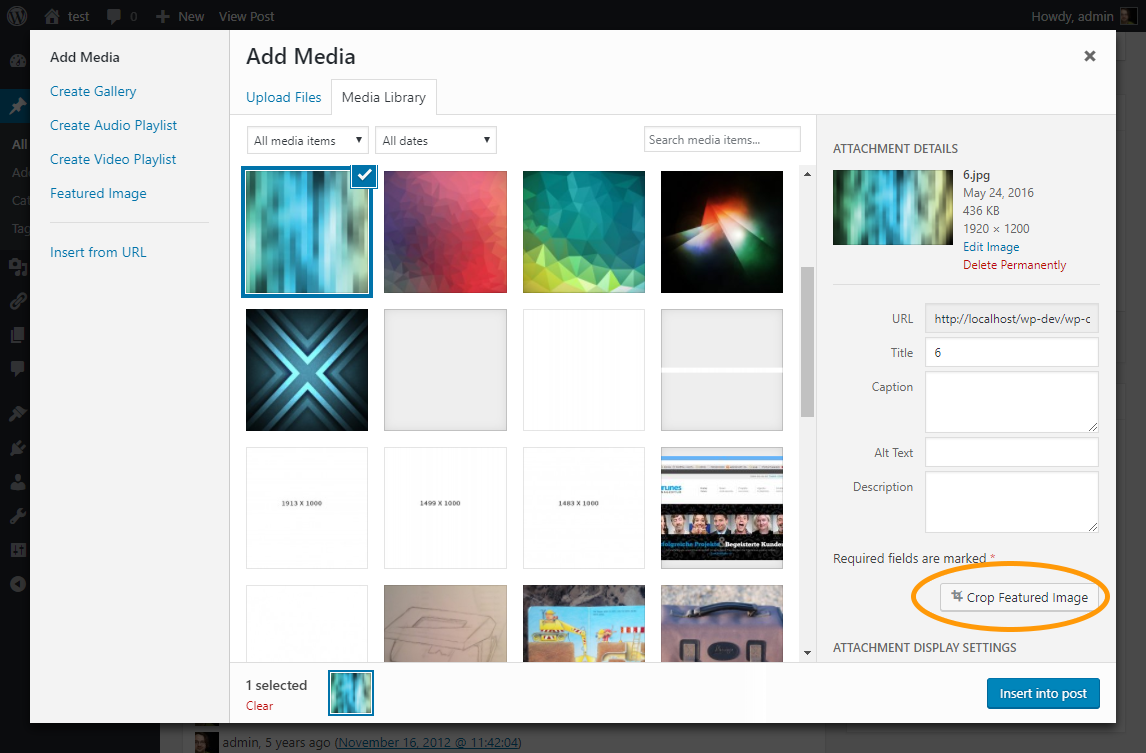
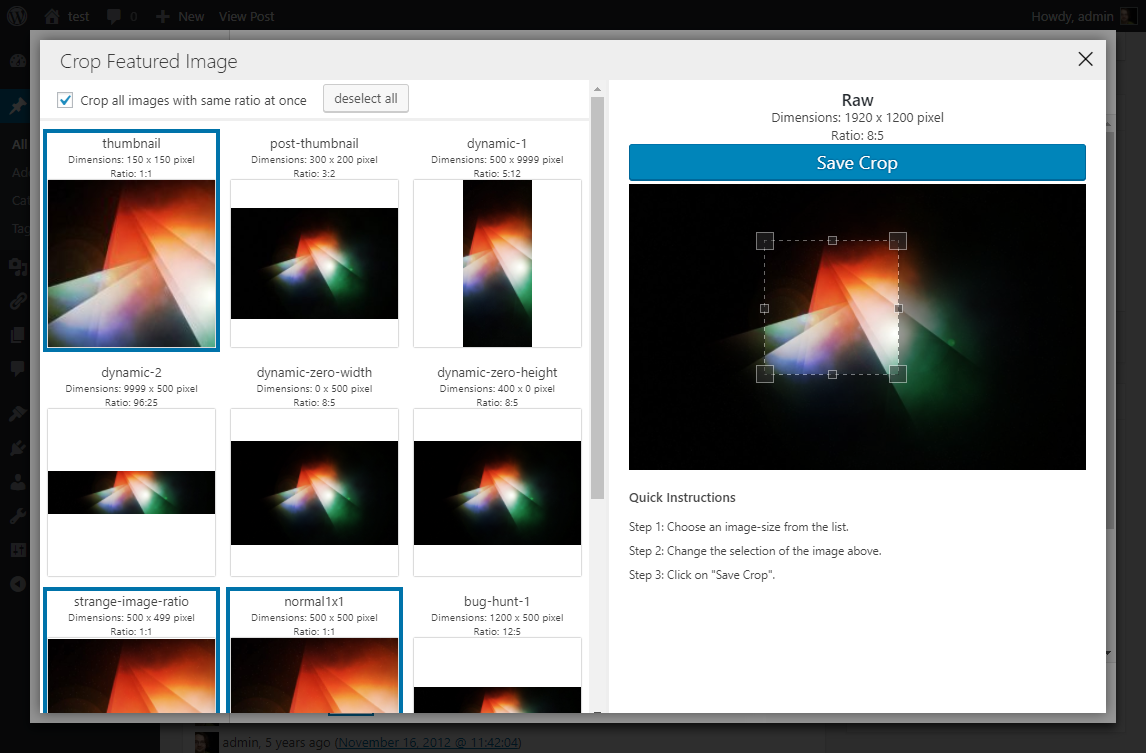
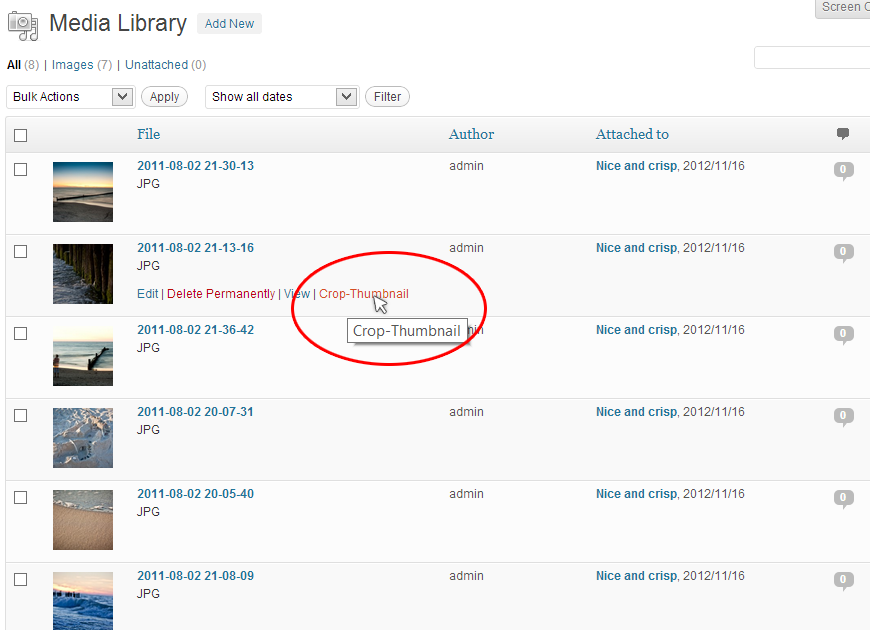
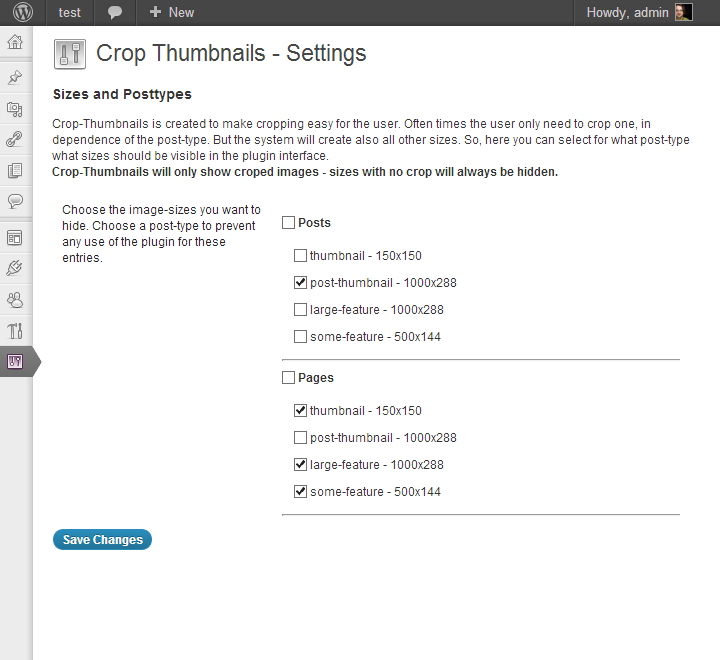
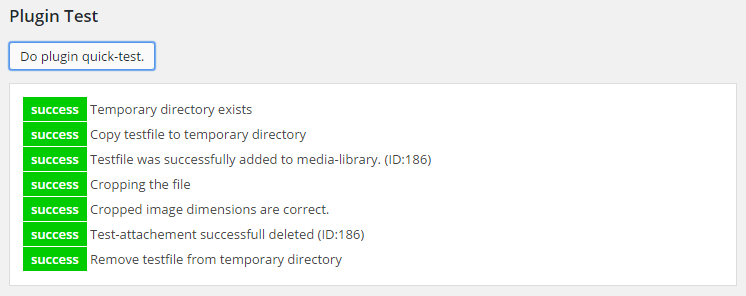
Para desenvolvedores
Este é o seu plugin? Mostre os números.
Adicione um crachá ao vivo ao seu site, Documentos ou Readme do GitHub. Ele é atualizado por conta própria - nenhuma conta necessária.
Best Crop Thumbnails alternatives
All images plugins →





FAQ
Crop Thumbnails: quick answers
Respostas diretas, extraídas de dados ao vivo WordPress.org.
Fonte: WordPress.org
Is Crop Thumbnails free?
Yes. Crop Thumbnails is free to download and use from the official WordPress.org plugin directory.
Is Crop Thumbnails safe to use in 2026?
Yes — Crop Thumbnails is a safe, well-maintained plugin to use in 2026. It runs on 40K+ sites, is rated 4.6/5 and was last updated 3 weeks ago, and scores 93/100 on our health check.
How many websites use Crop Thumbnails?
Crop Thumbnails is active on 40K+ WordPress websites and has been downloaded 915,791 times since it launched in November 2012. It was downloaded 34,555 times in the last 30 days.
Does Crop Thumbnails work with WordPress 7.1?
Yes. The developer has tested Crop Thumbnails up to WordPress 7.1.5, the latest release. It requires WordPress 5.7 or newer.
What PHP version does Crop Thumbnails need?
Crop Thumbnails requires PHP 7.4.0 or higher. Most hosts run PHP 8.x today, so it works on any modern WordPress hosting.
When was Crop Thumbnails last updated?
The latest version, 1.10.0, was released on November 8, 2026 (3 weeks ago).
Who makes Crop Thumbnails?
Crop Thumbnails is developed and maintained by Volkmar Kantor.
What are the best alternatives to Crop Thumbnails?
The most popular alternatives to Crop Thumbnails are Autoptimize (800K+ installs), WebP Express (300K+ installs) and Responsive Lightbox & Galle… (100K+ installs).
Alimentado por PageForge
Um modelo e uma planilha. Uma página real para cada pesquisa.
PageForge Transforma cada linha de um CSV em uma página WordPress com seu próprio título, URL, SEO campos e esquema, construído no layout que você já desenhou. Gratuito em WordPress.org.
- CSV e XLSX, mais Google Sheets em Profissional e Empresarial
- Seu próprio título, URL, SEO campos e esquema para cada página
- Funciona com o editor de blocos, Elementor, Divi e Avada
- Gratuito em WordPress.org, sem cartão de crédito