


Constellation Client Portal
WordPress client portal plugin that allows for sharing private files, pages, and posts to manage clients, customers, and more.

Escolha sólida
Constellation Client Portal is a solid plugin choice in 2026, with a few things worth checking first. It runs on 10+ sites and was last updated 3 weeks ago, and scores 66/100 on our health check.
- Desenvolvido ativamente — última atualização 3 semanas atrás
- Testado com as últimas WordPress (7.1)
- Pequena base de usuários (10+ instalações ativas)
- Muito poucos comentários até agora
- Precisa de PHP 8.2.35 ou mais recente
Como ele se acumula?
Lado a lado em instalações, atualizações, avaliações e suporte



Downloads diários
Os picos de download geralmente seguem uma nova versão — cada site que atualiza automaticamente é um download.
Rankings
Where Constellation Client Portal stands todayWordPress.org Classificações de pesquisa
Posição ao vivo na pesquisa de plugins, top 100| Palavra chave | Posição |
|---|---|
| client portal | #22 |
| customer portal | #55 |
| invoicing | >100 |
| private content | >100 |
| private files | >100 |
Adoção da versão
Compartilhamento de sites ativos por lançamento.
About Constellation Client Portal
Do Readme oficial · v3.0.0Descrição
A professional client portal for WordPress that helps you organize clients, customers, groups, and teams. Create unlimited client pages and securely share private pages, posts, and files.
Upgrade to the Pro version and integrate with WooCommerce to accept payments for invoices and services.
Whether you are a veteran of high-level business or just starting out, Constellation Client Portal gives you the tools that you need to manage your operations efficiently and professionally, so that you can do business with confidence.
Recursos
- Create unlimited private pages for your clients, customers, and team members.
- Create private invoice and file posts for your clients and display them on private client pages, with simple to use shortcodes.
- Attach private files (example: pdf, jpg, docx, xlsx, etc) to invoice and file posts.
- Prevent direct access to client files by users, search engines, and bots.
- Assign WordPress users to Companies.
- Assign users (example: consultants) to multiple companies to allow them to access files that are assigned to different companies.
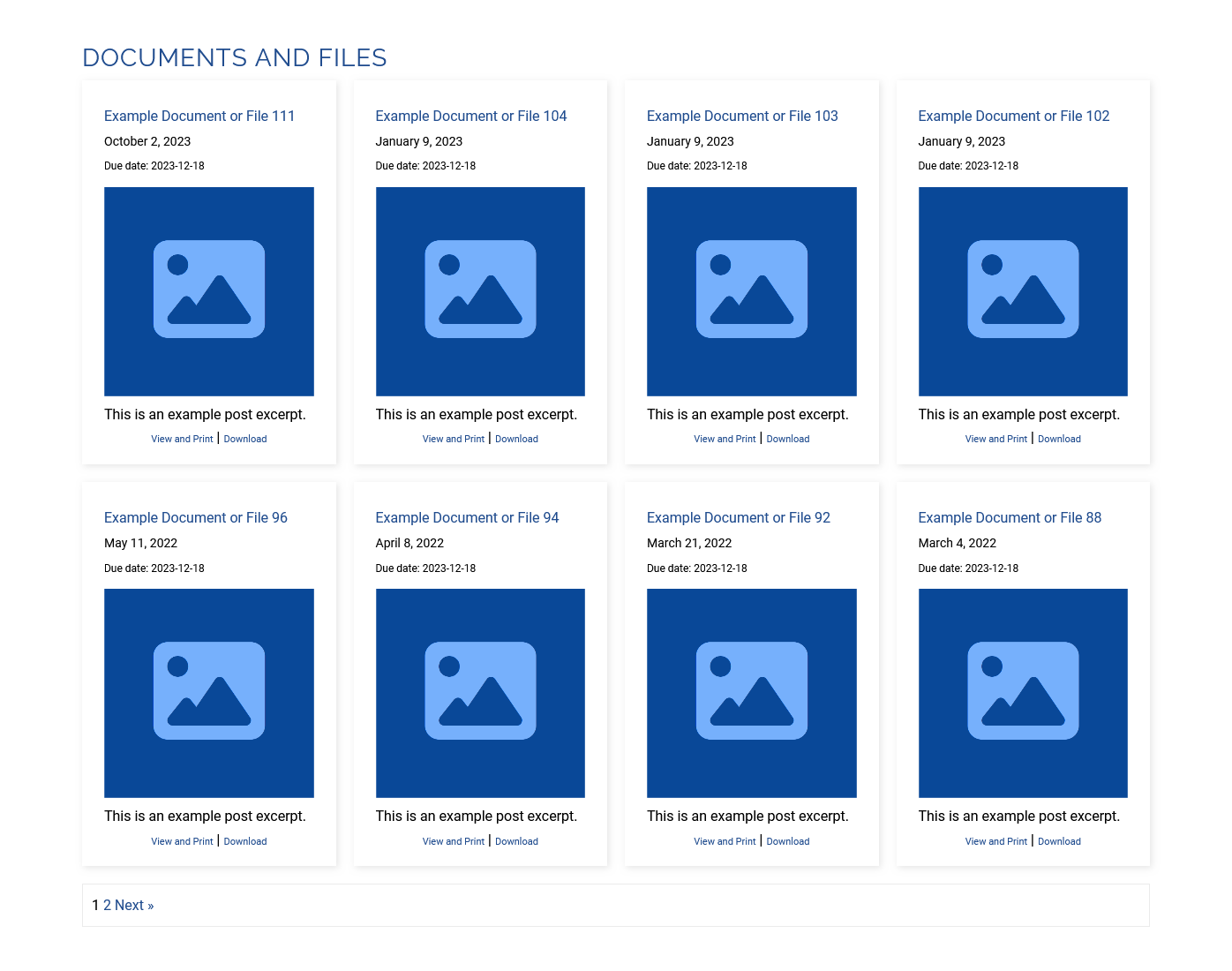
- Easily add curated lists of invoices and documents to client pages via simple to use shortcodes.
Pró
- Automatically redirect clients to their private client page at login (optional login redirect setting).
- Integrate your invoices with WooCommerce and add a pay button to your unpaid invoices, and accept payments from your customers and clients (requires WooCommerce).
- Automatically add default content to file, invoice, and global file single post pages.
- Change the Client Page, Client File, and Client Invoice URL base names (“accp-client-page,” “accp-clientfile,” and “accp-clientinvoice) to names of your choosing.
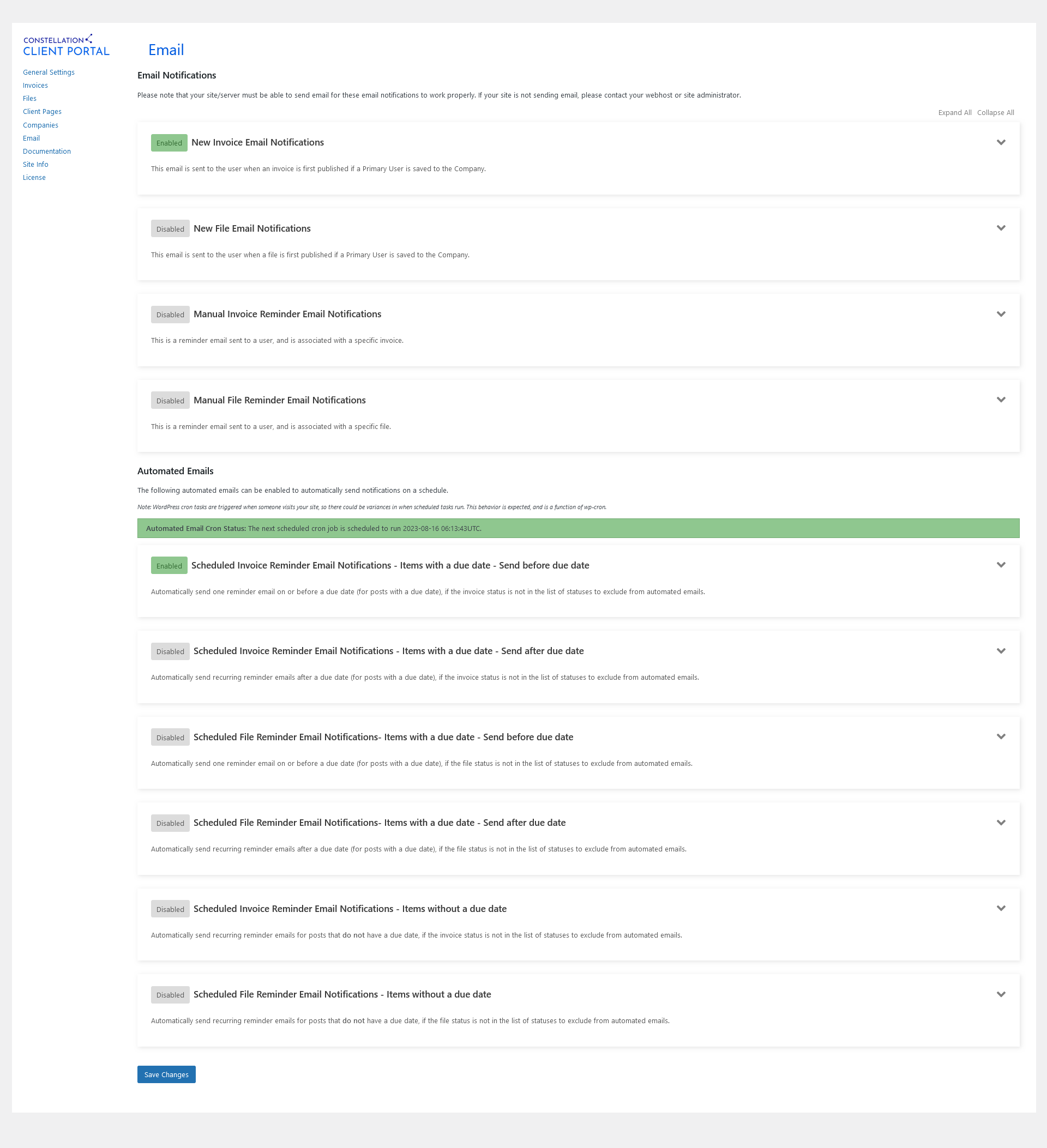
- Automatically send email notifications to clients when a new File or Invoice post is created.
- Automatically send reminder email notifications on a schedule.
- Easily customize the look of client-facing lists and pages.
- Display client-facing lists in list or grid layout.
- Easily generate, save, and edit file and invoice shortcodes within the plugin settings.
- Add due dates and past due notices to invoices and files.
- Further restrict file and invoice access within a company by user and role.
- Restrict file and invoice category access by user and role.
- Add internal notes to File and Invoice posts.
- Export file and invoice lists to CSV.
- Create global client pages that can be accessed by multiple companies.
- Create global client files that can be accessed by more than one company.
Casos de uso
Constellation Client Portal is your portal for everything, and helps you interface with clients, customers, teams, and groups. It’s professional, extendable, versatile, and is designed to sit at the heart of your organization to save time and lower costs.
Example Use Case Areas
- Businesses and Professionals – Interface with clients, customers, employees, contractors, and vendors.
- Freelancers – Interface with clients, customers, contractors, and vendors.
- Project Managers / Teams – Interface with stake holders, contractors, project members, and vendors.
- Teams – Interface with team members, staff, affiliates, vendors, and contractors.
- Groups and Organizations – Interface with group members, and other affiliates.
Shortcodes (Core)
The shortcode parameters, below, are for use with the core version of the plugin. The pro version allows for file and invoice shortcodes to be easily generated, saved, and edited within the plugin settings.
Unpaid Invoice List
[accp_clientinvoices invoice_status="unpaid"]
Paid Invoice List
[accp_clientinvoices invoice_status="paid"]
Invoice Shortcode Parameters
- invoice_status this is the payment status of the invoice. Accepted Values: “paid” or “unpaid”. Default: “unpaid”.
- display_number this is the number of posts per page. Accepted Values: any positive whole number. Default: -1 (which displays all posts returned in a query).
- order_by this allows for lists to be sorted by post title instead of date. Accepted Values: “title” or “date”. Default: “date”.
- order this allows the sort order to be changed. Accepted Values: “ASC” or “DESC”. Default: “DESC”.
- show_excerpt this allows for a post excerpt to be displayed with each list item. Accepted Values: “true” or “false”. Default: “false”.
- excerpt_length this allows you to constrain the number of words, “show_excerpt” is set to “true”. Accepted Values: any positive whole number. Default: null.
- show_thumbnail this allows the featured image to be displayed with each list item (if a featured image is set). Accepted Values: “true” or “false”. Default: null.
- thumbnail_size this allows you to choose an image size if the “show_thumbnail” attribute is set to “true”. Accepted Values: any valid thumbnail slug that is available in your theme (ex. “full”). Default: null.
- align_thumbnail this allows the thumbnail image alignment to be set if the “show_thumbnail” attribute is set to “true”. Accepted Values: “center”, “left”, “right”, “float-left”, or “float-right”. Default: null.
- show_post_date this allows for the WordPress post date to be displayed with each item in a list. Accepted Values: “true” or “false”. Default: “false”.
- categories Accepted Values: this can be entered as an Invoice Category Slug or ID, or a combination of those. Separate multiple values with a comma (ex. “21, category-a”). Default: null.
- link_title Accepted Values: “nolink”. Adding this parameter and setting the value to “nolink” will remove the href from post titles in the list and make them unclickable. Default: null.
- class Accepted Values: any valid HTML class attribute name or names (separate multiple class names with a space). Default: null.
Document/File List
[accp_clientfiles]
File Shortcode Parameters
- categories Accepted Values: this can be entered as a File Category Slug or ID, or a combination of those. Separate multiple values with a comma (ex. “21, category-a”). Default: null.
- display_number this is the number of posts per page. Accepted Values: any positive whole number. Default: -1 (which displays all posts returned in a query).
- order_by this allows for lists to be sorted by post title instead of date. Accepted Values: “title” or “date”. Default: “date”.
- order this allows the sort order to be changed. Accepted Values: “ASC” or “DESC”. Default: “DESC”.
- show_excerpt this allows for a post excerpt to be displayed with each list item. Accepted Values: “true” or “false”. Default: “false”.
- excerpt_length this allows you to constrain the number of words, “show_excerpt” is set to “true”. Accepted Values: any positive whole number. Default: null.
- show_thumbnail this allows the featured image to be displayed with each list item (if a featured image is set). Accepted Values: “true” or “false”. Default: null.
- thumbnail_size this allows you to choose an image size if the “show_thumbnail” attribute is set to “true”. Accepted Values: any valid thumbnail slug that is available in your theme (ex. “full”). Default: null.
- align_thumbnail this allows the thumbnail image alignment to be set if the “show_thumbnail” attribute is set to “true”. Accepted Values: “center”, “left”, “right”, “float-left”, or “float-right”. Default: null.
- show_post_date this allows for the WordPress post date to be displayed with each item in a list. Accepted Values: “true” or “false”. Default: “false”.
- link_title Accepted Values: “nolink”. Adding this parameter and setting the value to “nolink” will remove the href from post titles in the list and make them unclickable. Default: null.
- class Accepted Values: any valid HTML class attribute name or names (separate multiple class names with a space). Default: null.
Global Files (Pro)
[accp_global_files]
Company Menu (Pro)
[accp_company_menu]
Company Menu Shortcode Parameters
- excluded_page_ids – this allows for pages that are assigned to a given company to be excluded from the company menu. Accepts a comma separated list of Client Page ID’s. Default = null.
- list_style – this allows the UL orientation to be changed. Accepts ‘vertical’ or ‘horizontal.’ Default = horizontal.
- align – this allows for the menu alignment to be set. Accepts ‘left,’ ‘right,’ or ‘center.’ Default = left.
Documentação
- Quick Start Guide – Follow the quick start guide to quickly set up the initial foundation for your client portal.
- Plugin Documentation – View the plugin documentation for other helpful information.
Apoio
Pro users, with active licenses, should open a support ticket by accessing their account on constellationclientportal.com for help and support.
Instalação
Automatic Install
- In the WordPress Admin section, navigate to Plugins.
- Click Add New and select your plugin zip package.
- Click Install.
- Finally, click Activate when the plugin is installed.
Manual Install
- Extract your plugin zip file.
- Using an ftp program, open your wp-content/plugins directory.
- Upload the uncompressed plugin folder to the wp-content/plugins directory.
- In the WordPress Admin section, navigate to Plugins.
- Locate the Constellation Client Portal plugin and click Activate.
Log de Changes
3.0.0 (Pro) – 2026-10-28
- Update: Bumped the minimum required PHP version to 8.2.35 in the pro version, in response to CVE-2026-109618 and CVE-2026-109619.
3.0.0 (Core) – 2026-10-28
- Update: Bumped the minimum required PHP version to 8.2.35, in the core version, in response to CVE-2026-109618 and CVE-2026-109619.
2.10.0 (Pro) – 2026-9-25
- Update: Changed the get_sudo_atts method name to get_pseudo_atts throughout the plugin.
- Compatibility: Tested pro plugin with WP 7.1.
2.10.0 (Core) – 2026-9-25
- Compatibility: Tested core plugin with WP 7.1.
2.9.0 (Pro) – 2026-8-3
- Update: Updated the file, invoice, and global file single post template version number in each file.
- Update: Added hook that fires after the post content to the file, invoice, and global file single post templates.
- Update: Added hook that fires before the post content to the file, invoice, and global file single post templates.
- Update: Added unique class to the global file single post templates.
- Update: Added unique class to the clientinvoice single post templates.
- Update: Added unique class to the clientfile single post templates.
2.9.0 (Core) – 2026-8-3
- Update: Updated the readme file.
Capturas de tela




Para desenvolvedores
Este é o seu plugin? Mostre os números.
Adicione um crachá ao vivo ao seu site, Documentos ou Readme do GitHub. Ele é atualizado por conta própria - nenhuma conta necessária.
Best Constellation Client Portal alternatives
All client portal plugins →





FAQ
Constellation Client Portal: quick answers
Respostas diretas, extraídas de dados ao vivo WordPress.org.
Fonte: WordPress.org
Is Constellation Client Portal free?
Yes. Constellation Client Portal is free to download and use from the official WordPress.org plugin directory. The developer also sells premium add-ons or a Pro version with extra features.
Is Constellation Client Portal safe to use in 2026?
Constellation Client Portal is a solid plugin choice in 2026, with a few things worth checking first. It runs on 10+ sites and was last updated 3 weeks ago, and scores 66/100 on our health check.
How many websites use Constellation Client Portal?
Constellation Client Portal is active on 10+ WordPress websites and has been downloaded 9,186 times since it launched in January 2022. It was downloaded 204 times in the last 30 days.
Does Constellation Client Portal work with WordPress 7.1?
Yes. The developer has tested Constellation Client Portal up to WordPress 7.1.5, the latest release. It requires WordPress 6.0.0 or newer.
What PHP version does Constellation Client Portal need?
Constellation Client Portal requires PHP 8.2.35 or higher. Most hosts run PHP 8.x today, so it works on any modern WordPress hosting.
When was Constellation Client Portal last updated?
The latest version, 3.0.0, was released on October 28, 2026 (3 weeks ago).
Who makes Constellation Client Portal?
Constellation Client Portal is developed and maintained by ARS.
What are the best alternatives to Constellation Client Portal?
The most popular alternatives to Constellation Client Portal are Jetpack CRM (30K+ installs), WP Customer Area (10K+ installs) and Client Portal (3K+ installs).
Alimentado por PageForge
Um modelo e uma planilha. Uma página real para cada pesquisa.
PageForge Transforma cada linha de um CSV em uma página WordPress com seu próprio título, URL, SEO campos e esquema, construído no layout que você já desenhou. Gratuito em WordPress.org.
- CSV e XLSX, mais Google Sheets em Profissional e Empresarial
- Seu próprio título, URL, SEO campos e esquema para cada página
- Funciona com o editor de blocos, Elementor, Divi e Avada
- Gratuito em WordPress.org, sem cartão de crédito