


Carousel Slider Block for Gutenberg
A responsive modern carousel slider for the Gutenberg block editor that lets you add any blocks to your slides. Easily create sliders for hero sections, testimonials, products, and anything else using Gutenberg blocks.

Escolha segura
Yes — Carousel Slider Block for Guten… is a safe, well-maintained plugin to use in 2026. It runs on 50K+ sites, is rated 4.8/5 and was last updated 1 month ago, and scores 83/100 on our health check.
- Comprovado em escala em mais de 50 mil sites ativos
- Loved by users — 4.8/5 from 59 reviews
- Testado com as últimas WordPress (7.1)
Como ele se acumula?
Lado a lado em instalações, atualizações, avaliações e suporte



Downloads diários
Os picos de download geralmente seguem uma nova versão — cada site que atualiza automaticamente é um download.
Rankings
Where Carousel Slider Block for G… stands todayWordPress.org Classificações de pesquisa
Posição ao vivo na pesquisa de plugins, top 100| Palavra chave | Posição |
|---|---|
| carousel | #4 |
| Gutenberg | #11 |
| Slide | #5 |
| swiper | #3 |
Adoção da versão
Compartilhamento de sites ativos por lançamento.
Divisão de classificação
★★★★★★★★★★ 4.8 from 59 reviews
About Carousel Slider Block for Gutenberg
From the official readme · v2.1.6Descrição
A responsive modern carousel slider for the Gutenberg block editor that lets you add any blocks to your slides. Easily create sliders for hero sections, testimonials, products, and anything else using Gutenberg blocks.
🚀 Carousel Slider Version 2 is built on the modern Swiper.js library for improved performance and better mobile compatibility.
Plugin site: carouselblock.com
Recursos
- Add unlimited slides
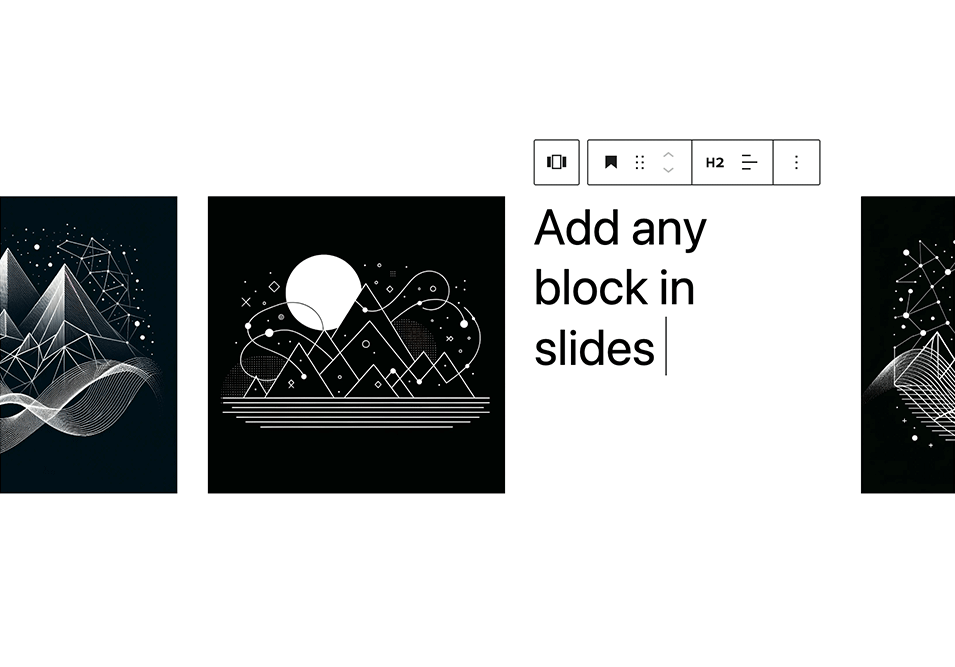
- Add any blocks to the slides
- Preview the carousel in the editor
- Responsive and touch enabled
- Developer friendly: supports CSS variables & theme.json
Definições
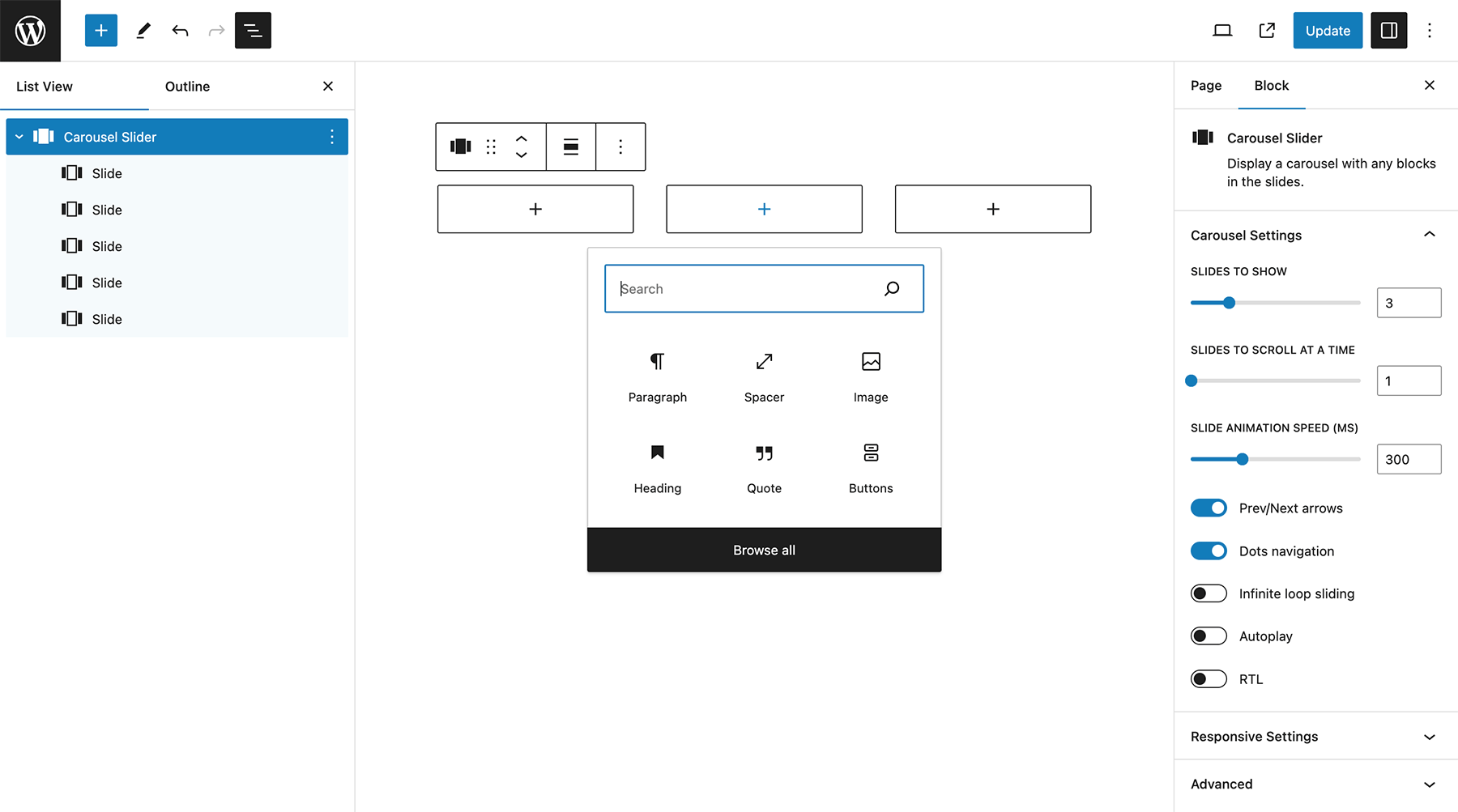
- Slides per view
- Slides to scroll at a time
- Slide speed
- Slide padding
- Prev/next arrows
- Dots navigation
- Infinite loop sliding
- Autoplay
- Pause on hover
- Disable on interaction
- Responsive settings: slides to show and scroll at given screen size
- RTL
Advanced Settings
For dynamic layouts where the slider or its surrounding layout changes after load, such as tabs, accordions, or lazy-loaded content.
- ResizeObserver
- Observer
- Observe parent elements
- Observe slide children
Plugin Settings
Plugin settings are available from Settings > Carousel Slider in the WordPress admin.
Available options include showing legacy carousel blocks, hiding the legacy warning notice, and loading the full Swiper bundle instead of the default custom Swiper build.
Included Patterns
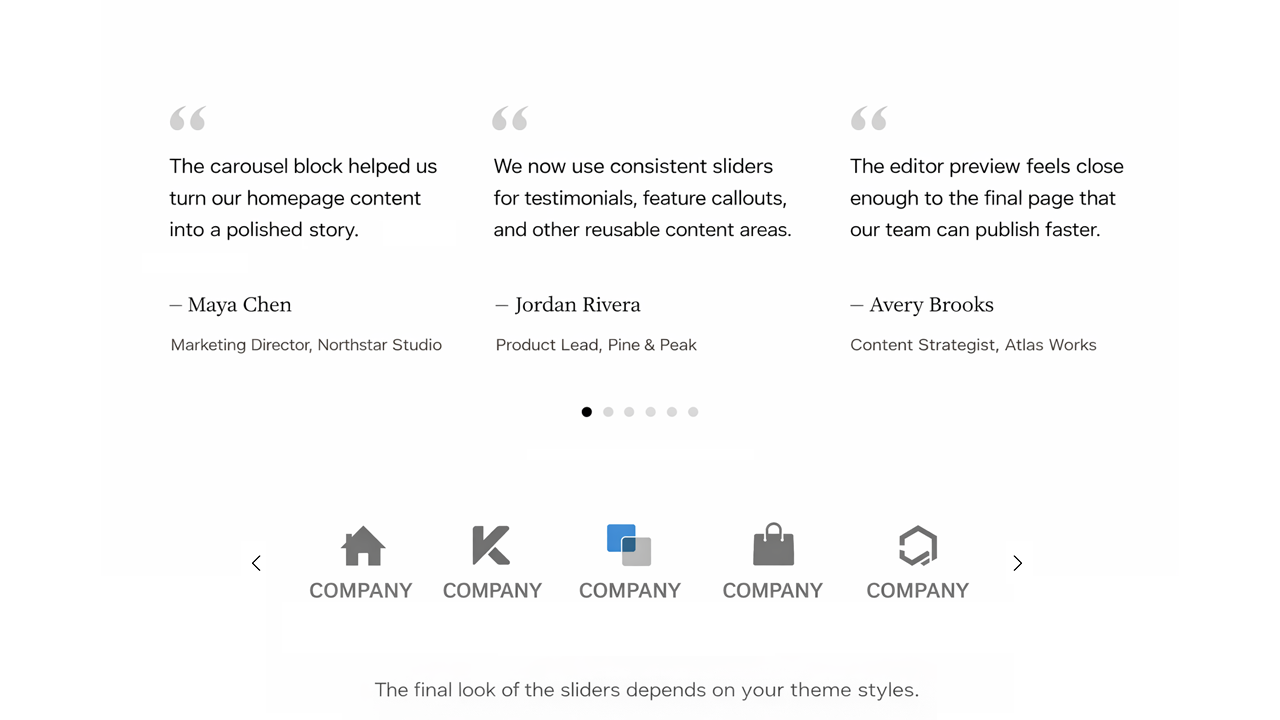
- Full Width Hero Slider
- Testimonials Slider
- Logos Carousel
The final look of these sliders depends on your theme styles. You can also fine-tune the design using custom CSS variables (see below).
Requisitos
PHP 5.6+ is recommended, WordPress 5.8+, with Gutenberg active.
Documentação
Full documentation: carouselblock.com/docs
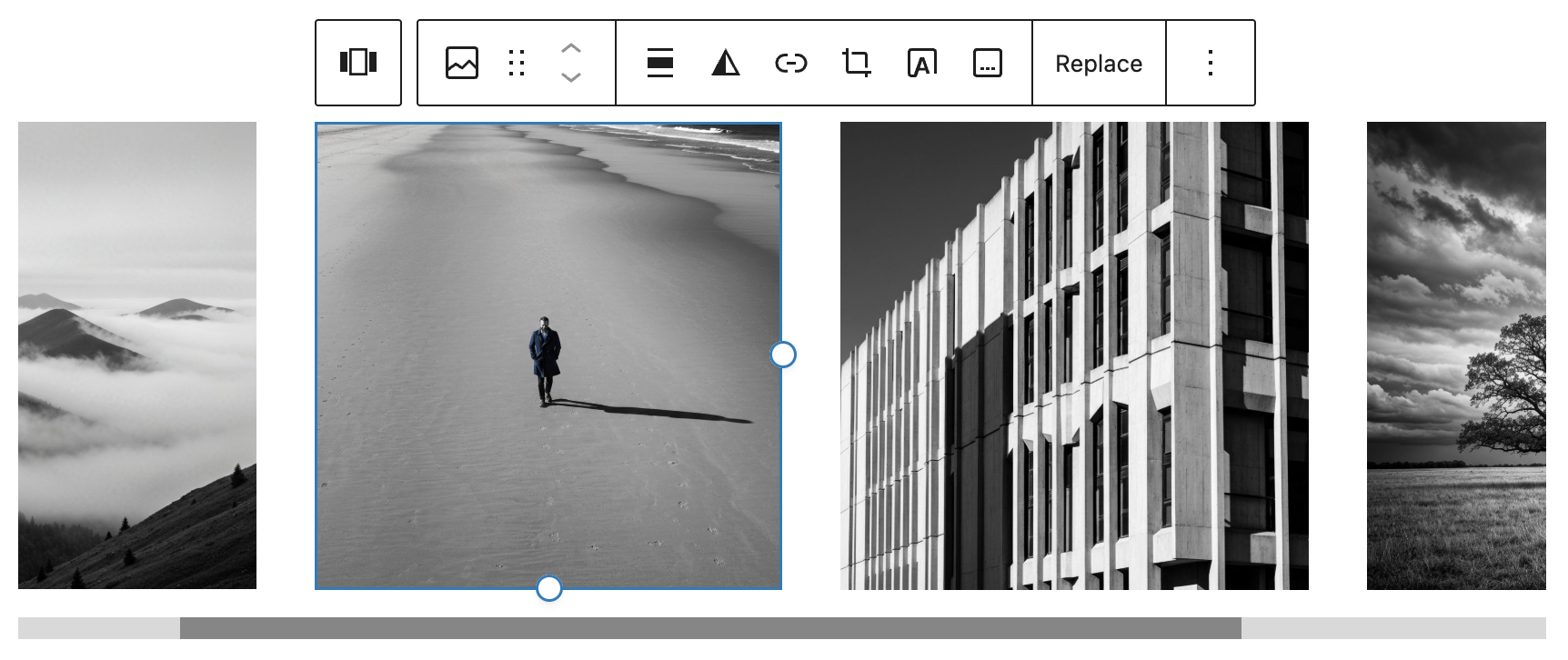
Select the Carousel Slider block from the Design category. Click the + button located at the end of the carousel to add slides. Add any block within the slides. Use the horizontal scrollbar to preview the slides in the editor.
You can reorder the slides by using the left and right arrow buttons in the toolbar.
To remove a slide, select the slide and click the three dots right above it. Click the option to remove that slide.
Click the Carousel Block (the block nesting all the slides) to show the carousel settings.
Customizing Styles
Carousel Slider v2 supports custom styling via CSS variables:
Styling documentation: carouselblock.com/docs?doc=styling
Navegação
--wp--custom--carousel-block--navigation-size: Arrow icon size--wp--custom--carousel-block--navigation-sides-offset: Distance from edge--wp--custom--carousel-block--navigation-color: Arrow color--wp--custom--carousel-block--navigation-hover-color: Arrow hover color (falls back tonavigation-color)--wp--custom--carousel-block--navigation-alignfull-color: Arrow color when carousel is full width
Pagination (dots)
--wp--custom--carousel-block--pagination-top: Top offset--wp--custom--carousel-block--pagination-bottom: Bottom offset--wp--custom--carousel-block--pagination-bullet-size: Bullet size--wp--custom--carousel-block--pagination-bullet-active-color: Active bullet color--wp--custom--carousel-block--pagination-bullet-inactive-color: Inactive bullet color--wp--custom--carousel-block--pagination-bullet-inactive-hover-color: Inactive bullet hover color (falls back toactive-colorif set)--wp--custom--carousel-block--pagination-bullet-active-opacity: Active bullet opacity--wp--custom--carousel-block--pagination-bullet-inactive-opacity: Inactive bullet opacity--wp--custom--carousel-block--pagination-bullet-inactive-hover-opacity: Inactive bullet opacity on hover (falls back toinactive-opacityif not set)--wp--custom--carousel-block--pagination-bullet-horizontal-gap: Space between bullets (horizontal)--wp--custom--carousel-block--pagination-bullet-vertical-gap: Space between bullets (vertical)
Block Spacing
--wp--custom--carousel-block--image-margin-top: Top margin for image blocks--wp--custom--carousel-block--image-margin-bottom: Bottom margin for image blocks--wp--custom--carousel-block--cover-margin-top: Top margin for cover blocks--wp--custom--carousel-block--cover-margin-bottom: Bottom margin for cover blocks
Theme JSON Support
All the CSS variables can also be defined directly inside your theme’s theme.json under the settings.custom key.
Por exemplo:
{
  "settings": {
    "custom": {
      "carousel-block": {
        "navigation-size": "22px",
        "navigation-color": "#000",
        "pagination-bullet-active-color": "#000"
      }
    }
  }
}
Frontend API
Carousel Slider exposes a small frontend API for integrations with tabs, accordions, modals, or other hidden UI.
For some of these dynamic layout cases, the Advanced Settings observer options can also handle updates automatically.
window.CarouselSliderBlock.init( container ): Initializes carousel instances inside the given container.window.CarouselSliderBlock.update( container ): Updates existing carousel instances inside the given container and initializes any that are not yet initialized.
Instalação
- From your WordPress dashboard go to Plugins > Add New.
- Search for Carousel Slider Block in the Search Plugins box.
- Click Install Now to install the Carousel Slider Block Plugin.
- Click Activate to activate the plugin.
- Carousel Slider Block will be added to the Design block group in the editor.
If you still need help. visit WordPress codex
Log de Changes
2.1.6
- Security: backported the Swiper fix for CVE-2026-27212, including the subsequent array-filter bypass fix, to both the custom build and full bundle. Retains Swiper 11 behavior and styling.
2.1.5
- Retired the legacy settings page from wp-admin.
- Existing saved settings still work, and can be overridden with PHP filters: cb_carousel_block_setting_show_legacy_blocks, cb_carousel_block_setting_hide_legacy_notice, cb_carousel_block_setting_use_full_swiper_bundle.
- Example: add_filter( ‘cb_carousel_block_setting_show_legacy_blocks’, ‘__return_true’ );
2.1.4
- Added Swiper a11y support to the new bundled assets.
2.1.3
- Fixed Swiper responsive breakpoint updates by ensuring the block’s ResizeObserver setting is passed explicitly and clarified the ResizeObserver help text to recommend leaving it off for normal responsive breakpoints.
2.1.2
- Reduced default Swiper assets with a custom build and added a full bundle fallback setting.
- Restored the Carousel Slider settings page in the WordPress Settings menu.
- Improved editor appender sizing in the carousel block.
2.1.1
- Improved PHP 8+ compatibility for the settings page
Capturas de tela

Para desenvolvedores
Este é o seu plugin? Mostre os números.
Adicione um crachá ao vivo ao seu site, Documentos ou Readme do GitHub. Ele é atualizado por conta própria - nenhuma conta necessária.
Best Carousel Slider Block for Gut… alternatives
All carousel plugins →





FAQ
Carousel Slider Block for Gutenberg: quick answers
Respostas diretas, extraídas de dados ao vivo WordPress.org.
Fonte: WordPress.org
Is Carousel Slider Block for Guten… free?
Yes. Carousel Slider Block for Guten… is free to download and use from the official WordPress.org plugin directory.
Is Carousel Slider Block for Guten… safe to use in 2026?
Yes — Carousel Slider Block for Guten… is a safe, well-maintained plugin to use in 2026. It runs on 50K+ sites, is rated 4.8/5 and was last updated 1 month ago, and scores 83/100 on our health check.
How many websites use Carousel Slider Block for Guten…?
Carousel Slider Block for Guten… is active on 50K+ WordPress websites and has been downloaded 671,405 times since it launched in February 2019. It was downloaded 15,983 times in the last 30 days.
Does Carousel Slider Block for Guten… work with WordPress 7.1?
Yes. The developer has tested Carousel Slider Block for Guten… up to WordPress 7.1.5, the latest release. It requires WordPress 6.1 or newer.
What PHP version does Carousel Slider Block for Guten… need?
Carousel Slider Block for Guten… requires PHP 7.0 or higher. Most hosts run PHP 8.x today, so it works on any modern WordPress hosting.
When was Carousel Slider Block for Guten… last updated?
The latest version, 2.1.6, was released on October 12, 2026 (1 month ago).
Who makes Carousel Slider Block for Guten…?
Carousel Slider Block for Guten… is developed and maintained by Virgildia.
What are the best alternatives to Carousel Slider Block for Guten…?
The most popular alternatives to Carousel Slider Block for Guten… are Shortcodes Ultimate (400K+ installs), AI-Powered Carousel, Slider… (60K+ installs) and Carousel Slider (30K+ installs).
Alimentado por PageForge
Um modelo e uma planilha. Uma página real para cada pesquisa.
PageForge Transforma cada linha de um CSV em uma página WordPress com seu próprio título, URL, SEO campos e esquema, construído no layout que você já desenhou. Gratuito em WordPress.org.
- CSV e XLSX, mais Google Sheets em Profissional e Empresarial
- Seu próprio título, URL, SEO campos e esquema para cada página
- Funciona com o editor de blocos, Elementor, Divi e Avada
- Gratuito em WordPress.org, sem cartão de crédito