


Web Accessibility Toolkit – Accessibility Checker & ARIA for WCAG, Section 508 & ADA Compliance
Add ARIA labels, roles, alt tags, contrast & form accessibility fixes. Accessibility checker scans for WCAG, Section 508 & ADA compliance.

Escolha sólida
Web Accessibility Toolkit is a solid plugin choice in 2026, with a few things worth checking first. It runs on 600+ sites, is rated 5/5 and was last updated 5 months ago, and scores 62/100 on our health check.
- Base de usuários pequenas (600+ instalações ativas)
- Muito poucos comentários até agora
Como ele se acumula?
Lado a lado em instalações, atualizações, avaliações e suporte


Downloads diários
Os picos de download geralmente seguem uma nova versão — cada site que atualiza automaticamente é um download.
Rankings
Where Web Accessibility Toolkit stands todayWordPress.org Classificações de pesquisa
Posição ao vivo na pesquisa de plugins, top 100| Palavra chave | Posição |
|---|---|
| accessibility | #18 |
| accessibility checker | #6 |
| ADA Compliance | #4 |
| ARIA | #2 |
| wcag | #9 |
Adoção da versão
Compartilhamento de sites ativos por lançamento.
Divisão de classificação
★★★★★ ★★★★★ 5 de 1 comentários
About Web Accessibility Toolkit
From the official readme · v1.7.0Descrição
Web Accessibility Toolkit helps your WordPress site meet ADA compliance and WCAG compliance standards. It includes powerful accessibility checking and fixing tools.
This plugin is not an ‘overlay’ or a ‘widget’. It provides real code fixes to assist with WCAG & ADA compliance for WordPress.
Scan your site with the built-in Accessibility Checker to identify issues such as missing ARIA labels, low contrast text, missing alt tags, incorrect heading structure & plenty more.
Apply one-click fixes for many common accessibility issues to improve usability. Web Accessibility Toolkit helps meet requirements for laws and standards like WCAG, ADA, EAA, Section 508, EN 301 549, and AODA.
Check Your Site Now | Docs | PRO Plugin
Accessibility Checker
The built-in Accessibility Checker scans your WordPress site in real time. It can identify common accessibility issues that could affect WCAG compliance and ADA compliance. With a single click, you can run an accessibility check on any page and get clear, actionable details.
The checker highlights issues directly on the page, including:
- Missing or empty ARIA labels.
- Low color contrast between text and background.
- Missing alt text on images.
- Skipped heading levels (e.g., jumping from H2 to H4).
- Broken ARIA references.
- Interactive elements without keyboard focus.
- Improper tab order.
- Missing page titles.
- Duplicate link text with different destinations.
- Duplicate IDs in the DOM.
- Form fields without labels or ARIA labels.
- Use of user-scalable=no in viewport meta tags.
- Non-focusable interactive elements.
Each issue includes details on what it means, why it matters for accessibility and how to fix it. Many problems can be resolved instantly using the plugin’s one-click fixes. While others provide guidance so you can address them in your theme or content.
Accessibility Fixes for WCAG, Section 508 & ADA Compliance
-
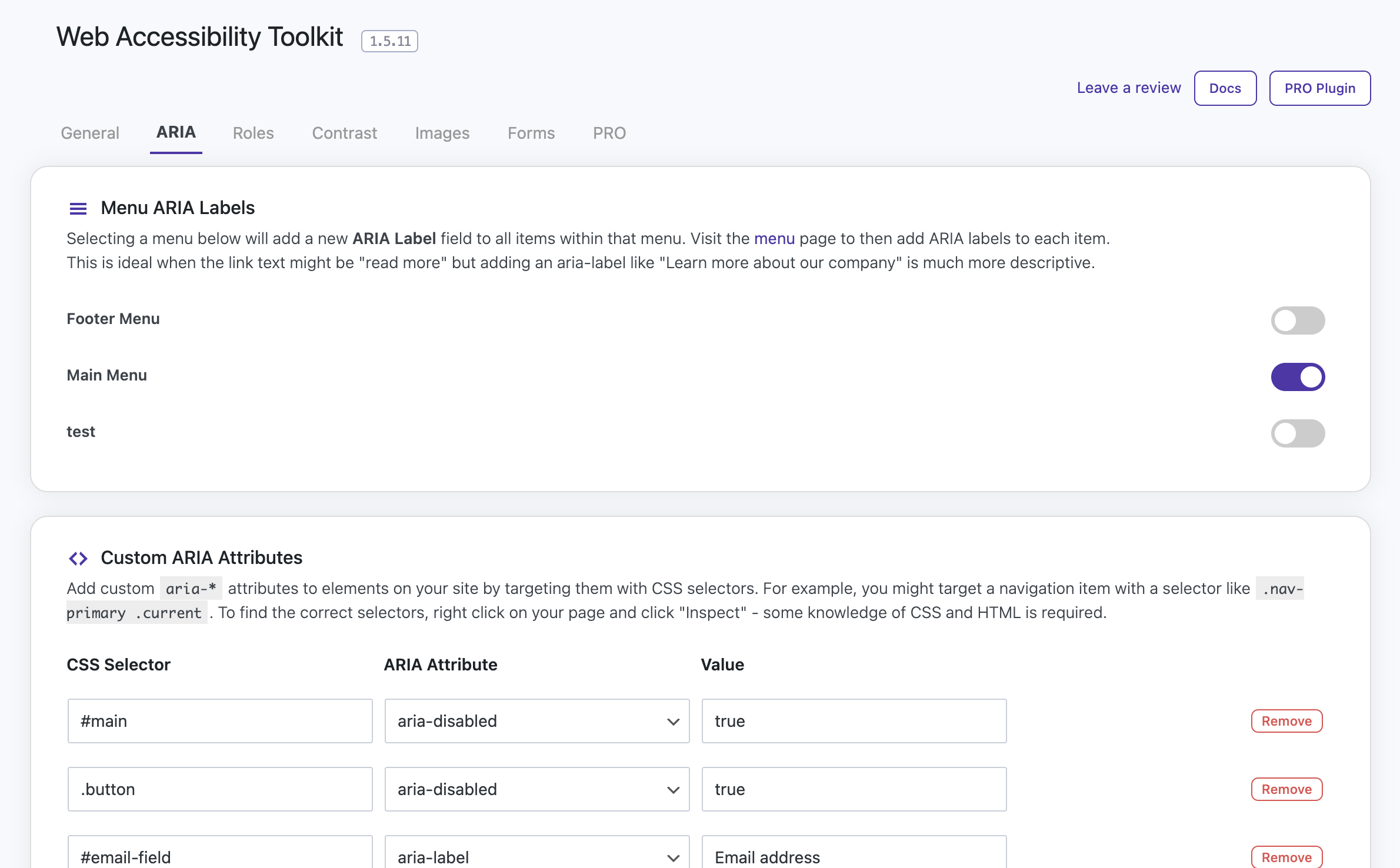
ARIA Attributes
Add ARIA attributes such as
aria-label,aria-hidden,aria-expanded,aria-live,aria-level, and more to any element. -
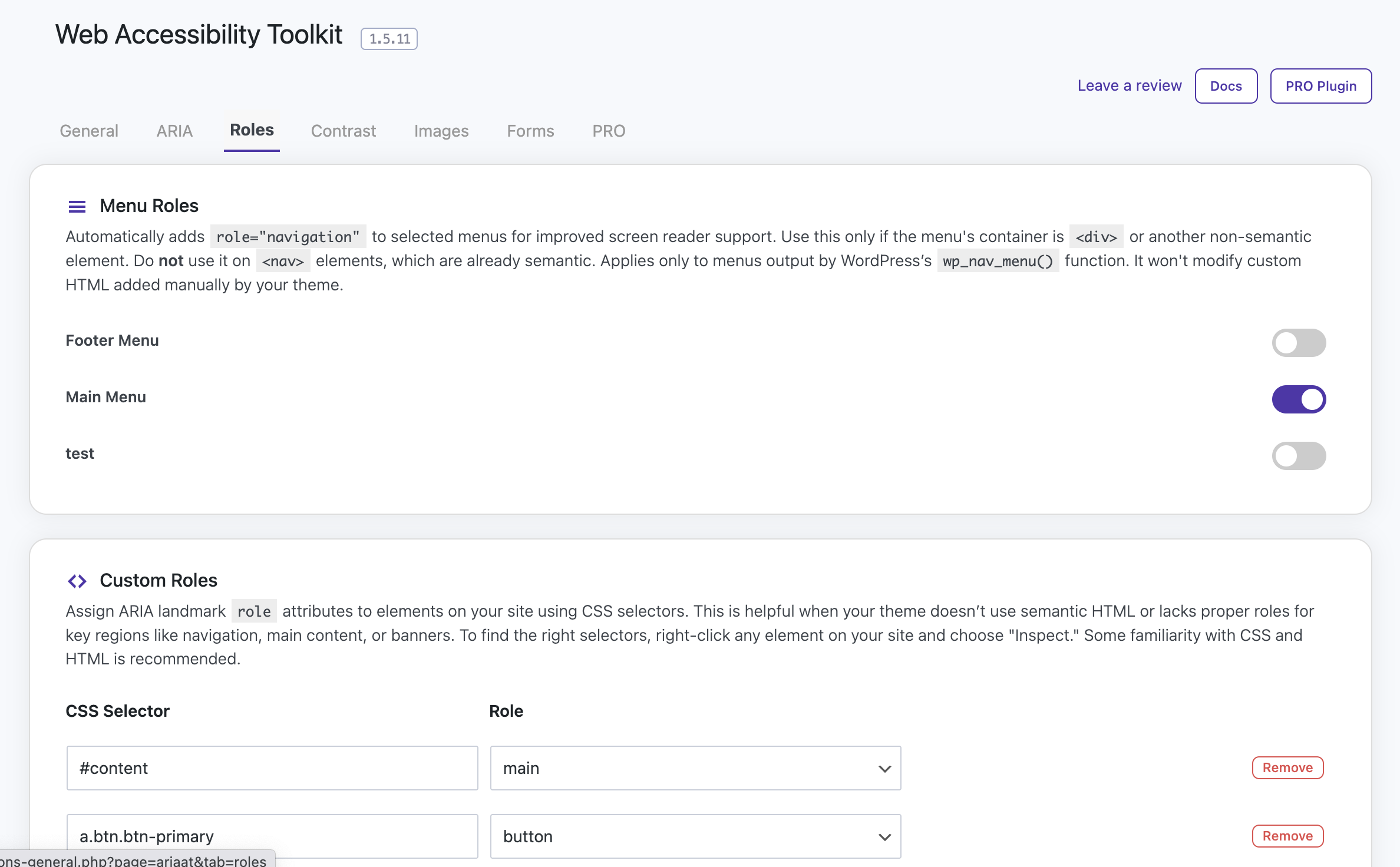
ARIA Roles
Assign semantic roles like
banner,navigation,main,complementary, andcontentinfoto improve screen reader navigation. -
Image Alt Tags
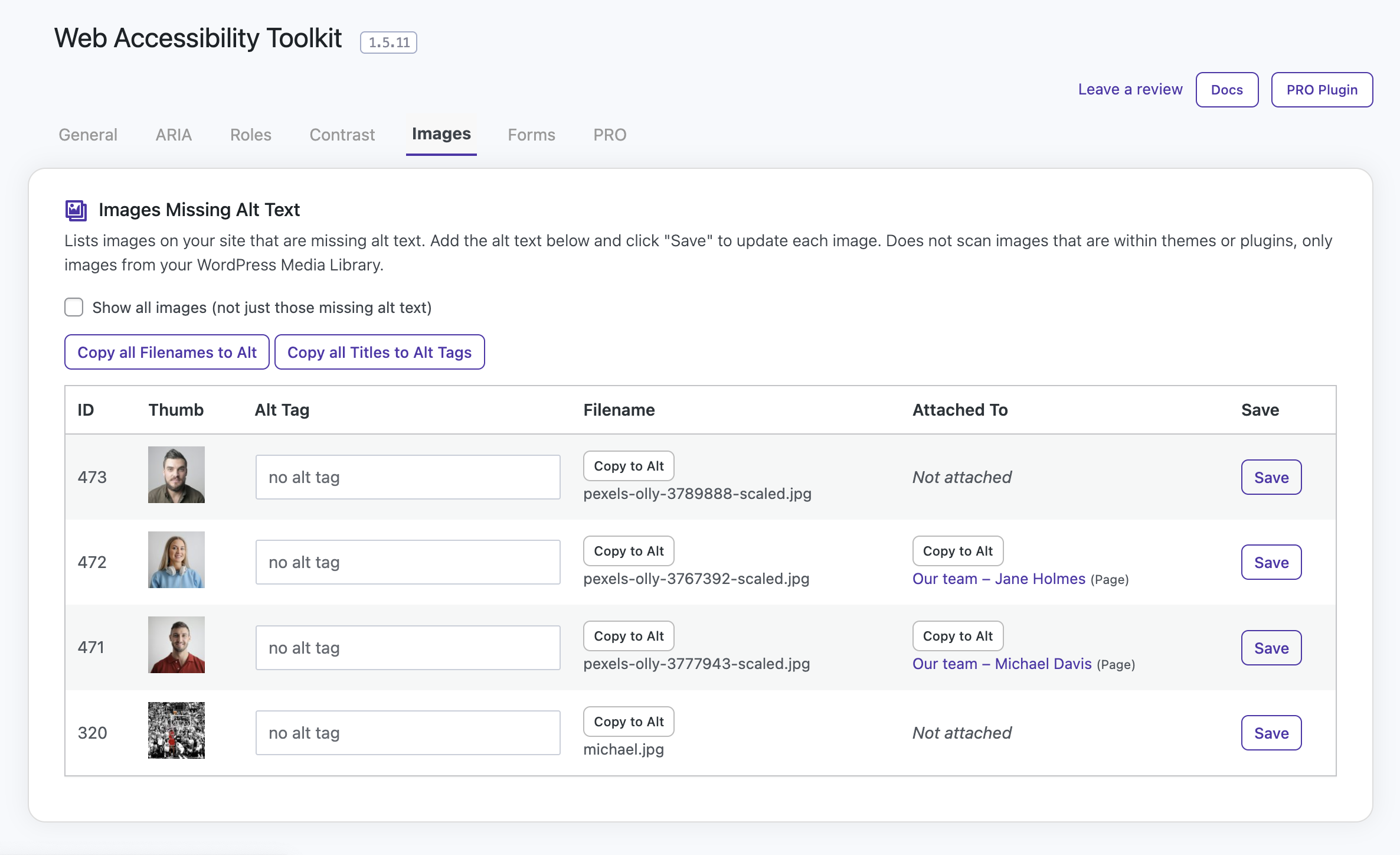
Shows a list of all images that are missing alt tags, and allows you to easily update them all from the one spot.
-
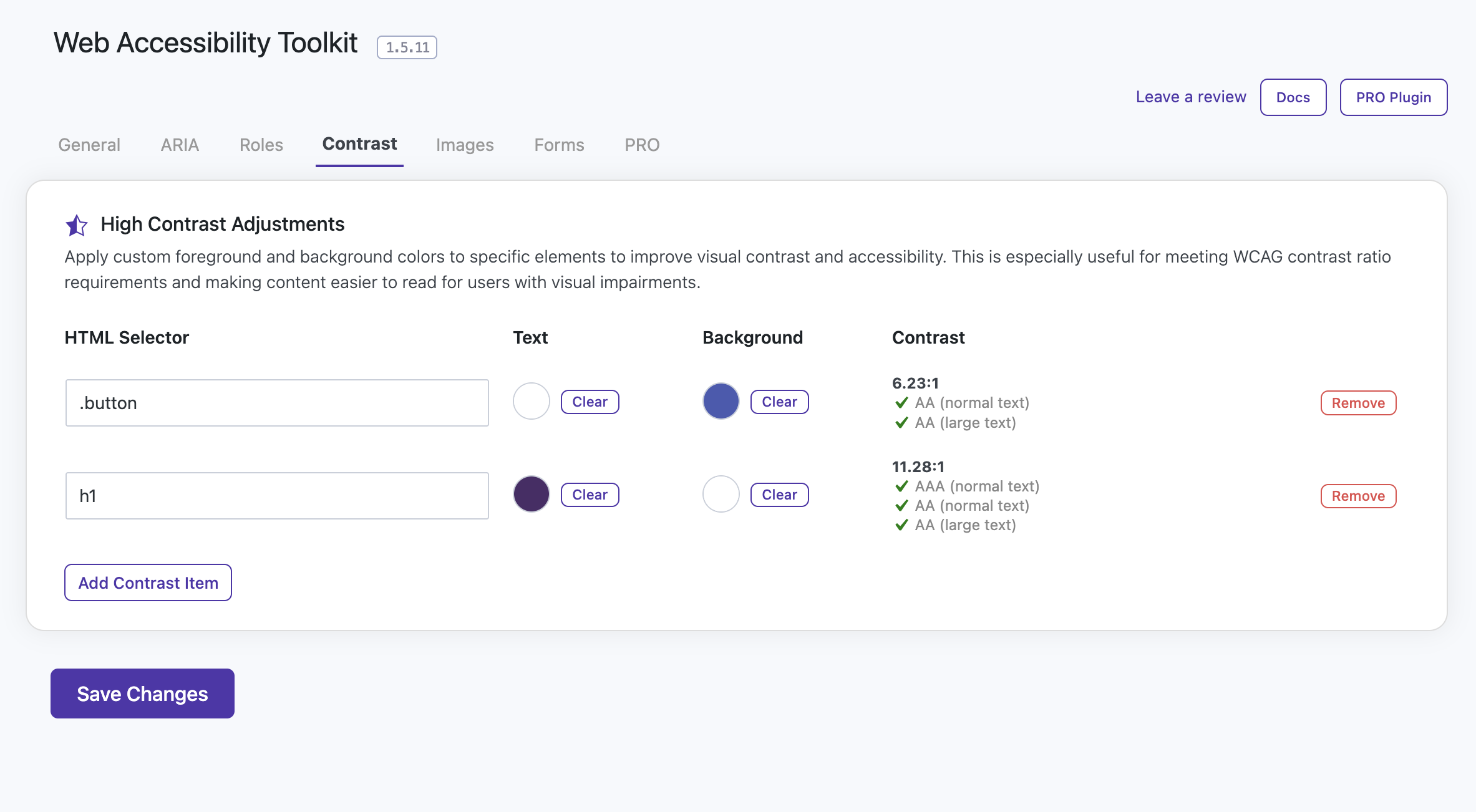
Contrast Adjustments
Override text and background colors for low-contrast elements using accessible HEX values.
-
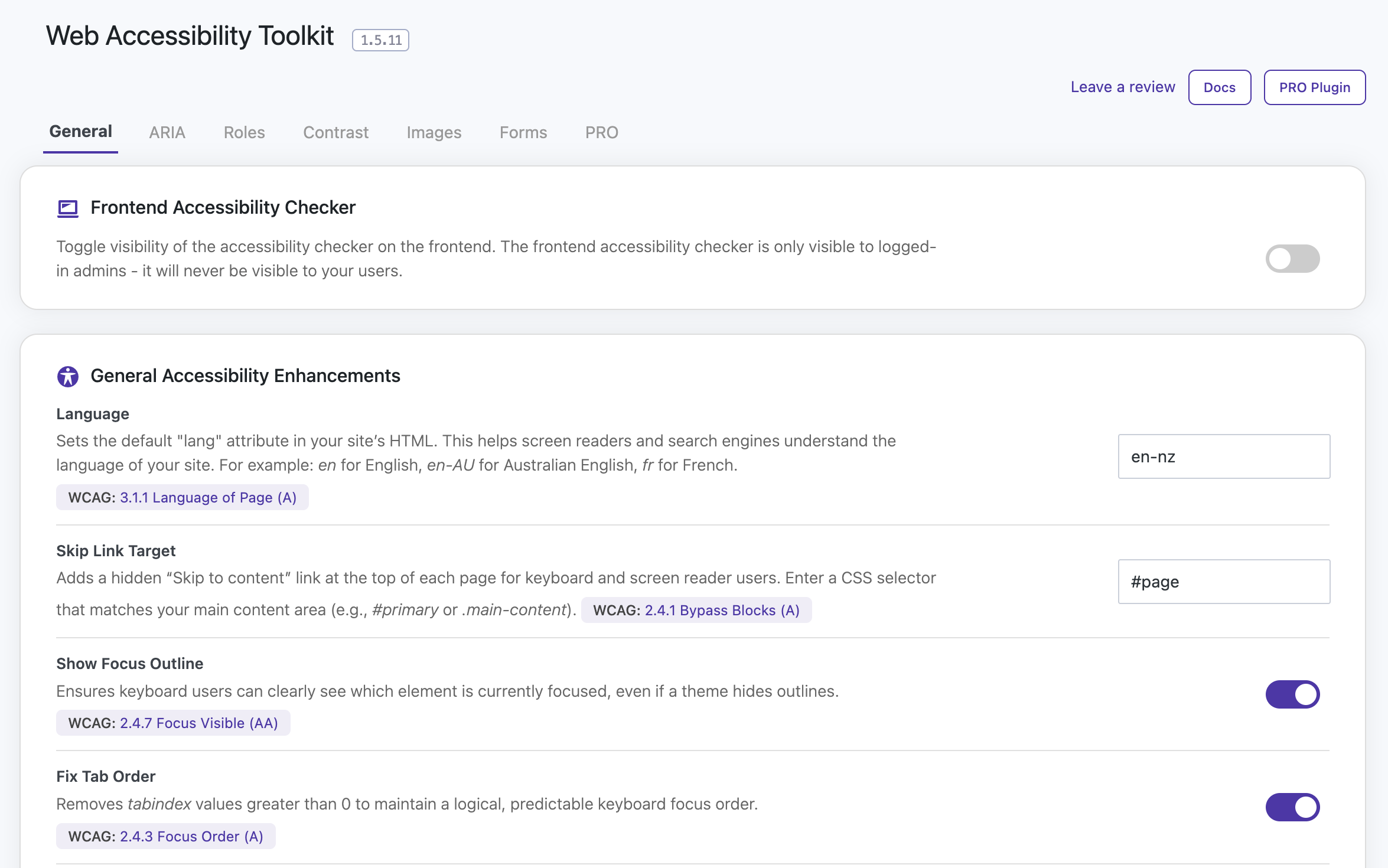
Skip Link Target
Add a keyboard/screen-reader-visible “Skip to content” link by defining a main content selector.
-
Language Override
Set or override the HTML
langattribute for improved screen reader compatibility. -
Focus Outline Enhancements
Ensure visible focus styles are enforced for better keyboard navigation.
-
Fix Tab Order
Remove tabindex values greater than 0 to maintain a logical focus order.
-
Make Viewport Scalable
Remove user-scalable=no from the viewport meta tag to allow pinch-zooming.
-
CSS Selector-Based Targeting
Use any valid CSS selector to apply changes without modifying theme or template files.
Why Use Web Accessibility Toolkit?
Most WordPress themes don’t include full accessibility support. Web Accessibility Toolkit lets you patch those gaps quickly, keeping your site more inclusive and compliant with ADA & WCAG guidelines.
Whether you’re a developer working on a client site or a business owner aiming for better usability, this plugin makes accessibility updates faster and easier.
The Web Accessibility Toolkit is NOT an overlay widget, which can often do more harm than good for accessibility. This plugin fixes underlying code issues.
Compatibilidade
- Compatible with all WordPress themes
- Compatible with all WordPress plugins
- Works alongside popular page builders
- Designed with WCAG 2.1 AA standards and ADA compliance in mind
Instalação
Using the WordPress Dashboard
- Navigate to “Add New” in the plugins dashboard
- Search for “Web Accessibility Toolkit”
- Click “Install Now”
- Activate the plugin on the Plugin dashboard
- Go to Settings > Web Accessibility to start configuration
Uploading in WordPress Dashboard
- Click the download button on this and save “aria-accessibility-toolkit.zip” to your computer
- Navigate to “Add New” in the plugins dashboard
- Navigate to the “Upload” area
- Select “aria-accessibility-toolkit.zip” from your computer
- Click “Install Now”
- Activate the plugin in the Plugin dashboard
- Go to Settings > Web Accessibility to start configuration
Using FTP
- Download the Web Accessibility Toolkit ZIP file
- Extract the Web Accessibility Toolkit ZIP file to your computer
- Upload the “aria-accessibility-toolkit” directory to the
/wp-content/plugins/directory - Activate the plugin in the Plugin dashboard
- Go to Settings > Web Accessibility to start configuration
Log de Changes
1.7.0 (2026-07-17)
- Improved keyboard support for the frontend checker panel drag handle (arrow key movement).
- Added live status announcements for frontend checker updates and admin save actions.
- Added stronger focus-visible styling for checker and admin controls.
- Normalized target=”_blank” links in plugin UI to include rel=”noopener noreferrer”.
- Clarified accessibility improvements for plugin-owned UI to support VPAT/ACR traceability.
- Remove offer
1.6.6 (2026-06-18)
- UI enhancements.
- Fix issue with extra images being able to be added for alt text.
- Update wording on many items to make things simpler.
- Offer added.
1.6.5 (2026-05-12)
- Small UI enhancements
- Fix fatal error on image alt tag tab.
1.6.4 (2026-04-09)
- Fix version number that was appearing on admin pages.
1.6.3 (2026-04-09)
- Fix javascript issue with checking focus indicator.
1.6.2 (2026-04-03)
- Fix issue with images only displaying 5 even after PRO plugin installed.
Capturas de tela
Para desenvolvedores
Este é o seu plugin? Mostre os números.
Adicione um crachá ao vivo ao seu site, Documentos ou Readme do GitHub. Ele é atualizado por conta própria - nenhuma conta necessária.
Best Web Accessibility Toolkit alternatives
All accessibility plugins →





FAQ
Web Accessibility Toolkit: quick answers
Respostas diretas, extraídas de dados ao vivo WordPress.org.
Fonte: WordPress.org
Is Web Accessibility Toolkit free?
Yes. Web Accessibility Toolkit is free to download and use from the official WordPress.org plugin directory.
Is Web Accessibility Toolkit safe to use in 2026?
Web Accessibility Toolkit is a solid plugin choice in 2026, with a few things worth checking first. It runs on 600+ sites, is rated 5/5 and was last updated 5 months ago, and scores 62/100 on our health check.
How many websites use Web Accessibility Toolkit?
Web Accessibility Toolkit is active on 600+ WordPress websites and has been downloaded 8,184 times since it launched in July 2025. It was downloaded 402 times in the last 30 days.
Does Web Accessibility Toolkit work with WordPress 7.1?
Web Accessibility Toolkit is officially tested up to WordPress 7.0.9, while the latest release is 7.1.5. It may still work, but try it on a staging site first.
What PHP version does Web Accessibility Toolkit need?
Web Accessibility Toolkit requires PHP 7.0 or higher. Most hosts run PHP 8.x today, so it works on any modern WordPress hosting.
When was Web Accessibility Toolkit last updated?
The latest version, 1.7.0, was released on July 17, 2026 (5 months ago).
Who makes Web Accessibility Toolkit?
Web Accessibility Toolkit is developed and maintained by Quicksnail Plugins.
What are the best alternatives to Web Accessibility Toolkit?
The most popular alternatives to Web Accessibility Toolkit are Web Accessibility (formally… (500K+ installs), Auto Image Attributes From… (100K+ installs) and Accessibility by UserWay (80K+ installs).
Alimentado por PageForge
Um modelo e uma planilha. Uma página real para cada pesquisa.
PageForge Transforma cada linha de um CSV em uma página WordPress com seu próprio título, URL, SEO campos e esquema, construído no layout que você já desenhou. Gratuito em WordPress.org.
- CSV e XLSX, mais Google Sheets em Profissional e Empresarial
- Seu próprio título, URL, SEO campos e esquema para cada página
- Funciona com o editor de blocos, Elementor, Divi e Avada
- Gratuito em WordPress.org, sem cartão de crédito