


Annotix – Visual Website Feedback & Annotation
Collect visual feedback on any page - clients click, annotate, screenshot and comment without leaving your site.

Use com cautela
Annotix works, but test it on a staging site before relying on it in 2026. It runs on 70+ sites and was last updated 3 months ago, and scores 58/100 on our health check.
- Testado com as últimas WordPress (7.1)
- Small user base (70+ active installs)
- Muito poucos comentários até agora
Como ele se acumula?
Lado a lado em instalações, atualizações, avaliações e suporte


Downloads diários
Os picos de download geralmente seguem uma nova versão — cada site que atualiza automaticamente é um download.
Rankings
Where Annotix stands todayWordPress.org Classificações de pesquisa
Posição ao vivo na pesquisa de plugins, top 100| Palavra chave | Posição |
|---|---|
| client feedback | #38 |
| frontend annotation | #1 |
| screenshot annotation | #3 |
| visual feedback | #26 |
| website feedback | #22 |
Adoção da versão
Compartilhamento de sites ativos por lançamento.
About Annotix
From the official readme · v1.0.7Descrição
Annotix – Drag, Annotate, Feedback gives your team a way to annotate any page on the frontend, capture screenshots, track status, assign items, set priority, and collaborate through threaded replies – all without leaving the site.
Built by Native Infotech.
Demo video: https://youtu.be/VQssYhmuh0E
Core Features
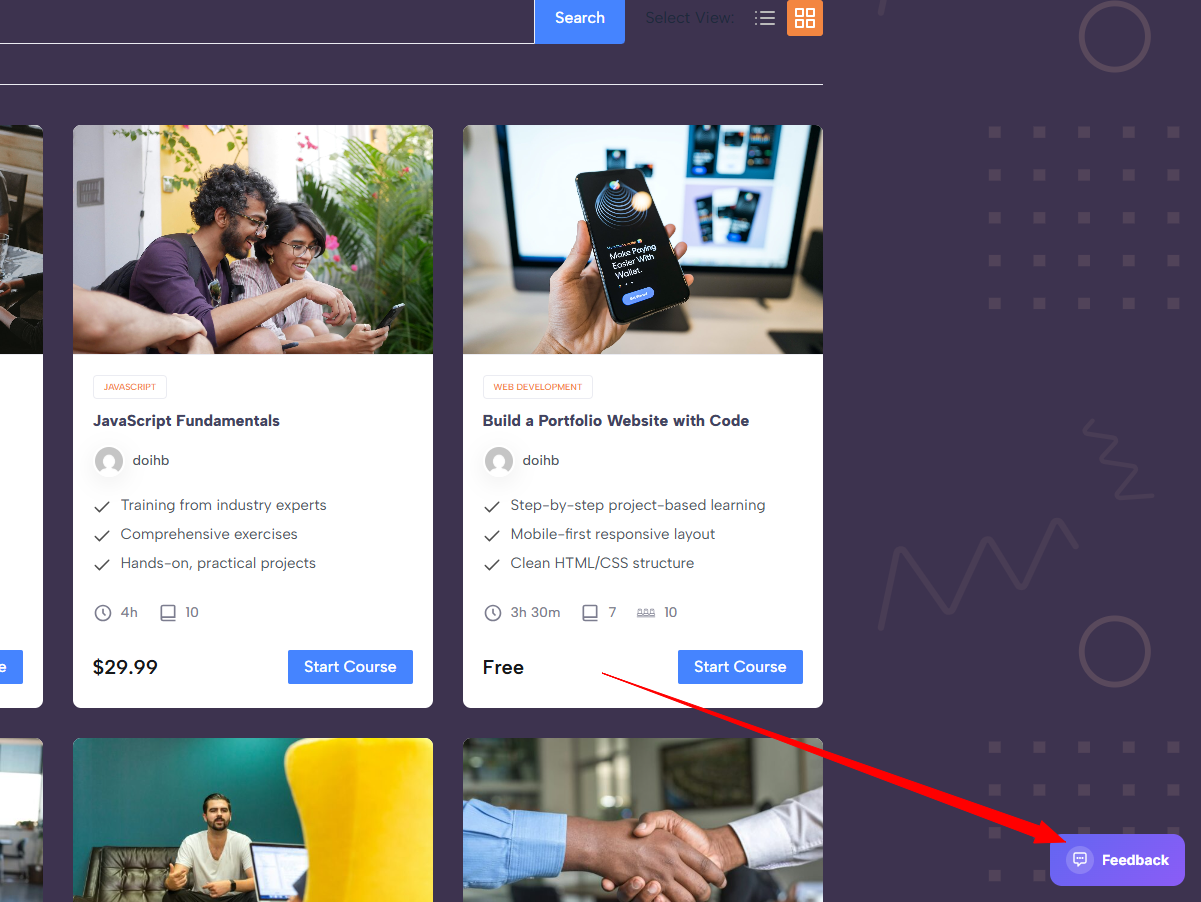
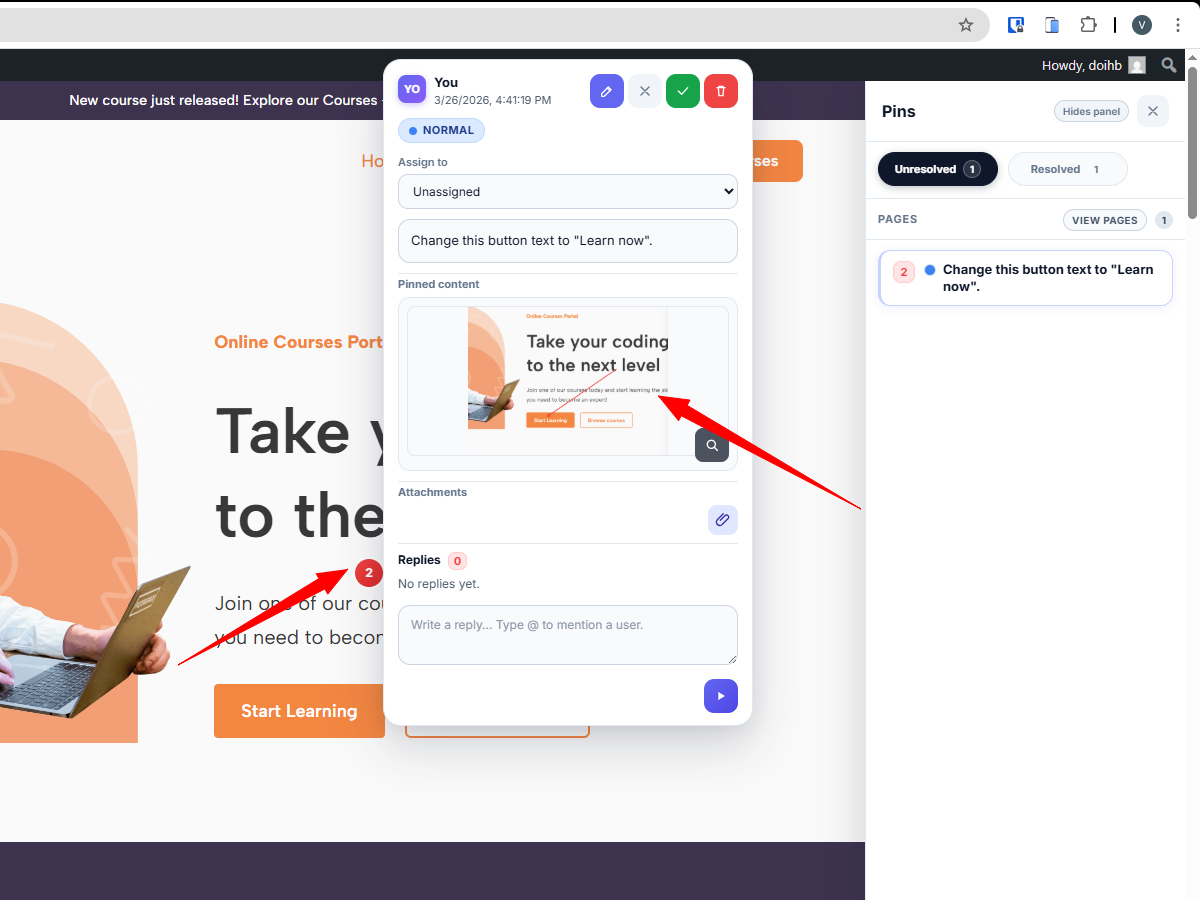
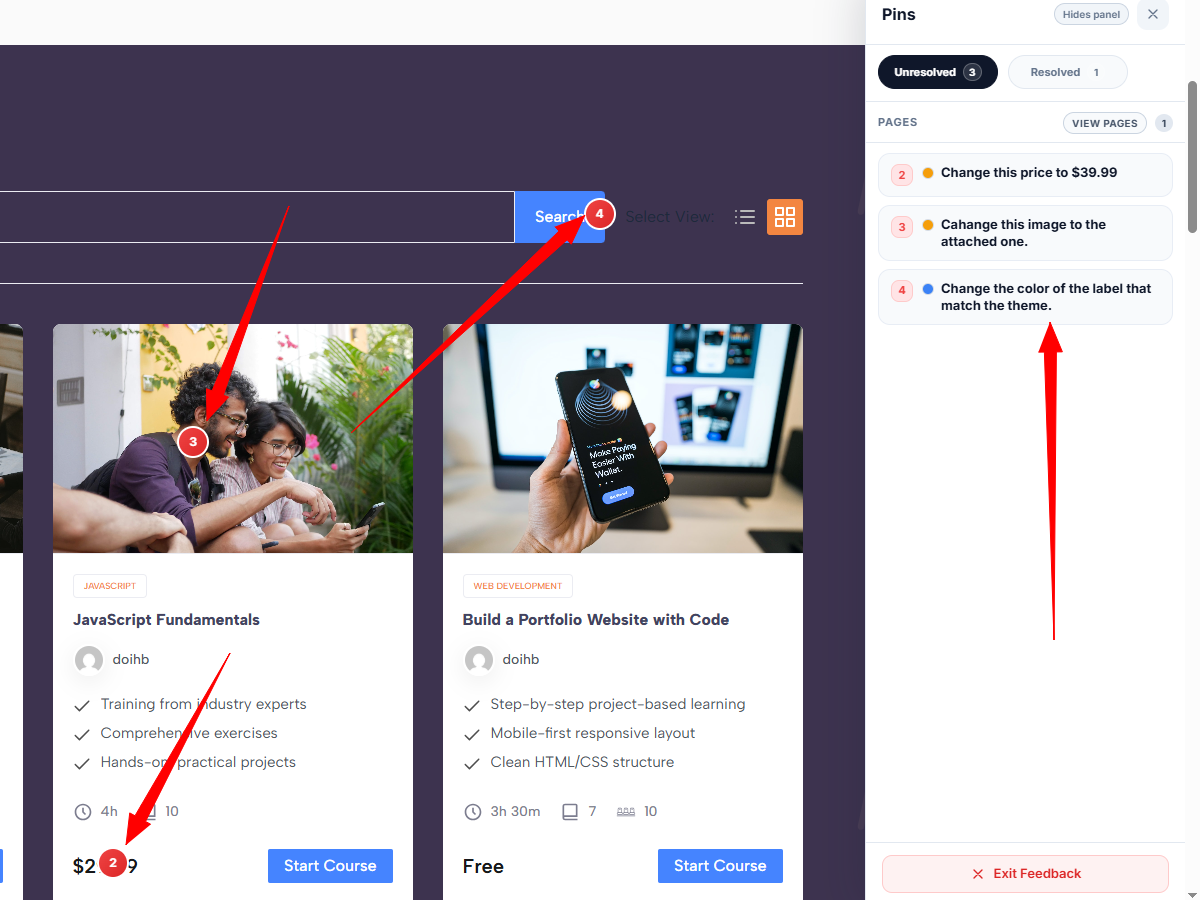
- Click-to-annotate – click anywhere on any page to drop a feedback pin.
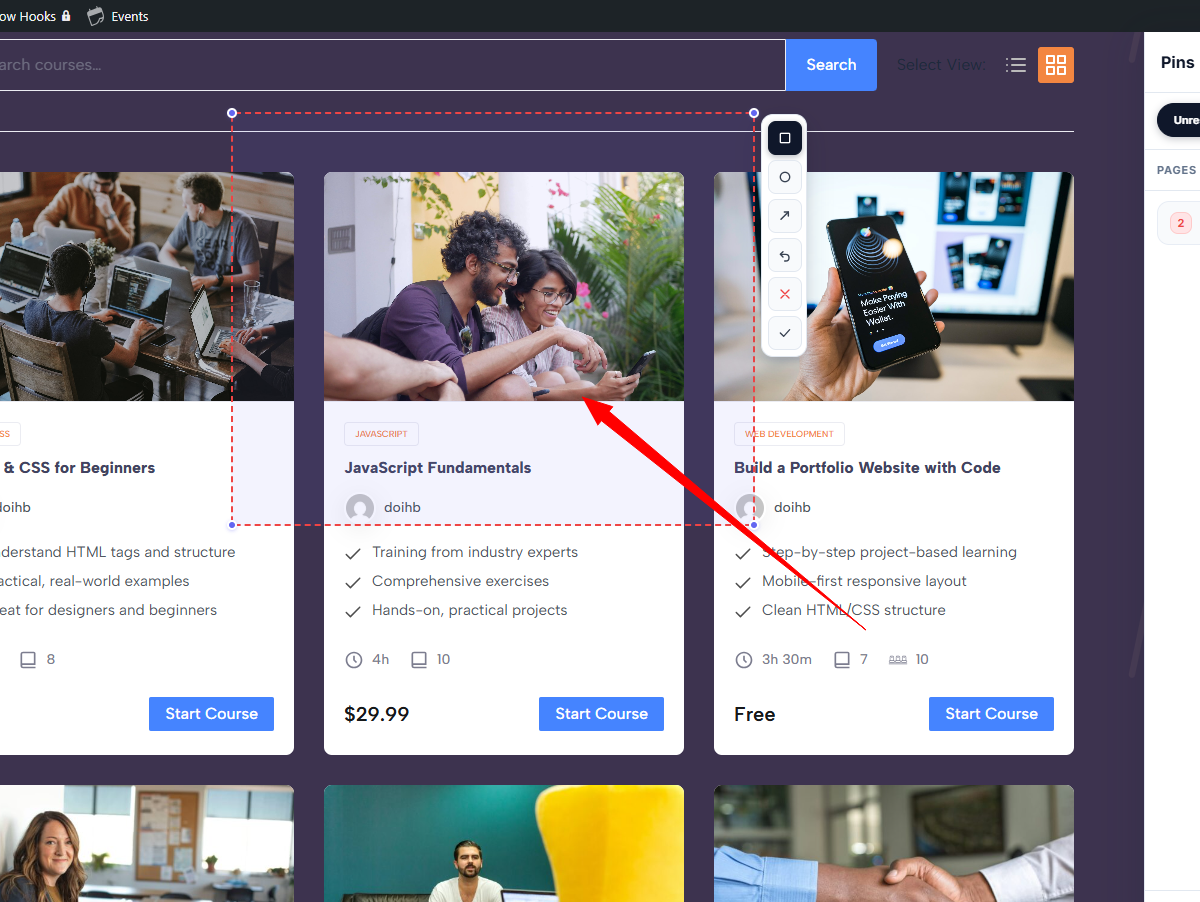
- Area selection – drag to select a specific region of the page before capturing. Selection is draggable and resizable with corner handles.
- Cleaner screenshot selection – the Pins panel auto-hides shortly after feedback mode starts and shows a soft drag-to-select notice so screenshots are not blocked by the sidebar.
- Screenshot capture – optionally attach a viewport screenshot via bundled html2canvas. The library is lazy-loaded on demand for faster page loads.
- Screenshot format controls – choose JPEG or PNG output and set JPEG quality from the General settings tab.
- Privacy-friendly font option – keep Google Fonts enabled for the default UI style or disable external font loading and use system fonts only.
- Annotation tools – draw arrows, rectangles, and circles over the selected area before saving. The arrow tool is selected by default for faster callouts.
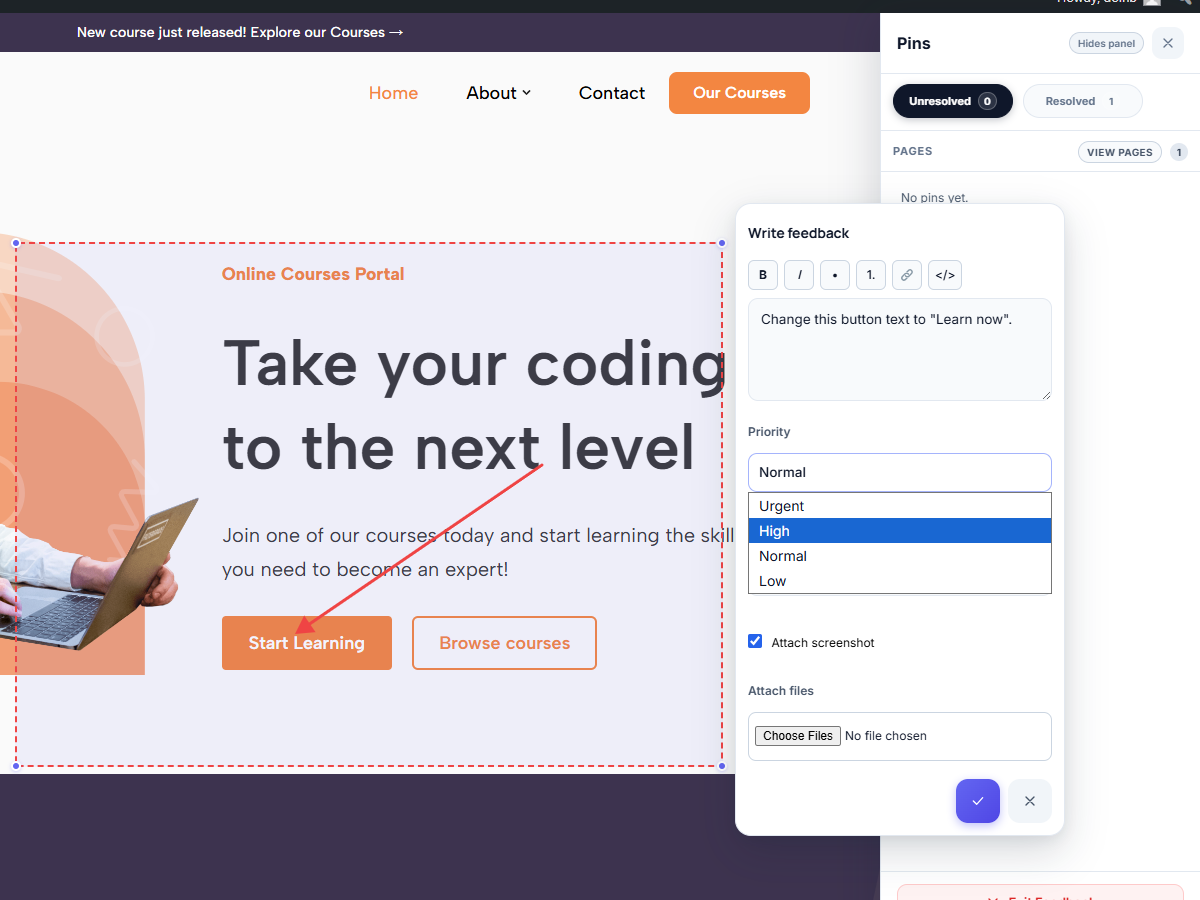
- Markdown toolbar – format feedback descriptions with bold, italic, bullet lists, numbered lists, links, and inline code.
- Guest feedback link – allow clients without WordPress accounts to submit feedback through a private token URL.
- File attachments – upload images, PDFs, documents, spreadsheets, and other common files alongside feedback. Attachments open in a new tab and display file-type badges.
- Priority levels – tag each feedback item as Urgent, High, Normal, or Low with colour-coded badges and dots.
- Assignment – assign feedback items to specific team members from a dropdown.
- @Mentions – type @ in any comment or reply to mention a user and trigger an instant notification.
Collaboration
- Threaded replies – discuss feedback with your team in context under each pin.
- Inline editing – edit your own feedback descriptions and replies in place.
- Delete with confirmation – delete your own feedback or replies with a skippable confirmation dialog.
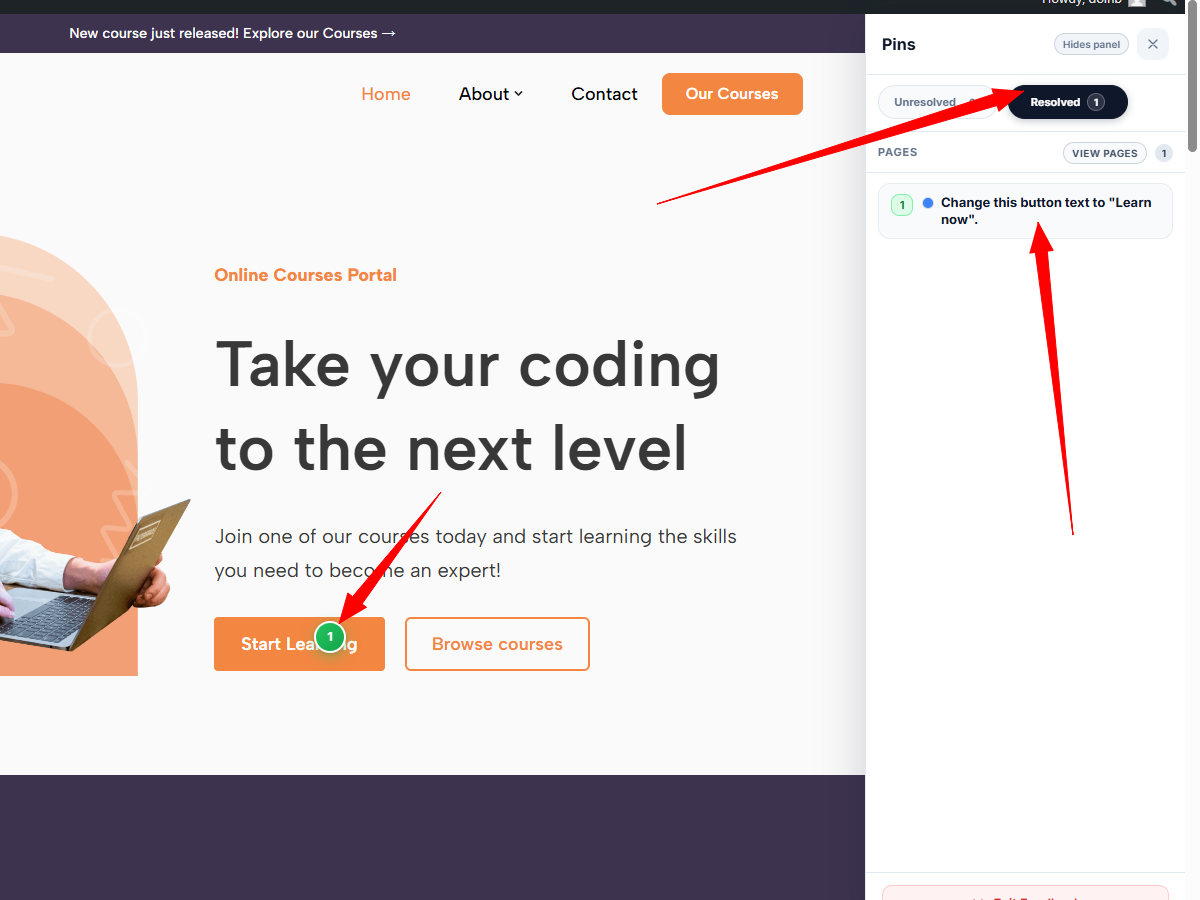
- Resolve / Unresolve – track completion state for each item. Resolved pins turn green.
- Draggable pins – reposition saved pins by dragging them to a new location.
Sidebar & Navigation
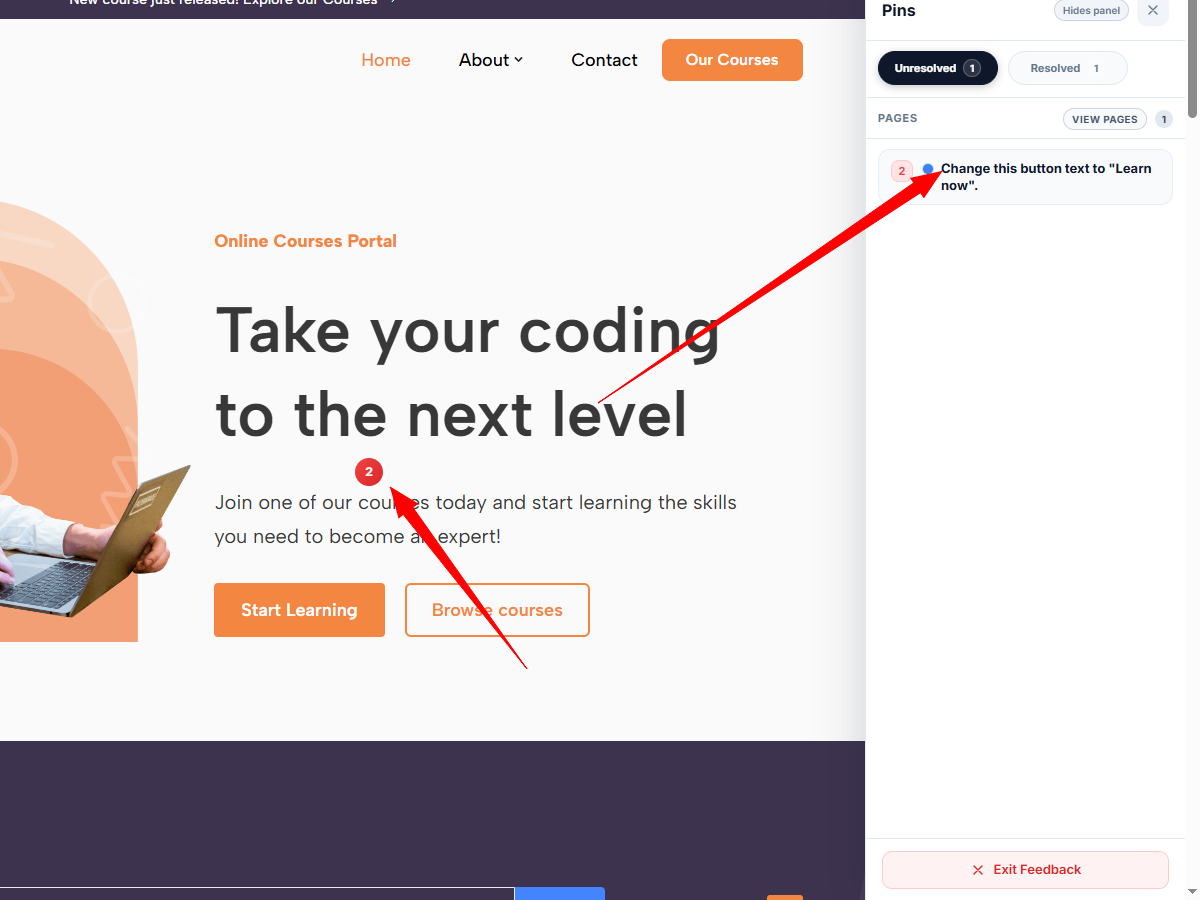
- Pins sidebar – a collapsible sidebar lists all feedback on the current page with status filters (Unresolved / Resolved).
- Pages overview – an expandable pages panel shows feedback counts across all pages on the site.
- Priority dots – sidebar items display colour-coded priority indicators for quick scanning.
Email Notifications
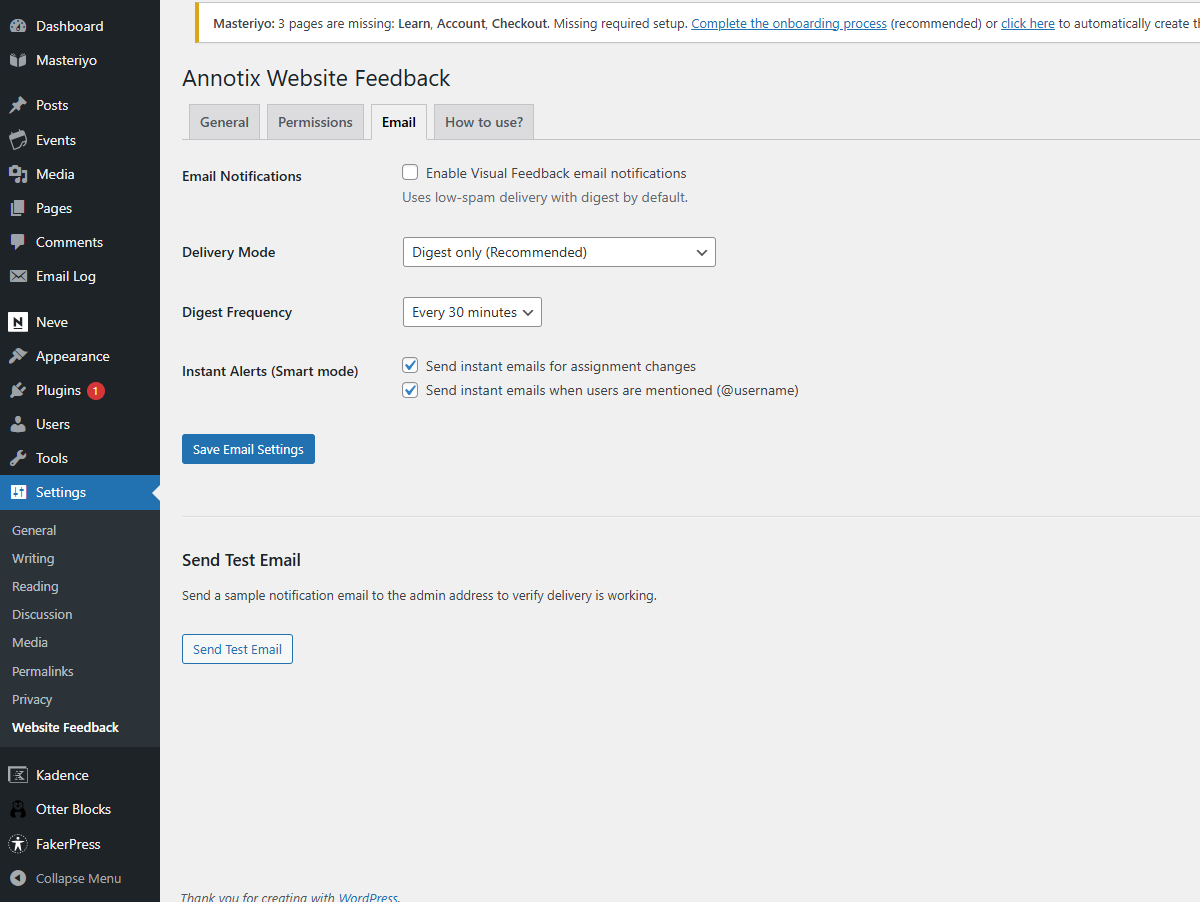
- Digest mode (recommended) – batches all activity into a single email at a configurable interval (15 / 30 / 60 minutes).
- Smart mode – digest by default, but sends instant emails for assignments and @mentions.
- Configurable – enable or disable notifications, choose delivery mode, and toggle instant alerts for assignments and mentions independently.
Admin Feedback
- Plugin feedback form – send bug reports, questions, or feature requests to Native Infotech directly from the WordPress admin settings.
Security & Permissions
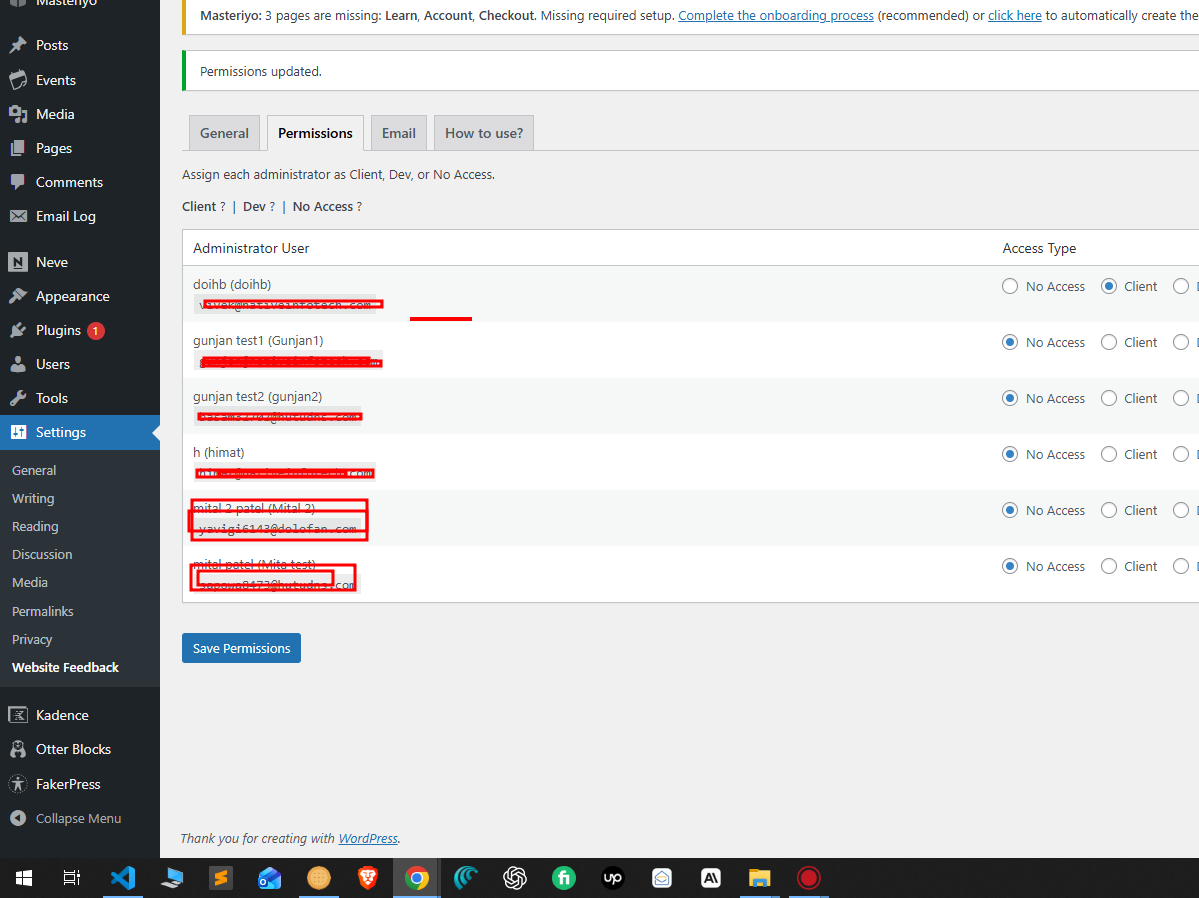
- Role-based access – assign each WordPress administrator as Client, Dev, or No Access.
- Guest token access – optionally enable a private share link for non-WordPress clients. Guests can view page pins and create new feedback, but cannot edit, resolve, delete, or manage existing feedback.
- Client role – full access: create, edit own descriptions, move pins, assign, reply, resolve, delete, and upload attachments.
- Dev role – limited access: view, reply, and resolve/unresolve only.
- No Access – cannot see or use Annotix.
- Protected REST routes – authenticated access requires valid permissions; optional guest access requires the private share token and is limited to viewing and creating feedback.
- Rate limiting – built-in abuse protection on all REST endpoints.
- Safer uploads – SVG attachments are blocked by default to avoid unsanitized SVG risks.
Execução
- Lazy-loaded screenshot library – the 195 KB html2canvas library is only fetched when the user actually takes a screenshot, not on every page load.
- Smaller screenshot files – JPEG output at configurable quality keeps feedback screenshots lightweight.
- Deferred screenshot saving – feedback submissions return faster by saving screenshots after the REST response is flushed when supported by the server.
- Non-blocking font loading – Google Fonts are loaded via the WordPress enqueue API instead of a render-blocking CSS import.
- Session caching – REST responses are cached in sessionStorage for instant rendering on repeat visits, with background refresh.
- Transient caching – mention-user queries are cached with a 5-minute WordPress transient to reduce database load.
- Conditional loading – all plugin assets only load for logged-in users who have been granted access.
- System status – the settings page shows key diagnostics such as table status, REST availability, upload writability, scheduled email digest, and queue count.
Who is it for?
Annotix – Drag, Annotate, Feedback is designed for small teams (web agencies, freelancers, internal teams) where the designer, developer, and client all have WordPress administrator accounts and need a fast way to review and annotate the live site.
Third-Party Services
By default, this plugin loads the Inter and Manrope font families from Google Fonts (fonts.googleapis.com) on frontend pages where the feedback interface is available. When enabled, the visitor’s browser requests the font files directly from Google and may transmit the visitor’s IP address, browser user agent, and referrer as part of that request. You can disable external font loading in Settings > Website Feedback > General to use system fonts only.
- Service: Google Fonts
- Terms of Service: https://policies.google.com/terms
- Privacy Policy: https://policies.google.com/privacy
This plugin bundles the html2canvas library (MIT license) for optional screenshot capture. The library is loaded locally from the plugin directory and makes no external requests.
- Project page: https://html2canvas.hertzen.com/
- License: MIT
This plugin includes a voluntary feedback form in the admin settings (Settings > Website Feedback > Feedback). If you choose to submit feedback, your name, email address, subject, and message are sent to Native Infotech via your site’s WordPress mail system. No data is collected automatically – submission only occurs when you click “Send Feedback”.
- Native Infotech: https://nativeinfotech.com/
- Privacy Policy: https://nativeinfotech.com/privacy-policy/
Instalação
- Upload the plugin folder to
/wp-content/plugins/. - Ative o plugin através da tela plugins em WordPress.
- Go to Settings > Website Feedback.
- Open the Permissions tab and assign each administrator as Client, Dev, or No Access.
- Open the General tab to configure the feedback button position and offset.
- Optionally open the Email tab to enable and configure notifications.
- Visit any page on the frontend and click the Feedback button to start annotating.
Log de Changes
Recommended update for reliable screenshot capture on themes that use modern oklab, oklch, or color-mix CSS.
1.0.7
- Fix: Screenshot capture now removes unsupported oklab, oklch, and color-mix theme rules correctly.
- Fix: Screenshot capture retries with a safe fallback when unsupported theme CSS prevents the initial render.
1.0.6
- Compat: Tested with WordPress 7.1 on PHP 8.2, including REST feedback and reply workflows, permissions, database storage, and frontend assets.
- Quality: Resolved all error-level findings reported by Plugin Check 2.1.0.
- Improve: Uninstall cleanup now uses the WordPress Filesystem API.
- Improve: Added translator context for notification strings with placeholders.
1.0.5
- Security: SVG attachments are blocked by default to avoid unsanitized SVG upload risks.
- Security: Assigned users must still have administrator capability, preventing retained access after an account is downgraded.
- Security: Added server-side screenshot, attachment, comment, and reply limits to reduce resource exhaustion.
- Security: Stored screenshot and attachment filenames now include high-entropy random values to prevent URL guessing.
- Improve: Database write failures now return clear REST errors instead of silent success responses.
- Improve: Diagnostic logging is now opt-in, redacts email values, and rotates after 1 MB.
- Improve: Safer upload-file deletion verifies files are inside the Annotix upload directory before deletion.
- Improve: Added a System Status panel to the settings page for quick support checks.
- Improve: Frontend errors now use in-plugin toast notices instead of browser alert dialogs.
- Improve: Added a setting to disable Google Fonts and use system fonts only.
- Improve: Feedback mode now uses a restrained page overlay with a highlighted selection area while dragging.
- Fix: Annotation palette dimensions and placement are consistent across themes.
- Fix: Feedback panel controls and file input stay within the panel at narrow viewport widths.
- Fix: Screenshot validation checks the complete capture and avoids incorrectly rejecting valid theme layouts.
- Fix: Documentation now accurately describes attachment storage in the non-indexed Annotix uploads directory.
- Fix: Cleaned malformed dash characters in readme copy.
1.0.4
- Fix: Sidebar no longer auto-hides while the mouse is hovering over it, so reviewing comments is not interrupted by the selection-mode hide timer.
- Improve: Feedback with attachments now saves instantly – files upload one at a time in the background so users can move on to the next feedback item immediately.
- Improve: Attachment list in the open comment card updates in real time as each file finishes uploading, with a live “Uploading X / Y…” progress indicator.
- Compat: Tested and confirmed compatible with WordPress 7.0.
1.0.3
- Improve: Pins sidebar now auto-hides shortly after entering screenshot selection mode so it does not cover the page capture area.
- Improve: A soft selection notice appears after the sidebar hides, prompting users to drag on the page to select the screenshot area.
- Improve: The arrow annotation tool is now selected by default after area selection.
- Improve: Screenshot capture now validates fallback and final canvases, skips unusable blank captures, and shows a placeholder instead of saving a broken image.
- Improve: Added configurable screenshot output format and JPEG quality settings to reduce screenshot file size.
- Improve: Screenshot files are saved after the REST response is flushed when supported, making feedback submission feel faster.
- Add: New admin Feedback tab for sending plugin feedback, bug reports, and feature requests to Native Infotech.
- Add: Guest feedback links let clients without WordPress accounts submit feedback through a private token URL.
1.0.2
- Fix: Screenshot saving is now more reliable during frontend feedback creation.
- Fix: Screenshot capture is more compatible with Neve starter sites, Otter/Atomic Wind blocks, and Hello Elementor layouts.
- Fix: Capture sanitization now avoids unsupported color-mix() and oklab CSS that caused blank or failed screenshots.
- Fix: Feedback screenshots now better match selected areas while avoiding heavy shadow artifacts from theme styles.
- Fix: Priority and assignee dropdown controls render more reliably across themes.
- Improve: Screenshot capture feels faster by preloading html2canvas when needed, showing saving state immediately, and reducing unnecessary capture prep work.
Capturas de tela
Para desenvolvedores
Este é o seu plugin? Mostre os números.
Adicione um crachá ao vivo ao seu site, Documentos ou Readme do GitHub. Ele é atualizado por conta própria - nenhuma conta necessária.
Best Annotix alternatives
All client feedback plugins →



FAQ
Annotix: quick answers
Respostas diretas, extraídas de dados ao vivo WordPress.org.
Fonte: WordPress.org
Is Annotix free?
Yes. Annotix is free to download and use from the official WordPress.org plugin directory.
Is Annotix safe to use in 2026?
Annotix works, but test it on a staging site before relying on it in 2026. It runs on 70+ sites and was last updated 3 months ago, and scores 58/100 on our health check.
How many websites use Annotix?
Annotix is active on 70+ WordPress websites and has been downloaded 1,773 times since it launched in March 2026. It was downloaded 473 times in the last 30 days.
Does Annotix work with WordPress 7.1?
Yes. The developer has tested Annotix up to WordPress 7.1.5, the latest release. It requires WordPress 6.2 or newer.
What PHP version does Annotix need?
Annotix requires PHP 7.4 or higher. Most hosts run PHP 8.x today, so it works on any modern WordPress hosting.
When was Annotix last updated?
The latest version, 1.0.7, was released on August 21, 2026 (3 months ago).
Who makes Annotix?
Annotix is developed and maintained by nativeinfotech.
What are the best alternatives to Annotix?
The most popular alternatives to Annotix are BugHerd (2K+ installs), Atarim (1K+ installs) and Testimonial Maker (1K+ installs).
Alimentado por PageForge
Um modelo e uma planilha. Uma página real para cada pesquisa.
PageForge Transforma cada linha de um CSV em uma página WordPress com seu próprio título, URL, SEO campos e esquema, construído no layout que você já desenhou. Gratuito em WordPress.org.
- CSV e XLSX, mais Google Sheets em Profissional e Empresarial
- Seu próprio título, URL, SEO campos e esquema para cada página
- Funciona com o editor de blocos, Elementor, Divi e Avada
- Gratuito em WordPress.org, sem cartão de crédito