


Analytics Insights – Google Analytics Dashboard for WordPress
A full-featured and entirely free Google Analytics Dashboard plugin for WordPress. Displays stats to help you to better understand your site content.

Escolha segura
Yes — Analytics Insights is a safe, well-maintained plugin to use in 2026. It runs on 10K+ sites, is rated 4.6/5 and was last updated 1 month ago, and scores 88/100 on our health check.
- Comprovado em escala em sites ativos de mais de 10 mil
- Loved by users — 4.6/5 from 34 reviews
- Testado com as últimas WordPress (7.1)
Como ele se acumula?
Lado a lado em instalações, atualizações, avaliações e suporte



Downloads diários
Os picos de download geralmente seguem uma nova versão — cada site que atualiza automaticamente é um download.
Rankings
Where Analytics Insights stands todayWordPress.org Classificações de pesquisa
Posição ao vivo na pesquisa de plugins, top 100| Palavra chave | Posição |
|---|---|
| Google Analytics | #14 |
| google analytics dashboard | #9 |
| google analytics widget | #7 |
| website analytics | #9 |
| WordPress analytics | #12 |
Adoção da versão
Compartilhamento de sites ativos por lançamento.
Divisão de classificação
★★★★★★★★★★ 4.6 from 34 reviews
About Analytics Insights
From the official readme · v6.4Descrição
Analytics Insights is a free WordPress plugin that enables site tracking using the latest Google Analytics 4 tracking code. It allows you to view key Google Analytics stats in your WordPress Dashboard.
Google Analytics Reports, Stats and Insights
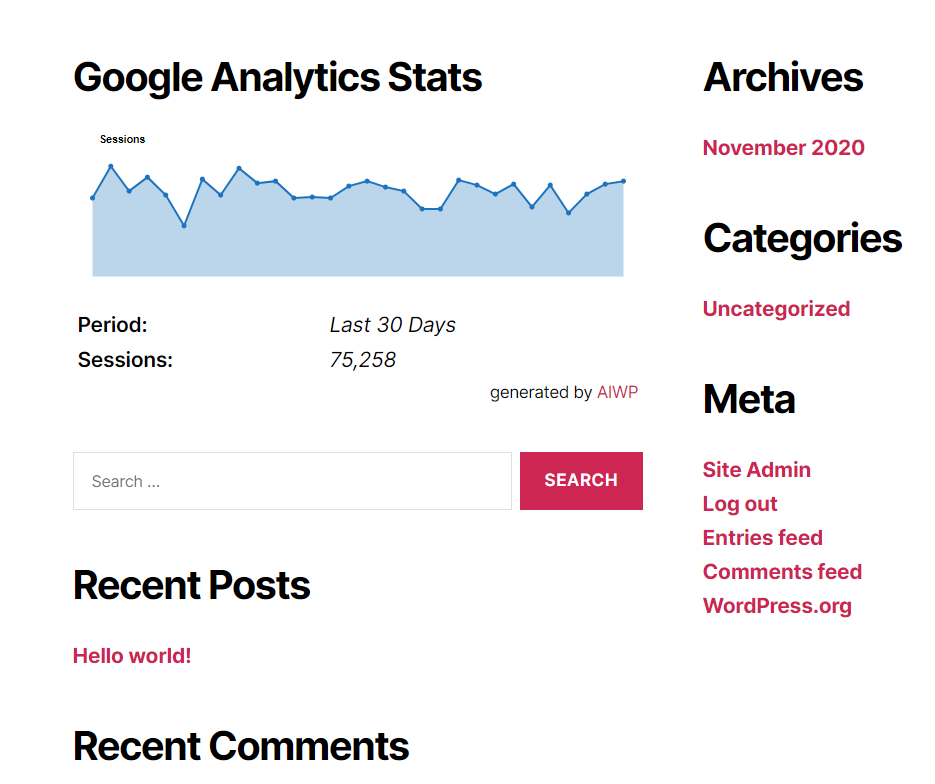
Analytics Insights displays the reports you need on your dashboard and on the site’s frontend. Audience, acquisition, behavior, engagement and real-time stats are all presented as charts within a dedicated dashboard widget.
In addition to a set of general Google Analytics stats, insights like in-depth Page reports and in-depth Post reports are available.
The Google Analytics tracking code is fully customizable through options and hooks, allowing advanced data collection like custom dimensions and events.
Google Analytics Real-Time Stats
Google Analytics reports, in real-time, in your dashboard screen:
- Real-time number of visitors
- Real-time number of visitors per page
- Real-time device category
Google Analytics Reports and Insights
The Google Analytics insights and reports you need on your dashboard and on the site’s frontend:
- Sessions, organic searches, page views, bounce rate analytics stats
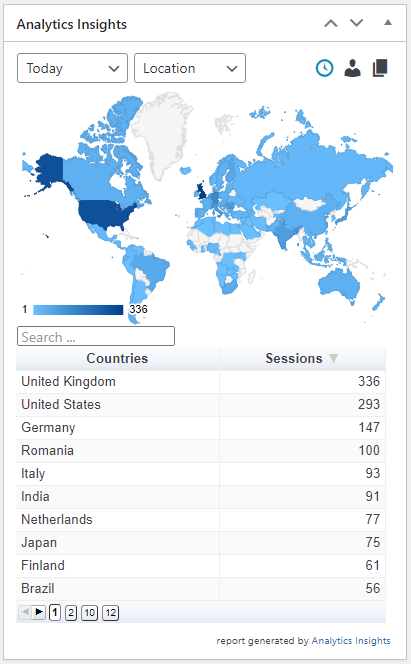
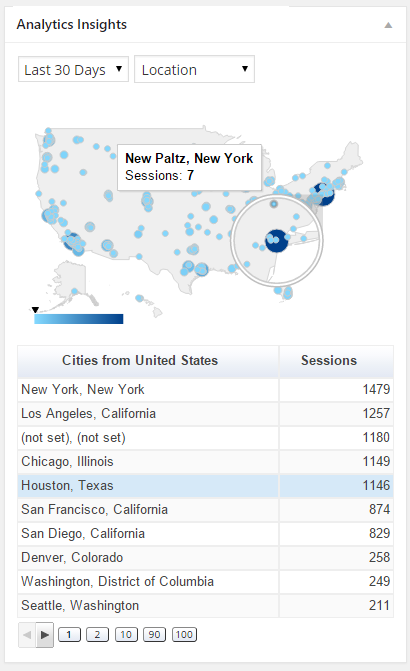
- Locations, pages, referrers, keywords, 404 errors analytics stats
- Traffic channels, social networks, traffic mediums, search engines analytics stats
- Device categories, browsers, operating systems, screen resolutions, mobile brands analytics stats
Google Analytics Tracking
Installs the latest Google Analytics tracking code and allows full code customization:
- Google Analytics 4 tracking code
- Accelerated Mobile Pages (AMP) support for Google Analytics
- Cross domain tracking
- Ecommerce support for Google Analytics
- User privacy oriented features and much more
With Analytics Insights you can easily track events like downloads, page scrolling depth, outbound links, emails. In addition, you can track custom event categories, actions, and labels using annotated HTML elements.
Custom dimensions tracking of authors, publication date, categories, tags is also possible with Analytics Insights.
Google Tag Manager Tracking
As an alternative to Google Analytics tracking code, you can use Google Tag Manager for tracking:
- Google Tag Manager code
- Data Layer variables: authors, publication date, categories, tags, user type
- Accelerated Mobile Pages (AMP) support for Google Tag Manager
Accelerated Mobile Pages (AMP) features
- Google Tag Manager basic tracking
- Google Analytics basic tracking
- Events tracking, custom dimensions tracking, annotated HTML elements tracking
Analytics Insights on Multisite
This plugin is fully compatible with multisite network installs, allowing three setup modes:
- Mode 1: network activated using multiple Google Analytics accounts
- Mode 2: network activated using a single Google Analytics account
- Mode 3: network deactivated using multiple Google Analytics accounts
Instalação
Installation from within WordPress
- Visit Plugins > Add New.
- Search for Analytics Insights.
- Install and activate the Analytics Insights – Google Analytics Dashboard for WordPress plugin.
- Open the plugin configuration page, which is located under the Analytics Insights menu.
- Authorize the plugin to connect to Google Analytics using the Authorize Plugin button.
- Go back to the plugin configuration page, which is located under Analytics Insights menu to update/set your settings.
- Go to Analytics Insights -> Tracking Code to configure/enable/disable tracking.
Instalação manual
- Upload the entire
analytics-insightsfolder to the/wp-content/plugins/directory. - Visit Plugins.
- Activate the Analytics Insights – Google Analytics Dashboard for WordPress plugin.
- Open the plugin configuration page, which is located under the Analytics Insights menu.
- Authorize the plugin to connect to Google Analytics using the Authorize Plugin button.
- Go back to the plugin configuration page, which is located under Analytics Insights menu to update/set your settings.
- Go to Analytics Insights -> Tracking Code to configure/enable/disable tracking.
Log de Changes
6.4 (2026.10.19)
- Security:
- Level: high; sanitization and output escaping; credits Wordfence Team
6.3.12 (2026.01.04)
- Bug Fixes:
- bugfix for Google Analytics opt-out feature
- Enhancements:
- drop support for DNT (Do Not Track) header, since it is deprecated
6.3.10 (2025.04.27)
- Bug Fixes:
- minor css font update
6.3.9 (2024.11.30)
- Enhancements:
- a new option to set SameSite attribute on Cookie Customization section
6.3.8 (2024.09.21)
- Bug Fixes:
- PHP warning fix on Google Analytics organic report
6.3.7 (2024.07.25)
- Bug Fixes:
- update refresh intervals for Google Analytics Realtime report
Capturas de tela




Para desenvolvedores
Este é o seu plugin? Mostre os números.
Adicione um crachá ao vivo ao seu site, Documentos ou Readme do GitHub. Ele é atualizado por conta própria - nenhuma conta necessária.
Best Analytics Insights alternatives
All google analytics plugins →





FAQ
Analytics Insights: quick answers
Respostas diretas, extraídas de dados ao vivo WordPress.org.
Fonte: WordPress.org
Is Analytics Insights free?
Yes. Analytics Insights is free to download and use from the official WordPress.org plugin directory.
Is Analytics Insights safe to use in 2026?
Yes — Analytics Insights is a safe, well-maintained plugin to use in 2026. It runs on 10K+ sites, is rated 4.6/5 and was last updated 1 month ago, and scores 88/100 on our health check.
How many websites use Analytics Insights?
Analytics Insights is active on 10K+ WordPress websites and has been downloaded 226,301 times since it launched in September 2021. It was downloaded 4,421 times in the last 30 days.
Does Analytics Insights work with WordPress 7.1?
Yes. The developer has tested Analytics Insights up to WordPress 7.1.5, the latest release. It requires WordPress 3.5 or newer.
What PHP version does Analytics Insights need?
Analytics Insights requires PHP 5.6 or higher. Most hosts run PHP 8.x today, so it works on any modern WordPress hosting.
When was Analytics Insights last updated?
The latest version, 6.4, was released on October 19, 2026 (1 month ago).
Who makes Analytics Insights?
Analytics Insights is developed and maintained by Alin Marcu.
What are the best alternatives to Analytics Insights?
The most popular alternatives to Analytics Insights are MonsterInsights (2M+ installs), GTM4WP (700K+ installs) and WP Statistics (500K+ installs).
Alimentado por PageForge
Um modelo e uma planilha. Uma página real para cada pesquisa.
PageForge Transforma cada linha de um CSV em uma página WordPress com seu próprio título, URL, SEO campos e esquema, construído no layout que você já desenhou. Gratuito em WordPress.org.
- CSV e XLSX, mais Google Sheets em Profissional e Empresarial
- Seu próprio título, URL, SEO campos e esquema para cada página
- Funciona com o editor de blocos, Elementor, Divi e Avada
- Gratuito em WordPress.org, sem cartão de crédito