


WP Offload Media Lite para Amazon S3, Espaços DigitalOcean e Google Armazenamento em nuvem
This plugin automatically copies images, videos, documents, and any other media added through WordPress’ media uploader to Amazon S3, DigitalOcean Spaces or Google Cloud Storage. It then automatically replaces the URL…

Escolha segura
Yes — WP Offload Media Lite for Amazo… is a safe, well-maintained plugin to use in 2026. It runs on 30K+ sites, is rated 3.7/5 and was last updated 4 weeks ago, and scores 82/100 on our health check.
- Comprovado em escala em mais de 30 mil sites ativos
- Desenvolvido ativamente — última atualização 4 semanas atrás
- Testado com as últimas WordPress (7.1)
- Precisa de PHP 8.1 ou mais recente
Como ele se acumula?
Lado a lado em instalações, atualizações, avaliações e suporte



Downloads diários
Os picos de download geralmente seguem uma nova versão — cada site que atualiza automaticamente é um download.
Rankings
Where WP Offload Media Lite for A… stands todayWordPress.org Classificações de pesquisa
Posição ao vivo na pesquisa de plugins, top 100| Palavra chave | Posição |
|---|---|
| amazon | #3 |
| amazon s3 | #2 |
| digitalocean | #3 |
| s3 | #4 |
| uploads | #54 |
Adoção da versão
Compartilhamento de sites ativos por lançamento.
Divisão de classificação
★★★★★★★★★★ 3.7 from 115 reviews
About WP Offload Media Lite for Amazon S3, Di…
From the official readme · v3.4.4Descrição
FORMERLY WP OFFLOAD S3 LITE
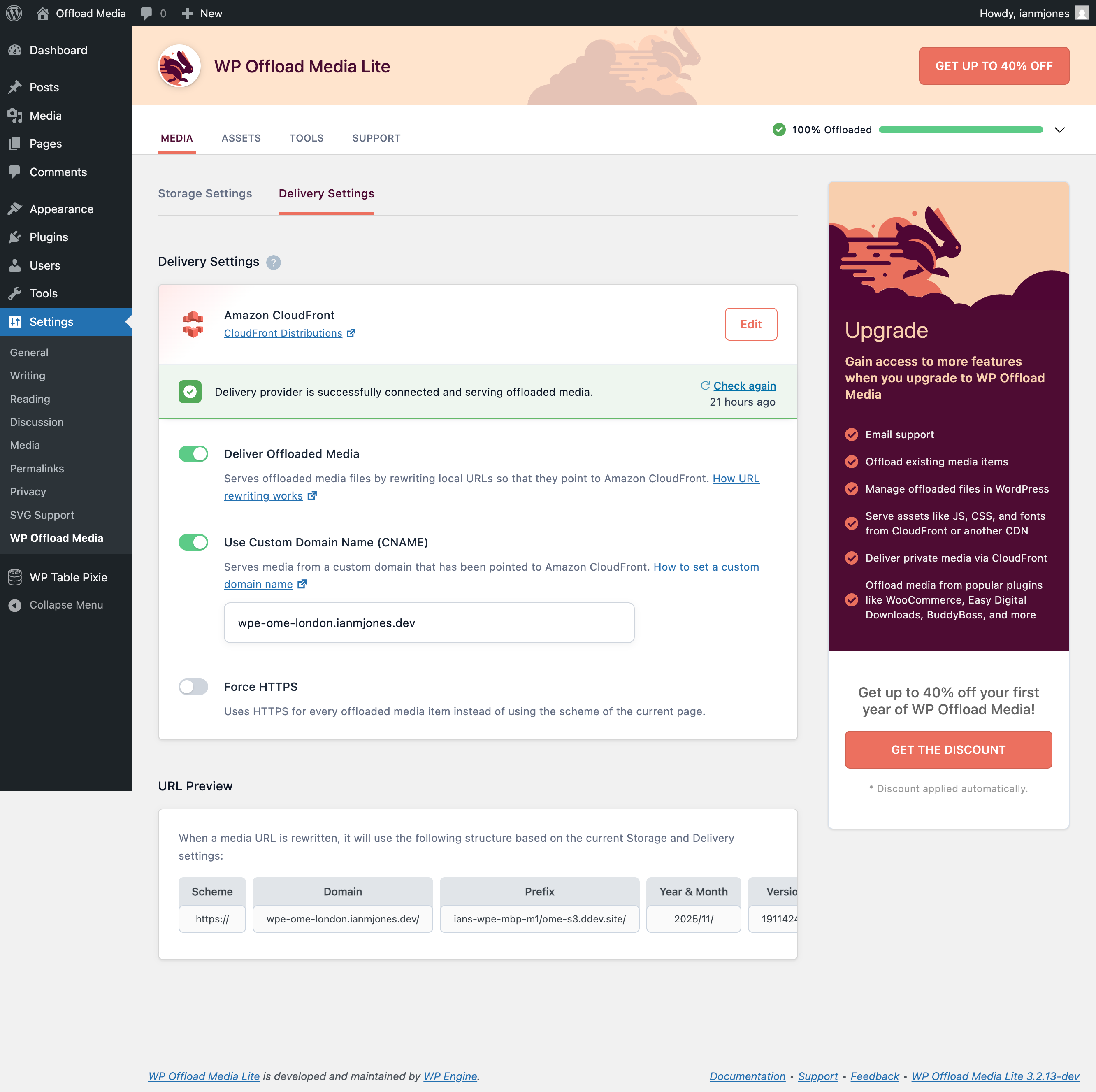
This plugin automatically copies images, videos, documents, and any other media added through WordPress’ media uploader to Amazon S3, DigitalOcean Spaces or Google Cloud Storage. It then automatically replaces the URL to each media file with their respective Amazon S3, DigitalOcean Spaces or Google Cloud Storage URL or, if you have configured Amazon CloudFront or another CDN with or without a custom domain, that URL instead. Image thumbnails are also copied to the bucket and delivered through the correct remote URL.
Uploading files directly to your Amazon S3, DigitalOcean Spaces or Google Cloud Storage account is not currently supported by this plugin. They are uploaded to your server first, then copied to the bucket. There is an option to automatically remove the files from your server once they are copied to the bucket however.
If you’re adding this plugin to a site that’s been around for a while, your existing media files will not be copied to or served from Amazon S3, DigitalOcean Spaces or Google Cloud Storage. Only newly uploaded files will be copied to and served from the bucket. The pro upgrade has an upload tool to handle existing media files.
Image Optimization
Although WP Offload Media doesn’t include image optimization features, we work closely with the author of EWWW Image Optimizer to ensure they always work well together. Not only do we recommend EWWW Image Optimizer but we officially support its integration with WP Offload Media.
PRO Upgrade with Email Support and More Features
- Upload existing Media Library to Amazon S3, DigitalOcean Spaces or Google Cloud Storage
- Control offloaded files from the Media Library
- Assets Pull addon – Serve your CSS, JS and fonts via CloudFront or another CDN
- WooCommerce integration
- Easy Digital Downloads integration
- Priority email support
The video below runs through the pro upgrade features…
Instalação
- Install this plugin using WordPress’ built-in installer
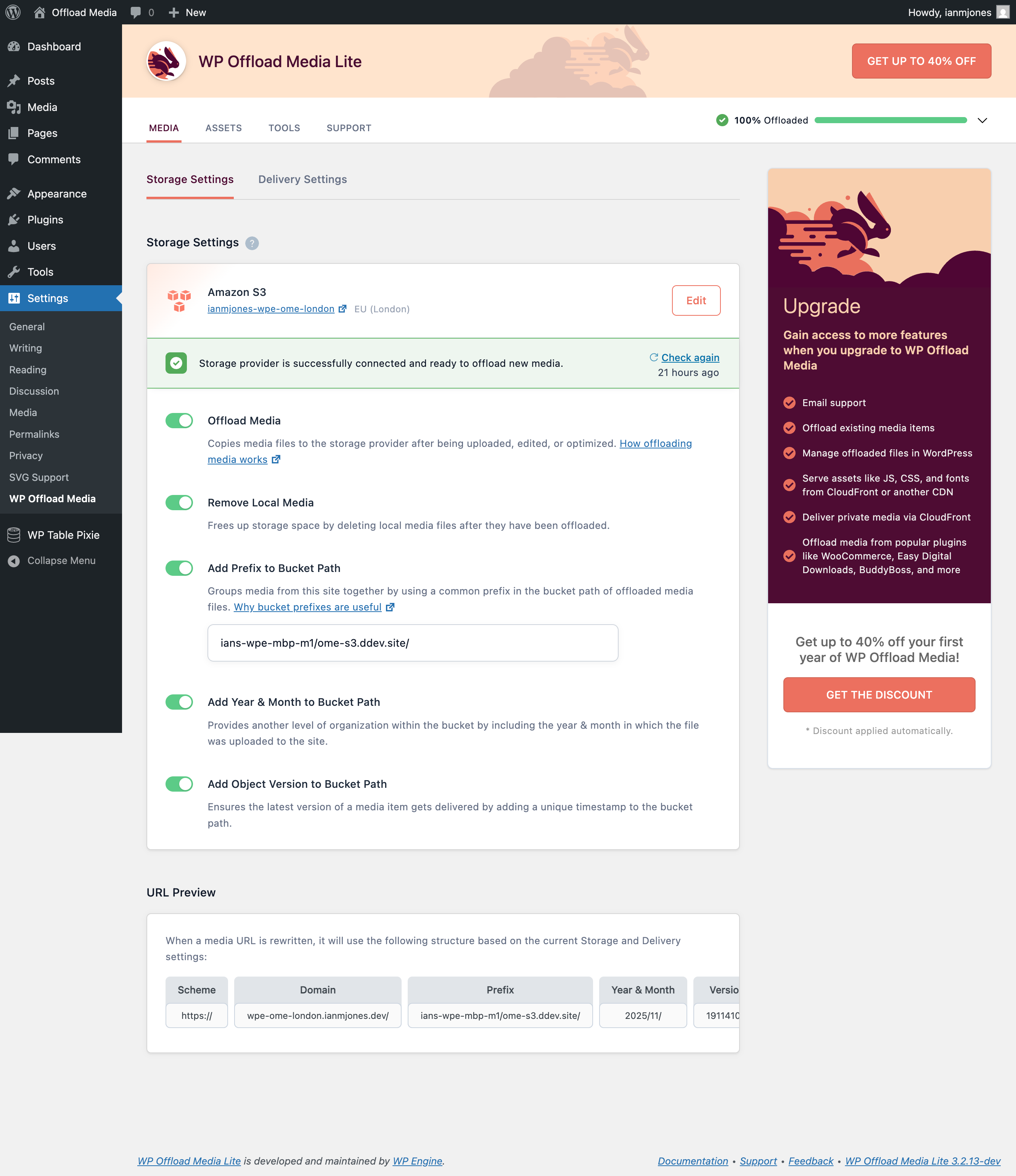
- Access the Offload Media option under Settings
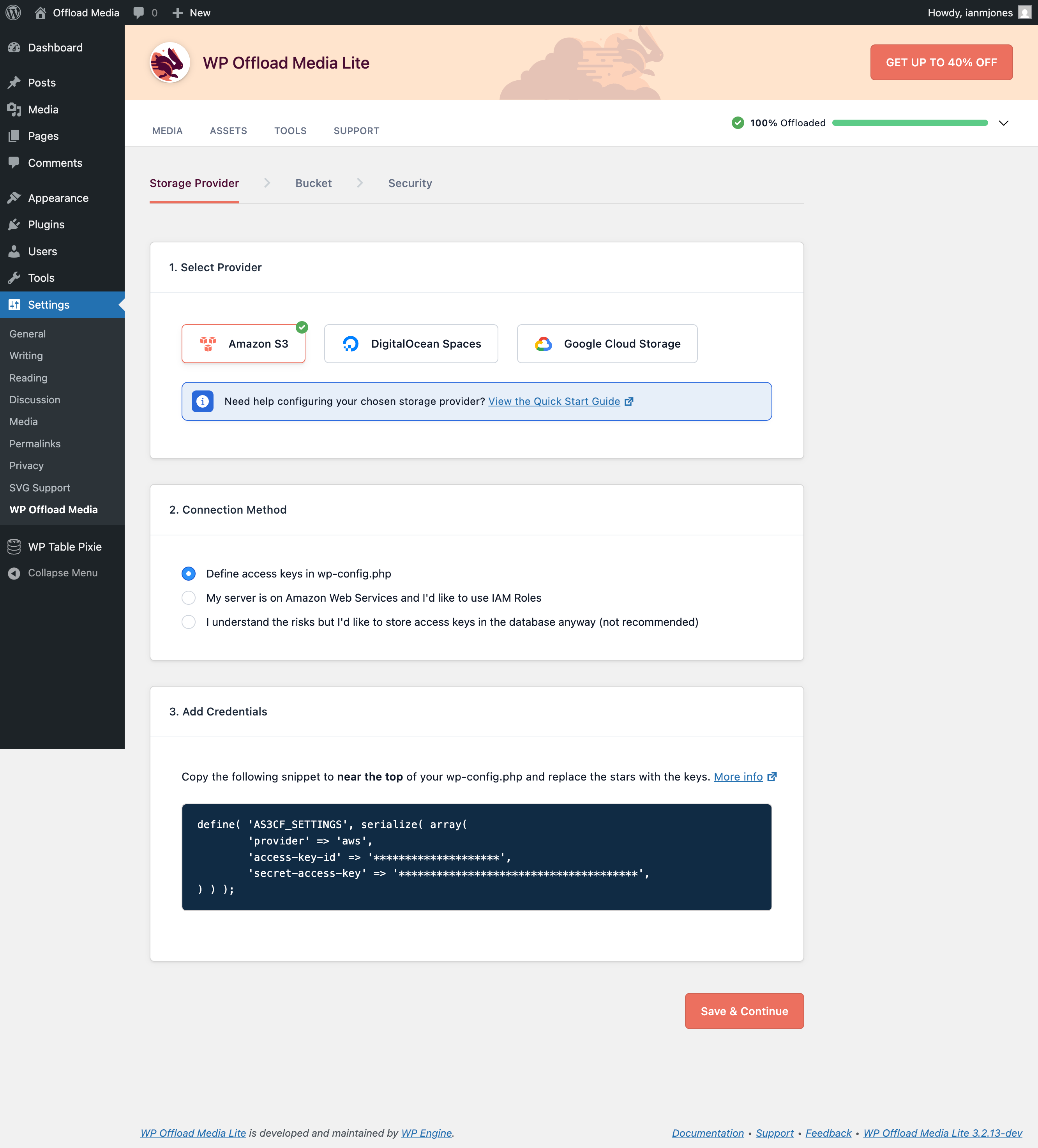
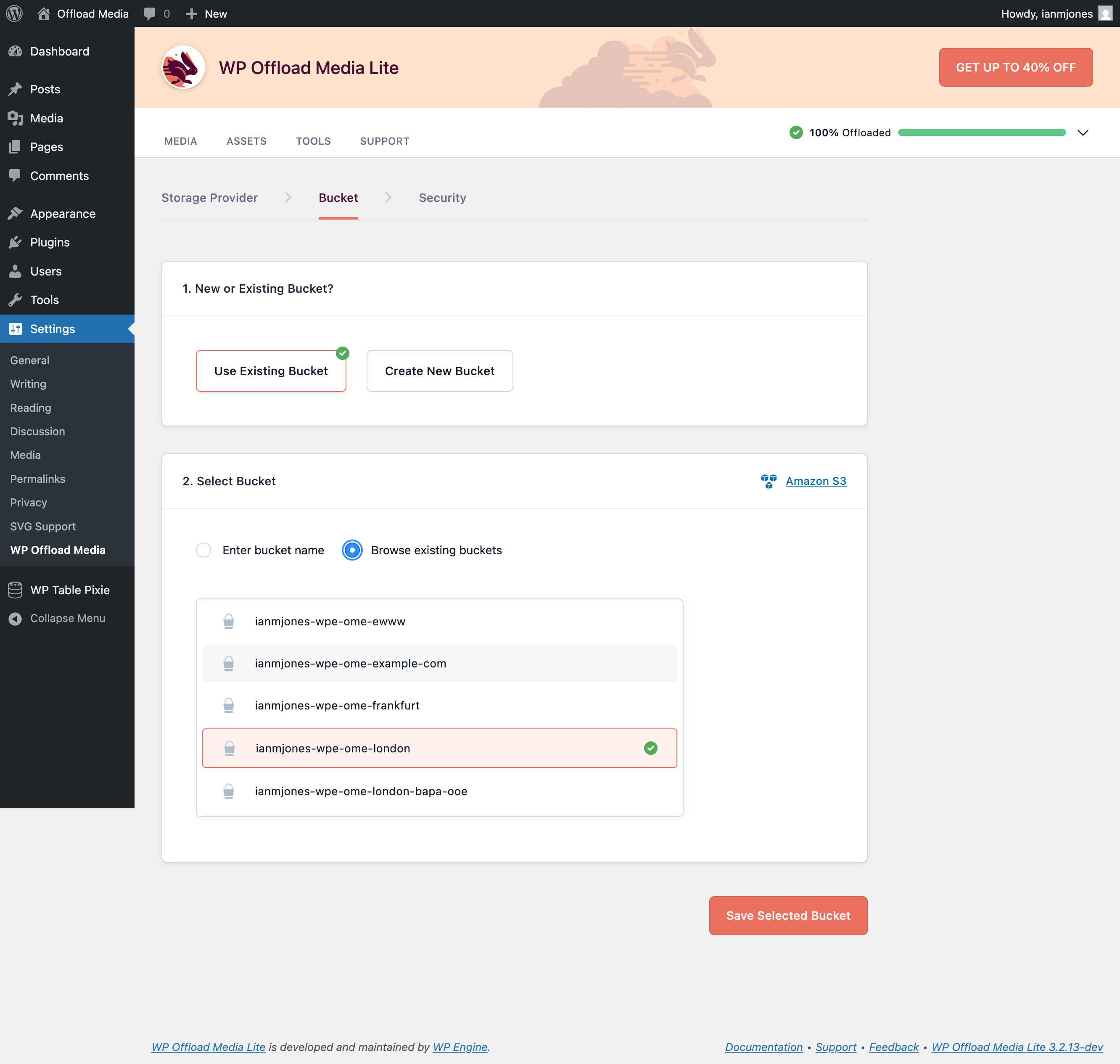
- Follow the instructions to set up your AWS or DigitalOcean access keys and configure
Check out the Quick Start Guide for more information on configuring WP Offload Media.
Log de Changes
This is a major upgrade that updates the format of information stored about offloaded Media Library items. Once upgraded you will not be able to downgrade without restoring data from a backup.
WP Offload Media Lite 3.4.4 – 2026-10-28
- Security: It’s no longer possible for a site administrator without network management privileges to craft REST requests to alter options
- Security: Authentication is now required to pause & resume the current upgrade routine, thanks Asif Masood
- Bug fix: The image_downsize filter is no longer handled if another plugin has already handled it
- Bug fix: Offloaded images in post content are now looked up together rather than one at a time, reducing database queries on pages with many images
- Bug fix: Media that has not been offloaded is no longer looked up in the database again every time a page asks for it
- Bug fix: Offloaded media data held in a persistent object cache now takes up far less room, particularly for images with many sizes
- Bug fix: Updating the plugin no longer clears the entire persistent object cache, only the plugin’s own cached data, where the cache supports it
- Bug fix: Checking whether the custom tables exist is now much faster for large multisites, and happens periodically
- Bug fix: SVG files offloaded to Google Cloud Storage no longer fail with rate limit errors
WP Offload Media Lite 3.4.3 – 2026-09-21
- Bug fix: A non-numeric attachment ID passed to wp_get_attachment_image_src() by a theme or plugin no longer results in a fatal error
- Bug fix: Attachment metadata carrying an image size entry without a filename no longer results in a fatal error
- Bug fix: Uploading a file no longer loads the whole offloaded file list for the candidate uploads directory into memory
- Bug fix: A text file uploaded with the same name as an existing one now properly gets a unique name when using the Remove Local Media option
- Bug fix: Media Library items that have duplicate original_image metadata entries but not file paths are no longer offloaded as duplicates
- Bug fix: Offload metadata objects added to an external cache no longer persist indefinitely
- Bug fix: A database using the ANSI_QUOTES SQL mode no longer causes unknown column errors or missed provider to local URL rewrites
WP Offload Media Lite 3.4.2 – 2026-09-07
- Bug fix: A null attachment ID passed to get_attached_file() by another plugin no longer results in a fatal error
- Bug fix: Upgrading while using PHP 8.5 on a multisite no longer raises a fatal error in the cron job in some cases
WP Offload Media Lite 3.4.1 – 2026-09-04
- Bug fix: Rejecting non-string content in AS3CF_Filter::process_content() no longer results in a fatal error
WP Offload Media Lite 3.4.0 – 2026-09-03
- Release Summary Blog Post
- New: For improved performance, a new custom table stores information about each offloaded file
- New: WordPress 7.1 compatible
- New: AWS PHP SDK has been updated to v3.392.1
- New: Google Cloud Storage SDK has been updated to v2.5.1
- New: PHP and JS dependencies have been updated
- Improvement: amazonS3_cache postmeta records replaced with as3cf_url_cache_local and as3cf_url_cache_remote records
- Improvement: Unlike amazonS3_cache records, as3cf_url_cache_* records self-heal when content has URLs added or removed
- Improvement: A full postmeta table scan of amazonS3_cache records is no longer performed when a Media Library item is deleted
- Bug fix: WP 7.1’s client side generated thumbnails are now properly removed from local after offload if using Remove Local Media option
- Bug fix: WP 7.1’s new source_image, animated_video, and animated_video_poster fields for Media Library metadata properly handled
- Bug fix: WP 7.1’s changes to customizer cropped image metadata now handled to properly offload item and remove downloaded original as appropriate
- Bug fix: The URL for a background image applied to a template part’s group block is now properly rewritten on the frontend
- Bug fix: Missing custom tables are now created even if settings say they should already exist, e.g. if site partially migrated
- Bug fix: Implicitly marking parameter $limit as nullable is deprecated message no longer emitted to debug log during upgrades with PHP 8.5
- Bug fix: URLs containing some specific CJK characters are now properly rewritten when the PHP build strips certain control characters
- Bug fix: WP_Filesystem init failure is properly reported while removing local media
WP Offload Media Lite 3.3.1 – 2026-04-15
- New: Google Cloud Storage SDK has been updated to v1.49.2
- New: PHP and JS dependencies have been updated
- New: WordPress 7.0 compatible
- Improvement: The current bucket’s location is no longer checked when the region is defined as a constant
- Removed: The StackPath (no longer in business) delivery provider has been marked as deprecated and can no longer be selected in the UI
- Bug fix: Editing a footer template with an existing offloaded and removed from local image block now properly shows the image
- Bug fix: Returning to the site editor with an offloaded and removed from local background image applied to a group block now properly shows the image
- Bug fix: The Customizer now correctly shows just added and cropped remote only header images
- Bug fix: The original remote only image downloaded during a Customizer header image crop is now properly re-removed from the server
- Bug fix: Checking settings after manually changing a bucket’s ACL enablement status no longer results in delivery status validation problems
- Bug fix: Offload and remove from local triggered from outside the admin context no longer sometimes results in a fatal error
Capturas de tela
Para desenvolvedores
Este é o seu plugin? Mostre os números.
Adicione um crachá ao vivo ao seu site, Documentos ou Readme do GitHub. Ele é atualizado por conta própria - nenhuma conta necessária.


Best WP Offload Media Lite for Ama… alternatives
All amazon plugins →





FAQ
WP Offload Media Lite for Amazon S3…: quick answers
Respostas diretas, extraídas de dados ao vivo WordPress.org.
Fonte: WordPress.org
Is WP Offload Media Lite for Amazo… free?
Yes. WP Offload Media Lite for Amazo… is free to download and use from the official WordPress.org plugin directory.
Is WP Offload Media Lite for Amazo… safe to use in 2026?
Yes — WP Offload Media Lite for Amazo… is a safe, well-maintained plugin to use in 2026. It runs on 30K+ sites, is rated 3.7/5 and was last updated 4 weeks ago, and scores 82/100 on our health check.
How many websites use WP Offload Media Lite for Amazo…?
WP Offload Media Lite for Amazo… is active on 30K+ WordPress websites and has been downloaded 2,697,895 times since it launched in January 2013. It was downloaded 40,237 times in the last 30 days.
Does WP Offload Media Lite for Amazo… work with WordPress 7.1?
Yes. The developer has tested WP Offload Media Lite for Amazo… up to WordPress 7.1.5, the latest release. It requires WordPress 5.9 or newer.
What PHP version does WP Offload Media Lite for Amazo… need?
WP Offload Media Lite for Amazo… requires PHP 8.1 or higher. Most hosts run PHP 8.x today, so it works on any modern WordPress hosting.
When was WP Offload Media Lite for Amazo… last updated?
The latest version, 3.4.4, was released on October 28, 2026 (4 weeks ago).
Who makes WP Offload Media Lite for Amazo…?
WP Offload Media Lite for Amazo… is developed and maintained by WP Engine.
What are the best alternatives to WP Offload Media Lite for Amazo…?
The most popular alternatives to WP Offload Media Lite for Amazo… are Amazon Pay for WooCommerce (10K+ installs), Media Cloud for Bunny CDN,… (7K+ installs) and Amazon Web Services (5K+ installs).
Alimentado por PageForge
Um modelo e uma planilha. Uma página real para cada pesquisa.
PageForge Transforma cada linha de um CSV em uma página WordPress com seu próprio título, URL, SEO campos e esquema, construído no layout que você já desenhou. Gratuito em WordPress.org.
- CSV e XLSX, mais Google Sheets em Profissional e Empresarial
- Seu próprio título, URL, SEO campos e esquema para cada página
- Funciona com o editor de blocos, Elementor, Divi e Avada
- Gratuito em WordPress.org, sem cartão de crédito