


Shortcodes – Advanced Shortcode Manager
Shortcodes – Advanced Shortcode Manager is a powerful and user-friendly WordPress plugin designed to help you manage shortcodes across your website. With Advanced Shortcode Manager, you can easily create, edit, and…

Escolha sólida
Shortcodes is a solid plugin choice in 2026, with a few things worth checking first. It runs on 10+ sites and was last updated 1 week ago, and scores 66/100 on our health check.
- Desenvolvido ativamente — última atualização 1 semana atrás
- Testado com as últimas WordPress (7.1)
- Pequena base de usuários (10+ instalações ativas)
- Muito poucos comentários até agora
Downloads diários
Os picos de download geralmente seguem uma nova versão — cada site que atualiza automaticamente é um download.
Rankings
Where Shortcodes stands todayWordPress.org Classificações de pesquisa
Posição ao vivo na pesquisa de plugins, top 100| Palavra chave | Posição |
|---|---|
| advanced shortcodes | >100 |
| short code | >100 |
| Shortcode | >100 |
| shortcode manager | >100 |
| shortcodes | >100 |
Adoção da versão
Compartilhamento de sites ativos por lançamento.
About Shortcodes – Advanced Shortcode Manager
Do Readme oficial · v1.3.3Descrição
Shortcodes – Advanced Shortcode Manager is a powerful and user-friendly WordPress plugin designed to help you manage shortcodes across your website. With Advanced Shortcode Manager, you can easily create, edit, and manage shortcodes from a single, intuitive interface. Whether you’re a beginner or an experienced developer, Advanced Shortcode Manager makes it easy to add custom functionality to your website without writing a single line of code. With Advanced Shortcode Manager, you can create custom shortcodes with ease using the built-in shortcode editor, edit existing shortcodes directly from the shortcode manager, manage all your shortcodes in one place, export your shortcodes to use on other websites or share with others, import shortcodes from other websites or users, access a library of pre-built shortcodes, generate shortcodes with custom attributes and options, build complex shortcodes with multiple attributes and options, edit shortcodes with a visual editor and live preview, create widgets with your shortcodes, build components with your shortcodes, define classes for your shortcodes, add scripts to your shortcodes, write code for your shortcodes, add snippets to your shortcodes, define functions for your shortcodes, add methods to your shortcodes, add features to your shortcodes, set options for your shortcodes, define settings for your shortcodes, configure your shortcodes, set up your shortcodes, and much more. Advanced Shortcode Manager is packed with powerful features to help you create custom shortcodes that suit your needs. Whether you’re looking to add custom functionality to your website or enhance your existing shortcodes, Advanced Shortcode Manager has you covered. Get started today and take your website to the next level with Advanced Shortcode Manager. You won’t be disappointed! 😊
🚀 Explore Shortcodes | 📄 Plugin Documentation | 💻 Support
✨ Features of Shortcodes – Advanced Shortcode Manager
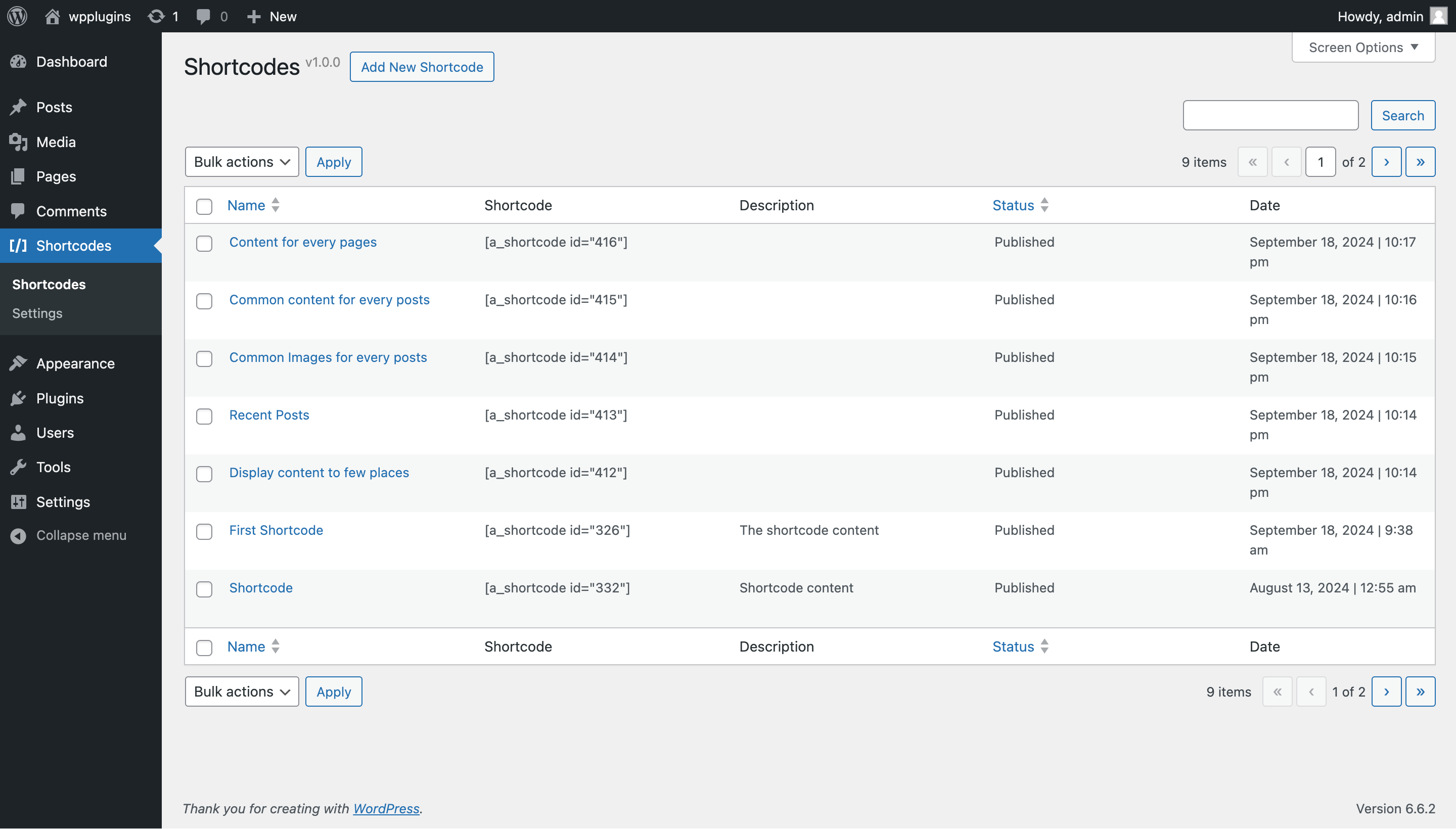
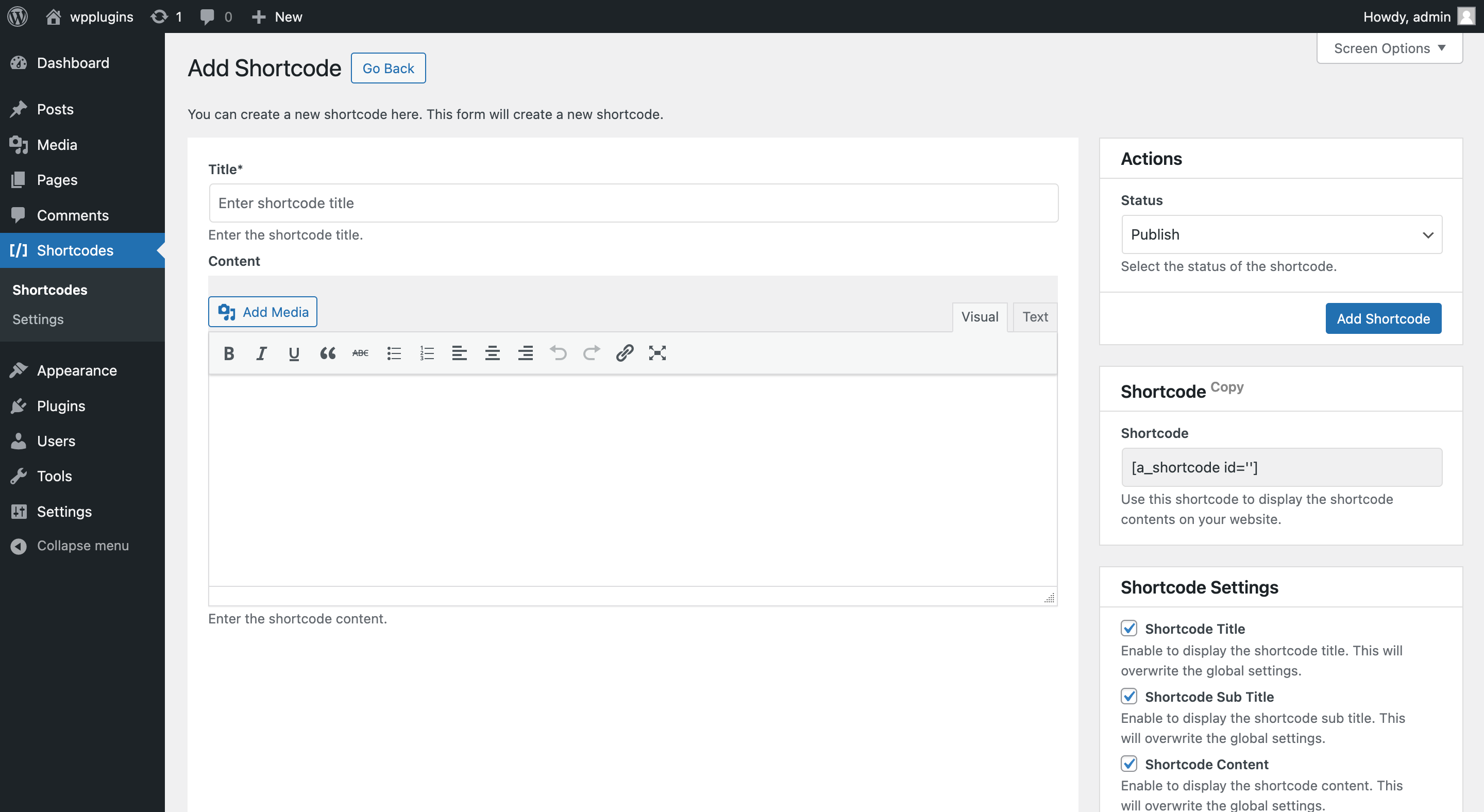
- Create Shortcodes: Create shortcodes with custom attributes and options.
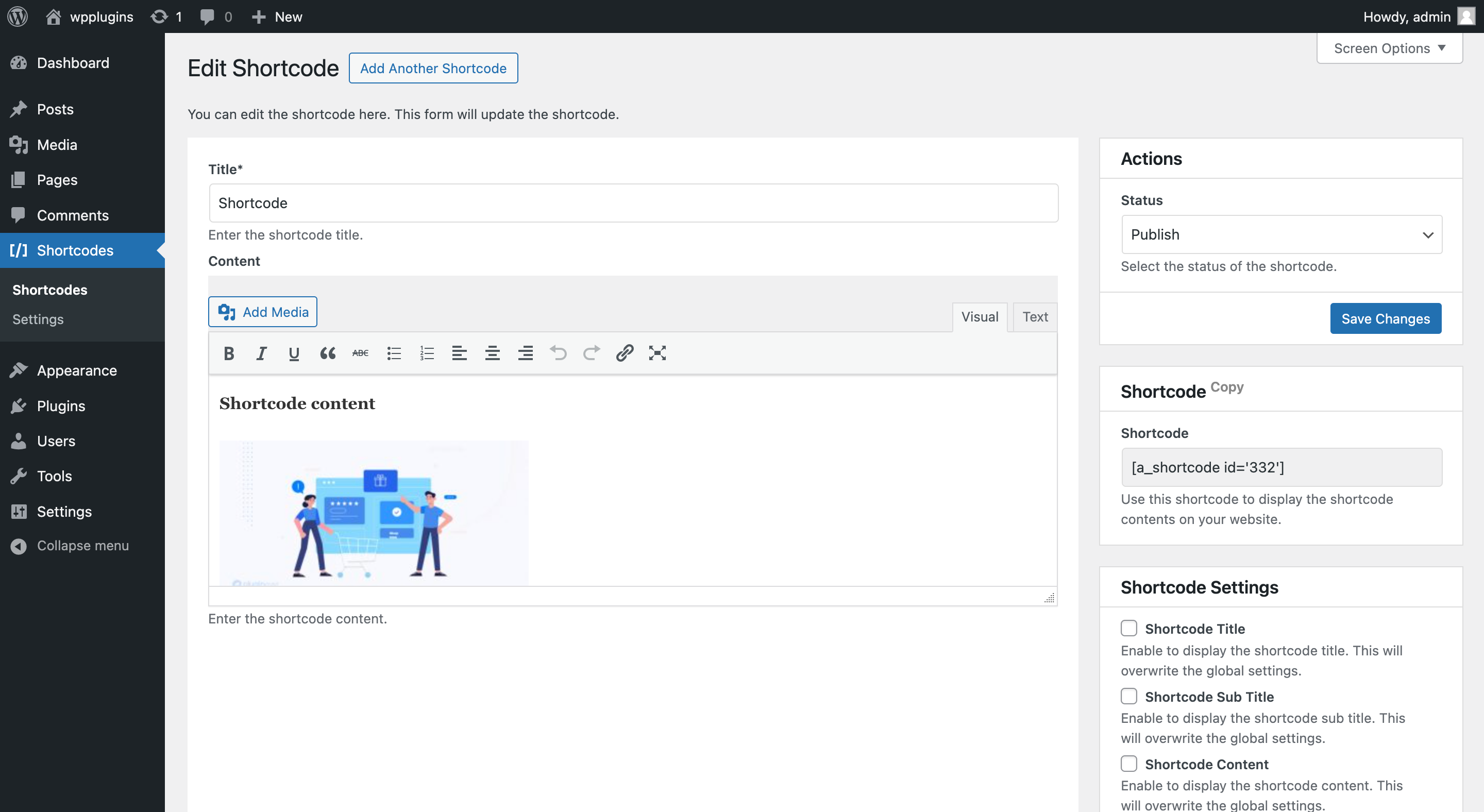
- Edit Existing Shortcodes: Edit existing shortcodes directly from the shortcode manager.
- Manage Shortcodes: Manage all your shortcodes from a single, intuitive interface.
- Export Shortcodes: Export your shortcodes to use on other websites or share with others.
- Import Shortcodes: Import shortcodes from other websites or users.
- Shortcode Manager: Manage all your shortcodes in one place.
- Shortcode Editor: Edit shortcodes with a visual editor.
- Shortcode Documentation: Access detailed documentation for each shortcode.
- Shortcode Customization: Customize your shortcodes with custom attributes.
- Shortcode Options: Add options to your shortcodes for more flexibility.
- Shortcode Widgets: Create widgets with your shortcodes.
- Shortcode Components: Build components with your shortcodes.
- Shortcode Scripts: Add scripts to your shortcodes.
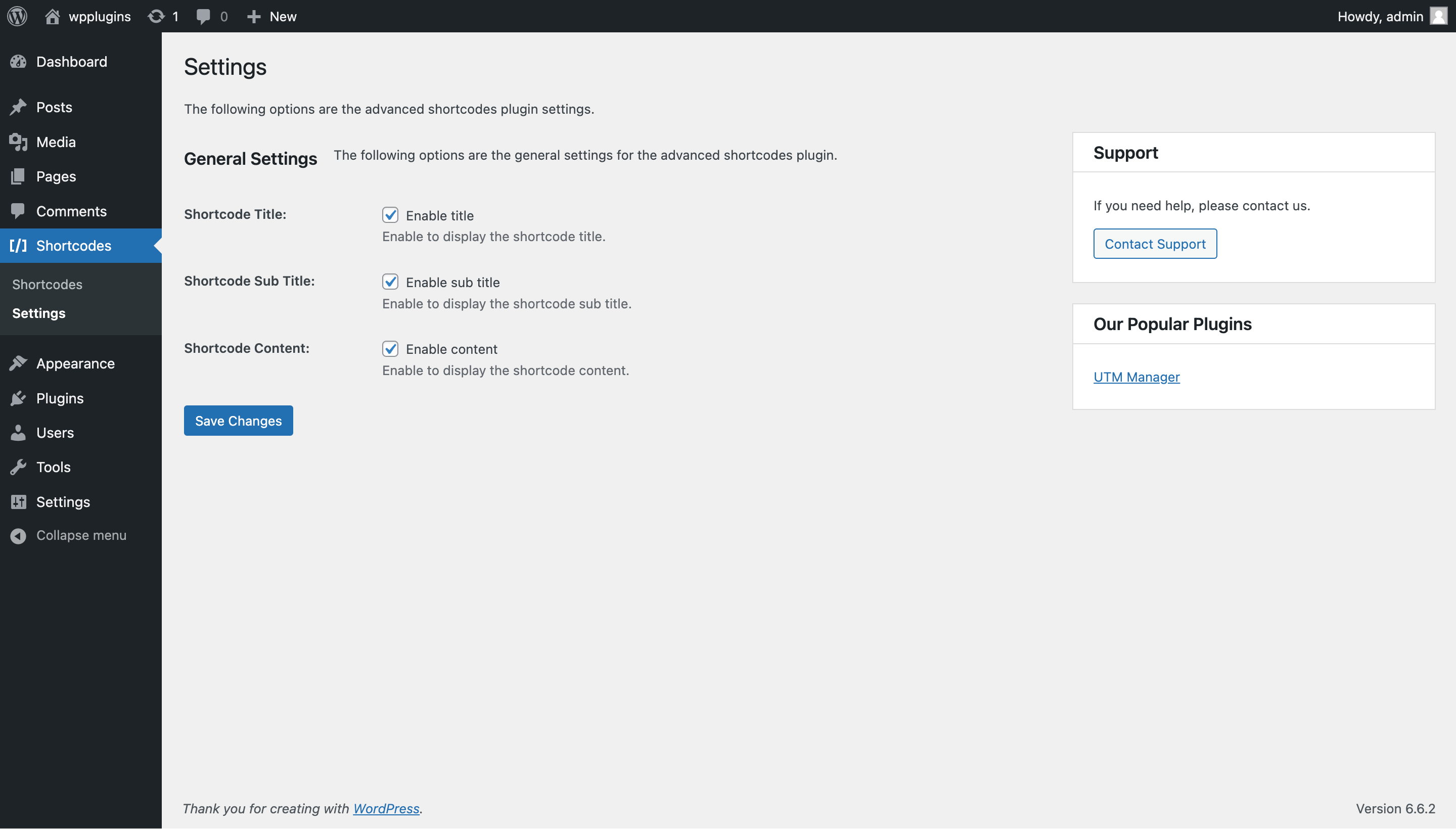
- Shortcode Settings: Define settings for your shortcodes.
Why Choose Shortcodes – Advanced Shortcode Manager?
- Easy to Use: Advanced Shortcode Manager is designed to be user-friendly and intuitive.
- Powerful: Advanced Shortcode Manager is packed with powerful features to help you create custom shortcodes.
- Flexible: Advanced Shortcode Manager gives you the flexibility to create shortcodes with custom attributes and options.
- Customizable: Advanced Shortcode Manager allows you to customize your shortcodes to suit your needs.
- Responsive: Advanced Shortcode Manager is fully responsive and works on all devices.
- Regular Updates: Advanced Shortcode Manager is regularly updated with new features and improvements.
- Dedicated Support: Advanced Shortcode Manager comes with dedicated support to help you with any issues or questions.
- Documentation: Advanced Shortcode Manager comes with detailed documentation to help you get started.
- Community: Join our community of users to share ideas and get help with your shortcodes.
- Affordable: Advanced Shortcode Manager is affordable and offers great value for money.
- Secure: Advanced Shortcode Manager is secure and follows best practices for WordPress plugins.
- Lightweight: Advanced Shortcode Manager is lightweight and won’t slow down your website.
- SEO-Friendly: Advanced Shortcode Manager is SEO-friendly and helps improve your website’s search engine rankings.
- Translation-Ready: Advanced Shortcode Manager is translation-ready and supports multiple languages.
- Multisite Compatible: Advanced Shortcode Manager is compatible with WordPress Multisite.
- Gutenberg Compatible: Advanced Shortcode Manager is compatible with the Gutenberg editor.
- Elementor Compatible: Advanced Shortcode Manager is compatible with the Elementor page builder.
- Beaver Builder Compatible: Advanced Shortcode Manager is compatible with the Beaver Builder page builder.
- Divi Compatible: Advanced Shortcode Manager is compatible with the Divi theme and page builder.
- WPBakery Compatible: Advanced Shortcode Manager is compatible with the WPBakery page builder.
- Visual Composer Compatible: Advanced Shortcode Manager is compatible with the Visual Composer page builder.
- SiteOrigin Compatible: Advanced Shortcode Manager is compatible with the SiteOrigin page builder.
- Fusion Builder Compatible: Advanced Shortcode Manager is compatible with the Fusion Builder.
- Avada Compatible: Advanced Shortcode Manager is compatible with the Avada theme and Fusion Builder.
- Flatsome Compatible: Advanced Shortcode Manager is compatible with the Flatsome theme and UX Builder.
- Astra Compatible: Advanced Shortcode Manager is compatible with the Astra theme and Elementor.
- OceanWP Compatible: Advanced Shortcode Manager is compatible with the OceanWP theme and Elementor.
- GeneratePress Compatible: Advanced Shortcode Manager is compatible with the GeneratePress theme and Elementor.
- Sydney Compatible: Advanced Shortcode Manager is compatible with the Sydney theme and Elementor.
- And Many More: Advanced Shortcode Manager is compatible with many other page builders and themes.
Get Started Today:
Install Advanced Shortcode Manager from the WordPress plugin repository and start creating custom shortcodes for your website. With Advanced Shortcode Manager, you can easily add custom functionality to your website without writing a single line of code. Get started today and take your website to the next level with Advanced Shortcode Manager.
Política de privacidade
Advanced Shortcode Manager does not collect any personal data from your website visitors. The plugin only collects data that is necessary for its functionality, such as shortcode settings and configurations. Advanced Shortcode Manager does not store any personal information or track user activity. Your privacy is important to us, and we take all necessary measures to protect your data. If you have any questions or concerns about our privacy policy, please contact us at https://beautifulplugins.com/contact/. We’re here to help! Thank you for choosing Advanced Shortcode Manager. We appreciate your support!
License
Advanced Shortcode Manager is distributed under the terms of the GNU General Public License v2 or later https://www.gnu.org/licenses/gpl-2.0.html. You may use it free of charge on your personal or commercial website. If you find it helpful, please leave a positive review and share it with your friends. Your support is greatly appreciated. Thank you for using Advanced Shortcode Manager. We hope you enjoy it!
Créditos
- This plugin is created by BeautifulPlugins. We specialize in creating high-quality WordPress plugins and themes to help you build amazing websites. If you have any questions or need help with our plugins or themes, please contact us at https://beautifulplugins.com/contact/. We’re here to help! Thank you for choosing BeautifulPlugins. We appreciate your support!
Obrigado
Thank you for using Advanced Shortcode Manager. We hope you find it helpful and easy to use. If you have any questions or need help with the plugin, please contact us at https://beautifulplugins.com/contact/. We’re here to help! Your satisfaction is our top priority, and we’re committed to providing you with the best possible experience. Thank you for choosing Advanced Shortcode Manager. We appreciate your support! Enjoy! 😊
Instalação
- Carregue os arquivos do plugin no diretório
/wp-content/plugins/advanced-shortcodesou instale o plugin por meio da tela de plugins WordPress diretamente. - Ative o plugin através do menu 'Plugins' em WordPress.
- Navigate to WordPress Admin Dashboard > Advanced Shortcode Manager > Shortcodes & Settings to start creating custom shortcodes.
- Configure your shortcode settings and start adding custom functionality to your website!
- Aproveite!
Log de Changes
Lançamento inicial
1.2.6 (21st August 2026)
- Compatibility: Make the plugin compatible with the latest version of WordPress 7.1.
1.2.2 (17th July 2026)
- Fix: Resolved few minor issues.
- Compatibility: Make the plugin compatible with the latest version of WordPress 7.0.
1.2.1 (13th February 2026)
- Compatibility: Make the plugin compatible with the latest version of WordPress 6.9.
1.2.0 (28 July 2024)
- Fix: Resolved few minor issues.
- Compatibility: Updated plugin to be compatible with WordPress 6.8.
1.1.0 (19 September 2024)
- New: Updated plugin details.
1.0.0 (18 September 2024)
- Lançamento inicial
Capturas de tela
Para desenvolvedores
Este é o seu plugin? Mostre os números.
Adicione um crachá ao vivo ao seu site, Documentos ou Readme do GitHub. Ele é atualizado por conta própria - nenhuma conta necessária.
FAQ
Shortcodes: quick answers
Respostas diretas, extraídas de dados ao vivo WordPress.org.
Fonte: WordPress.org
Is Shortcodes free?
Yes. Shortcodes is free to download and use from the official WordPress.org plugin directory.
Is Shortcodes safe to use in 2026?
Shortcodes is a solid plugin choice in 2026, with a few things worth checking first. It runs on 10+ sites and was last updated 1 week ago, and scores 66/100 on our health check.
How many websites use Shortcodes?
Shortcodes is active on 10+ WordPress websites and has been downloaded 2,910 times since it launched in September 2024. It was downloaded 326 times in the last 30 days.
Does Shortcodes work with WordPress 7.1?
Yes. The developer has tested Shortcodes up to WordPress 7.1.5, the latest release. It requires WordPress 5.3 or newer.
What PHP version does Shortcodes need?
Shortcodes requires PHP 7.4 or higher. Most hosts run PHP 8.x today, so it works on any modern WordPress hosting.
When was Shortcodes last updated?
The latest version, 1.3.3, was released on November 22, 2026 (1 week ago).
Who makes Shortcodes?
Shortcodes is developed and maintained by BeautifulPlugins.
Alimentado por PageForge
Um modelo e uma planilha. Uma página real para cada pesquisa.
PageForge Transforma cada linha de um CSV em uma página WordPress com seu próprio título, URL, SEO campos e esquema, construído no layout que você já desenhou. Gratuito em WordPress.org.
- CSV e XLSX, mais Google Sheets em Profissional e Empresarial
- Seu próprio título, URL, SEO campos e esquema para cada página
- Funciona com o editor de blocos, Elementor, Divi e Avada
- Gratuito em WordPress.org, sem cartão de crédito