

Advanced Datatable – The Ultimate Data Table Plugin
Show Data on your website with sorting, searching and pagination.

Use com cautela
Advanced Datatable works, but test it on a staging site before relying on it in 2026. It runs on 40+ sites, is rated 5/5 and was last updated 6 months ago, and scores 53/100 on our health check.
- Base de usuários pequenas (mais de 40 instalações ativas)
- Muito poucos comentários até agora
Como ele se acumula?
Lado a lado em instalações, atualizações, avaliações e suporteDownloads diários
Os picos de download geralmente seguem uma nova versão — cada site que atualiza automaticamente é um download.
Rankings
Where Advanced Datatable stands todayWordPress.org Classificações de pesquisa
Posição ao vivo na pesquisa de plugins, top 100| Palavra chave | Posição |
|---|---|
| csv data | #61 |
| data | #86 |
| datatable | #4 |
| table | >100 |
| wp datatable | #5 |
Adoção da versão
Compartilhamento de sites ativos por lançamento.
Divisão de classificação
★★★★★ ★★★★★ 5 de 1 comentários
About Advanced Datatable
Do Readme oficial · v1.0.4Descrição
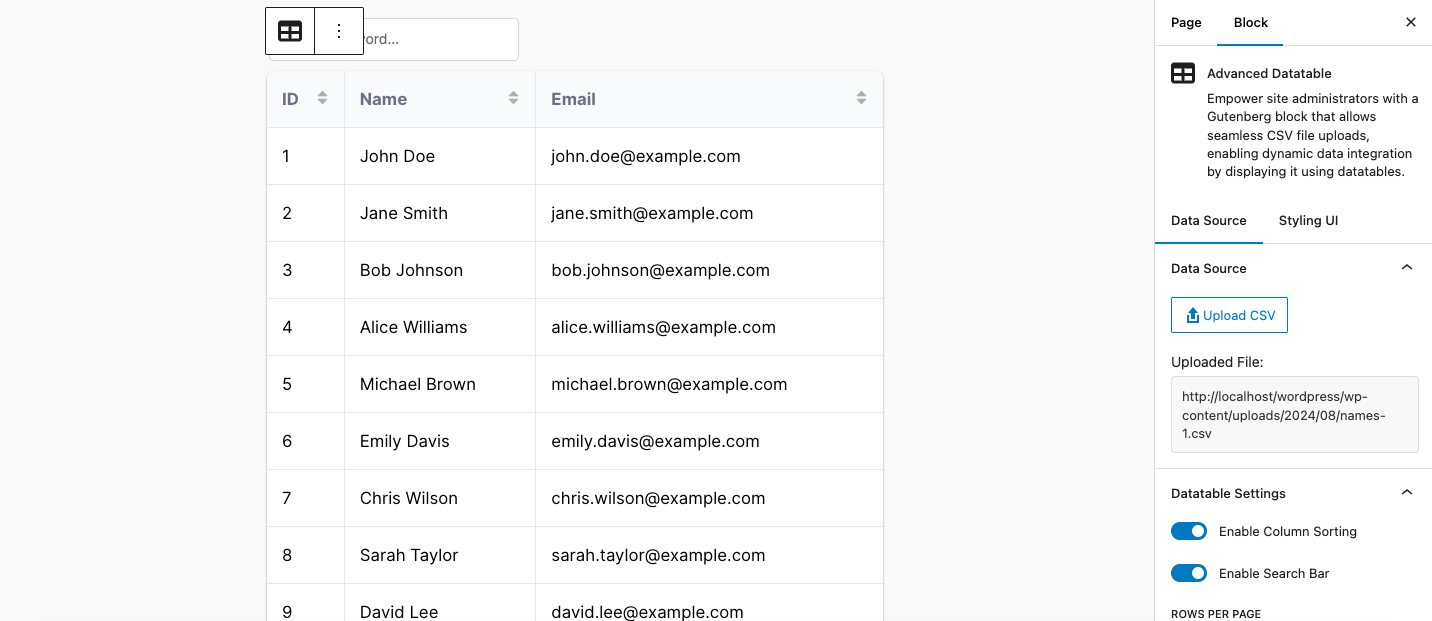
Advanced Datatable is a Gutenberg block plugin that enables site administrators to upload a csv file in the backend & display its csv data into a beautiful datatable powered by searching, sorting, pagination and more. The data table can be customized according to needs from the provided block properties.
Recursos
👉 Display CSV data: Easily import CSV file and display data with DataTables.
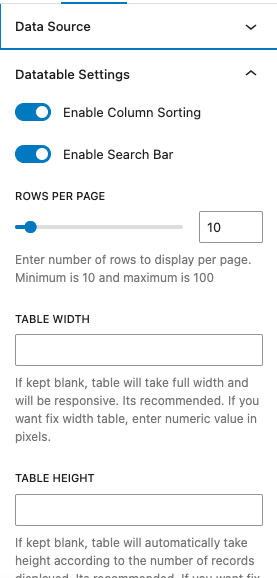
👉 Configurable Settings: Sorting, searching and paginations are configurable settings from backend. Site admin can enable and disable it from block settings.
👉 Responsive Design: Datatable looks great on both desktop and mobile devices.
👉 Sorting: Allow users to sort columns in ascending or descending order.
👉 Searching: Enable search functionality to filter data based on user input.
👉 Pagination: Display numeric pagination for easier navigation.
👉 Manageable Width & Height: Admin can set width and height in percent or fixed px values.
👉 Stickly Table Header: Keep the header row of the table fixed while scrolling through data.
👉 Column Size: Adjust the width of columns to suit your data presentation.
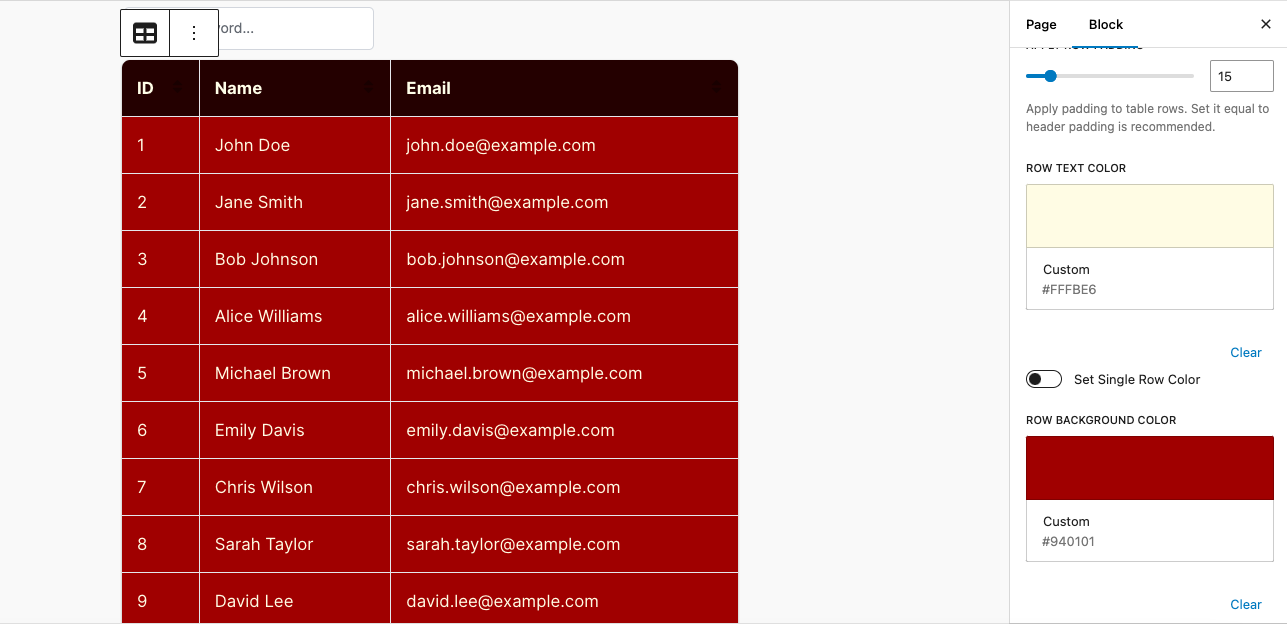
👉 Customisable Table UI: Table background color, text color, hover effects and other design settings can be applied from block settings. Single and multiple colors can be applied to the table.
👉 Seperate settings for table header and table rows.
👉 Customisable and scalable block plugin.
How To Use
- Create a page where you want to display CSV data. Navigate to the Gutenberg editor.
- CLick on the + icon to see all available block elements. Find “Advanced Datatable” block element under “Widgets” category.
- Click on the “Advanced Datatable” block element icon will display a message to upload a csv file first as an input to block.
- From the block properties, upload your csv file via the provided button. Once the file has been uploaded successfully, all the records will be populated in a beautiful datatable.
- Now from the block settings, you can enable / disable feature like searching, sorting and pagination for the created datatable.
- Publish or update your page and you are done. Just visit the page on frontend. You will see the exact same datatable you created in backend.
Live Demos
Try It Now
Explore the plugin instantly using the WordPress Playground:
Instalação
Esta seção descreve como instalar o plugin e fazê-lo funcionar.
- Unzip the downloaded file and upload the advanced-datatable directory to the /wp-content/plugins/ folder.
- Once the plugin is uploaded, log into WordPress back-end and go to Plugins page.
- Find the Advanced Datatable plugin and click Activate.
Log de Changes
1.0.4
- Fix : Fix condition for condition based styling.
1.0.3
- Fix : Datatable search and pagination related strings are now translatable.
1.0.2
- Fix : Improved coding standard.
1.0.1
- New : Fixed CSS layout issues
1.0.0
- New : Display beautiful datatable via Gutenberg editor with customisable UI.
Capturas de tela




Para desenvolvedores
Este é o seu plugin? Mostre os números.
Adicione um crachá ao vivo ao seu site, Documentos ou Readme do GitHub. Ele é atualizado por conta própria - nenhuma conta necessária.
Best Advanced Datatable alternatives
All csv data plugins →| Classificação | Plugin | Instalações ativas |
|---|---|---|
| 1 |
 Ninja Charts – Interactive Charts and Graphs
The easiest way to create responsive, customizable, and reusable charts and graphs for your… |
3K+ |
FAQ
Advanced Datatable: quick answers
Respostas diretas, extraídas de dados ao vivo WordPress.org.
Fonte: WordPress.org
Is Advanced Datatable free?
Yes. Advanced Datatable is free to download and use from the official WordPress.org plugin directory.
Is Advanced Datatable safe to use in 2026?
Advanced Datatable works, but test it on a staging site before relying on it in 2026. It runs on 40+ sites, is rated 5/5 and was last updated 6 months ago, and scores 53/100 on our health check.
How many websites use Advanced Datatable?
Advanced Datatable is active on 40+ WordPress websites and has been downloaded 2,816 times since it launched in August 2024. It was downloaded 179 times in the last 30 days.
Does Advanced Datatable work with WordPress 7.1?
Advanced Datatable is officially tested up to WordPress 7.0.9, while the latest release is 7.1.5. It may still work, but try it on a staging site first.
What PHP version does Advanced Datatable need?
Advanced Datatable requires PHP 7.0 or higher. Most hosts run PHP 8.x today, so it works on any modern WordPress hosting.
When was Advanced Datatable last updated?
The latest version, 1.0.4, was released on May 28, 2026 (6 months ago).
Who makes Advanced Datatable?
Advanced Datatable is developed and maintained by Flipper Code - WordPress Development Company.
What are the best alternatives to Advanced Datatable?
The most popular alternatives to Advanced Datatable are Ninja Charts (3K+ installs).
Alimentado por PageForge
Um modelo e uma planilha. Uma página real para cada pesquisa.
PageForge Transforma cada linha de um CSV em uma página WordPress com seu próprio título, URL, SEO campos e esquema, construído no layout que você já desenhou. Gratuito em WordPress.org.
- CSV e XLSX, mais Google Sheets em Profissional e Empresarial
- Seu próprio título, URL, SEO campos e esquema para cada página
- Funciona com o editor de blocos, Elementor, Divi e Avada
- Gratuito em WordPress.org, sem cartão de crédito