


Zen Site Security
SSL in one click plus security hardening: 301 HTTPS redirect, mixed content fixer, HSTS, security headers, SameSite cookies, attack-surface hardening.

Choix solide
Zen Site Security is a solid plugin choice in 2026, with a few things worth checking first. It runs on 40+ sites, is rated 5/5 and was last updated 2 months ago, and scores 70/100 on our health check.
- Testé avec le dernier WordPress (7.1)
- Petite base d'utilisateurs (40+ installations actives)
- Très peu de critiques jusqu'à présent
Comment s'accumule-t-il ?
Côte à côte sur les installations, les mises à jour, les évaluations et le support



Téléchargements quotidiens
Les pics de téléchargement suivent généralement une nouvelle version - chaque site qui met à jour automatiquement compte comme un téléchargement.
Classements
Where Zen Site Security stands todayWordPress.org Classements de recherche
Position en direct dans la recherche de plugins, Top 100| Mot-clé | Position |
|---|---|
| hardening | #46 |
| hsts | #15 |
| https | >100 |
| En-têtes de sécurité | #60 |
| SSL | >100 |
Adoption de version
Part de sites actifs par version.
Répartition des notes
★★★★★ ★★★★★ 5 sur 1 avis
About Zen Site Security
From the official readme · v1.15.2Description
Zen Site Security migrates your WordPress site to HTTPS safely and keeps it there.
One-click activation
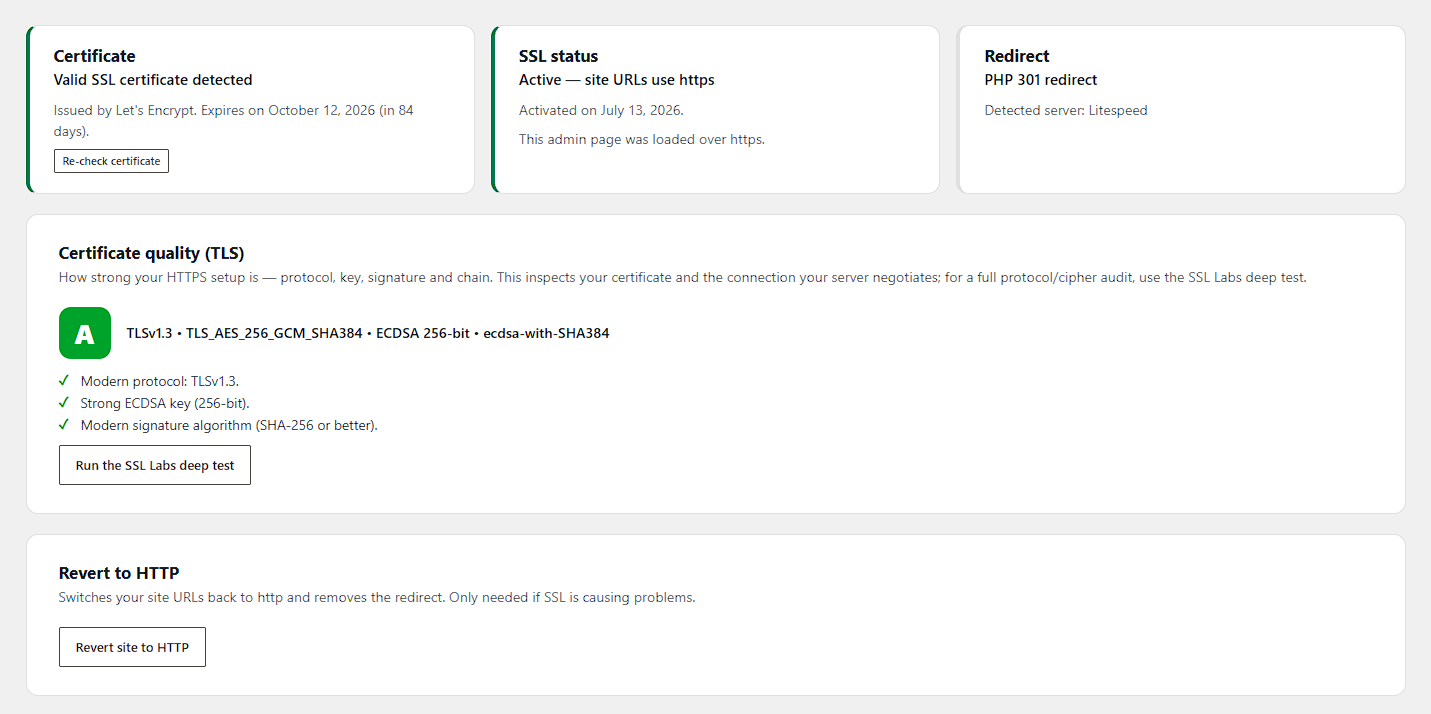
The plugin first verifies that a valid SSL certificate is actually installed for your domain — activation is blocked until one is found, so you can never lock yourself out by accident. Activation then:
- switches your WordPress Address and Site Address to https,
- 301-redirects every HTTP request (pages, REST API) to HTTPS,
- fixes mixed content on your pages on the fly.
HTTP to HTTPS redirect, your way
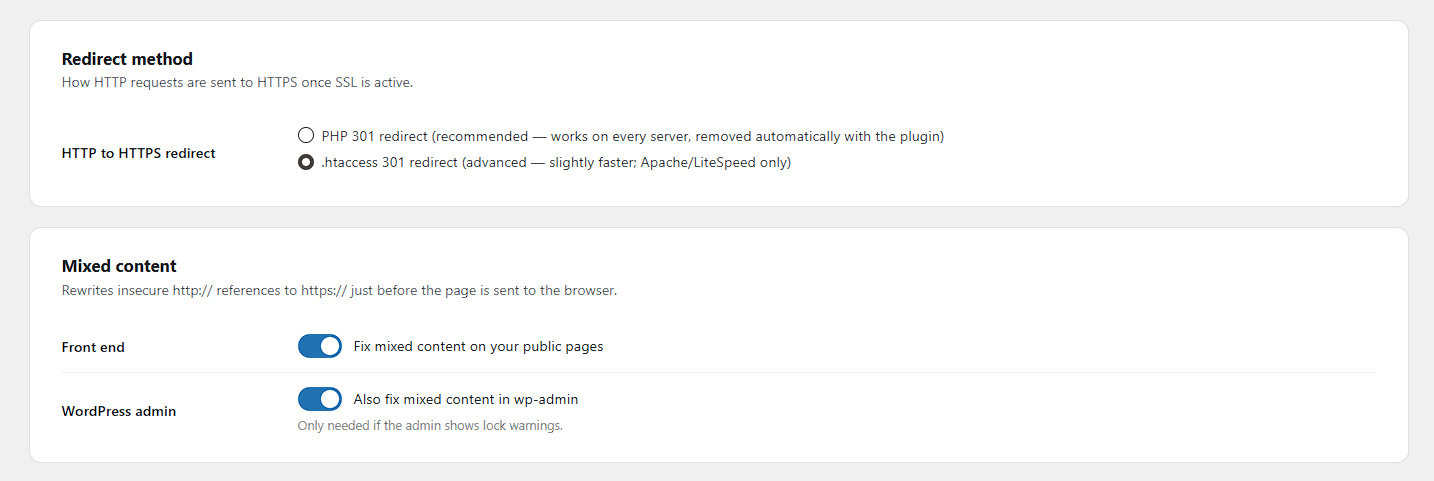
- PHP 301 redirect (default) — works on every server and disappears automatically when the plugin is deactivated.
- .htaccess 301 redirect (advanced, Apache/LiteSpeed) — redirects at server level before WordPress loads, with the PHP redirect kept as a safety net. The rules are placed above the WordPress block, wrapped in clear markers, and removed on deactivation.
- On nginx the plugin shows you the exact server snippet to copy instead.
Mixed content fixer
Insecure http:// references to your own site (including www/non-www variants and JSON-escaped URLs), plus common src, href, action, og:image, url() and srcset patterns, are rewritten to https:// just before the page is sent to the browser. Feeds, sitemaps and JSON responses are left untouched. An optional fixer for the WordPress admin is available too.
Certificate monitoring
The dashboard shows the certificate issuer, expiry date, and whether it covers your domain (wildcards included). When SSL is active and the certificate is about to expire (or already has), administrators see a warning.
HTTP Strict Transport Security (HSTS) — opt-in
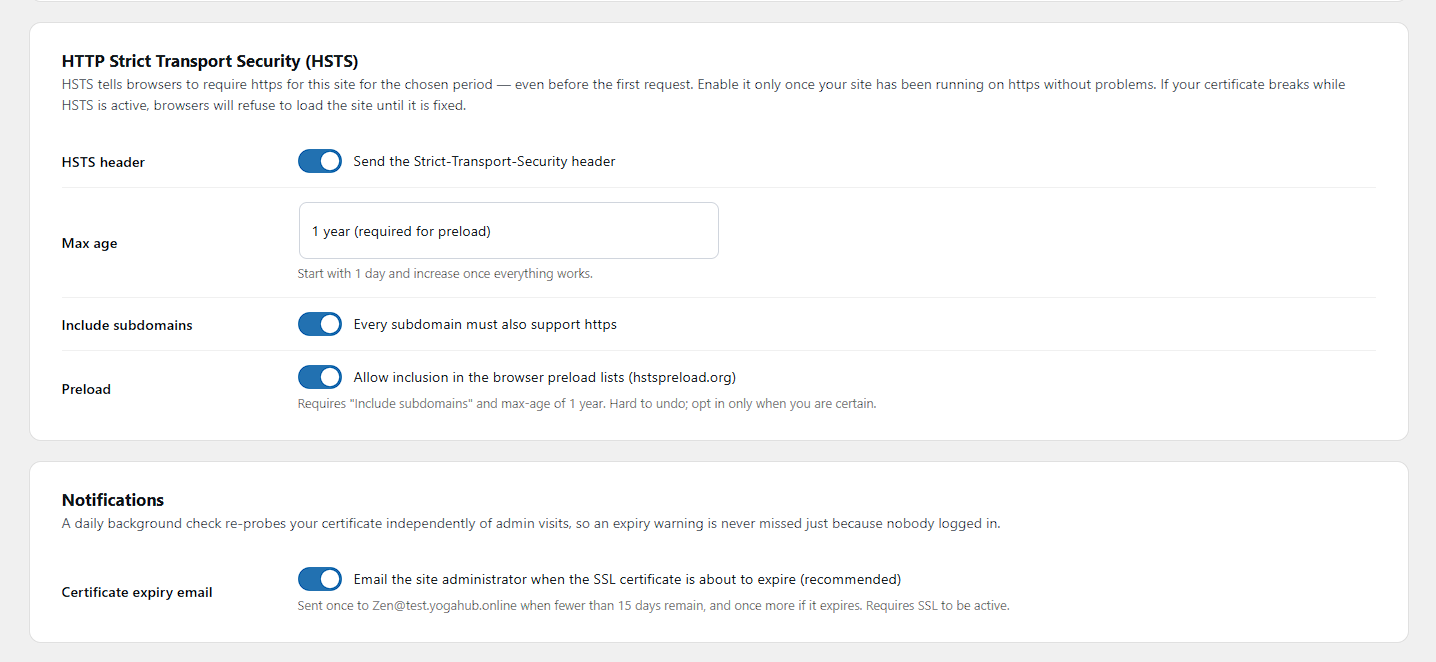
Once your site runs reliably on https, you can send the Strict-Transport-Security header. Max-age starts at one day for safe testing; the preload-eligible configuration (1 year + includeSubDomains) requires explicit opt-in, because it is hard to undo.
Security hardening — XSS, CSRF, and injection defense in depth (all opt-in)
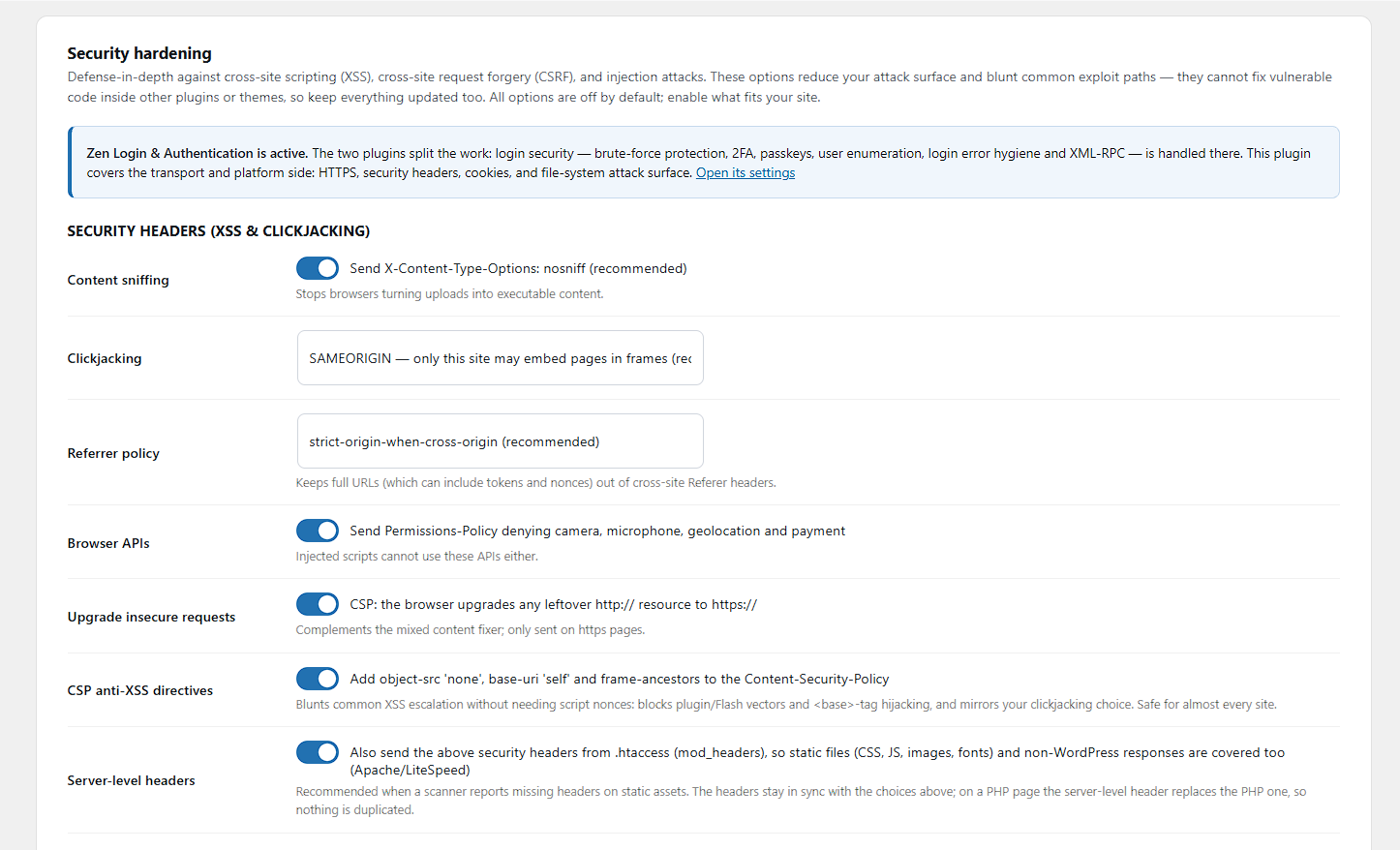
- Security headers:
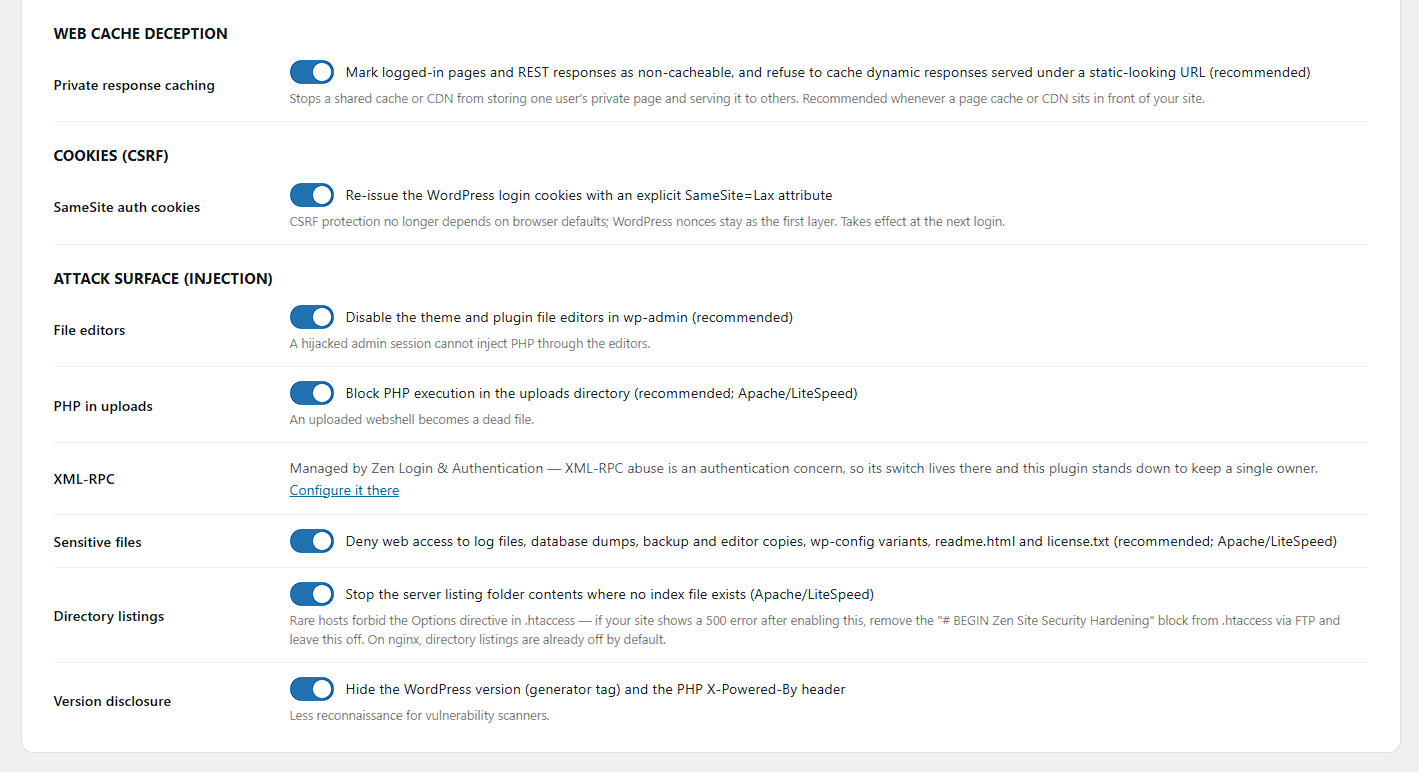
X-Content-Type-Options: nosniff,X-Frame-Options(clickjacking),Referrer-Policy(keeps tokens out of cross-site referrers), a conservativePermissions-Policy, and CSPupgrade-insecure-requests. Every header stands down automatically if another plugin already sends it. - SameSite login cookies: the WordPress auth cookies are re-issued with an explicit
SameSite=Laxattribute, so CSRF protection no longer depends on browser defaults — a second layer next to WordPress nonces. - Attack-surface reduction: disable the wp-admin file editors (
DISALLOW_FILE_EDIT), block PHP execution in the uploads directory (an uploaded webshell becomes a dead file), deny web access to sensitive files (logs, database dumps, backup copies, wp-config variants), disable directory listings, disable XML-RPC and pingbacks, and hide the WordPress version and PHPX-Powered-Byheader.
Built to pair with Zen Login & Authentication
The two Zen plugins split the work cleanly: Zen Login & Authentication owns identity security (login forms, brute-force protection, 2FA, passkeys, user enumeration, XML-RPC), while this plugin owns transport and platform security (HTTPS, headers, cookies, file-system attack surface). When both are active, each control has exactly one owner — for example, this plugin’s XML-RPC switch automatically defers to its sibling. Each plugin is fully standalone; neither requires the other.
Web cache deception protection
When a CDN or page cache sits in front of your site, an attacker can try to trick it into storing a victim’s private page under a URL they control (for example by appending a fake .css to an account page). This plugin marks logged-in pages and authenticated REST responses as Cache-Control: no-store, private, and refuses to let a dynamic response be cached under a static-looking URL — the origin-side defense recommended by OWASP and PortSwigger.
Honest scope: these features reduce attack surface and blunt common exploit paths. They are defense in depth — they cannot fix an injection, XSS or XXE vulnerability inside another plugin’s or theme’s code, and no plugin can. Server-side injection (SQL/NoSQL), XML external entity (XXE) and web LLM/prompt-injection flaws are fixed in the application code that has the bug; keep WordPress, plugins and themes updated, and use security headers here as a second layer.
Locked out? Built-in emergency recovery
If anything goes wrong, add one line to wp-config.php:
define( 'ZENSS_DISABLE_SSL', true );
On the next visit the plugin reverts your site to http, disables the redirect, and removes its .htaccess rules.
Installation
- Installez et activez le plugin.
- Go to Settings → HTTPS & SSL.
- If a valid certificate is detected, click Activate SSL & HTTPS redirect.
- Done — optionally enable HSTS later, once everything runs smoothly.
Journal de modifications
Important for sites with a page cache (LiteSpeed, and others that cache at server level). The plugin's .htaccess block was placed above the cache's own rules, which stopped every page except the home page being served from cache. Updating moves the block and restores caching automatically.
1.15.2
- Fix: on a site with a server-level page cache, the plugin’s
.htaccessredirect block was silently switching that cache off for every page except the home page. The block was written to the very top of the file, which put it above the cache’s own rules. A cache looks up a stored copy using the address the visitor asked for, so a redirect rule placed above it rewrites the request first and the lookup no longer matches anything. The result was hard to spot from either end: the home page still came from cache, because it is the one address that needs no rewrite, while every other page was rebuilt from scratch on every visit, with nothing reporting an error. The block is now written immediately above the WordPress rules instead — still early enough for the redirect to work, but below the cache. Existing sites are corrected automatically on update; no settings change is needed.
1.15.1
- Fix: removes the leftover
.htaccessblocks from before version 1.13.0, when this plugin was called “Zen HTTPS & SSL”. The rename changed the names of its managed blocks but never deleted the old ones, so a site that had been running the plugin before the rename was left with a second, invisible copy of its redirect, security header and hardening rules. The server still applied them, the settings screen could not see or switch them off, and deactivating the plugin did not remove them. They are now cleaned up automatically, and on deactivation too, so nothing of the plugin’s is left behind. Blocks belonging to other plugins are matched exactly and never touched.
1.15.0
- New: Browser revalidation, under a new Browser caching section. WordPress sends no
Cache-Controlheader at all on ordinary public pages, so browsers fall back to heuristic freshness — they guess how long to keep a page, and can hold an old copy indefinitely. It showed up worst on phones, where clearing history or opening a private window was the only way to see an updated site. This sendsCache-Control: no-cacheon anonymous pages. That does not stop anything being stored; it asks the browser to check first, and your existing ETag answers unchanged pages with a cheap “not modified”. Your page cache is unaffected, and logged-in pages keep their stricterno-store. On a site with a page cache installed this starts switched on — switching it off sticks. - New: three more opt-in security headers —
X-Permitted-Cross-Domain-Policies: none(refuses the legacy Adobe Flash/PDF cross-domain policy files),Cross-Origin-Opener-Policy: same-origin-allow-popups(stops another window scripting this one, a route used for tabnabbing, while deliberately keeping sign-in and payment popups working), andOrigin-Agent-Cluster: ?1. - New: a
Cross-Origin-Resource-Policysetting controlling who may load this site’s images, scripts and fonts from their own pages — with a warning that the strictest value also stops social networks and search previews fetching them. - Note:
Cross-Origin-Embedder-Policyis deliberately not offered. Its purpose is to unlock SharedArrayBuffer and high-precision timers, which a typical WordPress site never uses, while itsrequire-corpvalue blocks every cross-origin resource — fonts, avatars, analytics, embedded video — that does not explicitly opt in.
1.14.1
- Fix: “Allow location on this site” did nothing when the security headers are also written to .htaccess. The .htaccess block is generated while the new settings are being saved, before they are stored, so it was reading the previous value and writing the old policy — and
Header always setthen replaced the correct header with it. Turning the setting on appeared to have no effect at all. Save your settings once after updating to rewrite the block.
1.14.0
- New: Allow location on this site under Browser APIs. The Permissions-Policy header denies geolocation with an empty allowlist, and per the specification an empty list disables a feature “in top-level and nested browsing contexts” — your own pages included, not just third-party frames. A site with a store locator or a “find nearest” control found it dead: the browser refused with no prompt at all, while its own site settings still showed location as allowed, so there was nothing to see from either side. Switching this on sends
geolocation=(self), which keeps every cross-origin frame and injected script blocked and opens the feature to your pages alone. - Unchanged by default: with the new setting off, the header is byte-for-byte what it was, and camera, microphone and payment stay denied either way.
1.13.1
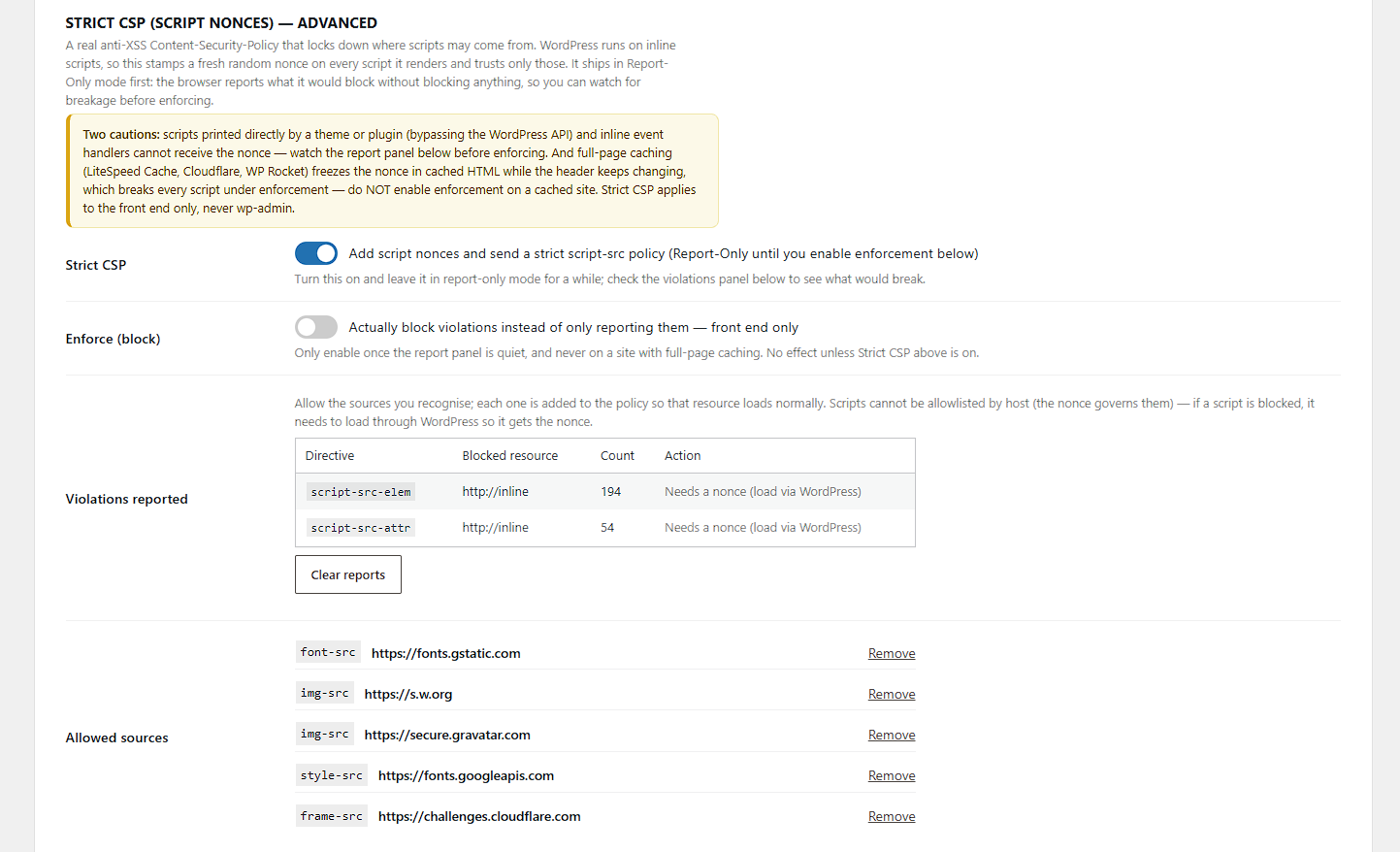
- Fix: enabling Strict CSP in Report-Only mode no longer removes the enforcing Content-Security-Policy from your front end, and no longer drops CSP from wp-admin. The enforcing baseline policy now stays in place until Strict CSP is actually switched to Enforce, alongside the Report-Only strict policy.
Captures d'écran

Pour les développeurs
Est-ce votre plugin ? Montrez les chiffres.
Ajoutez un badge en direct à votre site, docs ou github readme. Il se met à jour par lui-même - aucun compte n'est nécessaire.
Best Zen Site Security alternatives
All hardening plugins →




FAQ
Zen Site Security: quick answers
Réponses directes, extraites des données en direct WordPress.org.
Source : WordPress.org
Is Zen Site Security free?
Yes. Zen Site Security is free to download and use from the official WordPress.org plugin directory.
Is Zen Site Security safe to use in 2026?
Zen Site Security is a solid plugin choice in 2026, with a few things worth checking first. It runs on 40+ sites, is rated 5/5 and was last updated 2 months ago, and scores 70/100 on our health check.
How many websites use Zen Site Security?
Zen Site Security is active on 40+ WordPress websites and has been downloaded 1,517 times since it launched in July 2026. It was downloaded 301 times in the last 30 days.
Does Zen Site Security work with WordPress 7.1?
Yes. The developer has tested Zen Site Security up to WordPress 7.1.5, the latest release. It requires WordPress 6.5 or newer.
What PHP version does Zen Site Security need?
Zen Site Security requires PHP 8.0 or higher. Most hosts run PHP 8.x today, so it works on any modern WordPress hosting.
When was Zen Site Security last updated?
The latest version, 1.15.2, was released on September 21, 2026 (2 months ago).
Who makes Zen Site Security?
Zen Site Security is developed and maintained by Guram Zhgamadze.
What are the best alternatives to Zen Site Security?
The most popular alternatives to Zen Site Security are BetterShield (1K+ installs), NETSENSAI Shield (1K+ installs) and CMS ADMINS Security Check R… (400+ installs).
Propulsé par PageForge
Un modèle et une feuille de calcul. Une vraie page pour chaque recherche.
PageForge transforme chaque ligne d'un CSV en une page WordPress avec son propre titre, URL, SEO et schéma, construit sur la mise en page que vous Déjà conçu. Gratuit sur WordPress.org.
- CSV et XLSX, plus Google Sheets sur les professionnels et les entreprises
- Son propre titre, URL, SEO champs et schéma pour chaque page
- Fonctionne avec l'éditeur de blocs, Elementor, Divi et Avada
- Gratuit sur WordPress.org, pas de carte de crédit