


Zadex Page Builder – Drag & Drop Website Builder
Drag and drop page builder with a live visual editor: build pages, headers, footers, popups, forms and WooCommerce stores without code.

Choix solide
Zadex Page Builder is a solid plugin choice in 2026, with a few things worth checking first. Was last updated 1 week ago, and scores 64/100 on our health check.
- Développé activement — Dernière mise à jour il y a 1 semaine
- Testé avec le dernier WordPress (7.1)
- Petite base d'utilisateurs (<10 installations actives)
- Très peu de critiques jusqu'à présent
Comment s'accumule-t-il ?
Côte à côte sur les installations, les mises à jour, les évaluations et le support



Téléchargements quotidiens
Les pics de téléchargement suivent généralement une nouvelle version - chaque site qui met à jour automatiquement compte comme un téléchargement.
Classements
Where Zadex Page Builder stands todayWordPress.org Classements de recherche
Position en direct dans la recherche de plugins, Top 100| Mot-clé | Position |
|---|---|
| drag-and-drop | >100 |
| page de destination | >100 |
| live editor | >100 |
| Générateur de pages | >100 |
| Constructeur de sites Web | >100 |
About Zadex Page Builder
From the official readme · v0.1.2Description
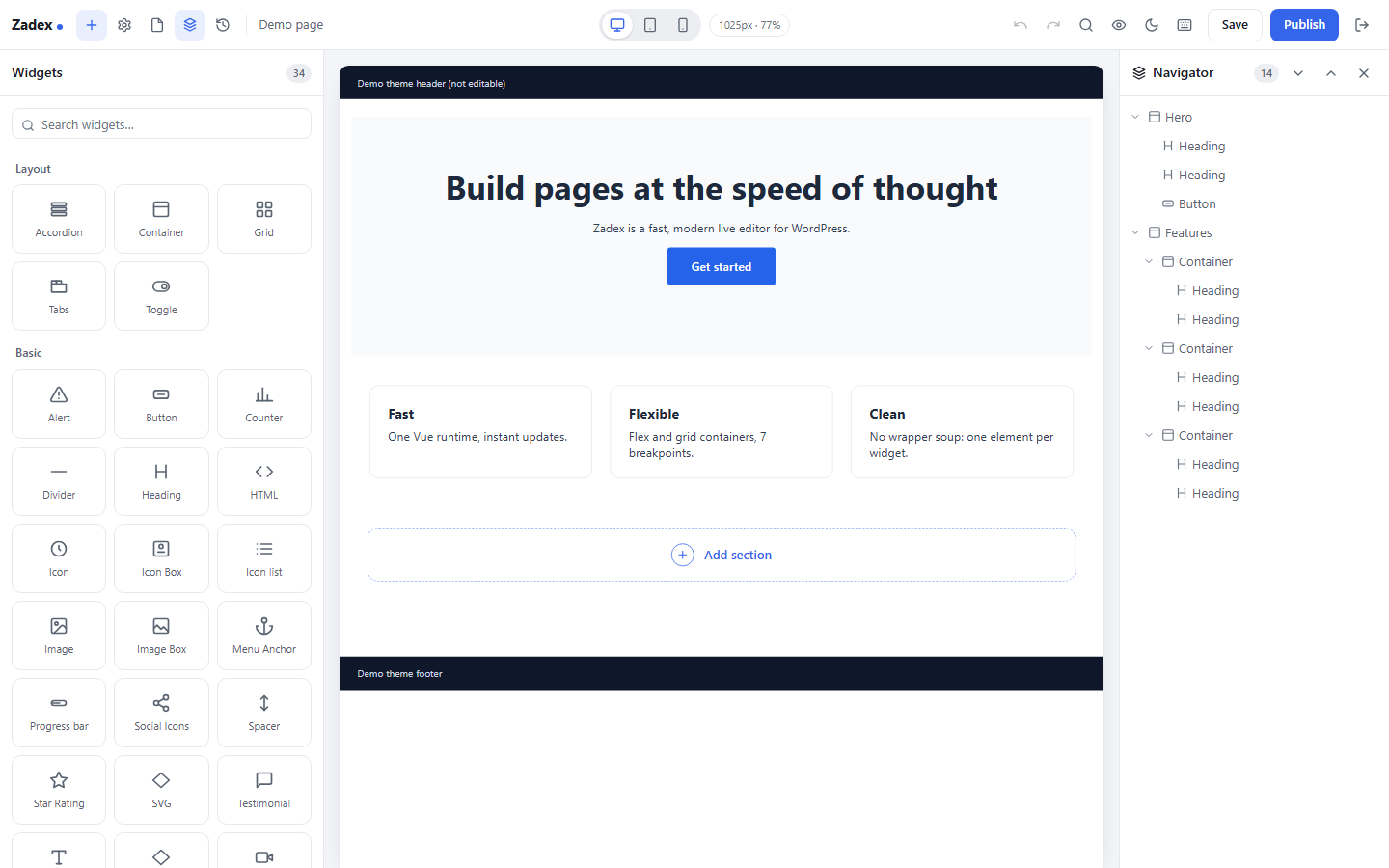
Zadex is a visual, drag and drop page builder. You edit the real page with your theme around it, see every change instantly, and publish clean, fast HTML.
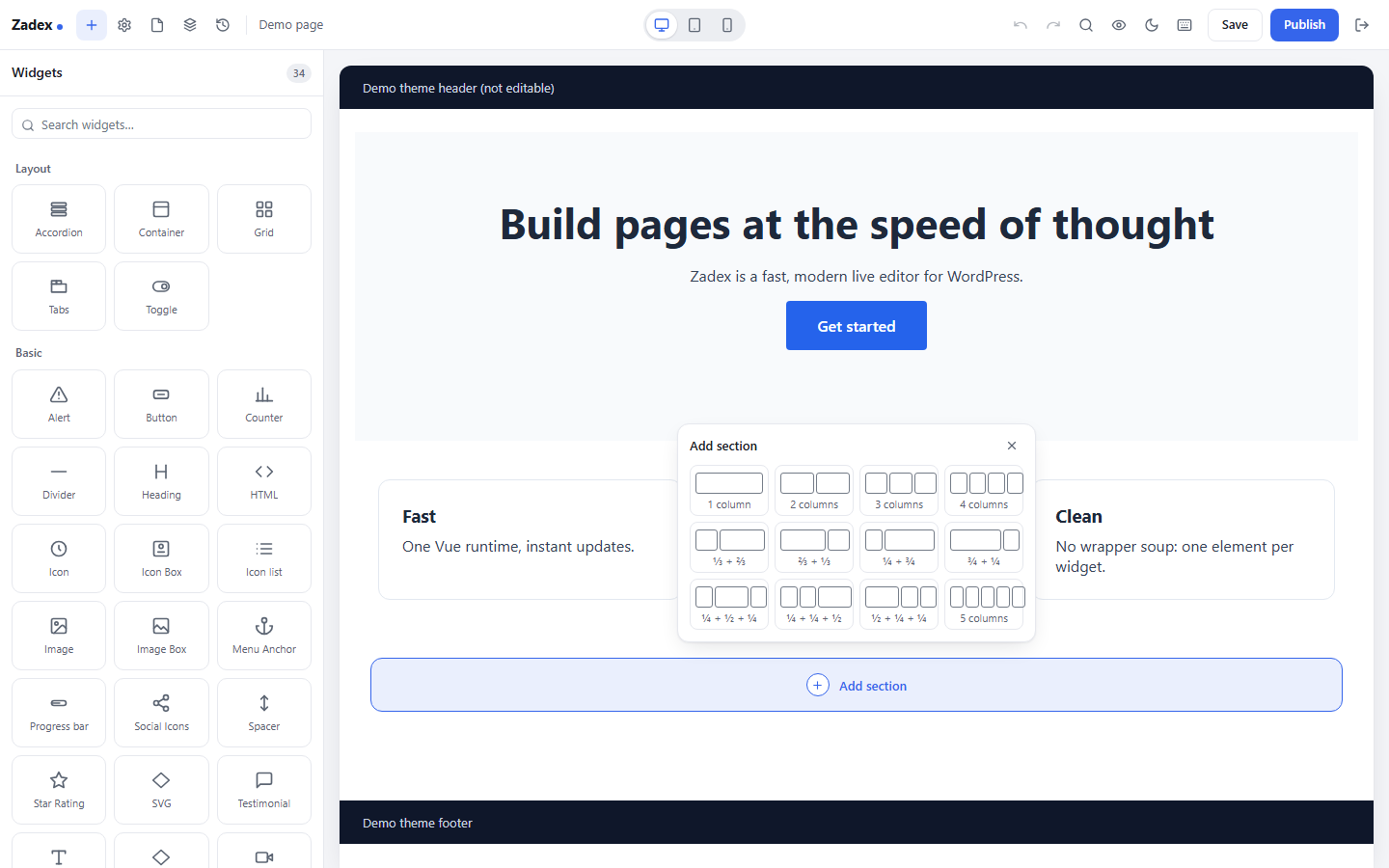
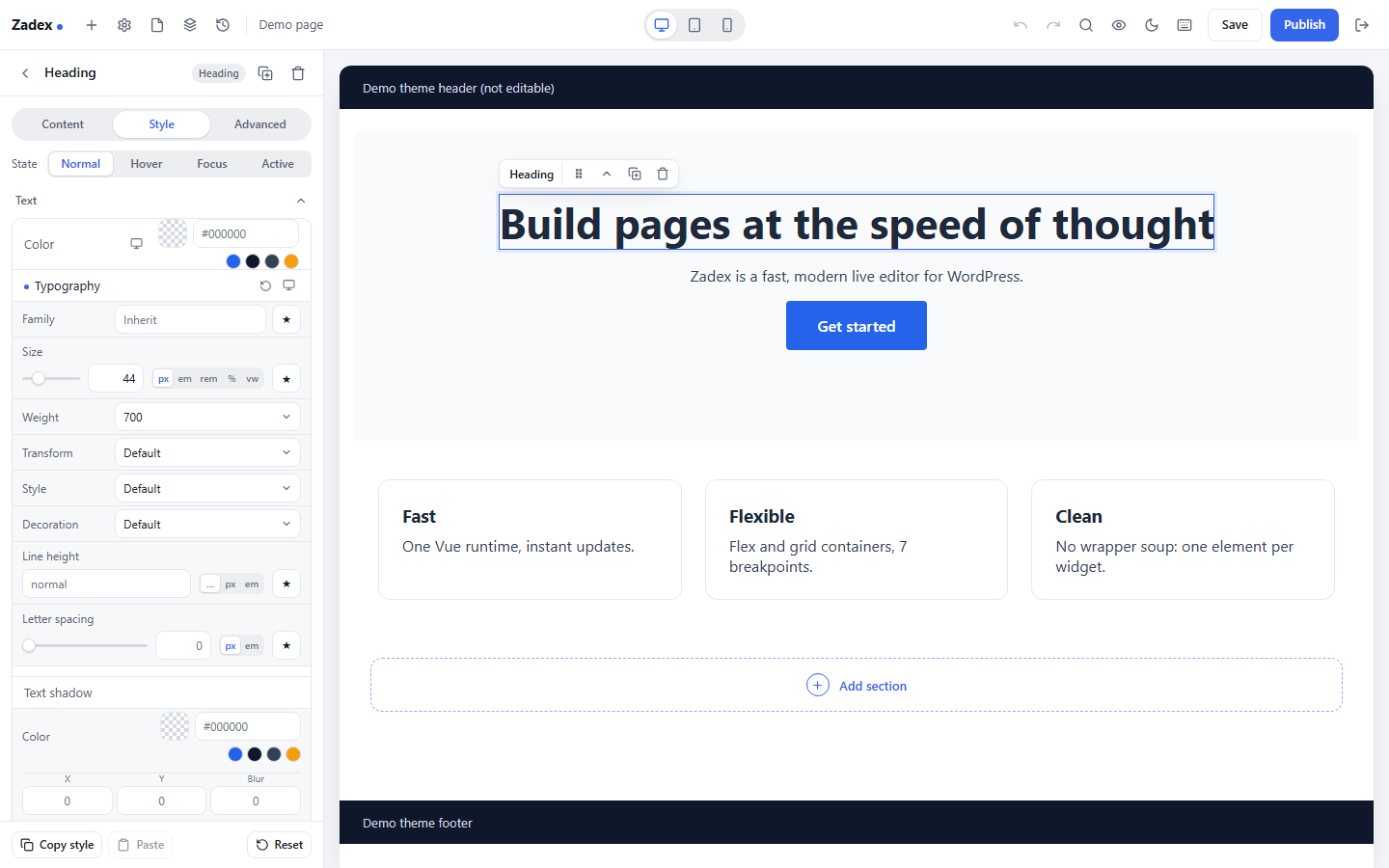
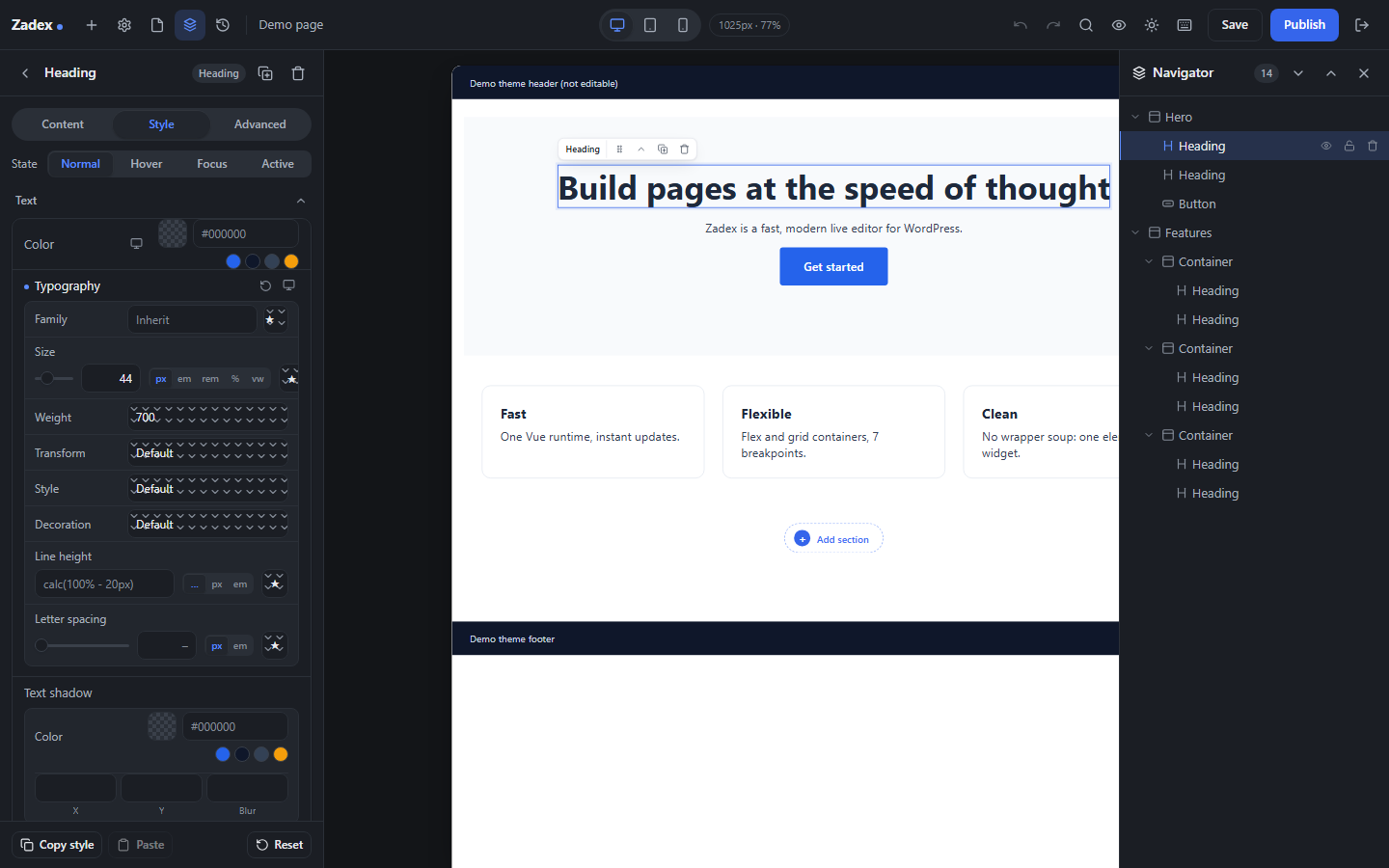
- Live editor with inline text editing, responsive and hover styles, undo/redo and a navigator.
- 100+ widgets, including sliders, galleries, forms, price tables and countdowns.
- Theme builder for headers, footers, single and archive templates, plus dynamic content and loops.
- Popups, a form builder, WooCommerce templates and widgets, and global colors and fonts.
Code source
The scripts and styles in build/ are compiled with Vite from the TypeScript, Vue and CSS sources shipped in the plugin (src/ and widgets/; vite.config.ts lists the entry points). To rebuild them, run npm ci and then npm run build.
Services externes
Zadex does not track visitors or site owners and never sends data to the plugin authors. It connects to the third-party services below only when you add the related widget or turn on the related option. For each service: what it is used for, what data is sent, when, and the service’s terms and privacy policy.
YouTube (Google)
What it is used for: playing YouTube videos in the Video, Video Playlist and Media Carousel widgets and in video backgrounds, when you enter a YouTube link.
What is sent and when: when a page with such a video is viewed, the visitor’s browser loads the player from www.youtube-nocookie.com or www.youtube.com and the preview image from i.ytimg.com. Google receives the video id, the visitor’s IP address and browser information. When the Video widget has a poster image, nothing is loaded from YouTube until the visitor clicks play.
Terms of service: https://www.youtube.com/t/terms
Privacy policy: https://policies.google.com/privacy
Vimeo
What it is used for: playing Vimeo videos in the Video, Video Playlist and Media Carousel widgets, when you enter a Vimeo link.
What is sent and when: when a page with such a video is viewed, the visitor’s browser loads the player from player.vimeo.com. Vimeo receives the video id, the visitor’s IP address and browser information.
Terms of service: https://vimeo.com/terms
Privacy policy: https://vimeo.com/privacy
SoundCloud
What it is used for: the SoundCloud widget, which embeds a SoundCloud track or playlist.
What is sent and when: when a page with the widget is viewed, the visitor’s browser loads the player from w.soundcloud.com with the track URL you entered. SoundCloud receives the track URL, the visitor’s IP address and browser information.
Terms of service: https://soundcloud.com/terms-of-use
Privacy policy: https://soundcloud.com/pages/privacy
Google Cartes
What it is used for: the Google Maps widget, which embeds a map.
What is sent and when: when a page with the widget is viewed, the visitor’s browser loads the map from maps.google.com with the address you entered. Google receives the address, the visitor’s IP address and browser information.
Terms of service: https://maps.google.com/help/terms_maps/
Privacy policy: https://policies.google.com/privacy
Google reCAPTCHA
What it is used for: optional spam protection of the Form widget. It is off by default; it is used only after you enter reCAPTCHA keys under Zadex > Settings and enable reCAPTCHA on a form.
What is sent and when: on pages with such a form, the visitor’s browser loads the script from www.google.com (www.google.com/recaptcha/api.js). When the form is submitted, your server sends the reCAPTCHA response token, your secret key and the visitor’s IP address to www.google.com/recaptcha/api/siteverify.
Terms of service: https://policies.google.com/terms
Privacy policy: https://policies.google.com/privacy
Facebook (Meta)
What it is used for: the Facebook widget (page plugin, comments, embedded post or video, like/share button).
What is sent and when: on pages with the widget, the visitor’s browser loads the Facebook SDK from connect.facebook.net when the widget scrolls into view (or when it is clicked, depending on the widget setting). Meta receives the page URL, the visitor’s IP address, browser information and its own cookies.
Terms of service: https://www.facebook.com/terms.php
Privacy policy: https://www.facebook.com/privacy/policy/
Adobe Fonts
What it is used for: optional use of your Adobe Fonts (Typekit) web project. It is used only after you enter an Adobe Fonts project id under Zadex > Custom Fonts.
What is sent and when: on every page, the visitor’s browser loads your project stylesheet from use.typekit.net (Adobe receives the project id, the visitor’s IP address and browser information). When you click “Refresh” on the Custom Fonts screen, your server requests the project’s font list from typekit.com with the project id.
Terms of service: https://www.adobe.com/legal/terms.html
Privacy policy: https://www.adobe.com/privacy/policy.html
Chimpanzé
What it is used for: the optional “Mailchimp” after-submit action of the Form widget, which adds the person who submitted the form to your Mailchimp audience.
What is sent and when: when a form with this action is submitted, your server sends the mapped fields (email address and the fields you map, such as name), the tags you set and your API key to your account’s Mailchimp API host (.api.mailchimp.com). When you edit the form, your server requests your audience list with your API key.
Terms of service: https://mailchimp.com/legal/terms/
Privacy policy: https://www.intuit.com/privacy/statement/
Campagne active
What it is used for: the optional “ActiveCampaign” after-submit action of the Form widget (adds a contact to a list and tags it).
What is sent and when: when a form with this action is submitted, your server sends the mapped fields (email address, name and the fields you map), the list and tags you set and your API key to your ActiveCampaign account API URL (your-account.api-us1.com). When you edit the form, your server requests your lists.
Terms of service: https://www.activecampaign.com/legal/terms-of-service
Privacy policy: https://www.activecampaign.com/legal/privacy-policy
GetResponse
What it is used for: the optional “GetResponse” after-submit action of the Form widget (adds a contact to a list/campaign).
What is sent and when: when a form with this action is submitted, your server sends the email address, name, the selected list and your API key to api.getresponse.com. When you edit the form, your server requests your lists.
Terms of service: https://www.getresponse.com/legal
Privacy policy: https://www.getresponse.com/legal/privacy
Kit (ConvertKit)
What it is used for: the optional “Kit (ConvertKit)” after-submit action of the Form widget (subscribes the person to a form or tag).
What is sent and when: when a form with this action is submitted, your server sends the email address, first name, the selected form/tags and your API key to api.convertkit.com. When you edit the form, your server requests your forms.
Terms of service: https://kit.com/terms
Privacy policy: https://kit.com/privacy
Maillite
What it is used for: the optional “MailerLite” after-submit action of the Form widget (adds a subscriber to a group).
What is sent and when: when a form with this action is submitted, your server sends the email address, name, the selected group and your API token to connect.mailerlite.com. When you edit the form, your server requests your groups.
Terms of service: https://www.mailerlite.com/legal/terms-of-service
Privacy policy: https://www.mailerlite.com/legal/privacy-policy
Goutter
What it is used for: the optional “Drip” after-submit action of the Form widget (creates or updates a subscriber and applies tags).
What is sent and when: when a form with this action is submitted, your server sends the email address, the fields you map, the tags you set, your account id and your API token to api.getdrip.com.
Terms of service: https://www.drip.com/terms
Privacy policy: https://www.drip.com/privacy
Mou
What it is used for: the optional “Slack” after-submit action of the Form widget, which posts a notification to a Slack channel.
What is sent and when: when a form with this action is submitted, your server sends a message containing the submitted fields (as set in the message template) to the Slack incoming-webhook URL you entered (hooks.slack.com).
Terms of service: https://slack.com/terms-of-service
Privacy policy: https://slack.com/trust/privacy/privacy-policy
Discord
What it is used for: the optional “Discord” after-submit action of the Form widget, which posts a notification to a Discord channel.
What is sent and when: when a form with this action is submitted, your server sends a message containing the submitted fields (as set in the message template) to the Discord webhook URL you entered (discord.com/api/webhooks/…, also accepted: discordapp.com, canary.discord.com, ptb.discord.com).
Terms of service: https://discord.com/terms
Privacy policy: https://discord.com/privacy
Webhooks (Zapier, Make, n8n or any URL you choose)
What it is used for: the optional “Webhook” after-submit action of the Form widget, which forwards submissions to an automation service of your choice.
What is sent and when: when a form with this action is submitted, your server sends the fields you map (and, only if you enable “include meta”, the page URL, referrer, submission time, the visitor’s IP address, user agent and user id) to the URL you entered, for example hooks.zapier.com. The service and its terms are the ones you choose; Zadex does not provide or select one.
Bande
What it is used for: the Stripe Button widget, to accept a payment.
What is sent and when: with a Stripe Payment Link, the button is a normal link to buy.stripe.com and nothing is sent before the visitor clicks it. With Stripe Checkout (only after you enter a secret key under Zadex > Settings), when a visitor clicks the button your server sends the product name, amount, currency, quantity, success/cancel URLs and your secret key to api.stripe.com, and the visitor is redirected to checkout.stripe.com.
Terms of service: https://stripe.com/legal/ssa
Privacy policy: https://stripe.com/privacy
Paypal
What it is used for: the PayPal Button widget, to accept a payment or donation.
What is sent and when: nothing is sent until the visitor clicks the button; then the visitor’s browser submits your PayPal account email, the item name, amount, currency, quantity and return URLs to www.paypal.com (www.sandbox.paypal.com in test mode).
Terms of service: https://www.paypal.com/us/legalhub/paypal/home
Privacy policy: https://www.paypal.com/myaccount/privacy/privacyStatementPage
Remote template library (optional)
The template library uses the starter kits bundled inside the plugin. Only if you enter your own library URL under Zadex > Import / Export does your server download that JSON file (cached for 12 hours). No data about your site or visitors is sent; the service is the one whose URL you entered.
Links to other services
The Share Buttons, Social Icons, Floating Buttons and Blockquote widgets only output ordinary links (for example to facebook.com, x.com/twitter.com, linkedin.com, wa.me / api.whatsapp.com, t.me, pinterest.com and reddit.com). Nothing is loaded from those services and no data is sent to them unless a visitor clicks such a link.
Intimité
Zadex does not track visitors and sends no data to its authors. Form submissions and editor notes are stored in your own database; popups and countdowns keep small values in the visitor’s browser to respect their display rules.
Crédits
Zadex bundles these open-source libraries (all GPL-compatible):
- Vue – MIT – https://vuejs.org
- Pinia – MIT – https://pinia.vuejs.org
- VueUse – MIT – https://vueuse.org
- nanoid – MIT – https://github.com/ai/nanoid
- Font Awesome Free by Fonticons, Inc. – icons CC BY 4.0, fonts SIL OFL 1.1, code MIT – https://fontawesome.com/license/free
Installation
- Installez et activez le plugin.
- Open any page and click “Edit with Zadex”.
Journal de modifications
Adds a dismissible link to Zadex Migrator for sites moving from Elementor.
0.1.2
- New: on sites with Elementor content, the Zadex settings and Theme Builder screens show a dismissible link to Zadex Migrator, a free companion plugin that converts Elementor pages into Zadex. It is only a link: nothing is downloaded or installed from inside Zadex.
0.1.1
- New: the Content width site setting now overrides the theme’s content width, so boxed sections use your width on any theme.
- Fix: containers with a custom width stay centred and grow evenly on both sides.
- Plugin name now describes what it does: Zadex Page Builder – Drag & Drop Website Builder.
0.1.0
- Version initiale.
Captures d'écran
Pour les développeurs
Est-ce votre plugin ? Montrez les chiffres.
Ajoutez un badge en direct à votre site, docs ou github readme. Il se met à jour par lui-même - aucun compte n'est nécessaire.
Best Zadex Page Builder alternatives
All drag-and-drop plugins →





FAQ
Zadex Page Builder: quick answers
Réponses directes, extraites des données en direct WordPress.org.
Source : WordPress.org
Is Zadex Page Builder free?
Yes. Zadex Page Builder is free to download and use from the official WordPress.org plugin directory.
Is Zadex Page Builder safe to use in 2026?
Zadex Page Builder is a solid plugin choice in 2026, with a few things worth checking first. Was last updated 1 week ago, and scores 64/100 on our health check.
How many websites use Zadex Page Builder?
Zadex Page Builder is active on <10 WordPress websites and has been downloaded 358 times since it launched in October 2026. It was downloaded 182 times in the last 30 days.
Does Zadex Page Builder work with WordPress 7.1?
Yes. The developer has tested Zadex Page Builder up to WordPress 7.1.5, the latest release. It requires WordPress 6.5 or newer.
What PHP version does Zadex Page Builder need?
Zadex Page Builder requires PHP 8.0 or higher. Most hosts run PHP 8.x today, so it works on any modern WordPress hosting.
When was Zadex Page Builder last updated?
The latest version, 0.1.2, was released on November 19, 2026 (1 week ago).
Who makes Zadex Page Builder?
Zadex Page Builder is developed and maintained by zadian.
What are the best alternatives to Zadex Page Builder?
The most popular alternatives to Zadex Page Builder are Elementor Agent Ready Websi… (10M+ installs), Kirki (400K+ installs) and Page Builder by SiteOrigin (400K+ installs).
Propulsé par PageForge
Un modèle et une feuille de calcul. Une vraie page pour chaque recherche.
PageForge transforme chaque ligne d'un CSV en une page WordPress avec son propre titre, URL, SEO et schéma, construit sur la mise en page que vous Déjà conçu. Gratuit sur WordPress.org.
- CSV et XLSX, plus Google Sheets sur les professionnels et les entreprises
- Son propre titre, URL, SEO champs et schéma pour chaque page
- Fonctionne avec l'éditeur de blocs, Elementor, Divi et Avada
- Gratuit sur WordPress.org, pas de carte de crédit