


WTranslator
Translate your site into 248+ languages with a language switcher. Free visitor-side translation via Google Translate; paid plans add SEO-ready pages.

Choix solide
WTranslator is a solid plugin choice in 2026, with a few things worth checking first. It runs on 30+ sites and was last updated 2 months ago, and scores 63/100 on our health check.
- Testé avec le dernier WordPress (7.1)
- Petite base d'utilisateurs (30+ installations actives)
- Très peu de critiques jusqu'à présent
Comment s'accumule-t-il ?
Côte à côte sur les installations, les mises à jour, les évaluations et le support



Téléchargements quotidiens
Les pics de téléchargement suivent généralement une nouvelle version - chaque site qui met à jour automatiquement compte comme un téléchargement.
Classements
Where WTranslator stands todayWordPress.org Classements de recherche
Position en direct dans la recherche de plugins, Top 100| Mot-clé | Position |
|---|---|
| language switcher | #76 |
| Langues | >100 |
| multilingual | >100 |
| translate | >100 |
| translation | >100 |
Adoption de version
Part de sites actifs par version.
About WTranslator
From the official readme · v1.0.19Description
WTranslator helps you make your website multilingual with a simple setup. The free version adds a language switcher and translates page content in the visitor’s browser using Google Translate. Paid plans on wtranslator.com can create crawlable, indexable, SEO-ready translated pages.
You can add a customizable language switcher, choose the languages you want to offer, and start translating without writing code. Upgrade later if you need multilingual SEO, translated URLs, and cloud-hosted translated pages.
Unlike server-side translation tools that store everything on your site, the free version keeps translation work in the visitor’s browser. Paid plans can cache and deliver translated pages through the WTranslator cloud so your original site stays lightweight.
Paid plans include search-engine-friendly language URLs, translated URL slugs, hreflang tags, translated metadata, multilingual indexing, an in-context translation editor, translation memory, WooCommerce support, and language hosting. WTranslator does not limit the number of translated words or translated pageviews on paid plans.
Please use WTranslator Support for questions and support requests. If you need extra help, email support@wtranslator.com. For quick answers, see our FAQ and contact page.
Fonctions gratuites
- Instant visitor-side translation with Google Translate
- 248+ supported languages
- Unlimited words and pageviews in the free version
- Translate posts, pages, categories, tags, menus, and widgets
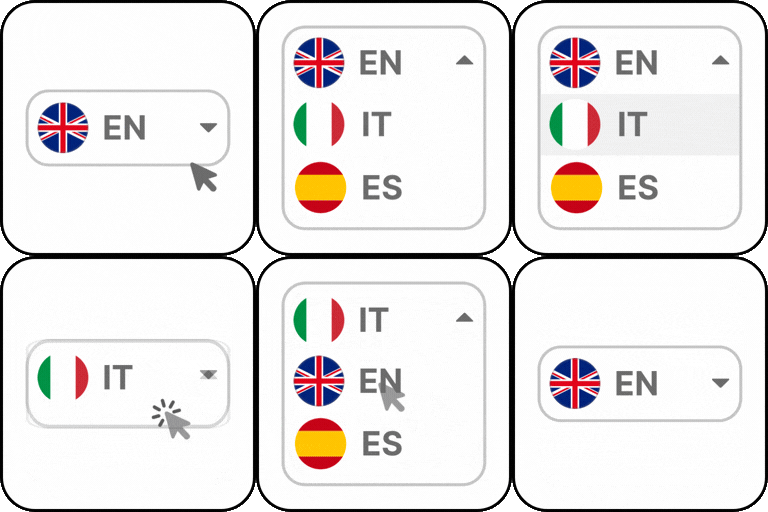
- Language switcher widget with dropdown, flags, or flags plus name
- Floating language selector
- Optional automatic browser-language switching
- Right-to-left language support
- Native language names and regional flags
- Gutenberg and WooCommerce storefront translation
- Community forum support
Caractéristiques premium
Paid WTranslator Cloud plans can include:
- Neural AI translation for stored, SEO-ready pages
- Search-engine indexing of translated pages
- SEO-friendly language URLs and slug translation (for example, example.com/about-us to a translated slug)
- Automatic hreflang tags
- Manual translation correction and an in-context editor
- Translation memory and a Translation Delivery Network
- Subdirectory, subdomain, and country-domain language hosting
- WooCommerce product and schema translation
- Usage and traffic analytics
- Compatibility with popular page builders and SEO tools
- Priority email and live-chat support
How to set up WTranslator:
Free features walkthrough:
Services externes
This plugin uses an external service as described below.
Google Translate
This plugin loads the Google Translate Element script from translate.google.com so visitors can view your site in another language. That is how the free visitor-side translation works.
When a frontend page is shown with the language switcher, the plugin loads https://translate.google.com/translate_a/element.js. When a visitor selects a language (or auto-detect is enabled), page text is sent to Google so it can be translated in the browser. No page content is sent to WTranslator for this translation.
This service is provided by Google: Terms of Service, Privacy Policy.
Installation
- Install WTranslator from your dashboard (Plugins → Add New → Search “WTranslator”)
- Activer le plugin
- Go to Settings → WTranslator
- Choose which languages you want to offer
- Pick your language switcher style (dropdown or flags)
- Save. Visitors will see the language switcher and can choose a language.
Journal de modifications
Preserves existing settings on reactivation and updates the display name to WTranslator.
1.0.19
- Activation no longer overwrites existing WTranslator settings on deactivate/reactivate.
- Renamed the plugin display name to WTranslator.
1.0.18
- Updated “Tested up to” to WordPress 7.1.
1.0.17
- Removed optional usage sharing and all calls to app.wtranslator.com (including revoke on decline/uninstall).
- Declared Requires PHP: 7.0 for null-coalescing operator compatibility.
- Updated External services documentation to list only Google Translate.
1.0.16
- Renamed the plugin display name to WTranslator Translation.
- Clarified that the free version uses Google Translate, while paid plans can use AI translation.
- Documented Google Translate and optional WTranslator usage sharing, including terms and privacy links.
1.0.15
- Updated language count from 100+ to 248+ in the FAQ and screenshot captions.
1.0.14
- Added the free-feature walkthrough video to the plugin details page.
Captures d'écran


Pour les développeurs
Est-ce votre plugin ? Montrez les chiffres.
Ajoutez un badge en direct à votre site, docs ou github readme. Il se met à jour par lui-même - aucun compte n'est nécessaire.
Best WTranslator alternatives
All language switcher plugins →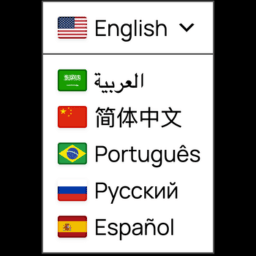



FAQ
WTranslator: quick answers
Réponses directes, extraites des données en direct WordPress.org.
Source : WordPress.org
Is WTranslator free?
Yes. WTranslator is free to download and use from the official WordPress.org plugin directory.
Is WTranslator safe to use in 2026?
WTranslator is a solid plugin choice in 2026, with a few things worth checking first. It runs on 30+ sites and was last updated 2 months ago, and scores 63/100 on our health check.
How many websites use WTranslator?
WTranslator is active on 30+ WordPress websites and has been downloaded 1,413 times since it launched in April 2026. It was downloaded 250 times in the last 30 days.
Does WTranslator work with WordPress 7.1?
Yes. The developer has tested WTranslator up to WordPress 7.1.5, the latest release. It requires WordPress 5.0 or newer.
What PHP version does WTranslator need?
WTranslator requires PHP 7.0 or higher. Most hosts run PHP 8.x today, so it works on any modern WordPress hosting.
When was WTranslator last updated?
The latest version, 1.0.19, was released on September 17, 2026 (2 months ago).
Who makes WTranslator?
WTranslator is developed and maintained by wtranslator.
What are the best alternatives to WTranslator?
The most popular alternatives to WTranslator are Connect Polylang for Elemen… (100K+ installs), Universally (40K+ installs) and Tranzly™ (7K+ installs).
Propulsé par PageForge
Un modèle et une feuille de calcul. Une vraie page pour chaque recherche.
PageForge transforme chaque ligne d'un CSV en une page WordPress avec son propre titre, URL, SEO et schéma, construit sur la mise en page que vous Déjà conçu. Gratuit sur WordPress.org.
- CSV et XLSX, plus Google Sheets sur les professionnels et les entreprises
- Son propre titre, URL, SEO champs et schéma pour chaque page
- Fonctionne avec l'éditeur de blocs, Elementor, Divi et Avada
- Gratuit sur WordPress.org, pas de carte de crédit