


WP Search with Algolia
Use Algolia AI Search & Discovery to power your website's search with AI-powered Autocomplete and InstantSearch for fast, accurate, relevant results.

Choix
Yes — WP Search with Algolia is a safe, well-maintained plugin to use in 2026. It runs on 7K+ sites, is rated 4.5/5 and was last updated 1 month ago, and scores 83/100 on our health check.
- Aimé par les utilisateurs — 4,5/5 sur 24 avis
- Testé avec le dernier WordPress (7.1)
- Nécessite PHP 8.1 ou plus récent
Comment s'accumule-t-il ?
Côte à côte sur les installations, les mises à jour, les évaluations et le support



Téléchargements quotidiens
Les pics de téléchargement suivent généralement une nouvelle version - chaque site qui met à jour automatiquement compte comme un téléchargement.
Classements
Where WP Search with Algolia stands todayWordPress.org Classements de recherche
Position en direct dans la recherche de plugins, Top 100| Mot-clé | Position |
|---|---|
| ai search | #10 |
| algolia | #1 |
| autocomplete | #23 |
| instantsearch | #1 |
| recherche | #13 |
Adoption de version
Part de sites actifs par version.
Répartition des notes
★★★★★★★★★★ 4.5 from 24 reviews
About WP Search with Algolia
À partir du Lisezmoi officiel · v3.0.1Description
Easily integrate the powerful search tool Algolia AI Search & Discovery directly into your WordPress website. Quickly index all of your website’s content and provide lightning fast and accurate search results within minutes!
Built and supported by WebDevStudios, the website agency behind Custom Post Type UI, WP Search with Algolia immediately improves search on your website. Your users will be impressed!
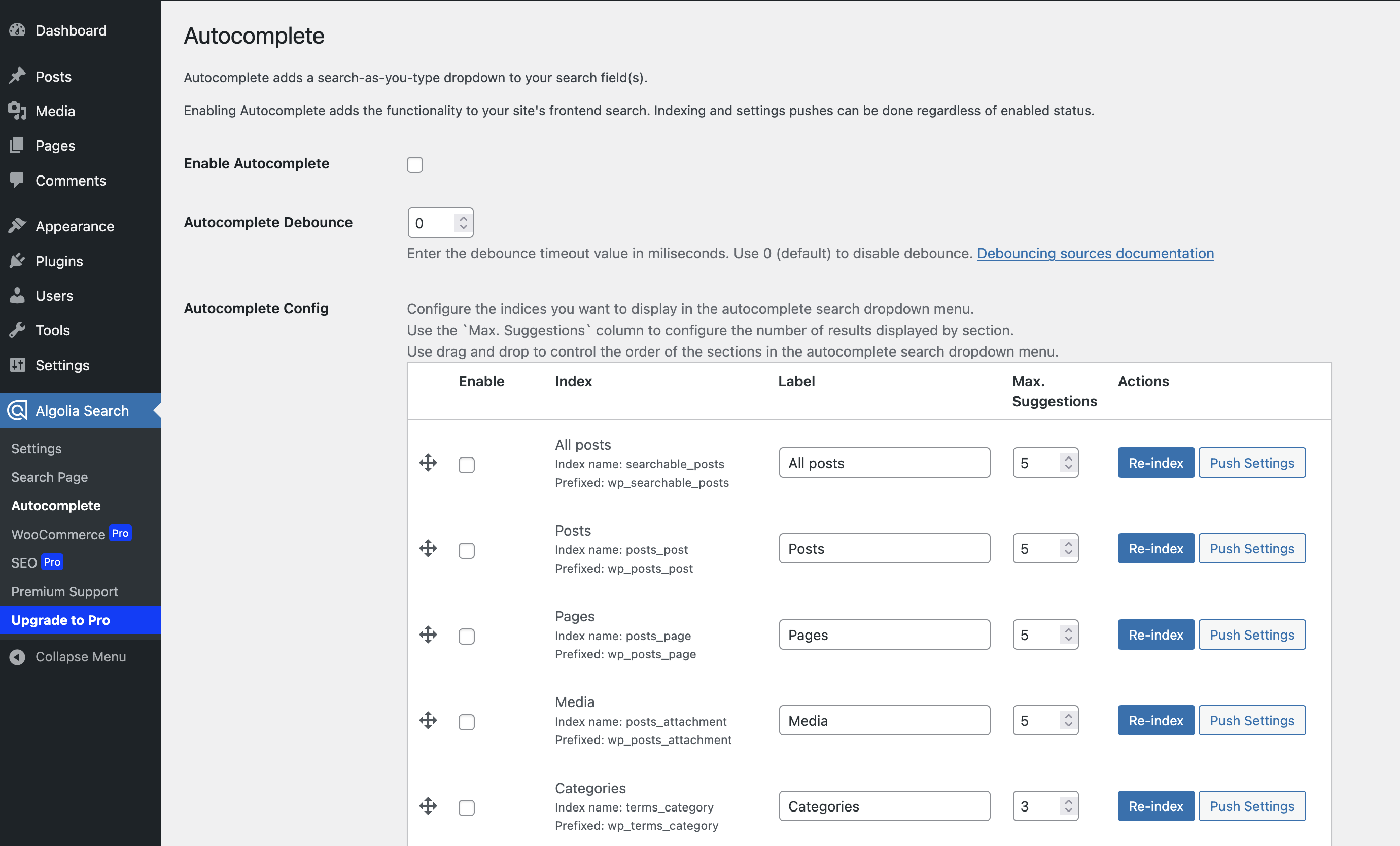
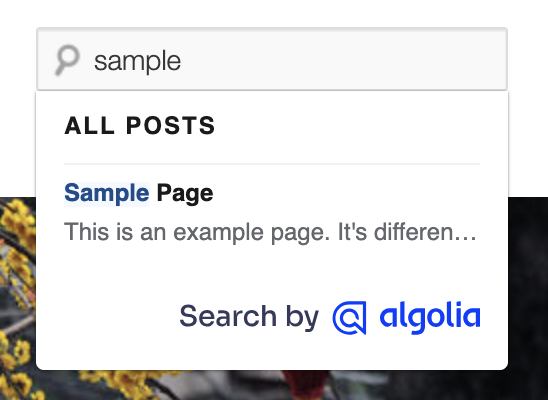
Enable Autocomplete and Instantsearch to immediately provide a more robust search experience to your visitors. Plus, you receive full control over the look, feel, and relevance of your users’ search experience.
Traits
- One-click indexing of all content in WordPress
- Relevant, faceted ready search results in milliseconds with native typo-tolerance from Algolia AI Search & Discovery
- Super granular control on search content relevancy and content positioning
- Language-agnostic
- WordPress hooks and filters available for easy customization of indexed content.
This plugin requires API keys from Algolia. API keys are free for small personal projects and non-commercial use. Learn more about commercial use pricing.
WP Search with Algolia Pro
WP Search with Algolia Pro is our premium add-on, built by the same team. It runs alongside this plugin and picks up where the free version stops.
Index any custom field, no code required. (New in Pro 1.7) Drag custom fields into your Algolia index from a visual screen. The Meta Field Mapper auto-detects fields from Advanced Custom Fields (ACF), Meta Box, CMB2, and native WordPress post meta, then lets you drop them into Searchable Attributes or Attributes for Faceting and reorder them to tune ranking. No PHP, no filters, no developer required.
Know your index is healthy. (New in Pro 1.7) An index health panel and dashboard widget surface configuration and indexing problems. See the live index status of any post right on the edit screen, and re-index a single post with one button instead of re-running everything.
Catalog-grade WooCommerce search. Index SKUs, standard and variable pricing, short descriptions, image sizes, and product dimensions or weight. Rank by total sales and product ratings. Control whether sold-out, hidden, and “shop only” products are indexed. Send add-to-cart, remove-from-cart, begin-checkout, and completed-order events to Algolia.
One search box for an entire network. Aggregate every subsite in a multisite network into a single Algolia index, exclude specific sites, and track per-site indexing status from the network sites list.
Respect the editorial rules you already set. Indexing honors “noindex” decisions from Yoast SEO, All in One SEO, Rank Math, SEOPress, and The SEO Framework, plus per-post controls in the editor.
Unlock Algolia’s advanced AI. Pro turns on Algolia Insights tracking, so your site collects the interaction data that semantic search, AI re-ranking, dynamic personalization, and shopping guides need to work.
Gratuit vs pro
Both versions index posts, pages, custom post types, terms, and users, and both power Autocomplete and InstantSearch. Everything below is only in Pro:
- Custom fields without code — free requires writing PHP filters; Pro gives you a drag-and-drop screen.
- Index health panel and dashboard widget — not available in free.
- Per-post index status and one-click re-index — not available in free.
- WooCommerce product data (SKU, pricing, dimensions, ratings) — not available in free.
- WooCommerce event tracking for Algolia AI — not available in free.
- Multisite network-wide indexing — not available in free.
- SEO plugin “noindex” mirroring — five SEO plugins supported; not available in free.
- Direct technical support — free is supported through the community forums.
WP Search with Algolia Pro is $99, and includes six months of updates and technical support plus a 30-day money-back guarantee.
Pro requires WordPress 6.5 or higher, PHP 8.1 or higher, and WP Search with Algolia 2.10.2 or higher. These are higher than this free plugin’s own minimums, so check your server before purchasing.
Ready to go Pro? Check out WP Search with Algolia Pro on Pluginize!
Links
- WebDevStudios
- Algolia
- Documentation
- Soutien
- Feature requests and bugs
- WP Search with Algolia Snippet Library
This plugin is a derivative work of the code from the Search by Algolia – Instant & Relevant results plugin for WordPress, which is licensed under the GPLv2.
Installation
From your WordPress dashboard:
- Visit Plugins > Ajouter un nouveau
- Search for “WP Search with Algolia”
- Activate WP Search with Algolia from your Plugins page
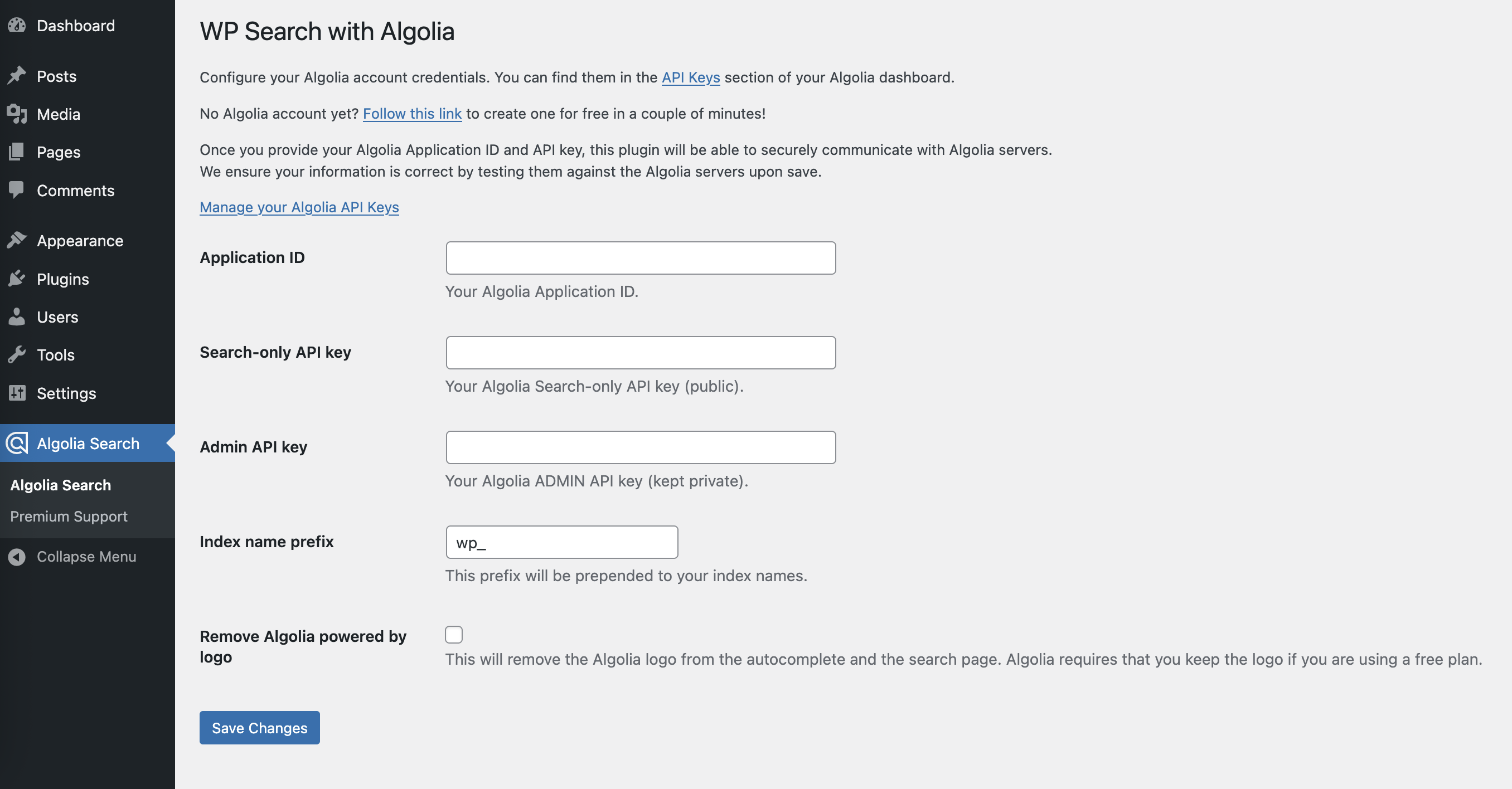
- Click on the new menu item “Algolia Search” and enter your API keys
- Read the step by step configuration guide
Journal de modifications
Follow along with the changelog on GitHub.
3.0.1
- Fixed: Fatal error (
RuntimeException: Item is not supported on this index.) when a post shared a taxonomy term with an unrelated post type, or when a child post (e.g., a WooCommerce product variation) didn’t match its parent’s index.
3.0.0
- Updated: Migrated the bundled Algolia SDK from v3 to v4.
- Updated:
algoliasearchJS client bumped from 4.18.0 to 4.25.2. - Security: Fixed missing authorization checks on the re-index and push-settings admin AJAX actions; both now require the
manage_optionscapability and a valid nonce. - Fixed: WPCLI – Prevent index clearing when using
--allbut not specifying--clearas well. - Fixed:
Algolia_Index::get_index()no longer returnsfalseafter the Algolia SDK v4 migration, preventing a fatal error in Pro (and any other SDK v3-style integration) when checking a post’s index status. - Changed: Minimum required PHP version bumped to 8.1 to match the bundled Algolia SDK v4’s own requirement.
2.14.1
- Fixed: Settings, Autocomplete, and Native Search admin notices no longer appear on unrelated wp-admin screens (e.g. WooCommerce Edit Order).
2.14.0
- Added:
Algolia_Proclass as the single source of truth for Pro feature data, pricing, requirements, and outbound links. - Added: Pro requirements check so you can confirm your site meets Pro’s WordPress, PHP, and plugin version minimums before purchasing.
- Updated: Pro feature descriptions across the admin and readme now reflect Pro 1.7.
- Updated: Pro promotion is hidden throughout the admin when WP Search with Algolia Pro is active.
- Updated: WooCommerce and SEO screens are no longer registered at all when Pro is active.
- Deprecated:
Algolia_Utils::pro_cta_content(), replaced byalgolia_pro_render_feature_cards().
2.13.1
- No code changes.
- Updated: reduced minimum WP version to return compatibility with ClassicPress
- Updated: Reduced “Premium Support” admin menu priority.
2.13.0
- Updated: Bundle Autocomplete 1.x as an available update. Not set to default.
- Updated: revises and updates Admin UI AJAX responses.
- Added: filter on search query value for “use with native template” searches and withing
pre_get_postscallback.
Captures d'écran
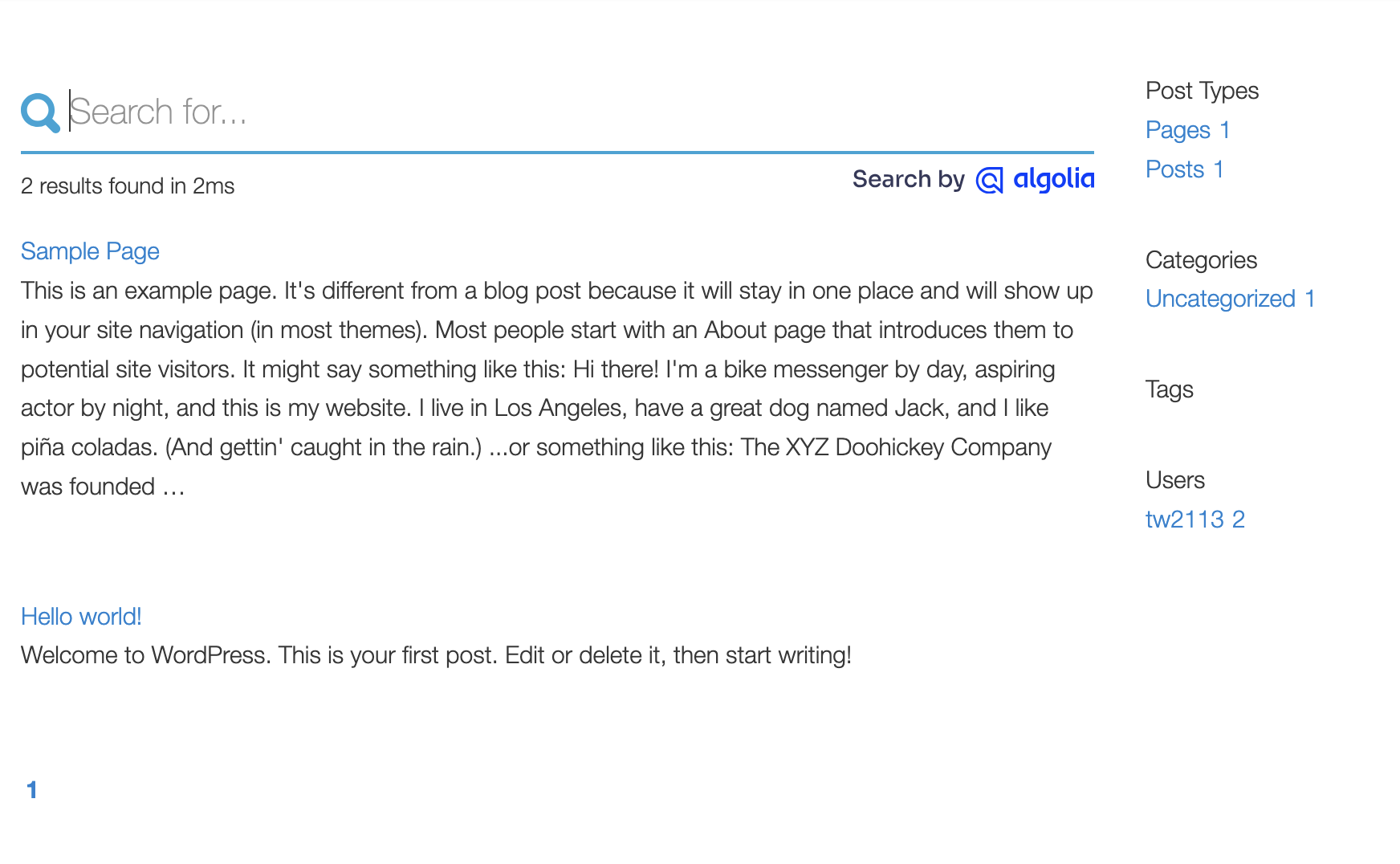
Pour les développeurs
Est-ce votre plugin ? Montrez les chiffres.
Ajoutez un badge en direct à votre site, docs ou github readme. Il se met à jour par lui-même - aucun compte n'est nécessaire.
Best WP Search with Algolia alternatives
All ai search plugins →




FAQ
WP Search with Algolia: quick answers
Réponses directes, extraites des données en direct WordPress.org.
Source : WordPress.org
Is WP Search with Algolia free?
Yes. WP Search with Algolia is free to download and use from the official WordPress.org plugin directory.
Is WP Search with Algolia safe to use in 2026?
Yes — WP Search with Algolia is a safe, well-maintained plugin to use in 2026. It runs on 7K+ sites, is rated 4.5/5 and was last updated 1 month ago, and scores 83/100 on our health check.
How many websites use WP Search with Algolia?
WP Search with Algolia is active on 7K+ WordPress websites and has been downloaded 407,204 times since it launched in May 2019. It was downloaded 13,905 times in the last 30 days.
Does WP Search with Algolia work with WordPress 7.1?
Yes. The developer has tested WP Search with Algolia up to WordPress 7.1.5, the latest release. It requires WordPress 6.2.9 or newer.
What PHP version does WP Search with Algolia need?
WP Search with Algolia requires PHP 8.1 or higher. Most hosts run PHP 8.x today, so it works on any modern WordPress hosting.
When was WP Search with Algolia last updated?
The latest version, 3.0.1, was released on October 9, 2026 (1 month ago).
Who makes WP Search with Algolia?
WP Search with Algolia is developed and maintained by webdevstudios.
What are the best alternatives to WP Search with Algolia?
The most popular alternatives to WP Search with Algolia are AI Search for WooCommerce (200+ installs), EZY.ai (100+ installs) and Init Live Search (100+ installs).
Propulsé par PageForge
Un modèle et une feuille de calcul. Une vraie page pour chaque recherche.
PageForge transforme chaque ligne d'un CSV en une page WordPress avec son propre titre, URL, SEO et schéma, construit sur la mise en page que vous Déjà conçu. Gratuit sur WordPress.org.
- CSV et XLSX, plus Google Sheets sur les professionnels et les entreprises
- Son propre titre, URL, SEO champs et schéma pour chaque page
- Fonctionne avec l'éditeur de blocs, Elementor, Divi et Avada
- Gratuit sur WordPress.org, pas de carte de crédit