


SchedulePress – Auto Post & Publish, Auto Social Share, Schedule Posts with Editorial Calendar & Missed Schedule Post Publisher
Social media scheduler & auto post for WordPress. Schedule posts on a visual calendar, auto share to Facebook, X, LinkedIn, Bluesky, Threads & more.

Choix
Yes — SchedulePress is a safe, well-maintained plugin to use in 2026. It runs on 10K+ sites, is rated 4.6/5 and was last updated 1 week ago, and scores 85/100 on our health check.
- Prouvé à grande échelle sur plus de 10 000 sites actifs
- Loved by users — 4.6/5 from 202 reviews
- Développé activement — Dernière mise à jour il y a 1 semaine
- Testé avec le dernier WordPress (7.1)
- Momentum — downloads up 128.6% vs the previous 30 days
Comment s'accumule-t-il ?
Côte à côte sur les installations, les mises à jour, les évaluations et le supportTéléchargements quotidiens
Les pics de téléchargement suivent généralement une nouvelle version - chaque site qui met à jour automatiquement compte comme un téléchargement.
Classements
Where SchedulePress stands todayWordPress.org Classements de recherche
Position en direct dans la recherche de plugins, Top 100| Mot-clé | Position |
|---|---|
| auto scheduler | #3 |
| post schedule | #7 |
| schedule-calendar | #9 |
| social media auto post | #11 |
| social media scheduler | #6 |
Adoption de version
Part de sites actifs par version.
Répartition des notes
★★★★★★★★★★ 4.6 from 202 reviews
About SchedulePress
From the official readme · v5.3.8Description
Social Media Scheduler & Auto Post For WordPress – Schedule, Organize, & Auto Share Blog Posts
Automate your content workflow with SchedulePress. Take a glance at your content planning with a drag-and-drop, visual Schedule Calendar, Auto Scheduler, Manual Scheduler, handle missed schedules easily & more. Use it as your social media scheduler and social media auto post tool, and automatically share your posts on the following social media platforms:
- Le Facebook
- X (Twitter)
- MOYEN
- Threads
- Bluesky
- Mastodon
- Google Business Profile [PRO]
MORE ABOUT PLUGIN ◼️ DOCUMENTATION ◼️ SUPPORT FORUM
SCHEDULE YOUR WORDPRESS POSTS IN ADVANCE AND POST AUTOMATICALLY ON SOCIAL PLATFORMS:
- Revamp the entire content writing experience with SchedulePress
- Automatically share on Facebook, X (Twitter), LinkedIn, Pinterest, Instagram, Medium, Threads, Bluesky, Mastodon, Google Business Profile [PRO]
- Customize social-share per platform or global template in the editor & auto‑share with one click.
- Schedule hundreds of posts using the editorial calendar
- Manage multiple authors from one place
- Query optimization to reduce load time & make content management faster
- Send email alerts to authors about blog status
- Customize social share templates for auto schedule
- Directly share without notifications or reminders
- Auto publish missed schedule posts [PRO]
- Automatically share on selected dates regularly [PRO]
- Auto share blogs on multi social profiles [PRO]
- Schedule update for already published blog post or page [PRO]
- Full Scheduling feature in Classic Editor, Gutenberg & Elementor
- Publish post right away with future date & social shares [PRO]
Want your website to remain active while you’re on vacation? Yes, you can schedule posts in advance for those days and SchedulePress brings you the editorial calendar with it to let you see when your posts have been scheduled.
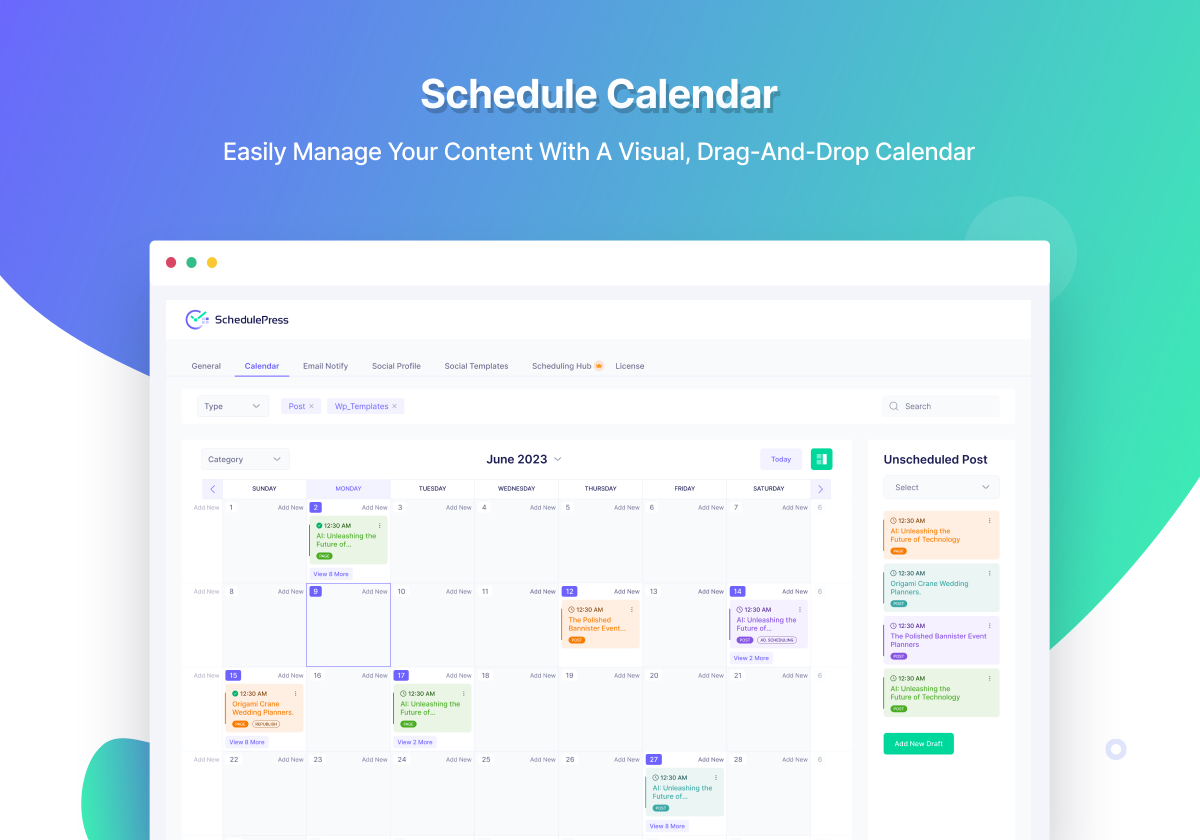
From one place, you can easily get an overview of your blog posts and when each post will be published. Not only that, it allows you to drag & drop to edit & move posts right from the editorial calendar.
MANAGE YOUR POST SCHEDULING WITH SUPER HANDY FEATURES (FREE)
◾ Schedule Calendar: Manage your content with a great drag and drop visual calendar. You can add posts to the queue, and SchedulePress will publish them on your desired days and hours. You can also move the scheduled post to a different date right from the scheduled calendar.
◾ Dashboard Widget: Check your scheduled & draft post right from the dashboard, as SchedulePress will enable a widget in your WordPress dashboard. Whether you are running a multi-author blog or a single-author blog, seeing all your post’s statuses from the dashboard could be super convenient.
◾ Drag & Drop Feature: While organizing scheduled content, you can quickly organize them using the easy-to-use drag & drop feature.
◾ Save Times On Content Creation: If you want to create a new post or add a photo to be published in a specific time period, you don’t need to go back on your dashboard and click on Post to Add New Post. You can create a new post right from the SchedulePress Content Calendar.
◾ Manage Multiple Author Efficiently: Managing multiple authors for a blog is never an easy task. But you can make the process easier using our schedule calendar and manage co-authors from one place.
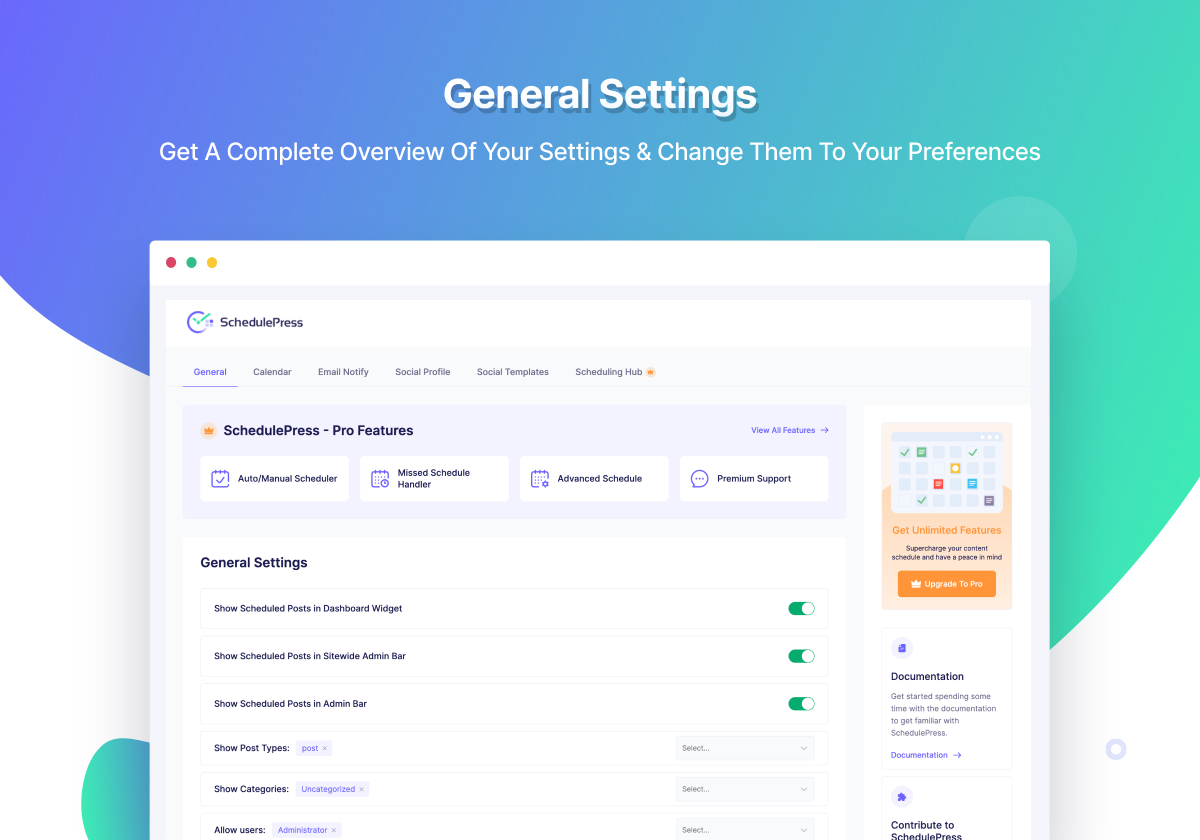
◾ Get Full Control Over Scheduling Posts: Configure specific post types and categories, and allow users who can maintain your WordPress blog schedules. It can be only the administrator, editor, author, or more.
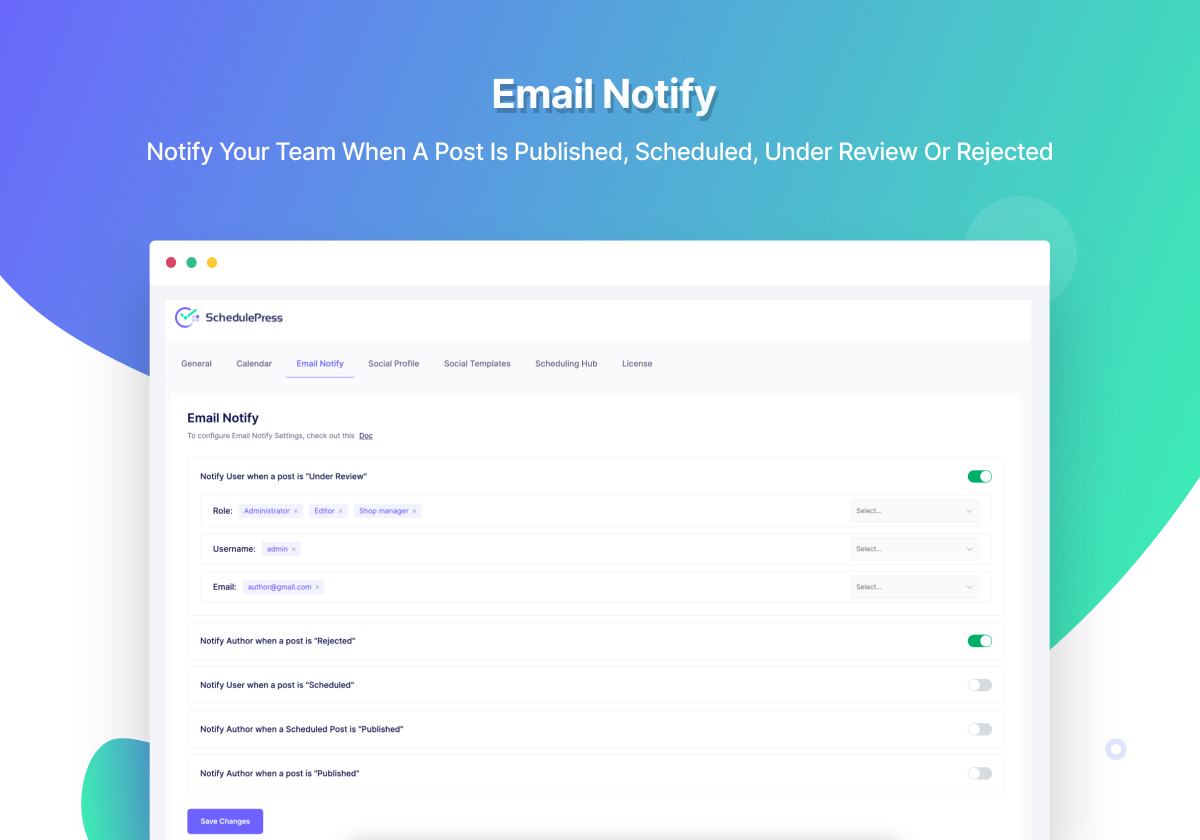
◾ Notify WordPress Users With Email: Send email alerts to authors or users when a post is published, trashed, or has been scheduled. It will let our users be aware of the status of their current blog posts.
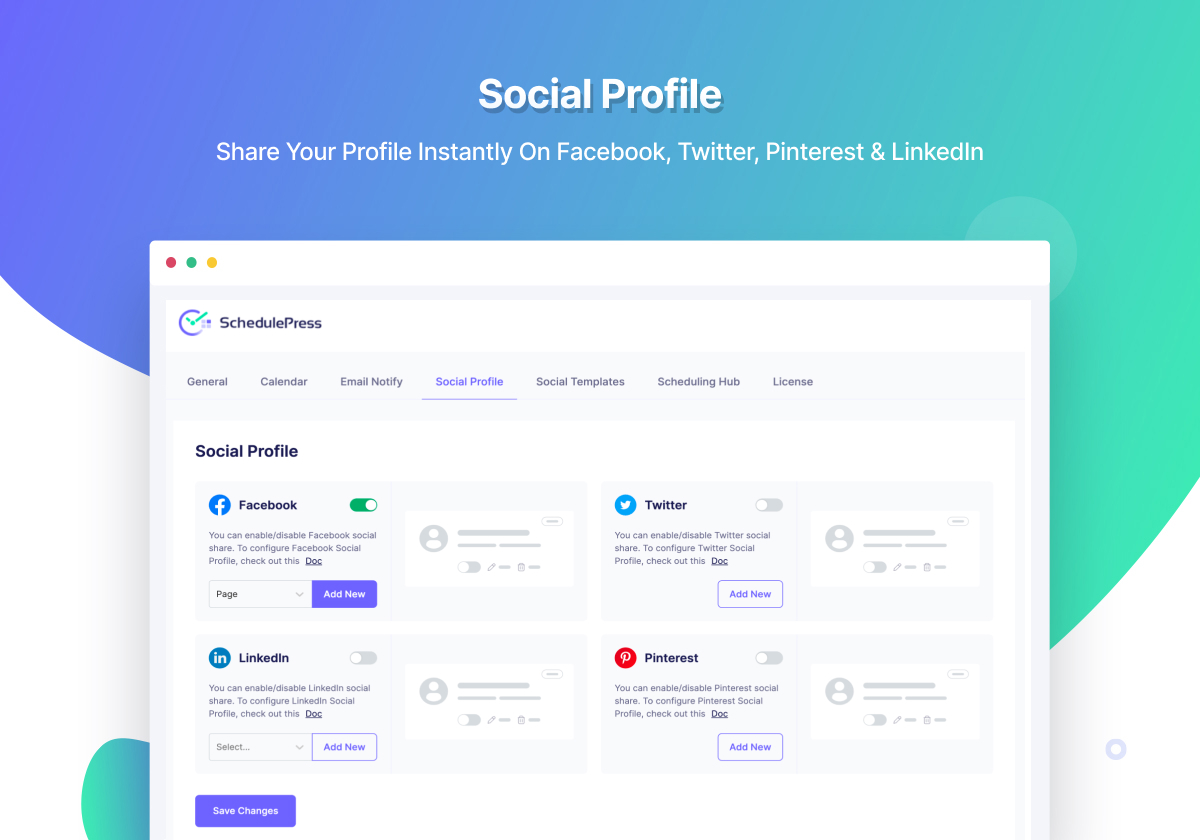
◾ Auto Share Posts On Social Media: Easily schedule, auto-share, or instant share blog posts from the WordPress dashboard to one profile on each of Facebook (pages), X (Twitter), Pinterest, LinkedIn, Instagram, Medium, Threads, Bluesky and Mastodon. Multiple profiles per network, LinkedIn pages and Google Business Profile come with [PRO].
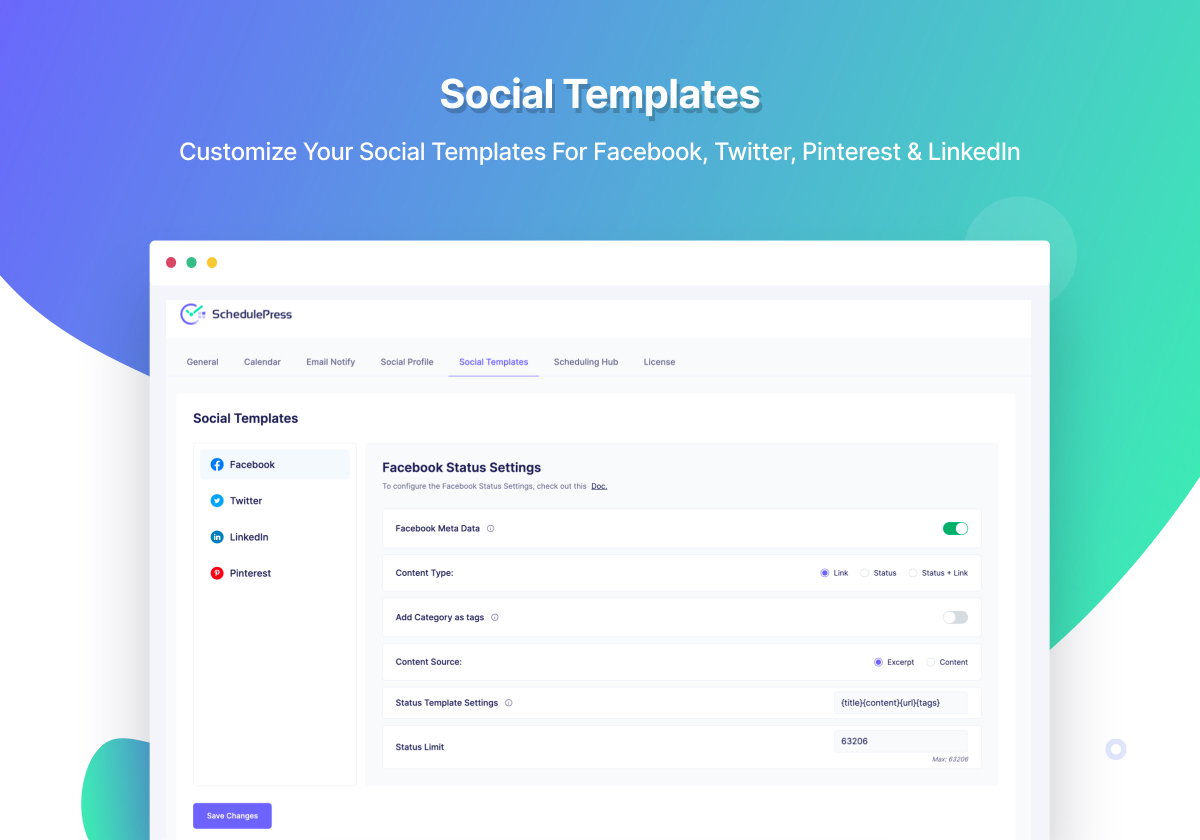
◾ Configure Auto Social Share Templates: Personalize your WordPress blog with preferred social media templates by configuring all exclusive features by SchedulePress. Each social share channel template comes with specific and unique features.
◾ Custom Social Templates: Customize your social share messages for individual platforms or apply a global template across all channels from your post editor. Preview, edit, schedule, and publish personalized social copies for Facebook, Twitter (X), LinkedIn & more – all in one click.
🌟 Seamless Compatibility With Elementor Website Builder
SchedulePress is fully compatible with Elementor. You can manage your WordPress post scheduling from the Elementor editor. Check out what you can do more with this SchedulePress & Elementor powerful integration:
- Schedule WordPress content directly from the Elementor editor panel.
- Unpublish posts that no longer need to be live on your website.
- Republish published posts easily from your Elementor editor panel.
- Modular control panel to enable or disable scheduling from Elementor.
🌟 More Features With SchedulePress [PRO]
Along with all the features of the free version, SchedulePress Pro has some additional features, including:
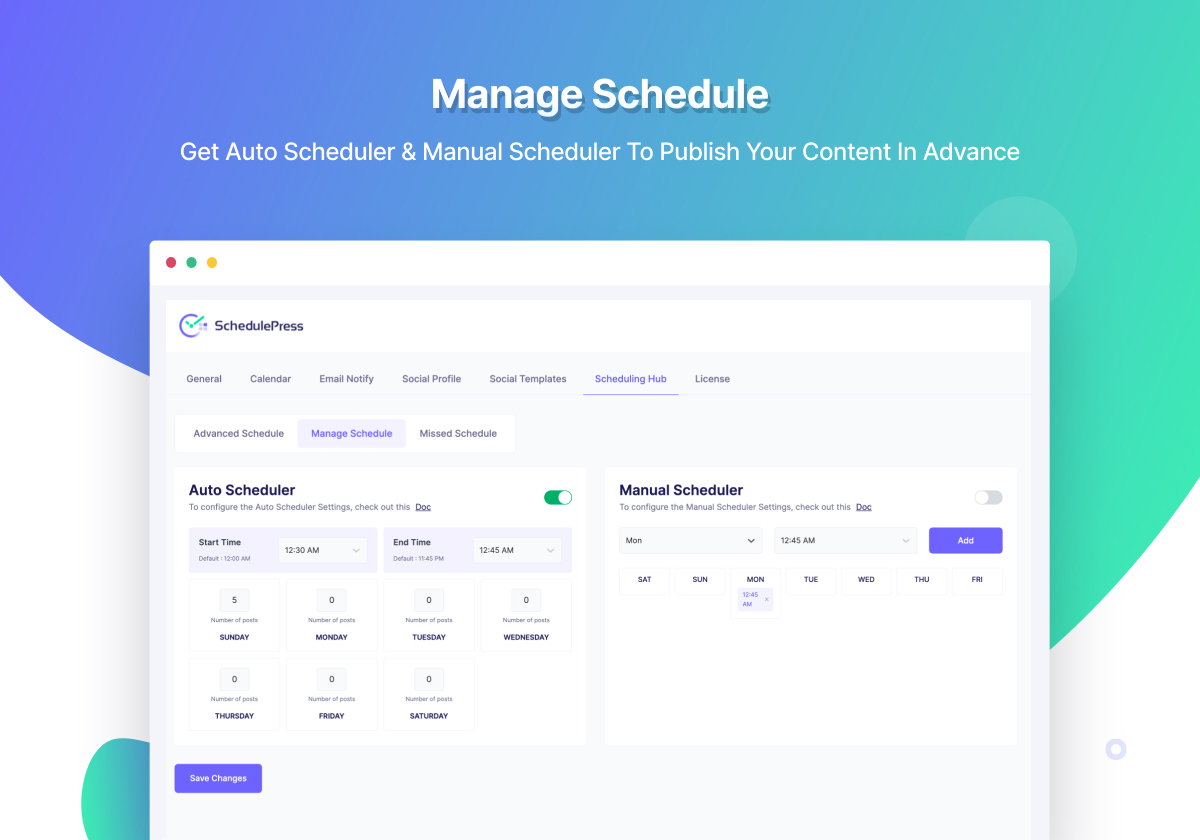
◾ Auto Scheduler: Get absolute control over your content schedule as you can create rules to post content automatically. You need to specify the time interval in which you want to have your posts scheduled and this plugin will publish it on the definite time interval. You can also set an exact date and time to create a flexible schedule.
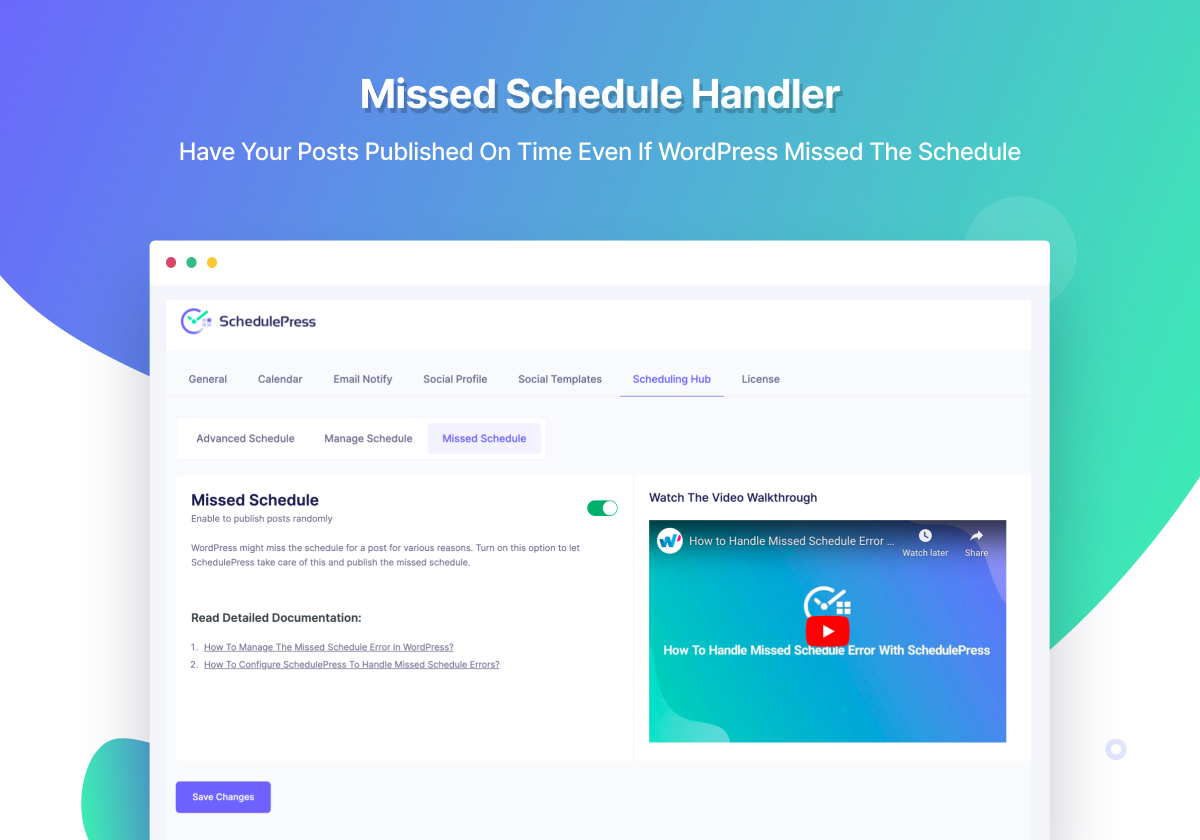
◾ Missed Schedule Handler: As a content creator, you might have faced that WordPress might miss the schedule of a post and it could happen for various reasons. However, you don’t have to worry about that anymore as SchedulePress will take care of missed schedules and publish the post automatically.
◾ Manual Scheduler: If you want to schedule your WordPress blog posts at an exact time avoiding the random schedule, you can configure this in a manual process setting up your preferred time & date. It will publish your posts at that particular time.
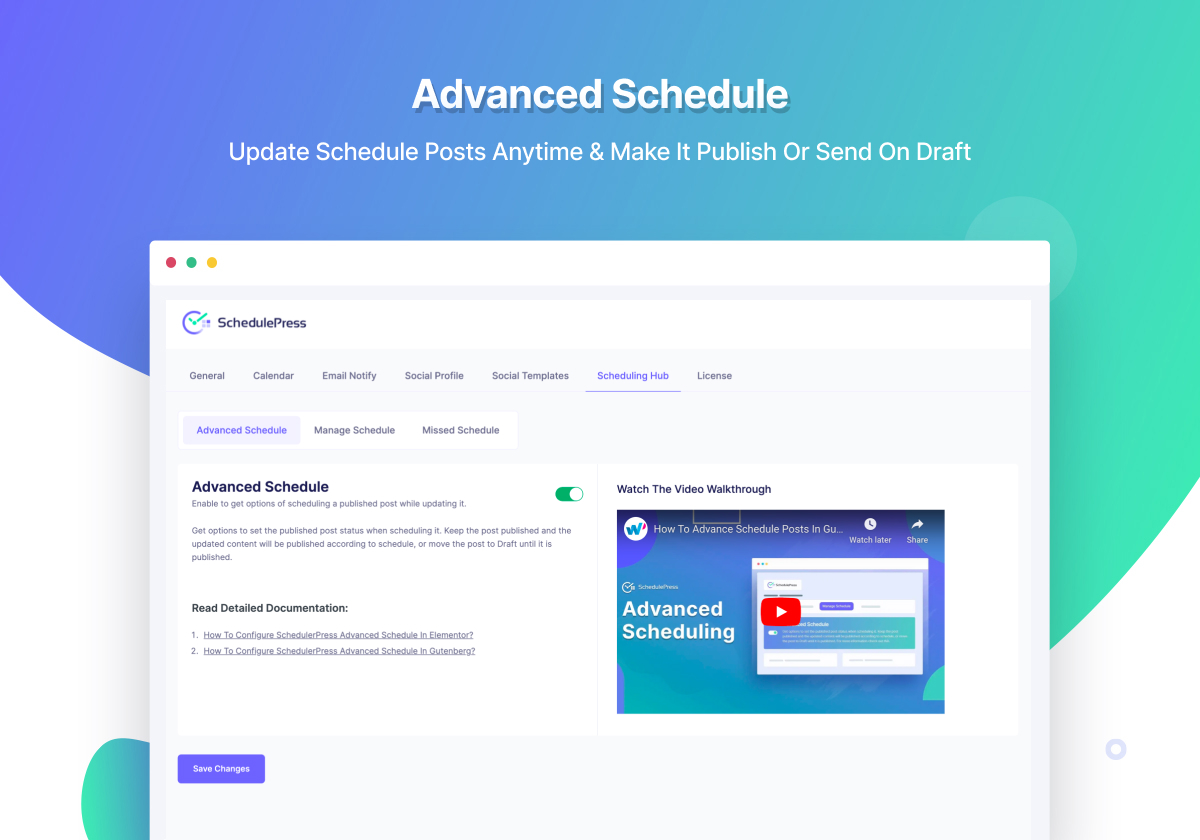
◾ Advanced Schedule: Schedule an update for an already published blog post or page, without drafting it or unpublishing it. You can update blog & doc content as well as tags, categories, pictures, feature image, excerpt, and anything else of your choice.
◾ Enhanced Post Publishing and Sharing Options: Enable the option to publish instantly while displaying a future date for the post that you have set. Turn on auto-share in different social media platforms upon publishing if needed.
◾ Premium Support: Get faster support with a pro license. We have an extraordinary support team ready to help you. Ask your questions in the support forum, or contact us directly through live chat and support tickets.
SchedulePress has been featured by renowned WordPress Publications:
SchedulePress has been loved by lots of users, bloggers and content marketers.
-
🌟 MH Themes
“The SchedulePress plugin further enhances WordPress core functionality of scheduling posts. The plugin adds a customizable dashboard widget that will display a list of all upcoming scheduled posts and allows you to customize other post scheduling elements with ease.” -
🌟 WP City
“SchedulePress Pro is for anyone who regularly publishes a large amount of content. That makes it a superb option for content writers, editors, and marketers as well as strategists, blog owners, and community managers.” -
🌟 WP Optimus
“SchedulePress is specially useful for multi-author blogs. It’s even useful for single author blogs who use the built-in Schedule function of WordPress.” -
🌟 WP Glossy
“SchedulePress is the best extension when it comes to scheduling WordPress posts for the site that has several admins and authors.”
🎁 [FREEBIE] Handful Plugins To Improve Your WordPress Site
If you like SchedulePress, then consider checking out our other WordPress Plugins & take your website to next level:
🔝Essential Addons For Elementor – Most popular Elementor extensions with 2 Million+ active users in the WordPress repository..
🔔 NotificationX – Best Social Proof & FOMO Marketing Solution to increase conversion rates.
📝 BetterDocs – Best Documentation & Knowledge Base Plugin for WordPress, which also reduces your manual support request.
🛑 Disable Comments – Instantly allow or disallow comments from any post type in WordPress and gain complete control over your full website.
📄 EmbedPress: EmbedPress lets you embed videos, images, posts, audio, maps, etc, and upload PDF, DOC, PPT & all other types of content into your WordPress site with one-click.
☁ Templately: Free templates library for Elementor & Gutenberg along with the cloud collaboration for WordPress.
🎨 Flexia: Most lightweight, customizable & multi-purpose flexible WordPress theme for WordPress and seamlessly compatible with WooCommerce.
🔗 BetterLinks: Exclusively provides an easy method of redirecting requests to another page on your site or elsewhere on the web.
💼 easy.jobs: All-in-one recruitment solution for creating & managing job posts to find the right talent for your company.
Visit WPDeveloper to learn more about how to do better in WordPress with Help Tutorial, Tips & Tricks.
Services externes
SchedulePress connects to the services below only for the features you set up. Nothing is sent to a service you don’t use.
SchedulePress OAuth service
When you connect a social profile, the social network sends you back to your site through SchedulePress’s OAuth service at api.schedulepress.com. If you connect with SchedulePress’s own apps instead of your own app credentials, the service also exchanges the authorization code for an access token and renews that token before it expires. It receives the authorization code or refresh token, the app ID, the network’s name and your site’s address (so it can send you back), and it returns the token to your site.
Provided by WPDeveloper: Terms and conditions, Privacy policy.
OpenAI
The “Write With AI” caption tool uses your own OpenAI API key. When you generate captions, it sends the post’s title, link and the first 1,500 characters of its text, together with the networks you picked and your caption settings and instructions, to OpenAI (api.openai.com). Saving or testing the key also calls OpenAI to check it. Nothing is sent unless you add a key and use the tool.
OpenAI Services Agreement, Privacy policy.
Social networks
When you connect a profile, SchedulePress asks the network for the account’s name, picture and pages or boards, and keeps the access token on your site. When a post is published (on schedule, right away or with Share Now), SchedulePress sends the share text built from your template (title, excerpt or content, link and hashtags) and the featured image or social banner to each profile you turned on. Tokens are renewed with the network directly or through the SchedulePress OAuth service above.
- Facebook, Instagram and Threads, by Meta (
graph.facebook.com,graph.instagram.com,graph.threads.net): Meta Terms of Service, Instagram Terms of Use, Meta Platform Terms, Meta Privacy Policy - X (Twitter) (
api.twitter.com,upload.twitter.com): Terms of Service, Privacy policy - LinkedIn (
api.linkedin.com,www.linkedin.com): User Agreement, Privacy policy - Pinterest (
api.pinterest.com): Terms of Service, Privacy policy - Medium (
api.medium.com): Terms of Service, Privacy policy - Bluesky (
bsky.social): Terms of Service, Privacy policy - Mastodon (the server you connect,
mastodon.socialby default): that server’s own terms and privacy policy, for example mastodon.social Terms of Service and Privacy policy
Usage tracking (opt-in)
Only if you allow it in the admin notice, SchedulePress sends WPDeveloper (app.wpdeveloper.com) your site’s address and name, your WordPress, PHP and plugin versions, language, active and inactive plugins, theme and admin email address, at most once a day. When an opted-in site deactivates SchedulePress, the same details are sent once more.
If you haven’t allowed tracking and you submit the optional feedback form when deactivating, only your answer is sent. Skipping the form sends nothing.
Terms and conditions, Privacy policy.
Code source
The JavaScript in this plugin is built from source in the public repository, github.com/WPDevelopers/wp-scheduled-posts, where every release is tagged. The post panel is built from src/, and the settings and calendar screens from includes/Admin/Settings/app; run npm install and npm run build in the plugin folder and in includes/Admin/Settings respectively.
Installation
Modern Way:
- Accédez à la section "Ajouter un nouveau plugin" de tableau de bord WordPress.
- Search For “SchedulePress”.
- Installez-le, puis activez-le.
Old Way:
- Téléchargez le dossier
wp-scheduled-postsdans le répertoire/wp-content/plugins/ - Activez le plugin via le menu "plugins" dans WordPress.
You are good to go!
Journal de modifications
Update SchedulePress Pro to 5.3.7 along with this release.
5.3.8 – 2026-11-10
- Added: Tools > Site Health now warns when scheduled posts or social shares are running late, and an admin notice shows when something is waiting past its time.
- Added: UTM tags on shared links, so Google Analytics shows which network sent a visit. On by default; turn it off in Settings > General. Links that already have UTM tags are left as they are.
- Fixed: Scheduling a private post made it public. SchedulePress now refuses and keeps the post private.
- Fixed: “Now” in the post panel and in Elementor used the browser’s time instead of the site’s time.
- Fixed: A draft dropped on a Calendar day could land on the wrong day across a daylight-saving change.
- Fixed: Posts published at once from the Calendar, at a time already past, were never shared. They are now shared when Auto-Share upon Publishing (Pro) is on for that post type, and only once.
- Fixed: Social messages and the admin-bar list of scheduled posts broke non-Latin text and emoji when cutting them to length.
- Fixed: A long post title could make the social message longer than the network allows.
- Fixed: Pinterest refused pins with a title over 100 characters.
- Fixed: Shares to Facebook groups failed with a raw Facebook error. Meta no longer allows posting to groups, so SchedulePress now says so and no longer asks Facebook for groups.
- Fixed: The SchedulePress button showed in the editors for roles outside Allow users.
- Improved: A failed X share now shows the reason X gave, including when the X developer account needs API credits.
- Improved: The share preview names the platform that has no profile selected, and warns that Instagram needs an image.
- Improved: The Calendar shows the full post title when you hover over a shortened one.
- Improved: The Inter font now loads from the plugin instead of Google Fonts.
- Improved: Bluesky, Mastodon and Medium requests now use the WordPress HTTP API.
- Improved: Removed the Powered by link from the admin-bar list of scheduled posts.
- Quelques corrections de bogues et améliorations mineures
5.3.7 – 2026-11-05
- Fixed: Saving the SchedulePress settings could overwrite social profiles and tokens that had changed since the screen loaded.
- Improved: Added Meta’s Unified Login option for connecting Instagram accounts.
- Improved: Stricter permission checks in Share Now and when creating a post or page from the Calendar.
- Improved: Write With AI now follows the roles set in Allow users.
- Quelques corrections de bogues et améliorations mineures
5.3.6 – 2026-10-28
- Fixed: The “Publish future post immediately” setting was missing after upgrading from older versions.
- Fixed: Facebook could share “h” as the og:image when the image came from the request.
- Fixed: Saving in Elementor threw a TypeError when a custom social profile selection was sent as a single value.
- Fixed: A rate limit while renewing a social token no longer marks a working profile as needing re-authorisation.
- Fixed: Only the first post published within 10 seconds got its notification email.
- Fixed: The “Published” email now goes out for every post that is published, and only for SchedulePress’s allowed post types. “Scheduled post Published” now covers only scheduled posts going live, and Advanced Schedule updates that go live still follow this setting.
- Fixed: Clicking Update on a published post in the block editor sent the “Live Now” email again.
- Fixed: The “Rejected” email went out when a published post, draft or scheduled post was trashed. It now goes out only for posts that were under review.
- Fixed: Editing a post in the Schedule Calendar made the editor its author.
- Fixed: Sharing to Pinterest could retry the request without end when Pinterest returned an empty response.
- Fixed: A PHP warning when sharing a post without an image to Pinterest.
- Improved: Contributors can no longer publish or schedule posts through the Calendar, the post panel or Elementor.
- Improved: The app secret is no longer sent in the OAuth state or callback URL.
- Improved: The settings REST response no longer includes social tokens or app secrets.
- Quelques corrections de bogues et améliorations mineures
5.3.5 – 2026-10-18
- Fixed: Social shares for scheduled posts now go out in the same cron run that publishes the post, instead of waiting for the next cron run.
- Fixed: SchedulePress’s editor styles broke the block editor’s Pattern Chooser and other core modals.
- Fixed: Reconnecting LinkedIn could drop the token from the new authorisation.
- Fixed: Instant Share to Pinterest did not send the selected board.
- Fixed: The share limit was not applied to Threads and Medium.
- Fixed: Saving settings could overwrite connected social profile credentials.
- Fixed: The Elementor schedule modal could save the wrong time in some time zones.
- Fixed: Calendar categories and tags failed to load when no post type was selected.
- Fixed: Deleting an advanced-scheduled post from the calendar caused a fatal error without SchedulePress Pro.
- Fixed: “Publish immediately” now works only on scheduled posts, and the post panel refreshes after it runs.
- Fixed: Social accounts were renewed more than once in the same maintenance run.
- Improved: Social tokens and the OpenAI API key are no longer included in settings and profile responses.
- Improved: Contributors can no longer publish or schedule posts through SchedulePress.
- Improved: Nonce checks in the social share and profile handlers.
- Improved: The plugin now checks for PHP 7.4, as the readme states.
- Improved: The notice shown when SchedulePress Pro is out of date now asks you to update Pro.
- Quelques corrections de bogues et améliorations mineures
5.3.4 – 2026-09-15
- Improved: Expired Social profile connection process.
- Fixed: Duplicate/mistimed social shares at the wrong time relative to publication.
- Quelques corrections de bogues et améliorations mineures
5.3.3 – 2026-07-29
- Added: Mastodon social platform integration.
- Fixed: Medium sharing failed for posts without tags or categories.
- Fixed: LinkedIn auto-reconnect could fail to renew access tokens, causing profile disconnection.
- Fixed: Pinterest sharing to multiple boards missed the post title and link after the first board.
- Fixed: Deleting a custom social template for a post could return a server error.
- Few minor bug fixes & improvements.
Captures d'écran
Pour les développeurs
Est-ce votre plugin ? Montrez les chiffres.
Ajoutez un badge en direct à votre site, docs ou github readme. Il se met à jour par lui-même - aucun compte n'est nécessaire.
Best SchedulePress alternatives
All auto scheduler plugins →| Rang | Plugin | Installations actives |
|---|---|---|
| 2 |
 Post Flow
This plugin will schedule 'auto post checks' to publish new posts and/or recycle old posts… |
<10 |
FAQ
SchedulePress: quick answers
Réponses directes, extraites des données en direct WordPress.org.
Source : WordPress.org
Is SchedulePress free?
Yes. SchedulePress is free to download and use from the official WordPress.org plugin directory.
Is SchedulePress safe to use in 2026?
Yes — SchedulePress is a safe, well-maintained plugin to use in 2026. It runs on 10K+ sites, is rated 4.6/5 and was last updated 1 week ago, and scores 85/100 on our health check.
How many websites use SchedulePress?
SchedulePress is active on 10K+ WordPress websites and has been downloaded 996,191 times since it launched in March 2013. It was downloaded 29,435 times in the last 30 days.
Does SchedulePress work with WordPress 7.1?
Yes. The developer has tested SchedulePress up to WordPress 7.1.5, the latest release. It requires WordPress 6.4 or newer.
What PHP version does SchedulePress need?
SchedulePress requires PHP 7.4 or higher. Most hosts run PHP 8.x today, so it works on any modern WordPress hosting.
When was SchedulePress last updated?
The latest version, 5.3.8, was released on November 10, 2026 (1 week ago).
Who makes SchedulePress?
SchedulePress is developed and maintained by WPDeveloper.
What are the best alternatives to SchedulePress?
The most popular alternatives to SchedulePress are Post Flow (<10 installs).
Propulsé par PageForge
Un modèle et une feuille de calcul. Une vraie page pour chaque recherche.
PageForge transforme chaque ligne d'un CSV en une page WordPress avec son propre titre, URL, SEO et schéma, construit sur la mise en page que vous Déjà conçu. Gratuit sur WordPress.org.
- CSV et XLSX, plus Google Sheets sur les professionnels et les entreprises
- Son propre titre, URL, SEO champs et schéma pour chaque page
- Fonctionne avec l'éditeur de blocs, Elementor, Divi et Avada
- Gratuit sur WordPress.org, pas de carte de crédit