


wp-forecast
wp-forecast is a highly customizable plugin for wordpress, showing weather-data from open-meteo.com and/or openweathermap.com.

Choix solide
wp-forecast is a solid plugin choice in 2026, with a few things worth checking first. It runs on 4K+ sites, is rated 4.3/5 and was last updated 3 months ago, and scores 76/100 on our health check.
- Testé avec le dernier WordPress (7.1)
Comment s'accumule-t-il ?
Côte à côte sur les installations, les mises à jour, les évaluations et le support


Téléchargements quotidiens
Les pics de téléchargement suivent généralement une nouvelle version - chaque site qui met à jour automatiquement compte comme un téléchargement.
Classements
Where wp-forecast stands todayWordPress.org Classements de recherche
Position en direct dans la recherche de plugins, Top 100| Mot-clé | Position |
|---|---|
| forecast | #1 |
| open-meteo | #1 |
| openweathermap | #1 |
| weather | #12 |
| widget | >100 |
Adoption de version
Part de sites actifs par version.
Répartition des notes
★★★★★ ★★★★★ 4.3 sur 24 avis
About wp-forecast
From the official readme · v10.0Description
You are reading the readme.txt file for the wp-forecast plugin.
wp-forecast is a plugin for the famous wordpress blogging package,
showing the weather-data from open-meteo.com and/or openweathermap.com.
please also refer to the terms of usage of open-meteo.com and/or openweathermap.com.
Caractéristiques :
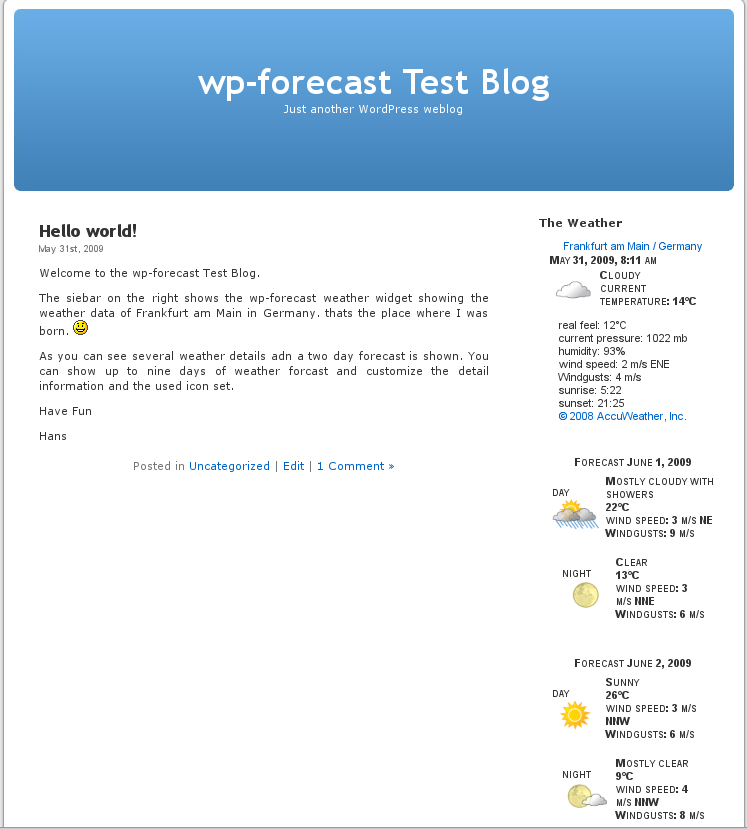
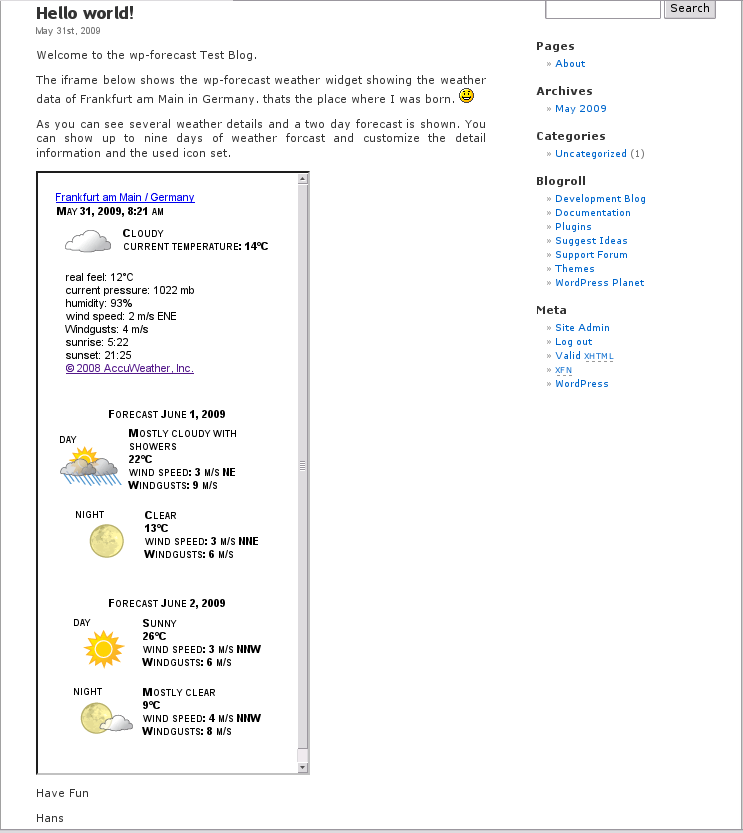
- Displays the weather data from Open-Meteo.com and OpenWeatherMap.com
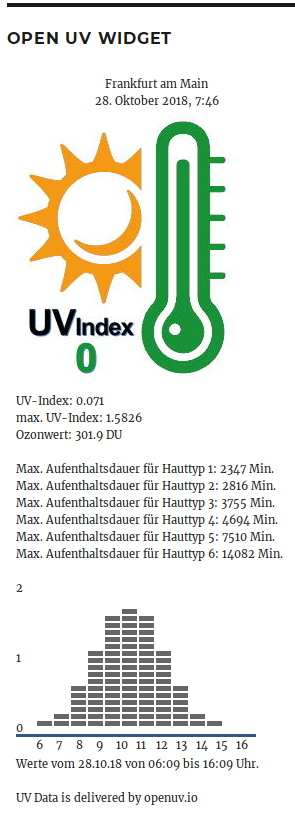
at your wordpress pages, posts or sidebar - Displays OpenUV.io data
- Let you choose the
- location (of course)
- the time after the weather data is refreshed
- the langugage
- metric or american measures
- windspeed unit
- the forecast days
- the forecast for up to six/seven days
- support wordpress widgets, easy placement 🙂
- customize the information you want to show
- supports pull-down forecast data to efficiently use space
- multiple wp-forecast widget support
- integration into your site via css (see below)
- comes with an api for wordpress-pro’s 😉
Credits:
- Barbary Jany testing a lot and bring it to valid XHTML
- Nike Gilhuijs,
Frans Lieshout, Wim Scholtes translation to dutch - Luís Reis translation to portugues
- Håkan Carlström,
Susanne Svensso translation to swedish - Gabriele von der Ohe translation to german with entities (for iso-8859-1 or latin1 blogs)
- Martin Loyer/Jean-Pierre translation to french
- Robert Lang language file for en_US
- Detti Giulio/Stefano Boeri translation to italian
- Eilif Nordseth translation to norwegian
- Michael S.R. Petersen translation to dansk
- Jaakko Kangosjärvi translation to finish
- Lukasz “linshi” Linhard translation to polish
- Castmir & Alejandro translation to spanish
- Tamas Koos translation to hungarian
- Valeria Pellegrini translation to russian
- Valentina Boeri translation to romanian
- Roland Geci translation to slovak
- Pavel Soukenik translation to czech
- Pavel Karnaukhov translation to ukraine
- Zoran Maric translation to serbian (latin)
- Petar Petrov translation to bulgarian
- Udi Burg translation to hebrew
- Uli Kozok translation to indonesian
- Ali Zemani translation to persian
- Amizda Idriz translation to bosnian
- Lovrenco Vladislavić translation to croatian
- All the others giving feedback about missing features and bugs.
Thank you very much for your contribution to wp-forecast. -
Weather Icon Font by me Erik FLowers Weather Icons licensed under SIL OFL 1.1
Installation:
-
Install via the WordPress plugin admin dialog (search for wp-forecast) or
-
Upload to your plugins folder, usually
wp-content/plugins/, keeping
the directory structure intact (i.e. wp-forecast.php should end up
inwp-content/plugins/wp-forecast/). -
Activez le plugin sur l'écran du plugin.
-
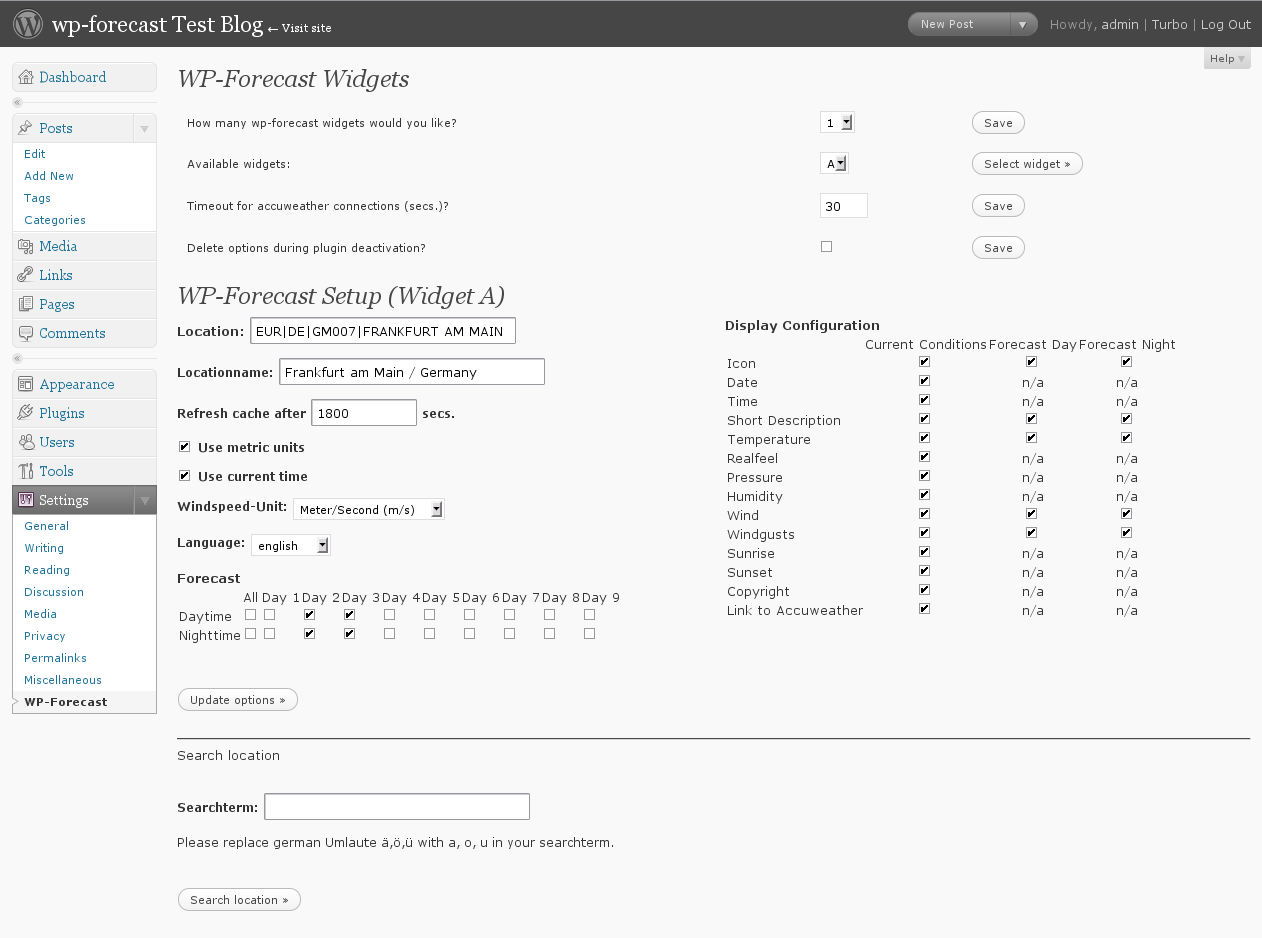
Visit the configuration page (
Options -> WP-forecast) to pick the
number of widgets, data to display and to change any other option. -
Visit the Themes/Widgets page to place your wp-forecast widget within
your themes sidebars or insert it manually and edit your template
file and put the wp-forecast function where you want your weather
data to show up.
Example:<ul><li>
<?php if(function_exists(wp_forecast)) {
wp_forecast( <widget_id> );
} ?>
</li></ul>You have to replace <widget_id> with the choosen widget id.
For the first widget use wp_forecast(“A”), for the second
wp_forecast(“B”) and so on.
In most cases it is advisable to put the call into a div environment. -
Optional
If you would like to have another set of icons download it
from http://accunet.accuweather.com/wx/accunet/graphics_icons.htm
and put it into the wp-content/plugins/wp-forecast/icons folder -
Optional
If you would like to change the style, just edit wp-forecast.css
there are three classes div.wp-forecast for outer formatting,
table.wp-forecast for the middle part or iconpart and
wp-forecast-details for everything below the icon
Traduction
wp-forecast comes with various translations, located in the directory lang.
if you would like to add a new translation, just take the file
wp-forecast.pot (in the wp-forecast main directory) copy it to
wp-forecast_-.po and edit it to add your translations
(e.g. with poedit).
Please be aware that the number codes stand for the weather-situations.
you can see the mapping in wp-forecast-en_US-en_US.po. there are also
the letters N, S, W, E they stand for the winddirections and can be
translates either.
To use your own translation, a different one as the default just rename the
appropriate file wp-forecast_-.po and
wp-forecast_-.mo
To add your translations online at the Translate WordPress project please visit
https://translate.wordpress.org/projects/wp-plugins/wp-forecast. This should be the prefered
way from now on.
Journal de modifications
= v10.0 (2026-08-02)
* added update polish translation, thanks to Grzegorz
* fixed probem with night icons and openmeteo, thanks to Grzegorz
v9.9 (2026-05-22)
- fixed some warning when used from within elementor
v9.8 (2025-08-22)
- fixed a problem with negative timezones for OWM v2
- removed some old debug notices
- added new dutch translation from Nike Gilhuijs 🙂
v9.7 (2025-02-14)
- fixed some php notices in the log
v9.6 (2025-01-05)
- added support for weather icon font and color
- fixed wind icon for night time display
- updated plugin for use with old OWM free data api v2.5
- fixed connection test for old OWM api v2.5
- put forecast label into its own div
- added alternate UV Icon set from “der hase”
- removed transport pre-selection since this is meanwhile covered by WP-Http
v9.5 (2024-10-28)
- added missing UV icon 5
- fixed typo in License tag
- fixed conversion of precipitation forecast data
v9.4 (2024-04-05)
- added hint to OneCall API
- tested with WP 6.5
Captures d'écran
Pour les développeurs
Est-ce votre plugin ? Montrez les chiffres.
Ajoutez un badge en direct à votre site, docs ou github readme. Il se met à jour par lui-même - aucun compte n'est nécessaire.
Best wp-forecast alternatives
All forecast plugins →




FAQ
wp-forecast: quick answers
Réponses directes, extraites des données en direct WordPress.org.
Source : WordPress.org
Is wp-forecast free?
Yes. wp-forecast is free to download and use from the official WordPress.org plugin directory.
Is wp-forecast safe to use in 2026?
wp-forecast is a solid plugin choice in 2026, with a few things worth checking first. It runs on 4K+ sites, is rated 4.3/5 and was last updated 3 months ago, and scores 76/100 on our health check.
How many websites use wp-forecast?
wp-forecast is active on 4K+ WordPress websites and has been downloaded 445,904 times since it launched in September 2007. It was downloaded 1,591 times in the last 30 days.
Does wp-forecast work with WordPress 7.1?
Yes. The developer has tested wp-forecast up to WordPress 7.1.5, the latest release. It requires WordPress 6.0 or newer.
When was wp-forecast last updated?
The latest version, 10.0, was released on August 17, 2026 (3 months ago).
Who makes wp-forecast?
wp-forecast is developed and maintained by tuxlog.
What are the best alternatives to wp-forecast?
The most popular alternatives to wp-forecast are Weather Atlas Widget (8K+ installs), Ventus (3K+ installs) and Free Weather (300+ installs).
Propulsé par PageForge
Un modèle et une feuille de calcul. Une vraie page pour chaque recherche.
PageForge transforme chaque ligne d'un CSV en une page WordPress avec son propre titre, URL, SEO et schéma, construit sur la mise en page que vous Déjà conçu. Gratuit sur WordPress.org.
- CSV et XLSX, plus Google Sheets sur les professionnels et les entreprises
- Son propre titre, URL, SEO champs et schéma pour chaque page
- Fonctionne avec l'éditeur de blocs, Elementor, Divi et Avada
- Gratuit sur WordPress.org, pas de carte de crédit