


MyParcel
Export your WooCommerce orders to MyParcel (www.myparcel.nl) and print labels directly from the WooCommerce admin

Utiliser avec prudence
MyParcel works, but test it on a staging site before relying on it in 2026. It runs on 8K+ sites, is rated 3.9/5 and was last updated 3 months ago, and scores 58/100 on our health check.
- Momentum — downloads up 37.2% vs the previous 30 days
Comment s'accumule-t-il ?
Côte à côte sur les installations, les mises à jour, les évaluations et le support



Téléchargements quotidiens
Les pics de téléchargement suivent généralement une nouvelle version - chaque site qui met à jour automatiquement compte comme un téléchargement.
Classements
Where MyParcel stands todayWordPress.org Classements de recherche
Position en direct dans la recherche de plugins, Top 100| Mot-clé | Position |
|---|---|
| delivery | #91 |
| myparcel | #1 |
| packages | #11 |
| navigation | >100 |
| WooCommerce | >100 |
Adoption de version
Part de sites actifs par version.
Répartition des notes
★★★★★★★★★★ 3.9 from 48 reviews
About MyParcel
From the official readme · v4.26.0Description
This WooCommerce extension allows you to export your orders to the MyParcel service (www.myparcel.nl).
Online Manual (in Dutch): https://myparcelnl.github.io/woocommerce/
The no. 1 shipping platform for every online entrepreneur.
We are MyParcel, the platform with which every online entrepreneur, large or small, can easily create shipping labels to send parcels, mail, letterbox parcels, and pallets. To destinations inland and abroad. Our goal is to make the services of major carriers accessible to every online entrepreneur so that they have time for what they are good at: doing business. We do this with our easy and accessible shipping service, smart IT solutions, and the most personal customer service.
How does it work?
Automatically import your orders from any desired sales channel into the platform and print out your shipping labels in no time. Have your packages picked up or bring them yourself to a PostNL or Instabox delivery point. Your customer receives the track & trace information, and you can keep an overview of all shipments in the MyParcel platform.
Just like the other 36,000 webshops, experience…
- Our free personal customer service. We offer you direct telephone support!
- How to save time and money printing your shipping labels.
- That you are not tied to anything! We do not charge monthly fees.
- How to easily integrate our shipping platform into your webshop.
Main features.
- Delivery options integrated in your checkout.
- Export your WooCommerce orders to MyParcel with a simple click, single orders or in batch.
- Print shipping labels directly (PDF).
- Create multiple shipments for the same order.
- Choose your package type (Parcel, Digital stamp, mailbox package or unpaid letter)
- Define preset MyParcel shipping options (signature required, extra insurance, etc.).
- Modify the MyParcel shipping options per order before exporting.
- Extra checkout fields to separate street name, house number and house number suffix for more precise address data
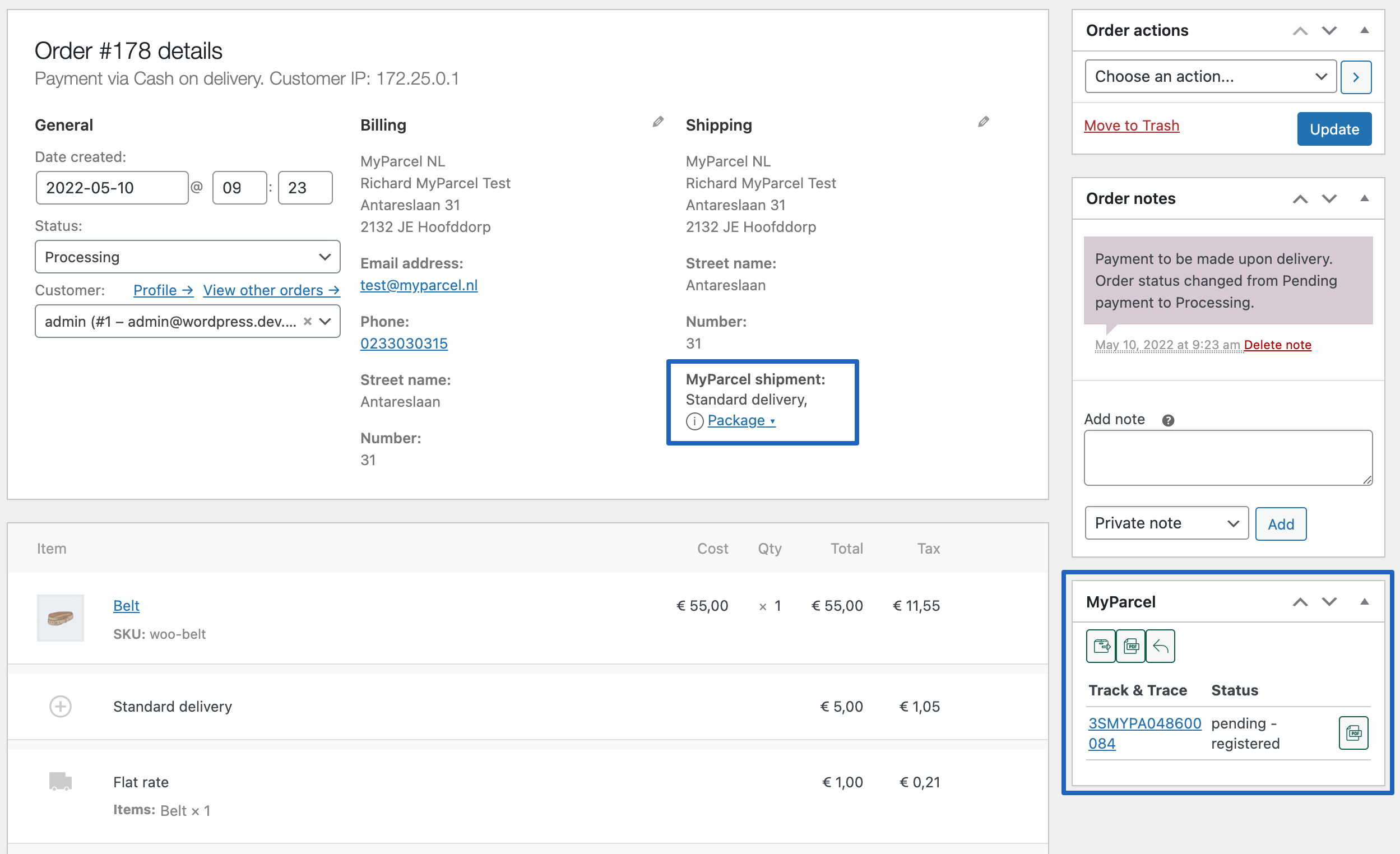
- View the status of the shipment in the order details page.
- Add Track & Trace link to the order confirmation email.
An API-key is required for this plugin! You can create this in your backoffice account.
Installation
Installation automatique
Automatic installation is the easiest option as WordPress handles the file transfers itself and you don’t even need to leave your web browser. To do an automatic install of MyParcel, log in to your WordPress admin panel, navigate to the Plugins menu and click Add New.
In the search field type “MyParcel” and click Search Plugins. You can install it by simply clicking Install Now. After clicking that link you will be asked if you’re sure you want to install the plugin. Click yes and WordPress will automatically complete the installation.
Manual installation via the WordPress interface
- Download the plugin zip file to your computer
- Go to the WordPress admin panel menu Plugins > Add New
- Choose upload
- Upload the plugin zip file, the plugin will now be installed
- After installation has finished, click the ‘activate plugin’ link
Manual installation via FTP
- Download the plugin file to your computer and unzip it
- Using an FTP program, or your hosting control panel, upload the unzipped plugin folder to your WordPress installation’s wp-content/plugins/ directory.
- Activate the plugin from the Plugins menu within the WordPress admin.
Setting up the plugin
- Go to the menu
WooCommerce > MyParcel. - Fill in your API Details. If you don’t have API details, log into your MyParcel or Flespakket account, you can find your API key under Instellingen → Algemeen.
- Under ‘Default export settings’ you can set options that should be set by default for the export. You can change these settings per order at the time of export.
- The plugin is ready to be used!
Testing
We advise you to test the whole checkout procedure once to see if everything works as it should. Pay special attention to the following:
The MyParcel plugin adds extra fields to the checkout of your webshop, to make it possible for the client to add street name, number and optional additions separately. This way you can be sure that everything is entered correctly. Because not all checkouts are configured alike, it’s possible that the positioning/alignment of these extra fields have to be adjusted.
Moreover, after a label is created, a Track & Trace code is added to the order. When the order is completed from WooCommerce, this Track & Trace code is added to the email (when this is enabled in the settings). Check that the code is correctly displayed in your template. You can read how to change the text in the FAQ section.
Journal de modifications
Important! Version 2.0 was a big update for this plugin, we recommend testing in a test environment first, before updating on a live site!
4.26.0 (2026-08-11)
- New: add admin banner announcing MyParcel for WooCommerce 6.0 (#1733)
- Fixed bug: save delivery options when account is created during checkout (#1763)
4.25.2 (2026-06-25)
- Fixed bug: prevent unauthorized shipment data manipulating (#1649)
4.25.1 (2026-04-07)
- Fixed bug: export shipment with weight (#1594)
4.25.0 (2025-03-04)
- New: add receipt code for WooCommerce v4 (#1261)
- New: add filter before consignment export (#1222)
4.24.4 (2025-01-09)
- Fixed bug: fix small package not showing in delivery options (#1167)
4.24.2 (2024-12-12)
- Fixed bug: prevent reflected XSS
Captures d'écran




Pour les développeurs
Est-ce votre plugin ? Montrez les chiffres.
Ajoutez un badge en direct à votre site, docs ou github readme. Il se met à jour par lui-même - aucun compte n'est nécessaire.
Best MyParcel alternatives
All delivery plugins →





FAQ
MyParcel: quick answers
Réponses directes, extraites des données en direct WordPress.org.
Source : WordPress.org
Is MyParcel free?
Yes. MyParcel is free to download and use from the official WordPress.org plugin directory.
Is MyParcel safe to use in 2026?
MyParcel works, but test it on a staging site before relying on it in 2026. It runs on 8K+ sites, is rated 3.9/5 and was last updated 3 months ago, and scores 58/100 on our health check.
How many websites use MyParcel?
MyParcel is active on 8K+ WordPress websites and has been downloaded 395,849 times since it launched in December 2013. It was downloaded 2,038 times in the last 30 days.
Does MyParcel work with WordPress 7.1?
MyParcel is officially tested up to WordPress 7.0.9, while the latest release is 7.1.5. It may still work, but try it on a staging site first.
What PHP version does MyParcel need?
MyParcel requires PHP 7.4 or higher. Most hosts run PHP 8.x today, so it works on any modern WordPress hosting.
When was MyParcel last updated?
The latest version, 4.26.0, was released on August 11, 2026 (3 months ago).
Who makes MyParcel?
MyParcel is developed and maintained by Richard Perdaan.
What are the best alternatives to MyParcel?
The most popular alternatives to MyParcel are SMTP2GO for WordPress (40K+ installs), Packlink PRO for WooCommerce (20K+ installs) and Claudio Sanches (20K+ installs).
Propulsé par PageForge
Un modèle et une feuille de calcul. Une vraie page pour chaque recherche.
PageForge transforme chaque ligne d'un CSV en une page WordPress avec son propre titre, URL, SEO et schéma, construit sur la mise en page que vous Déjà conçu. Gratuit sur WordPress.org.
- CSV et XLSX, plus Google Sheets sur les professionnels et les entreprises
- Son propre titre, URL, SEO champs et schéma pour chaque page
- Fonctionne avec l'éditeur de blocs, Elementor, Divi et Avada
- Gratuit sur WordPress.org, pas de carte de crédit