


Web-Engine Graph
See your site's posts, pages, terms, users and menus as a graph of connected records, then filter it and lay it out to explore.

Choix solide
Web-Engine Graph is a solid plugin choice in 2026, with a few things worth checking first. It runs on 20+ sites and was last updated 1 month ago, and scores 63/100 on our health check.
- Testé avec le dernier WordPress (7.1)
- Petite base d'utilisateurs (20+ installations actives)
- Très peu de critiques jusqu'à présent
- Nécessite PHP 8.1 ou plus récent
Comment s'accumule-t-il ?
Côte à côte sur les installations, les mises à jour, les évaluations et le support



Téléchargements quotidiens
Les pics de téléchargement suivent généralement une nouvelle version - chaque site qui met à jour automatiquement compte comme un téléchargement.
Classements
Where Web-Engine Graph stands todayWordPress.org Classements de recherche
Position en direct dans la recherche de plugins, Top 100| Mot-clé | Position |
|---|---|
| content | >100 |
| graph | #72 |
| knowledge graph | #20 |
| Structure du site | >100 |
| visualisation | #5 |
Adoption de version
Part de sites actifs par version.
About Web-Engine Graph
From the official readme · v1.0.20754Description
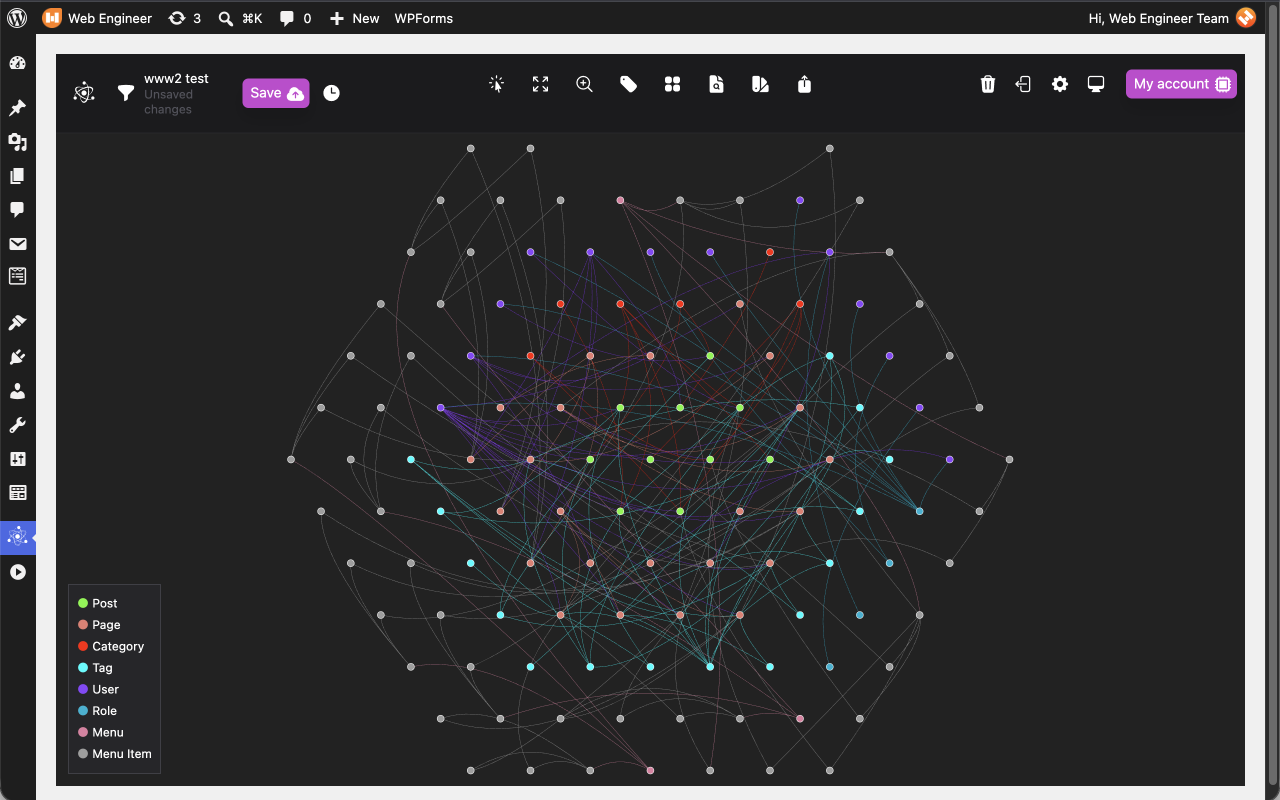
Web-Engine Graph draws your site’s content as a graph. Each record is a node, and the lines between them are the connections WordPress already holds:
- Posts, pages and your site’s own custom post types (published content only)
- Categories, tags and other public taxonomies, joined to the content that uses them
- Users, joined to the content they wrote and to their roles
- Navigation menus and their items, joined to the pages, posts and terms they link to
- Parent and child pages, and the same for any hierarchical post type
The graph opens on a new admin page, Graph, and is built from your own database each time the page is opened.
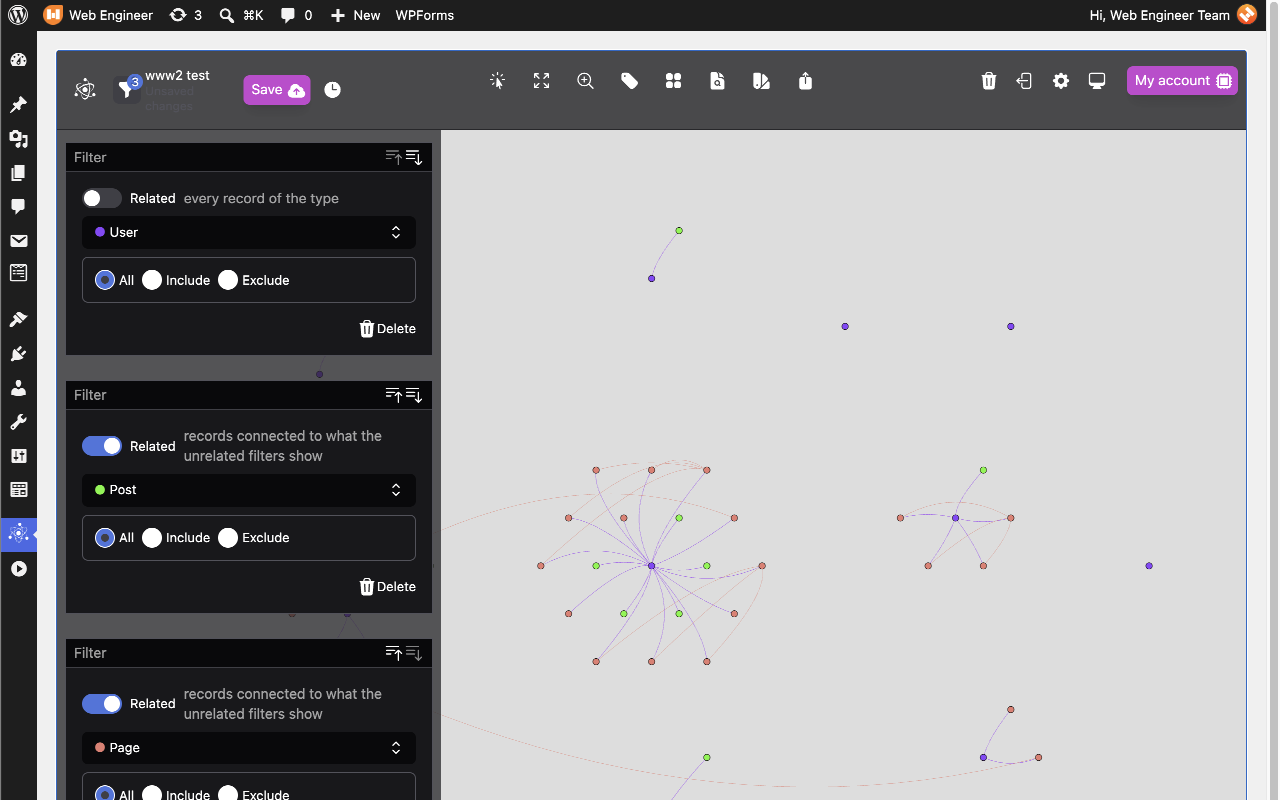
Filters. A stack of filters decides what is on screen. Each filter adds one record type to the graph, and can include or exclude records you pick. Turn on Related and a filter shows only the records of its type that connect to the records shown by the filters with Related off, such as the users who wrote a chosen set of posts. With no filters, everything is shown.
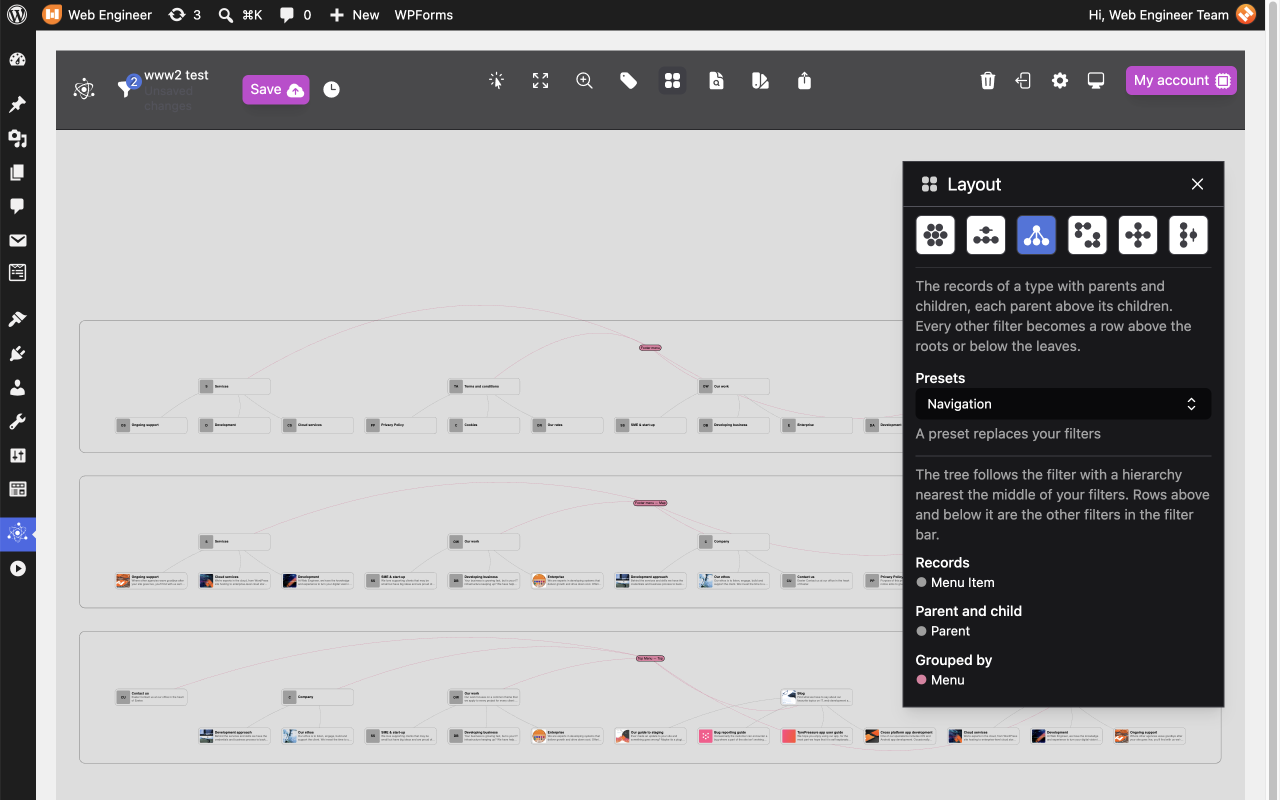
Layouts. The same records can be arranged in six ways:
- Manual: you place every record, and nothing moves unless you move it
- Series: the records of one type along a line, in date or alphabetical order, with related records in rows above and below
- Tree: records with parents and children, each parent above its children
- Grouped: one cluster per record type
- Hubs: each record of one type at the centre of the records that connect to it
- Columns: one column per filter, sorted to shorten the lines between neighbouring columns
Who can use it. The Graph page is open to Editors and Administrators (any user who can edit other people’s posts). Connecting the site to the cloud needs an Administrator.
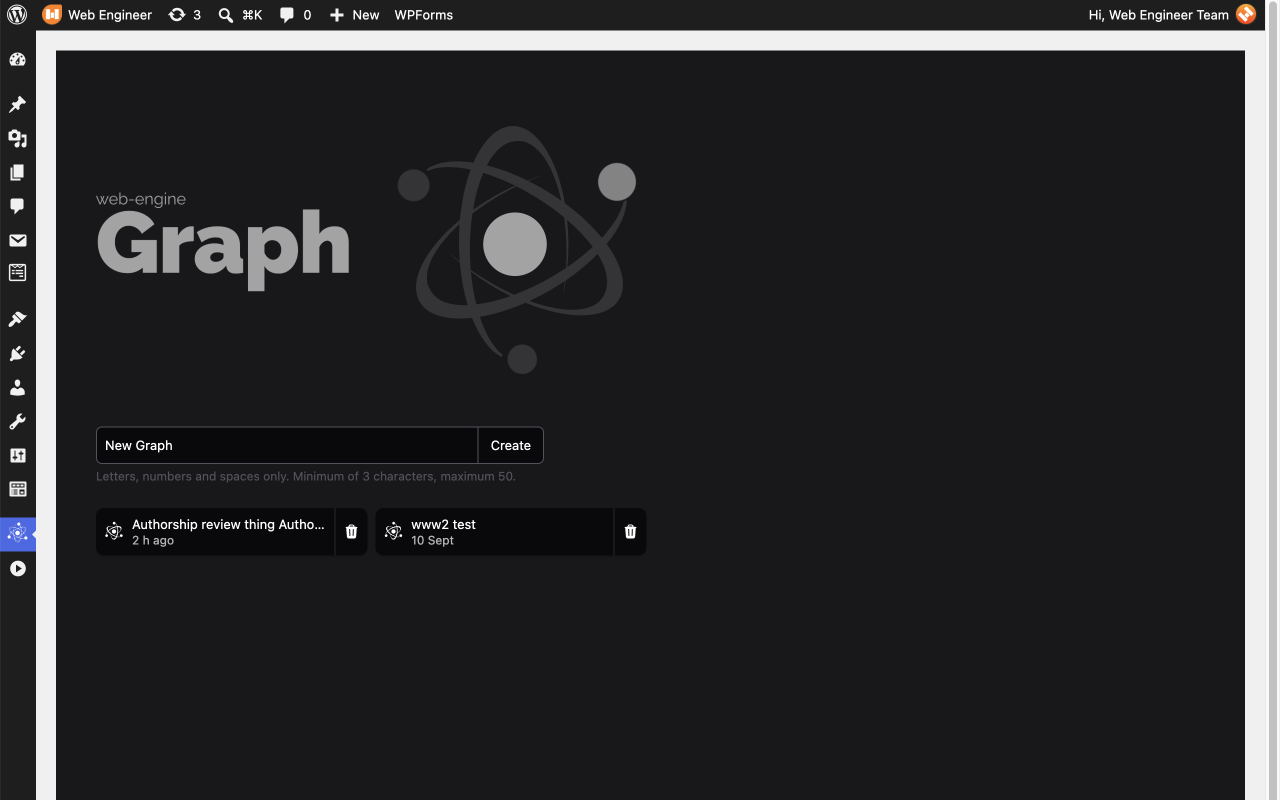
Saving. You can explore, filter and arrange the graph without an account, and every feature works without saving. To save a graph and reopen it later, an Administrator connects the site to a Web-Engine cloud account. Connecting is optional and registration is free. Registering includes agreeing that saved graphs may appear in the cloud’s public gallery, as set out on the registration page. Saved graphs belong to the site rather than to one WordPress user.
Privacy. The graph view itself makes no call to any outside service. The plugin contacts the Web-Engine cloud only to connect the site and, once connected, to save, list or reopen saved graphs, to open My account, and to say goodbye when the plugin is deleted. It adds no analytics or tracking. The External services section below lists exactly what is sent and when.
The plugin adds nothing to your site’s public pages.
Services externes
This plugin can connect to the Web-Engine cloud (https://www.we360.cloud), a service operated by Web Engine Limited, to save graphs and reopen them later. The connection is optional. Drawing, filtering and arranging the graph uses only your site’s own database and makes no call to the cloud.
The site talks to the cloud only in the circumstances below. Every request after connecting carries the site’s access token.
- Connecting: when an Administrator clicks Register, their browser opens a page on www.we360.cloud carrying the Administrator’s email address, their name (first and last name, or display name if those are empty), the site’s domain, the address to return to on the site, and a one-time security code. Once they approve, the site exchanges a code for an access token with the cloud directly, sending the site’s domain.
- Checking the connection: when a graph is saved, and when the cloud refuses a request, the site asks the cloud for the connection’s status. No site content is sent.
- Saving a graph: the site sends the graph’s name, its filters, its layout positions, its colours and display settings, and a snapshot of the records on screen with the connections between them. Each record carries its title or name, type, link, WordPress ID and, for content, its publication date. User records carry the display name, the author page link and roles. The save also records the site’s domain and the plugin’s version. Post content, excerpts, email addresses and passwords are not sent. A large save is sent in several parts.
- Public gallery: registering with the cloud includes agreeing that saved graphs may be shown in its public gallery. A graph in the gallery shows only what was visible when it was saved, such as record titles, and no links.
- Listing and reopening saved graphs: the site asks the cloud for the list of saved graphs, the saves within one, and the filters, layout and colours of the save being opened. The records themselves are read from your site again, not from the save.
- Opening My account: the site sends its domain to the cloud and receives a sign-in link for the cloud’s dashboard.
- Uninstalling: when the plugin is deleted and no other Web-Engine plugin is installed, the site sends its domain to the cloud so the cloud can revoke its access token.
The plugin sends nothing else. It contains no analytics or tracking, loads no assets from a content delivery network, and bundles all of its JavaScript.
Web-Engine cloud terms of service: https://www.we360.cloud/terms-of-service
Web-Engine cloud privacy policy: https://www.we360.cloud/privacy-policy
Code source
The admin page’s JavaScript, dist/buttercup-wordpress.js, is compiled and minified. Its human-readable source ships with the plugin:
src/: the admin page, written in TypeScript and Reactbuttercup/: the graph engine, in TypeScript
The bundle is built from src/index.ts with @wordpress/scripts (webpack), TypeScript and Tailwind CSS. React, ReactDOM and @wordpress/i18n are taken from WordPress rather than bundled. The licences of the bundled third-party code are listed in dist/buttercup-wordpress.js.LICENSE.txt.
The PHP in lib/ is not compiled.
Installation
- In your WordPress admin, go to Plugins > Add New Plugin and search for “Web-Engine Graph”, or upload the plugin’s zip file from that screen.
- Click Install Now, then Activate.
- Open Graph in the admin menu. Your site’s graph is drawn straight away.
- Optional, to save graphs: as an Administrator, click Register on the Graph page. A Web-Engine cloud page opens in a new tab; sign in or register there and approve the connection. The tab closes itself, and a Save button appears on the Graph page.
Journal de modifications
1.0
- Première version.
- Draws a site’s posts, pages, custom post types, terms, users, roles and menus as a graph of connected records.
- Filter stack with include, exclude and related filters.
- Six layouts: Manual, Series, Tree, Grouped, Hubs and Columns.
- Optional saving to a Web-Engine cloud account, with a history of saves for each graph.
Captures d'écran
Pour les développeurs
Est-ce votre plugin ? Montrez les chiffres.
Ajoutez un badge en direct à votre site, docs ou github readme. Il se met à jour par lui-même - aucun compte n'est nécessaire.
Best Web-Engine Graph alternatives
All content plugins →





FAQ
Web-Engine Graph: quick answers
Réponses directes, extraites des données en direct WordPress.org.
Source : WordPress.org
Is Web-Engine Graph free?
Yes. Web-Engine Graph is free to download and use from the official WordPress.org plugin directory.
Is Web-Engine Graph safe to use in 2026?
Web-Engine Graph is a solid plugin choice in 2026, with a few things worth checking first. It runs on 20+ sites and was last updated 1 month ago, and scores 63/100 on our health check.
How many websites use Web-Engine Graph?
Web-Engine Graph is active on 20+ WordPress websites and has been downloaded 197 times since it launched in October 2026. It was downloaded 140 times in the last 30 days.
Does Web-Engine Graph work with WordPress 7.1?
Yes. The developer has tested Web-Engine Graph up to WordPress 7.1.5, the latest release. It requires WordPress 6.5 or newer.
What PHP version does Web-Engine Graph need?
Web-Engine Graph requires PHP 8.1 or higher. Most hosts run PHP 8.x today, so it works on any modern WordPress hosting.
When was Web-Engine Graph last updated?
The latest version, 1.0.20754, was released on October 28, 2026 (1 month ago).
Who makes Web-Engine Graph?
Web-Engine Graph is developed and maintained by Web Engineer.
What are the best alternatives to Web-Engine Graph?
The most popular alternatives to Web-Engine Graph are One Click Demo Import (1M+ installs), Advanced Excerpt (80K+ installs) and Rara One Click Demo Import (20K+ installs).
Propulsé par PageForge
Un modèle et une feuille de calcul. Une vraie page pour chaque recherche.
PageForge transforme chaque ligne d'un CSV en une page WordPress avec son propre titre, URL, SEO et schéma, construit sur la mise en page que vous Déjà conçu. Gratuit sur WordPress.org.
- CSV et XLSX, plus Google Sheets sur les professionnels et les entreprises
- Son propre titre, URL, SEO champs et schéma pour chaque page
- Fonctionne avec l'éditeur de blocs, Elementor, Divi et Avada
- Gratuit sur WordPress.org, pas de carte de crédit