


VS Liste des événements
Avec ce plugin léger, vous pouvez créer une liste d'événements.

Choix
Yes — VS Event List is a safe, well-maintained plugin to use in 2026. It runs on 8K+ sites, is rated 4.9/5 and was last updated 1 week ago, and scores 86/100 on our health check.
- Aimé par les utilisateurs — 4,9/5 sur 82 avis
- Développé activement — Dernière mise à jour il y a 1 semaine
- Testé avec le dernier WordPress (7.1)
- Momentum — downloads up 277.3% vs the previous 30 days
Comment s'accumule-t-il ?
Côte à côte sur les installations, les mises à jour, les évaluations et le support



Téléchargements quotidiens
Les pics de téléchargement suivent généralement une nouvelle version - chaque site qui met à jour automatiquement compte comme un téléchargement.
Classements
Where VS Event List stands todayWordPress.org Classements de recherche
Position en direct dans la recherche de plugins, Top 100| Mot-clé | Position |
|---|---|
| ClassicPress | #7 |
| Event | #12 |
| event list | #2 |
| event manager | #13 |
| événements | #43 |
Adoption de version
Part de sites actifs par version.
Répartition des notes
★★★★★★★★★★ 4.9 from 82 reviews
About VS Event List
From the official readme · v20.5Description
Environ
Avec ce plugin léger, vous pouvez créer une liste d'événements.
Main features of the plugin:
- Free and lightweight
- Support for Block Editor and Classic Editor
- Display your event list with block, shortcode or widget
- Display upcoming and past events
- Share events via RSS or iCal feed
- Organise events with categories
- Customize your event list via the settings page or with attributes
- Add extra content to events with the Advanced Custom Fields (ACF) plugin
- Documentation at WP plugin page
- Active support from developer at WP forum
Comment utiliser
After installation go to menu item “Events” and create some events.
Go to the editor and add the VS Event List block or the shortcode [vsel] to a page. This will display your event list.
Or go to Appearance > Widgets and use the VS Event List widget.
When using the shortcode add the list attribute to display the events you want.
[vsel list="upcoming"]to display upcoming events (today included)[vsel list="future"]to display future events (today not included)[vsel list="current"]to display current events[vsel list="past"]to display past events (before today)[vsel list="all"]to display all events
Without this attribute the default event list is displayed (upcoming events).
Customize your event list via the settings page or with attributes.
Page des paramètres
The settings page is located at Settings > VS Event List.
Attributes
Settings can be overridden by adding attributes to the block, shortcode, or widget.
This can be useful when having multiple event lists on your website.
- Add custom CSS class to event list:
class="your-class-name" - Change the number of events per page:
posts_per_page="5" - Display all events (without pagination):
posts_per_page="-1" - Skip one or multiple events:
offset="1" - Change date format:
date_format="j F Y" - Display events of a specific year:
year="2026" - Display events of a specific month:
year="2026" month="08" - Display events from a certain category:
event_cat="your-category-slug" - Display events from multiple categories:
event_cat="first-category-slug, second-category-slug" - Reverse the order of events in the upcoming, future and current events list:
order="DESC" - Reverse the order of events in the past and all events list:
order="ASC" - Change the “no events are found” text:
no_events_text="your text" - Disable event title link:
title_link="false" - Disable featured image link:
featured_image_link="false" - Disable featured image caption:
featured_image_caption="false" - Disable featured image:
featured_image="false" - Disable read more link:
read_more="false" - Disable pagination:
pagination="false" - Display all event info:
event_info="all" - Display a summary:
event_info="summary"
Exemple : [vsel posts_per_page="5" event_cat="your-category-slug" event_info="summary"]
When using the block or the widget, don’t add the main shortcode tag or the brackets.
Exemple : posts_per_page="5" event_cat="your-category-slug" event_info="summary"
Image en vedette
Featured images will be used as the primary image for every event.
By default the “post thumbnail” is used as the source for the featured image. The size of the post thumbnail may vary by theme.
WordPress creates duplicate images in different sizes upon upload. These sizes can be set via Settings > Media. If the post thumbnail doesn’t look as expected (low resolution or poor cropping), you can choose a different size via the settings page.
You can also change the width of the featured image.
The featured image on the single event page is handled by your theme.
Default support
The plugin creates a custom post type “event”.
This automatically supports the single event page, the event category page, the (event) post type archive page and the search results page. It hooks into the theme template file that is being used by these pages.
Support for the single event page is needed. Support for the other pages is added to make the plugin compatible with page builder plugins. Events on default WP pages are not ordered by event date.
Plugin activates the post attributes box in the editor. In the post attributes box you can set a custom order for events that have the same date. Custom order can be handy when automatic ordering by time is disabled.
Plugin supports the menu page. Support is added to make the plugin compatible with page builder plugins.
Advanced Custom Fields (ACF)
You can add extra content to the event details or the event info by using the Advanced Custom Fields plugin. The most commonly used fields are supported.
Create a field group for the post type “event” and add fields to this group. This new field group will then be added to the editor. With these fields you can add the extra content to each event.
Via the settings page you can decide where to display the extra content.
RSS and iCal feed
You can share your upcoming events via an RSS feed.
The default RSS widget will display events from future to upcoming. To reverse this order I recommend using an RSS feed plugin capable of changing the RSS feed order.
You can share your upcoming and past events with an external calendar via an iCal feed.
You can activate both feeds on the settings page.
Have a question?
Please take a look at the FAQ section.
Traduction
Translations are not included, but the plugin supports WordPress language packs.
More translations are very welcome!
The translation folder inside this plugin is redundant, but kept for reference.
Crédits
Without help and support from the WordPress community I was not able to develop this plugin, so thank you!
Journal de modifications
Version 20.5
- New: settings to style the date icon
- Updated condition to detect ClassicPress
Version 20.4
- New: display location link in your event details
- This could be a link to Google Maps or OpenStreetMap
- Added field in the editor for the location link and link label
Version 20.3
- Minor changes in code
Version 20.2
- New: attribute that lets you display events per year or month
- Display events of a specific year: year=”2026″
- Display events of a specific month: year=”2026″ month=”08″
Version 20.1
- Minor changes in code
Version 20.0
- Fix: event category display
- Fix: warning in case of invalid iframe embed code in map input
Captures d'écran


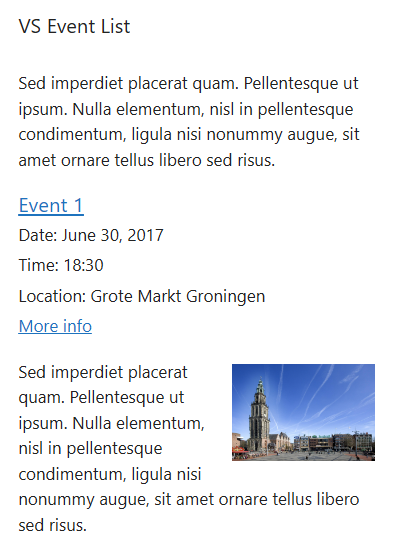
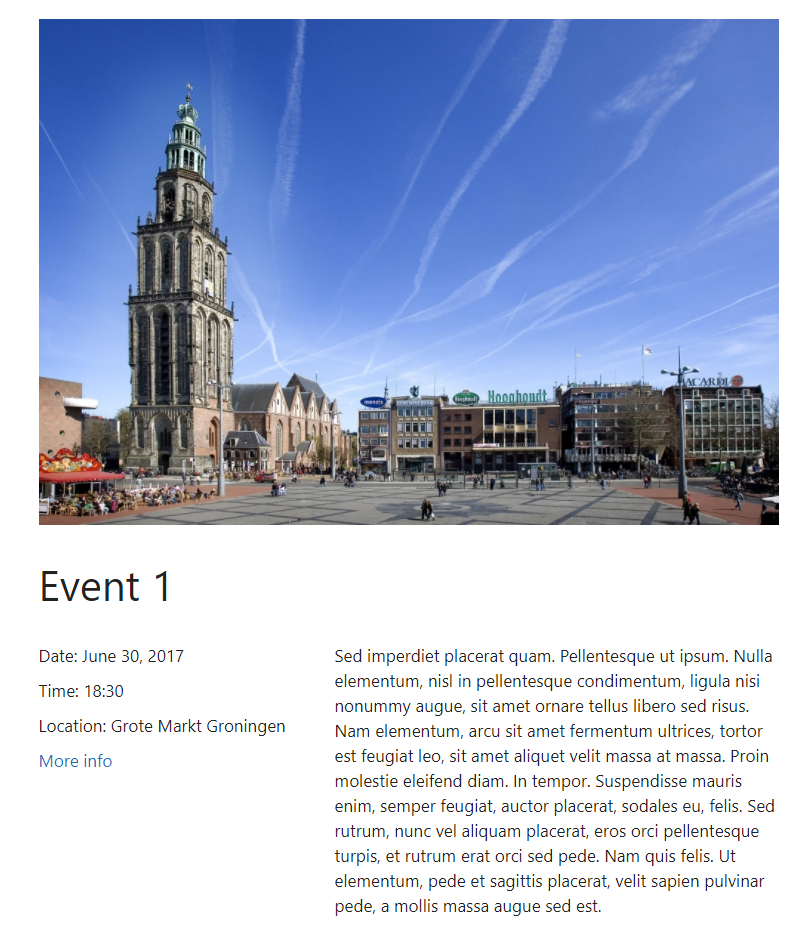


Pour les développeurs
Est-ce votre plugin ? Montrez les chiffres.
Ajoutez un badge en direct à votre site, docs ou github readme. Il se met à jour par lui-même - aucun compte n'est nécessaire.
Best VS Event List alternatives
Tous les plugins ClassicPress →




FAQ
VS Event List: quick answers
Réponses directes, extraites des données en direct WordPress.org.
Source : WordPress.org
Is VS Event List free?
Yes. VS Event List is free to download and use from the official WordPress.org plugin directory.
Is VS Event List safe to use in 2026?
Yes — VS Event List is a safe, well-maintained plugin to use in 2026. It runs on 8K+ sites, is rated 4.9/5 and was last updated 1 week ago, and scores 86/100 on our health check.
How many websites use VS Event List?
VS Event List is active on 8K+ WordPress websites and has been downloaded 587,493 times since it launched in March 2015. It was downloaded 6,534 times in the last 30 days.
Does VS Event List work with WordPress 7.1?
Yes. The developer has tested VS Event List up to WordPress 7.1.5, the latest release. It requires WordPress 6.0 or newer.
What PHP version does VS Event List need?
VS Event List requires PHP 7.4 or higher. Most hosts run PHP 8.x today, so it works on any modern WordPress hosting.
When was VS Event List last updated?
The latest version, 20.5, was released on November 18, 2026 (1 week ago).
Who makes VS Event List?
VS Event List is developed and maintained by Guido.
What are the best alternatives to VS Event List?
The most popular alternatives to VS Event List are VS Contact Form (6K+ installs), VS Meta Description (3K+ installs) and WP Attachments (3K+ installs).
Propulsé par PageForge
Un modèle et une feuille de calcul. Une vraie page pour chaque recherche.
PageForge transforme chaque ligne d'un CSV en une page WordPress avec son propre titre, URL, SEO et schéma, construit sur la mise en page que vous Déjà conçu. Gratuit sur WordPress.org.
- CSV et XLSX, plus Google Sheets sur les professionnels et les entreprises
- Son propre titre, URL, SEO champs et schéma pour chaque page
- Fonctionne avec l'éditeur de blocs, Elementor, Divi et Avada
- Gratuit sur WordPress.org, pas de carte de crédit