

Trinity Audio – Text to Speech AI audio player to convert content into audio
The audio player will convert your content into audio in just a few clicks, with one-time seamless integration (no support, or special tech knowledge needed), and give your audience the ability to listen to your content…

Choix solide
Trinity Audio is a solid plugin choice in 2026, with a few things worth checking first. It runs on 2K+ sites, is rated 4/5 and was last updated 2 days ago, and scores 72/100 on our health check.
- Développé activement — Dernière mise à jour il y a 2 jours
- Testé avec le dernier WordPress (7.1)
Comment s'accumule-t-il ?
Côte à côte sur les installations, les mises à jour, les évaluations et le support



Téléchargements quotidiens
Les pics de téléchargement suivent généralement une nouvelle version - chaque site qui met à jour automatiquement compte comme un téléchargement.
Classements
Where Trinity Audio stands todayWordPress.org Classements de recherche
Position en direct dans la recherche de plugins, Top 100| Mot-clé | Position |
|---|---|
| audio player | #9 |
| Content to audio | #1 |
| text to audio | #3 |
| text to speech | #9 |
| TTS Player | #3 |
Adoption de version
Part de sites actifs par version.
Répartition des notes
★★★★★★★★★★ 4 from 25 reviews
About Trinity Audio
From the official readme · v5.28.3Description
The audio player will convert your content into audio in just a few clicks, with one-time seamless integration (no support, or special tech knowledge needed), and give your audience the ability to listen to your content on the go.
The free version of this plugin is designed for content creators, such as bloggers who do not produce a large volume of content, and for those who want to give it a try before choosing one of the advanced plans. It enables converting up to 5 articles to audio per month, to add an audio narrator to your blog in 125 languages, 600+ voices (both male and female) and increase accessibility to broader audience.
- Add rich media to your existing pages to improve SEO rankings.
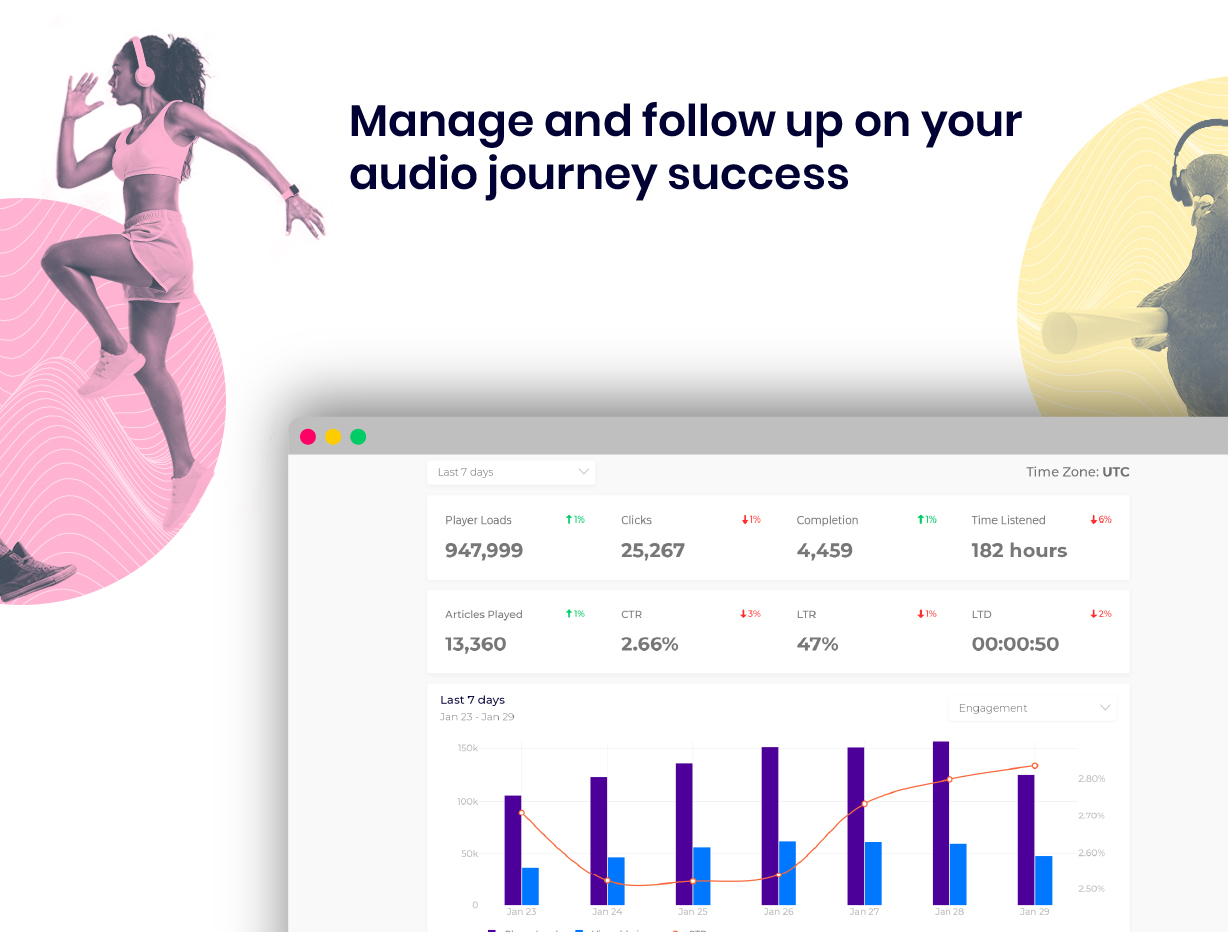
- Dashboard with statistics and usability reports.
- Fast player loading time for a smooth experience that doesn’t affect page loading time.
- Automatic real-time translation
- Multiple playing speed capabilities
- Smart Content Recommendations to enhance user engagement
- A dedicated support team to provide assistance with any issue that might come up.
For a quick start, please follow the instructions on our Implementation Guide.
Explore our advanced products and features:
- Over 125 supported languages with over 600 accents and natural voices
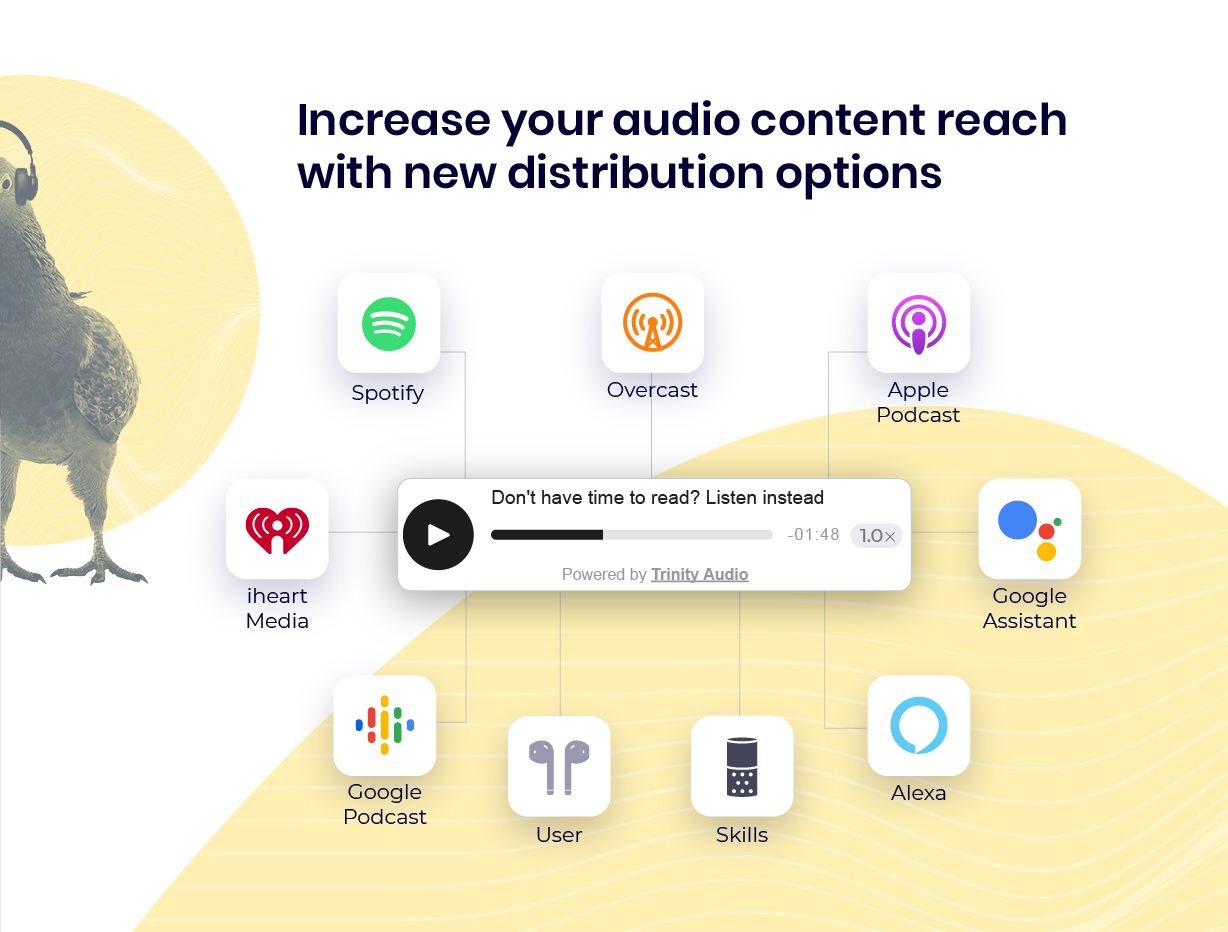
- CMS to manage, edit, and distribute audio content in leading platforms such as Spotify, Apple, and Google Podcast, and create playlists to increase engagement
- Dashboard with statistics and usability reports
- AI-powered summaries for content highlights
- Background music integration
- Podcast creation and distribution
- Voice cloning technology
Et bien plus encore !
Customer Testimonial
“At a time when consumption of digital audio is stronger than ever, we’re excited to roll out this new audio feature to our customers to enhance their news experience and give them the ability to listen to local journalism where and when they want it. In addition, the integration of this technology across all of our sites will drive advertising revenue.”
Jessica Gilbert, McClatchy Senior Director of Product and Experience
Trinity audio usage terms
The Trinity Audio plugin provides a Text to speech service, which is performed by Trinity Audio.
As such, the service is required to make calls to Trinity’s backend servers.
By activating the plugin you consent to our T&C as stated below:
Service Terms & Conditions
Privacy policy
For more about Trinity Audio: Trinity Audio
Settings and configurations
The following are configuration options you can modify as you see fit:
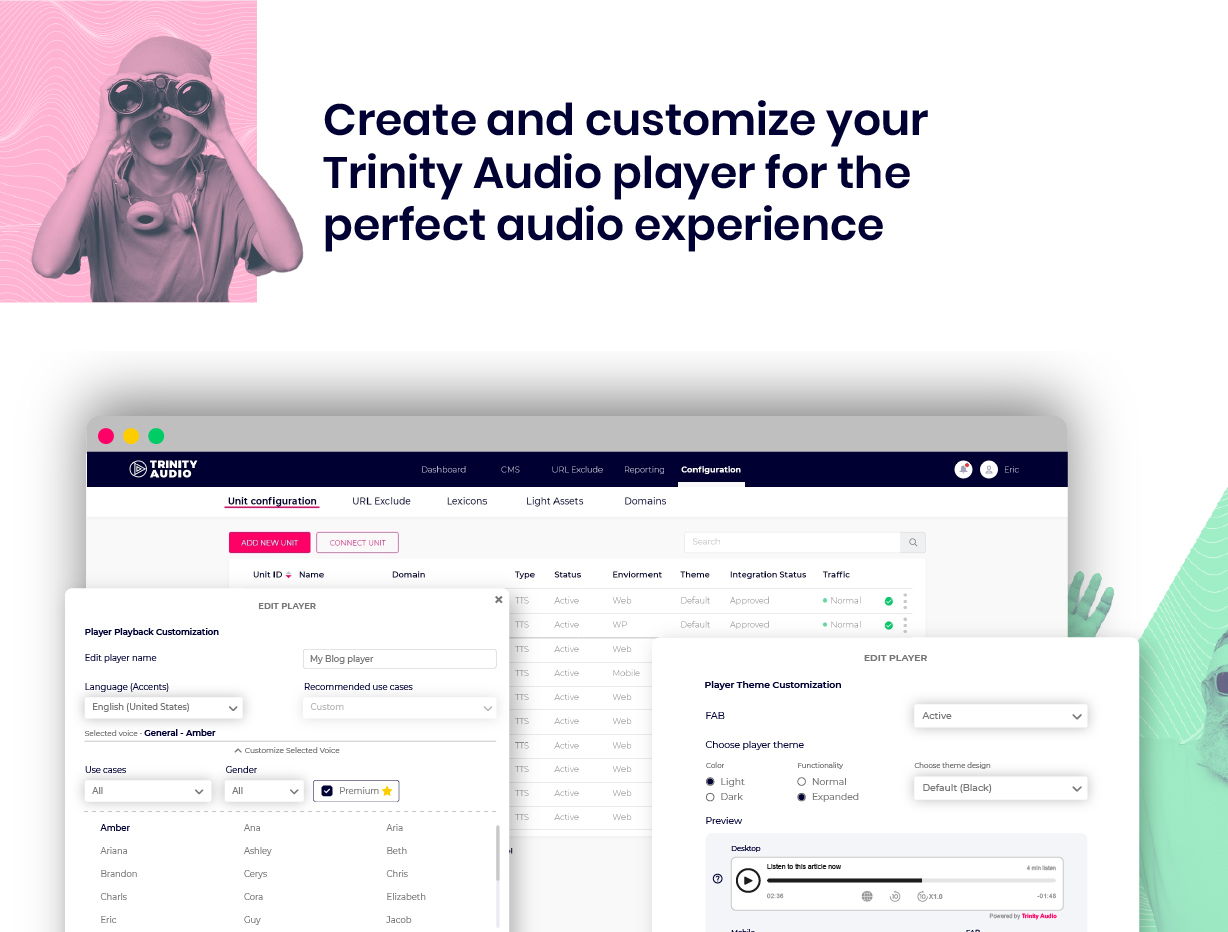
- Voice Selection: Choose your content language and preferred narrator. For multilingual sites, set the primary language here and configure individual posts separately.
- Voice Style: Select reading style (e.g., news/formal). Available for narrators with wave icons.
- Theme & Appearance: Choose player theme and light/dark mode (or auto-adjust).
- Audio Preview: Test your selected narrator before saving.
- Player Features:
** Floating Button: Control player while scrolling
** Real-time Translation: Translate content to 6 languages in real-time
** Author Credit: Include author name in audio
** Playback Speed: Set default speed (users can adjust during playback).
** Share: Allow users to share the audio with friends, social media or yourself to listen later - Content Filtering:
** Skip HTML Tags: Exclude specific HTML elements from audio
** Allow Shortcodes: Include shortcode content (comma-separated: vc_row, vc_column, su_heading) - Player Settings:
** Position: Choose player placement (recommended: before article text)
** Label: Add custom text above player (HTML supported)
** Trinity Credit: Display “Powered by Trinity Audio” attribution
** Performance: Enable resource preconnect for faster loading
** Auto-Enable: Automatically add player to new posts
Still here? Go turn your readers to listeners.
Vidéo
Installation
Instantly convert your content from text to audio with the most natural sounding voices. Just follow these steps:
- Install the Trinity Audio plugin from the “Add new plugin” option on your WordPress installation.
- Activez le plugin.
- Go to the “Trinity Audio” tab in your WordPress admin interface. T&Cs need to be accepted to complete the registration.
- Configure the settings of your plugin and click save to finish the setup.
Recommended setup process
Here are the recommended steps for configuring the plugin:
- Choose the default source language.
- Filter the gender you prefer.
- If your plan includes GenAI voices, choose the GenAI voice tab.
- If your plan doesn’t include GenAI voices, choose the Premium voices tab.
- Listen to the different narrators and choose the one you find as best.
- Choose a voice style you like and click on the player to listen to the sample.
- Make sure the checkbox next to “Help us reach new users” is checked.
- Make sure the checkbox next to “Resource Preconnect” is checked.
- Make sure the checkbox next to “New post default” is checked.
- Click “Save Changes”.
If at any stage you have questions or need support, reach out to us at: wp@trinityaudio.ai – we’d love to hear from you!
Journal de modifications
Next versions might include new languages, new features and bug fixes.
5.28.3
Release Date – Nov 17, 2026
* Security fixes
5.28.2
Release Date – Oct 15, 2026
* Saves the exact voice selected in the settings, also for Voice v2 publishers
5.28.1
Release Date – Oct 14, 2026
* Fixed post updates being sent to Trinity Audio before the plugin is registered
5.28.0
Release Date – Oct 5, 2026
* Updated the service endpoints the plugin connects to
* Fixed the Account key field missing on the Info page
* Upgrade offers are shown on the Free plan only
* Security improvements
5.27.1
Release Date – Sep 11, 2026
* Fixed “Enable/Disable on all posts” failing with a fatal error on sites with tens of thousands of posts
* Minimum WordPress version is now 6.0
5.27.0
Release Date – Sep 9, 2026
* Post level: the voice selector is replaced with a language dropdown
Captures d'écran


Pour les développeurs
Est-ce votre plugin ? Montrez les chiffres.
Ajoutez un badge en direct à votre site, docs ou github readme. Il se met à jour par lui-même - aucun compte n'est nécessaire.
Best Trinity Audio alternatives
All audio player plugins →




FAQ
Trinity Audio: quick answers
Réponses directes, extraites des données en direct WordPress.org.
Source : WordPress.org
Is Trinity Audio free?
Yes. Trinity Audio is free to download and use from the official WordPress.org plugin directory.
Is Trinity Audio safe to use in 2026?
Trinity Audio is a solid plugin choice in 2026, with a few things worth checking first. It runs on 2K+ sites, is rated 4/5 and was last updated 2 days ago, and scores 72/100 on our health check.
How many websites use Trinity Audio?
Trinity Audio is active on 2K+ WordPress websites and has been downloaded 162,232 times since it launched in August 2019. It was downloaded 3,895 times in the last 30 days.
Does Trinity Audio work with WordPress 7.1?
Yes. The developer has tested Trinity Audio up to WordPress 7.2, the latest release. It requires WordPress 6.0 or newer.
What PHP version does Trinity Audio need?
Trinity Audio requires PHP 7.2 or higher. Most hosts run PHP 8.x today, so it works on any modern WordPress hosting.
When was Trinity Audio last updated?
The latest version, 5.28.3, was released on November 27, 2026 (2 days ago).
Who makes Trinity Audio?
Trinity Audio is developed and maintained by sergiotrinity.
What are the best alternatives to Trinity Audio?
The most popular alternatives to Trinity Audio are MP3 Audio Player (20K+ installs), Compact WP Audio Player (20K+ installs) and AudioIgniter Music Player (10K+ installs).
Propulsé par PageForge
Un modèle et une feuille de calcul. Une vraie page pour chaque recherche.
PageForge transforme chaque ligne d'un CSV en une page WordPress avec son propre titre, URL, SEO et schéma, construit sur la mise en page que vous Déjà conçu. Gratuit sur WordPress.org.
- CSV et XLSX, plus Google Sheets sur les professionnels et les entreprises
- Son propre titre, URL, SEO champs et schéma pour chaque page
- Fonctionne avec l'éditeur de blocs, Elementor, Divi et Avada
- Gratuit sur WordPress.org, pas de carte de crédit