


TheLaTeXLab – Citations & Bibliography
WordPress citation & bibliography plugin. Paste a DOI, PubMed ID, ISBN, or arXiv ID to insert citations and generate a reference list.

Utiliser avec prudence
TheLaTeXLab works, but test it on a staging site before relying on it in 2026. It runs on 20+ sites, is rated 5/5 and was last updated 5 months ago, and scores 59/100 on our health check.
- Petite base d'utilisateurs (20+ installations actives)
- Très peu de critiques jusqu'à présent
Comment s'accumule-t-il ?
Côte à côte sur les installations, les mises à jour, les évaluations et le support



Téléchargements quotidiens
Les pics de téléchargement suivent généralement une nouvelle version - chaque site qui met à jour automatiquement compte comme un téléchargement.
Classements
Where TheLaTeXLab stands todayWordPress.org Classements de recherche
Position en direct dans la recherche de plugins, Top 100| Mot-clé | Position |
|---|---|
| academic | #28 |
| bibliography | #1 |
| citations | #1 |
| doi | #14 |
| references | >100 |
Adoption de version
Part de sites actifs par version.
Répartition des notes
★★★★★ ★★★★★ 5 sur 1 avis
About TheLaTeXLab – Citations & Bibliography
À partir du Lisez-moi officiel · v1.0.1Description
TheLaTeXLab – Citations & Bibliography is a WordPress citation plugin and bibliography plugin for academic bloggers, PhD students, postdocs, and research labs. Easily add citations and a bibliography in your WordPress website: paste a DOI, PubMed ID, ISBN, or arXiv ID and get a clean in-text citation and automatically generate a bibliography in APA, MLA, Chicago, IEEE, Vancouver, and other citation styles.
Perfect for academic blogs, university websites, research group websites, online journals, and personal publication pages.
A modern, actively maintained citation tool, it works as an up-to-date citation and BibTeX plugin for WordPress. It runs in both the block editor (Gutenberg) and the Classic Editor, and it does not lock your content: deactivate the plugin and your in-text citations stay readable as plain text. If you have been looking for an easy way to cite research papers and sources in WordPress, or to turn a DOI into a citation and bibliography, this is the plugin for it.
Full documentation and a step-by-step guide on how to use the plugin: TheLaTeXLab – Citations & Bibliography documentation and how-to guide.
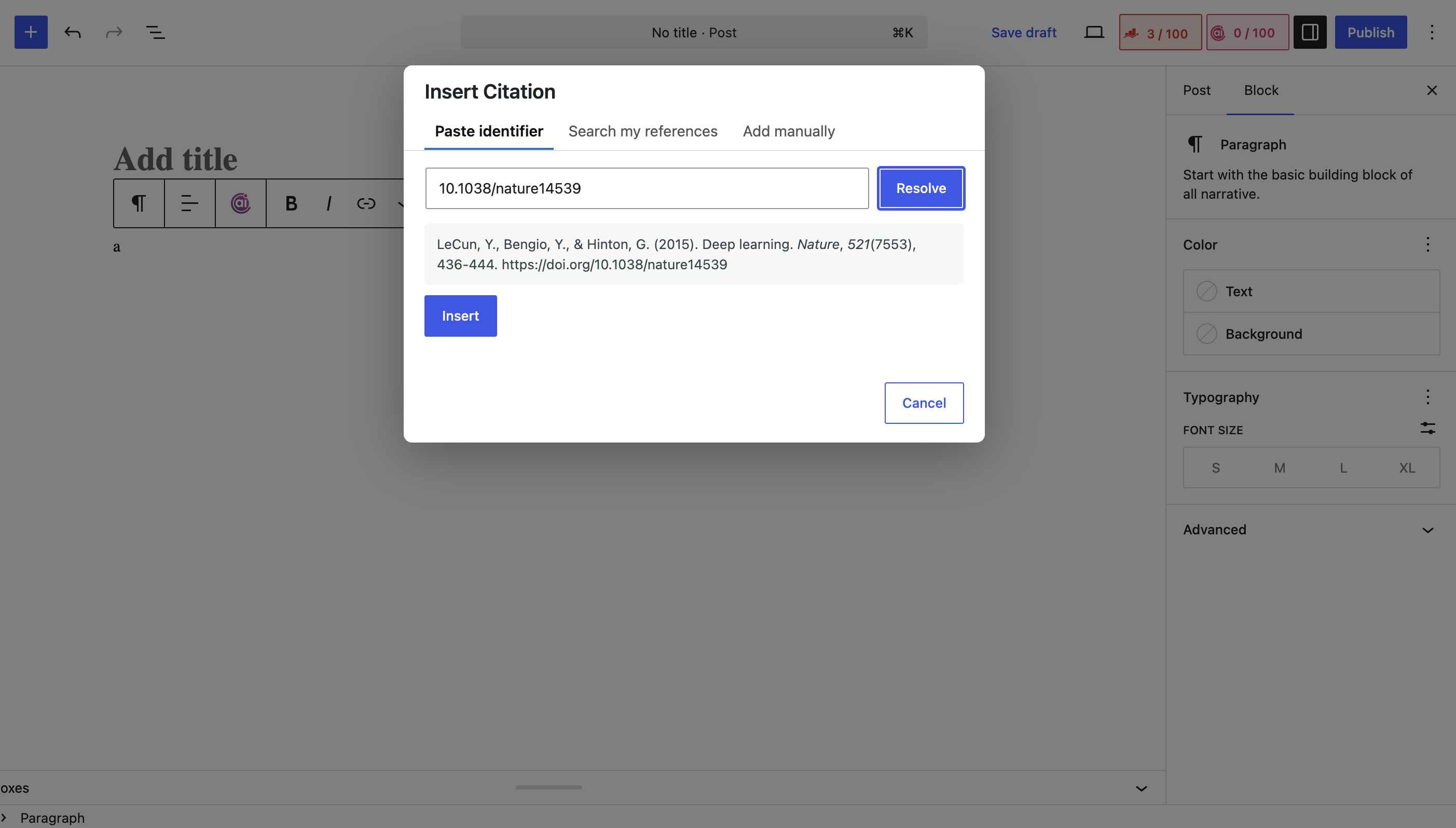
Insert citations from identifiers
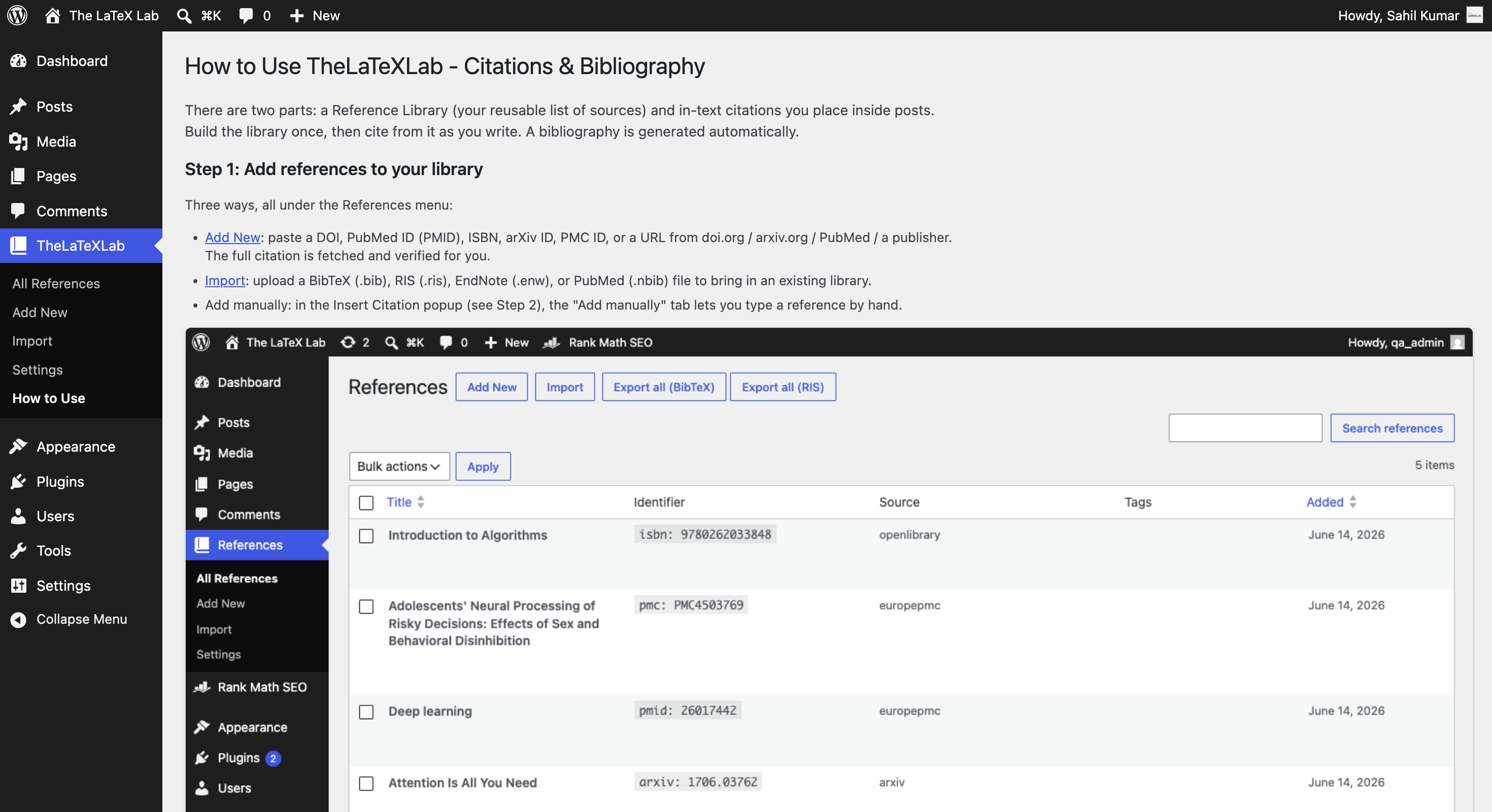
- DOI to BibTeX: paste a DOI, get the verified record from CrossRef.
- PubMed to BibTeX: paste a PubMed ID (PMID) or PMC ID.
- ISBN to BibTeX: paste an ISBN-10 or ISBN-13.
- arXiv to BibTeX: paste an arXiv ID.
- Paste a URL from doi.org, arxiv.org, PubMed, or a publisher page and the plugin extracts and verifies the identifier. A citation is produced only when it can be confidently verified against the source, never guessed.
- Import existing libraries: BibTeX (.bib) and RIS (.ris) upload.
Auto-format a bibliography
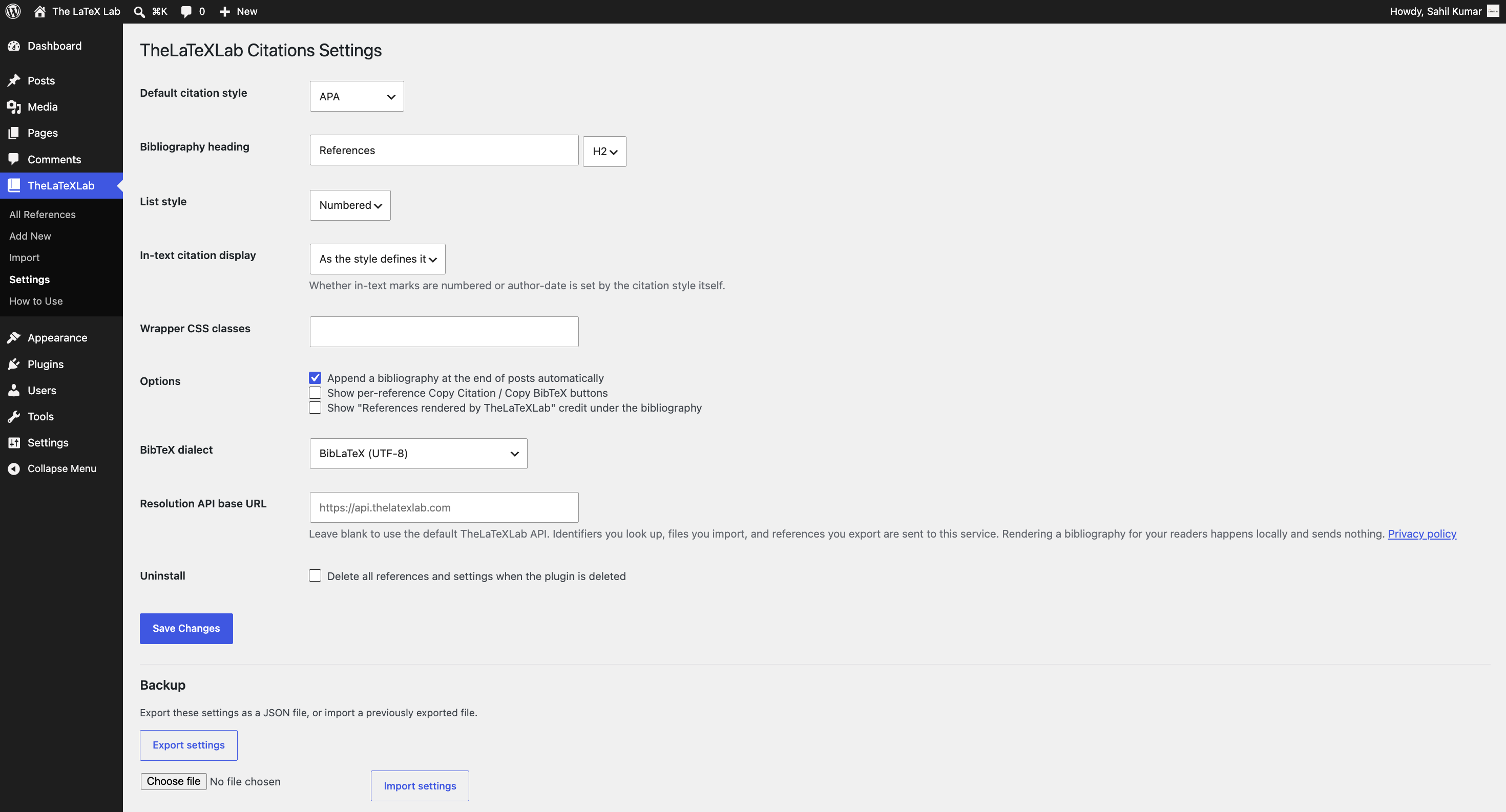
Eight citation styles: APA 7, MLA 9, Chicago 17 (author-date), Harvard, IEEE, Vancouver, Nature, AMA. Selectable per post, with a site-wide default.
Block editor and Classic Editor, both
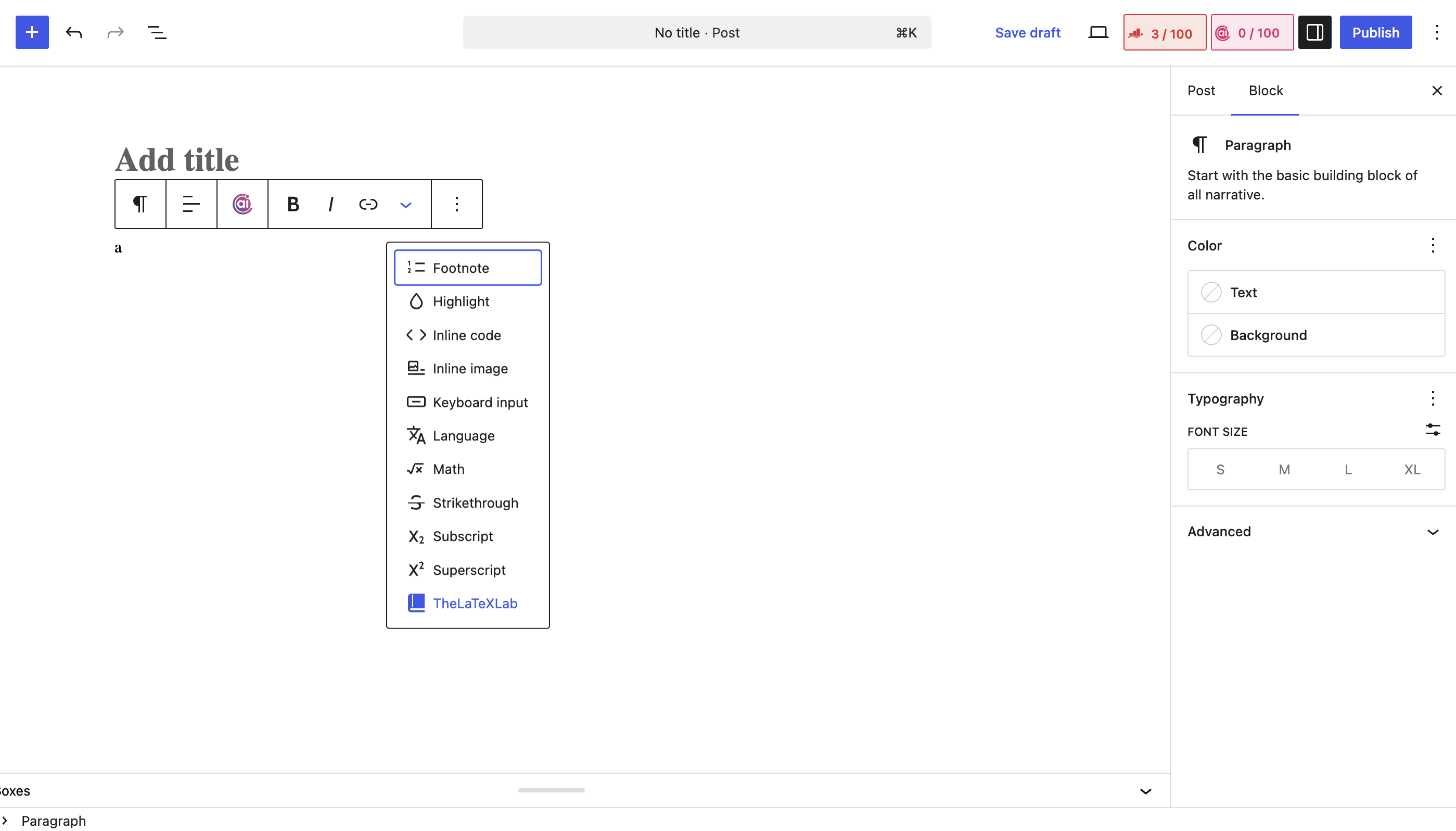
An “Insert Citation” block for Gutenberg and a toolbar button for the Classic Editor, sharing the same search-or-paste modal.
Publications page mode
A publications list block and the [thelatexlab_publications] shortcode render your references as a sortable, filterable list. Ideal for a researcher’s personal site.
Robust by design
- Citations are stored as portable JSON. Deactivate the plugin and in-text citations stay readable.
- Resolved metadata is cached for 30 days.
- Compatible with PHP 7.4+ and WordPress 6.0+.
- Built and designed for researchers who need fast, accurate academic citations in WordPress.
TheLaTeXLab – Professional Word to LaTeX & PDF to LaTeX Conversion
This plugin is built by TheLaTeXLab, a professional LaTeX typesetting service for researchers, PhD students, and academics. Beyond WordPress citations, we help authors get their manuscripts submission-ready: Word to LaTeX, PDF to LaTeX, and thesis formatting in LaTeX to exact journal and university templates.
Services externes
This plugin resolves identifiers and parses or converts reference files using TheLaTeXLab’s citation API, a service operated by TheLaTeXLab. It is required for the lookup, import, and export features. Citation formatting (the bibliography you see on the page) runs locally on your server and does not use the API.
What is sent, and when:
- When you resolve an identifier or URL (DOI, PubMed ID, ISBN, arXiv ID, PMC ID, or a URL), that identifier or URL is sent to the API to fetch the bibliographic record.
- When you import a reference file (.bib, .ris, .enw, .nbib), the contents of that file are sent to the API to be parsed into citation records.
- When you edit a reference or export to RIS, the affected reference data is sent to the API to regenerate BibTeX or RIS.
- Each request includes your site URL (for diagnostics and abuse prevention). No personal data, post content, or visitor data is sent.
- Optional email updates: only if you tick the “Get plugin updates by email” option on the plugin’s welcome screen and submit it, your email address and site URL are sent to the service and stored so TheLaTeXLab can email you occasional plugin updates. This is entirely optional, off unless you choose it, and you can unsubscribe at any time.
Nothing is sent when a page with a bibliography is viewed by your readers; rendering is local.
API endpoint: https://api.thelatexlab.com
Terms and privacy policy: https://thelatexlab.com/privacy-policy/
The API base URL is configurable in the plugin settings, so you can point it at your own deployment if you prefer.
Crédits
Bibliography formatting uses citeproc-php by Sebastian Boettger (MIT license). The bundled citation style (CSL) files come from the official Citation Style Language styles project (CC-BY-SA); the per-style author attribution is retained inside each file. One file (Chicago) has a single compatibility edit to its page-range-format value so it works with the bundled formatter.
Installation
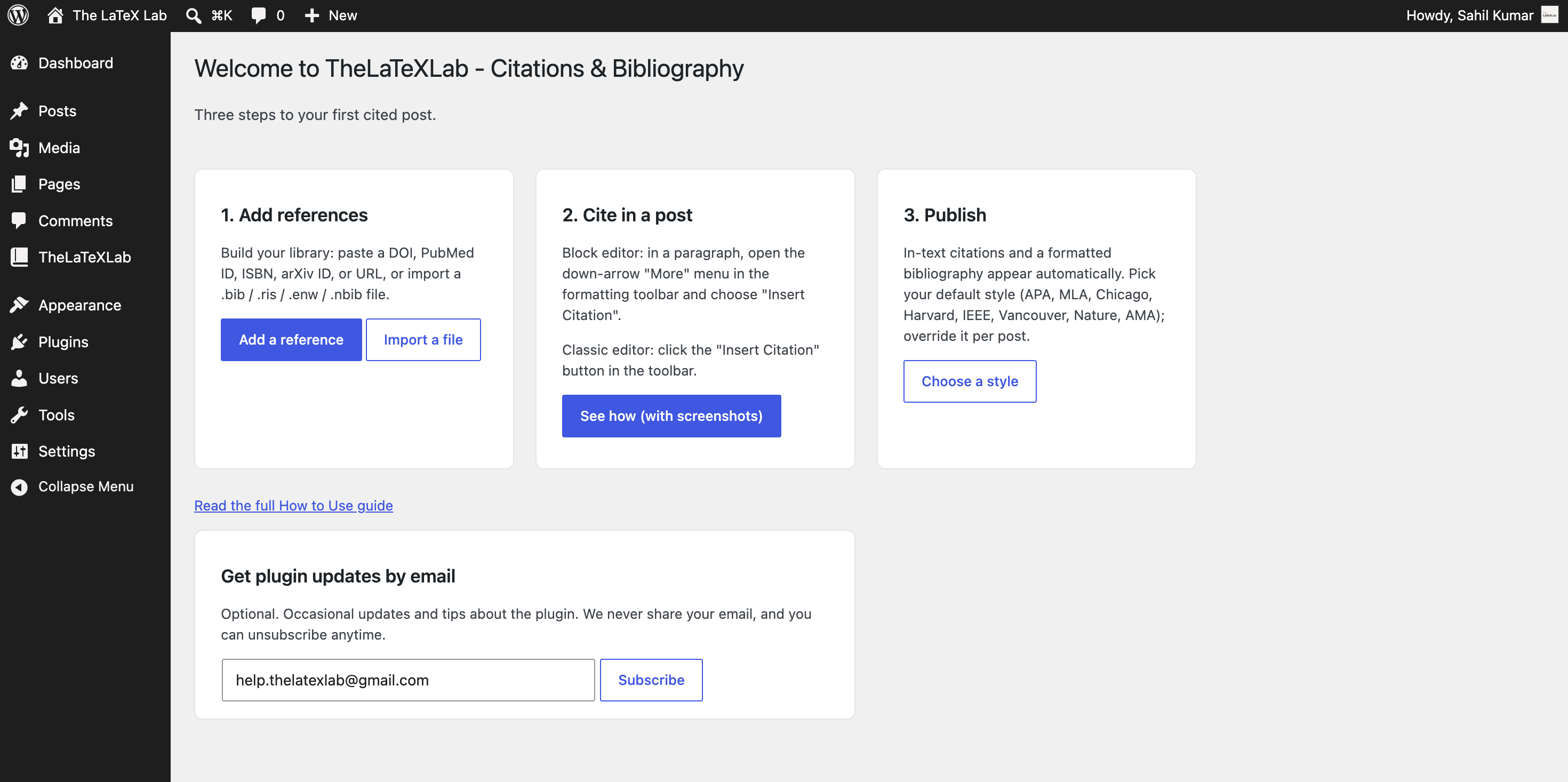
- Installez et activez le plugin.
- Open Settings to pick a default citation style.
- In the editor, use the Insert Citation block (block editor) or toolbar button (Classic Editor), paste a DOI / PubMed ID / ISBN / arXiv ID, and insert.
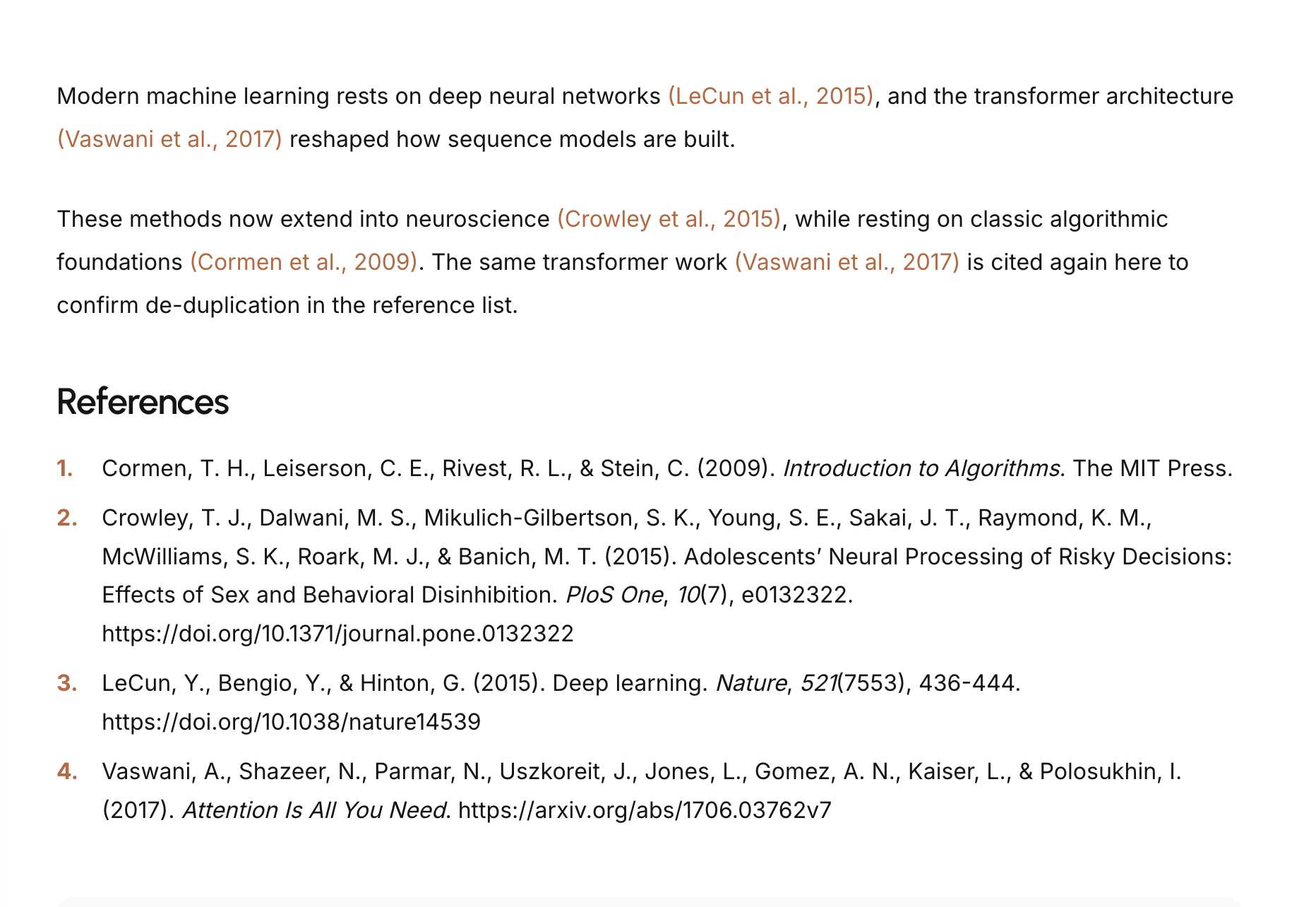
- Publish. The bibliography renders at the bottom of the post, or wherever you place the bibliography block.
For bibliography formatting, the plugin uses citeproc-php. Builds shipped to WordPress.org include it; if you install from source, run “composer install” in the plugin folder.
Journal de modifications
Ensures each scholarly work is stored only once however it was added. Existing duplicates are merged automatically on update, with all citations repointed first so no published content breaks.
1.0.1
- Fixed: citations are no longer dropped or merged on the front end when two citations were inserted right next to each other in the editor. The in-text marks could end up nested in the saved markup; they are now flattened so every citation is counted and rendered.
- Changed: the in-editor citation preview always shows author-date text (for example “(Smith, 2024)”), so the editor never displays a placeholder number. The front end still renders every citation in the post’s selected style.
- Fixed: the same scholarly work is now stored only once, no matter how it was added (DOI, PubMed ID, ISBN, arXiv ID, manual entry, or import). References are deduplicated by work identity across all of those identifiers, so a paper added by its PubMed ID and again by its DOI no longer creates two entries. On update, existing duplicates are safely merged into one canonical reference: every citation in your posts is first repointed to the canonical entry, so no published content breaks, and only then is the redundant record removed. The merge runs in the background in resumable batches, so it is safe on large libraries.
1.0.0
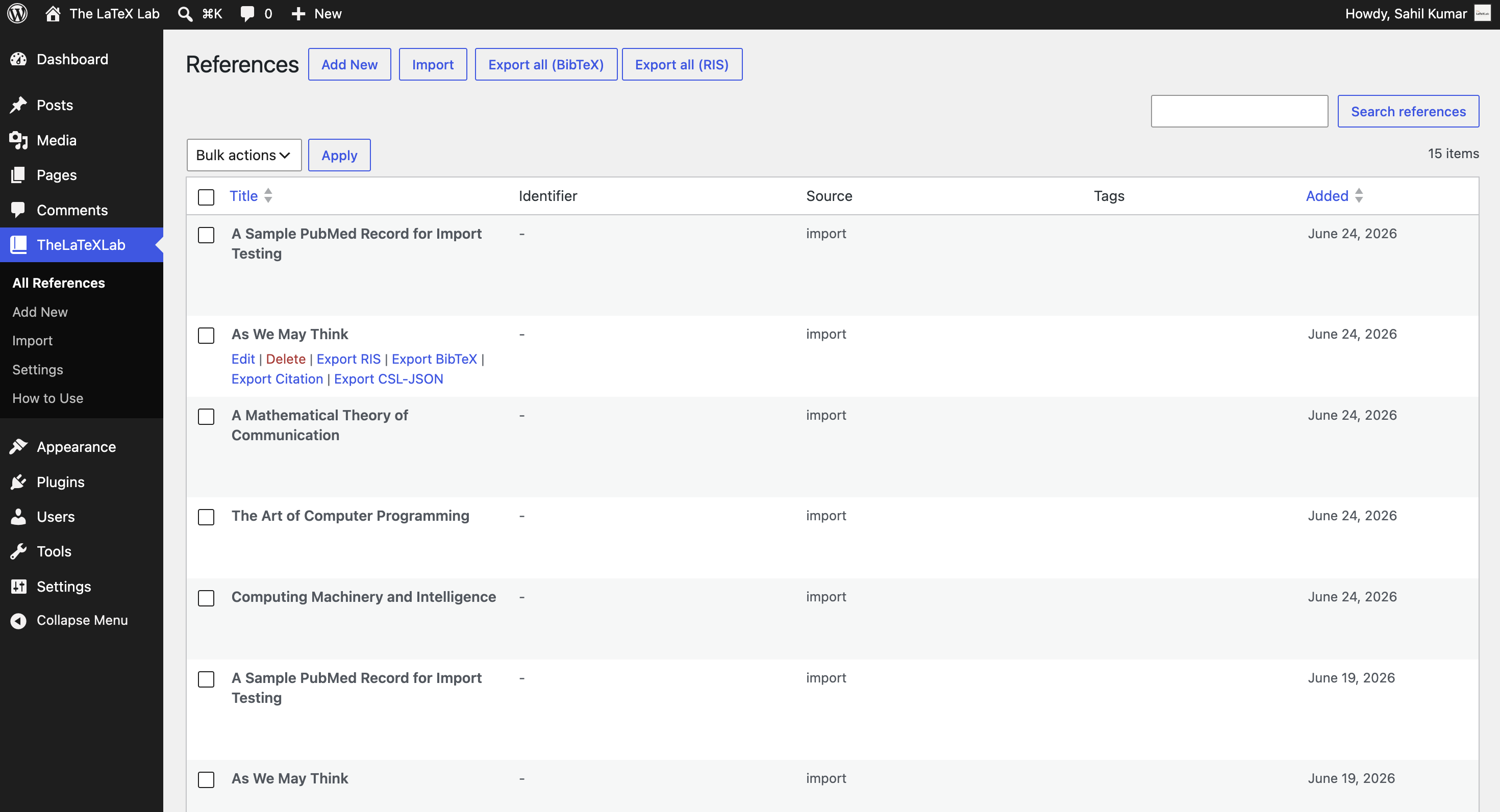
- First stable release. Identifier resolution (DOI, PubMed/PMID, ISBN, arXiv, PMC, and identifier-bearing URLs) with correctness-first verification; reference storage as a custom post type; citeproc-php bibliography rendering in 8 styles (APA, MLA, Chicago, Harvard, IEEE, Vancouver, Nature, AMA); in-text citations with graceful degradation; block editor inline format plus bibliography and publications blocks; Classic Editor toolbar button sharing the same modal; import (.bib, .ris, .enw, .nbib) and per-reference and whole-library export (BibTeX, RIS, CSL-JSON, formatted citation); reference editing with tags; per-post style; settings with JSON backup; and a References admin screen.
Captures d'écran
Pour les développeurs
Est-ce votre plugin ? Montrez les chiffres.
Ajoutez un badge en direct à votre site, docs ou github readme. Il se met à jour par lui-même - aucun compte n'est nécessaire.
Best TheLaTeXLab alternatives
All academic plugins →




FAQ
TheLaTeXLab: quick answers
Réponses directes, extraites des données en direct WordPress.org.
Source : WordPress.org
Is TheLaTeXLab free?
Yes. TheLaTeXLab is free to download and use from the official WordPress.org plugin directory.
Is TheLaTeXLab safe to use in 2026?
TheLaTeXLab works, but test it on a staging site before relying on it in 2026. It runs on 20+ sites, is rated 5/5 and was last updated 5 months ago, and scores 59/100 on our health check.
How many websites use TheLaTeXLab?
TheLaTeXLab is active on 20+ WordPress websites and has been downloaded 456 times since it launched in June 2026. It was downloaded 85 times in the last 30 days.
Does TheLaTeXLab work with WordPress 7.1?
TheLaTeXLab is officially tested up to WordPress 7.0.9, while the latest release is 7.1.5. It may still work, but try it on a staging site first.
What PHP version does TheLaTeXLab need?
TheLaTeXLab requires PHP 7.4 or higher. Most hosts run PHP 8.x today, so it works on any modern WordPress hosting.
When was TheLaTeXLab last updated?
The latest version, 1.0.1, was released on June 28, 2026 (5 months ago).
Who makes TheLaTeXLab?
TheLaTeXLab is developed and maintained by TheLaTeXLab.
What are the best alternatives to TheLaTeXLab?
The most popular alternatives to TheLaTeXLab are Student Result or Employee… (900+ installs), Educare (600+ installs) and Academic Blogger's Toolkit (300+ installs).
Propulsé par PageForge
Un modèle et une feuille de calcul. Une vraie page pour chaque recherche.
PageForge transforme chaque ligne d'un CSV en une page WordPress avec son propre titre, URL, SEO et schéma, construit sur la mise en page que vous Déjà conçu. Gratuit sur WordPress.org.
- CSV et XLSX, plus Google Sheets sur les professionnels et les entreprises
- Son propre titre, URL, SEO champs et schéma pour chaque page
- Fonctionne avec l'éditeur de blocs, Elementor, Divi et Avada
- Gratuit sur WordPress.org, pas de carte de crédit