


Tenwrite: Publish Google Docs to Any Site
Tenwrite turns finished Google Docs into clean WordPress posts with formatting, images, metadata, updates, and automations handled in one workflow.

Utiliser avec prudence
Tenwrite: Publish Google Docs t… works, but test it on a staging site before relying on it in 2026. Was last updated 4 months ago, and scores 49/100 on our health check.
- Petite base d'utilisateurs (<10 installations actives)
- Très peu de critiques jusqu'à présent
Comment s'accumule-t-il ?
Côte à côte sur les installations, les mises à jour, les évaluations et le support


Téléchargements quotidiens
Les pics de téléchargement suivent généralement une nouvelle version - chaque site qui met à jour automatiquement compte comme un téléchargement.
Classements
Where Tenwrite: Publish Google Do… stands todayWordPress.org Classements de recherche
Position en direct dans la recherche de plugins, Top 100| Mot-clé | Position |
|---|---|
| automated publishing | >100 |
| content automation | >100 |
| Flux de travail de contenu | >100 |
| google docs | >100 |
| wordpress publishing | >100 |
About Tenwrite: Publish Google Docs to Any Si…
À partir du Lisez-moi officiel · v1.0.0Description
Looking for a simpler way to publish from Google Docs to WordPress?
Tenwrite is a publishing tool for people and teams who prefer writing in Google Docs but want a faster way to publish to WordPress. Instead of copying content by hand, fixing formatting, re-uploading images, and re-entering metadata in the WordPress editor, Tenwrite helps you send finished Google Docs into WordPress through a cleaner publishing workflow.
Depending on your workflow, Tenwrite can help with:
- manual exports from Google Docs
- updating an already linked WordPress post instead of creating duplicates
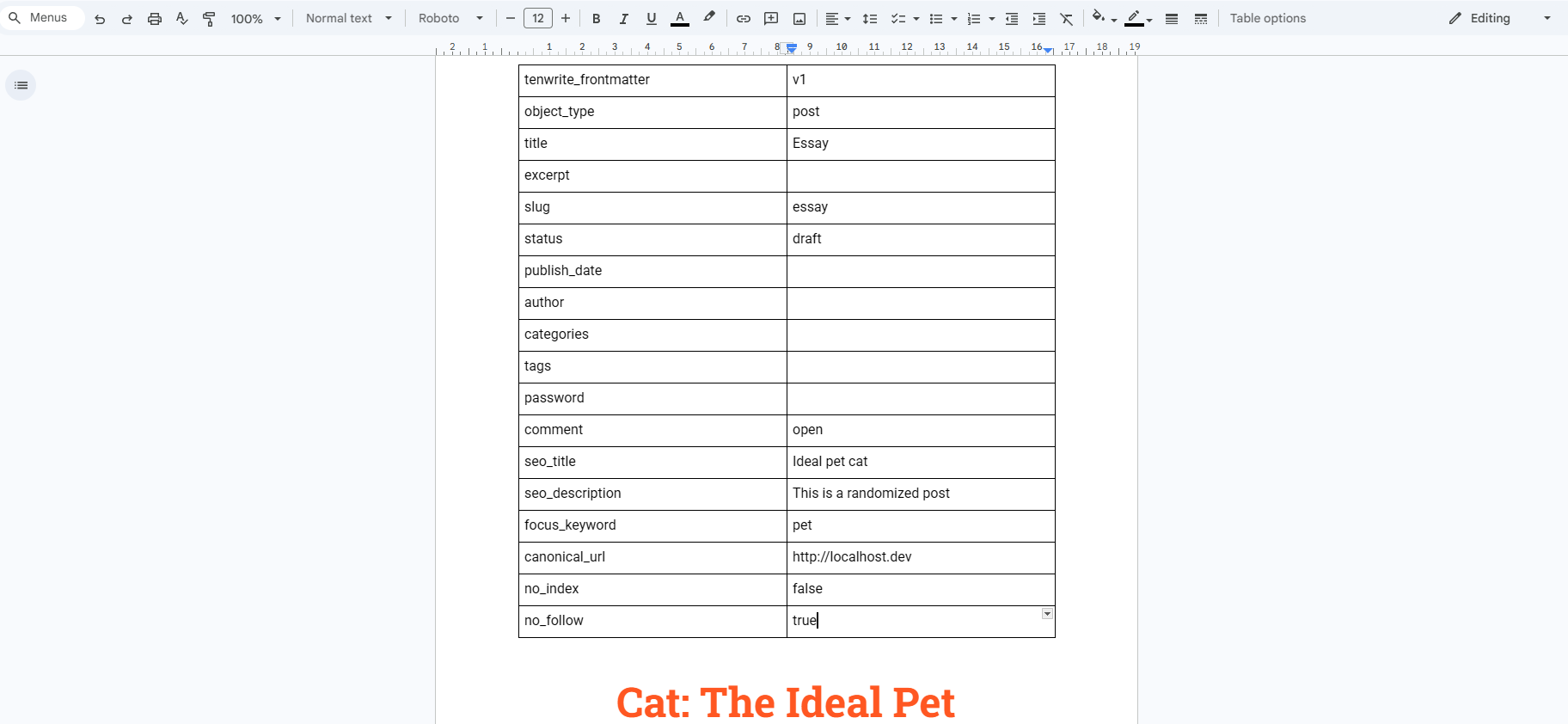
- document metadata and frontmatter support
- image handling and publishing cleanup
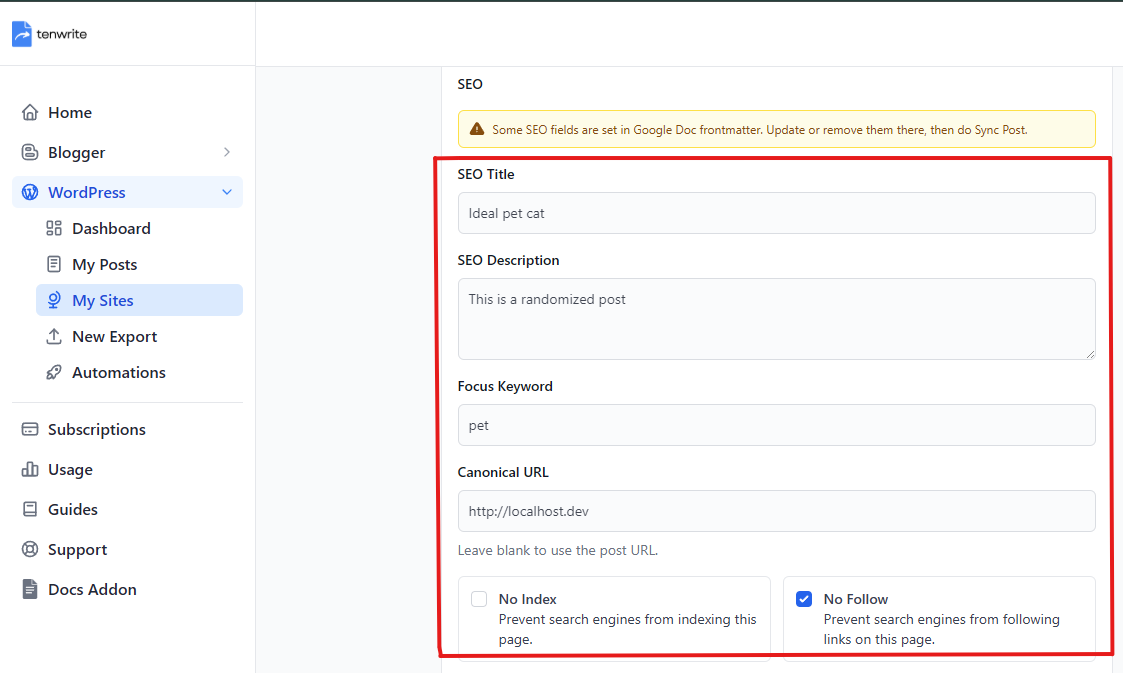
- supported SEO field syncing during export and later updates
This plugin is the WordPress side of that workflow. It connects your site to Tenwrite, stores the supported SEO payload on WordPress posts and pages, and syncs that data into supported SEO plugins when they are active.
What this plugin does
After you connect your site to Tenwrite, this plugin helps you:
- publish Google Docs content into WordPress through the Tenwrite workflow
- keep linked posts updated instead of creating duplicates
- store Tenwrite SEO data on WordPress posts and pages
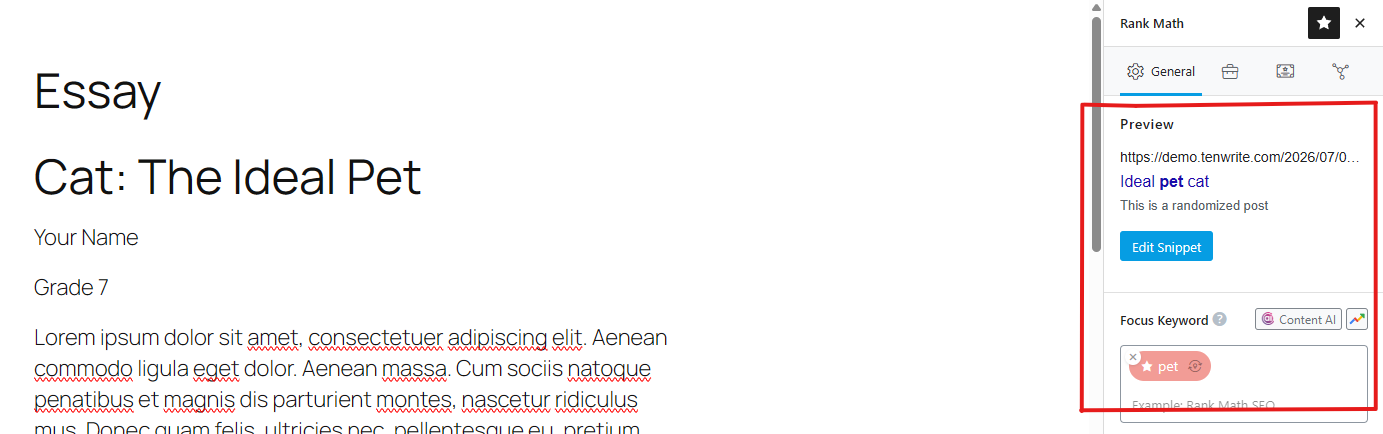
- sync supported SEO fields into Yoast SEO and Rank Math
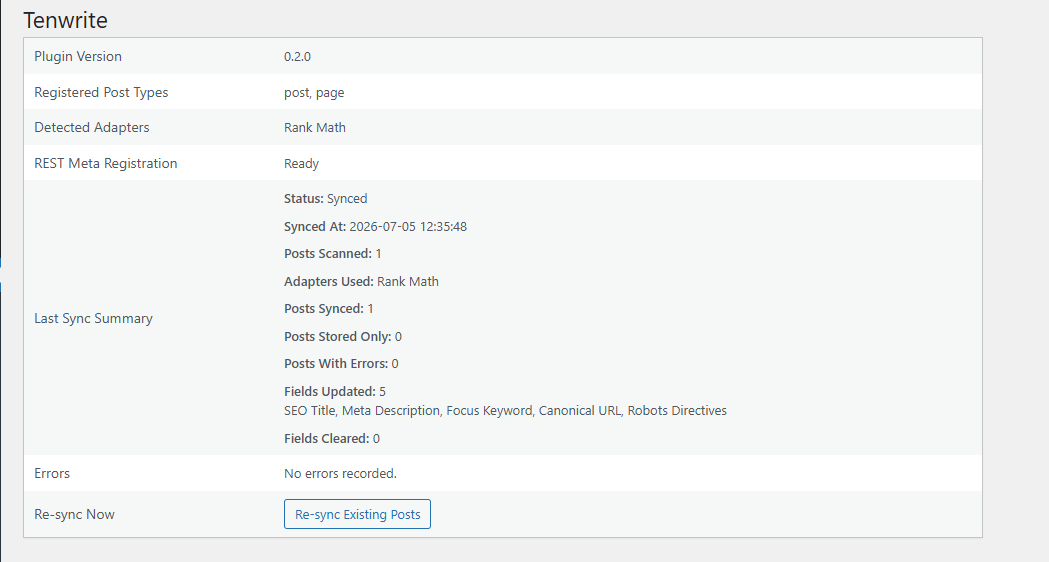
- check plugin status from a simple diagnostics screen in WordPress admin
Why site owners use it
Publishing from Google Docs to WordPress usually means extra manual work:
- cleaning up formatting after paste
- re-uploading or re-checking images
- re-entering SEO fields in WordPress
- updating an existing post by hand later
Tenwrite reduces that handoff work by keeping Google Docs as the writing surface and WordPress as the publishing destination.
Supported SEO plugin compatibility
This plugin currently syncs supported SEO fields with:
- Yoast SEO
- Rank Math
If neither plugin is active, the Tenwrite SEO data is still stored on the post so it is available for later sync.
Supported SEO fields
The current release supports:
- SEO Titre
- Méta description
- Mot-clé
- Canonical URL
- Noindex
- Nofollow
These values can be provided from:
- Tenwrite export and edit flows
- Google Docs frontmatter in supported Tenwrite flows
Le mieux pour
- bloggers who write in Google Docs and publish to WordPress
- content teams using Google Docs for reviews and approvals
- agencies managing repeat Google Docs to WordPress publishing workflows
- teams that want SEO fields to travel with the publishing workflow
Service requirement
This plugin works with the Tenwrite service and is meant for supported self-hosted WordPress sites.
Terms of Service: https://tenwrite.com/terms-of-service
Privacy Policy: https://tenwrite.com/privacy-policy
Customer reviews
Installation
- Log in to your WordPress admin area.
- Go to Plugins > Add New Plugin.
- Search for Tenwrite.
- Install and activate Tenwrite: Publish Google Docs to Any Site.
- Go to Tools > Tenwrite and confirm the diagnostics page loads.
- Connect your WordPress site inside Tenwrite.
- Start exporting posts from Google Docs through Tenwrite.
If you want SEO plugin syncing, also install and activate Yoast SEO and/or Rank Math.
Journal de modifications
1.0.0
- Première publication publique.
- Added diagnostics and supported SEO metadata syncing.
Captures d'écran

Pour les développeurs
Est-ce votre plugin ? Montrez les chiffres.
Ajoutez un badge en direct à votre site, docs ou github readme. Il se met à jour par lui-même - aucun compte n'est nécessaire.
Best Tenwrite: Publish Google Docs… alternatives
All automated publishing plugins →FAQ
Tenwrite: Publish Google Docs to An…: quick answers
Réponses directes, extraites des données en direct WordPress.org.
Source : WordPress.org
Is Tenwrite: Publish Google Docs t… free?
Yes. Tenwrite: Publish Google Docs t… is free to download and use from the official WordPress.org plugin directory.
Is Tenwrite: Publish Google Docs t… safe to use in 2026?
Tenwrite: Publish Google Docs t… works, but test it on a staging site before relying on it in 2026. Was last updated 4 months ago, and scores 49/100 on our health check.
How many websites use Tenwrite: Publish Google Docs t…?
Tenwrite: Publish Google Docs t… is active on <10 WordPress websites and has been downloaded 252 times since it launched in July 2026. It was downloaded 53 times in the last 30 days.
Does Tenwrite: Publish Google Docs t… work with WordPress 7.1?
Tenwrite: Publish Google Docs t… is officially tested up to WordPress 7.0.9, while the latest release is 7.1.5. It may still work, but try it on a staging site first.
What PHP version does Tenwrite: Publish Google Docs t… need?
Tenwrite: Publish Google Docs t… requires PHP 7.4 or higher. Most hosts run PHP 8.x today, so it works on any modern WordPress hosting.
When was Tenwrite: Publish Google Docs t… last updated?
The latest version, 1.0.0, was released on July 17, 2026 (4 months ago).
Who makes Tenwrite: Publish Google Docs t…?
Tenwrite: Publish Google Docs t… is developed and maintained by tenwrite.
What are the best alternatives to Tenwrite: Publish Google Docs t…?
The most popular alternatives to Tenwrite: Publish Google Docs t… are Docswrite (100+ installs), wiasano (20+ installs) and AI Entries (10+ installs).
Propulsé par PageForge
Un modèle et une feuille de calcul. Une vraie page pour chaque recherche.
PageForge transforme chaque ligne d'un CSV en une page WordPress avec son propre titre, URL, SEO et schéma, construit sur la mise en page que vous Déjà conçu. Gratuit sur WordPress.org.
- CSV et XLSX, plus Google Sheets sur les professionnels et les entreprises
- Son propre titre, URL, SEO champs et schéma pour chaque page
- Fonctionne avec l'éditeur de blocs, Elementor, Divi et Avada
- Gratuit sur WordPress.org, pas de carte de crédit