


Tableberg – Simple Gutenberg Table Block
Table Block For the Block Editor. Craft Beautiful Tables With Ease.

Choix solide
Tableberg is a solid plugin choice in 2026, with a few things worth checking first. It runs on 4K+ sites, is rated 4.8/5 and was last updated 3 weeks ago, and scores 77/100 on our health check.
- Loved by users — 4.8/5 from 46 reviews
- Développé activement — Dernière mise à jour il y a 3 semaines
- Testé avec le dernier WordPress (7.1)
- Momentum — downloads up 24.8% vs the previous 30 days
Comment s'accumule-t-il ?
Côte à côte sur les installations, les mises à jour, les évaluations et le support



Téléchargements quotidiens
Les pics de téléchargement suivent généralement une nouvelle version - chaque site qui met à jour automatiquement compte comme un téléchargement.
Classements
Where Tableberg stands todayWordPress.org Classements de recherche
Position en direct dans la recherche de plugins, Top 100| Mot-clé | Position |
|---|---|
| Affilié Amazon | #23 |
| Comparison Tables | #17 |
| data visualization | #9 |
| responsive table | #24 |
| table | #39 |
Adoption de version
Part de sites actifs par version.
Répartition des notes
★★★★★★★★★★ 4.8 from 46 reviews
About Tableberg – Simple Gutenberg Table Block
À partir du Lisez-moi officiel · v1.2.1Description
The “Table Block by Tableberg” plugin for WordPress simplifies creating and managing tables within the block editor. It features intuitive sub-blocks, allowing users to add and customize tables easily.
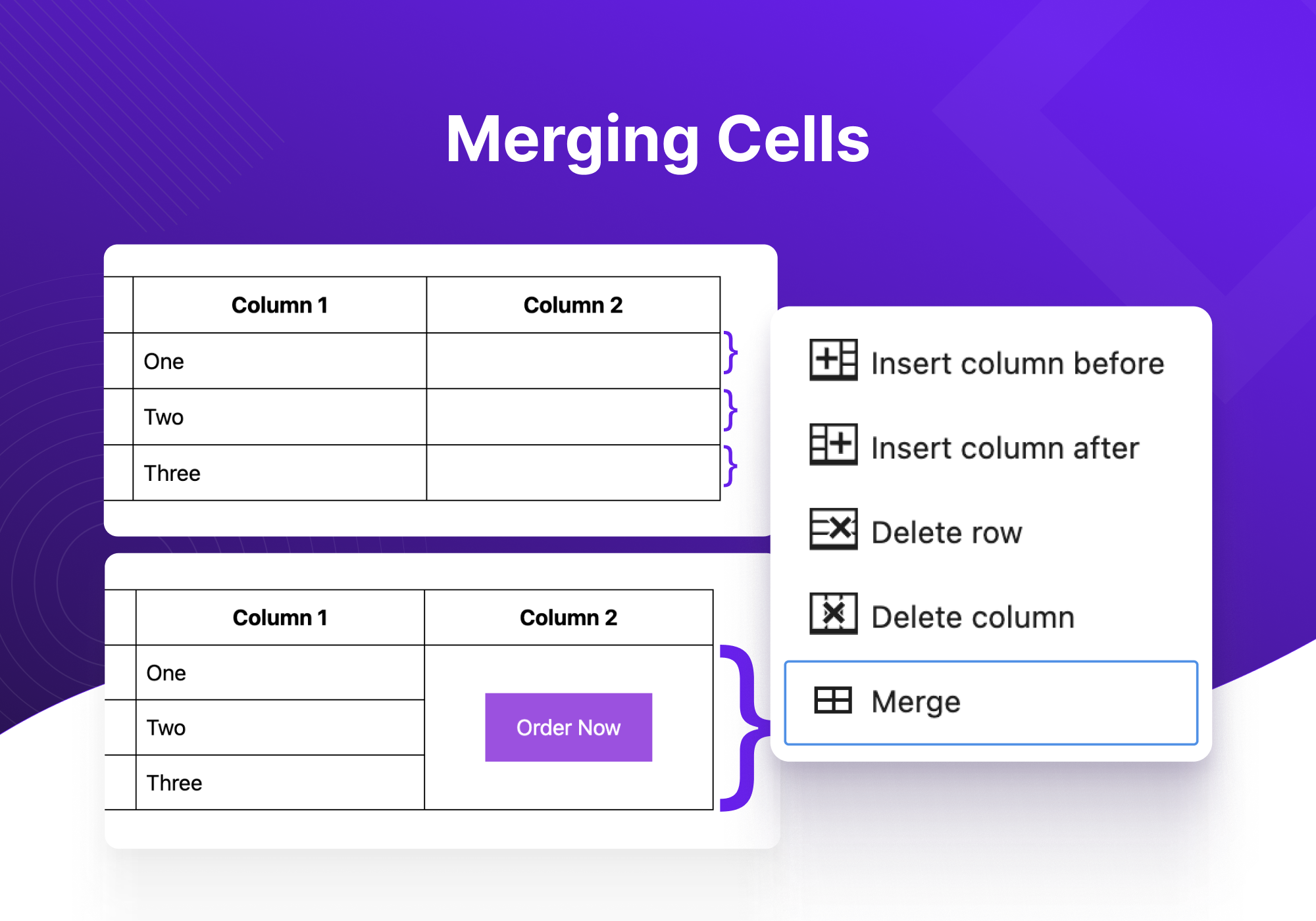
From pricing tables to product tables, you can build any type of tables using Tableberg. The plugin is designed for both novices and experienced users. It offers advanced functionalities like responsive controls, alignment adjustments, and cell merging, ensuring that tables look great on all devices without the need for coding skills.
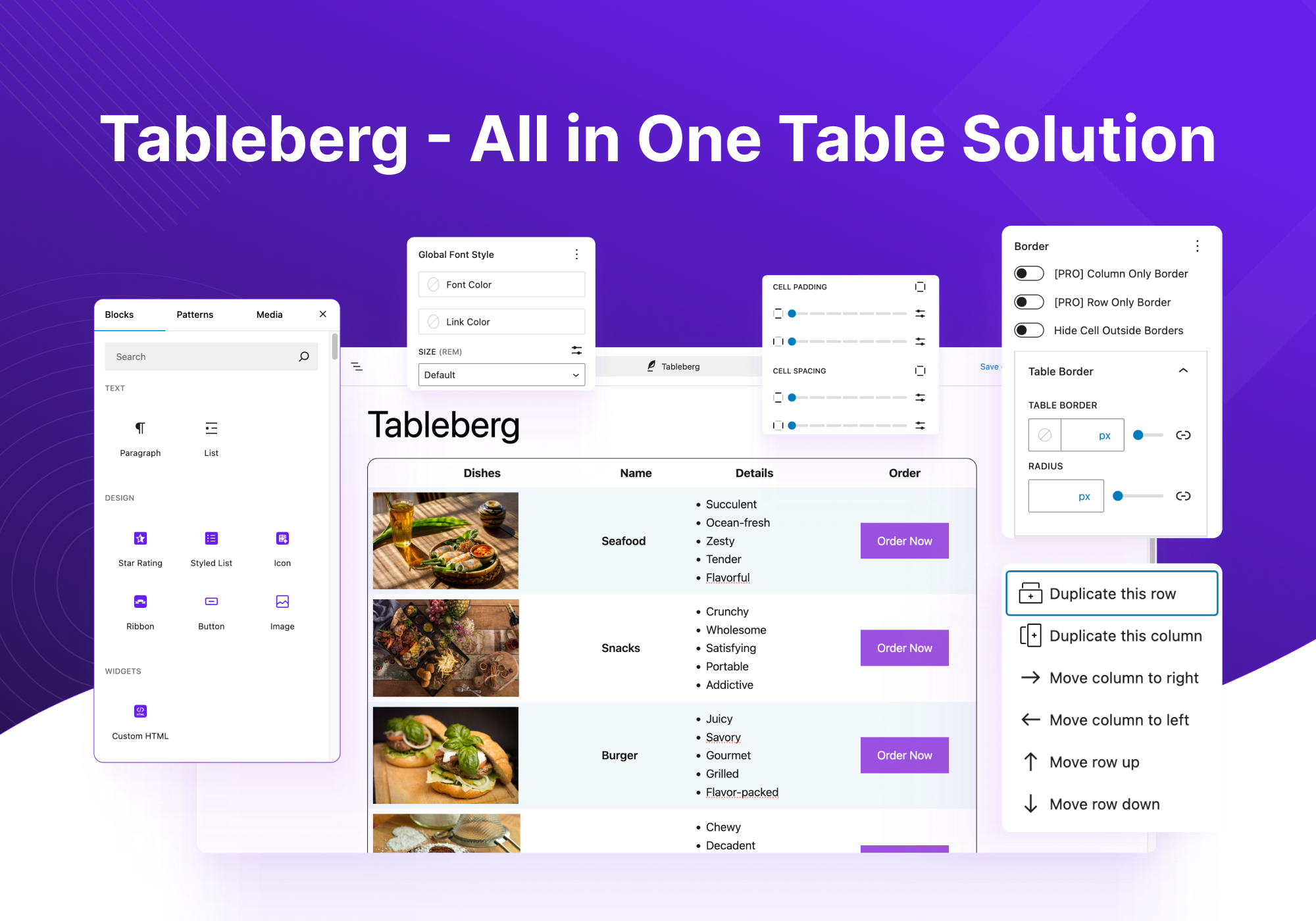
It comes with the following easy-to-use sub-blocks:
- Paragraph: Allows for simple text entries within a table cell.
- List: Facilitates the addition of organized lists to enhance clarity.
- Button: Enables the insertion of clickable buttons for calls to action.
- Image: Supports adding images directly into the table cells.
- Star Rating (Pro): Provides an option to include interactive star ratings.
- Styled List (Pro): Offers lists with additional styling options.
- Icon (Pro): Allows for the integration of icons to visually represent concepts or actions.
- Ribbon (Pro): Adds decorative ribbons for highlighting special information.
- Custom HTML (Pro): Enables the use of HTML for complex customizations.
And here are the key features of the Tableberg plugin:
- Header Settings: Options to disable the header, designate the top row as header, or insert a new header.
- Footer Settings: Similar to header settings, with options for the footer including disable, designate, or insert.
- Table Width & Alignment: Adjust the overall table width and its alignment on the page.
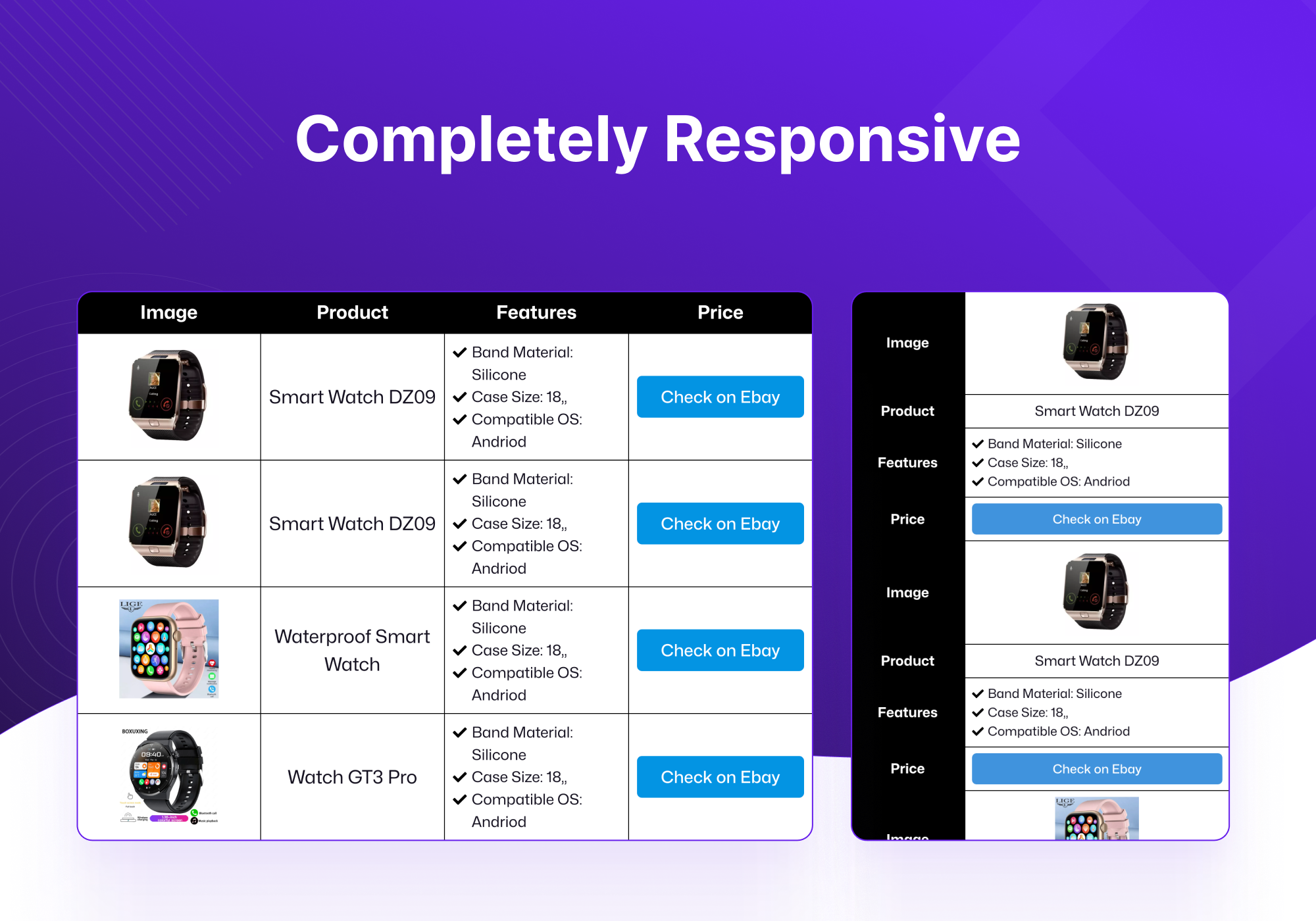
- Responsive Settings: Ensures the table adapts to different device screens (Desktop, Tablet, Mobile) for optimal display.
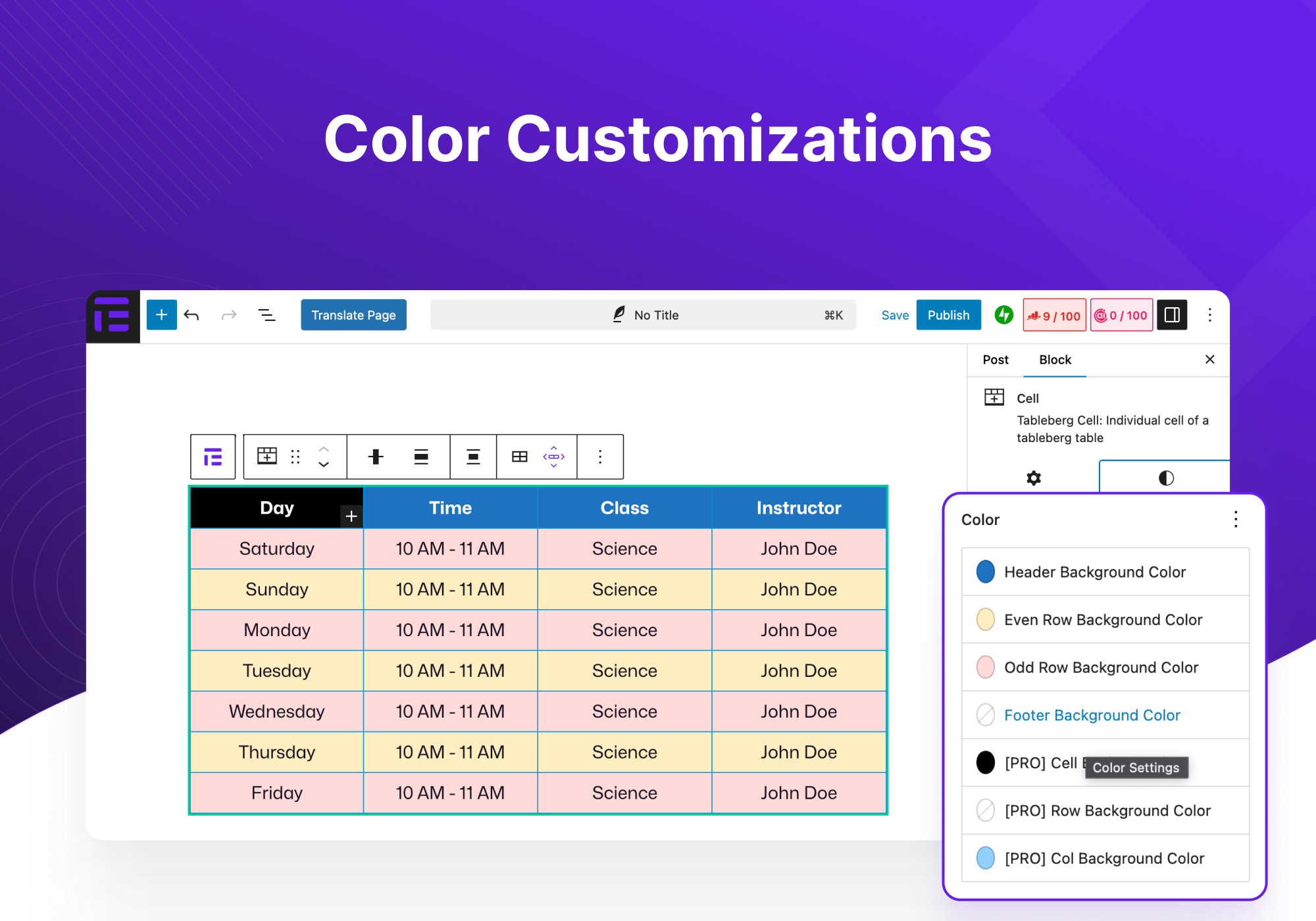
- Color Customizations: Change colors for the header, footer, even and odd rows for better visual hierarchy.
- Cell Padding & Cell Spacing: Customize the space within and between cells to improve readability.
- Border Options: Set the table border size, color, and decide whether to include inner borders with customization.
- Global Font Style: Control the font color, link color, and font size across the entire table.
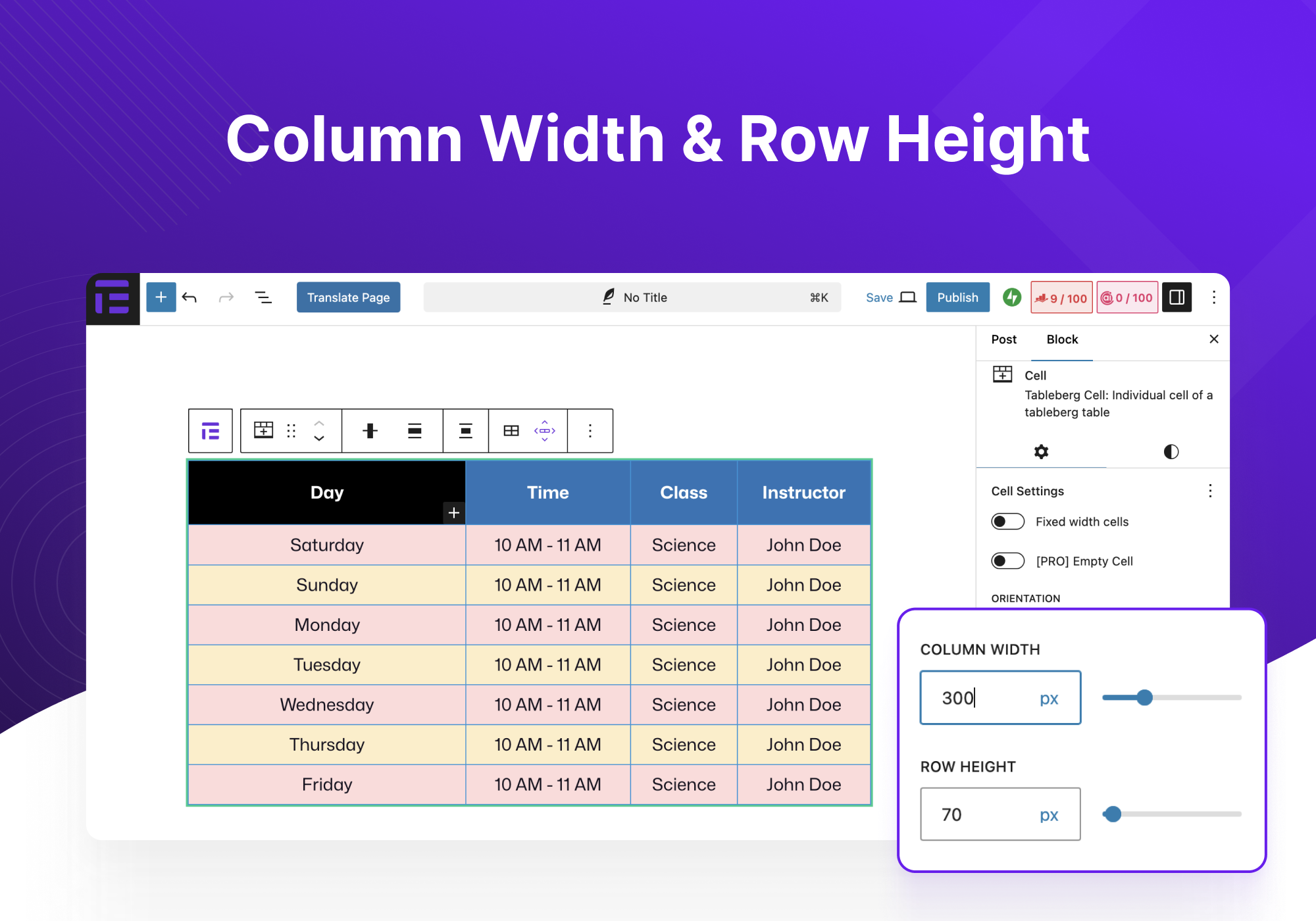
- Column Width & Row Height: Adjust the size of columns and rows to fit content or aesthetic preferences.
- Customizations for Each Block: Detailed settings for each type of block inserted into the table.
Now let’s see some of the use cases of the Tableberg plugin:
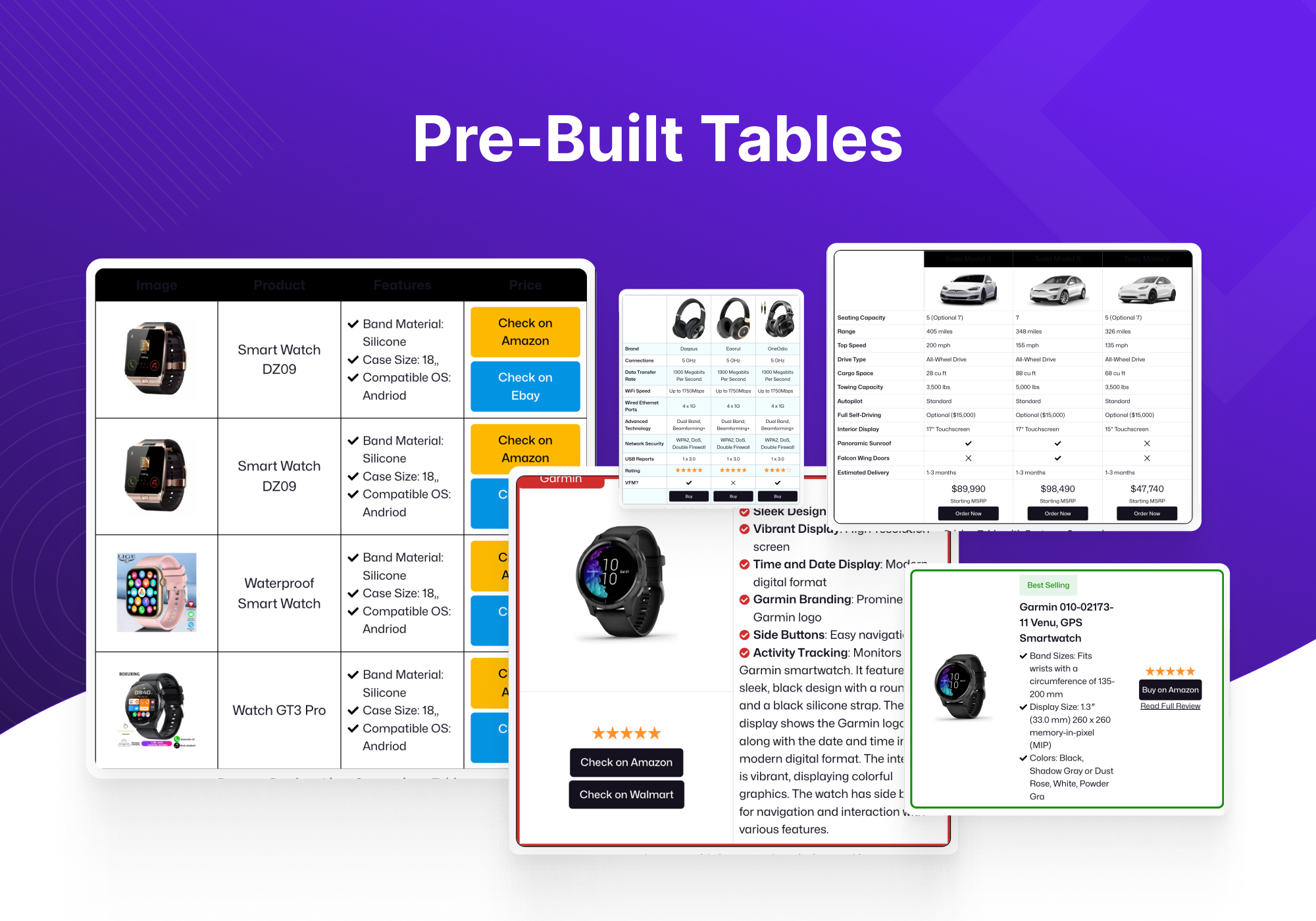
- Pricing Tables: Ideal for displaying different pricing tiers with clear comparisons of features and costs.
- Comparison Tables: Compare products, services, or options side by side to aid decision-making.
- Amazon Product Tables: Showcase Amazon products effectively, enhancing affiliate marketing efforts.
- Pros & Cons Table: Clearly list the advantages and disadvantages of any item, helping readers make informed choices.
- Team Members Table: Display team member information such as roles, bios, and contact info in an organized manner.
- Schedule Tables: Perfect for laying out event schedules, class times, or appointment slots.
- Restaurant Menu Tables: List menu items along with descriptions and prices in an attractive, easy-to-read format.
- More: The plugin’s flexibility supports a wide range of other applications tailored to specific needs.
Code source
The full, human-readable source code ships with the plugin next to the compiled files. To build it, run npm install, then npm run build for the block editor and npm run build:admin for the settings dashboard.
If you have any suggestions or have faced any issues, contact us here. You can also follow Tableberg on Twitter.
Installation
- Upload the plugin zip file via the plugin page of WordPress by clicking \’Add New\’ and selecting the zip from your local computer.
- Activate the plugins through the Plugins menu in WordPress.
Journal de modifications
1.2.1
- PRO: FIX: Row colours, height and borders stay on the rows in the editor while a table is sorted or searched
- IMPROVE: Tablet and mobile previews in the editor show the real table, so every cell and element can be selected and edited with its settings, in scroll and stack mode alike
- IMPROVE: Updated Freemius SDK to the latest version
1.2.0
- NEW: The table’s typography moved to the Styles tab as a full Typography panel: font, size, appearance, line height, letter case, letter spacing and decoration
- NEW: Fill and Outline styles for the Button element, like the core Buttons block
- NEW: Copy Styles and Paste Styles for the Button element
- NEW: Wide and full table width, straight from the toolbar alongside the alignments
- NEW: Show First Column in Every Stack Row is now in the free version
- PRO: NEW: Row Text Color, which everything in the row inherits
- PRO: NEW: Ribbon text and background colours, in the Styles tab with the other colours
- PRO: NEW: Row and column border radius, next to their border controls
- PRO: NEW: Move a column left or right from the Edit Table menu; rows move with the editor’s own movers
- FIX: Links in a table keep the site’s own link colour until one is picked for them
- FIX: Stacked cells keep the gap between columns in responsive stack mode
- FIX: The search box icon no longer overlaps the text beside it
- PRO: FIX: The Icon element’s alignment now applies in the editor
- PRO: FIX: A new Styled List starts with its check icon in the editor, the way it already rendered on the site
- PRO: FIX: The star rating’s review text alignment works now, with the text under the stars as on the site
- IMPROVE: Every colour and border picker offers the theme, default and custom palettes
- IMPROVE: A new table takes its font size from the theme and its cell border colour from the text colour, matching the core Table block
1.1.5
- FIX: Large images no longer stretch table columns out of shape in the editor
- FIX: The Equal width columns option now appears for newly created tables
1.1.4
- NEW: Added a Block Spacing control for individual cells
- NEW: Added Copy and Paste Styles actions to the Text block
- PRO: NEW: Added Row Only and Column Only table border modes
- FIX: Table border radius now preserves clean rounded outer corners
- FIX: Header, footer, even and odd row background colors remain visible in responsive previews
- FIX: Pro-only attributes remain preserved without enabling Pro features when Pro is inactive
- FIX: Cell plus inserter now opens the Gutenberg block inserter instead of directly adding a Text block
- PRO: FIX: Row-only and column-only modes no longer add an unintended outside border
- FIX: Prevented rounded tables from duplicating cell borders on the outer wrapper
- PRO: FIX: Sticky First Column now remains anchored while scrolling horizontally
- IMPROVE: Pro elements now use standard Gutenberg block registration for more reliable editor integration
- IMPROVE: Strengthened CSS generation and renderer attribute handling
1.1.3
- FIX: Even/Odd/Header/Footer row background colors apply again without Pro active
- FIX: An Image element with “Enlarge on click” enabled no longer crashes the page
- FIX: Activating Pro no longer shows a duplicated deactivation dialog or gets stuck
- IMPROVE: Updated the bundled Freemius licensing SDK
1.1.2
- PRO: NEW: Empty Cell — hide a cell’s content on the live site while keeping it visible in the editor for you to edit
- PRO: NEW: Border controls for rows, columns and individual cells, in the Styles tab
- PRO: NEW: Background color controls for rows and columns
- PRO: FIX: A row’s own background color no longer gets overridden by the table’s default color
- PRO: FIX: Column border now outlines the column as a whole, instead of also adding a border between cells inside it
- FIX: Removed PHP notices and deprecation warnings shown on newer PHP versions (8.2+)
- IMPROVE: Internal code improvements between the free and Pro plugins for better performance and maintainability
Captures d'écran
Pour les développeurs
Est-ce votre plugin ? Montrez les chiffres.
Ajoutez un badge en direct à votre site, docs ou github readme. Il se met à jour par lui-même - aucun compte n'est nécessaire.
Best Tableberg alternatives
All amazon affiliate plugins →





FAQ
Tableberg: quick answers
Réponses directes, extraites des données en direct WordPress.org.
Source : WordPress.org
Is Tableberg free?
Yes. Tableberg is free to download and use from the official WordPress.org plugin directory.
Is Tableberg safe to use in 2026?
Tableberg is a solid plugin choice in 2026, with a few things worth checking first. It runs on 4K+ sites, is rated 4.8/5 and was last updated 3 weeks ago, and scores 77/100 on our health check.
How many websites use Tableberg?
Tableberg is active on 4K+ WordPress websites and has been downloaded 71,791 times since it launched in December 2023. It was downloaded 5,319 times in the last 30 days.
Does Tableberg work with WordPress 7.1?
Yes. The developer has tested Tableberg up to WordPress 7.1.5, the latest release. It requires WordPress 6.1 or newer.
What PHP version does Tableberg need?
Tableberg requires PHP 7.0 or higher. Most hosts run PHP 8.x today, so it works on any modern WordPress hosting.
When was Tableberg last updated?
The latest version, 1.2.1, was released on November 8, 2026 (3 weeks ago).
Who makes Tableberg?
Tableberg is developed and maintained by Imtiaz Rayhan.
What are the best alternatives to Tableberg?
The most popular alternatives to Tableberg are AffiliateX (9K+ installs), Lasso Lite (4K+ installs) and Amazing Affiliates (500+ installs).
Propulsé par PageForge
Un modèle et une feuille de calcul. Une vraie page pour chaque recherche.
PageForge transforme chaque ligne d'un CSV en une page WordPress avec son propre titre, URL, SEO et schéma, construit sur la mise en page que vous Déjà conçu. Gratuit sur WordPress.org.
- CSV et XLSX, plus Google Sheets sur les professionnels et les entreprises
- Son propre titre, URL, SEO champs et schéma pour chaque page
- Fonctionne avec l'éditeur de blocs, Elementor, Divi et Avada
- Gratuit sur WordPress.org, pas de carte de crédit