


Stripe Payment Forms by WP Simple Pay – Accept Credit Card Payments + Subscriptions with Stripe

Choix
Yes — Stripe Payment Forms by WP Simp… is a safe, well-maintained plugin to use in 2026. It runs on 9K+ sites, is rated 4.4/5 and was last updated 2 weeks ago, and scores 90/100 on our health check.
- Développé activement — Dernière mise à jour il y a 2 semaines
- Testé avec le dernier WordPress (7.1)
- Momentum — downloads up 32.7% vs the previous 30 days
Comment s'accumule-t-il ?
Côte à côte sur les installations, les mises à jour, les évaluations et le support



Téléchargements quotidiens
Les pics de téléchargement suivent généralement une nouvelle version - chaque site qui met à jour automatiquement compte comme un téléchargement.
Classements
Where Stripe Payment Forms by WP… stands todayWordPress.org Classements de recherche
Position en direct dans la recherche de plugins, Top 100| Mot-clé | Position |
|---|---|
| credit card payments | #7 |
| bande | #7 |
| stripe checkout | #4 |
| stripe gateway | #6 |
| stripe payments | #9 |
Adoption de version
Part de sites actifs par version.
Répartition des notes
★★★★★★★★★★ 4.4 from 117 reviews
About Stripe Payment Forms by WP Simple Pay
From the official readme · v4.17.7Description
🤩 Accept Stripe payments and recurring subscriptions on your WordPress using WP Simple Pay, the best Stripe payments plugin! 🚀
The Best Stripe Payment Forms and Subscription Plugin for WordPress
WP Simple Pay is the best Stripe payment forms and subscription plugin for WordPress that helps you quickly accept credit card payments, recurring subscriptions, Apple Pay, iDEAL, and other payment types on your WordPress site.
WP Simple Pay is a standalone Stripe payments plugin that connects Stripe with WordPress. You don’t need a complicated store setup or even need to use an ecommerce platform like WooCommerce. In just a few steps, you can be up and running in no time. Simply create a payment form and start accepting credit cards and other payment types with Stripe on your WordPress site.
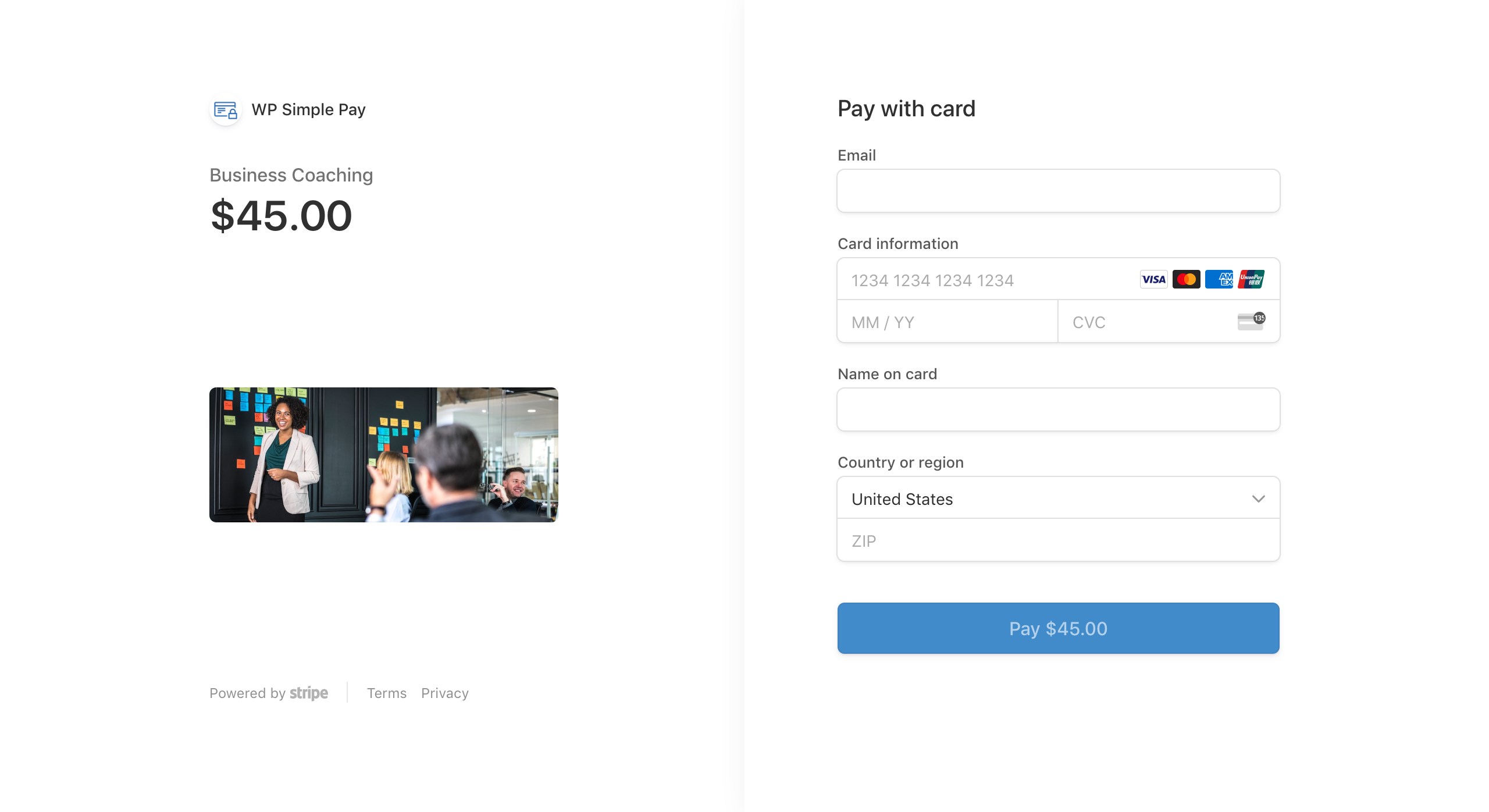
Stripe Checkout is a drop-in payment flow optimized for the highest conversion. It’s built for desktop, tablet, and mobile devices. It’s continuously tested and updated to offer a frictionless credit card payment experience. It’s also PCI DSS compliant and SCA-ready without any changes to your website.
✨ Stripe Checkout Payment Processing Features
- Integration with Stripe Checkout hosted payment forms
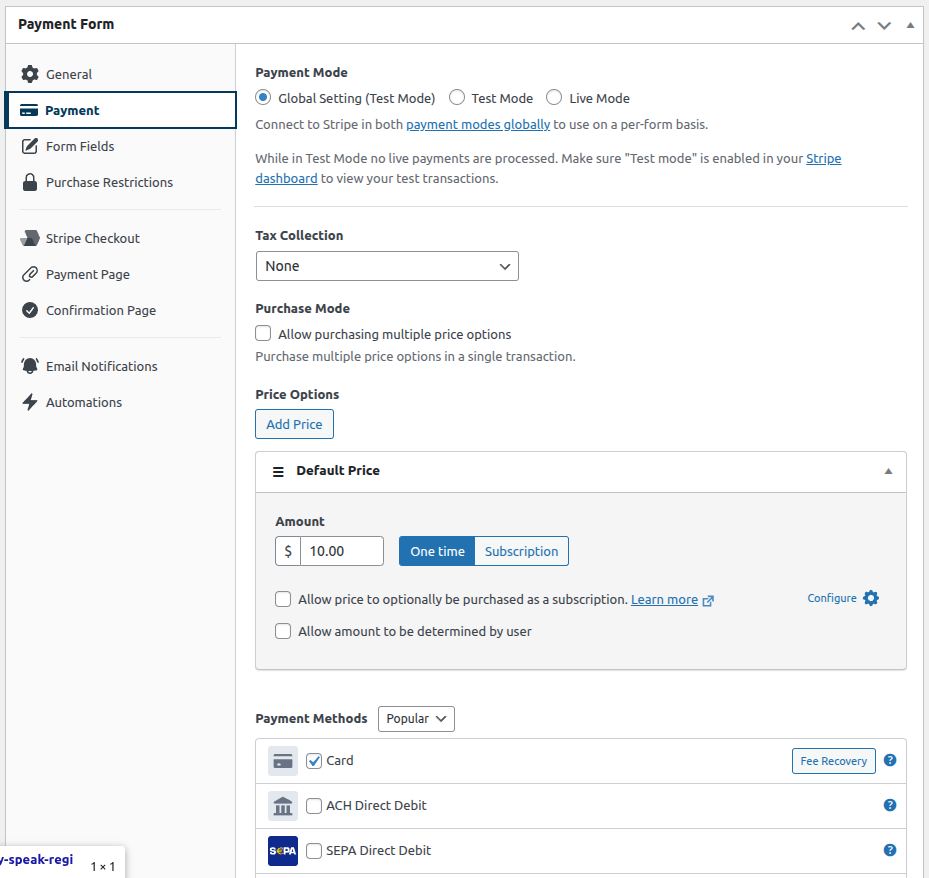
- Accept credit and debit cards (Visa, Mastercard, American Express, Discover and Diners, and more) from global customers
- Accept Alipay & WeChat Pay payments in Stripe from customers in China
- Accept BECS Direct Debit payments in Stripe from customers in Australia
- Accept BLIK payments in Stripe from customers in Poland
- Accept FPX payments in Stripe from customers in Malaysia
- Accept Giropay payments in Stripe from customers in Germany
- Accept iDEAL payments in Stripe from customers in The Netherlands
- Accept MobilePay payments in Stripe from customers in Denmark and Finland
- Accept PIX payments in Stripe from customers in Brazil
- Accept Przelewy24 (P24) in Stripe payments from customers in Poland
- Accept PromptPay payments in Stripe from customers in Thailand
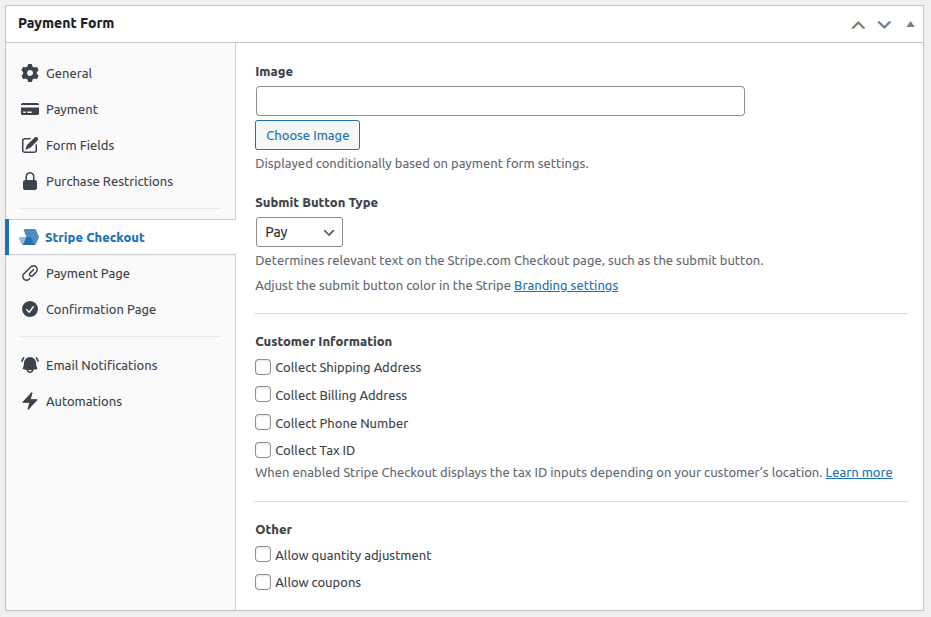
- Custom branding on Stripe Checkout payment forms
- Collect customer billing & shipping addresses in Stripe
- Collect additional custom fields in Stripe Checkout
- Support for 30+ languages, 45+ countries, and 135+ currencies
- PCI compliant & SCA-ready payment forms for secure payments
- “Secure payment via Stripe” trust badge below every payment button
- Optimized Checkout lets Stripe choose and order the best payment methods for each customer
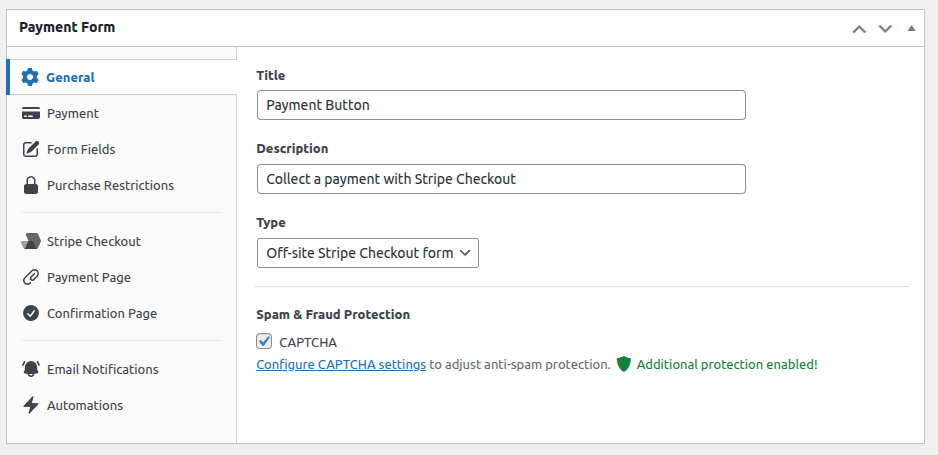
- Smart fraud protection & spam prevention with Stripe Radar
- AffiliateWP integration
- Page builder integrations (Divi, Elementor)
- Developer-friendly for building custom integrations
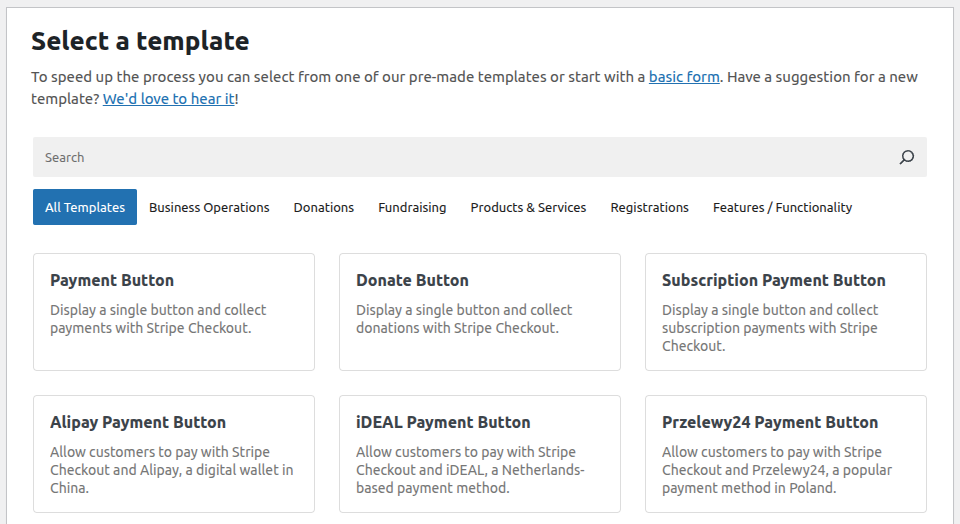
- Pre-made payment form templates
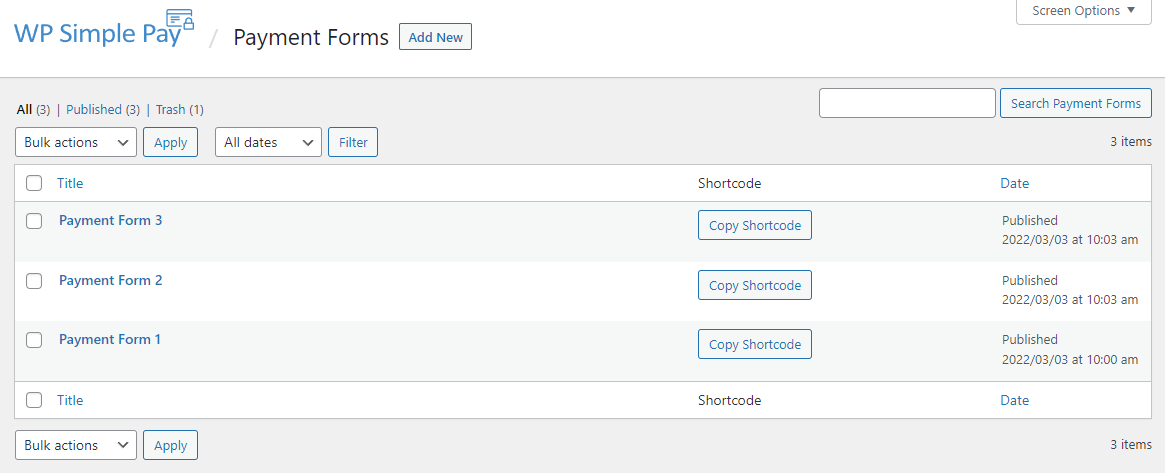
- Browse, search, filter, and export every payment from your WordPress dashboard
💳 See Every Payment Without Leaving WordPress
The Transactions page lists every one-time payment your site has taken, with the date, the customer, the form they used, the amount, and the status. Filter by status with live counts, narrow the list to a single payment form, switch between live and test payments, search by customer email, and export what you are looking at to a spreadsheet.
Click any payment to see the full amount breakdown (including tax, shipping, and discounts), the payment method used, a link to the receipt, and everything the customer entered into your form.
Recurring payments get their own Subscriptions page, with the same search, filters, and status counts, plus a Next Renewal column that tells you when each subscription bills again. Subscriptions you already have in Stripe are imported in the background, so the page fills itself in.
🔄 Subscription & Recurring Payment Features
NEW: Subscription payments are now available for ALL users – including the LITE version! 🎉
- Accept recurring payments with Stripe
- Set up membership sites and ongoing services
- Subscription plan selection in payment forms
- Track every subscription and its next renewal date from your WordPress dashboard
If you need more functionality for your Stripe subscriptions, you can upgrade to WP Simple Pay Pro to get these powerful features:
- User-managed subscriptions with Stripe
- Send subscription renewal reminders with Stripe
- Custom subscription periods with Stripe
- Custom subscription cancellation messages
✨ Advanced Stripe Payment Form Features
If you need more functionality for your Stripe payment forms, you can upgrade to WP Simple Pay Pro to get these powerful features:
- On-site payment forms (no redirect)
- Drag & drop payment form builder
- Custom payment form fields to capture additional data
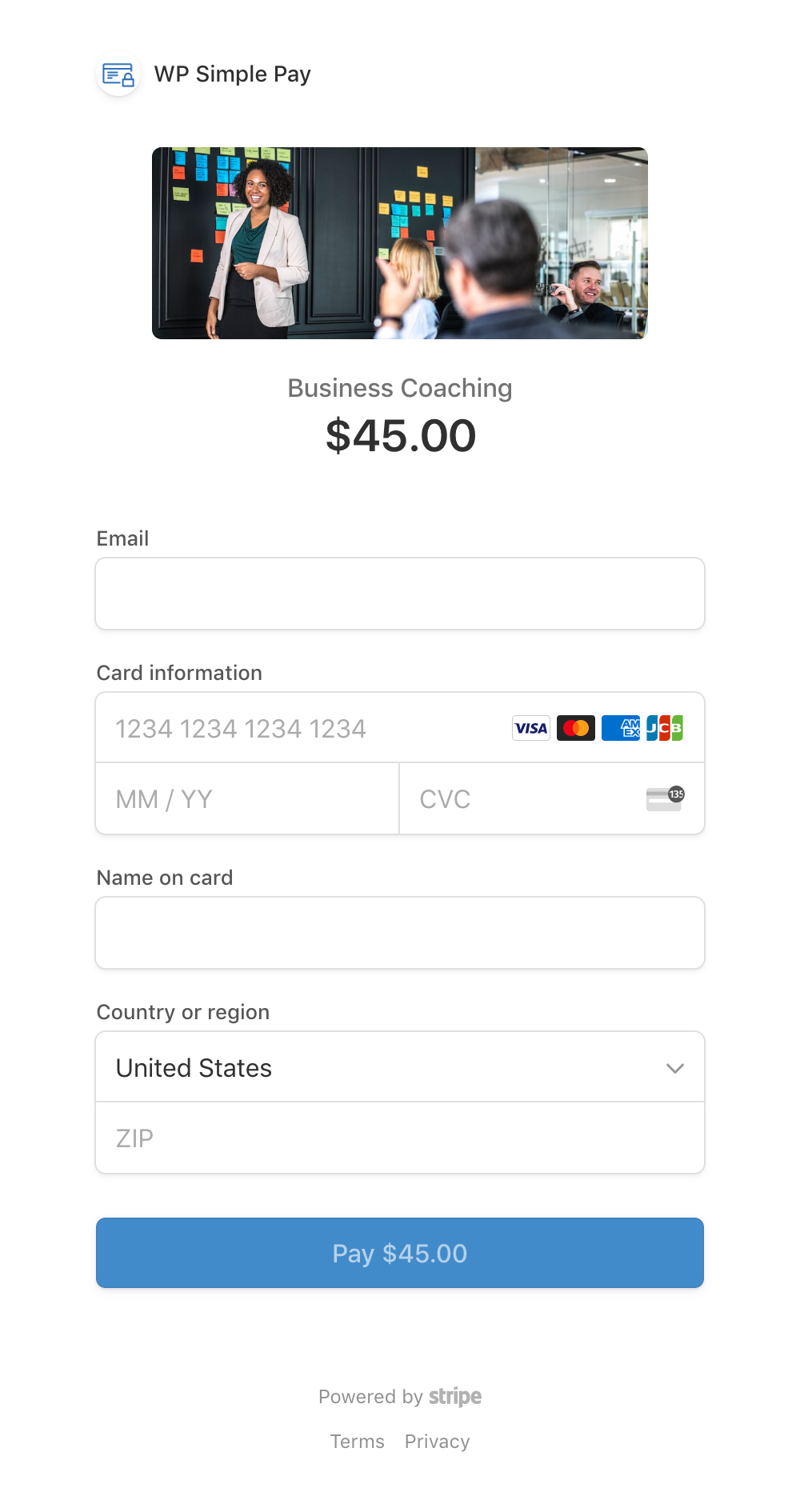
- Mobile-optimized embedded & overlay payment forms
- Apple Pay & Google Pay support with custom payment forms
- Accept ACH direct debit (U.S bank accounts) in Stripe from customers in the U.S
- Accept SEPA direct debit payments in Stripe from customers in Europe
- Accept Bacs Direct Debit in Stripe from customers in the U.K
- Accept Bancontact payments in Stripe from customers in Belgium
- Accept GrabPay payments in Stripe from customers in Malaysia
- Buy Now, Pay Later with Klarna, Afterpay/Clearpay, Zip, and Alma
- Custom payment receipt emails with Stripe
- Get notified when a payment or subscription renewal fails, and optionally email the customer
- Allow users to specify the amount to pay (great for donations)
- Coupon code management for Stripe
- Tax rate management for Stripe
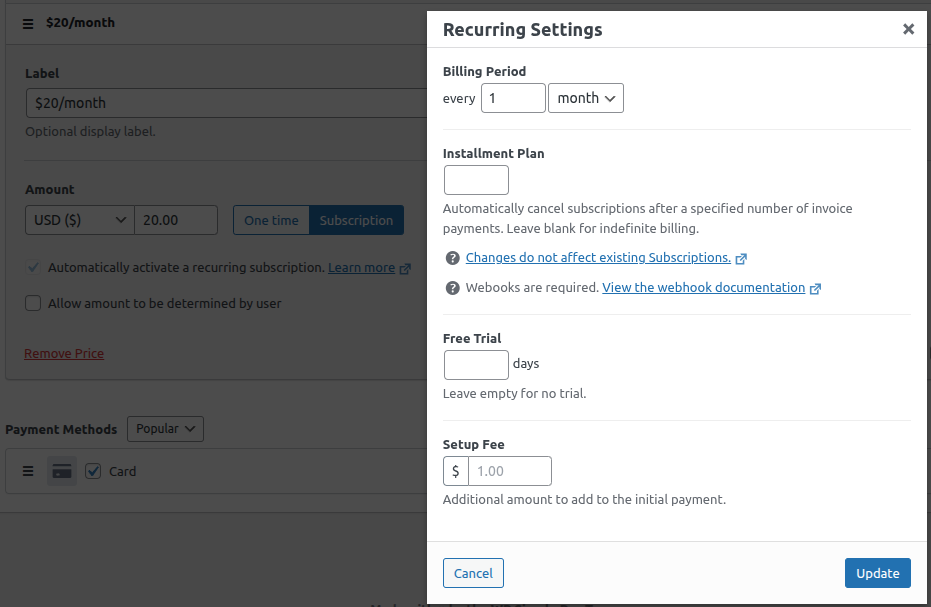
- Create installment plans with Stripe to split payments
- Charge initial setup fees with Stripe
- Offer free trials with Stripe
- Issue full and partial refunds without opening the Stripe Dashboard
- Collect file uploads with your payment forms
- See which payments are under dispute after a chargeback
WP Simple Pay Pro – Stripe Payment Forms
This plugin is the lite version of the WP Simple Pay Pro plugin that comes with many payment features including user-managed subscriptions & recurring payments, custom fields, user-entered amounts, coupon codes, tax rates, alternate payment methods, ACH, direct debit, Buy Now Pay Later and tons more. Click here to purchase the best Stripe payment forms and Stripe payments plugin now!
By upgrading to WP Simple Pay Pro, you also get access to one-on-one help from our knowledgeable support team and our extensive documentation site.
There is a small 3% fee per-transaction plus Stripe fees while using WP Simple Pay Lite. Upgrade to Pro for no added fees and priority support.
WP Simple Pay is a verified member of the Stripe partner program. This program recognizes software that meets Stripe’s strict quality requirements and provides users of WP Simple Pay and Stripe with the confidence they need to trust us both with their payment form integrations.
Below are a few examples of ways you can set up Stripe payments with WP Simple Pay. See our payment form templates to try them out for yourself.
💳 Payment Form Drag & Drop Builder
Drag and drop to add a custom amount entry, a coupon code field, various custom field types, subscription plan selection, a payment summary and more.
All data entered into these custom payment fields are stored as “metadata” with each Stripe payment record within your Stripe dashboard, so everything is viewable alongside all payment or subscription plan data.
💳 3 Payment Form Display Types
Select from the on-site embedded, on-site overlay, or Stripe Checkout payment form display types.
Compare them by viewing some of our payment form templates:
We paid developers for several hours to do what WP Simple Pay accomplished in minutes. A no-brainer investment for us.
Justin McGill, Founder of LeadFuze
💳 Allow Custom Payment Amounts
Set a one-time payment amount or let your site visitors pay what they want. Optionally specify minimum and default amounts. Great for donations!
View our one-time custom amount template
💳 Add and Customize Subscription Options in Stripe
Connect a payment button to an individual Stripe plan or let your site visitors pick a plan to subscribe to. Add a custom amount option, charge a setup fee or tie into free trials.
View a few of these subscription templates:
- Opt-in to recurring subscription payments
- Allow customer or donor to enter a recurring custom amount
- Add an initial setup fee to the first payment
You can also set up installment plans to end subscriptions after a specific number of charges.
💳 Offer Discounts with Coupon Codes in Stripe
Percent or amount-off coupon codes added in your Stripe dashboard can be used in your payment forms.
Use with subscriptions or one-time payments, and optionally add a total amount label that updates real-time.
💳 Accept Apple Pay and Google Pay with Stripe
Give your site visitors the option to pay using Apple Pay, Google Pay, and Microsoft Pay with a single button in your custom embedded or overlay payment forms.
Anyone with a browser and device combination that allows one of these options will see the new payment button.
View our Apple Pay & Google Pay template
💳 Accept ACH Debit Payments with Stripe
Give your U.S. customers the option to pay directly from their bank accounts with ACH debit payments and take advantage of lower fees in Stripe. ACH payments on Stripe cost 0.80%, capped at $5, with no monthly fees or verification fees.
View our ACH debit payment template
💳 Accept Klarna, Afterpay/Clearpay, Zip, and Alma Payments with Stripe
With a buy now, pay later payment method enabled, your customers get more payment flexibility, allowing them to purchase what they want now and pay over time. Your business receives the full payment upfront and is protected from fraud, while your customers pay nothing or only a portion of the total upfront without fees.
Zip is available to customers in Australia and the U.S., and Alma to customers in France, Belgium, Spain, Italy, Luxembourg, and the Netherlands.
View our Klarna buy now, pay later template
View our Afterpay/Clearpay buy now, pay later template
💳 Accept SEPA Direct Debit Payments with Stripe
Give your European customers the option to pay directly from their bank accounts with SEPA direct debit payments and take advantage of lower fees in Stripe. SEPA payments on Stripe cost 0.8% + 30¢ capped at $6.00 with no monthly fees or verification fees.
View our SEPA Direct Debit template
💳 Accept MobilePay Payments with Stripe
Give your customers in Denmark and Finland the ability to pay with MobilePay, a popular digital wallet that offers a quick and secure way to make payments online.
💳 Accept BECS Direct Debit Payments with Stripe
Offer your Australian customers the option to pay directly from their bank accounts. BECS Direct Debit is a popular and trusted payment method in Australia, ideal for recurring payments and subscriptions.
💳 Accept PromptPay Payments with Stripe
Enable customers in Thailand to pay instantly using their local bank app. PromptPay is a real-time payment system that provides a seamless and secure checkout experience.
💳 Accept WeChat Pay Payments with Stripe
Tap into the vast market of Chinese consumers by offering WeChat Pay. As one of China’s leading payment platforms, it allows customers to pay directly from their WeChat wallet.
💳 Accept PIX Payments with Stripe
Reach Brazilian customers with PIX, the country’s real-time interbank payment system. Customers complete payment instantly from their bank’s app and funds settle in seconds.
💳 Accept BLIK Payments with Stripe
Give Polish customers the option to pay with BLIK, the country’s dominant mobile payment method. Customers confirm payments in real time using a 6-digit code from their bank’s mobile app.
🎨 Customize Payment Form Styles
Make your payment forms match your brand with the powerful Form Style editor. Choose from 8 ready-made theme presets — like Sunset, Ocean, Forest, and Minimal — to instantly apply a coordinated look, or fine-tune every detail with individual color, typography, and layout controls.
Customize 13 color settings including button colors, input fields, labels, error states, and more. Adjust font sizes and weights for titles, descriptions, labels, and inputs. Control border radius and padding for the form container, inputs, and buttons — all from a visual, no-code interface.
Form Styles work with both embedded and overlay on-site payment forms. Upgrade to WP Simple Pay Pro to unlock Form Styles and take full control of your payment form design.
💳 Customized Payment Confirmation Details with Stripe
Easily customize the credit card payment confirmation details your customers see within the post editor using placeholder tags.
Learn more about customizable receipts to see it in action.
💳 Locale and Currency Settings in Stripe
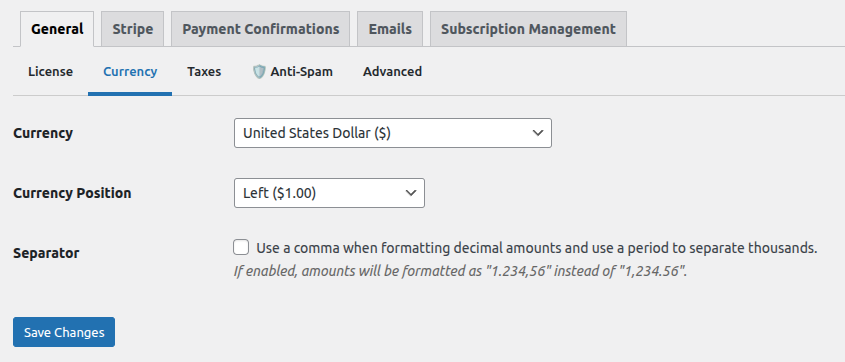
Stripe currently supports 30+ languages, 45+ countries, and 135+ currencies. WP Simple Pay lets you set the locale (language) for your payment forms as well as the preferred currency and date formats for your site’s region.
The WP Simple Pay team has been outstanding. From technical support to feature requests to frequent product updates – the value provided has saved us thousands over building a Stripe integration ourselves.
Jon MacDonald, Founder of The Good
📧 Get Help
WP Simple Pay is backed by top-notch technical support from our globally distributed full-time support team. We also have an extensive documentation site available. If you’re looking for faster support via email, we encourage you to purchase a WP Simple Pay Pro license.
Installation
The easiest way to install WP Simple Pay is to search for it via your site’s Dashboard.
Step-by-Step Instructions
- Log in to your site’s dashboard (e.g. www.yourdomain.com/wp-admin).
- Click on the “Plugins” tab in the left panel, then click “Add New”.
- Search for “Stripe” or “WP Simple Pay” and find our plugin near the top.
- Install it by clicking the “Install Now” link.
- When installation finishes, click “Activate Plugin”.
- A new menu item “WP Simple Pay” should appear in your dashboard.
Once activated, you can immediately start creating both one-time and subscription payment forms!
If you prefer installing manually, you can download the plugin ZIP file here.
Additional documentation at wpsimplepay.com/docs.
Journal de modifications
Stripe Payment Forms 4.17.7 – November 17, 2026
- Fix: The custom amount field shows a decimal keypad on iPhone, and amounts typed with either decimal separator are read correctly.
- Fix: Choosing a price option no longer makes the page jump toward the submit button.
- Fix: WP Simple Pay settings no longer grow very large over time and slow down the site.
- Fix: The default Payment Notification email shows bold text instead of raw HTML tags.
- Fix: Forms shown more than once on a page now work in every copy, including labels, date pickers, overlay buttons and form styles.
- Fix: Payment form previews no longer cause errors when plugins such as Popup Maker are active.
- Fix: Payments from other Stripe plugins, such as Restrict Content Pro, no longer add warnings to the error log.
- Fix: Prevent a critical error on WordPress.com sites using Jetpack.
Stripe Payment Forms 4.17.6 – November 5, 2026
- New: Send payment failure emails to the site admin and, optionally, the customer when a one-time or subscription payment fails.
- New: Accept Zip and Alma buy now, pay later payments.
- New: Show a “Secure payment via Stripe” trust badge below the submit button, with an option to hide it per form.
- New: Add an Optimized Checkout setting that lets Stripe choose and order payment methods on Stripe Checkout forms.
- New: Add Cloudflare Turnstile theme and size settings.
- Update: Offer Link by Stripe in the Payment Element when Link is enabled on the Email field.
- Update: Remove the WP Simple Pay logo from Pro admin notification emails.
- Update: Show the accepted payment amount range for each payment method in the form builder.
- Update: Load payment forms even when an optimization plugin removes or delays the footer script.
- Update: Check user permissions before duplicating a payment form.
- Fix: Stop charging the processing fee when a customer unchecks a Fee Recovery Toggle that is checked by default.
- Fix: Repair the database on sites where a previous upgrade failed, so payments are recorded again.
- Fix: Manage Subscriptions form no longer shows “Invalid CAPTCHA” with reCAPTCHA v3 on pages without a payment form.
- Fix: Email “Configure” button no longer fails when Settings is opened from the top-level menu.
- Fix: Footer promotion no longer covers the “Save Changes” button on settings pages.
- Fix: Prevent PHP warnings when Cloudflare Turnstile returns an incomplete response.
Stripe Payment Forms 4.17.5 – October 13, 2026
- New: Form Style settings to customize checkbox and radio button border, checked fill, and checkmark colors.
- New: When a new coupon’s code already exists in Stripe and was created by your site, offer to import it.
- Update: Payment forms now load their settings separately from the page, so they keep working with page caching plugins.
- Update: Payment forms show a clear message when they cannot load, instead of reloading the page.
- Update: Strengthened security checks on payment, tax, and coupon requests.
- Update: Cancellation emails for subscriptions set to cancel at period end are now sent when the subscription ends.
- Update: The Address Type help text now explains how billing details are collected with a Shipping Address.
- Update: Site Health now checks every plugin database table.
- Update: The About Us page no longer loads icons from an external service.
- Fix: Subscription renewals and invoice payments are recorded again on Stripe accounts using newer API versions.
- Fix: Afterpay/Clearpay is no longer offered above its maximum amount, which blocked every payment method on the form.
- Fix: Klarna no longer locks the billing address country to the US when the Address field is used.
- Fix: Coupon codes are now accepted in any capitalization at checkout.
- Fix: The Address Type no longer silently switches to Shipping when Afterpay/Clearpay is enabled.
- Fix: On-site payment forms no longer fail with an “Invalid URL” error when no confirmation page is selected.
- Fix: Custom colors now save on the Payment Page and dedicated Confirmation Page settings.
- Fix: Stripe field placeholder text now matches the color of other form field placeholders.
- Fix: Selecting all payment forms on the Payment Forms list now works.
- Fix: Enabling conditional logic on a newly added field no longer hides its rule settings.
- Fix: An unchanged payment form no longer shows a “Leave site?” prompt in the form builder.
- Fix: A file chosen in a File Upload field before the form finished loading is now uploaded.
- Fix: Copy buttons on transaction and subscription pages now work when the browser blocks clipboard access.
- Fix: Deleting the plugin with “Save Settings” turned off now removes all of its data.
- Fix: Corrected the wording of the invalid coupon message.
- Fix: Resolved a deprecation notice on PHP 8.5.
- Fix: Improved escaping, input handling, and timezone handling throughout the plugin.
Stripe Payment Forms 4.17.4.1 – September 28, 2026
- Fix: Stripe Connect could not complete on sites with Stripe API keys already saved, and failed without showing an error.
Stripe Payment Forms 4.17.4 – September 24, 2026
- New: Transactions page to browse, search, filter, and export one-time payments.
- New: Issue full or partial refunds from a transaction’s detail view.
- New: Subscriptions page to browse, search, and filter recurring payments, including ones that already existed in Stripe.
- New: File Upload form field, with allowed file types, a maximum file size, and required validation.
- New: Chargebacks opened in Stripe now show on the Transactions page as disputed.
- Update: Payments and subscriptions missed by a webhook are now recovered from Stripe on an hourly check.
- Fix: The form editor could fail to load after a price option was removed while per-price inventory limits were enabled.
- Fix: Admin screens could redirect to a payment form’s Payment Page instead of loading.
- Fix: Improved security around the Stripe Connect flow, webhook processing, the manage subscriptions request, the receipt resend tool, and plugin installs.
Stripe Payment Forms 4.17.3 – June 16, 2026
- New: PIX and BLIK payment methods for forms in Brazilian Real and Polish Złoty.
- New: per-form setting to disable Stripe Link on Stripe Checkout (off-site) forms.
- New:
[simpay_manage_subscriptions]shortcode for the customer subscription portal in the Classic Editor. - Update: BECS Direct Debit can now be used for subscriptions and recurring payments on AU/AUD forms.
- Fix: Duplicated forms no longer share the original’s Stripe Product and Price IDs.
- Fix: Form-style error color now applies to validation errors and required-field highlights.
- Fix: Action Scheduler no longer creates duplicate entries when requests arrive concurrently.
Captures d'écran
Pour les développeurs
Est-ce votre plugin ? Montrez les chiffres.
Ajoutez un badge en direct à votre site, docs ou github readme. Il se met à jour par lui-même - aucun compte n'est nécessaire.
Best Stripe Payment Forms by WP Si… alternatives
All credit card payments plugins →
FAQ
Stripe Payment Forms by WP Simple P…: quick answers
Réponses directes, extraites des données en direct WordPress.org.
Source : WordPress.org
Is Stripe Payment Forms by WP Simp… free?
Yes. Stripe Payment Forms by WP Simp… is free to download and use from the official WordPress.org plugin directory.
Is Stripe Payment Forms by WP Simp… safe to use in 2026?
Yes — Stripe Payment Forms by WP Simp… is a safe, well-maintained plugin to use in 2026. It runs on 9K+ sites, is rated 4.4/5 and was last updated 2 weeks ago, and scores 90/100 on our health check.
How many websites use Stripe Payment Forms by WP Simp…?
Stripe Payment Forms by WP Simp… is active on 9K+ WordPress websites and has been downloaded 917,108 times since it launched in March 2014. It was downloaded 16,689 times in the last 30 days.
Does Stripe Payment Forms by WP Simp… work with WordPress 7.1?
Yes. The developer has tested Stripe Payment Forms by WP Simp… up to WordPress 7.1.5, the latest release. It requires WordPress 5.9 or newer.
What PHP version does Stripe Payment Forms by WP Simp… need?
Stripe Payment Forms by WP Simp… requires PHP 7.4 or higher. Most hosts run PHP 8.x today, so it works on any modern WordPress hosting.
When was Stripe Payment Forms by WP Simp… last updated?
The latest version, 4.17.7, was released on November 17, 2026 (2 weeks ago).
Who makes Stripe Payment Forms by WP Simp…?
Stripe Payment Forms by WP Simp… is developed and maintained by Syed Balkhi.
What are the best alternatives to Stripe Payment Forms by WP Simp…?
The most popular alternatives to Stripe Payment Forms by WP Simp… are WP Easy Pay (1K+ installs), Monri Payments (1K+ installs) and Paystation (3 Party Hosted)… (30+ installs).
Propulsé par PageForge
Un modèle et une feuille de calcul. Une vraie page pour chaque recherche.
PageForge transforme chaque ligne d'un CSV en une page WordPress avec son propre titre, URL, SEO et schéma, construit sur la mise en page que vous Déjà conçu. Gratuit sur WordPress.org.
- CSV et XLSX, plus Google Sheets sur les professionnels et les entreprises
- Son propre titre, URL, SEO champs et schéma pour chaque page
- Fonctionne avec l'éditeur de blocs, Elementor, Divi et Avada
- Gratuit sur WordPress.org, pas de carte de crédit