


Easy Updates Manager
Easy Updates Manager is a light yet powerful plugin that allows you to manage all kinds of update- both on your single site install, or in WordPress Multisite. With a huge number of settings for endless configuration…

Choix
Yes — Easy Updates Manager is a safe, well-maintained plugin to use in 2026. It runs on 300K+ sites, is rated 4.8/5 and was last updated 2 days ago, and scores 96/100 on our health check.
- Prouvé à grande échelle sur plus de 300 000 sites actifs
- Loved by users — 4.8/5 from 726 reviews
- Développé activement — Dernière mise à jour il y a 2 jours
- Testé avec le dernier WordPress (7.1)
- Momentum — downloads up 337.2% vs the previous 30 days
Comment s'accumule-t-il ?
Côte à côte sur les installations, les mises à jour, les évaluations et le support


Téléchargements quotidiens
Les pics de téléchargement suivent généralement une nouvelle version - chaque site qui met à jour automatiquement compte comme un téléchargement.
Classements
Where Easy Updates Manager stands todayWordPress.org Classements de recherche
Position en direct dans la recherche de plugins, Top 100| Mot-clé | Position |
|---|---|
| disable updates | #1 |
| disable updates manager | #1 |
| easy updates manager | #1 |
| update control | #2 |
| updates manager | #1 |
Adoption de version
Part de sites actifs par version.
Répartition des notes
★★★★★★★★★★ 4.8 from 726 reviews
About Easy Updates Manager
From the official readme · v9.0.24Description
Easy Updates Manager is a light yet powerful plugin that allows you to manage all kinds of update- both on your single site install, or in WordPress Multisite. With a huge number of settings for endless configuration, Easy Updates Manager is an obvious choice for anyone wanting to take control of their website updates.
Free Features Include
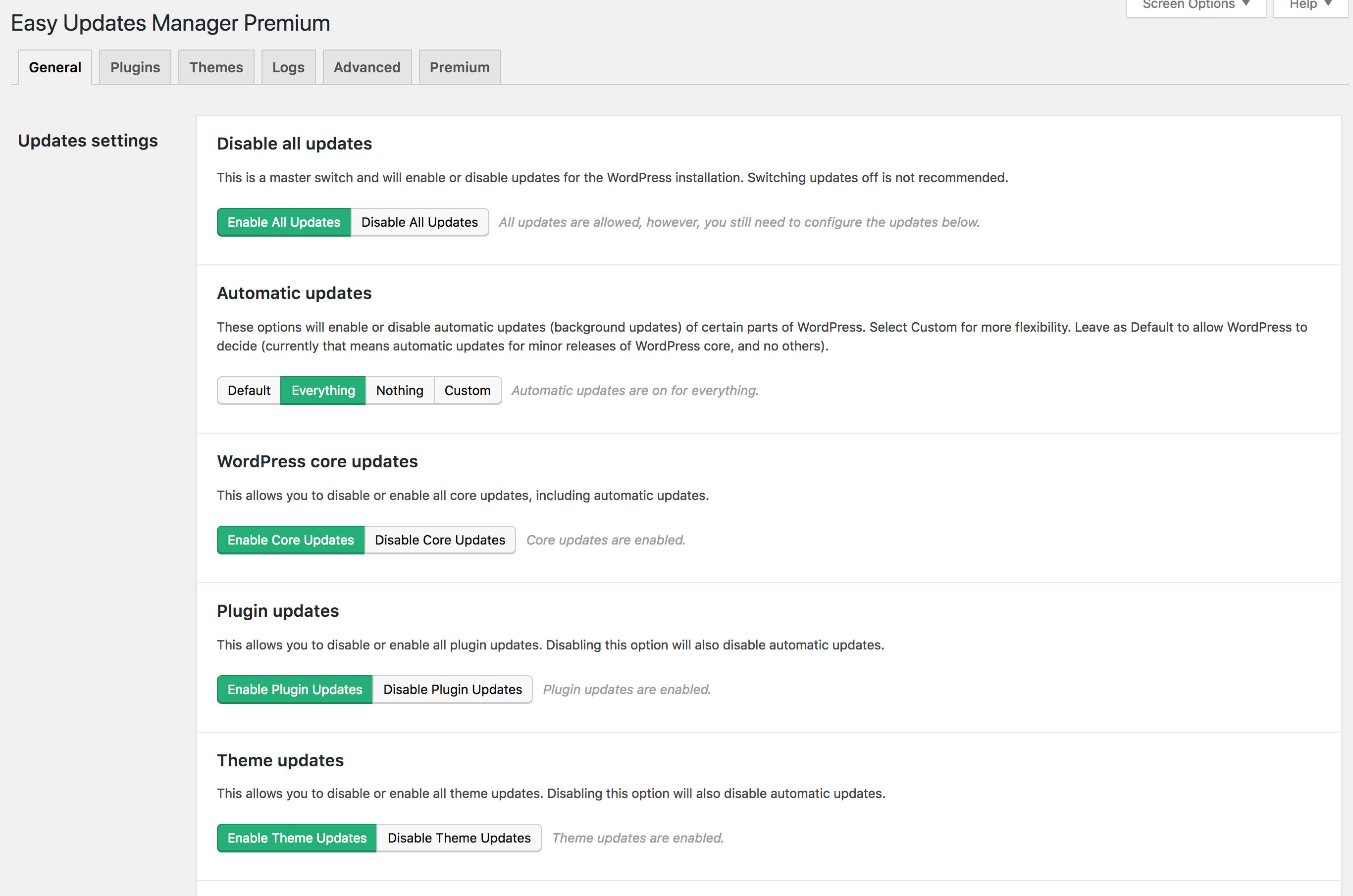
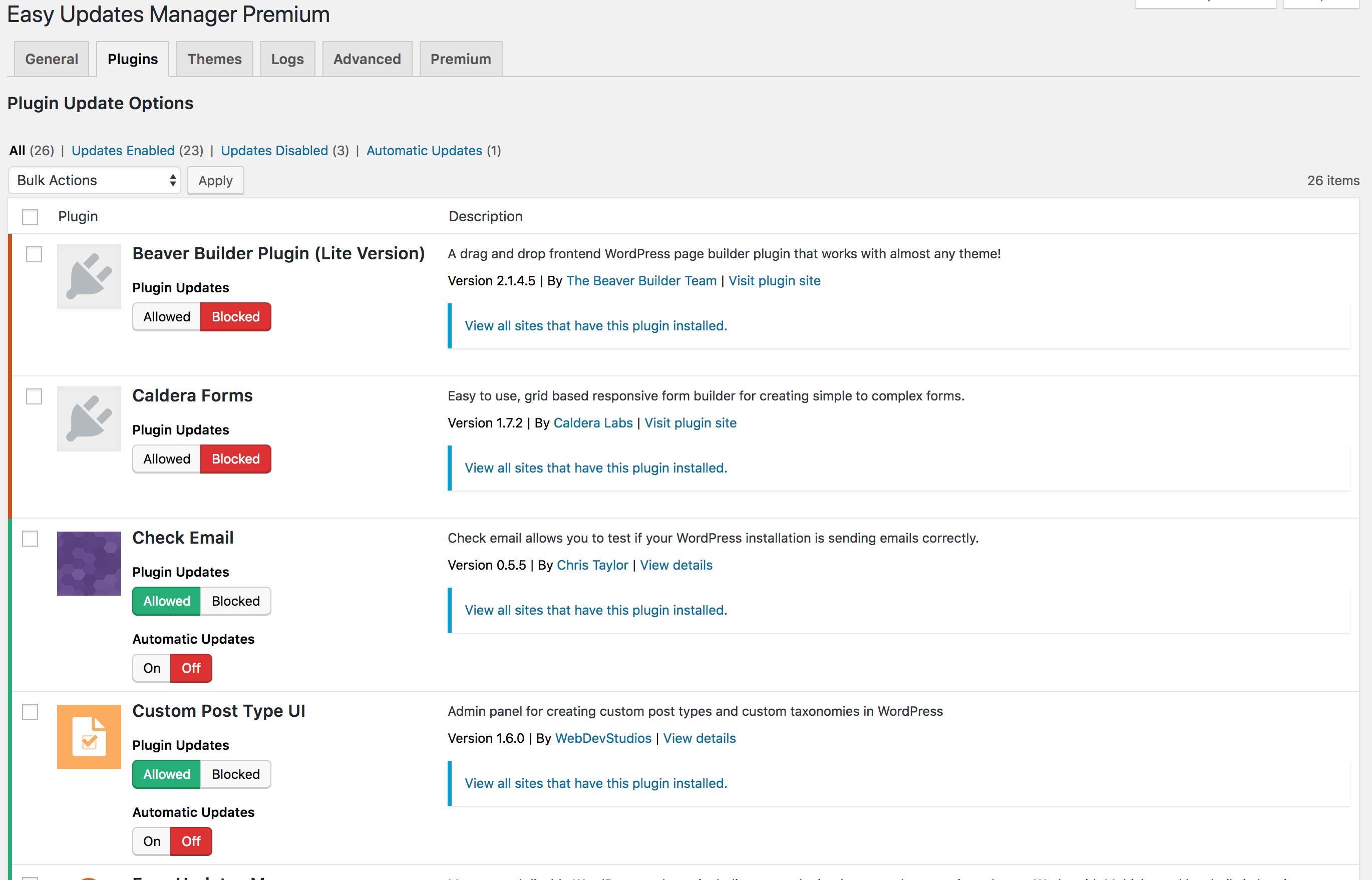
- Disable all updates with one click
- Enable automatic updates with one click
- Deeply customize your automatic update settings
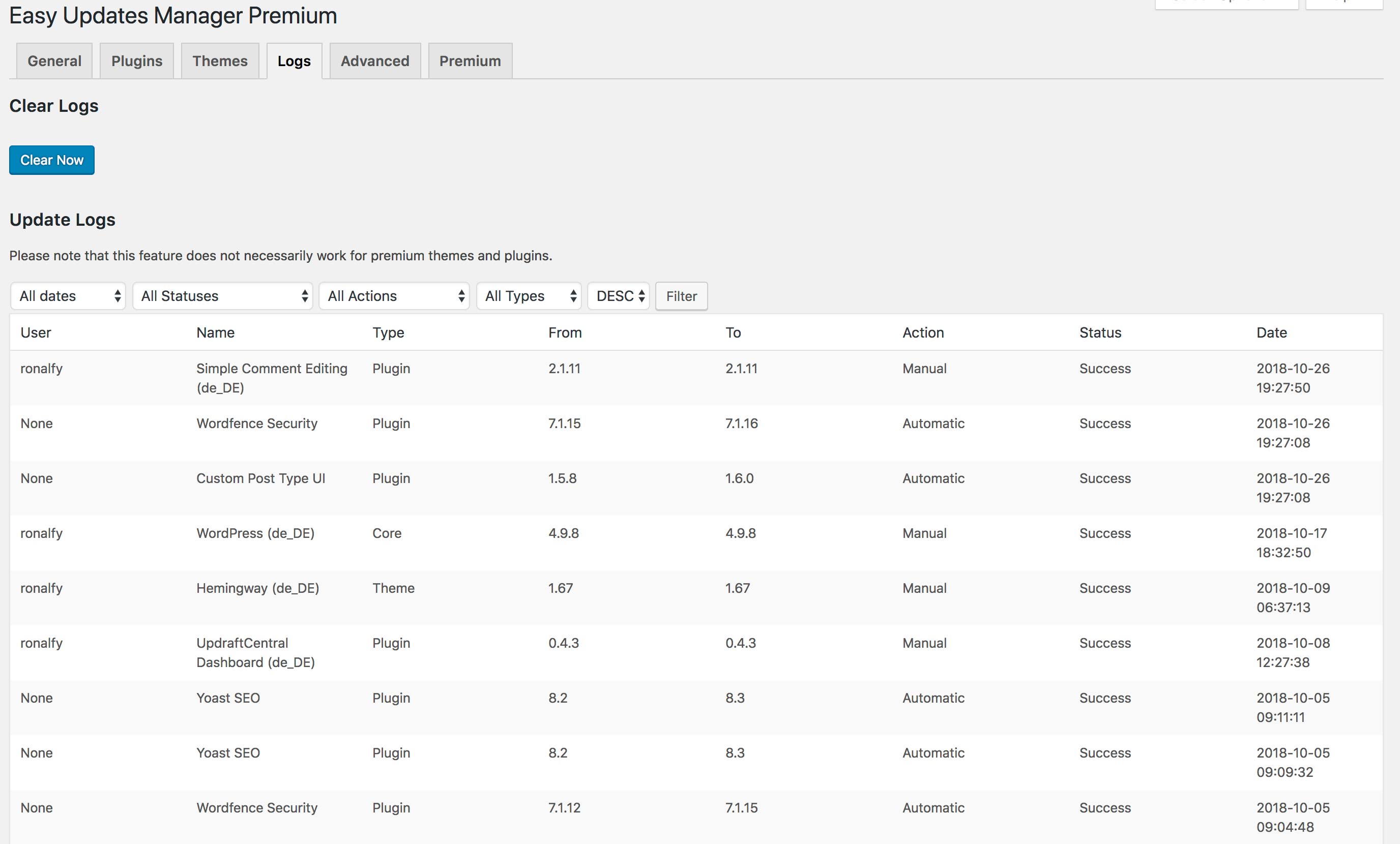
- Use logs to determine what and when something is updated
- Hide plugin and theme updates (if custom developed)
- Select which plugins and themes can be automatically updated
- Disable core, plugin, theme, and translation updates
- Force Updates to check that automatic updates are working
- Integrate with UpdraftPlus
- Configure email notification settings
- And much more…
Go Premium
Visit easyupdatesmanager.com to upgrade to our premium features.
Premium features include:
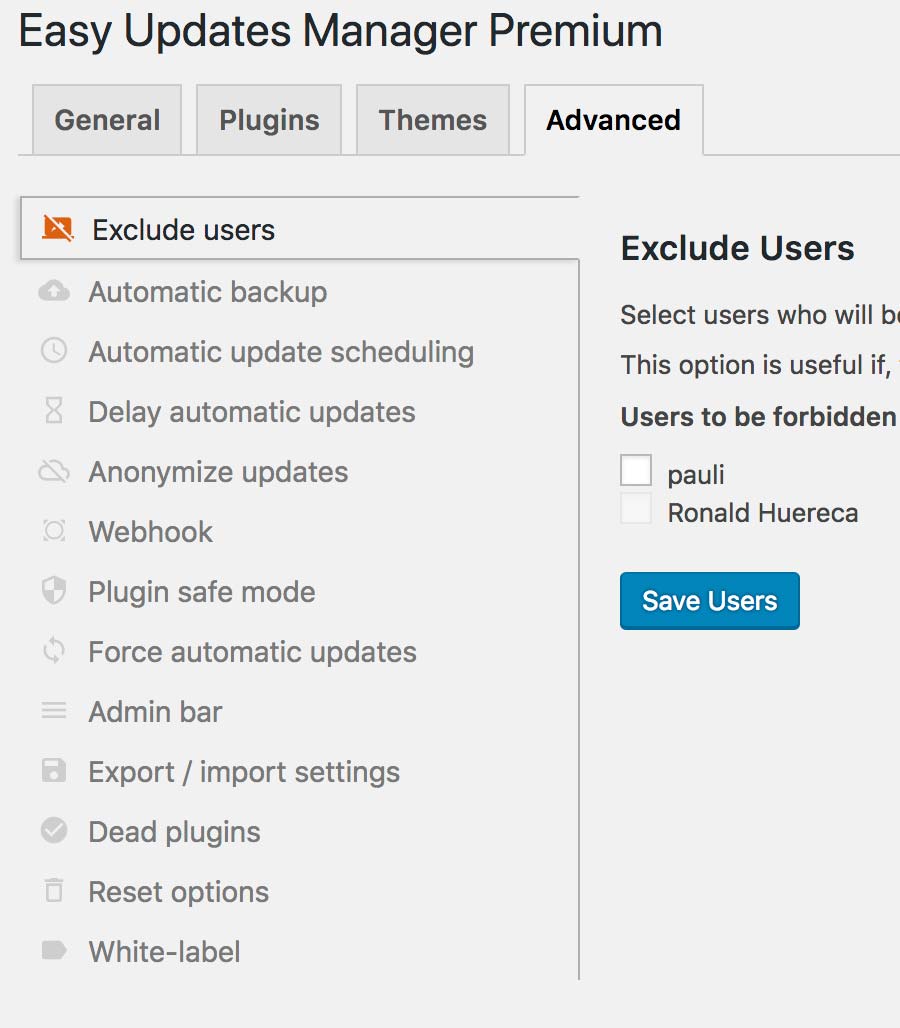
- Safe mode: ensures updates are compatible with your WordPress version and your server’s PHP version
- Schedule for automatic updates: runs the updates when you want them to avoid any downtime
- External logging – Get alerts when new updates have been logged
- Anonymization – Control what is sent to the WordPress API
- Delayed updates – Delay automatic updates in the case of hotfixes and frequent releases
- Auto backups: integrates with UpdraftPlus and take a backup before your site is updated
- UpdraftCentral: fully integrates with UpdraftCentral
- Log clearing schedule: keeps your logs table under control and deletes entries according to your own schedule
- Import/Export settings: exports your settings from one site to another for quick configuration
- Email notification of updates: gives you weekly or monthly reports of pending updates
- White label: disables notices and customizes what the client sees
- Check plugins: runs a check of plugins that have been removed from the WordPress Plugin Directory
- Webhook: integrates with third-party services to run automatic updates via cron or even Zapier
- Export logs: exports logs for printing, or downloads a CSV or JSON file for a date range
- Version control protection: prevent updates from occurring to plugins and themes under version control
For more information on Easy Updates Manager Premium, check out our website at easyupdatesmanager.com.
Traduction
If you want to contribute to the translation, please visit our translation section. We appreciate all the translation help we can get.
Installation
Installing Easy Updates Manager in your WordPress Dashboard (recommended)
- You can download Easy Updates Manager by going into your ‘Plugins’ section and selecting add a new plugin
- Search for the plugin by typing ‘Easy Updates Manager’ into the search bar
- Install and activate the plugin by pushing the ‘Install’ button and then the ‘activate plugin’ link
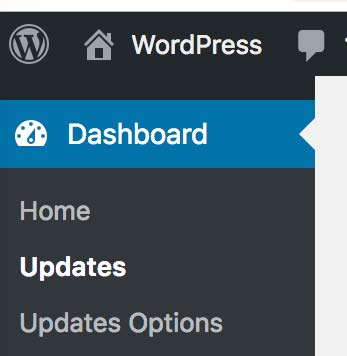
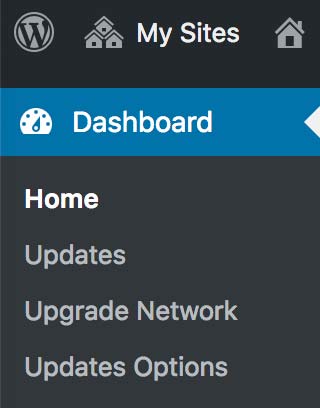
- Configure the plugin by going to the ‘Updates Options’ section in your admin area under the Dashboard
Installing Easy Updates Manager through FTP
- Upload the Easy Updates Manager folder to the ‘/wp-content/plugins/’ directory (make sure it is unzipped)
- Activate the Easy Updates Manager plugin through the ‘Plugins’ menu in WordPress
- Configure the plugin by going to the ‘Update Options’ section in your admin area under the Dashboard
Activate the plugin after installation. If you are on Multisite, the plugin must be network-activated.
For additional information for Easy Updates Manager check out our website at easyupdatesmanager.com.
Journal de modifications
9.0.24: Black Friday promotional materials. A recommended update for all.
9.0.24 – 2026-11-10
- TWEAK: Updated notices to include information about the 2026 Black Friday campaign.
9.0.23 – 2026-10-05
- FIX: Prevented a fatal TypeError during obsolete delayed entity removal by returning immediately for unsupported WP_Upgrader subclasses, such as language translation updates.
9.0.22 – 2026-08-31
- FIX: Delayed plugin updates now stay in the list when the WordPress updates cron runs outside the user’s scheduled automatic-update time, ensuring updates remain scheduled based on their initial first-time occurrence.
- TWEAK: Updated some affected code fragments to satisfy the WordPress.Security.NonceVerification.Recommended PHPCS rule.
9.0.21 – 2026-05-13
- SECURITY: Fix a non-persistent reflected XSS vulnerability due to a missing validation and output escaping on the “paged” URL argument. This could allow an attacker, who persuaded you to click a personally-crafted link to your site’s dashboard whilst you were logged in, to once run harmful JavaScript code. Thanks to Dmitrii Ignatyev for finding and responsibly disclosing this issue.
- TWEAK: Improved the delay updates feature to record the timestamp of the first occurrence of available plugin, theme, or core updates early, when their associated transient option is updated.
- TWEAK: Corrected improper usage of esc_html_e() when preceded by echo
- TWEAK: Added missing direct file access protection check for ‘ABSPATH’ to prevent unauthorized access.
- TWEAK: Get rid of the “implicitly marking parameter $logger as nullable is deprecated” deprecation warning
- TWEAK: Suppress false positive WordPress.WP.I18n.TextDomainMismatch warning due to different plugin slugs in free and premium versions.
9.0.20 – 2025-12-08
- REFACTOR: Safeguard the calls to PHP’s unserialize() function by specifying the “allow_classes” parameter to false to prevent code from being loaded and executed due to object instantiation and autoloading
- TWEAK: Early processing of external update logs is necessary to resolve the issue of the shutdown function being left out when a severe error happens during an auto/manual update through WP-CLI
- TWEAK: Enhance the notifications to signify the introduction of other plugins that belong to the same plugin family and to align with the new branding/links
- TWEAK: Ensure all translation functions are called during the WordPress “init” action or later. Invoking translation functions before the “init” action would have led to no translations being loaded, resulting in the original text being returned.
- TWEAK: Sanitize the list of days setting that is used for scheduling auto-update cron event
- TWEAK: Remove seasonal (new year, summer, spring and plugin collection) sale notices
9.0.19 – 2024-11-12
- FIX: Misreporting of plugin’s update statuses in notification emails, which were labeled “success” instead of the appropriate designation of “failed”
- TWEAK: Improve the strategy for using an associative array to filter option default values, aiming to safeguard existing defaults from removal and to prevent the introduction of non-relevant options
- TWEAK: The notification email should omit any “failed” update status for plugins, themes and translations if they lack the corresponding name and/or version number
- TWEAK: Improve updates-check anonymisation and randomisation, stripping out further unnecessary data
- TWEAK: Replace unnecessary calls to maybe_unserialize()
Captures d'écran


Pour les développeurs
Est-ce votre plugin ? Montrez les chiffres.
Ajoutez un badge en direct à votre site, docs ou github readme. Il se met à jour par lui-même - aucun compte n'est nécessaire.
Best Easy Updates Manager alternatives
All disable updates plugins →




FAQ
Easy Updates Manager: quick answers
Réponses directes, extraites des données en direct WordPress.org.
Source : WordPress.org
Is Easy Updates Manager free?
Yes. Easy Updates Manager is free to download and use from the official WordPress.org plugin directory.
Is Easy Updates Manager safe to use in 2026?
Yes — Easy Updates Manager is a safe, well-maintained plugin to use in 2026. It runs on 300K+ sites, is rated 4.8/5 and was last updated 2 days ago, and scores 96/100 on our health check.
How many websites use Easy Updates Manager?
Easy Updates Manager is active on 300K+ WordPress websites and has been downloaded 8,410,496 times since it launched in October 2013. It was downloaded 174,833 times in the last 30 days.
Does Easy Updates Manager work with WordPress 7.1?
Yes. The developer has tested Easy Updates Manager up to WordPress 7.2, the latest release. It requires WordPress 5.1 or newer.
What PHP version does Easy Updates Manager need?
Easy Updates Manager requires PHP 5.6 or higher. Most hosts run PHP 8.x today, so it works on any modern WordPress hosting.
When was Easy Updates Manager last updated?
The latest version, 9.0.24, was released on November 18, 2026 (2 days ago).
Who makes Easy Updates Manager?
Easy Updates Manager is developed and maintained by David Anderson / Team Updraft.
What are the best alternatives to Easy Updates Manager?
The most popular alternatives to Easy Updates Manager are Disable All WordPress Updat… (20K+ installs), Disable Updates for WordPre… (9K+ installs) and Disable Updates (8K+ installs).
Propulsé par PageForge
Un modèle et une feuille de calcul. Une vraie page pour chaque recherche.
PageForge transforme chaque ligne d'un CSV en une page WordPress avec son propre titre, URL, SEO et schéma, construit sur la mise en page que vous Déjà conçu. Gratuit sur WordPress.org.
- CSV et XLSX, plus Google Sheets sur les professionnels et les entreprises
- Son propre titre, URL, SEO champs et schéma pour chaque page
- Fonctionne avec l'éditeur de blocs, Elementor, Divi et Avada
- Gratuit sur WordPress.org, pas de carte de crédit