


Sortacular – Instantly Sort and Organize Select Admin Submenus Alphabetically
Install this timesaving plugin and sort select submenu items like Settings, Tools, and Appearance alphabetically, leaving Core items where they are.

Choix solide
Sortacular is a solid plugin choice in 2026, with a few things worth checking first. It runs on 20+ sites and was last updated 5 days ago, and scores 67/100 on our health check.
- Développé activement — Dernière mise à jour il y a 5 jours
- Testé avec le dernier WordPress (7.1)
- Petite base d'utilisateurs (20+ installations actives)
- Très peu de critiques jusqu'à présent
Comment s'accumule-t-il ?
Côte à côte sur les installations, les mises à jour, les évaluations et le support


Téléchargements quotidiens
Les pics de téléchargement suivent généralement une nouvelle version - chaque site qui met à jour automatiquement compte comme un téléchargement.
Classements
Where Sortacular stands todayWordPress.org Classements de recherche
Position en direct dans la recherche de plugins, Top 100| Mot-clé | Position |
|---|---|
| admin menu | >100 |
| alphabetic | #5 |
| alphabetical | #29 |
| menu order | >100 |
| organize | >100 |
Adoption de version
Part de sites actifs par version.
About Sortacular
À partir du Lisezmoi officiel · v1.0.3Description
Your WordPress admin menu gets messy fast. Plugins add their own items. Settings end up scattered. Finding what you need takes longer than it should.
Sortacular fixes this instantly.
It keeps the default WordPress menus exactly where you expect them, and neatly sorts everything added by plugins and themes alphabetically. This makes your admin menu easier to scan and much faster to use.
No setup. No settings.
Activate the plugin, and your common submenus are instantly organized.
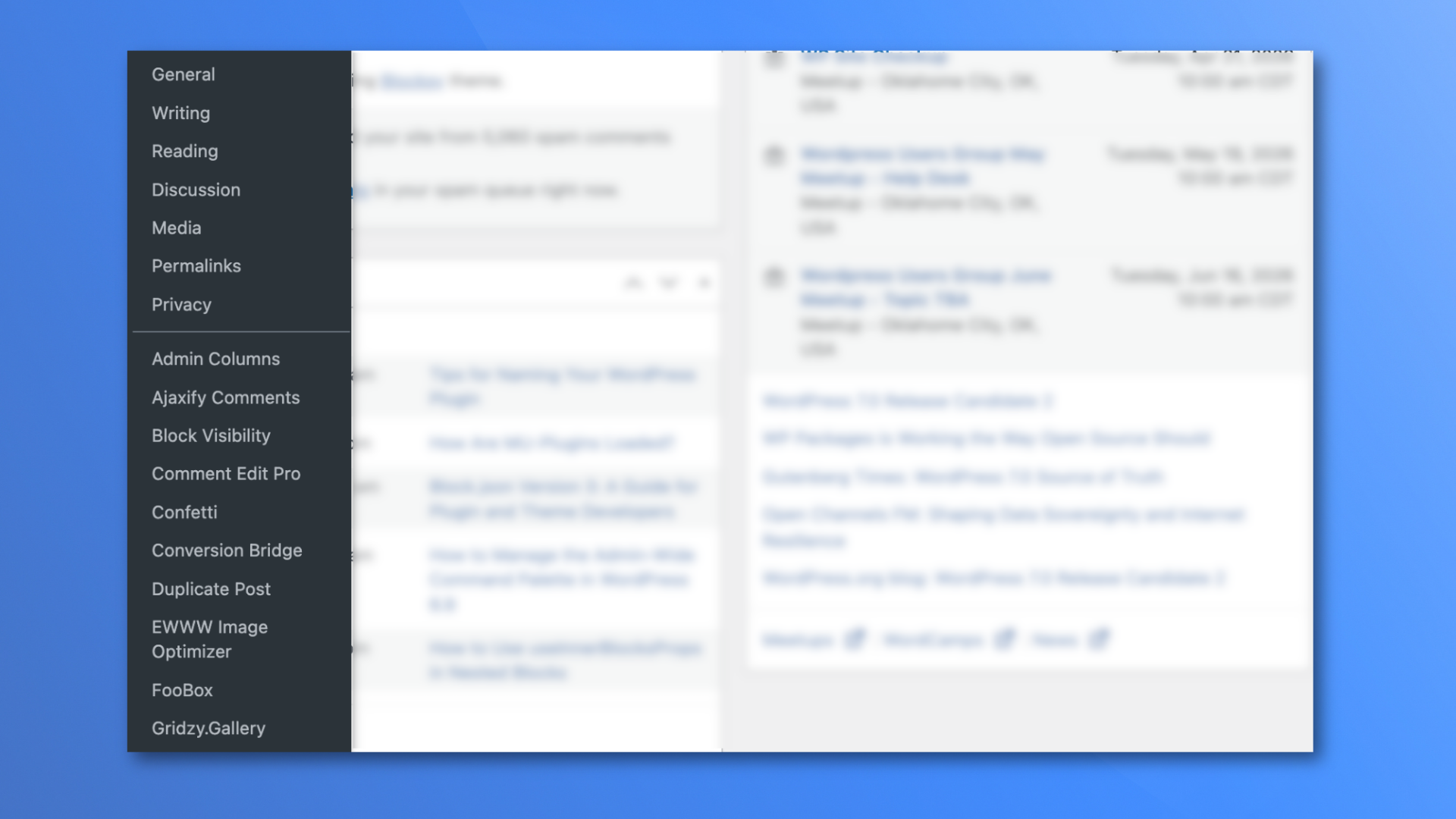
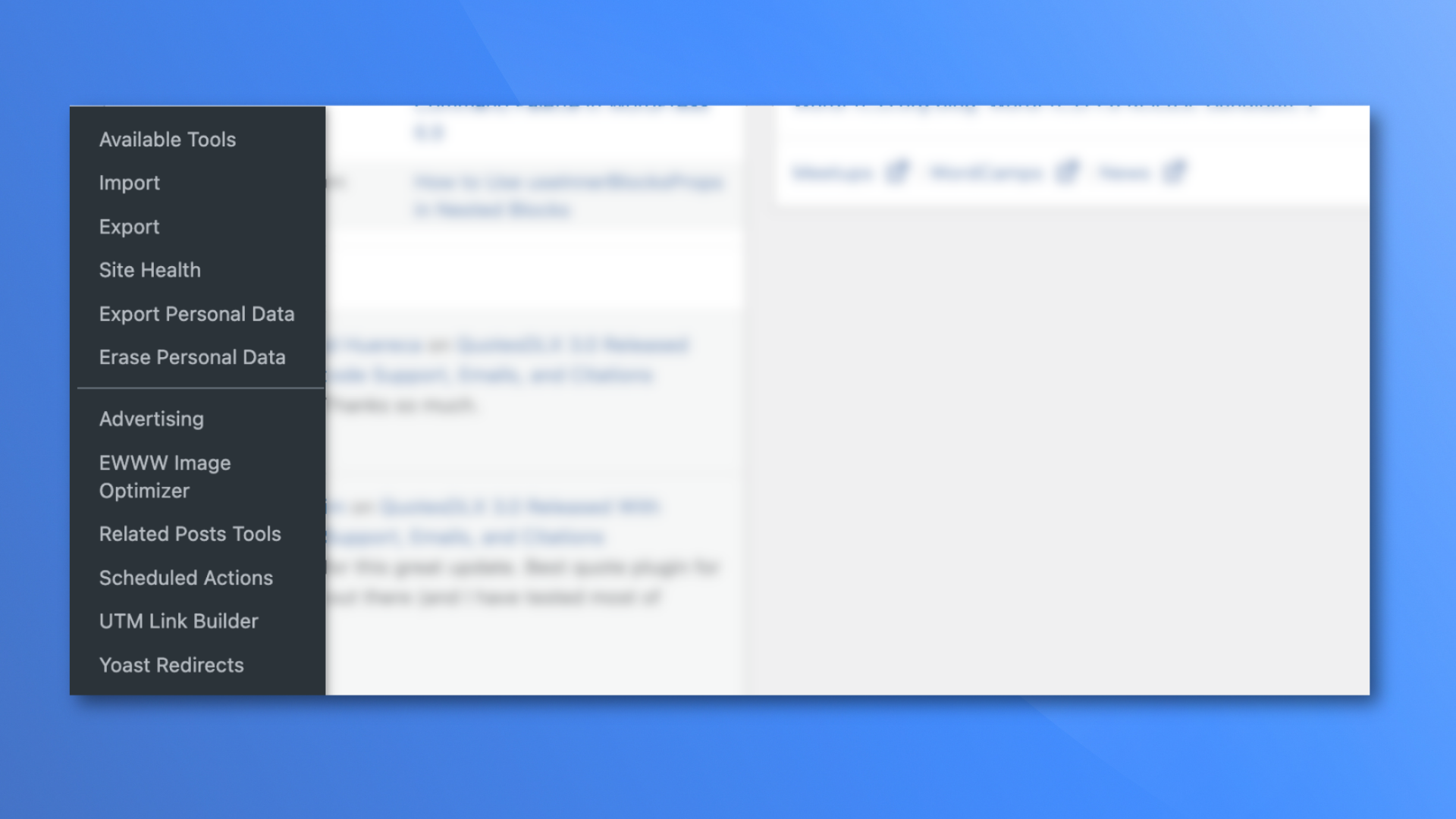
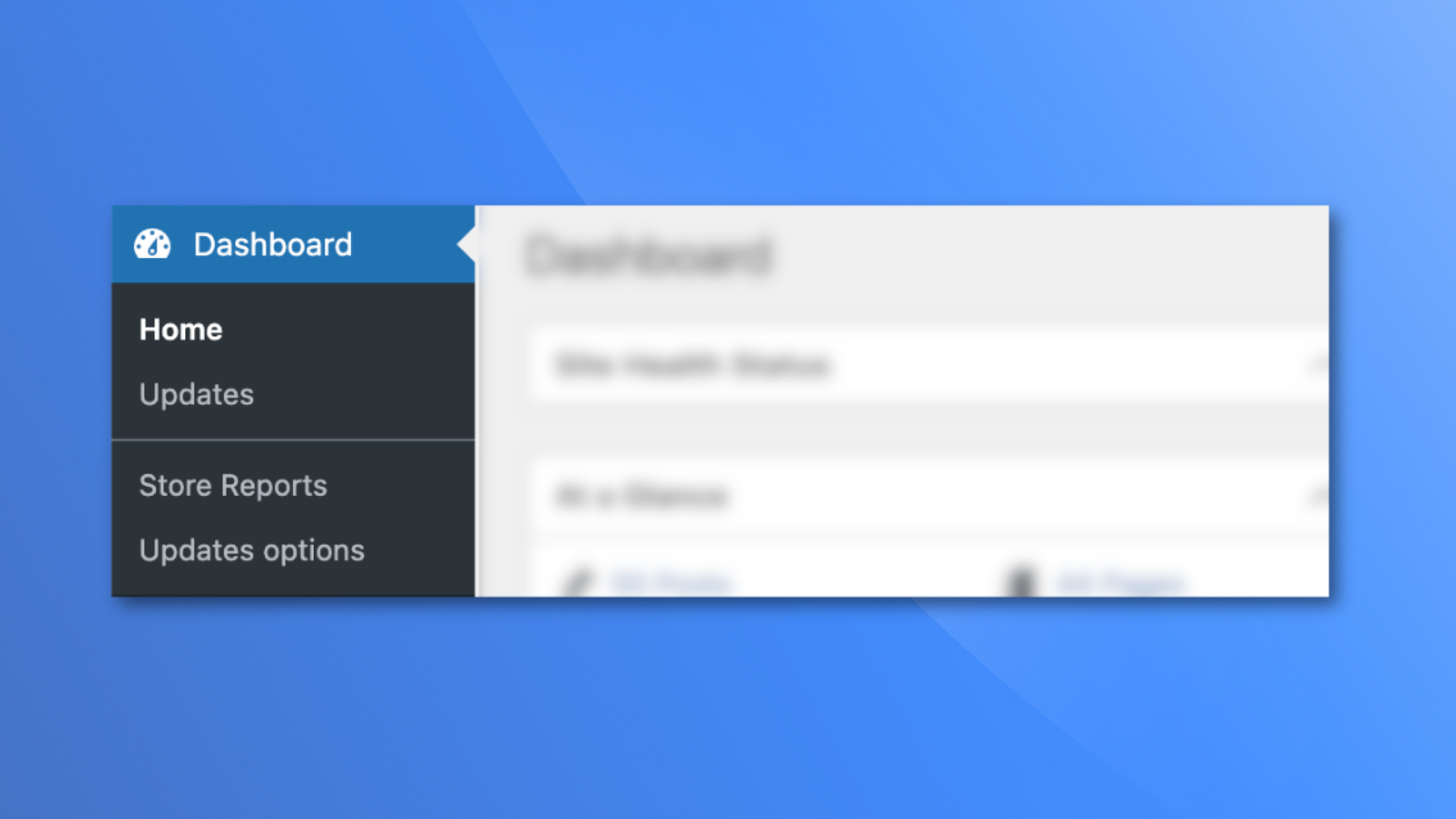
A simple divider separates the default WordPress items from everything else, so you can clearly see what belongs to WordPress and what has been added by plugins or themes.
What gets organized
Sortacular keeps the main WordPress submenu items in their original order. Nothing moves or breaks.
Everything added by plugins and themes is grouped and sorted alphabetically.
This applies to:
- Réglages
- Appearance
- Outils
- Tableau de bord
In multisite, it also works with:
- Réglages
- Tableau de bord
- Thèmes
What changes after you install it
Instead of scrolling through a long, cluttered menu, you get a clean and predictable layout.
You will see:
- Core WordPress items at the top, unchanged
- A clear divider
- All plugin and theme items sorted from A to Z
This means you no longer have to guess where a plugin placed its settings and in what order. You can find things quickly, every time.
Who this is for
This plugin is especially useful if:
- You install a lot of plugins, and your admin menu feels crowded
- You manage client websites and need to move quickly
- You waste time clicking around trying to find settings
- You want a cleaner, more organized WordPress dashboard
- You like a sorting plugin, but want your Core items left alone
It is also helpful for beginners who feel overwhelmed by how messy the admin menu can become over time.
Why this matters
A messy admin menu slows you down.
When plugins add items in random places, it becomes harder to navigate your site. You spend more time searching and less time actually working.
By organizing everything into a clear structure, Sortacular makes your workflow faster and less frustrating.
It is a small change that makes a big difference, especially on sites with many plugins.
No configuration needed
There are no settings to manage.
You do not need to learn anything new or configure options.
Just activate the plugin, and your menus are automatically reorganized.
Pour les développeurs
If you need more control, you can customize which items are treated as core using filters. Please check out the Sortacular GitHub repo for filters, examples, and ways you can help extend and contribute to the plugin.
There is also optional support for sorting top-level menus, but it’s off by default.
This plugin has no admin options or settings, and it works automatically when activated.
Installation
- Search for ‘Sortacular’ when adding a plugin via the WordPress admin.
- Activate Sortacular through the Plugins screen.
The Settings, Appearance, Tools, and Dashboard menus will update immediately.
Journal de modifications
1.0.3
- Released 2026-03-27
- Initial WordPress.org release.
1.0.2
- Released 2026-03-25
- Resolving CSS issues.
1.0.1
- Released 2026-03-16
- Sort top-level menu items too. Core menus remain untouched. The rest are sorted alphabetically.
1.0.0
- Released on 2026-03-14
- Sort Settings, Appearance, Tools, and Dashboard submenus with Core items first and a separator before alphabetically sorted items.
Captures d'écran
Pour les développeurs
Est-ce votre plugin ? Montrez les chiffres.
Ajoutez un badge en direct à votre site, docs ou github readme. Il se met à jour par lui-même - aucun compte n'est nécessaire.
Best Sortacular alternatives
All admin menu plugins →




FAQ
Sortacular: quick answers
Réponses directes, extraites des données en direct WordPress.org.
Source : WordPress.org
Is Sortacular free?
Yes. Sortacular is free to download and use from the official WordPress.org plugin directory.
Is Sortacular safe to use in 2026?
Sortacular is a solid plugin choice in 2026, with a few things worth checking first. It runs on 20+ sites and was last updated 5 days ago, and scores 67/100 on our health check.
How many websites use Sortacular?
Sortacular is active on 20+ WordPress websites and has been downloaded 544 times since it launched in March 2026. It was downloaded 86 times in the last 30 days.
Does Sortacular work with WordPress 7.1?
Yes. The developer has tested Sortacular up to WordPress 7.2, the latest release. It requires WordPress 6.9 or newer.
What PHP version does Sortacular need?
Sortacular requires PHP 8.0 or higher. Most hosts run PHP 8.x today, so it works on any modern WordPress hosting.
When was Sortacular last updated?
The latest version, 1.0.3, was released on November 16, 2026 (5 days ago).
Who makes Sortacular?
Sortacular is developed and maintained by Ronald Huereca.
What are the best alternatives to Sortacular?
The most popular alternatives to Sortacular are Admin Menu Search (3K+ installs), My Wp Brand (2K+ installs) and Wider Admin Menu (2K+ installs).
Propulsé par PageForge
Un modèle et une feuille de calcul. Une vraie page pour chaque recherche.
PageForge transforme chaque ligne d'un CSV en une page WordPress avec son propre titre, URL, SEO et schéma, construit sur la mise en page que vous Déjà conçu. Gratuit sur WordPress.org.
- CSV et XLSX, plus Google Sheets sur les professionnels et les entreprises
- Son propre titre, URL, SEO champs et schéma pour chaque page
- Fonctionne avec l'éditeur de blocs, Elementor, Divi et Avada
- Gratuit sur WordPress.org, pas de carte de crédit