


Simple Sitemap – Responsive HTML Sitemap for WordPress
Build a responsive HTML sitemap in the block editor with live preview, flexible sorting, tabs, and shortcode support.

Safe pick
Yes — Simple Sitemap is a safe, well-maintained plugin to use in 2026. It runs on 60K+ sites, is rated 3.9/5 and was last updated 2 months ago, and scores 86/100 on our health check.
- Proven at scale on 60K+ active sites
- Tested with the latest WordPress (7.1)
How does it stack up?
Side-by-side on installs, updates, ratings & support



Daily downloads
Download spikes usually follow a new release — each site that auto-updates counts as a download.
Rankings
Where Simple Sitemap stands todayWordPress.org search rankings
Live position in the plugin search, top 100| Keyword | Position |
|---|---|
| block | >100 |
| html sitemap | #2 |
| responsive sitemap | #1 |
| seo sitemap | #2 |
| sitemap | #6 |
Version adoption
Share of active sites per release.
Rating breakdown
★★★★★★★★★★ 3.9 from 72 reviews
About Simple Sitemap
From the official readme · v3.9.2Description
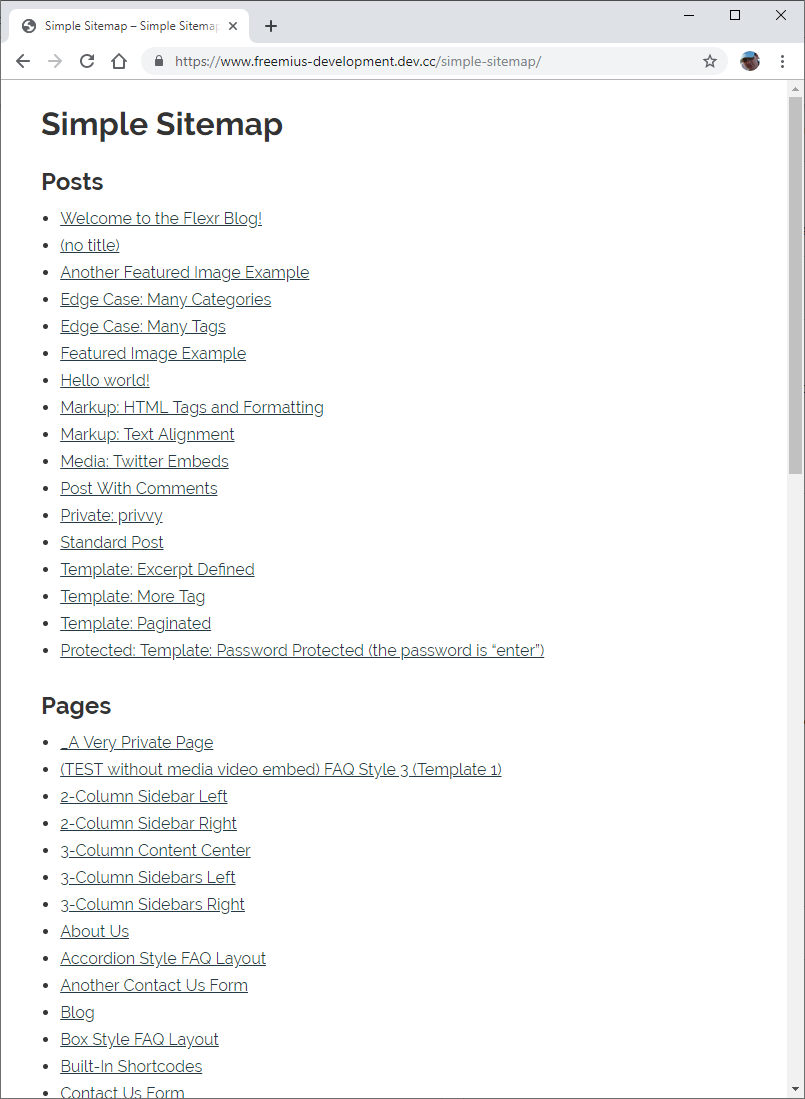
Simple Sitemap adds a visible, visitor-friendly HTML sitemap to your WordPress
site. Add a block, choose what to show, and preview the result directly in the
editor before you publish.
It is designed for HTML sitemaps that help people browse your content. It does
not replace the XML sitemap used by search engines.
Build your sitemap in the editor
The free edition includes:
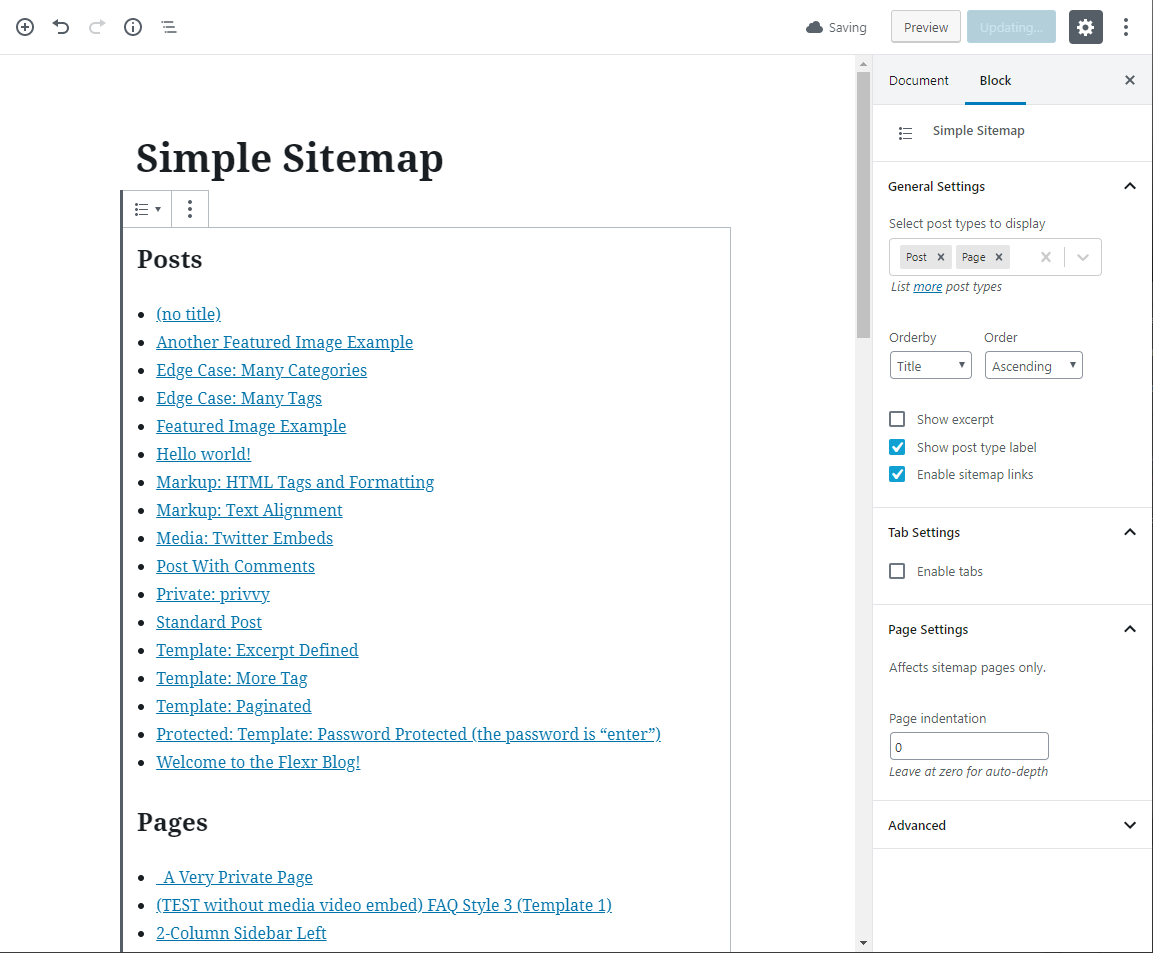
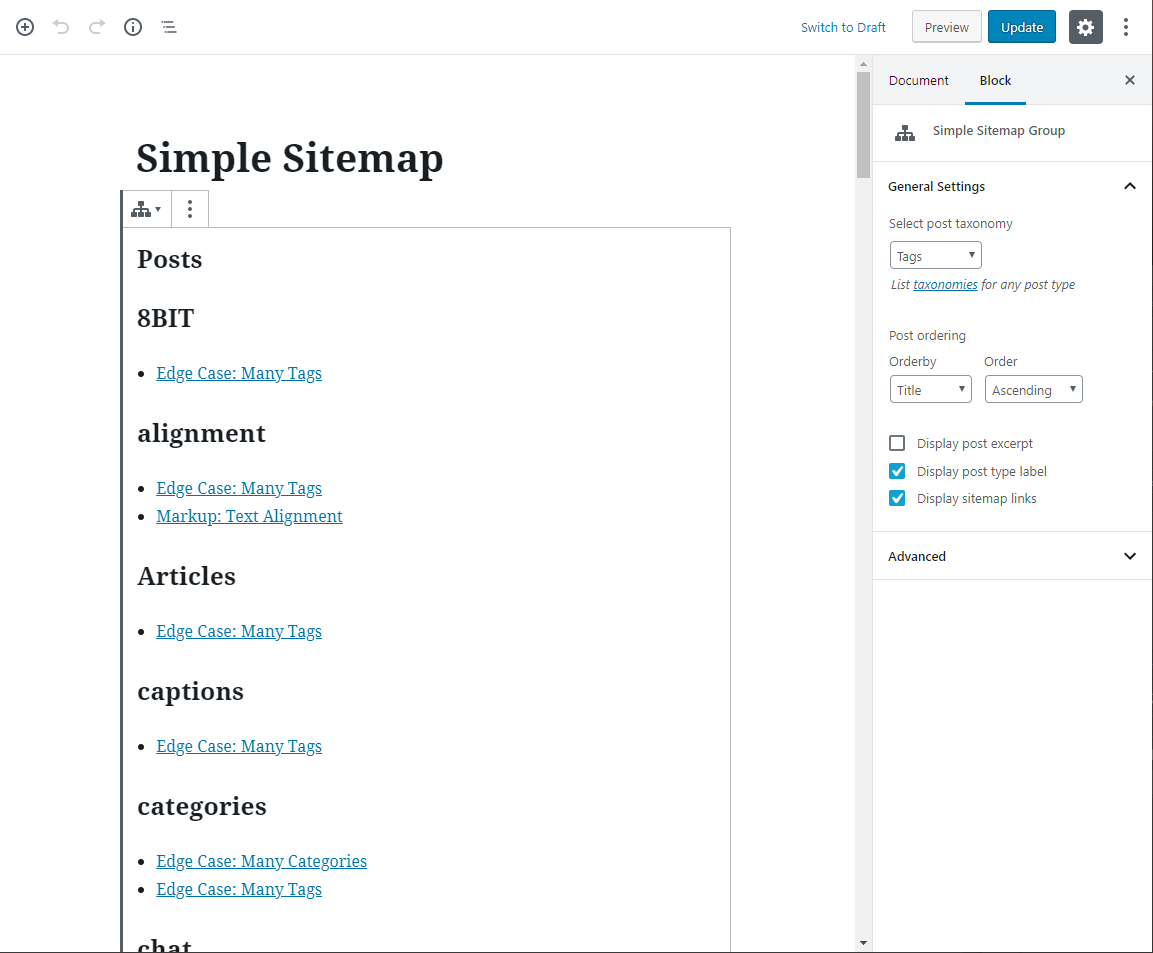
- Three editor blocks: Simple Sitemap, Simple Sitemap Group, and Child Pages.
- Live preview while you configure the sitemap.
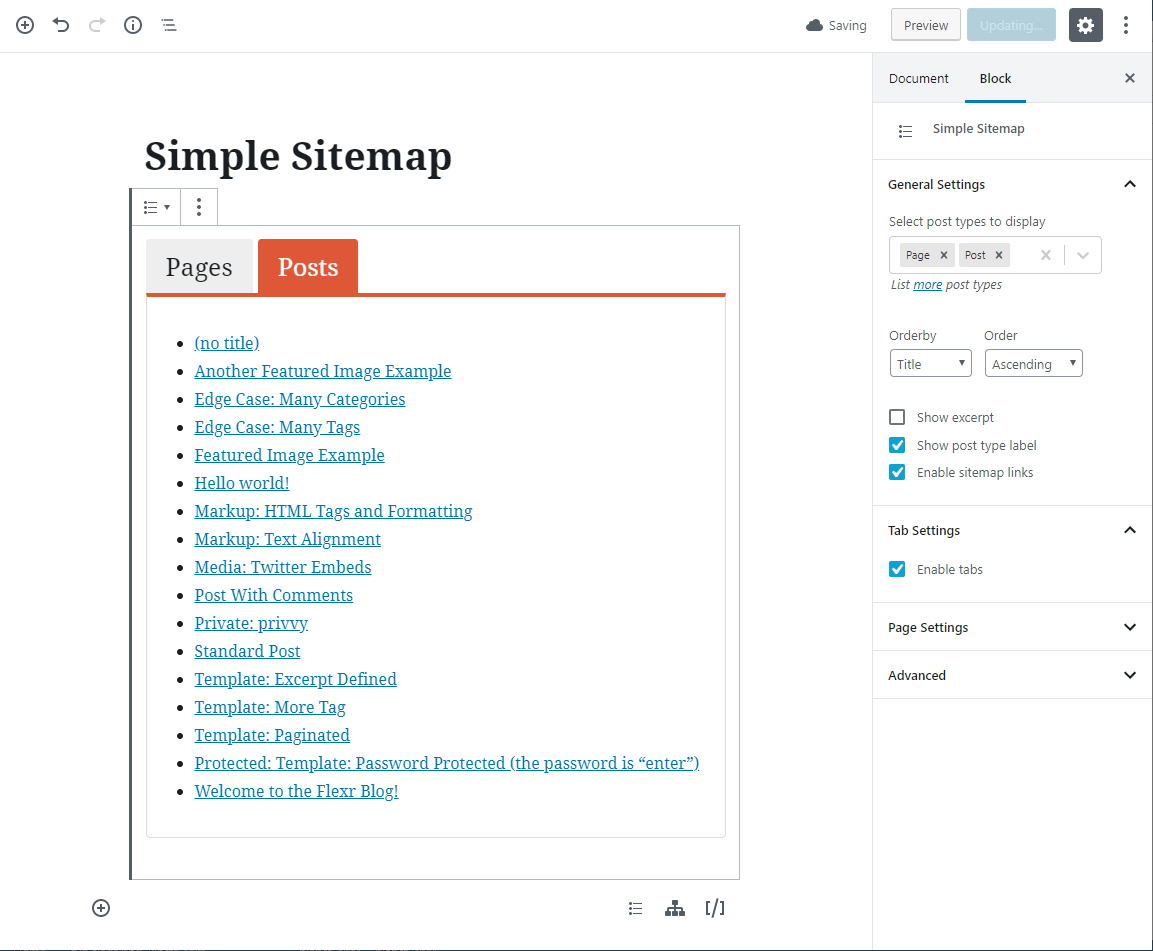
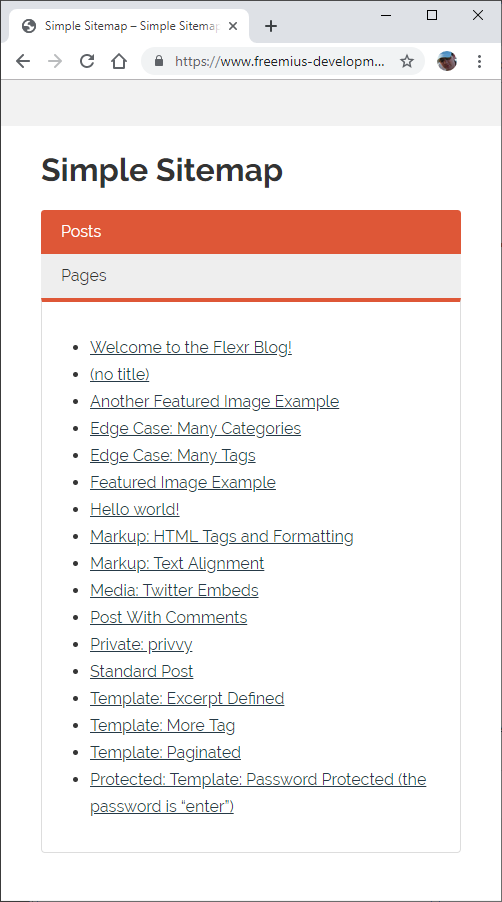
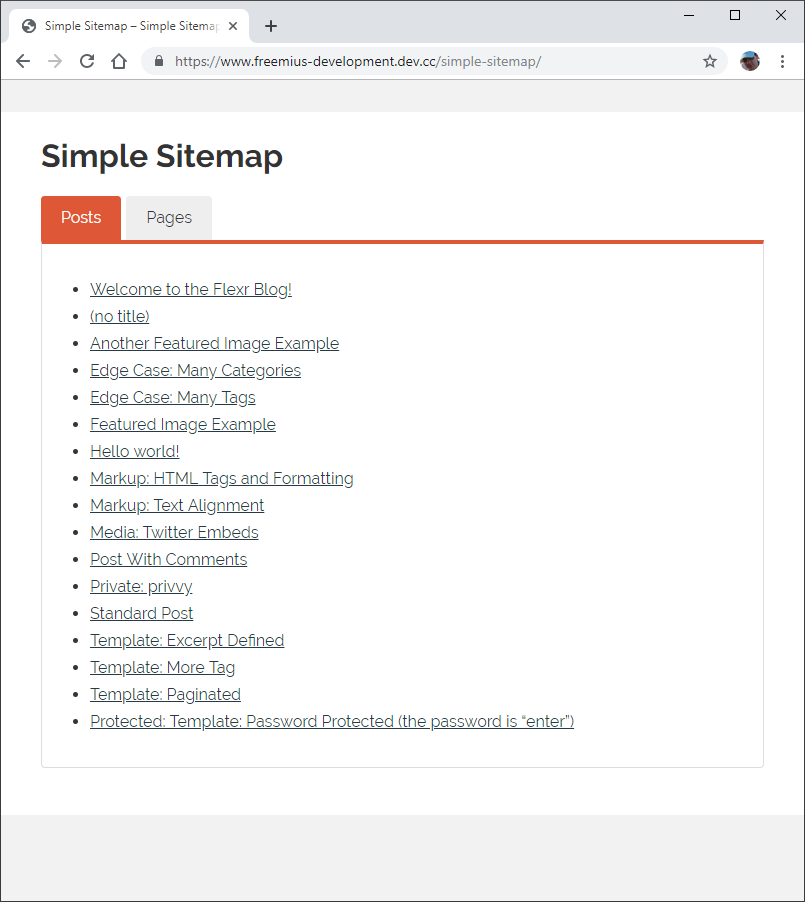
- Standard lists and responsive tabbed layouts.
- Posts and pages with ascending or descending ordering.
- Sorting by title, author, date, ID, menu order, comment count, or random order.
- Optional excerpts, post-type labels, and linked or plain-text items.
- Include only selected posts or pages, or exclude individual IDs.
- Display a published child-page hierarchy for a selected parent page.
- Optional linked pagination for content lists and individual grouped sections.
- Page-depth and parent-page-link controls.
- Multiple sitemaps on the same page.
- Global item and nested-level spacing presets, with optional per-block and
per-shortcode overrides. - An optional linked parent at the root of the Child Pages block.
- The
[simple-sitemap]and[simple-sitemap-group]shortcodes for classic
content and page-builder workflows.
Sitemap styles load only on pages that contain a sitemap. Each sitemap also
receives its own ID, so multiple instances can be configured and styled
independently.
Go further with Simple Sitemap Pro
Explore Simple Sitemap Pro
when you need more control for a larger or more structured site.
Pro adds:
- Optional visitor search for Content and Grouped sitemaps, using blocks or
shortcodes. Visitors can filter the entries currently displayed while
matching items retain their hierarchy or topic context. - Custom post types and custom taxonomies.
- Taxonomy-term filters and automatic exclusion of child pages.
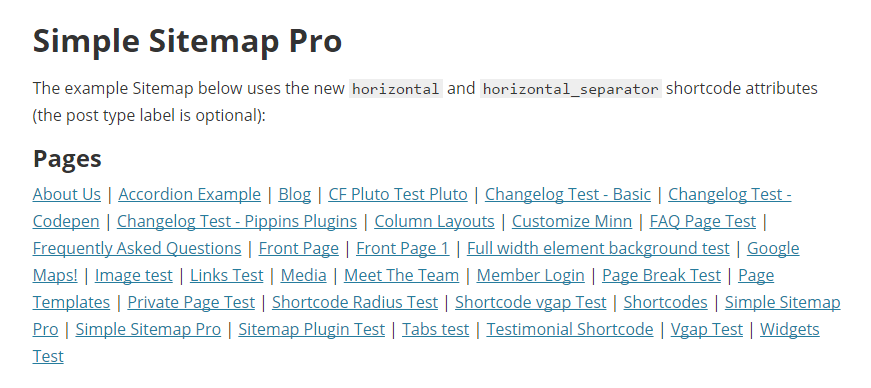
- Advanced responsive tab controls and horizontal layouts.
- Dedicated Taxonomy Terms, Navigation Menu, Archive Links, and WooCommerce
Product Sitemap blocks. - Enhanced Child Pages controls for subtree exclusions, excerpts, images, and
nofollow links, including hierarchical custom post types. - Optional separators and compact featured-image thumbnails for child-page
sitemaps, including the[simple-sitemap-child]shortcode. - Per-section Content Sitemap ordering, limits, and include/exclude rules.
- Optional noindex filtering for Yoast SEO, Rank Math, and SEOPress, plus
current-language filtering for WPML and Polylang. - Additional shortcodes for child pages, taxonomy terms, and navigation menus.
- Interface controls for sitemap colours and presentation.
- Filters for custom development requirements.
Both editions keep the same WordPress-first workflow, so you can start with the
free plugin and upgrade when the site requires the additional controls.
Try Pro visitor search in the live demo.
When linked pagination is enabled, search filters the current result page;
it does not search other result pages or the whole site.
Installation
- In WordPress, go to Plugins > Add New and search for Simple Sitemap.
- Install and activate the plugin.
- Edit a page and add the Simple Sitemap, Simple Sitemap Group, or Child Pages
block. - Choose the content, ordering, labels, and layout in the block settings.
- Publish or update the page.
For classic content or a page builder, use [simple-sitemap] or
[simple-sitemap-group] instead.
Changelog
3.9.2 – September 30, 2026
- [new] Added a ready-made paginated posts starter to the plugin Home screen. The starter creates a private draft for review.
3.8.0 – September 1, 2026
- [new] Added more ready-made Home starters for recent posts, summaries, combined content, grouped posts, and child Pages. Every starter creates a private draft.
- [new] Added clearer editor guidance when a Content or Child Pages block has no content to preview.
- [new] Added links to ChartQuill and TableQuill for users who also need to present data as charts or tables.
3.7.0 – August 21, 2026
- [new] Added global Compact, Comfortable, and Custom sitemap spacing controls, plus per-block and per-shortcode item and nested-level overrides.
- [new] Added an optional linked parent at the root of the Child Pages block.
- [update] Unified spacing inheritance across every included sitemap block and shortcode while retaining existing output until a setting or instance override is selected.
- [update] Expanded the product guide, complete reference, product page, and live demos for the new controls.
3.6.3 – August 20, 2026
- [new] Replaced the legacy welcome screen with a professional Home dashboard, guided sitemap creation, Quick Start steps, and clear Free feature actions.
- [new] Added direct links from Pro feature cards to matching live examples and a concise feedback prompt with a Simple Sitemap feedback summary ready to send.
- [update] Improved sitemap spacing, hierarchy, tab presentation, link contrast, and responsive readability without changing saved content or renderer markup.
3.6.2 – August 11, 2026
- [update] Made the plugin self-contained, with no separate framework plugin required.
- [new] Basic include/exclude post and page ID filters are now available in the Free edition.
- [new] Added searchable content selection and a dedicated Child Pages block.
- [new] Added opt-in bounded linked pagination to Content and Grouped Sitemap blocks and shortcodes.
- [new] Added privacy-conscious support diagnostics and clearer support destinations.
- [new] Added three starter patterns and a task-first Quick Start for creating a sitemap page.
- [fix] Improved output escaping and guarded malformed saved block settings to prevent editor failures.
- [fix] Restored the taxonomy upgrade prompt and corrected accessible admin/editor controls.
- [fix] Added semantic keyboard and ARIA behavior to tabbed sitemaps without changing their saved content or server-rendered HTML.
- [fix] Kept custom post-type labels attached to the selected post type in the editor.
- [update] Improved Child Pages previews and compatibility with the current block editor.
3.6.1 – May 20, 2025
- [fix] Updated nonce checks on post duplication feature.
Screenshots
For developers
Is this your plugin? Show off the numbers.
Add a live badge to your site, docs or GitHub README. It updates on its own — no account needed.
Best Simple Sitemap alternatives
All block plugins →





FAQ
Simple Sitemap: quick answers
Straight answers, pulled from live WordPress.org data.
Source: WordPress.org
Is Simple Sitemap free?
Yes. Simple Sitemap is free to download and use from the official WordPress.org plugin directory.
Is Simple Sitemap safe to use in 2026?
Yes — Simple Sitemap is a safe, well-maintained plugin to use in 2026. It runs on 60K+ sites, is rated 3.9/5 and was last updated 2 months ago, and scores 86/100 on our health check.
How many websites use Simple Sitemap?
Simple Sitemap is active on 60K+ WordPress websites and has been downloaded 1,899,644 times since it launched in June 2010. It was downloaded 12,778 times in the last 30 days.
Does Simple Sitemap work with WordPress 7.1?
Yes. The developer has tested Simple Sitemap up to WordPress 7.1.4, the latest release. It requires WordPress 6.3 or newer.
What PHP version does Simple Sitemap need?
Simple Sitemap requires PHP 7.4 or higher. Most hosts run PHP 8.x today, so it works on any modern WordPress hosting.
When was Simple Sitemap last updated?
The latest version, 3.9.2, was released on October 2, 2026 (2 months ago).
Who makes Simple Sitemap?
Simple Sitemap is developed and maintained by David Gwyer.
What are the best alternatives to Simple Sitemap?
The most popular alternatives to Simple Sitemap are Spectra Legacy (1M+ installs), Breadcrumb NavXT (700K+ installs) and PDF Embedder (300K+ installs).
Powered by PageForge
One template and a spreadsheet. A real page for every search.
PageForge turns each row of a CSV into a WordPress page with its own title, URL, SEO fields and schema, built on the layout you already designed. Free on WordPress.org.
- CSV and XLSX, plus Google Sheets on Professional and Enterprise
- Its own title, URL, SEO fields and schema for every page
- Works with the block editor, Elementor, Divi and Avada
- Free on WordPress.org, no credit card