


Serve Static – Automatic WordPress Static Page generator
Serve Static is a static HTML page generator WordPress plugin to create and serve static copies of your existing web pages to avoid PHP/DB load.

Envisager une alternative
Serve Static shows warning signs in 2026 — compare the alternatives below before installing. It runs on 80+ sites, is rated 4.4/5 and was last updated 2 years ago, and scores 38/100 on our health check.
- Petite base d'utilisateurs (80+ installations actives)
- Pas de mise à jour depuis plus d'un an
- Uniquement testé jusqu'à WordPress 6,7 (le dernier est de 7,1)
Comment s'accumule-t-il ?
Côte à côte sur les installations, les mises à jour, les évaluations et le support



Téléchargements quotidiens
Les pics de téléchargement suivent généralement une nouvelle version - chaque site qui met à jour automatiquement compte comme un téléchargement.
Classements
Where Serve Static stands todayWordPress.org Classements de recherche
Position en direct dans la recherche de plugins, Top 100| Mot-clé | Position |
|---|---|
| cachette | >100 |
| mise en cache | >100 |
| performance | >100 |
| Serve Static | #22 |
| WP Cache | >100 |
Adoption de version
Part de sites actifs par version.
Répartition des notes
★★★★★★★★★★ 4.4 from 9 reviews
About Serve Static
From the official readme · v2.4Description
Serve Static provides a very efficient, simple and fast way of implementing static page caching in WordPress.
It will generate static HTML copies of your webpages which will be then served using your server rewrite rules. This feature will bypass the whole PHP process and render only a simple HTML file without having to interect with the PHP, or MySQL for getting your page’s design or content.
This plugin is really handy and helpful if your webpages are mainly static, like websites of Blogs, portfolios, company portfolios, service, and many more. This plugin doesn’t support any dynamic content caching, that means, all none of your dynamic content will be showing in the frontend, rather, a static version of that content will be showing.
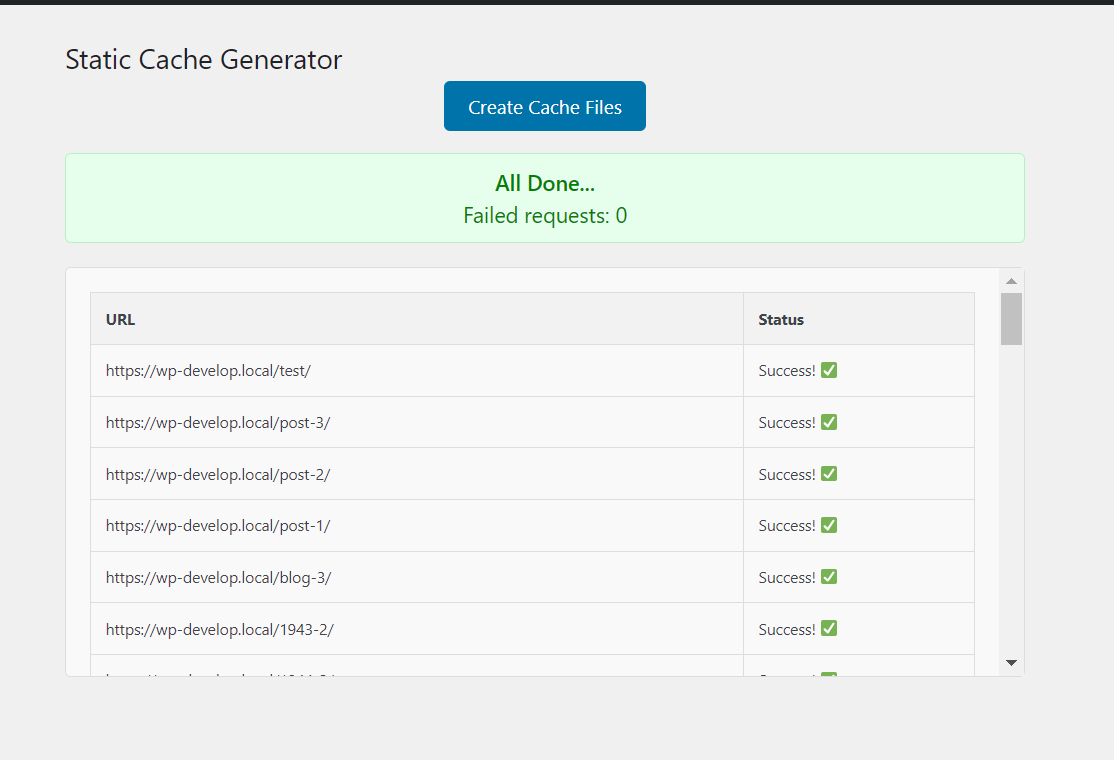
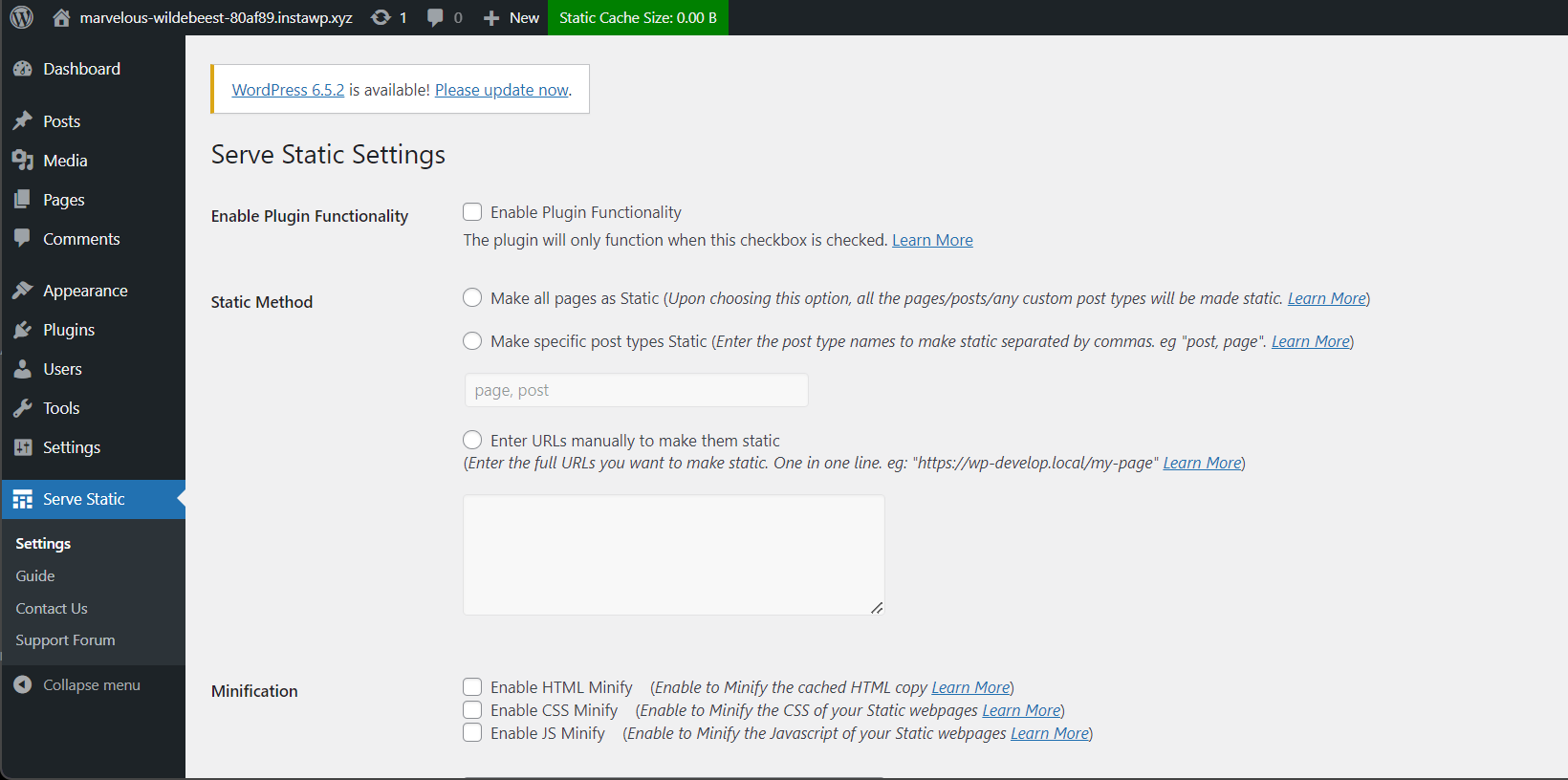
This plugin also comes with home-made HTML, CSS and JS minification features, which you can use to auto-minify the static files. This ensures more lightness of the HTML pages, and more boost to your page speed. Also, you can auto-warm the cache using the Warm feature, which will stimulate a visit on all your pages, to create the static files before they are served to your visitors.
Usage
After activating the plugin, it will try to modify your .htaccess file. If this is not possible for some reason, make sure to enter the rules by yourself. NOTE: without these .htaccess rules, the static files won’t be served or created. Note that, this is only applicable if you are using a Apache/Litespeed server.
# BEGIN Serve Static Cache
RewriteEngine On
RewriteBase /
RewriteCond %{HTTP_COOKIE} !(^|;\s*)wordpress_logged_in_.*$ [NC]
RewriteCond %{REQUEST_URI} !^/(elementor|vc_row|fl_builder|fl-theme-builder) [NC]
RewriteCond %{REQUEST_URI} !^/wp-admin/ [NC]
RewriteCond %{REQUEST_METHOD} GET
RewriteCond %{QUERY_STRING} ^$ [NC]
RewriteCond %{DOCUMENT_ROOT}/wp-content/serve-static-cache/$1/index.html -f
RewriteRule ^(.*)$ /wp-content/serve-static-cache/$1/index.html [L]
# END Serve Static Cache
If you the website installed on a sub-folder, like such that “https://test.com/domain1”, is your main domain of your WordPress site, you need to use a different .htaccess code. The plugin will automatically do that for you, but incase you need to do it manually, below is the format you need to follow.
# BEGIN Serve Static Cache
RewriteEngine On
RewriteBase /
RewriteCond %{HTTP_COOKIE} !(^|;\s*)wordpress_logged_in_.*$ [NC]
RewriteCond %{REQUEST_URI} !^/(elementor|vc_row|fl_builder|fl-theme-builder) [NC]
RewriteCond %{REQUEST_URI} !^/wp-admin/ [NC]
RewriteCond %{REQUEST_METHOD} GET
RewriteCond %{QUERY_STRING} ^$ [NC]
RewriteCond "WP_CONTENT_DIR"/serve-static-cache/"sub-folder domain without slashes"/$1/index.html -f
RewriteRule ^(.*)$ /"sub-folder domain without slashes"/wp-content/serve-static-cache/"sub-folder domain without slashes"/$1/index.html [L]
# END Serve Static Cache
The value of the WP_CONTENT_DIR should be something like: “/home/test.com/public_html/staging/wp-content”
The value of the “sub-folder domain without slashes” should be your folder where WordPress is installed. So, if the WordPress is installed in “https://test.com/staging”, you should enter “staging”.
When using a nginx server, make sure to add the following rules:
# BEGIN Serve Static Cache
location / {
    if ($http_cookie !~* "wordpress_logged_in_") {
        set $cache_uri $request_uri;

        if ($request_uri ~* "^/(elementor|vc_row|fl_builder|fl-theme-builder)") {
            set $cache_uri "null cache";
        }

        if ($request_uri ~* "^/wp-admin/") {
            set $cache_uri "null cache";
        }

        if ($request_method = GET) {
            set $cache_uri "null cache";
        }

        if (-f $document_root/wp-content/serve-static-cache$cache_uri/index.html) {
            set $cache_file $document_root/wp-content/serve-static-cache$cache_uri/index.html;
        }

        if ($cache_file) {
            rewrite ^ /wp-content/serve-static-cache$cache_uri/index.html break;
        }
    }
}
# END Serve Static Cache
This plugin creates static HTML versions of your pages/posts, or literally any custom post types, and serves them to your non-logged-in visitors. This is an awesome way to make your website blazing fast, and not even one request is made to PHP to request your pages.
Anytime a Static page/post/any custom post type is updated, the cache of that specific page is automatically cleared, and regenerated. So, you do not have to worry about regenerating the cache eac time after making changes to your content.
This plugin is also well-integrated with frontend post rating plugins as well, so that when any rating is added, the cache gets regenerated automatically. If you are using any rating plugins that are not working with this plugin, kindly let me know in the support forum.
This plugin heavily relies on CRON to process it’s functionalities. So please make sure either your server-level cron or WordPress Cron is running and working. If not, this plugin will show errors in the Admin Notices to help you direct to the problem. If there are still many issues, kindly share in the plugin support thread.
By default, this plugin automatically works with Apache and Litespeed servers, and everywhere .htaccess rules is functional. But to make this plugin work with NGINX, you will be needing to add some rules to your nginx.conf or site.conf file. An appropiate admin notice will be shown to you accordingly, kindly follow those instructions.
This plugin is supposed to work with all the form builder plugins like WP Forms, Ninja Forms. If you face any issues while using any form plugin, kindly let me know in the thread, and I will try to make it compitable.
Performance
Converting your website to a static webpage can drastically improve your performance and page speed. Serve Static eliminates all requests made to your database and ultimately reducing the first time to byte, total blocking time and many more.
This is especially impactful for websites that have mainly static pages, and use long pages with a lot of graphs, sliders, and other load-heavy resources like animations.
Reduce hosting bandwidth
Using Serve Static to serve static HTML pages of your website really cuts a great cost in your bandwidth usage, as this doesn’t hit the MySQL server for your visitors, but instead serves delivers a cached, minified HTML copy. This releases much of your cost, alongside the page boost.
We are working on features like “hosting your Static pages in a third party CDN, and serving those to your visitors”. If you are interested to see this feature in soon, let me know by opening a supprt thread!
NOTE
Caching is fully disabled for Administrators, or any logged-in users. Static Cache will only be served to logged-out visitors of your site.
Note that, the Static Cache can only be regenerated by using the buttons in the admin toolbar, or in the Settings page. After the cache is Flushed, the cache is NOT regenerated when someone visits the pages. This is done so that none of the personalized content gets saved in the HTML caches.
This plugin may not work as expected with a caching plugin like WP Rocket or W3 Total Cache. So make sure the URLs of the static pages are excluded from the specific plugins.
For example, when using WP Rocket, you need to navigate under Settings > WP Rocket > Advanced Rules > Never Cache URLs, and enter the URLs to the pages you want to serve as Static.
When using W3 Total Cache, navigate under Performance > Page cache > Advanced > Never cache the following pages.
Installation
- Unzip the downloaded package.
- Téléchargez
serve-static.zipdans le répertoire/wp-content/plugins/ - Activez le plugin via le menu « Plugins » dans WordPress
- Optional: You may need to modify the rewrite rules.
Journal de modifications
2.4
- Added new filters “serve_static_enable_logged_in” and “serve_static_logged_in_role” to enable cache for logged-in users.
- Fixed issue with Translations warning.
- Fixed issue with not being able to create cache folder.
2.3
- Fixed fatal errors for PHp 7.4.30.
- Fixed issue with undefined varibale in migration.
Captures d'écran

Pour les développeurs
Est-ce votre plugin ? Montrez les chiffres.
Ajoutez un badge en direct à votre site, docs ou github readme. Il se met à jour par lui-même - aucun compte n'est nécessaire.
Best Serve Static alternatives
Tous les plugins de cache →



FAQ
Serve Static: quick answers
Réponses directes, extraites des données en direct WordPress.org.
Source : WordPress.org
Is Serve Static free?
Yes. Serve Static is free to download and use from the official WordPress.org plugin directory.
Is Serve Static safe to use in 2026?
Serve Static shows warning signs in 2026 — compare the alternatives below before installing. It runs on 80+ sites, is rated 4.4/5 and was last updated 2 years ago, and scores 38/100 on our health check.
How many websites use Serve Static?
Serve Static is active on 80+ WordPress websites and has been downloaded 6,529 times since it launched in May 2024. It was downloaded 141 times in the last 30 days.
Does Serve Static work with WordPress 7.1?
Serve Static is officially tested up to WordPress 6.7.12, while the latest release is 7.1.5. It may still work, but try it on a staging site first.
What PHP version does Serve Static need?
Serve Static requires PHP 7.4 or higher. Most hosts run PHP 8.x today, so it works on any modern WordPress hosting.
When was Serve Static last updated?
The latest version, 2.4, was released on February 8, 2025 (2 years ago).
Who makes Serve Static?
Serve Static is developed and maintained by Rajin Sharwar.
What are the best alternatives to Serve Static?
The most popular alternatives to Serve Static are WP Super Cache (1M+ installs), WP Fastest Cache (1M+ installs) and WP-Optimize (1M+ installs).
Propulsé par PageForge
Un modèle et une feuille de calcul. Une vraie page pour chaque recherche.
PageForge transforme chaque ligne d'un CSV en une page WordPress avec son propre titre, URL, SEO et schéma, construit sur la mise en page que vous Déjà conçu. Gratuit sur WordPress.org.
- CSV et XLSX, plus Google Sheets sur les professionnels et les entreprises
- Son propre titre, URL, SEO champs et schéma pour chaque page
- Fonctionne avec l'éditeur de blocs, Elementor, Divi et Avada
- Gratuit sur WordPress.org, pas de carte de crédit