


Restrict – membership, site, content and user access restrictions for WordPress
The Restrict plugin makes it easy for you to control and protect access to the content of posts, pages and custom post types.

Choix
Yes — Restrict is a safe, well-maintained plugin to use in 2026. It runs on 2K+ sites, is rated 4.2/5 and was last updated 1 month ago, and scores 80/100 on our health check.
- Testé avec le dernier WordPress (7.1)
Comment s'accumule-t-il ?
Côte à côte sur les installations, les mises à jour, les évaluations et le support



Téléchargements quotidiens
Les pics de téléchargement suivent généralement une nouvelle version - chaque site qui met à jour automatiquement compte comme un téléchargement.
Classements
Where Restrict stands todayWordPress.org Classements de recherche
Position en direct dans la recherche de plugins, Top 100| Mot-clé | Position |
|---|---|
| protect content | #20 |
| Restrict access | #14 |
| restrict content | #4 |
| restrict site | #2 |
| restricted content | #2 |
Adoption de version
Part de sites actifs par version.
Répartition des notes
★★★★★★★★★★ 4.2 from 25 reviews
About Restrict
From the official readme · v2.4.2Description
The Restrict plugin makes it easy for you to control and protect access to the content of posts, pages and custom post types.
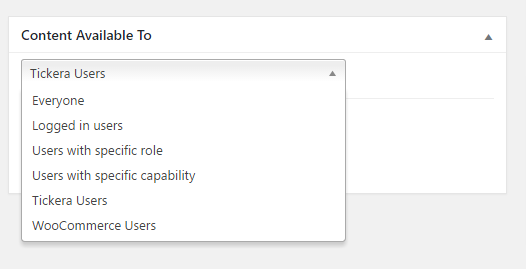
You can restrict, show and hide content to:
- Everyone (all website visitors)
- Logged in users
- Users with a specific role (administrator, editor, author, subscriber, etc)
- Users with a specific capability
- Author of a post / page
- Visitors arriving with a specific URL parameter (i.e. ?src=newsletter) – great for landing page personalization
- Visitors arriving from a specific website (referrer)
- Visitors with a specific cookie
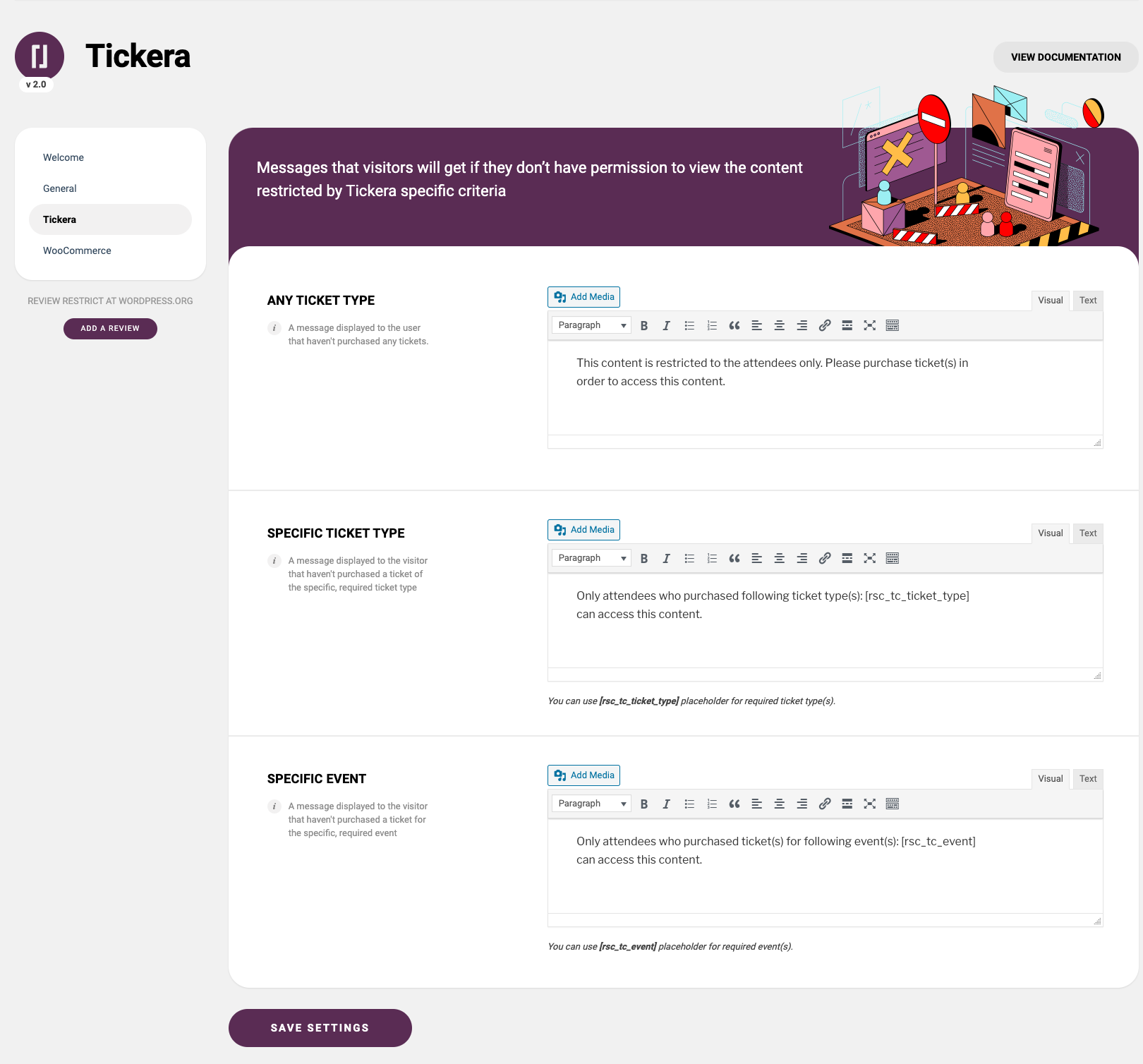
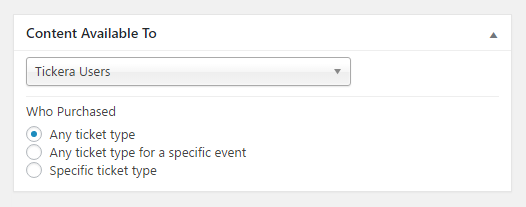
- Tickera users (who purchased any ticket, any ticket for a specific event or a specific ticket type)
- Venuera users (who purchased any ticket, any ticket for a specific event or a specific ticket type)
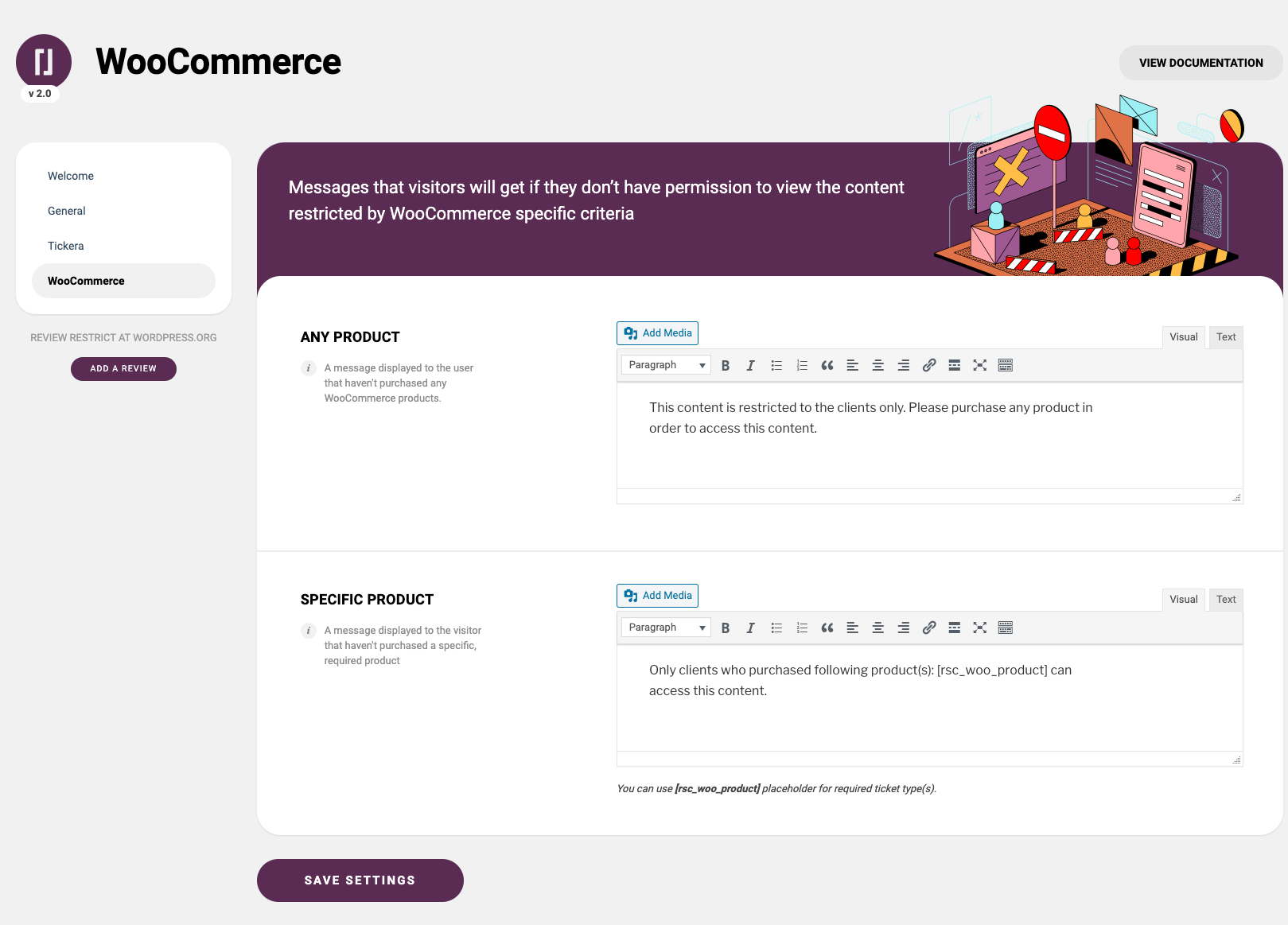
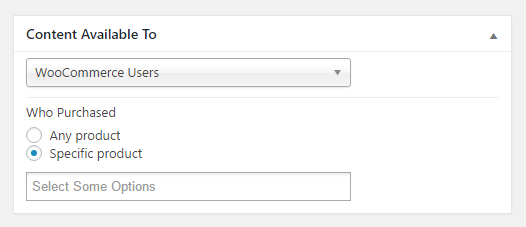
- WooCommerce users (who made any purchase or who purchased a specific product)
- WooCommerce users with limited time access to the content after they made a purchase of specific product
- Easy Digital Downloads users (who made any purchase or who purchased a specific product)
- Easy Digital Downloads users with limited time access to the content after they made a purchase of specific product
Intégrations
Restrict has seamless integrations with Tickera Event Ticketing System for WordPress, Venuera, Easy Digital Downloads, WooCommerce allowing you to restrict the sensitive content of pages or posts based on criteria specific for these plugins (i.e. show content to users who purchased a specific ticket or WooCommerce product). Also, Restrict has integration with Simple URLs. With this integration, you can create a redirection in SimpleURLs plugin and then restrict access to that redirect so that if the customer attempts to access redirect URL without fulfilling the required criteria, you can set in Restrict whether to display them a specific page or redirect them to some other, specific URL.
Premium version features
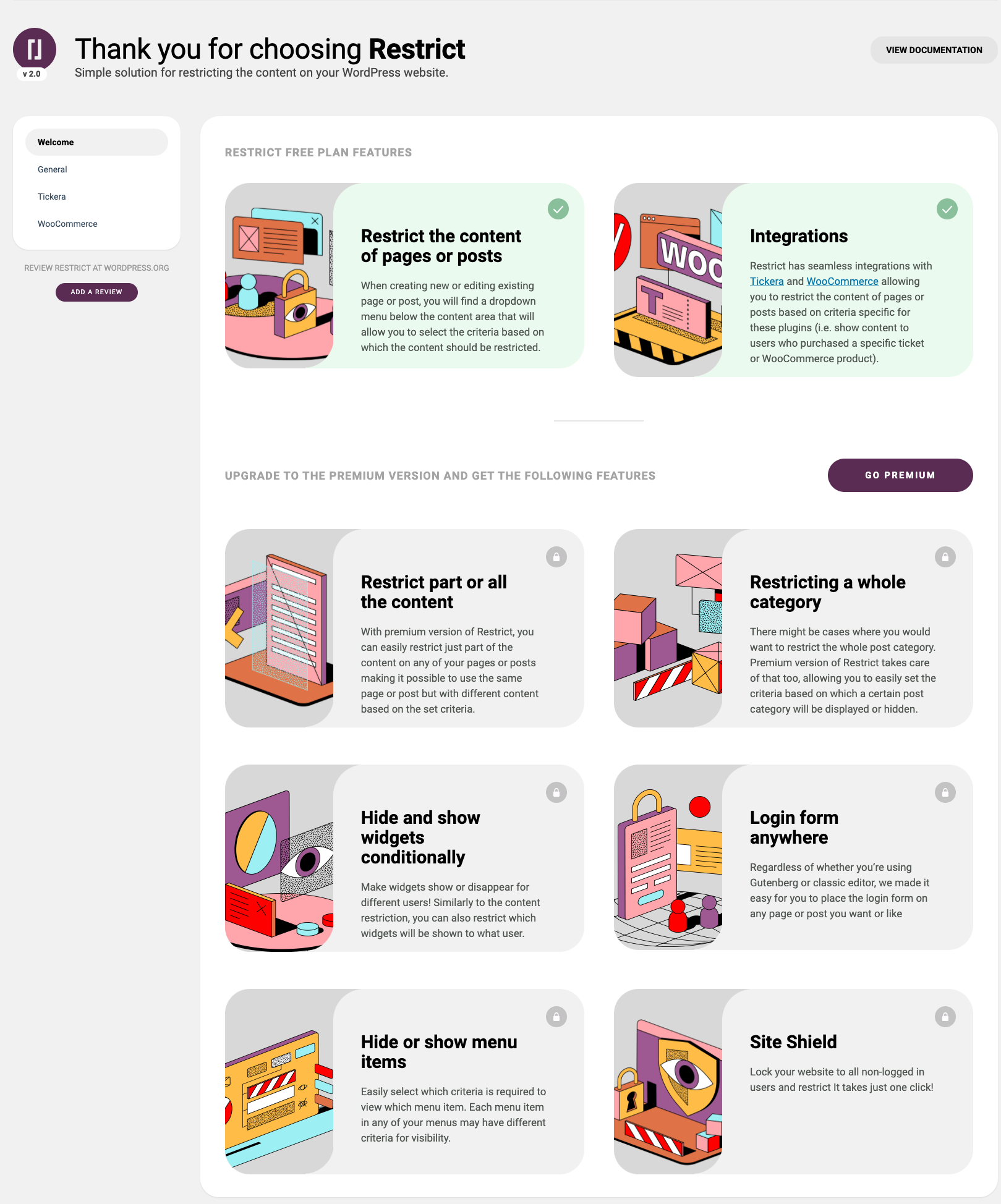
- Restrict whole post type at once – the post types area of Restrict plugin allows you to select the default content visibility to the existing post types on your website.
- Restrict part or all the content (Shortcodes) – Easily restrict just part of the content on any of your pages or posts making it possible to use the same page or post but with different content based on the set criteria.
- Restrict any Gutenberg block – every block in the block editor gets a “Restrict” panel where you can choose who can see it, and a dedicated Restricted Content container block lets you protect whole groups of blocks with an optional custom message.
- Restricting a whole post category – If you want to restrict the whole post category, the premium version of Restrict plugin takes care of that too, allowing you to easily set the criteria based on which a certain post category will be displayed or hidden.
- Hide and show widgets conditionally – Make your widgets show or disappear for different users! Similarly to the content restriction, you can also restrict which widgets will be shown to what user.
- Display menu items conditionally – You can set different criteria for each menu item and make them displayed or hidden to logged in users, certain user roles, users with specific capability and even logged out users.
- Login form anywhere – Regardless of whether you’re using Gutenberg or classic editor, we made it easy for you to place the login form on any of your pages or posts.
- Site Lock – Lock the entire website in one simple click and make it accessible only to logged in users! Similarly, you can also restrict access to REST API to only logged in users.
- White label option
Documentation
Stuck? Check out the plugin documentation
EXTERNAL SERVICES
- Freemius manages upgrades to the premium license and handles premium licensing. Privacy policy: https://freemius.com/privacy/
- Restrict for WordPress pulls information for upgrading to premium tiers. Privacy policy https://restrict.io/privacy-policy/
- Easy Digital Downloads integration displays button that links to documentation page on Restrict’s website. Privacy policy https://restrict.io/privacy-policy/
- Simple URLs displays button that links to the associated documentation page on Restrict’s website. Privacy policy https://restrict.io/privacy-policy/
- Bots and web crawlers whitelisting displays button that links to the associated documentation page on Restrict’s website. Privacy policy https://restrict.io/privacy-policy/
- General displays button that links to the associated documentation page on Restrict’s website. Privacy policy https://restrict.io/privacy-policy/
- (https://restrict.io/restricted-content-documentation/restricting-the-content-of-page-or-post/) displays button that links to the associated documentation page on Restrict’s website. Privacy policy https://restrict.io/privacy-policy/
- (https://restrict.io/restricted-content-documentation/woocommerce-integration/) displays button that links to the associated documentation page on Restrict’s website. Privacy policy https://restrict.io/privacy-policy/
- (href=”https://restrict.io/restricted-content-documentation/restricting-menu-items/) displays button that links to the associated documentation page on Restrict’s website. Privacy policy https://restrict.io/privacy-policy/
- (https://restrict.io/restricted-content-documentation/tickera-integration/) displays button that links to the associated documentation page on Restrict’s website. Privacy policy https://restrict.io/privacy-policy/
Installation
- Install plugin
- Activez le plugin via le menu « Plugins » dans WordPress
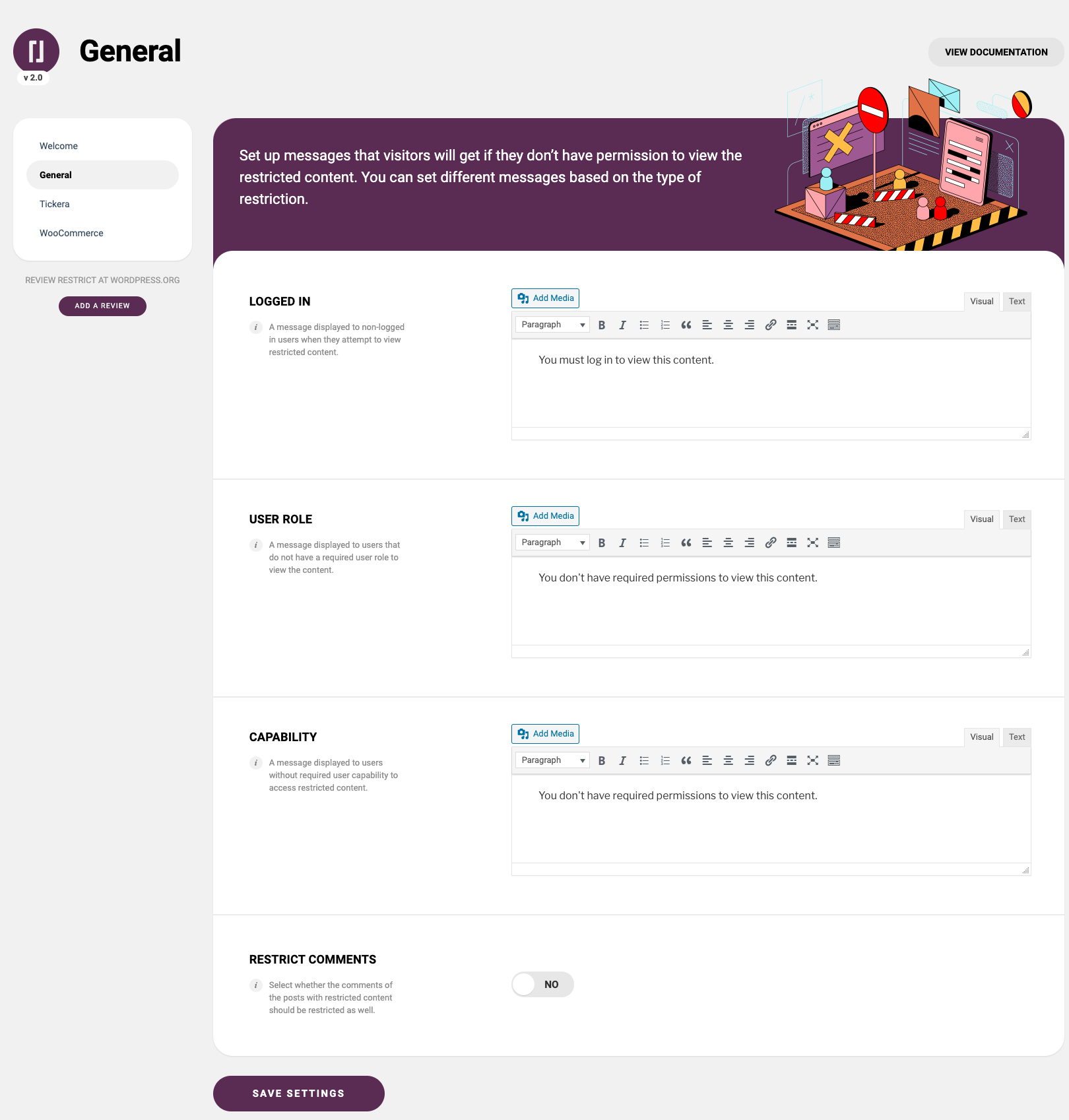
- Go to Admin > Restrict to set up different restriction messages
- Add restrictions to your posts, pages or various custom post types
Journal de modifications
2.4.2 19/10/2026
- Updated Freemius SDK to 2.13.5.
- Cleared out PHP Deprecated notices.
- Fixed role restrictions for users with multiple roles.
2.4.1 26/08/2026
- Restrict fallback messages were not rendering embedded shortcodes (e.g. [rsc_login_form]). [Fixed]
2.4.0 24/07/2026
- New: Venuera integration – restrict content to users who purchased Venuera tickets (any ticket, any ticket for a specific event or a specific ticket type)
- New (premium only): Venuera support in the restricted content shortcode (allowed_to=”venuera”)
- New (premium only): Restrict any Gutenberg block – “Restrict” panel on every block in the block editor and a new Restricted Content container block, supporting all existing restriction criteria, with an optional custom restriction message per block
- New: URL parameter criteria – restrict content to visitors arriving with a specific URL parameter (i.e. ?src=newsletter), great for landing page personalization
- New: Referrer criteria – restrict content to visitors arriving from a specific website
- New: Cookie criteria – restrict content to visitors with a specific cookie
- New (premium only): URL parameter, referrer and cookie criteria in the restricted content shortcode (allowed_to=”url_parameter” / “referrer” / “cookie”) and in the Gutenberg “Restrict” panel, with ready-made generator boxes in the Shortcodes area
- Welcome screen: new “URL parameter”, “Referrer” and “Cookie” feature sections with illustrations
- Welcome screen: the Integrations section now always lists all available integrations with links. [Fixed]
- Welcome screen: new “Restrict any Gutenberg block” feature section with illustration
- Settings page: sidebar navigation width no longer jumps on page load. [Fixed]
- Settings page: removed an empty white box at the bottom of the Welcome screen. [Fixed]
- Settings page: lock icon properly centered inside the “Go Premium” button circle. [Fixed]
- Settings page: missing spacing between feature card sections on the Welcome screen when a premium license is active. [Fixed]
- Settings page: broken form field styles on the Shortcodes tab – the User Capability compound field, radio buttons (double misplaced dot) and the role / product / ticket type pickers which were rendered as empty boxes. [Fixed]
- Settings page: missing spacing between section cards on the General tab and between field cards on the Shortcodes and Login Form tabs. [Fixed]
- Settings page: misaligned remove (x) button and legacy colors on the selected item pills in the shortcode generator pickers. [Fixed]
- Fixed: Resolved the Gutenberg “Invalid parameter(s): attributes” error by correctly applying Restricted Content attributes across page blocks.
2.3.5 25/06/2026
- Freemius SDK updated to v2.13.1
- WordPress v7.0 Compliance
2.3.4 08/01/2026
- New “rsc_redirect_blocked_content” filter hook to redirect restricted content. Argument: $url, $restriction_type
- Woocommerce High-Performance Order Storage Integration.
2.3.3 19/02/2025
- Additional “rsc_can_access” and “rsc_access_message” filter hooks. Arguments: Bool (default: true), $value_array
Captures d'écran
Pour les développeurs
Est-ce votre plugin ? Montrez les chiffres.
Ajoutez un badge en direct à votre site, docs ou github readme. Il se met à jour par lui-même - aucun compte n'est nécessaire.
Best Restrict alternatives
All protect content plugins →

FAQ
Restrict: quick answers
Réponses directes, extraites des données en direct WordPress.org.
Source : WordPress.org
Is Restrict free?
Yes. Restrict is free to download and use from the official WordPress.org plugin directory.
Is Restrict safe to use in 2026?
Yes — Restrict is a safe, well-maintained plugin to use in 2026. It runs on 2K+ sites, is rated 4.2/5 and was last updated 1 month ago, and scores 80/100 on our health check.
How many websites use Restrict?
Restrict is active on 2K+ WordPress websites and has been downloaded 75,345 times since it launched in October 2016. It was downloaded 1,335 times in the last 30 days.
Does Restrict work with WordPress 7.1?
Yes. The developer has tested Restrict up to WordPress 7.1.5, the latest release. It requires WordPress 5.1 or newer.
When was Restrict last updated?
The latest version, 2.4.2, was released on October 19, 2026 (1 month ago).
Who makes Restrict?
Restrict is developed and maintained by Tickera.
What are the best alternatives to Restrict?
The most popular alternatives to Restrict are RCD-Right Click Disabler (1K+ installs), CopyProof Website (300+ installs) and Mail And Content Protect (100+ installs).
Propulsé par PageForge
Un modèle et une feuille de calcul. Une vraie page pour chaque recherche.
PageForge transforme chaque ligne d'un CSV en une page WordPress avec son propre titre, URL, SEO et schéma, construit sur la mise en page que vous Déjà conçu. Gratuit sur WordPress.org.
- CSV et XLSX, plus Google Sheets sur les professionnels et les entreprises
- Son propre titre, URL, SEO champs et schéma pour chaque page
- Fonctionne avec l'éditeur de blocs, Elementor, Divi et Avada
- Gratuit sur WordPress.org, pas de carte de crédit