


Remove & Disable XML-RPC Pingback
Prevent pingback, XML-RPC and denial of service DDOS attacks by disabling the XML-RPC pingback functionality.

Envisager une alternative
Remove & Disable XML-RPC Pingba… shows warning signs in 2026 — compare the alternatives below before installing. It runs on 7K+ sites, is rated 3/5 and was last updated 3 years ago, and scores 33/100 on our health check.
- Low rating so far — 3/5 from only 6 reviews
- Pas de mise à jour dans 3 ans
- Uniquement testé jusqu'à WordPress 6,3 (le dernier est de 7,1)
Téléchargements quotidiens
Les pics de téléchargement suivent généralement une nouvelle version - chaque site qui met à jour automatiquement compte comme un téléchargement.
Classements
Where Remove & Disable XML-RPC Pi… stands todayWordPress.org Classements de recherche
Position en direct dans la recherche de plugins, Top 100| Mot-clé | Position |
|---|---|
| disable ping | #30 |
| ping | #80 |
| pingback | #86 |
| xml-rpc | >100 |
| xmlrpc | #38 |
Adoption de version
Part de sites actifs par version.
Répartition des notes
★★★★★★★★★★ 3 from 6 reviews
About Remove & Disable XML-RPC Pingback
À partir du Lisezmoi officiel · v1.6Description
Prevent your WordPress site from participating and being a victim of pingback denial of service attacks. After activation the plugin automatically disables XML-RPC. There’s no need to configure anything.
By disabling the XML-RPC pingback you’ll:
* lower your server CPU usage
* prevent malicious scripts from using your site to run pingback denial of service attacks
* prevent malicious scripts to run denial of service attacks on your site via pingback
From sucuri.net:
Any WordPress site with Pingback enabled (which is on by default) can be used in DDOS attacks against other sites.
Learn More
- How To Prevent WordPress From Participating In Pingback Denial of Service Attacks – wptavern.com
- More Than 162,000 WordPress Sites Used for Distributed Denial of Service Attack – sucuri.net
- xmlrpc.php and Pingbacks and Denial of Service Attacks, Oh My! – hackguard.com
Is Your Site Attacking Others?
Use Sucuri’s WordPress DDOS Scanner to check if your site is DDOS’ing other websites
Why Not Just Disable XMLRPC Altogether?
Yes, you can choose to do that, but if you use popular plugins like JetPack (that use XMLRPC) then those plugins will stop working. That is why this small plugin exists.
Installation
Utilisation du tableau de bord WordPress
- Accédez à "Ajouter un nouveau" dans le tableau de bord des plugins
- Search for ‘Remove XMLRPC Pingback Ping’
- Cliquez sur "Installer maintenant"
- Activer le plugin sur le tableau de bord du plugin
Téléchargement dans le tableau de bord WordPress
- Accédez à "Ajouter un nouveau" dans le tableau de bord des plugins
- Accédez à la zone "Télécharger"
- Sélectionnez
remove-xmlrpc-pingback-ping.zipà partir de votre ordinateur - Cliquez sur "Installer maintenant"
- Activer le plugin dans le tableau de bord du plugin
Utilisation de FTP
- Télécharger
remove-xmlrpc-pingback-ping.zip - Extrayez le répertoire
remove-xmlrpc-pingback-pingsur votre ordinateur - Téléchargez le répertoire
remove-xmlrpc-pingback-pingdans le répertoire/wp-content/plugins/ - Activer le plugin dans le tableau de bord du plugin
Journal de modifications
Worth the update...
1.6
- 2023/07/24
- Added filter to check for and remove ‘X-Pingback’ header if necessary.
- Added settings page
- Tested up to WP 6.2
1.5
- Code hardening.
- Verified compatibility with WP 5.9.3
1.4
- New: Added a count under “Settings -> General” to see number of blocked attempts.
- Tested up to WP 5.8
- Added newsletter admin notice.
- Code hardening.
1.3
- 2020/09/21
- Cleaned up code
- Added counter for number of times the pingback method was blocked.
- Tested with WP 5.5.1
- 28,595 downloads
1.1
- 2019/04/09
- version bump
1.0.0
- Première version
Captures d'écran
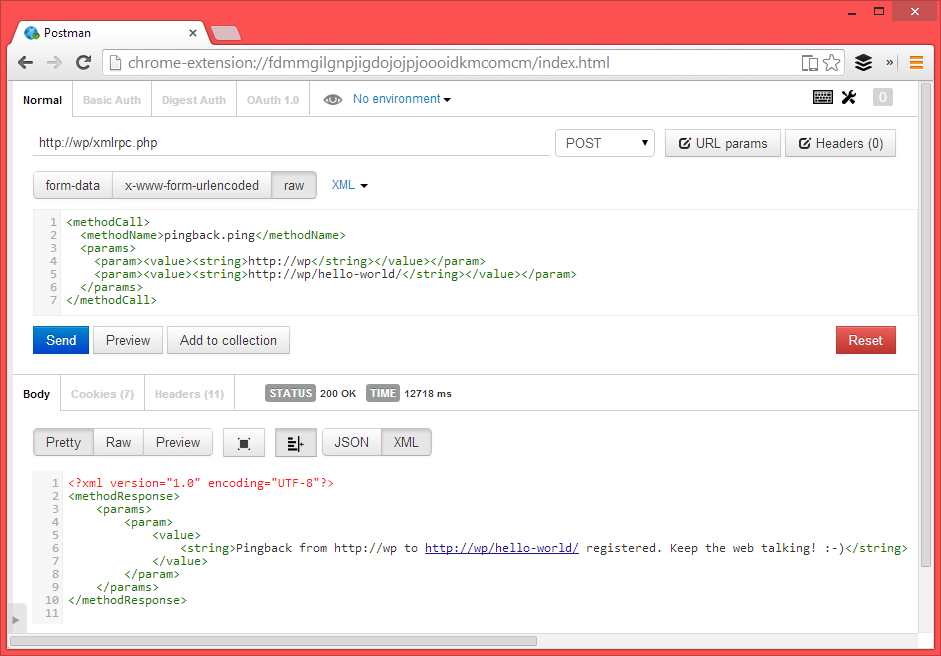
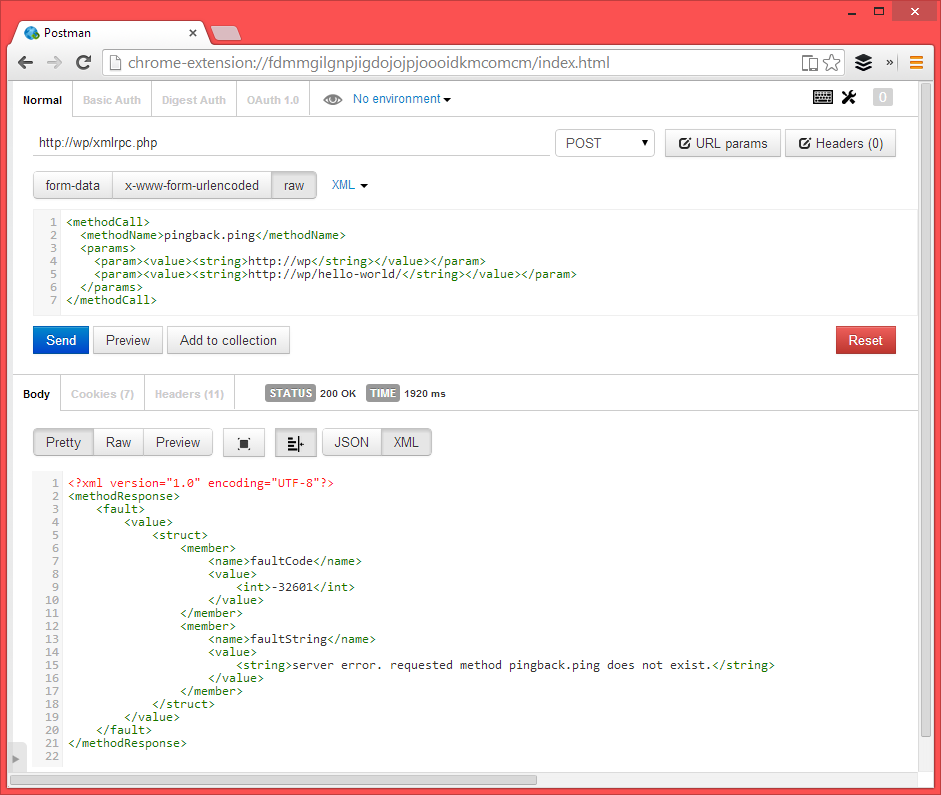
Pour les développeurs
Est-ce votre plugin ? Montrez les chiffres.
Ajoutez un badge en direct à votre site, docs ou github readme. Il se met à jour par lui-même - aucun compte n'est nécessaire.
FAQ
Remove & Disable XML-RPC Pingback: quick answers
Réponses directes, extraites des données en direct WordPress.org.
Source : WordPress.org
Is Remove & Disable XML-RPC Pingba… free?
Yes. Remove & Disable XML-RPC Pingba… is free to download and use from the official WordPress.org plugin directory.
Is Remove & Disable XML-RPC Pingba… safe to use in 2026?
Remove & Disable XML-RPC Pingba… shows warning signs in 2026 — compare the alternatives below before installing. It runs on 7K+ sites, is rated 3/5 and was last updated 3 years ago, and scores 33/100 on our health check.
How many websites use Remove & Disable XML-RPC Pingba…?
Remove & Disable XML-RPC Pingba… is active on 7K+ WordPress websites and has been downloaded 97,545 times since it launched in March 2014. It was downloaded 650 times in the last 30 days.
Does Remove & Disable XML-RPC Pingba… work with WordPress 7.1?
Remove & Disable XML-RPC Pingba… is officially tested up to WordPress 6.3.15, while the latest release is 7.1.5. It may still work, but try it on a staging site first.
What PHP version does Remove & Disable XML-RPC Pingba… need?
Remove & Disable XML-RPC Pingba… requires PHP 5.6 or higher. Most hosts run PHP 8.x today, so it works on any modern WordPress hosting.
When was Remove & Disable XML-RPC Pingba… last updated?
The latest version, 1.6, was released on July 24, 2023 (3 years ago).
Who makes Remove & Disable XML-RPC Pingba…?
Remove & Disable XML-RPC Pingba… is developed and maintained by cleverplugins.
Propulsé par PageForge
Un modèle et une feuille de calcul. Une vraie page pour chaque recherche.
PageForge transforme chaque ligne d'un CSV en une page WordPress avec son propre titre, URL, SEO et schéma, construit sur la mise en page que vous Déjà conçu. Gratuit sur WordPress.org.
- CSV et XLSX, plus Google Sheets sur les professionnels et les entreprises
- Son propre titre, URL, SEO champs et schéma pour chaque page
- Fonctionne avec l'éditeur de blocs, Elementor, Divi et Avada
- Gratuit sur WordPress.org, pas de carte de crédit