


Raina Image Compression
Smart automatic image optimization and compression for faster WordPress sites.

Choix solide
Raina Image Compression is a solid plugin choice in 2026, with a few things worth checking first. It runs on 100+ sites, is rated 5/5 and was last updated 3 months ago, and scores 62/100 on our health check.
- Testé avec le dernier WordPress (7.1)
- Petite base d'utilisateurs (plus de 100 installations actives)
- Très peu de critiques jusqu'à présent
Comment s'accumule-t-il ?
Côte à côte sur les installations, les mises à jour, les évaluations et le support



Téléchargements quotidiens
Les pics de téléchargement suivent généralement une nouvelle version - chaque site qui met à jour automatiquement compte comme un téléchargement.
Classements
Where Raina Image Compression stands todayWordPress.org Classements de recherche
Position en direct dans la recherche de plugins, Top 100| Mot-clé | Position |
|---|---|
| image compression | #9 |
| image optimization | #62 |
| jpg | #37 |
| png | #45 |
| webp | >100 |
Adoption de version
Part de sites actifs par version.
Répartition des notes
★★★★★ ★★★★★ 5 sur 2 avis
About Raina Image Compression
From the official readme · v1.8.2Description
Raina Image Compression is a powerful WordPress plugin that automatically optimizes images during upload while giving full control over compression, output format, and metadata. It is designed for site owners who want fast-loading pages, SEO-friendly images, and a reliable system that prevents users from uploading huge, unoptimized files.
The plugin works with the built-in GD library and intelligently handles JPG, PNG, and WebP formats. It can also convert non-transparent PNGs to JPG, achieving better compression without visible quality loss.
Ideal for multi-author sites or blogs managed by non-technical users, Raina Image Compression operates automatically in the background, optionally sends Telegram notifications, and keeps your image sizes under control.
Principales caractéristiques
Smart Image Optimization
– Automatically compresses JPG and PNG images.
– Converts non-transparent PNGs to JPG for better performance.
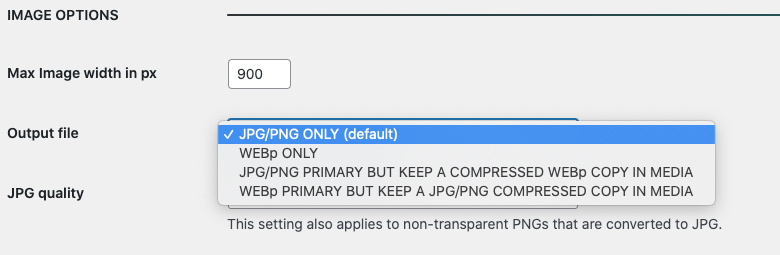
Output Mode Selection (4 available modes)
Choose how your images are generated after upload:
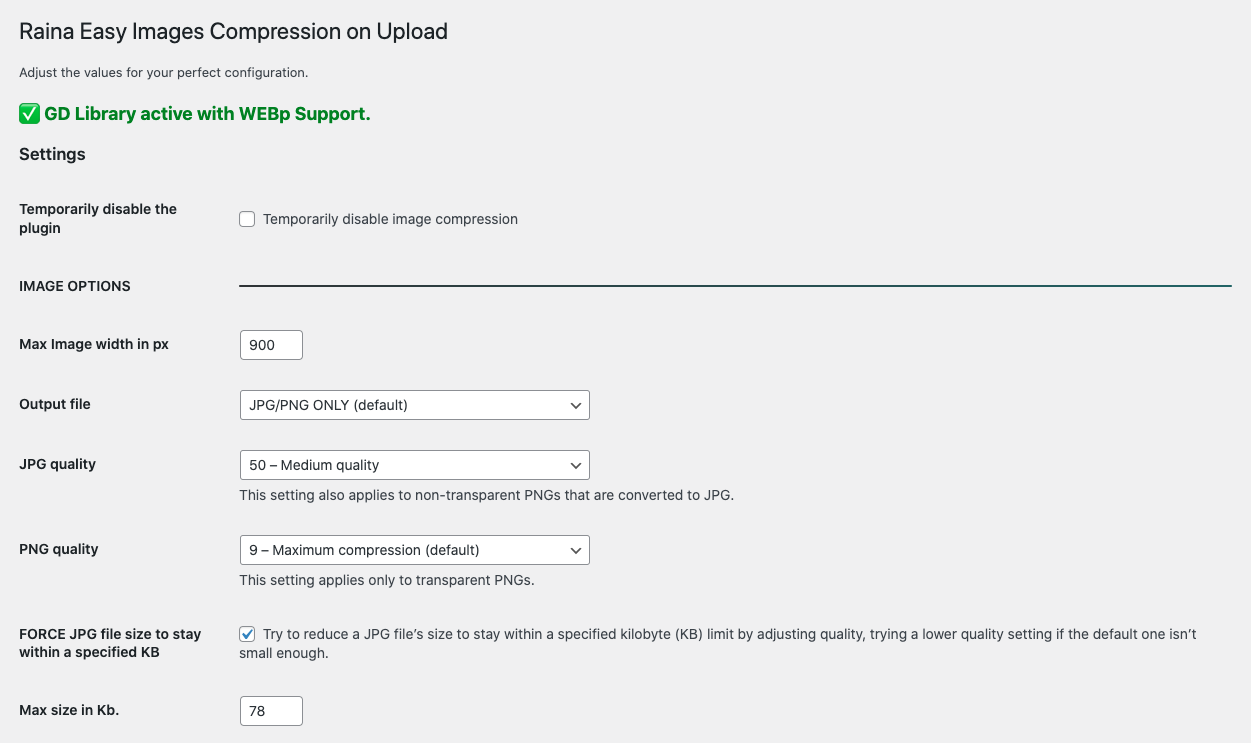
– 1. JPG/PNG ONLY Compresses only JPG and PNG files.
– 2. WEBP ONLY Creates only a WebP version.
– 3. JPG/PNG PRIMARY + WEBP COPY Keeps the original JPG/PNG as the main file and creates a WebP copy in the media library.
– 4. WEBP PRIMARY + JPG/PNG COPY Sets the WebP image as the primary file while retaining a JPG/PNG copy for compatibility.
Maximum Width Control
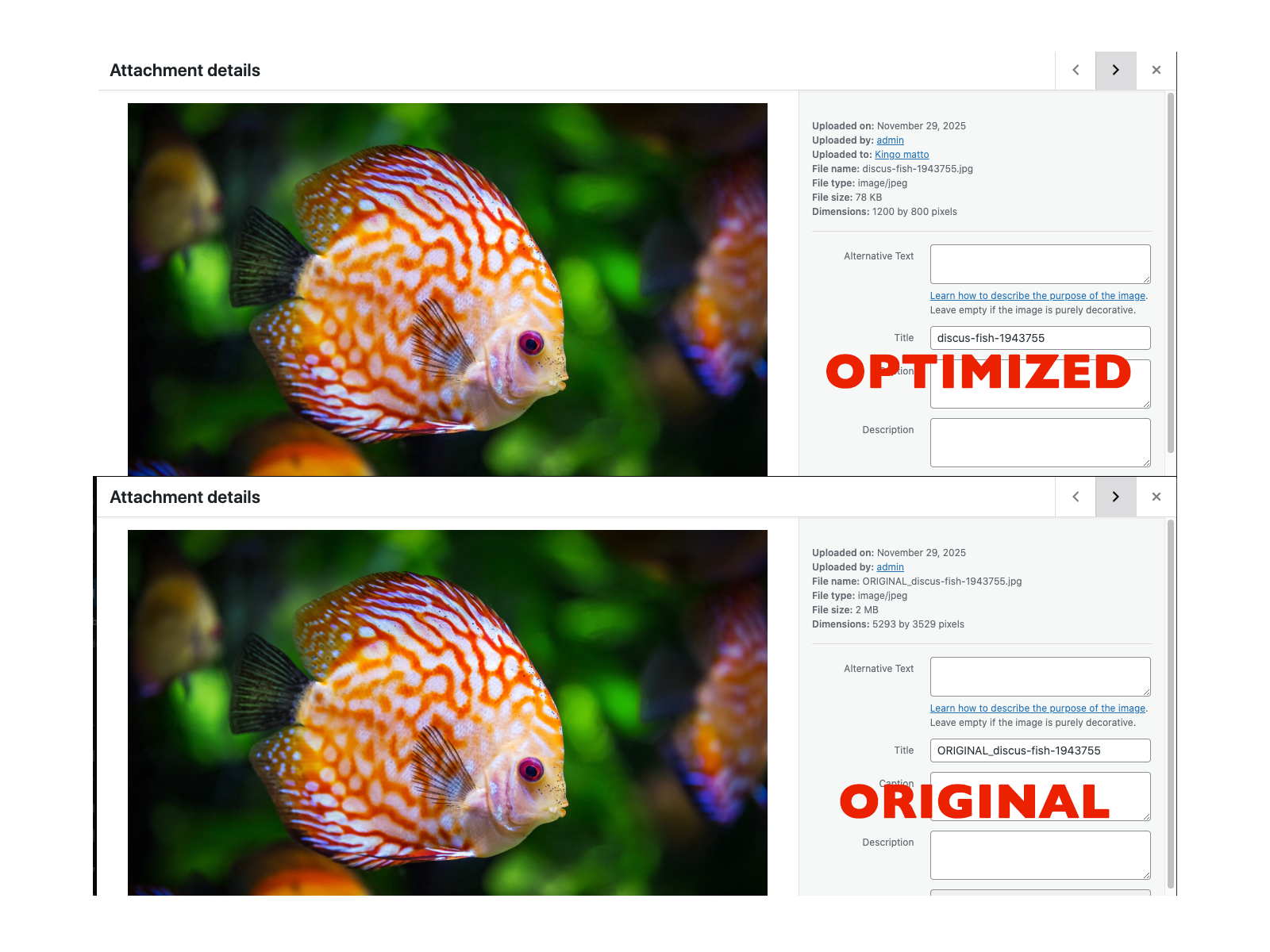
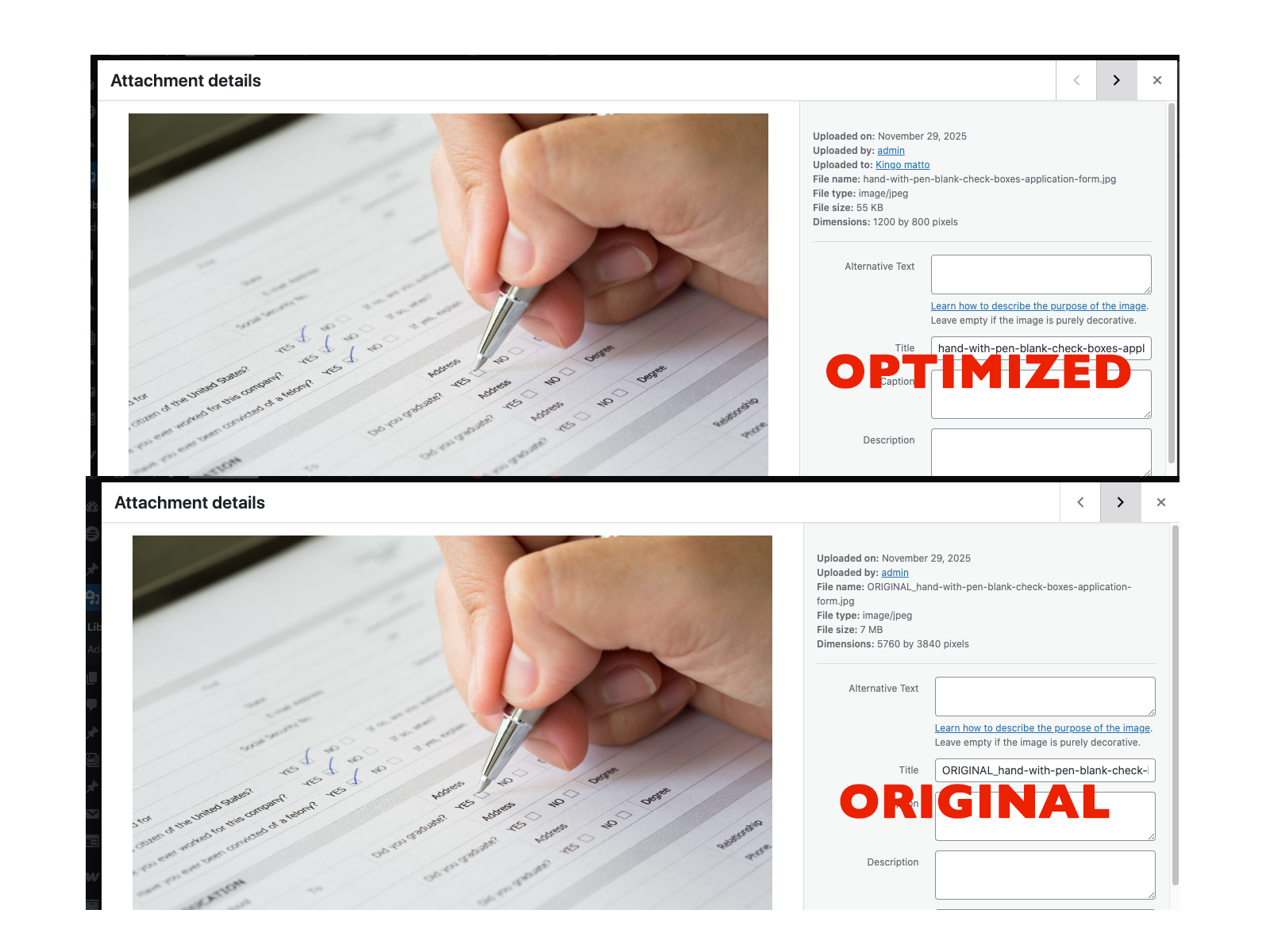
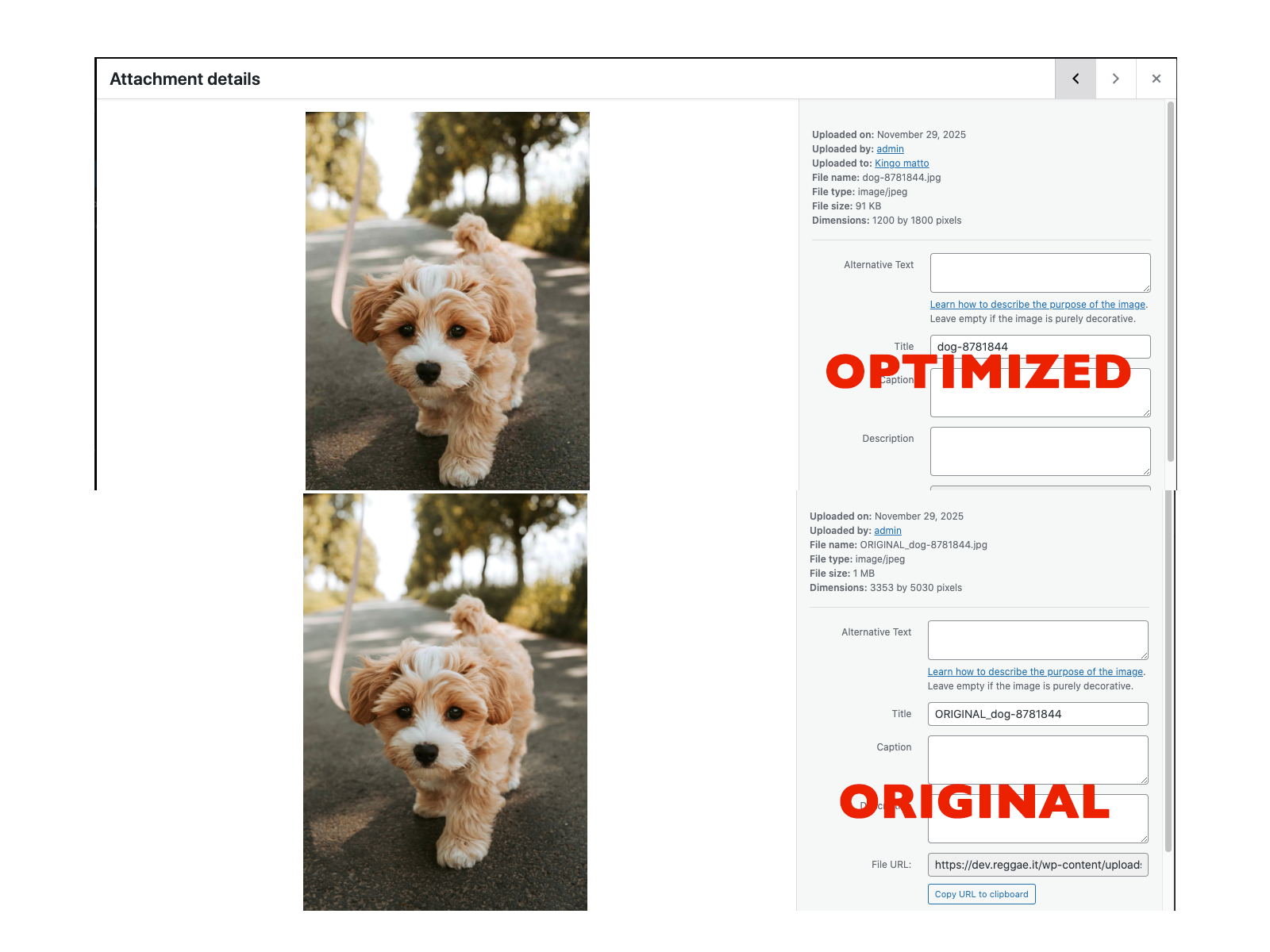
Set a maximum pixel width for uploaded images to automatically resize large photos from cameras or smartphones.
Smart JPG Size Reduction (by KB Limit)
When enabled, the plugin will try to reduce a JPG’s file size to stay below a specific kilobyte (KB) limit by dynamically lowering the quality level until the target is reached. ( ONLY FOR JPG and No transparent PNG )
Compress Only from Post Editor (Optional)
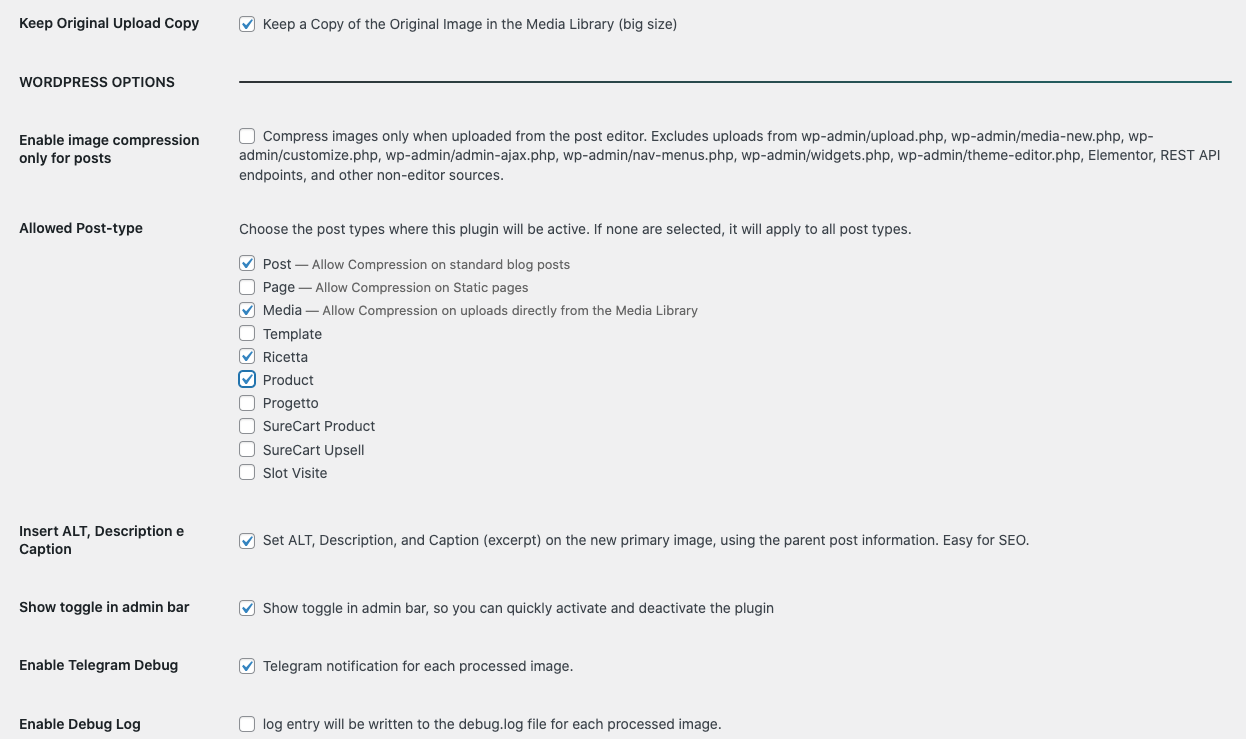
Option to limit compression to images uploaded directly from the WordPress post editor, excluding other uploads from plugins or themes or media library.
Post Type Filter
Added a new option to select which post types the plugin should apply to. If none are selected, all post types will be processed.
Keep Original File Copy
Option to create a full-size copy of the original uploaded image in the media library for backup or archival purposes.
Disable WP Auto-Generated Thumbnails
Option to disable WP Auto-Generated Thumbnails. Save disk space by preventing WordPress from creating unnecessary image files.
Automatic Metadata Filling
Automatically fills ALT, Description, and Caption (Excerpt) fields using the parent post information — ideal for improving SEO with no extra effort.
Admin Bar Toggle
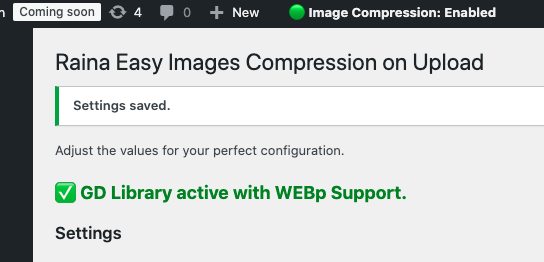
Easily enable or disable compression from the WordPress admin bar without entering the settings page, handy when you want to upload images related to the theme or the builder, basically content not associated with any post type.
Telegram Notifications (Optional)
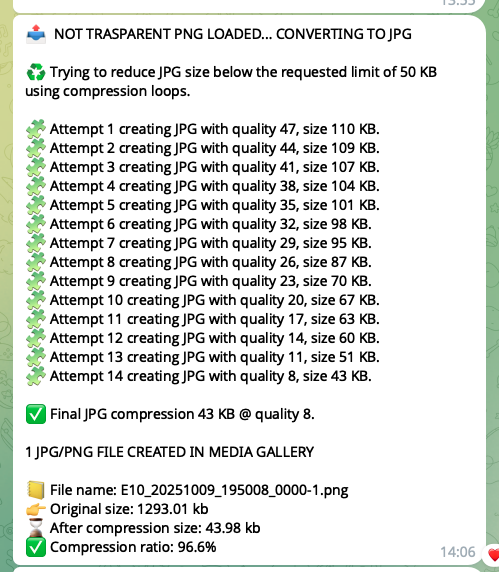
If the “Notifications for Telegram” plugin is installed, you will receive a message for each processed image containing:
– File name
– Format
– Compression ratio
Logging
Can Records all compression events to the WordPress debug log (wp-content/debug.log) for debugging or performance tracking.
Lightweight & Compatible
– Works entirely on your server with no external API, CDN or remote requests.
– Fully compatible with shared hosting environments.
– No third-party dependencies.
Ideal Use Cases
- Websites managed by non-technical users who often upload large, unoptimized images.
- Site owners and developers who want full control over compression settings.
- Blogs or news sites that require consistent image optimization without external services.
Summary
Raina Image Compression was built to solve a common problem: users uploading excessively large images that slow down websites.
It works quietly in the background, optimizing every image for size, speed, and SEO — so your site stays fast, clean, and professional.
Licence
This plugin is free software; you can redistribute it and/or modify it under the terms of the GNU General Public License as published by the Free Software Foundation; either version 2 of the License, or (at your option) any later version.
Installation
- Upload the plugin files to the
/wp-content/plugins/raina-image-compression/directory, or install it directly from the WordPress Plugin Directory. - Activez le plugin via l'écran plugins dans WordPress.
- Go to Settings → Raina Image Compression to configure your compression options.
- Optionally, install the Notifications for Telegram plugin to receive Telegram alerts for image compression events.
Journal de modifications
1.8.2
- Fixed an issue where non-transparent images were incorrectly detected as transparent.
- Updated some Text in Option Page
1.8
- Added a new option to select which post types the plugin should apply to.
- Added a new option to create a copy of the original uploaded image.
- Added a new option to disable WP Auto-Generated Thumbnails.
- Removed some unuseful Telegram logs
- FIX some Warnings on option page.
- Removed all inline CSS in admin option page
- Header & Donation button
1.7
- Version initiale.
- Added Output Mode selection with 4 formats (JPG/PNG only, WebP only, dual modes).
- Added JPG compression by target KB limit.
- Added PNG-to-JPG automatic conversion for non-transparent images.
- Updated description and compliance with WordPress coding standards.
- Added optional Telegram notifications.
- Added admin bar toggle for compression control.
- Improved metadata automation (ALT, caption, description).
Captures d'écran
Pour les développeurs
Est-ce votre plugin ? Montrez les chiffres.
Ajoutez un badge en direct à votre site, docs ou github readme. Il se met à jour par lui-même - aucun compte n'est nécessaire.
Best Raina Image Compression alternatives
All image compression plugins →




FAQ
Raina Image Compression: quick answers
Réponses directes, extraites des données en direct WordPress.org.
Source : WordPress.org
Is Raina Image Compression free?
Yes. Raina Image Compression is free to download and use from the official WordPress.org plugin directory.
Is Raina Image Compression safe to use in 2026?
Raina Image Compression is a solid plugin choice in 2026, with a few things worth checking first. It runs on 100+ sites, is rated 5/5 and was last updated 3 months ago, and scores 62/100 on our health check.
How many websites use Raina Image Compression?
Raina Image Compression is active on 100+ WordPress websites and has been downloaded 1,263 times since it launched in November 2025. It was downloaded 212 times in the last 30 days.
Does Raina Image Compression work with WordPress 7.1?
Yes. The developer has tested Raina Image Compression up to WordPress 7.1.5, the latest release. It requires WordPress 5.6 or newer.
What PHP version does Raina Image Compression need?
Raina Image Compression requires PHP 7.4 or higher. Most hosts run PHP 8.x today, so it works on any modern WordPress hosting.
When was Raina Image Compression last updated?
The latest version, 1.8.2, was released on August 30, 2026 (3 months ago).
Who makes Raina Image Compression?
Raina Image Compression is developed and maintained by rainafarai.
What are the best alternatives to Raina Image Compression?
The most popular alternatives to Raina Image Compression are Image Optimizer (1M+ installs), Squeeze (3K+ installs) and Flying Images: Optimize and… (2K+ installs).
Propulsé par PageForge
Un modèle et une feuille de calcul. Une vraie page pour chaque recherche.
PageForge transforme chaque ligne d'un CSV en une page WordPress avec son propre titre, URL, SEO et schéma, construit sur la mise en page que vous Déjà conçu. Gratuit sur WordPress.org.
- CSV et XLSX, plus Google Sheets sur les professionnels et les entreprises
- Son propre titre, URL, SEO champs et schéma pour chaque page
- Fonctionne avec l'éditeur de blocs, Elementor, Divi et Avada
- Gratuit sur WordPress.org, pas de carte de crédit