


Wp Quote Blocks
Elevate your content with our powerful and versatile WordPress plugin that revolutionizes the way you showcase quotes. The Ultimate Quote Blocks Plugin brings you a seamless experience in crafting stunning quote blocks…

Utiliser avec prudence
Wp Quote Blocks works, but test it on a staging site before relying on it in 2026. It runs on 10+ sites and was last updated 5 days ago, and scores 54/100 on our health check.
- Développé activement — Dernière mise à jour il y a 5 jours
- Petite base d'utilisateurs (plus de 10 installations actives)
- Très peu de critiques jusqu'à présent
- Uniquement testé jusqu'à WordPress 6,9 (le dernier est de 7,1)
Comment s'accumule-t-il ?
Côte à côte sur les installations, les mises à jour, les évaluations et le support


Téléchargements quotidiens
Les pics de téléchargement suivent généralement une nouvelle version - chaque site qui met à jour automatiquement compte comme un téléchargement.
Classements
Where Wp Quote Blocks stands todayWordPress.org Classements de recherche
Position en direct dans la recherche de plugins, Top 100| Mot-clé | Position |
|---|---|
| Highlight | >100 |
| quotation | #52 |
| la citation | #56 |
| Quote Block | #34 |
| Verse | #36 |
Adoption de version
Part de sites actifs par version.
About Wp Quote Blocks
À partir du Lisezmoi officiel · v1.0Description
Elevate your content with our powerful and versatile WordPress plugin that revolutionizes the way you showcase quotes. The Ultimate Quote Blocks Plugin brings you a seamless experience in crafting stunning quote blocks, all within the intuitive Gutenberg editor.
Unleash your creativity with over 20+ finely-tuned settings per block, allowing you to effortlessly customize the look, feel, and layout of your quotes. Tailor each quote block to match your website’s style and captivate your audience’s attention. Whether you’re a blogger, content marketer, or business owner, our plugin is designed to enhance your content’s visual impact.
Fonts and Third Party Services
Fonts come from the WordPress Font Library (Appearance → Fonts, or Styles → Typography in the Site Editor). Google Fonts installed there are copied to and served from your own site, so visitors’ browsers do not contact Google.
Quotes created with version 0.1.0 may use a Google font picked with the old font picker. Until that font is installed in the Font Library, the plugin keeps loading it from the Google Fonts Web API for those quotes only. In that case visitors’ browsers send Google (1) their IP address, (2) the requested URL and (3) HTTP headers such as the user agent and referrer.
Terms of Service: https://developers.google.com/fonts/terms
Principales caractéristiques :
- Sleek Design Options: Access a plethora of design options to fine-tune your quotes. From fonts and colors to border styles and backgrounds, create a visually appealing quote block that resonates with your brand identity.
- Responsive Layouts: Ensure your quotes look stunning on any device with our responsive layout settings. Choose from various layouts to optimize the appearance of your quotes across desktops, tablets, and smartphones.
- Advanced Typography: Empower your quotes with a wide range of typography settings. Pick any font from the WordPress Font Library, including Google Fonts served from your own site, and customize weights, sizes, line heights, and letter spacing to achieve the perfect visual balance.
- Copy to Clipboard: Optionally add a “Copy quote” button so readers can copy the quote and citation in one click. Built on the WordPress Interactivity API, so the script only loads on pages that use it.
- Versatile Block Alignment: Align your quotes to suit your content’s layout. Opt for left, right, center, or full-width alignments for a seamless blend within your pages.
Installation
- Téléchargez les fichiers du plug-in dans le répertoire
/wp-content/plugins/wp-quote-blocksou installez directement le plugin via l'écran des plugins WordPress. - Activez le plugin via l'écran "Plugins" dans WordPress
- Optional: install fonts from Appearance → Fonts (or Styles → Typography in the Site Editor) to use them in your quotes.
Journal de modifications
1.0
- New: Fonts come from the WordPress Font Library through the core typography controls. Google Fonts are served from your own site and no Google API key is needed.
- New: Optional “Copy quote” button powered by the Interactivity API.
- Improvement: Style controls moved to the block’s Styles tab, inside the core Typography, Color, Dimensions and Borders panels, with Reset all support.
- Fix: Icon margin and padding controls showed the quote’s values.
- Removed: The Google API key settings page.
- Compatibility: Existing quotes are migrated automatically. Their fonts keep loading from Google until installed in the Font Library.
- Requires WordPress 6.5 or later.
0.1.0
- Version initiale.
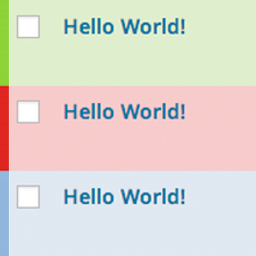
Captures d'écran


Pour les développeurs
Est-ce votre plugin ? Montrez les chiffres.
Ajoutez un badge en direct à votre site, docs ou github readme. Il se met à jour par lui-même - aucun compte n'est nécessaire.
Best Wp Quote Blocks alternatives
All Highlight plugins →





FAQ
Wp Quote Blocks: quick answers
Réponses directes, extraites des données en direct WordPress.org.
Source : WordPress.org
Is Wp Quote Blocks free?
Yes. Wp Quote Blocks is free to download and use from the official WordPress.org plugin directory.
Is Wp Quote Blocks safe to use in 2026?
Wp Quote Blocks works, but test it on a staging site before relying on it in 2026. It runs on 10+ sites and was last updated 5 days ago, and scores 54/100 on our health check.
How many websites use Wp Quote Blocks?
Wp Quote Blocks is active on 10+ WordPress websites and has been downloaded 1,282 times since it launched in December 2023. It was downloaded 108 times in the last 30 days.
Does Wp Quote Blocks work with WordPress 7.1?
Wp Quote Blocks is officially tested up to WordPress 6.9.12, while the latest release is 7.1.5. It may still work, but try it on a staging site first.
What PHP version does Wp Quote Blocks need?
Wp Quote Blocks requires PHP 7.0 or higher. Most hosts run PHP 8.x today, so it works on any modern WordPress hosting.
When was Wp Quote Blocks last updated?
The latest version, 1.0, was released on November 24, 2026 (5 days ago).
Who makes Wp Quote Blocks?
Wp Quote Blocks is developed and maintained by Abdi.
What are the best alternatives to Wp Quote Blocks?
The most popular alternatives to Wp Quote Blocks are String locator (100K+ installs), Highlighting Code Block (10K+ installs) and Highlight Search Terms (6K+ installs).
Propulsé par PageForge
Un modèle et une feuille de calcul. Une vraie page pour chaque recherche.
PageForge transforme chaque ligne d'un CSV en une page WordPress avec son propre titre, URL, SEO et schéma, construit sur la mise en page que vous Déjà conçu. Gratuit sur WordPress.org.
- CSV et XLSX, plus Google Sheets sur les professionnels et les entreprises
- Son propre titre, URL, SEO champs et schéma pour chaque page
- Fonctionne avec l'éditeur de blocs, Elementor, Divi et Avada
- Gratuit sur WordPress.org, pas de carte de crédit