


Query Forge
The Visual Query Engine and Display Tool for WordPress OR Elementor. Build complex post queries with a drag-and-drop interface, no code required!

Utiliser avec prudence
Query Forge works, but test it on a staging site before relying on it in 2026. Was last updated 6 months ago, and scores 42/100 on our health check.
- Petite base d'utilisateurs (<10 installations actives)
- Très peu de critiques jusqu'à présent
- Uniquement testé jusqu'à WordPress 6,9 (le dernier est de 7,1)
Comment s'accumule-t-il ?
Côte à côte sur les installations, les mises à jour, les évaluations et le support



Téléchargements quotidiens
Les pics de téléchargement suivent généralement une nouvelle version - chaque site qui met à jour automatiquement compte comme un téléchargement.
Classements
Where Query Forge stands todayWordPress.org Classements de recherche
Position en direct dans la recherche de plugins, Top 100| Mot-clé | Position |
|---|---|
| custom post types | >100 |
| Gutenberg | >100 |
| member directory | >100 |
| posts grid | >100 |
| query builder | >100 |
About Query Forge
From the official readme · v1.3.6.6Description
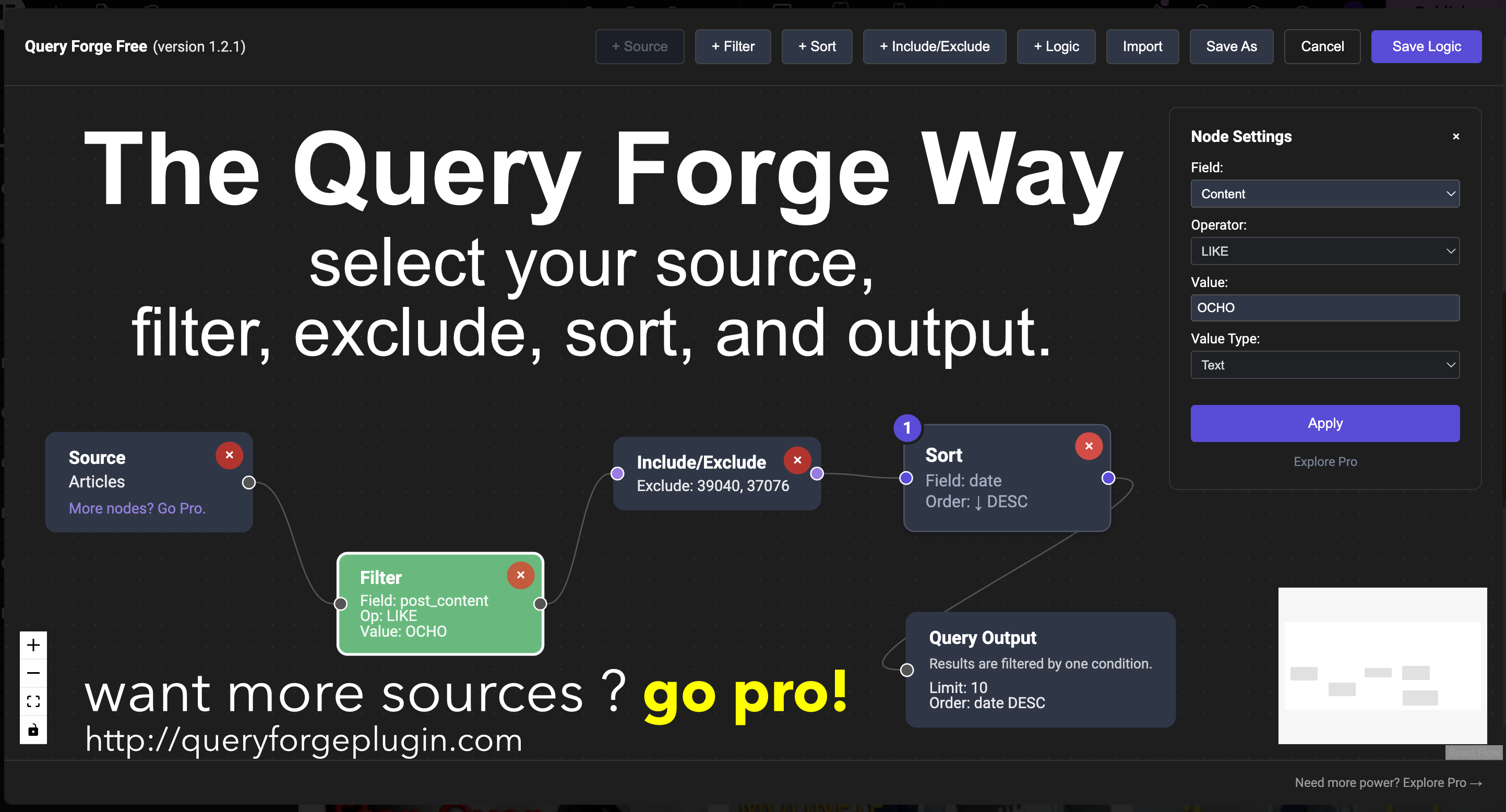
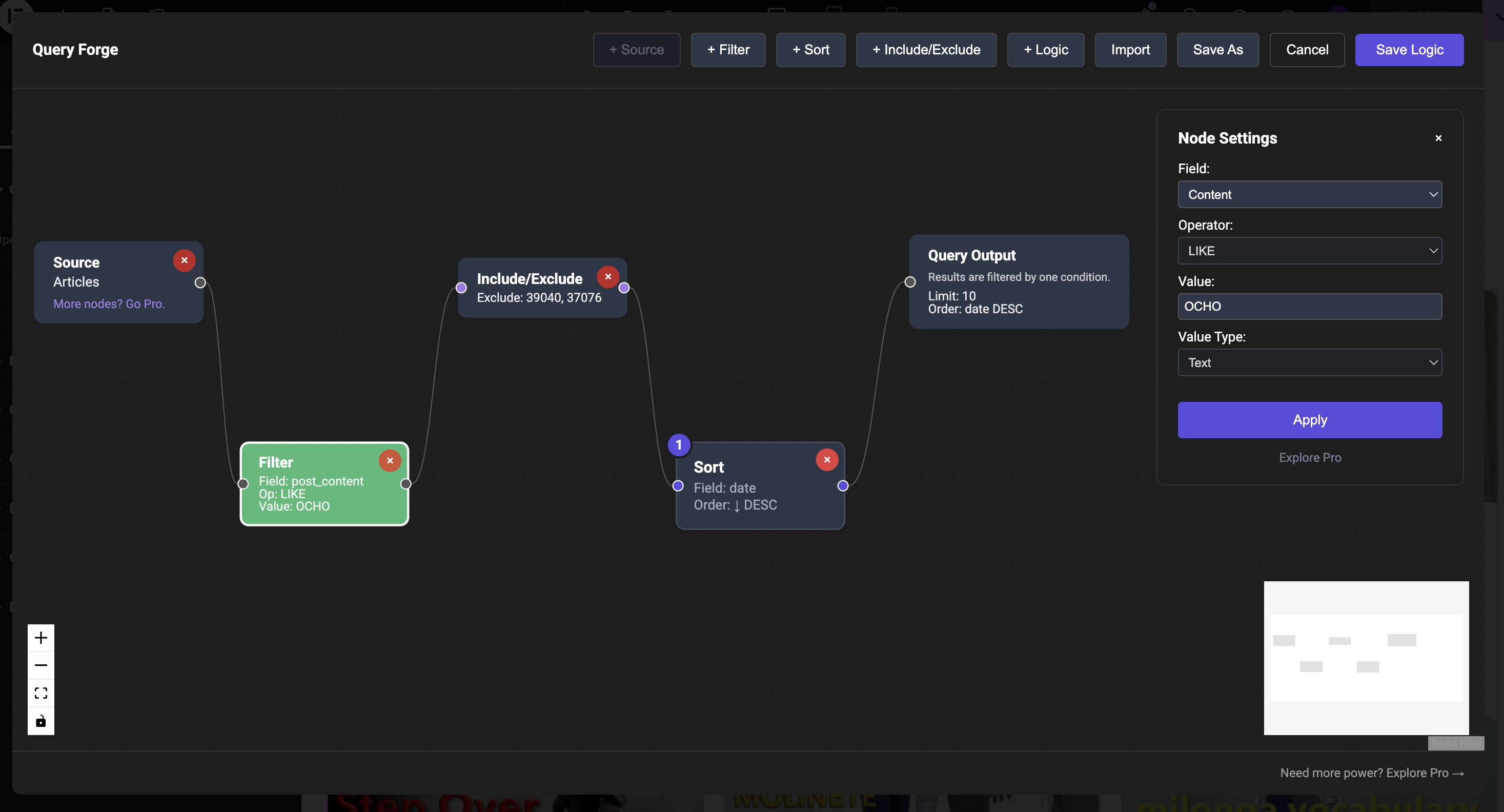
Query Forge lets you design and build queries from your posts, pages, or custom post types anywhere on your WordPress site with our unique Visual Node Canvas! And the Pro version goes deeper into the users or comments table, internal or external SQL tables, or any API data sources, all without writing code!
You can build a member directory, a WooCommerce product grid, a related posts section, an event listing, or a staff page. Really your imagination is the limit here. But the real power of Query Forge is the fact that you can not only filter by any field, or sort any way you want, but add MULTIPLE sources combined to create data sets that just are not possible with any other tool without writing code.
And the best part is that you can display those results in a fully styled card grid which works with the Gutenberg Block Editor OR Elementor (free or pro).
The process is simple. Open the canvas, drop a source node, connect your filter, sort, and save your logic. Then you stylize the card, and/or the page the way you want. Voila, results. No other plugin does this, not without having you write code, or with shortcodes. Query Forge does that all out of the box.
Principales caractéristiques
- Visual Node-Based Interface — Drag and drop nodes to build queries visually
- Works with Gutenberg OR Elementor — one plugin, both editors
- Post Type Support — Query Posts, Pages, and all Custom Post Types
- Multiple Source Node configurations for combining multiple types of data (Pro Only)
- Advanced data sources — internal and external SQL tables and REST APIs, authenticated or unauthenticated (Pro Only)
- Taxonomy Filtering — Filter by categories, tags, and custom taxonomies
- Multi-Condition Filters — multiple conditions per filter node with internal AND/OR logic
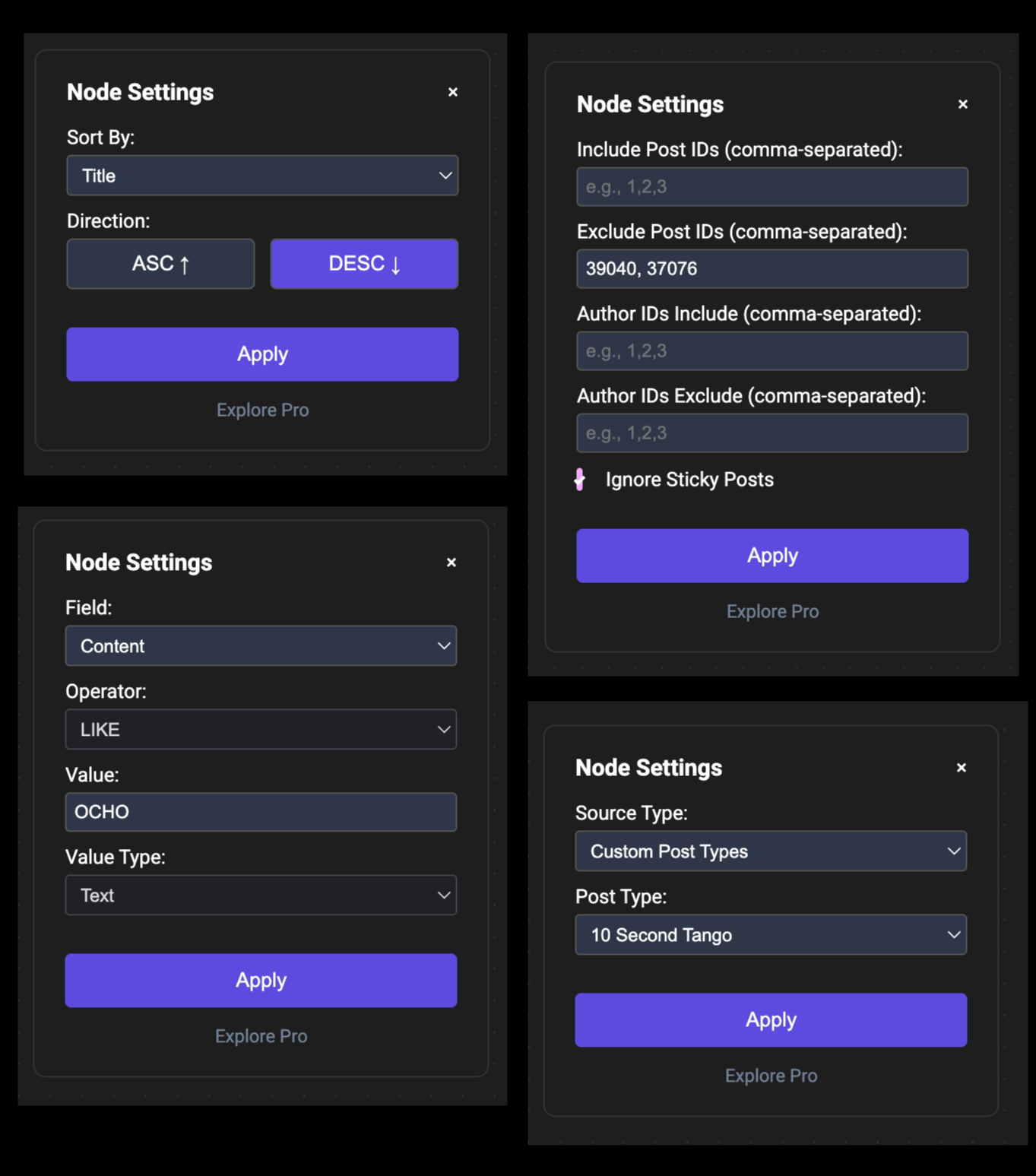
- Meta Filtering — Filter by custom fields with operators (=, !=, LIKE, NOT LIKE, BETWEEN, IN, NOT IN, EXISTS, NOT EXISTS)
- Flexible Sorting — Sort by Date, Title, or ID
- Include/Exclude Posts — Fine-tune which posts appear in your results
- AND/OR Logic — Combine multiple filters with AND or OR logic
- Standard Pagination — Built-in pagination support
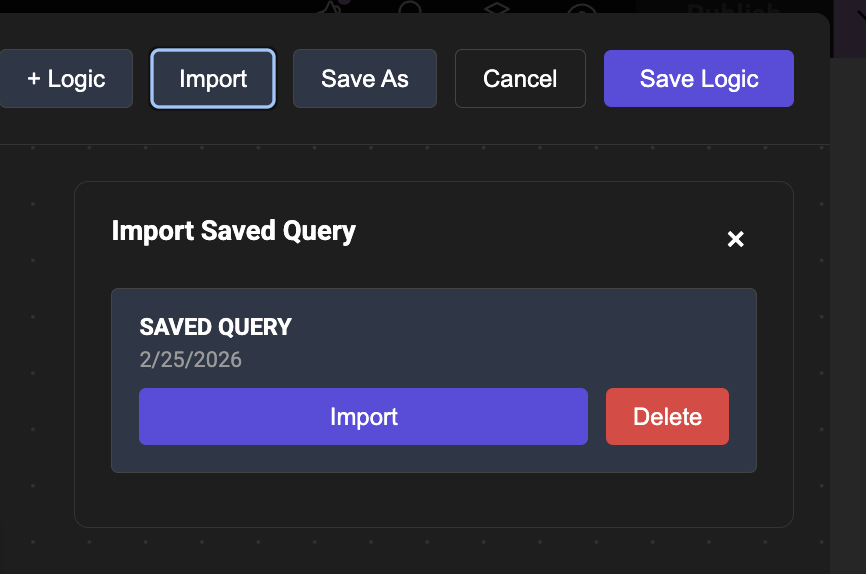
- Save, Export & Import Queries — Save and move your query configurations across multiple domains
- Card Design Controls — Typography, colors, alignment, image ratio, border radius, and shadow — no CSS required
- Inline Preview — See your query results directly in the editor canvas (Pro Only)
- Server-Side Rendering — Block output is rendered by PHP for fast, SEO-friendly results
- Frontend Search — Live AJAX search bar for any query output. Works in both Gutenberg and Elementor
- Query Result Caching — Cache rendered query output as HTML. Free supports up to 2 hours. Pro supports up to 7 days with auto-refresh
Parfait pour
- Real estate listings. Filter by price range, bedrooms, or any property meta field.
- WooCommerce product grids. Filter by price, category, sale status, or any product meta.
- Job boards. Filter open positions by department, location, or employment type.
- Portfolio grids. Display work by type, client, or any custom taxonomy.
- Member directories and staff pages. Display users by role with avatar, bio, and custom fields.
- Related posts sections. Show posts from the same category, tag, or custom taxonomy automatically.
- Event listings. Sort by event date, filter by location or type, display with custom field details.
- Restaurant and location finders. Display locations filtered by city, cuisine, or amenity.
- Sports and leaderboards. Display rankings, stats, or standings from any data source.
- Any custom post type displayed as a fully styled, filterable card grid.
Gratuit vs pro
La version gratuite comprend :
- One source node per query (Posts, Pages, all CPTs)
- Taxonomy filters — categories, tags, and custom taxonomies (Has any of, Does not have, Has all of)
- Multi-Condition Filters — multiple conditions per filter node with internal AND/OR logic
- Meta filters — filter by custom fields with operators (=, !=, LIKE, NOT LIKE, BETWEEN, IN, NOT IN, EXISTS, NOT EXISTS)
- AND/OR logic within filter nodes
- Basic sorting (Date, Title, ID)
- Standard pagination
- 5 Canned Card Styles
- Full Card Design Controls — typography, colors, alignment, image ratio, border, shadow
- Works with Gutenberg block editor and Elementor
- Query result caching (up to 2 hours)
- Single Templates (5 styles)
Pro Version Unlocks:
- Multiple source nodes per query
- Advanced data sources (Users, Comments, SQL Tables, REST APIs)
- OR logic and nested logic groups across multiple source nodes
- Advanced sorting (Random, Menu Order, Meta Value)
- Dynamic data tags ({{ current_post_id }}, {{ current_user_id }}, etc.)
- SQL Joins
- AJAX pagination, Load More, and Infinite Scroll
- Related content logic
- Context-aware behavior
- Preview Node — see live query results on the canvas as you build, before saving
- Source Preview — browse and search raw source content inline on any Source node
- Custom Card Templates for Elementor (via Elementor Loop Item)
- Custom Card Templates for Gutenberg (shortcode-based system)
- Query result caching up to 7 days with auto-refresh via WP-Cron
- Dynamic Custom Fields with per-field typography, alignment, and color controls
- Single Templates (15 styles)
Founders Edition — Limited to 50 Units
A one-time lifetime license for Query Forge Pro. Every Pro feature, one payment, no annual renewal. Ever. Available to the first 50 users only.
Services externes
This plugin does not connect to any third-party or external web services. All data is stored and processed within your own WordPress site.
Some fields in the visual builder may show example URLs such as https://api.example.com/endpoint. These are placeholder examples only. Query Forge itself does not send any data to those URLs or to any external API.
If you integrate Query Forge with your own APIs or services, please review the terms of service and privacy policies for those services.
Soutien
For support, feature requests, and documentation, please visit:
* Query Forge Website: https://queryforgeplugin.com
* Documentation: https://queryforgeplugin.com/documentation.html
Crédits
Built with:
- React Flow (https://reactflow.dev) — Node-based UI framework
- WordPress Block Editor (Gutenberg) — Block integration
- Elementor (https://elementor.com) — Widget integration
Licence
Query Forge is licensed under the GPL v2 or later.
Need more power? Upgrade to Query Forge Pro (https://queryforgeplugin.com) for advanced features like multiple data sources, dynamic data, SQL joins, AJAX pagination, and more.
Installation
De WordPress.org
- Aller à Plugins → Ajouter un nouveau
- Search for “Query Forge”
- Click Install Now
- Click Activate
Installation manuelle
- Download the plugin zip file
- Go to Plugins → Add New → Upload Plugin
- Choose the zip file and click Install Now
- Click Activate
Obligations
- WordPress 6.0 or higher
- PHP 7.4 ou supérieur
- Elementor is optional — Query Forge works with the WordPress block editor without it
Build Your Own
The plugin ships with a pre-built editor bundle. The human-readable source code is available at:
https://github.com/queryforgeplugin/Query-Forge
The source uses React (via WordPress wp-element), React Flow, and a standard webpack build toolchain.
Pour construire à partir de la source :
- Clone the repository:
git clone https://github.com/queryforgeplugin/Query-Forge.git - Install Node.js (v16 or higher) and npm
- In the plugin root directory, run:
npm install - Run the build script:
npm run build
The build produces two bundles: qf-editor.bundle.js (Elementor) and qf-block.bundle.js (Gutenberg block editor).
Journal de modifications
1.3.6.6
- Improved in-canvas discovery of Pro features: Locked nodes and source types now surface available Pro capabilities directly in the builder interface
- Sort node now surfaces Pro sort options (Random, Meta Value, Menu Order) inline
- Result Cache control now surfaces extended Pro cache durations inline
- Added Founders Edition — a limited lifetime license for Query Forge Pro, available to the first 50 users. One payment, no annual renewal
1.3.6.5
- Bug fix: Corrected a logic error where OR relations in the Logic node were not being preserved through the schema transform path, causing incorrect query results in certain filter configurations.
- Multi-Condition Filters — Filter nodes now support multiple conditions in a single node. Add as many conditions as you need, set the internal relation to AND or OR, and keep your canvas clean. One node, multiple conditions.
- New operators — BETWEEN, IN, NOT IN, EXISTS, and NOT EXISTS are now available in filter nodes for both taxonomy and meta fields.
- Date picker — Date fields now render a date picker input automatically, including side-by-side From/To pickers for BETWEEN conditions.
- Filter node upgrade path — Existing single-condition filter nodes are detected automatically. You will be prompted to upgrade to the new Multi-Condition format. Query Forge saves a timestamped backup of your canvas before converting. The legacy format will be supported for 2 more point releases.
1.3.6
- Added Import/Export Free — You can now move your queries across sites that you own. You have 5 exports, and unlimited imports. Once you hit your limit, you will need to upgrade to the pro version.
- Added Import/Export (PRO) — Unlimited Import and Export Queries across all your sites.
- Added Admin Page — Free users now have a contact form, import/export tab, and a pro call button.
- Cleaned up bugs.
1.3.5
- Single Templates — Click any result card to open the post in a full-page Query Forge template instead of the theme default. Renders inside the theme shell. Toggle sections on or off (title, image, content, excerpt, date, author, terms, navigation) with per-section typography and color controls. Free includes 5 styles (Vertical, Horizontal, Minimal List, Grid Card, Magazine). Pro includes 15 styles.
- Field Mapping extended to Post Types and CPTs (Pro) — Source nodes for Posts, Pages, and Custom Post Types now support field mapping. CPT sources use meta key discovery via dropdown; Posts and Pages use manual entry. Mapped fields resolve at render time for both Gutenberg and Elementor.
- Dynamic Custom Fields (Pro) — Add configurable display fields to any card output beyond the defaults. Define label, source path, enabled state, show/hide label, empty behavior, prefix, and suffix per field. Add, remove, and reorder fields in the Source node settings. Full per-field design controls: alignment, label color, value color, and typography (font family, weight, style, transform, line height) in both Gutenberg and Elementor.
1.3.4
- Added Onboarding Experience for new users.
- Added 4 new import presets for new users.
- Added dismissible starter notice on plugin page.
- Added Modal for ‘Your First Query’ in Gutenberg and Elementor.
1.3.3
- Added optional query result caching (Free) — cache rendered HTML and AJAX pagination payloads with transients; Target node controls TTL and manual flush; registry + FIFO eviction; cache bypass for administrators, WP_DEBUG, and the
query_forge_bypass_query_cachefilter; content saves clear cached results. - Parser:
get_query()now takes explicit page and posts-per-page arguments (no reliance on$_GETinside the parser). - Frontend Search — Search field (title, content, or both), bar position (above, below, or both), and alignment from the Gutenberg block sidebar or Elementor widget panel (not the query graph);
get_query()accepts optionals/search_columns(WordPress 6.2+); dedicatedqf_searchAJAX handler; instances with search enabled skip query-result cache;data-qf-instance-idroot carries search metadata;qf-widget.jsdebounces input and coordinates AJAX pagination with search. - Requires WordPress 6.2+ for
search_columnssupport used by frontend search.
Captures d'écran
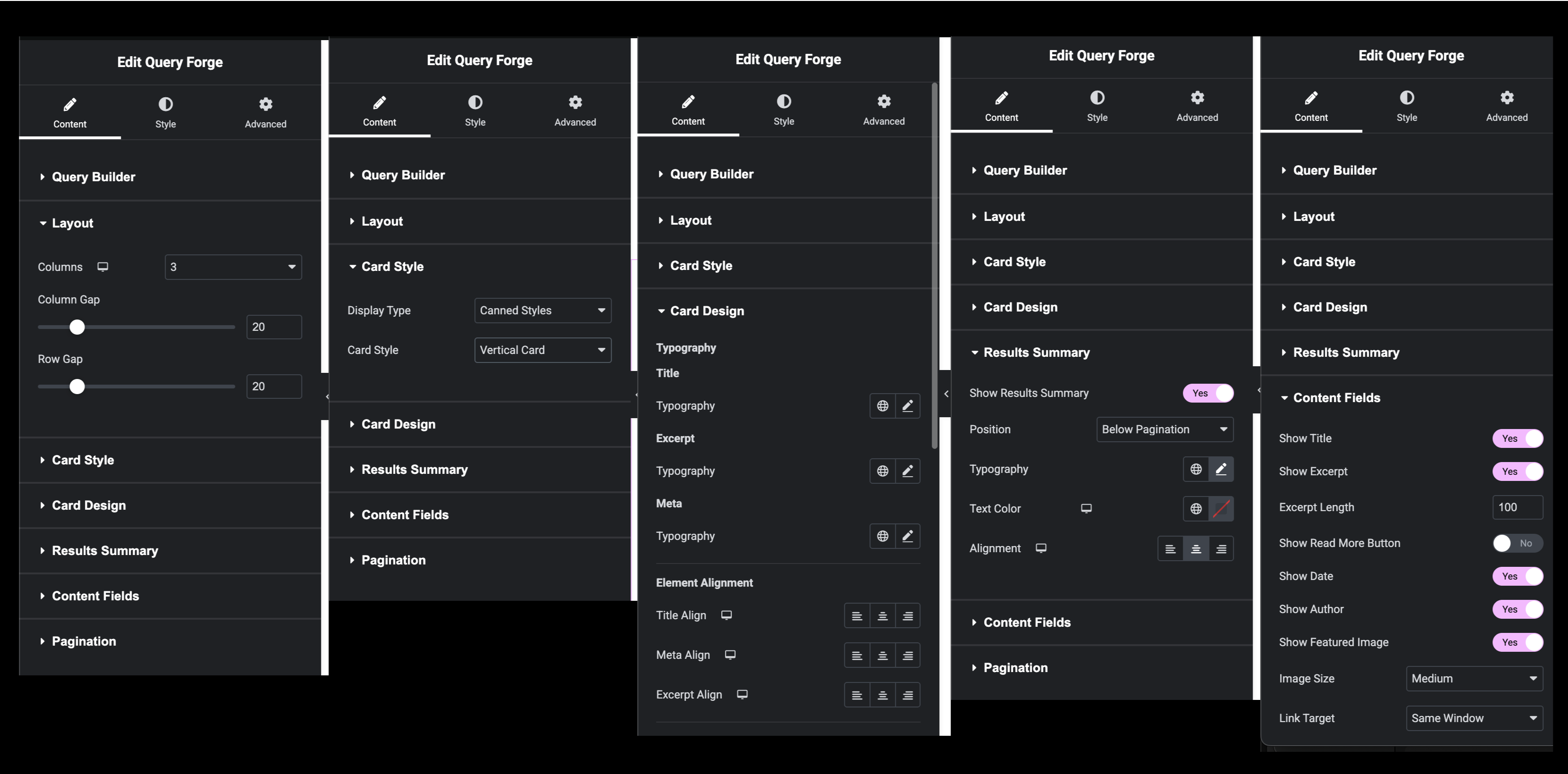
Pour les développeurs
Est-ce votre plugin ? Montrez les chiffres.
Ajoutez un badge en direct à votre site, docs ou github readme. Il se met à jour par lui-même - aucun compte n'est nécessaire.
Best Query Forge alternatives
All custom post types plugins →





FAQ
Query Forge: quick answers
Réponses directes, extraites des données en direct WordPress.org.
Source : WordPress.org
Is Query Forge free?
Yes. Query Forge is free to download and use from the official WordPress.org plugin directory.
Is Query Forge safe to use in 2026?
Query Forge works, but test it on a staging site before relying on it in 2026. Was last updated 6 months ago, and scores 42/100 on our health check.
How many websites use Query Forge?
Query Forge is active on <10 WordPress websites and has been downloaded 1,339 times since it launched in April 2026. It was downloaded 103 times in the last 30 days.
Does Query Forge work with WordPress 7.1?
Query Forge is officially tested up to WordPress 6.9.12, while the latest release is 7.1.5. It may still work, but try it on a staging site first.
What PHP version does Query Forge need?
Query Forge requires PHP 7.4 or higher. Most hosts run PHP 8.x today, so it works on any modern WordPress hosting.
When was Query Forge last updated?
The latest version, 1.3.6.6, was released on June 15, 2026 (6 months ago).
Who makes Query Forge?
Query Forge is developed and maintained by queryforge.
What are the best alternatives to Query Forge?
The most popular alternatives to Query Forge are Custom Post Type UI (1M+ installs), Meta Box (500K+ installs) and Pods (100K+ installs).
Propulsé par PageForge
Un modèle et une feuille de calcul. Une vraie page pour chaque recherche.
PageForge transforme chaque ligne d'un CSV en une page WordPress avec son propre titre, URL, SEO et schéma, construit sur la mise en page que vous Déjà conçu. Gratuit sur WordPress.org.
- CSV et XLSX, plus Google Sheets sur les professionnels et les entreprises
- Son propre titre, URL, SEO champs et schéma pour chaque page
- Fonctionne avec l'éditeur de blocs, Elementor, Divi et Avada
- Gratuit sur WordPress.org, pas de carte de crédit