


Power Coupons for WooCommerce
WordPress coupon plugin for WooCommerce that auto-applies discounts with flexible rules and dynamic cart incentives—no codes required.

Choix
Yes — Power Coupons for WooCommerce is a safe, well-maintained plugin to use in 2026. It runs on 30K+ sites, is rated 5/5 and was last updated 5 days ago, and scores 85/100 on our health check.
- Prouvé à grande échelle sur plus de 30 000 sites actifs
- Développé activement — Dernière mise à jour il y a 5 jours
- Testé avec le dernier WordPress (7.1)
- Très peu de critiques jusqu'à présent
Comment s'accumule-t-il ?
Côte à côte sur les installations, les mises à jour, les évaluations et le supportTéléchargements quotidiens
Les pics de téléchargement suivent généralement une nouvelle version - chaque site qui met à jour automatiquement compte comme un téléchargement.
Classements
Where Power Coupons for WooCommer… stands todayWordPress.org Classements de recherche
Position en direct dans la recherche de plugins, Top 100| Mot-clé | Position |
|---|---|
| auto apply coupons | #2 |
| Discount rules | #12 |
| dynamic discounts | #10 |
| woocommerce coupons | #7 |
| woocommerce discounts | #23 |
Adoption de version
Part de sites actifs par version.
Répartition des notes
★★★★★ ★★★★★ 5 sur 4 avis
About Power Coupons for WooCommerce
From the official readme · v1.0.9Description
Power Coupons is a WordPress coupon plugin built for WooCommerce stores that want discount rules, dynamic discounts, and auto-apply coupons—without turning the checkout into a “find the coupon field” scavenger hunt.
If you’ve ever run a promotion and still watched shoppers drop off at cart or checkout, it’s often not because the deal wasn’t good. It’s because the coupon experience was clunky:
- The offer was buried in a banner.
- The code was forgotten, mistyped, or never entered.
- The cart didn’t clearly explain what qualifies.
- Another discount tool conflicted, and nobody could tell why.
Power Coupons is designed to reduce that friction. Instead of relying on shoppers to enter codes, you can show eligible offers in-cart and apply discounts automatically when conditions are met. The result is a cleaner buying experience and promotions that are easier to manage (and easier to troubleshoot) over time.
Who is this for?
- Store owners who want a WordPress coupon plugin that’s easy to set up and easy to audit later.
- DTC and growing brands focused on increasing AOV with dynamic discounts and cart incentives.
- Retail teams running frequent promotions who need rule-based discounts that don’t require codes.
- Agencies managing multiple WooCommerce sites that want consistent discount logic and a clean admin experience.
What you can build with Power Coupons
Use simple conditions (cart subtotal, products, categories, quantity, combinations) to trigger offers at the right time. For example:
- Auto-apply a discount when the cart subtotal crosses a threshold (great for “spend more” campaigns).
- Apply a category-based coupon rule (e.g., discount only for a seasonal collection).
- Run quantity-based deals (bulk discounts / quantity breaks) to increase basket size.
- Show relevant offers in the cart so shoppers see what they can unlock before checkout.
How it works (quick overview)
- Create a discount rule and choose what triggers it (subtotal, products, categories, quantities, combinations).
- Set what happens when the rule matches (auto-apply coupon / discount behavior).
- Optional: exclude products or categories to protect margins.
- Test with a real cart to confirm the discount applies and updates as the cart changes.
- Launch your offer and let the cart do the work—no coupon codes required.
How to auto-apply your first discount (quick start)
- Install and activate Power Coupons.
- Go to WooCommerce > Coupons and create a new rule.
- Choose a simple condition (e.g., cart subtotal above a set amount).
- Save, then test by adding products to the cart until the condition is met.
- If the discount doesn’t update immediately, exclude Cart and Checkout pages from caching and retest in an incognito window.
Principales caractéristiques
- Auto-apply coupons (no codes needed): discounts apply automatically when conditions are met.
- Discount rules for WooCommerce: build rule logic around cart total, products, categories, quantities, and combinations.
- Dynamic discounts: offers update in real time as the cart changes, so shoppers always see what they qualify for.
- Clean admin workflow: create and manage rules without an overwhelming “settings maze”.
- Clean shopper UI: show only relevant offers in the cart to reduce friction and confusion.
- Designed to stay lightweight: helps reduce plugin overlap by keeping coupon rules and cart incentives in one place.
Planned features (Roadmap)
These features are on the roadmap and will appear in future updates:
- WooCommerce BOGO offers: Buy X Get Y, free gifts, and advanced BOGO rules.
- Spend-more incentives: “Spend more to unlock a reward” nudges and cart progress messaging.
- Rewards & loyalty points: earn points on purchases and redeem them for discounts.
- Coupon analytics: track coupon usage and promotion performance.
Works well in typical WooCommerce setups
Power Coupons is made for WooCommerce cart and checkout flows. Most stores combine discounts with themes, page builders, and common WooCommerce add-ons. As with any pricing/coupon system, if you run multiple “discount engines” at the same time, test carefully to avoid stacking surprises.
Services externes
This plugin uses external third-party services in specific situations. Below is a detailed disclosure of these services, when they are used, and what data is transmitted.
Google Fonts
When it’s used:
Power Coupons loads the Figtree font family from Google Fonts CDN to enhance the visual appearance of the plugin’s admin interface in the WordPress dashboard. This resource is loaded ONLY on the plugin’s admin pages (Power Coupons settings and coupon edit screens) and is NOT loaded on the frontend of your website or visible to your customers.
What data is transmitted:
When an administrator accesses Power Coupons admin pages, a standard HTTP request is made to Google Fonts servers. This request may include:
– The URL of the admin page being accessed
– The administrator’s IP address (standard for any HTTP request)
– Browser information (user agent)
– Timestamp of the request
Service provider:
- Service: Google Fonts
- Service URL: https://fonts.googleapis.com
- Privacy Policy: https://developers.google.com/fonts/faq/privacy
- Terms of Service: https://policies.google.com/terms
Legal basis:
The use of Google Fonts in the admin area is necessary for the proper presentation of the plugin interface to administrators. No personal data from your website visitors or customers is transmitted to Google Fonts, as this service is only used in the WordPress admin area.
How to disable:
If you prefer not to use Google Fonts for privacy or compliance reasons, you can disable it by adding this code to your theme’s functions.php file:
add_action( 'admin_enqueue_scripts', function() {
    wp_dequeue_style( 'power-coupons-font' );
}, 99 );
Note: Disabling Google Fonts may slightly affect the visual appearance of the plugin’s admin interface but will not affect functionality.
Contributeurs et développeurs
Power Coupons is built and maintained by the team behind CartFlows and Brainstorm Force, creators of some of the most trusted WooCommerce and WordPress products.
We welcome feedback, ideas, and contributions to help make Power Coupons even better 🚀
Development & Source Code
This plugin includes compiled JavaScript assets for production use.
The original, human-readable source code for these files is included in this plugin.
React / JavaScript source code:
– Located in: admin/assets/src/
– Built files output to: admin/assets/build/
The files in admin/assets/build/ are generated from the corresponding source files in admin/assets/src/ using standard JavaScript build tools such as wp-scripts.
Installation
- Install the
Power Couponseither via the WordPress plugin directory or by uploadingpower-coupons.zipto the/wp-content/plugins/directory - Activez le plugin via le menu « Plugins » dans WordPress
- Navigate to
WordPress Dashboard > Power Coupons > Settingsto configure the settings - Make sure to disable caching on your cart and checkout pages
Journal de modifications
Initial release of Power Coupons.
1.0.9 – Tuesday, 24th November 2026
- New: BOGO offers can now use one or more product categories for the products customers buy and get.
- Fix: The cart progress bar showed “You unlocked” for a coupon whose conditional rules excluded the cart.
1.0.8 – Thursday, 8th October 2026
- Improvement: Improved the UI/UX and accessibility of the Settings, BOGO Offers and Loyalty Rewards admin screens.
- Improvement: The campaign and BOGO offer modals now explain why a start date later than the end date is not allowed.
- Improvement: The BOGO offer box now updates to “Offer Applied” right after the offer is applied, without a page reload.
1.0.7 – Wednesday, 9th September 2026
- Improvement: Improved the admin UX/UI across onboarding, Settings, BOGO, and Loyalty Rewards.
- Fix: Applying a coupon or redeeming credits no longer reloads the page, so CartFlows checkouts no longer restart at step one.
- Fix: BOGO’s variation picker modal no longer nests its form inside the checkout form.
1.0.6 – Wednesday, 17th June 2026
- Improvement: Onboarding now keeps you on the Power Coupons dashboard after activating sibling plugins, instead of being redirected away.
- Fix: Onboarding final screen — fixed text alignments.
- Fix: “Get a license key here” link on the License settings tab now points to the correct URL.
1.0.5 – Tuesday, 2nd June 2026
- Improvement: Added the compatibility for future release of Power Coupons Pro.
1.0.4 – Friday, 1st May 2026
- Improvement: Loyalty Rewards admin now shows a banner and status pill when the master toggle is off, so the program isn’t accidentally left disabled.
- Improvement: Loyalty Rewards landing page surfaces the available program types (Order Earning, Signup Bonus, Product Review) and notes that multiple campaigns can run simultaneously.
- Improvement: Loyalty Rewards and BOGO create/edit modals — field rules and start/end date scheduling hints are now visible inline instead of hidden in hover-only tooltips.
- Fix: Gift card email “Shop Now” button no longer renders broken in Outlook and other email clients.
Captures d'écran
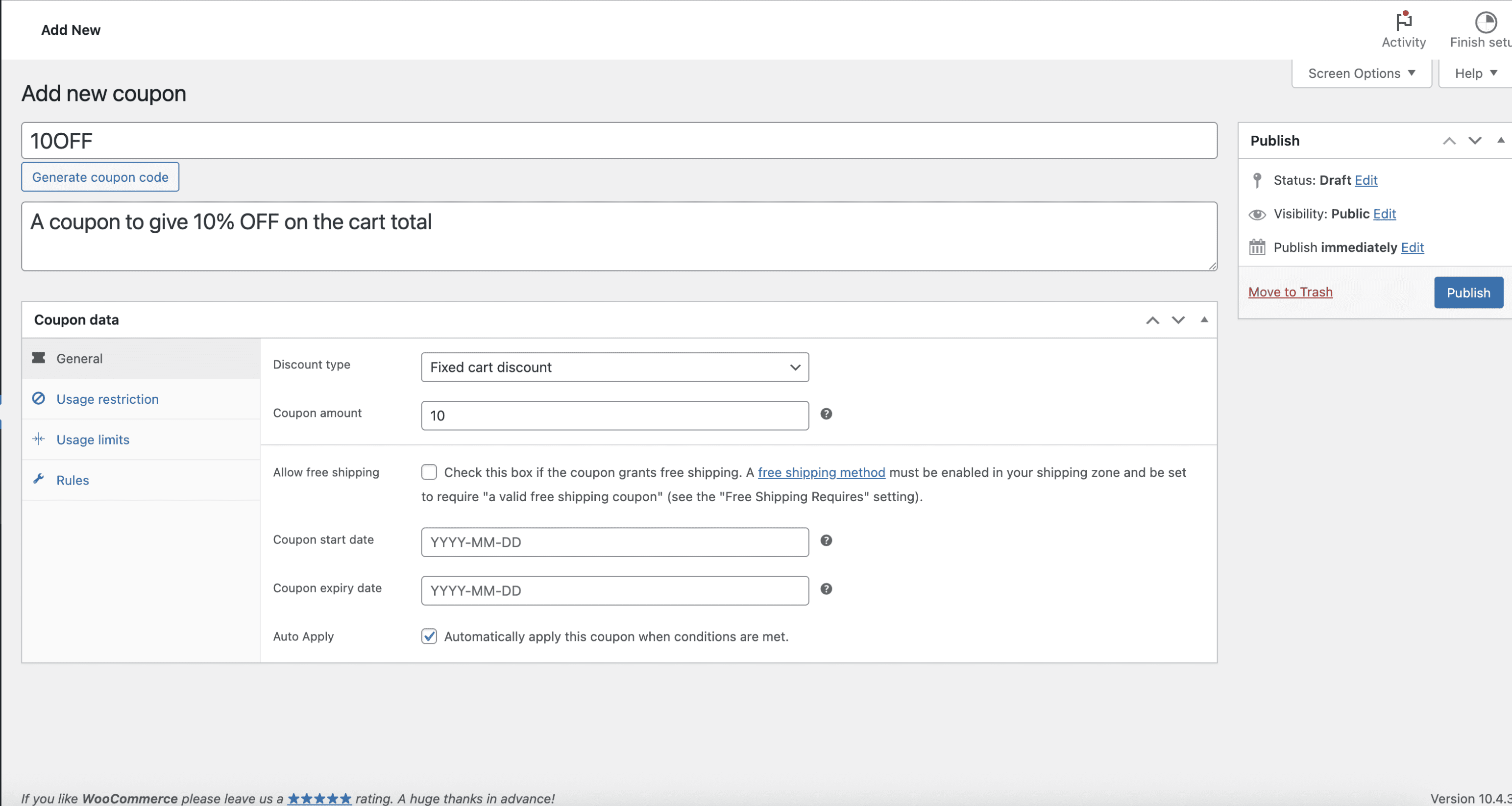
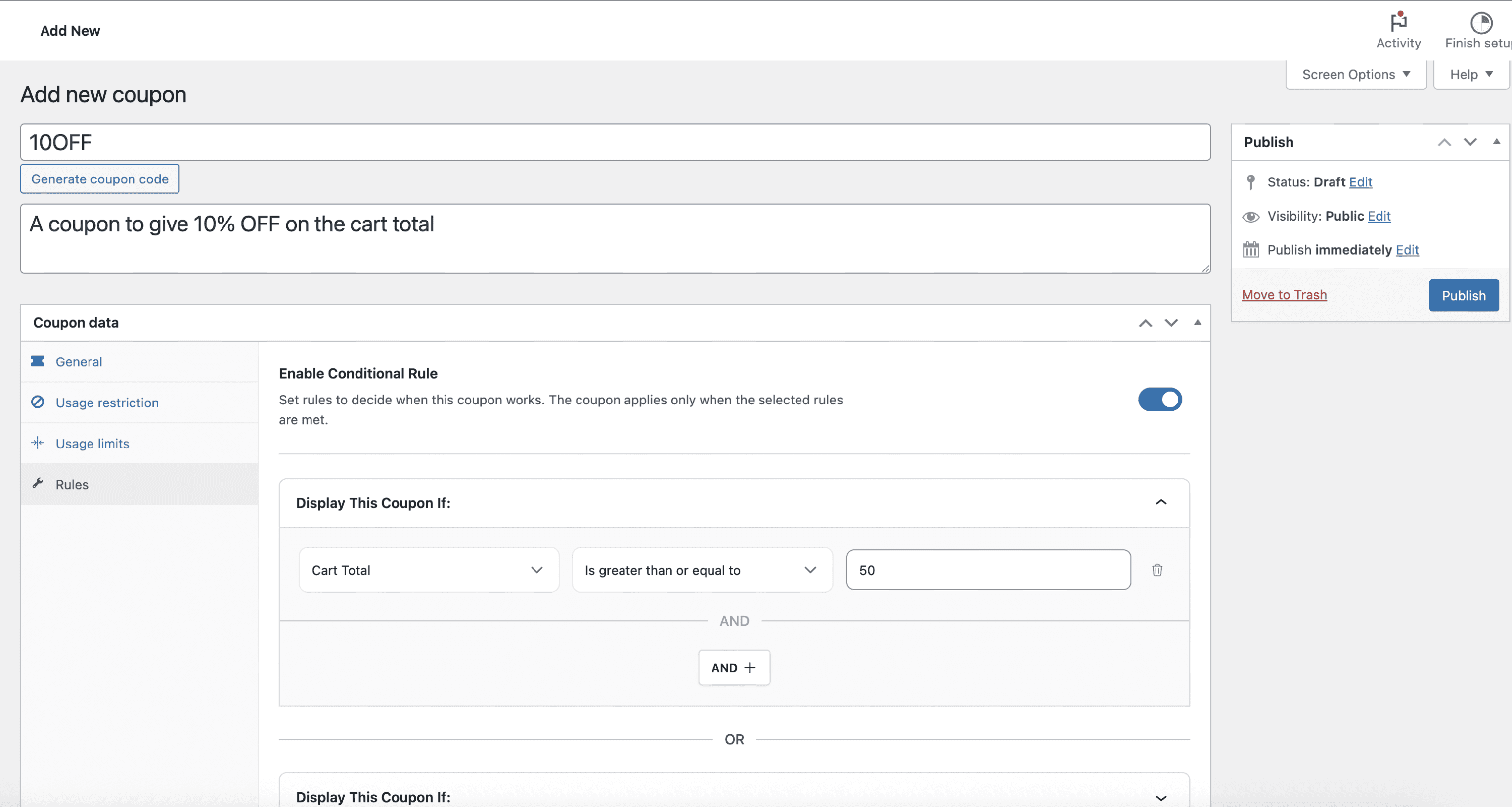
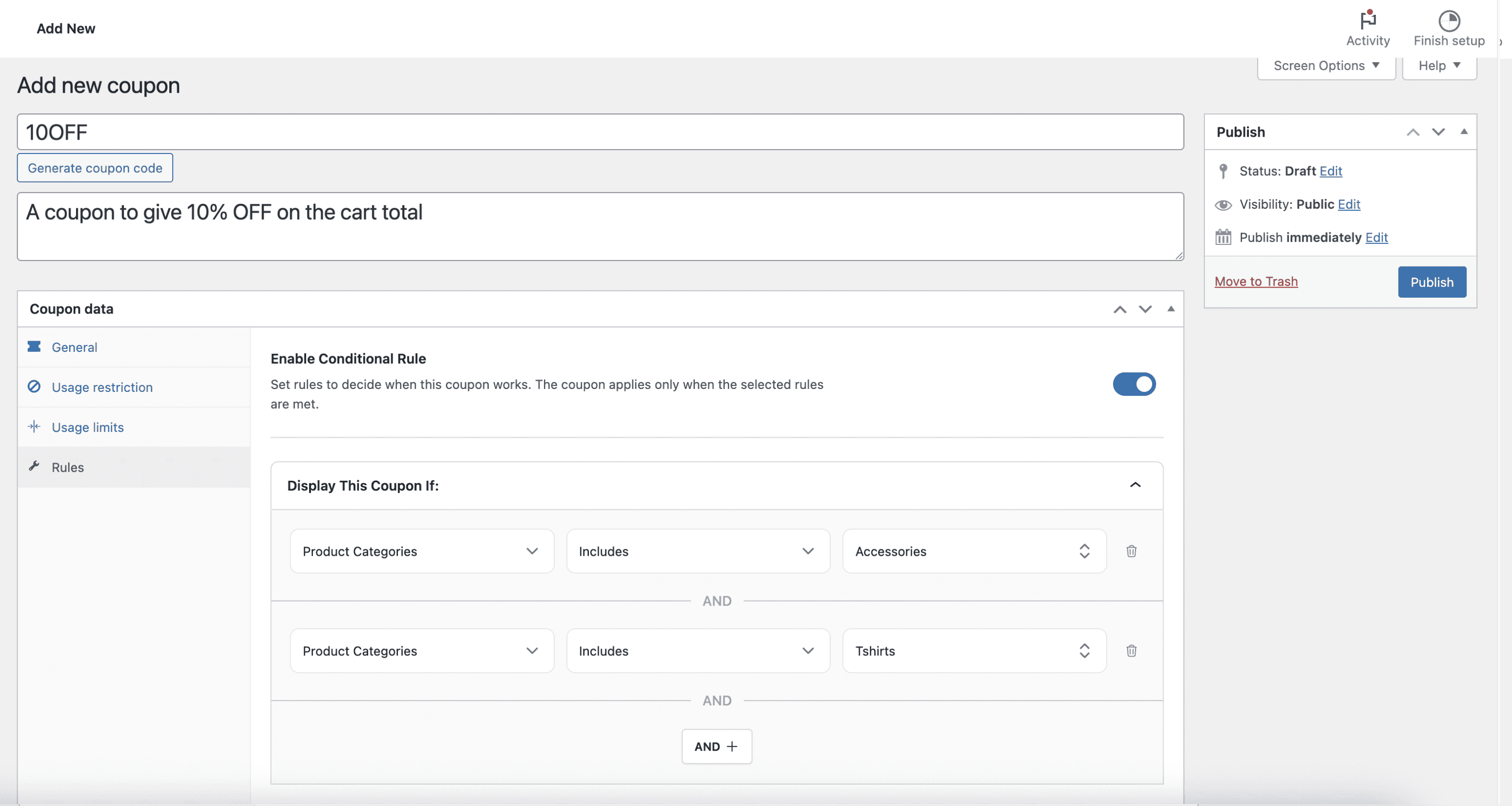
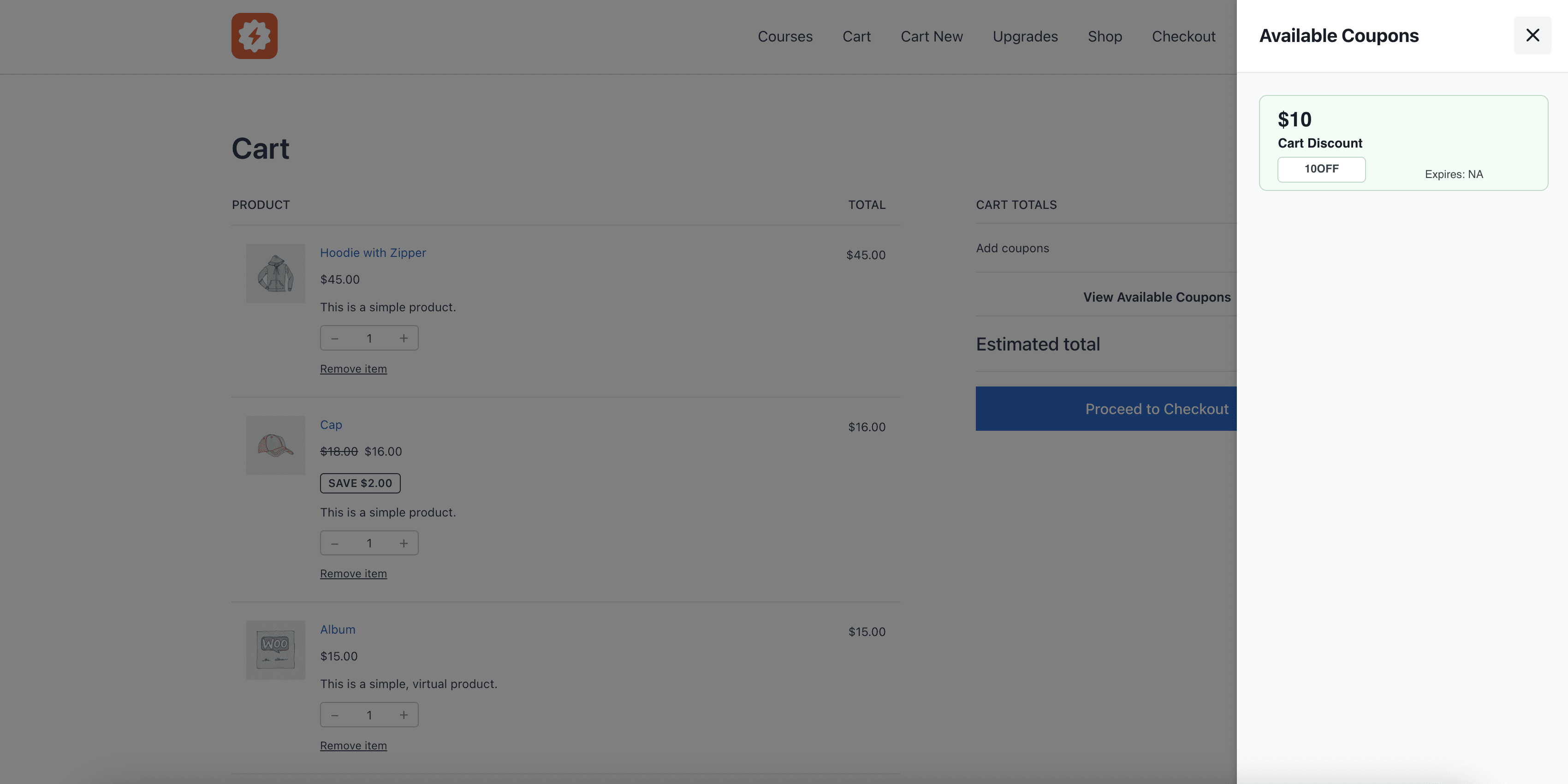
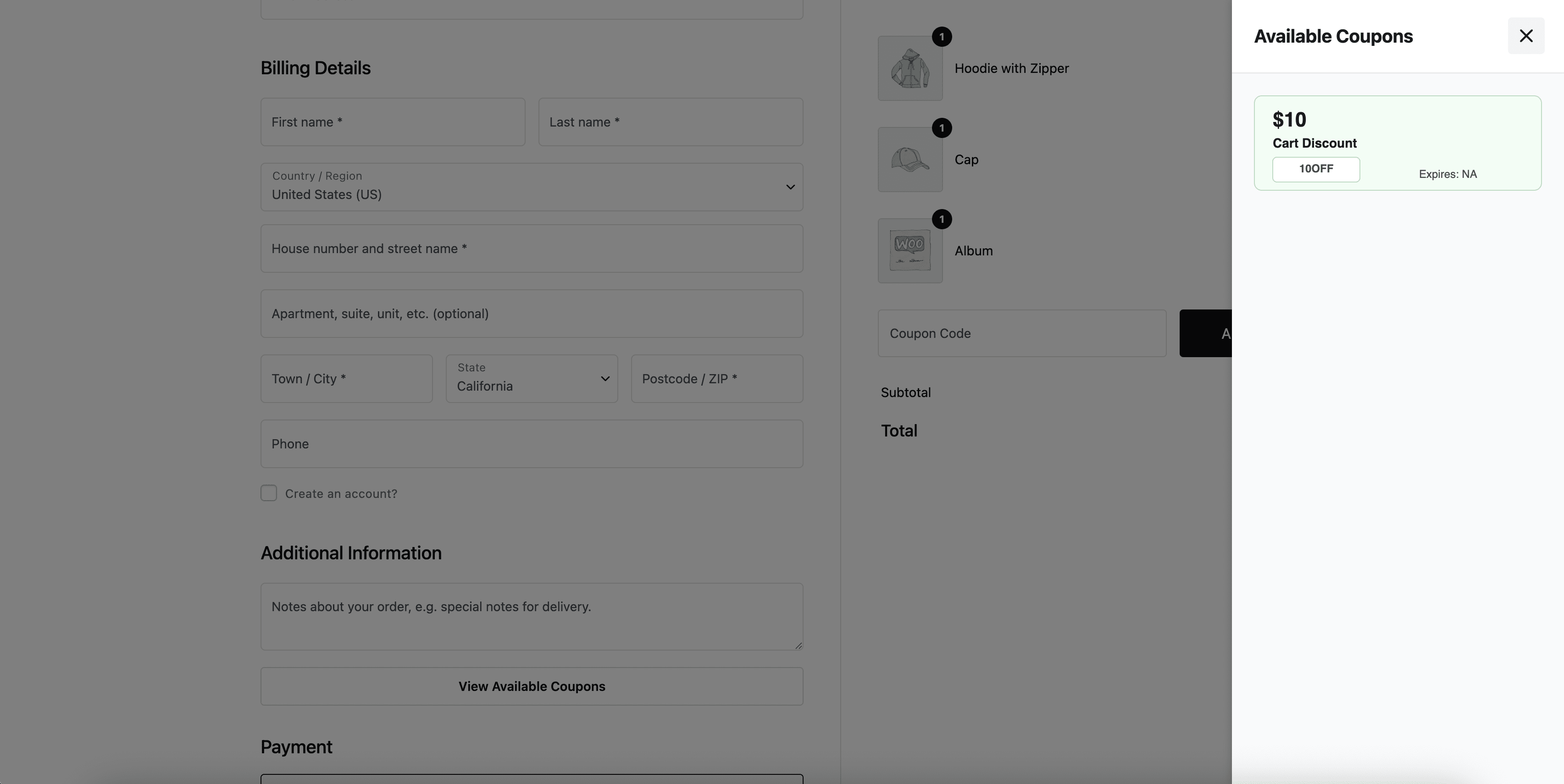
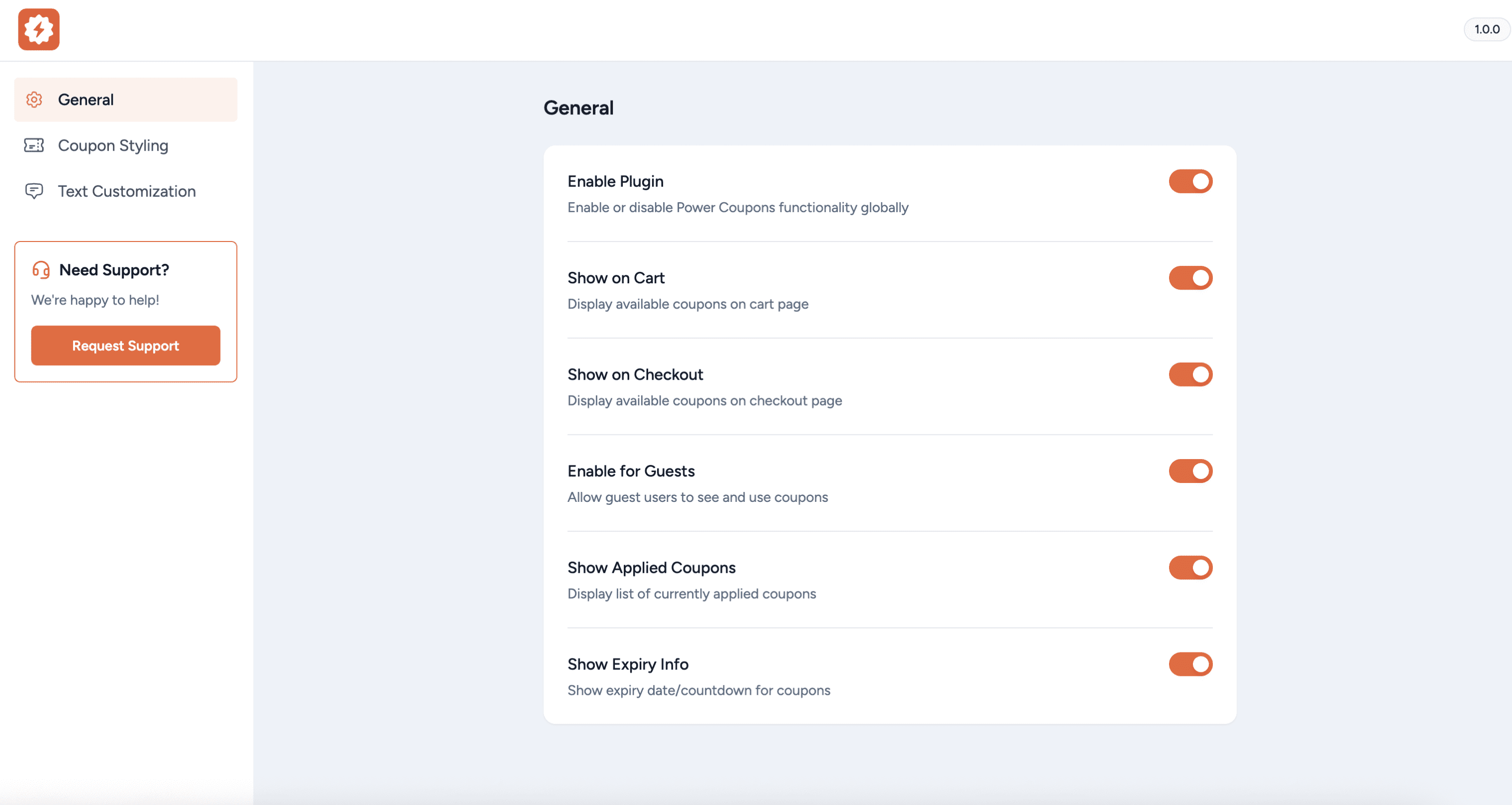
Pour les développeurs
Est-ce votre plugin ? Montrez les chiffres.
Ajoutez un badge en direct à votre site, docs ou github readme. Il se met à jour par lui-même - aucun compte n'est nécessaire.
Best Power Coupons for WooCommerce alternatives
All auto apply coupons plugins →| Rang | Plugin | Installations actives |
|---|---|---|
| 2 |
 Auto Apply Coupons for WooCommerce
Automatically apply coupons or discounts at checkout – no manual entry, no hassle. A… |
10+ |
FAQ
Power Coupons for WooCommerce: quick answers
Réponses directes, extraites des données en direct WordPress.org.
Source : WordPress.org
Is Power Coupons for WooCommerce free?
Yes. Power Coupons for WooCommerce is free to download and use from the official WordPress.org plugin directory.
Is Power Coupons for WooCommerce safe to use in 2026?
Yes — Power Coupons for WooCommerce is a safe, well-maintained plugin to use in 2026. It runs on 30K+ sites, is rated 5/5 and was last updated 5 days ago, and scores 85/100 on our health check.
How many websites use Power Coupons for WooCommerce?
Power Coupons for WooCommerce is active on 30K+ WordPress websites and has been downloaded 269,746 times since it launched in February 2026. It was downloaded 26,576 times in the last 30 days.
Does Power Coupons for WooCommerce work with WordPress 7.1?
Yes. The developer has tested Power Coupons for WooCommerce up to WordPress 7.1.5, the latest release. It requires WordPress 6.0 or newer.
What PHP version does Power Coupons for WooCommerce need?
Power Coupons for WooCommerce requires PHP 7.4 or higher. Most hosts run PHP 8.x today, so it works on any modern WordPress hosting.
When was Power Coupons for WooCommerce last updated?
The latest version, 1.0.9, was released on November 24, 2026 (5 days ago).
Who makes Power Coupons for WooCommerce?
Power Coupons for WooCommerce is developed and maintained by Brainstorm Force.
What are the best alternatives to Power Coupons for WooCommerce?
The most popular alternatives to Power Coupons for WooCommerce are Auto Apply Coupons for WooC… (10+ installs).
Propulsé par PageForge
Un modèle et une feuille de calcul. Une vraie page pour chaque recherche.
PageForge transforme chaque ligne d'un CSV en une page WordPress avec son propre titre, URL, SEO et schéma, construit sur la mise en page que vous Déjà conçu. Gratuit sur WordPress.org.
- CSV et XLSX, plus Google Sheets sur les professionnels et les entreprises
- Son propre titre, URL, SEO champs et schéma pour chaque page
- Fonctionne avec l'éditeur de blocs, Elementor, Divi et Avada
- Gratuit sur WordPress.org, pas de carte de crédit