

PixelYourSite – Your smart PIXEL (TAG) & API Manager
Add Meta Pixel with Conversion API, Google Analytics (GA4) + Consent Mode, Google Tag Manager, OpenAI Pixel & API, and Head & Footer scripts.

Choix
Yes — PixelYourSite is a safe, well-maintained plugin to use in 2026. It runs on 400K+ sites, is rated 4.3/5 and was last updated 2 weeks ago, and scores 93/100 on our health check.
- Prouvé à grande échelle sur plus de 400 000 000 sites actifs
- Développé activement — Dernière mise à jour il y a 2 semaines
- Testé avec le dernier WordPress (7.1)
- Assistance réactive — 90 % des threads récents ont été résolus
Comment s'accumule-t-il ?
Côte à côte sur les installations, les mises à jour, les évaluations et le support



Téléchargements quotidiens
Les pics de téléchargement suivent généralement une nouvelle version - chaque site qui met à jour automatiquement compte comme un téléchargement.
Classements
Where PixelYourSite stands todayWordPress.org Classements de recherche
Position en direct dans la recherche de plugins, Top 100| Mot-clé | Position |
|---|---|
| google analytics 4 | #5 |
| google tag manager | #3 |
| Meta Conversion API | #1 |
| Méta-pixel | #2 |
| openai | #3 |
Adoption de version
Part de sites actifs par version.
Répartition des notes
★★★★★★★★★★ 4.3 from 281 reviews
About PixelYourSite
From the official readme · v11.4.5Description
Trusted by 400,000+ websites, PixelYourSite is a complete tracking solution for the Meta Pixel, Google Analytics 4, Google Tag Manager, and now OpenAI and ChatGPT traffic too.
Set up Meta Pixel with full Conversion API support, Google Analytics 4, and Google Tag Manager on your WordPress site, no coding required. Need to add a custom script somewhere? Our Head & Footer option handles that too. Pinterest, Bing, and Reddit tracking are available as dedicated paid add-ons: Pinterest Tag, Bing Tag, Reddit Pixel.
NEW: OpenAI Pixel & API. Install the OpenAI Pixel, enable the API, configure conversions, and start tracking ChatGPT referred traffic in minutes. Watch the setup video.
NEW: Talk to your tracking setup. Connect Claude, or any other MCP compatible AI assistant, and it can audit your pixels, check your Meta EMQ score, and fix configuration issues for you. No need to dig through settings screens yourself. Watch how to connect Claude, or watch a fast WooCommerce audit.
Free training:
Our YouTube channel covers the plugin, Meta API, Google Analytics, Google Ads, TikTok, and more. Start with this one on how to check and fix your Meta catalog match rate, crucial for WooCommerce ads:
What you can do with the free version:
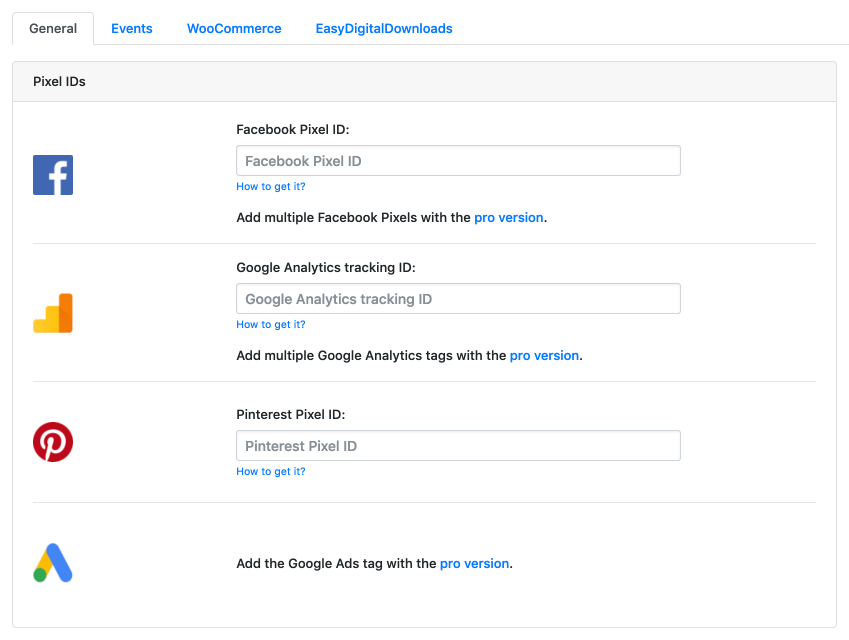
- Install the Meta Pixel with Conversion API support, so your ad data survives ad blockers and iOS tracking limits.
- Install Google Analytics 4 (GA4).
- Install Google Tag Manager and push events into the data layer with zero coding.
- Configure Google Consent Mode: see the full guide.
- Set up Google Tag Manager server side tagging for our native GA4 script: see the full guide.
- Install the OpenAI Pixel & API.
- Add any other script with our Head & Footer option.
- Connect Claude or another MCP compatible AI assistant to audit and manage your tracking setup.
Built for WooCommerce:
- All e-commerce specific events fire automatically, no manual event mapping needed.
- Every parameter required for dynamic ads (Meta or Google) is included out of the box.
- Choose how products are identified: default IDs, SKU, or Facebook for WooCommerce’s own product ID logic, so your catalog and your tracking always match.
- Customer data is used to improve your Meta EMQ score on API events.
Built for Easy Digital Downloads:
- All e-commerce specific events fire automatically.
- Every parameter needed for dynamic ads (Meta or Google) is included out of the box, same as WooCommerce.
- Customer data is used to improve your Meta EMQ score on API events.
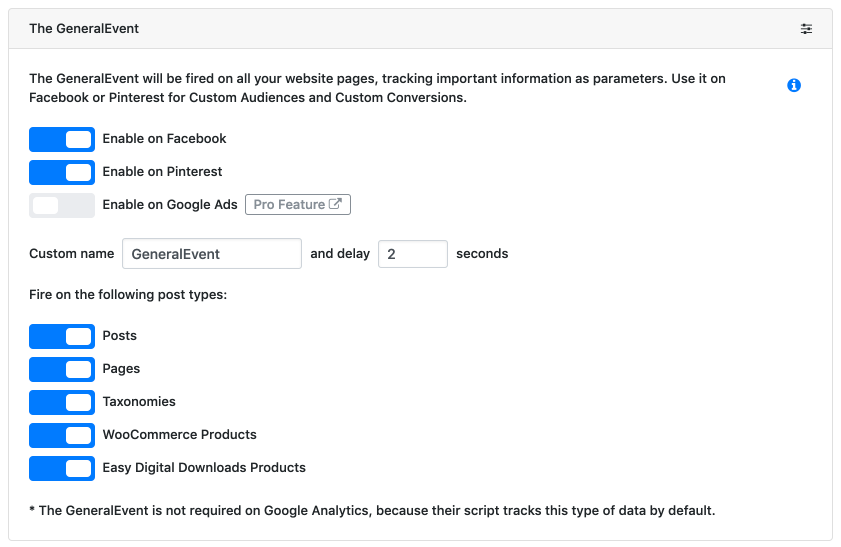
Automated events, tracked without any setup:
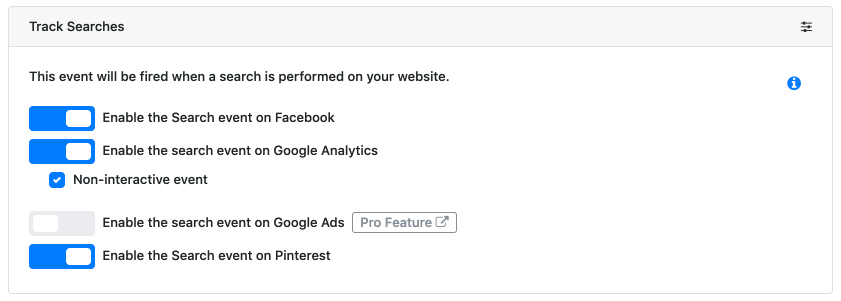
- Searches (with the search term captured as a parameter).
- Form submissions.
- User signups and logins.
- Downloads (file name and type captured as parameters).
- Comments.
- Page scroll depth.
- Time on page.
Need something more specific? Configure any standard or custom event for Meta, GA4, or GTM yourself.
Head & Footer scripts, placed exactly where you need them:
- Site wide, or on specific pages only.
- On the WooCommerce order received page.
- Desktop only, mobile only, or both.
Consent & GDPR, handled properly:
- Works with the most popular consent management plugins out of the box.
- Consent filters let other consent plugins control our scripts and cookies directly.
- Fires GA4 tags with Google Consent Mode granted.
- A dedicated filter enables Meta Limited Data Use.
- Fully integrated with ConsentMagic.
Google Tag Manager, without the manual setup:
Most tracking plugins make you build GTM triggers and variables by hand. PixelYourSite pushes every event straight into the GTM data layer, and our GTM Container Import file pre-configures triggers, variables, and Google Analytics 4 tags for you: see how it works.
When you need more than the free version covers:
PixelYourSite Professional and our other plugins (WooCommerce Feed Plugin, ConsentMagic) add:
- Google Ads and TikTok tags.
- Pinterest and Bing tags, via paid add-ons.
- More automated events and more parameters, including landing page, traffic source, and UTM tracking.
- More triggers for custom events: link clicks, CSS selectors, page view counts, mouse over, video views, email link clicks, post type, and direct integration with popular form plugins and Elementor forms.
- Deeper EMQ improvements, including pulling user data from forms and URLs.
- More complete WooCommerce and EDD purchase tracking.
- Support for multiple tags per platform, with conditional rules for where each one fires.
- Native WooCommerce and EDD reporting.
A quick, honest note: this free plugin stays free and fully supported because people upgrade to Pro. Every update, every fix, and every new feature here, including OpenAI Pixel & API, gets built and maintained using Pro revenue. If the free version is useful to you, buying Pro is what keeps it that way.
Further reading: Guides for getting more out of your tracking setup, on the free version and on Pro:
- Improve your Meta EMQ Score
- Track WordPress Forms
- Automated Events, explained
- Set up GTM server side tagging
- Handle Google Consent Mode V2
- Build custom tracking events by chatting with Claude or ChatGPT
- Audit your WooCommerce tracking with Claude or ChatGPT
- Track phone calls from Google Ads as conversions
A few more videos worth watching:
- Yes, it’s fine if Meta sees the same event more than once
- How much profit is your WooCommerce store really making from Meta ads
Documentation: Full documentation for PixelYourSite and all our plugins
Installation
- From the WP admin panel, click \”Plugins\” -> \”Add new\”.
- In the browser input box, type \”PixelYourSite\”.
- Select the \”PixelYourSite\” plugin (authored by \”PixelYourSite\”), and click \”Install\”.
- Activez le plugin.
OR…
- Download the plugin from this page.
- Save the .zip file to a location on your computer.
- Open the WP admin panel, and click \”Plugins\” -> \”Add new\”.
- Click \”upload\”.. then browse to the .zip file downloaded from this page.
- Click \”Install\”.. and then \”Activate plugin\”.
OR…
- Download the plugin from this page.
- Extract the .zip file to a location on your computer.
- Use either FTP or your host’s cPanel to gain access to your website file directories.
- Browse to the
wp-content/pluginsdirectory. - Upload the extracted
wp_editfolder to this directory location. - Open the WP admin panel.. click the \”Plugins\” page.. and click \”Activate\” under the newly added plugin.
Journal de modifications
Version 5.0 comes with full Easy Digital Downloads integrations plus the ability to give each WooCommerce and EDD event a global value.
PixelYourSite 11.4.5
4 October 20226
-
New: Domain Block support for add-on licenses. Tracking keeps running.
-
New: Bot requests to the event endpoints are no longer sent to Meta.
-
Improvement: Log files are capped at 10 MB, and the Logs page shows the last 5000 lines.
-
Fix: Visitors using the Pinterest, Snapchat or Tumblr in-app browsers were treated as bots.
-
Fix: The REST API rate limit returned false “Too many requests” errors during normal browsing.
-
Fix: With CookieYes, a Meta server PageView was sent before consent, and Meta followed the Analytics category instead of Advertisement.
-
Fix: Meta Limited Data Use was missing on cached pages after “Deny all” in ConsentMagic.
PixelYourSite 11.4.4
21 October 20226
-
New: Support for Cookiebot added directly to a theme or through a tag manager, without the Cookiebot WordPress plugin.
-
Improvement: Meta Conversions API events for Easy Digital Downloads orders now include the buyer’s IP address, browser, _fbp and _fbc, also when they are sent later by a payment gateway, cron or an admin.
-
Improvement: The Easy Digital Downloads privacy eraser now also removes the tracking data PixelYourSite saves on orders.
-
Fix: OpenAI Add to Cart events sent from the button now use the correct value when the quantity is more than 1.
-
Fix: Conflict with GTM4WP. Google tag snippets from other plugins are moved to the PixelYourSite data layer only when they are standard Google tag code.
-
Fix: Meta Conversions API events sent in the background could fail in some cases.
-
Fix: MCP tools without parameters returned an error when called through the WordPress REST API.
-
Security: The OpenAI AJAX endpoint now checks a security token, the same way the Meta one does.
PixelYourSite 11.4.3
17 October 20226
-
New: Product feed ID check. It warns when product IDs don’t match your catalog feed and fills in the matching settings.
-
New: Product ID settings. All tags share one ID logic, and there’s a new option for variations without their own SKU.
-
New: Option to create Meta cookies on the first page view, for forms that read _fbp/_fbc on load.
-
New: More granular user role permissions for WooCommerce/EDD reports and exports.
-
New: Support for Discount Rules for WooCommerce by Flycart.
-
New: MCP option to allow access from other MCP plugins (off by default).
-
Improvement: Better Meta Parameter Builder support.
-
Change: Product group IDs now use the parent product ID instead of its SKU.
-
Security: Fixed an XSS issue in noscript pixels. Thanks to Jakub Herman via WPScan.
-
Fix: WordPress update checks were blocked by the add-on updater.
-
Fix: Add-on updates were not detected by WP-Cron, WP-CLI and REST API.
-
Fix: Cookies were written by the server even when all PYS cookies were disabled.
-
Fix: Several Meta CAPI bugs (TLS verification, fbclid handling, invalid _fbp, referrer_url).
-
Fix: external_id in the page didn’t match the one sent by server events.
-
Fix: JS error and no tracking for bot visitors when visitor data is loaded through the REST API.
-
Fix: InitiateCheckout sent the subtotal before discounts.
-
Fix: Noscript pixels ignored the opt-out.
-
Fix: Pixels didn’t load when the consent check request failed.
-
Fix: Conflict with GTM4WP.
-
Fix: Fatal error from a typo in promo notices.
-
Fix: GA and GTM remove_from_cart now send the same item_id as add_to_cart.
-
Fix: GTM view_item now lists the variations of variable products.
-
Fix: Facebook for WooCommerce ID mode settings.
-
Fix: JS errors with Complianz and WP Rocket.
PixelYourSite 11.4.2.1
-
Fix: sets one pys_dt[number] cookie per page
-
Fix: render fixed-notice scripts only together with the notice
-
Fix: AddToCart via WooCommerce hooks ignored the global Track add to cart switch
-
Fix: cookie-domain handshake: JS reports host-only, _fbp withheld logged only on real loss, first-visit vs never-reported wording.
PixelYourSite 11.4.2
-
OpenAI Pixel: configure your own tracking events.
-
Improvements to the way we capture and send data with API events.
-
Fix for Payload order id must error on a site without WooCommerce.
-
Improvements to pys_advanced_form_data cookie.
-
Fix(mcp): require manage_pys in every ability; escape custom event views.
-
Feature(external_id): deterministic per-site visitor key.
-
Fix: Purchase shares the persisted eventID on the first thank-you view, serialise its creation.
PixelYourSite 11.4.1
September 11, 2026
-
Fix for duplicate mcp_adapter_init execution causing MCP server registration conflict
-
Fix for visitor-specific session data is embedded into shared cached HTML
Captures d'écran


Pour les développeurs
Est-ce votre plugin ? Montrez les chiffres.
Ajoutez un badge en direct à votre site, docs ou github readme. Il se met à jour par lui-même - aucun compte n'est nécessaire.
Best PixelYourSite alternatives
All google analytics 4 plugins →





FAQ
PixelYourSite: quick answers
Réponses directes, extraites des données en direct WordPress.org.
Source : WordPress.org
Is PixelYourSite free?
Yes. PixelYourSite is free to download and use from the official WordPress.org plugin directory.
Is PixelYourSite safe to use in 2026?
Yes — PixelYourSite is a safe, well-maintained plugin to use in 2026. It runs on 400K+ sites, is rated 4.3/5 and was last updated 2 weeks ago, and scores 93/100 on our health check.
How many websites use PixelYourSite?
PixelYourSite is active on 400K+ WordPress websites and has been downloaded 22,050,598 times since it launched in November 2015. It was downloaded 393,784 times in the last 30 days.
Does PixelYourSite work with WordPress 7.1?
Yes. The developer has tested PixelYourSite up to WordPress 7.1.5, the latest release. It requires WordPress 4.4 or newer.
What PHP version does PixelYourSite need?
PixelYourSite requires PHP 5.4 or higher. Most hosts run PHP 8.x today, so it works on any modern WordPress hosting.
When was PixelYourSite last updated?
The latest version, 11.4.5, was released on November 4, 2026 (2 weeks ago).
Who makes PixelYourSite?
PixelYourSite is developed and maintained by PixelYourSite.
What are the best alternatives to PixelYourSite?
The most popular alternatives to PixelYourSite are Analytify (10K+ installs), Pixel Tag Manager for WooCo… (2K+ installs) and TrueAna (1K+ installs).
Propulsé par PageForge
Un modèle et une feuille de calcul. Une vraie page pour chaque recherche.
PageForge transforme chaque ligne d'un CSV en une page WordPress avec son propre titre, URL, SEO et schéma, construit sur la mise en page que vous Déjà conçu. Gratuit sur WordPress.org.
- CSV et XLSX, plus Google Sheets sur les professionnels et les entreprises
- Son propre titre, URL, SEO champs et schéma pour chaque page
- Fonctionne avec l'éditeur de blocs, Elementor, Divi et Avada
- Gratuit sur WordPress.org, pas de carte de crédit