

Open User Map – Interactive Leaflet Maps
Create custom interactive maps with free Leaflet-based styles, no Google Maps API key, frontend marker submissions, search and filters.

Choix
Yes — Open User Map is a safe, well-maintained plugin to use in 2026. It runs on 10K+ sites, is rated 5/5 and was last updated 1 week ago, and scores 94/100 on our health check.
- Prouvé à grande échelle sur plus de 10 000 sites actifs
- Loved by users — 5/5 from 70 reviews
- Développé activement — Dernière mise à jour il y a 1 semaine
- Testé avec le dernier WordPress (7.1)
- Momentum — downloads up 75.5% vs the previous 30 days
Comment s'accumule-t-il ?
Côte à côte sur les installations, les mises à jour, les évaluations et le support



Téléchargements quotidiens
Les pics de téléchargement suivent généralement une nouvelle version - chaque site qui met à jour automatiquement compte comme un téléchargement.
Classements
Where Open User Map stands todayWordPress.org Classements de recherche
Position en direct dans la recherche de plugins, Top 100| Mot-clé | Position |
|---|---|
| interactive map | #1 |
| leaflet | #4 |
| carte | #3 |
| maps | #11 |
| OpenStreetMap | #16 |
Adoption de version
Part de sites actifs par version.
Répartition des notes
★★★★★★★★★★ 5 from 70 reviews
About Open User Map – Interactive Leaflet Maps
From the official readme · v1.4.58Description
Open User Map is a flexible map plugin for creating custom maps, community maps, directories, store locators and location-based projects.
You can add your own markers — or let website visitors submit new markers directly from the frontend. New submissions can wait for your approval before they appear on the map, so you stay in full control.
No Google Maps API key is required. Open User Map is based on Leaflet Map JS and includes free OpenStreetMap and MapBox based map styles, marker styles, address search and flexible embed options for Gutenberg, Elementor and shortcodes.
Want to test all premium features? Start the 7-day Open User Map PRO Trial — no credit card required.
🚀 Start 7-day PRO Trial (No Credit Card) | 🔥 See Live Demos | 📖 More Info | ❓ Help
What can you build with Open User Map?
📍 A simple custom map – Show your own markers on a beautiful interactive map.
👥 A community map – Let visitors add new markers directly from the frontend.
✅ A moderated map – Review and approve new marker submissions before publishing.
📡 A store locator – Showcase business locations and help visitors find nearby places.
🔎 A filterable directory map – Organize markers with categories, search and custom fields.
😎 Personalized user maps – Show individual maps for signed-in users.
Why Choose Open User Map?
✅ Beautiful interactive maps – Create modern maps that do not feel like boring default map embeds.
✅ Made for WordPress – Embed maps with Gutenberg blocks, Elementor widgets or shortcodes.
✅ Frontend marker submissions – Visitors can add pins without backend access.
✅ Approval workflow included – Keep control over what gets published.
✅ No Google Maps API key required – Avoid API setup, access tokens and Google Maps restrictions.
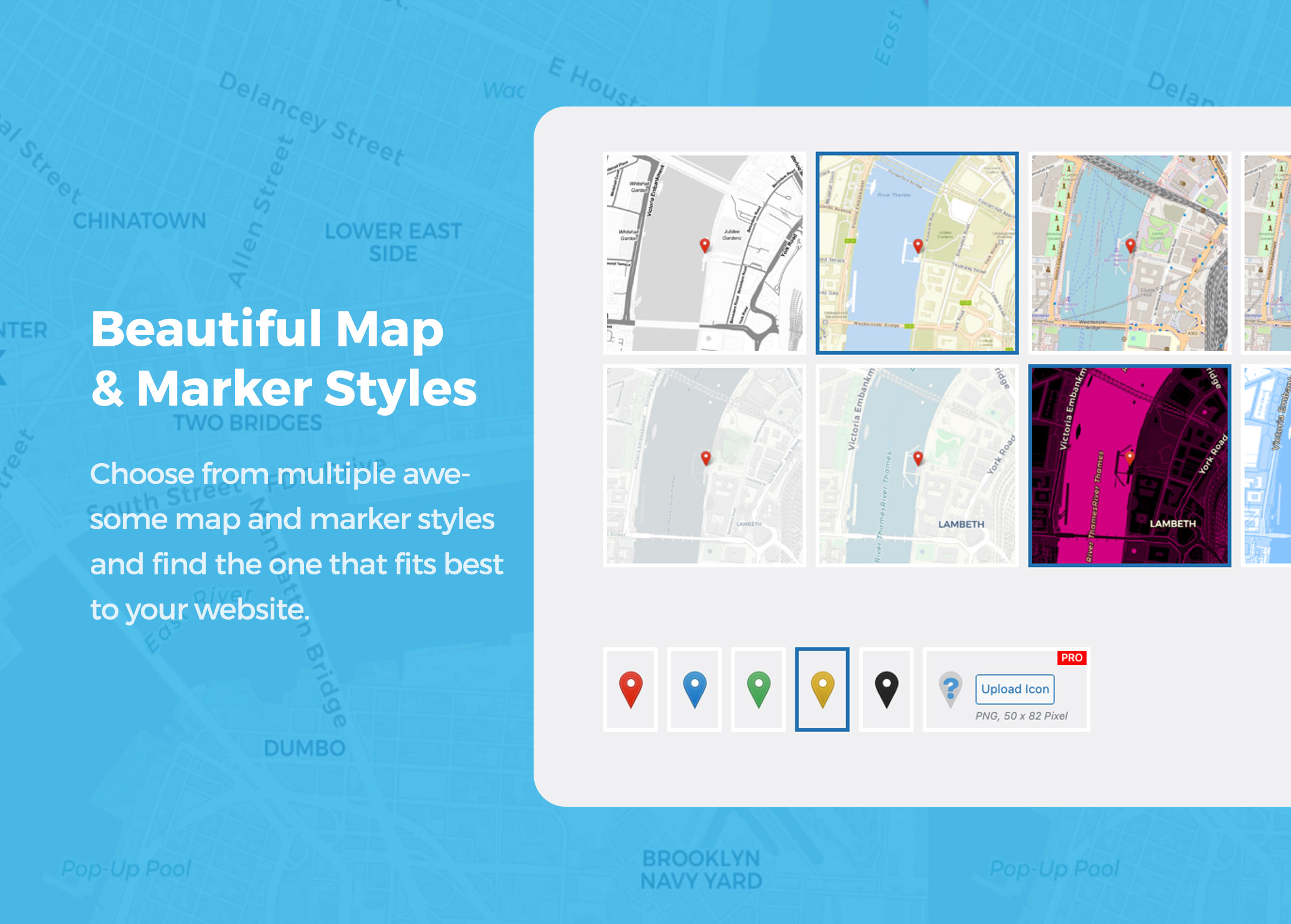
✅ Multiple map styles – Use OpenStreetMap, OpenFreeMap vector, MapBox and other flexible map styles.
✅ Powerful search options – Marker search, address search and category filtering.
✅ Customizable forms & fields – Collect the exact location data you need.
✅ Media-rich markers – Add descriptions, images, audio, videos and more.
✅ Perfect for directories, community maps, travel blogs, events, local guides and business locations.
Get a Map in 1 Minute
🍿 Watch Video on YouTube: Getting Started with Open User Map
🌏 How to create a Simple Map
Create a clean, customized map that shows only your own markers. This is perfect for business locations, travel spots, event places, real estate listings or any other collection of places you want to display on your website.
You can disable visitor submissions and use Open User Map as a simple custom map plugin for WordPress.
🍿 Watch Video on YouTube: How to create a Simple Map
👩🏾🚀🤵👩🏻🎤👩🏽🌾👩🏿💻 How to create an Interactive Map
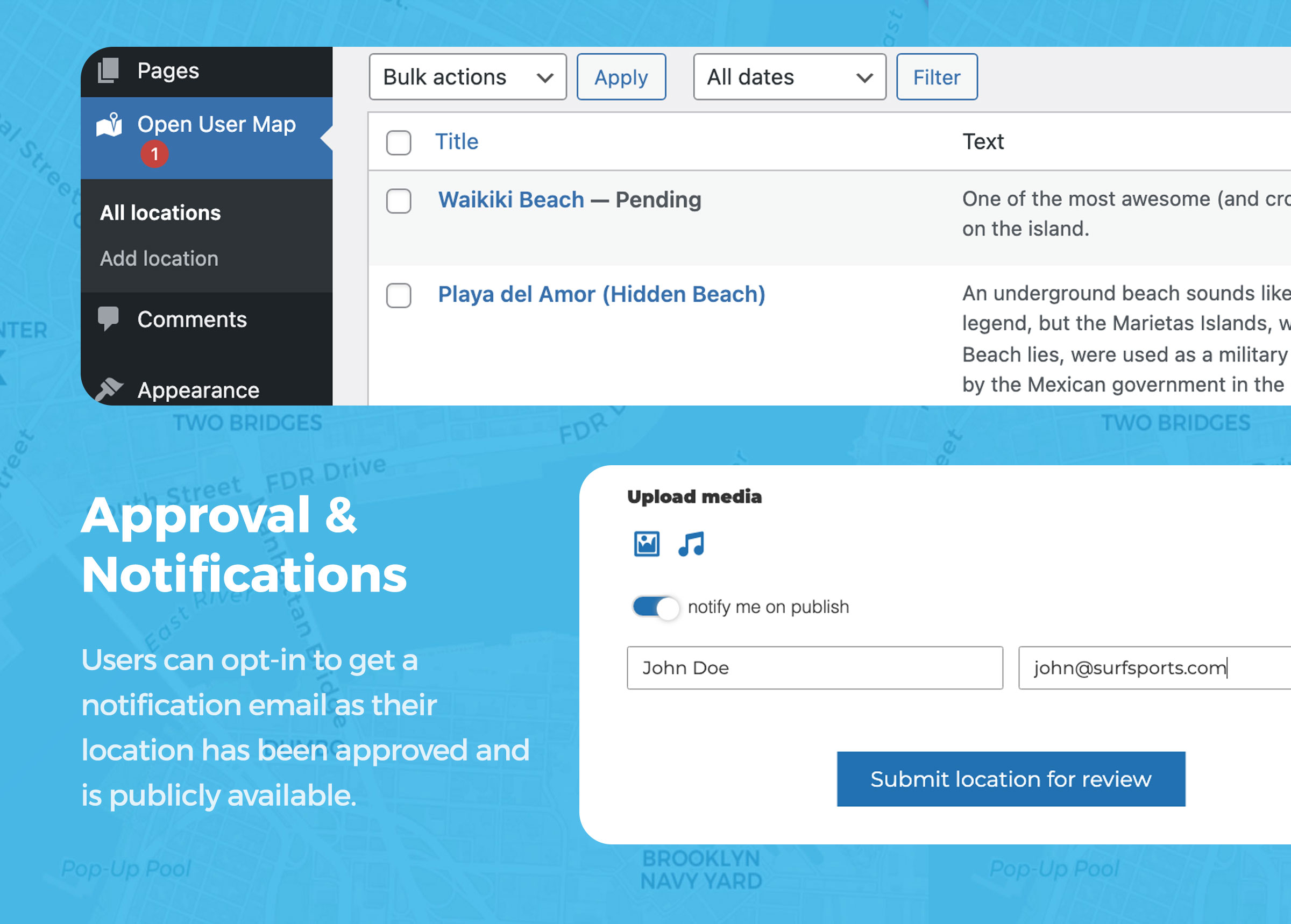
Create a community map where visitors can add new markers directly from the frontend. You can receive a notification for new submissions and approve each location before it is published.
Your visitors can search for addresses or existing markers worldwide to quickly find the right spot. You can add custom fields and descriptions to the submission form to collect the data you need. Image, video and audio uploads are possible as well.
Let your users collaborate and watch your map grow.
How your website visitors add new markers to your map:
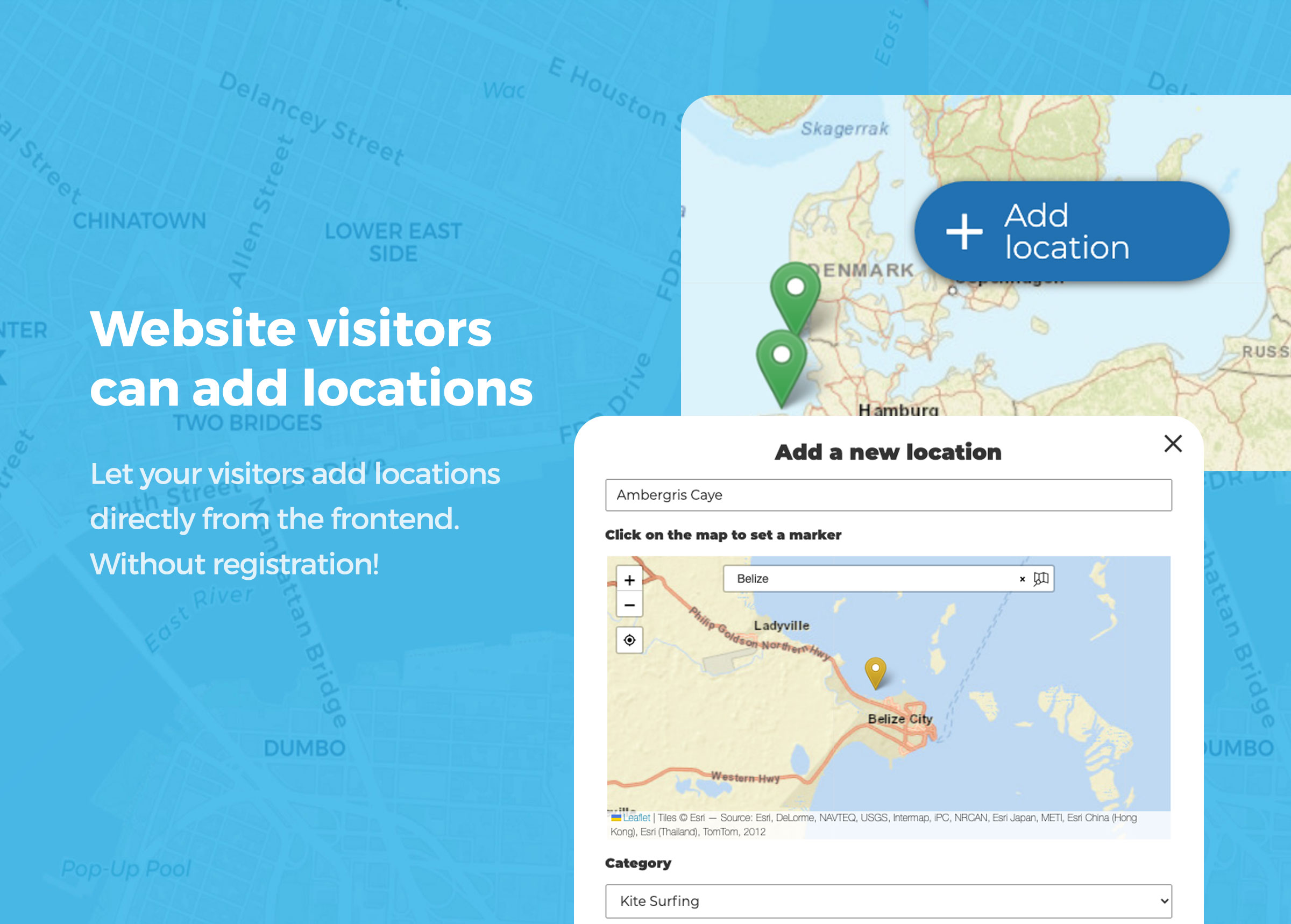
Visitors simply click the “+” button on the map. A form opens where they can enter the location details in a comfortable frontend interface. After submitting, the new marker can be saved as “pending” and wait for your review before it gets published.
🍿 Watch Video on YouTube: Add a new Location
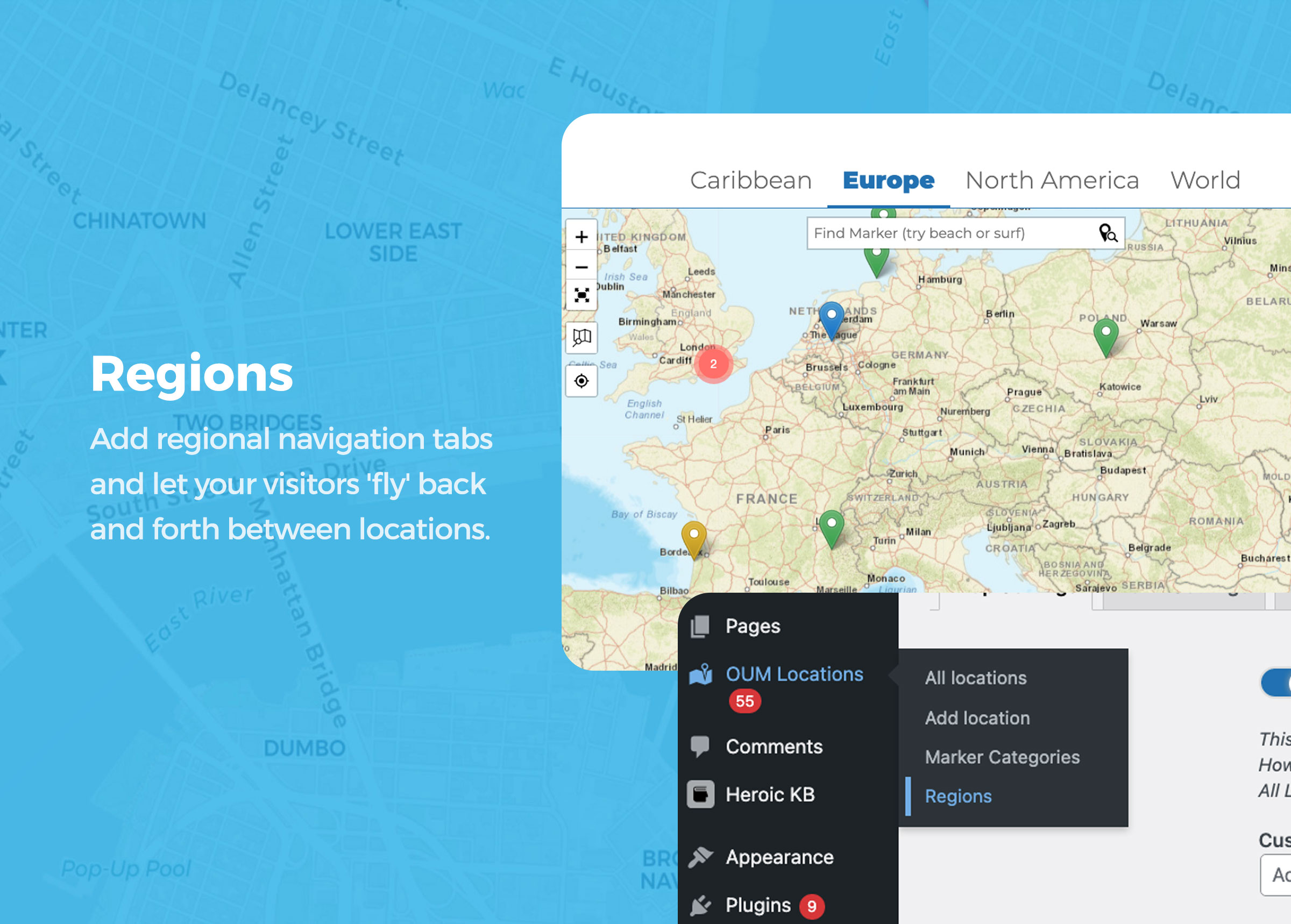
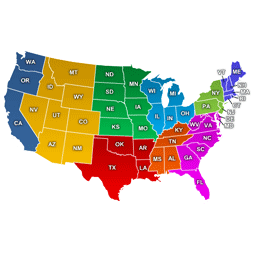
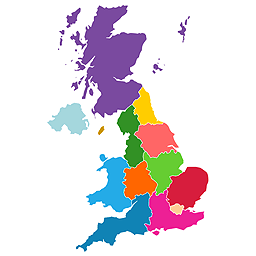
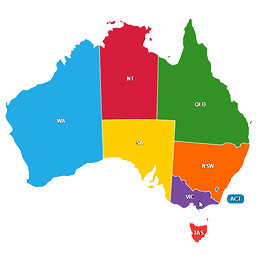
🆕 Regions
Add regional navigation tabs and let your visitors fly back and forth between locations that are far apart from each other. This is useful for maps covering multiple cities, countries, regions or large areas.
See the Demo Map.
🍿 Watch Video on YouTube: Regions
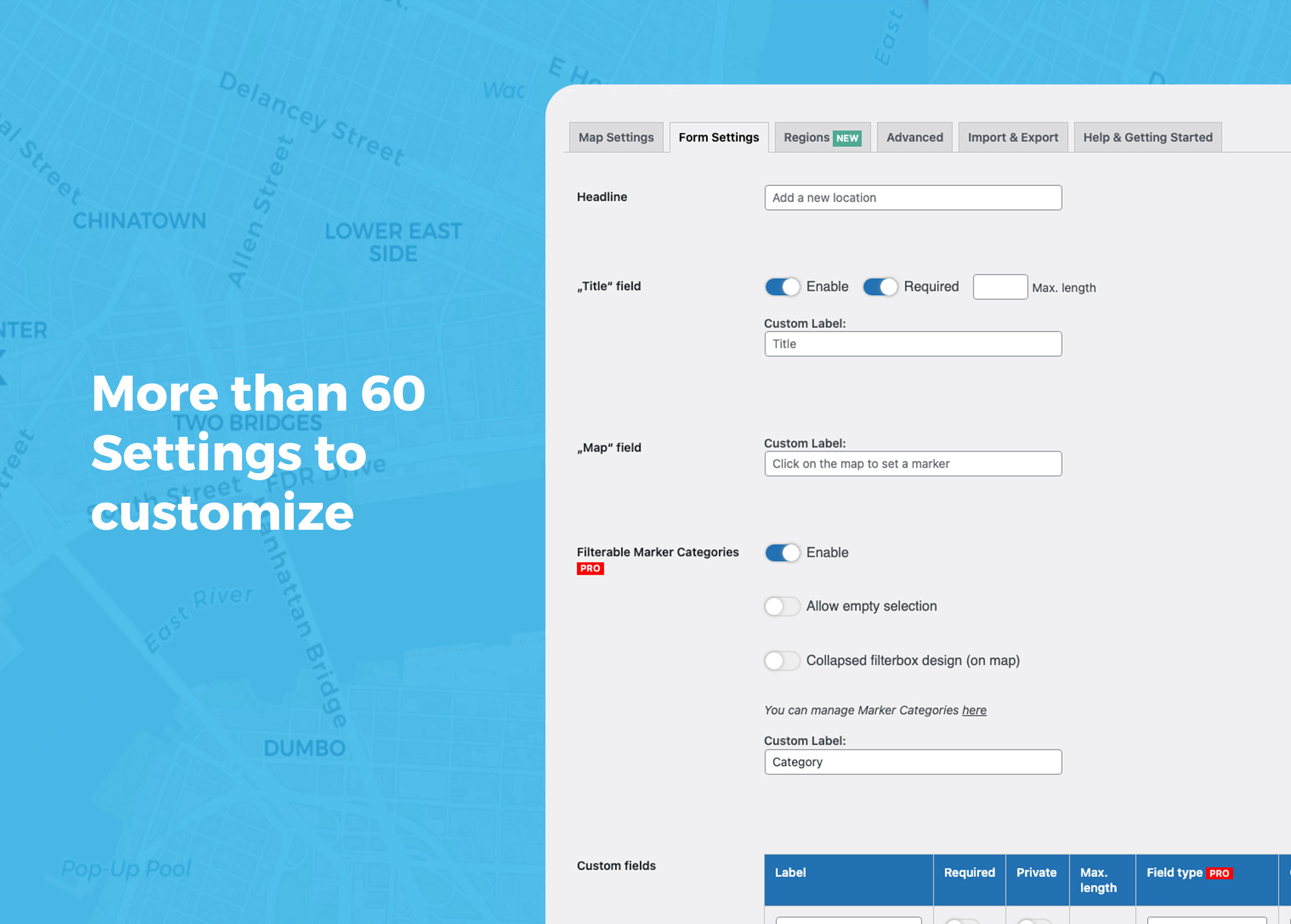
More than 60 options to customize
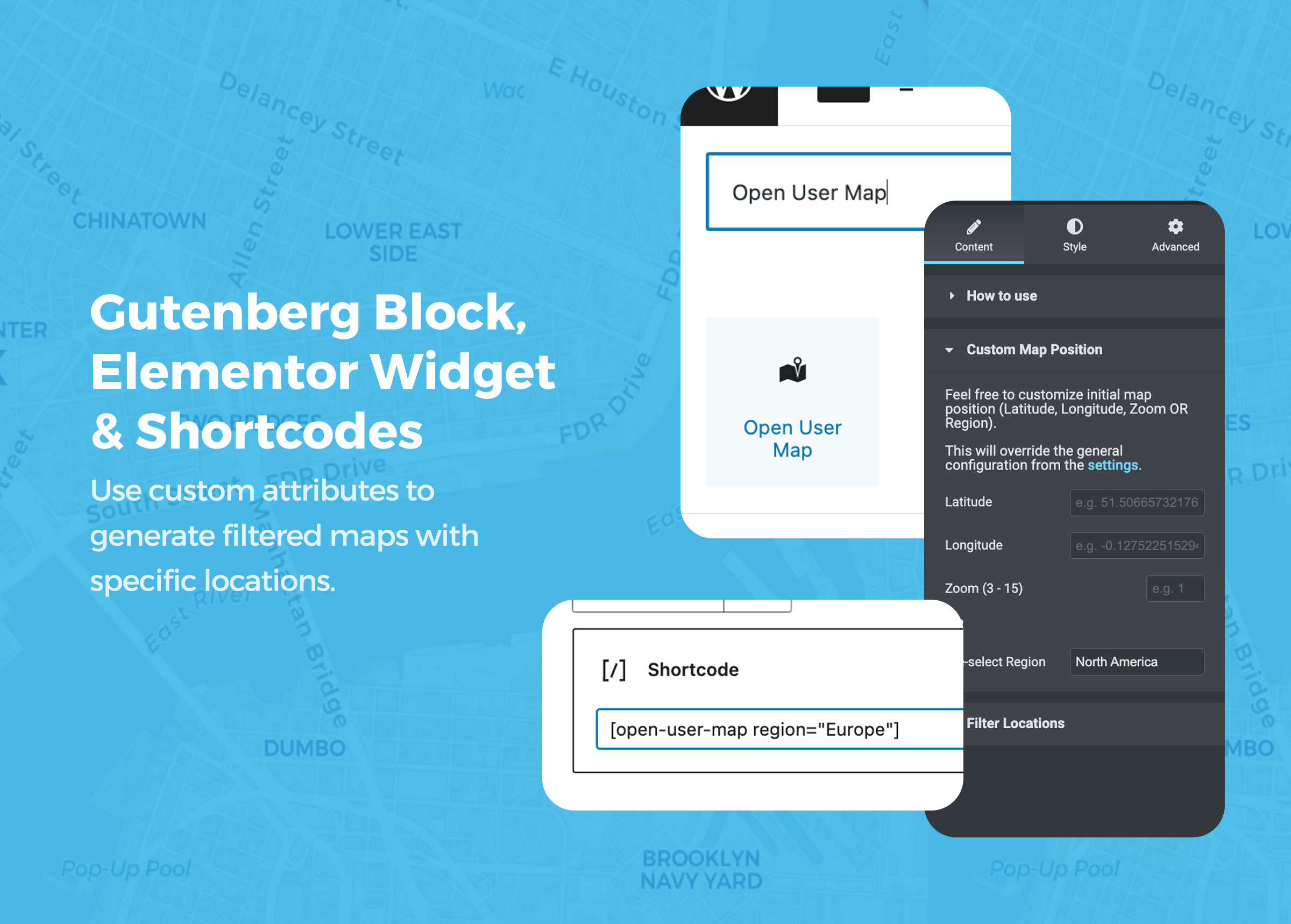
Use the Gutenberg Block, Elementor Widget or shortcode to add your map anywhere on your WordPress site.
Nearby markers can be grouped together with marker clustering. You can customize the map size, marker styles, map focus, search options, frontend form fields, text labels, redirects, thank-you messages and much more.
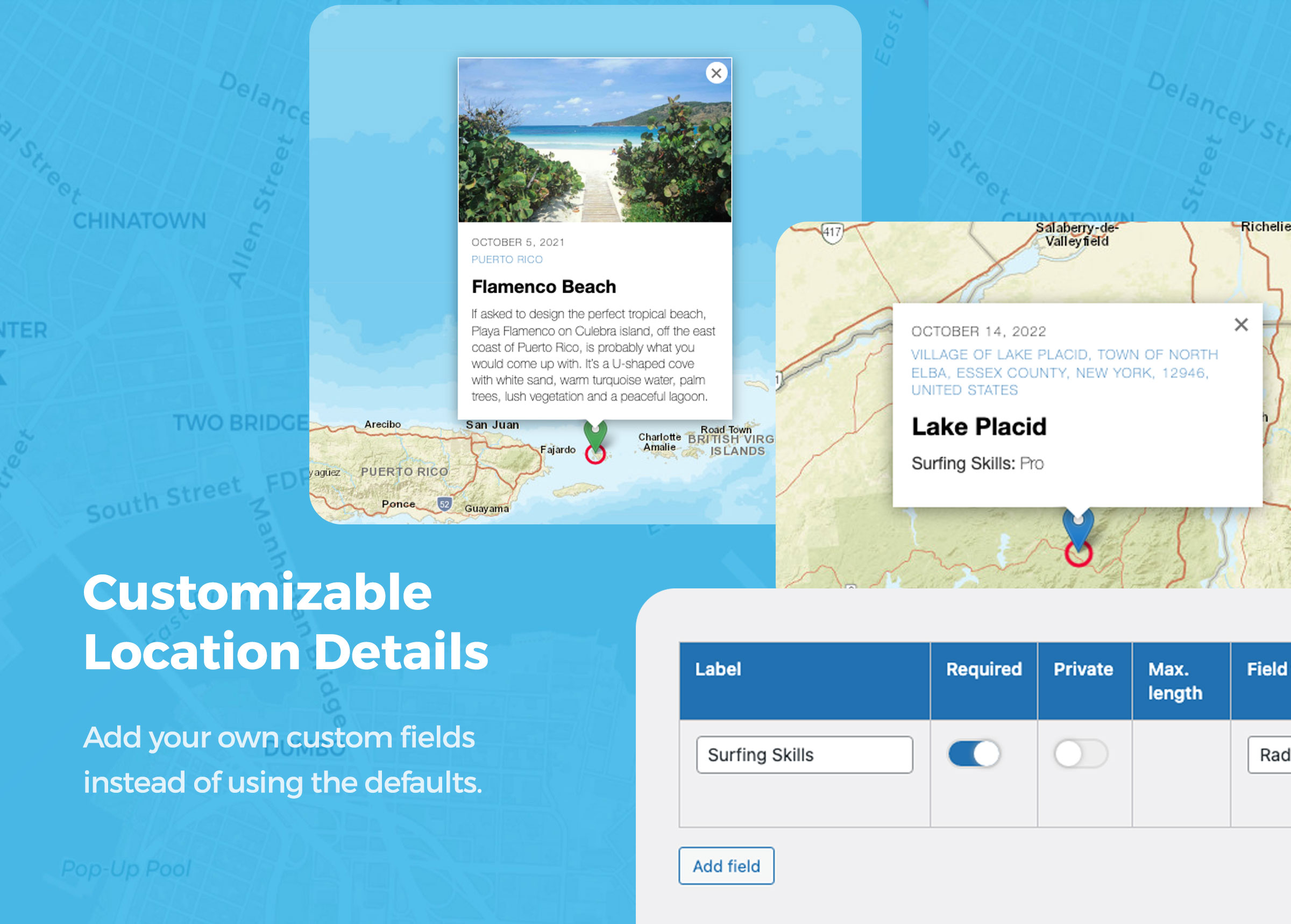
Custom fields allow you to adapt the marker submission form to your exact use case.
Free Features:
- frontend adding of markers (can be disabled)
- frontend editing of locations for registered users
- admin approval for pending locations
- based on Leaflet
- no API keys required
- multiple map styles including MapBox
- GDPR-ready map tiles with servers in Germany
- multiple marker styles
- Regions as tabs 🆕
- full-width map size
- keep map focus in fixed position (stay in an area)
- optional scroll wheel zoom 🆕
- search for markers 🆕
- address search with OSM geosearch
- auto-generate address from marker location with reverse geocoding 🆕
- locations with custom fields 🥳
- private custom fields
- pre-filter locations by custom fields
- pre-filter locations by date or date range
- conditional fields (🪄 experimental, please see Help section)
- “subtitle”, “description”, “image”, “audio” and even “title” fields can be disabled
- “subtitle” field links to Google route
- every text bit can be customized
- locations with images and audio
- multiple images as slider per location 🆕
- shortcode with custom settings
- Gutenberg Block with custom settings
- Elementor Widget with custom settings
- marker clustering
- fullscreen option
- refresh, redirect or thank-you message after submit
- use URL parameter &markerid=123 to highlight a specific marker on the map
- get a specific value from a location by using the PHP function oum_get_location_value( ‘YOUR VALUE’, $post_id )
- use WordPress hooks to extend the plugin functionality with your own code, including a hook to modify location data before rendering 🆕
- use shortcode [open-user-map-form] to display the “Add Location” form stand-alone
- custom JS inputs
- custom CSS inputs
🚀 PRO
Open User Map PRO gives you more control, more automation and more flexibility for advanced community maps, directories and professional map projects.
You can try all PRO features for 7 days — no credit card required.
🔥 Start 7-day PRO Trial (No Credit Card)
⭐️ Filterable Marker Categories
Organize locations in multiple filterable marker groups. Each group category can have an individual marker icon and will be accessible to visitors.
⭐️ Lines & Areas
Add Lines and Areas as additional location types. Visitors can draw routes, paths, zones or boundaries directly on the map.
⭐️ Live Marker Filter
Use the search bar to filter markers as you type. Instantly see relevant locations on the map.
⭐️ Advanced Filter Interface
Create a filter sidebar next to your map and let visitors filter locations by any custom field you have configured. You can also add custom HTML content sections to display additional information or branding.
⭐️ Custom Image Map Style
Add a custom image layer to your map or replace the map entirely with a custom image, such as a floor plan, event map, seating plan or fantasy map, while keeping interactions, clustering and popups.
⭐️ Pre-filter locations by user or role
Use shortcode attributes to filter locations by current user, user ID or role. This works for maps, lists and galleries.
⭐️ Vote button for locations
Add a customizable button for likes, upvotes or flagging, with flexible privacy controls.
⭐️ Star Rating
Let visitors rate locations with a customizable star rating system.
⭐️ More custom field types
Add custom fields such as links, radio buttons, checkboxes, dropdowns, opening hours and HTML. Social media links can automatically be rendered as icons.
⭐️ Additional geosearch providers
Use additional geosearch providers including Geoapify, HERE and MapBox.
⭐️ Videos from YouTube & Vimeo
Use videos instead of images to highlight each location.
⭐️ Export & Import locations
Already have a list of places you want to show on the map? Use CSV export and import to add, move or bulk edit locations more easily.
⭐️ Email user notification
Notify users by email after their location has been approved.
⭐️ Email admin notification
Send notifications to an admin email address when new location proposals are submitted.
⭐️ Zapier/Webhook Integration
Trigger an external webhook when locations are created or updated.
⭐️ User restriction
Restrict the “Add location” feature to registered users only and redirect visitors to your registration form.
⭐️ Auto-publish
Let registered users publish directly without admin approval. This can also be enabled for unregistered users.
⭐️ Extend user registration
Add the “Add location” feature to the WordPress user registration form.
⭐️ Custom filesizes
Customize the maximum filesize for image and audio uploads. The default is 10 MB.
⭐️ Custom marker icons
Use your own custom marker icons.
⭐️ Current location
Add a button that moves the map to the visitor’s current location.
⭐️ Limit visible locations
Limit the locations shown on a map by marker categories or post IDs. This makes it possible to show only locations of a specific type or render a single location. This can be done in the block settings or with shortcode attributes.
⭐️ Single pages for locations
By default, locations do not have single pages. This helps prevent large numbers of location posts from negatively affecting your SEO. If you want to add more content to locations, you can enable single pages in Open User Map PRO.
⭐️ Default template for single pages
When single pages are enabled, locations automatically get a post thumbnail, an excerpt and a default content template. You can also show locations within query loop blocks to create your own list or grid view.
⭐️ Shortcodes for single location values
Use the shortcode [open-user-map-location value=”YOUR VALUE” post_id=”POST ID (optional)”] to display a value from a location. This is useful when creating single pages for locations. You can find all available values in the Help section of the plugin settings under Open User Map > Settings > Help.
⭐️ Show all location images as gallery
Use the shortcode [open-user-map-gallery] to display a gallery view of all location images. Each image links to the corresponding location marker on the map.
⭐️ Show all locations as list or grid
Use the shortcode [open-user-map-list] to display all locations as a list. Alternatively, you can use native query loop blocks to build a custom list or grid.
⭐️ Allow registered users to edit their locations
Open User Map PRO extends WordPress capabilities to allow backend access. If assigned to the user role, registered users can read, edit and delete their own locations from within the map.
🔥 Start 7-day PRO Trial (No Credit Card)
Cas d'utilisation
🍕 Restaurant & Food Guides
Build a collaborative map where visitors can add locations on their own. This is great for travel blogs, city guides, bar maps, restaurant guides or local recommendation platforms.
Ask your audience for their favorite food and drink spots. Prepare categories such as food, drinks, music or nightlife and let visitors drop markers directly from the frontend. Watch your map grow fast.
👭👬 Community Building
Extend the WordPress user registration form with an “Add location” input. New users can drop a marker on the map to share their location.
Use it to build a user map and help your audience connect with each other.
📺 Video Tour Map
Bring locations to life with video. Let visitors enhance markers by embedding YouTube or Vimeo videos directly on the map.
This could be a video tour of a neighborhood, a restaurant walkthrough, a city guide or a cultural event highlight. Perfect for travel bloggers, city guides and virtual tours.
🎤🎸 Sound Map
Create a sound map and let your audience upload audio files to locations.
This is useful for documenting soundscapes in urban or remote areas, collecting field recordings, building audio tours or creating creative map-based projects.
🎯 Business Directory
List businesses on a map with categories, filters, search and custom fields.
🗺️ Event or Travel Maps
Show tour locations, landmarks, event places, routes or recommended spots.
🏠 Real Estate Listings
Display properties with images, videos, descriptions and custom details.
📍 Store Locator
Make it easy for customers to find physical store locations.
📖 View More Examples & Live Demos
The possibilities are endless. We are very curious about what you are building with the help of Open User Map. Please do not hesitate to contact us, share your project or ask for feature requests. This plugin is under constant development and your feedback helps us improve it.
Installation
À partir de votre tableau de bord WordPress
- Visit Plugins > Add New
- Search for “Open User Map”
- Install and activate Open User Map from your Plugins page
- Use the default WordPress editor or Elementor to insert the “Open User Map” block onto a page. Alternatively, you can use the shortcode
[open-user-map]. - You can manage locations in the “Open User Map” menu.
- You can manage styles and features under “Open User Map > Settings”.
Journal de modifications
1.4.58
- Added a dismissible Black Friday notice on Open User Map admin screens for Free users and PRO subscribers after setup. The notice expires automatically.
1.4.57
- New (PRO): Visitors can report a location from its map popup with a reason. Admins can customize the button label, require login, receive email notifications, and review saved reports in WordPress.
- Improved: The Locations list gives titles more room and keeps ID, Votes, and Reports compact. Coordinates are visible by default, and Text and Subtitle are available in Screen Options.
1.4.56
- Fixed: Inline submission forms respect login restrictions and recover from failed submissions with a visible error.
- Fixed: Opening or resizing the settings map no longer reports unsaved changes on fresh installations.
- Improved: Purchase and trial hints are limited to fully PRO settings; premium suboptions use compact PRO badges.
- Improved: Settings use consistent sections, quick links, and clearer category-type and search controls.
- Improved: The Save Changes button stays visible and indicates unsaved changes.
- Improved: Location Settings starts with the submission form settings.
- Improved: PRO settings show native WordPress purchase buttons, trial links, and license status guidance.
- Improved: Feature help popups support keyboard navigation and stay within the visible screen area.
- Improved: Keyboard access and scrolling for wide custom-field tables.
- Updated: German and Spanish translations; added French translations for the new settings and related interface texts.
1.4.55
- Bugfix: Map didn’t not show up with [open-user-map-form] shortcode
1.4.54
- Improved responsive width, height and aspect ratio controls in Gutenberg and Elementor
- Improved editor labels, device indicators and translations
- Bugfix: Prevent OpenFreeMap console warnings without changing map appearance
1.4.53
- Bugfix: Edit Location link in admin notifaction was empty
- Bugfix: Compatibility with Footnotes Made Easy
- NEW: Visual map editing and improved compatibility in Elementor and Gutenberg
- Improved wording for admins publishing new markers
- Freemius SDK Upgrade
- Language updates
Captures d'écran
Pour les développeurs
Est-ce votre plugin ? Montrez les chiffres.
Ajoutez un badge en direct à votre site, docs ou github readme. Il se met à jour par lui-même - aucun compte n'est nécessaire.
Best Open User Map alternatives
All interactive map plugins →


FAQ
Open User Map: quick answers
Réponses directes, extraites des données en direct WordPress.org.
Source : WordPress.org
Is Open User Map free?
Yes. Open User Map is free to download and use from the official WordPress.org plugin directory.
Is Open User Map safe to use in 2026?
Yes — Open User Map is a safe, well-maintained plugin to use in 2026. It runs on 10K+ sites, is rated 5/5 and was last updated 1 week ago, and scores 94/100 on our health check.
How many websites use Open User Map?
Open User Map is active on 10K+ WordPress websites and has been downloaded 396,142 times since it launched in October 2021. It was downloaded 19,223 times in the last 30 days.
Does Open User Map work with WordPress 7.1?
Yes. The developer has tested Open User Map up to WordPress 7.1.5, the latest release. It requires WordPress 5.5 or newer.
What PHP version does Open User Map need?
Open User Map requires PHP 7.0 or higher. Most hosts run PHP 8.x today, so it works on any modern WordPress hosting.
When was Open User Map last updated?
The latest version, 1.4.58, was released on November 12, 2026 (1 week ago).
Who makes Open User Map?
Open User Map is developed and maintained by 100plugins.
What are the best alternatives to Open User Map?
The most popular alternatives to Open User Map are MapGeo (30K+ installs), HTML5 Maps (4K+ installs) and MapSVG (2K+ installs).
Propulsé par PageForge
Un modèle et une feuille de calcul. Une vraie page pour chaque recherche.
PageForge transforme chaque ligne d'un CSV en une page WordPress avec son propre titre, URL, SEO et schéma, construit sur la mise en page que vous Déjà conçu. Gratuit sur WordPress.org.
- CSV et XLSX, plus Google Sheets sur les professionnels et les entreprises
- Son propre titre, URL, SEO champs et schéma pour chaque page
- Fonctionne avec l'éditeur de blocs, Elementor, Divi et Avada
- Gratuit sur WordPress.org, pas de carte de crédit