


naulon – Get paid when AI reads your work
AI agents pay to read your articles and files. People always read free, and every author is paid directly.

Choix solide
naulon is a solid plugin choice in 2026, with a few things worth checking first. Was last updated 3 weeks ago, and scores 64/100 on our health check.
- Développé activement — Dernière mise à jour il y a 3 semaines
- Testé avec le dernier WordPress (7.1)
- Petite base d'utilisateurs (<10 installations actives)
- Très peu de critiques jusqu'à présent
Comment s'accumule-t-il ?
Côte à côte sur les installations, les mises à jour, les évaluations et le support



Téléchargements quotidiens
Les pics de téléchargement suivent généralement une nouvelle version - chaque site qui met à jour automatiquement compte comme un téléchargement.
Classements
Where naulon stands todayWordPress.org Classements de recherche
Position en direct dans la recherche de plugins, Top 100| Mot-clé | Position |
|---|---|
| AI Crawlers | >100 |
| gptbot | >100 |
| licensing | >100 |
| monetization | >100 |
| paywall | >100 |
About naulon
From the official readme · v0.9.0Description
AI agents read your work to answer questions. They do not click your ads, they do not subscribe, and they rarely send a reader back. naulon prices that read.
A human visitor is never affected. They see exactly what they always saw, at the same speed. An automated agent asking for the full text of an article gets a price instead, pays it, and then reads. What it pays goes to the people credited on that article, straight to their wallets, with nothing pooled or held in between.
How it decides
- Human traffic reads free. This is not a setting and there is no switch to change it.
- Titles, excerpts, your sitemap and your feeds stay free, because agents need to find you.
- Full article text is what carries a price.
- Nothing is ever charged with nowhere to send it. An article whose authors have no wallet anywhere, not on this site and not on the service it connects to, reads free.
What you configure
You paste one key, click verify, and choose what is tolled. Your authors each add their own wallet address from their normal WordPress profile. An author never sees anyone else’s earnings, and only editors and administrators can see the site’s total.
How you know it is working
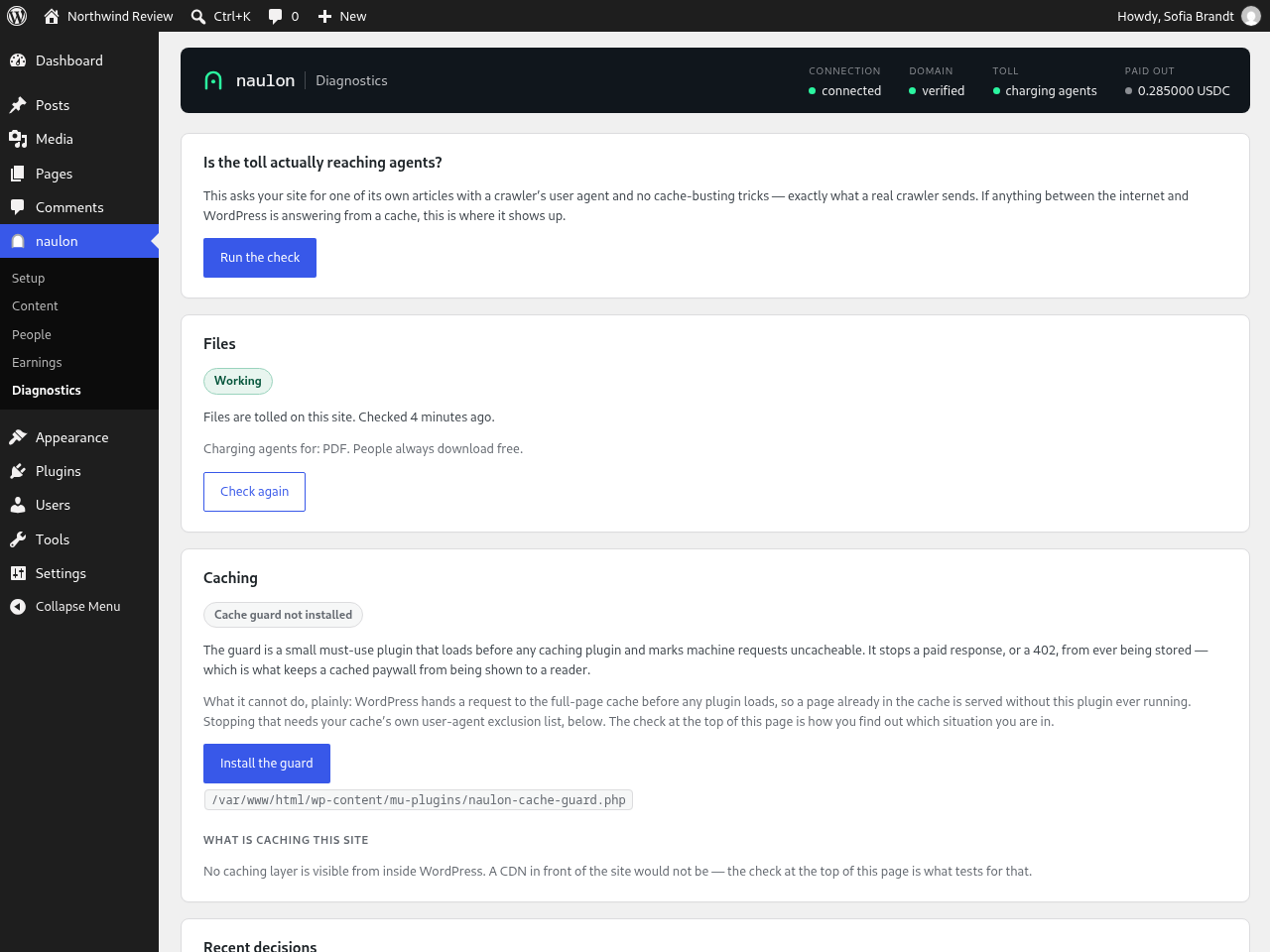
The Setup screen has a Test toll button that asks your own site for one of your articles while presenting a crawler’s user agent, over real HTTP, and shows you what came back: the status, the price, the chain, and the wallet being paid. Diagnostics runs the same check against caching, lists the last decisions the toll made (machine requests only, since readers are never logged) and says plainly when something between the internet and WordPress is answering from a cache.
Where the money goes
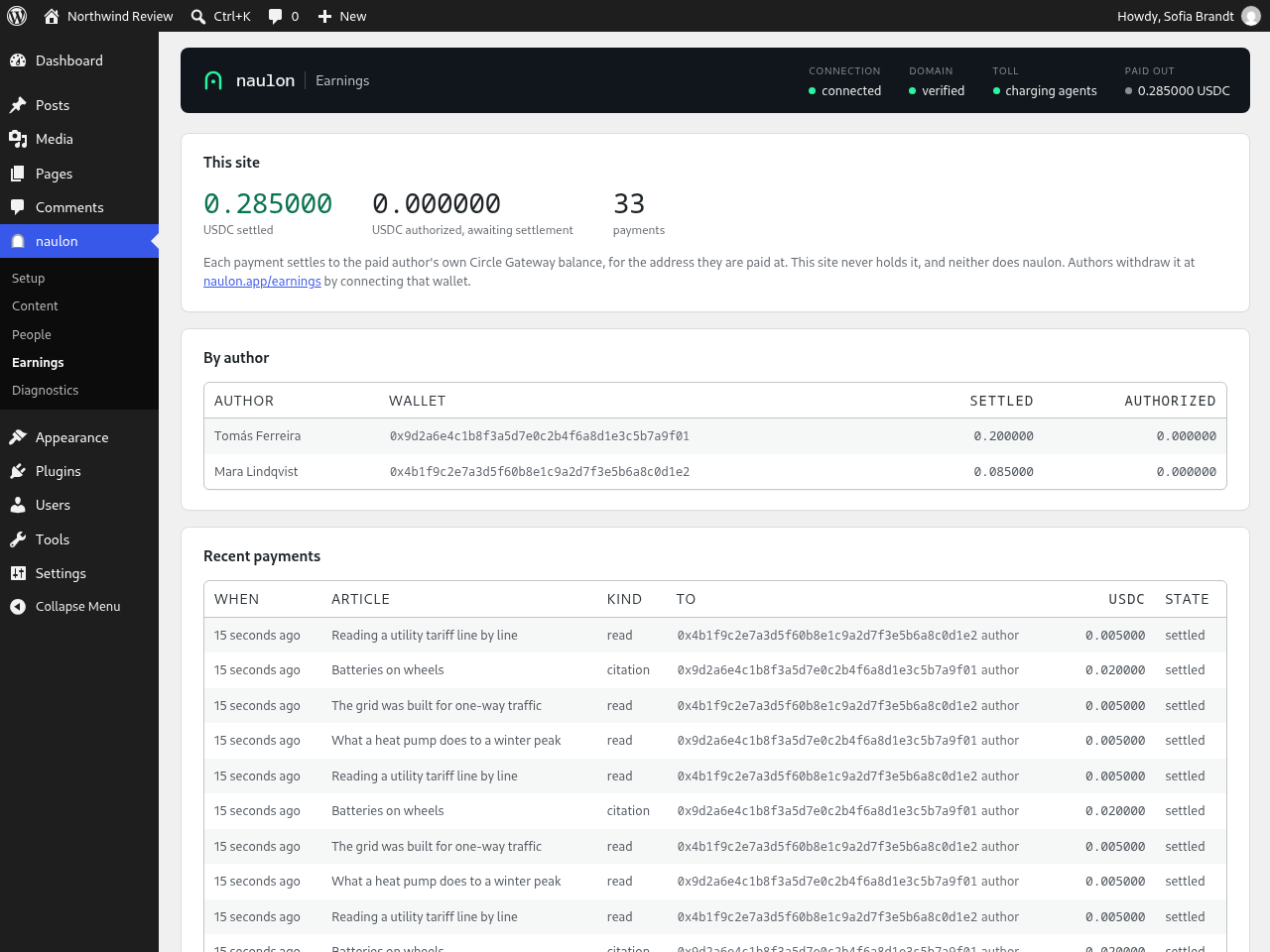
Payment is direct: the agent pays your authors. Each payment settles to the author’s own Circle Gateway balance for the wallet address on their profile, and only that wallet can withdraw it, at https://naulon.app/earnings, with no naulon account needed. This plugin never takes custody of funds, never holds a balance, and never asks you to top anything up. There is no wallet on this site holding money.
Self-hosting
The whole protocol is open source. To use a gate you run yourself, set NAULON_ENFORCE_KEY on the gate, then paste the gate’s address and that key on the Setup screen. The gate’s key is the ownership proof, so there is no verification step, and pricing, settlement, licences and the decision log work the same as on the hosted service. Inviting authors to a naulon account needs the hosted service; on your own gate, authors set their wallet on their profile.
Services externes
This plugin relies on an external service to price a read and to settle a payment, because
settlement cannot be performed inside WordPress. Nothing is contacted until you enter a key.
Entering it is the consent, and until then the plugin makes no outbound requests at all,
not one, to anywhere.
Service: naulon (https://naulon.app), reached at https://gate.naulon.app.
When it is contacted, and what is sent:
- When you connect or rotate a key, and hourly thereafter, to confirm the connection is live.
Sent: your API key and your site’s domain. - When you verify ownership of your site. Sent: your API key and your site’s domain. The
service then fetches a challenge file or your homepage to confirm you control the domain. - When an automated agent requests a full article and a price is needed. Sent: your API key,
the URL and slug of the requested article. - When an agent pays. Sent: your API key, the article URL, the payment the agent signed, and
the wallet addresses credited on that article. - When an administrator or editor approves an author’s request for a naulon payout account
(People screen). Sent: the author’s email address, the author’s id on this site
(wp-user-followed by their user number), and the email address of the person who
approved. naulon uses them to email the author an invitation. Nothing is sent for an author
who never asked, or whose request nobody approved.
What is never sent: your article content, your readers, your visitor logs, and anything
about human traffic. Human requests never contact the service at all.
The plugin adds a suggested paragraph to Settings → Privacy that says all of this, for your own
privacy policy.
If you point the connectivity field at your own self-hosted gate instead of a key, the plugin
talks only to that server and never to naulon.app.
Terms of service: https://naulon.app/terms
Privacy policy: https://naulon.app/privacy
Installation
- Install and activate the plugin from Plugins → Add New. Later versions arrive on the Plugins screen like any other update.
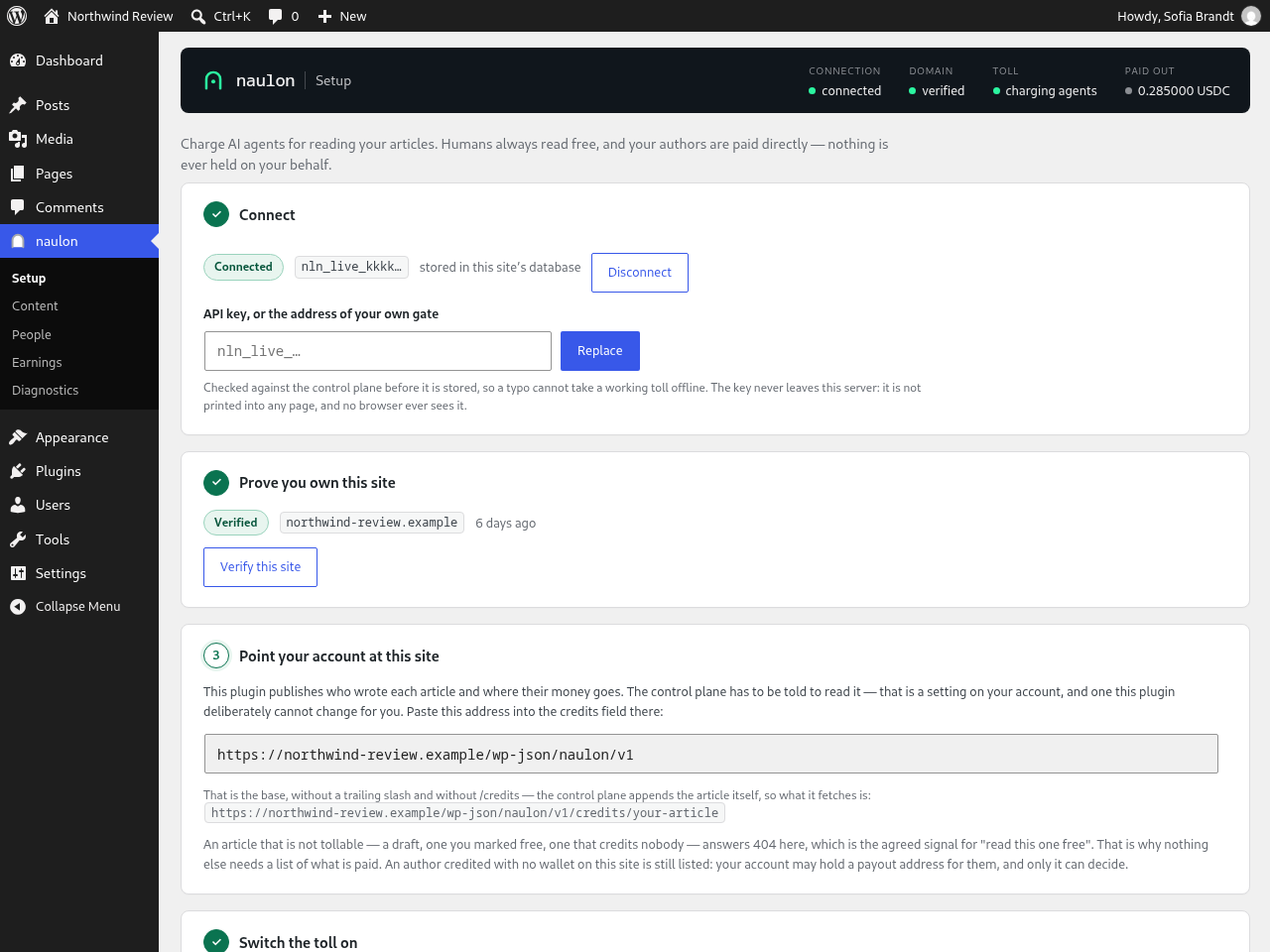
- Open naulon → Setup and paste your key.
- Click Verify this site. The plugin proves you own the domain by serving a challenge file and a meta tag, with no DNS changes needed.
- Paste the credits address shown on that screen into your naulon account, so the service knows where to read your author data.
- Switch the toll on, and press Test toll to watch a crawler get charged.
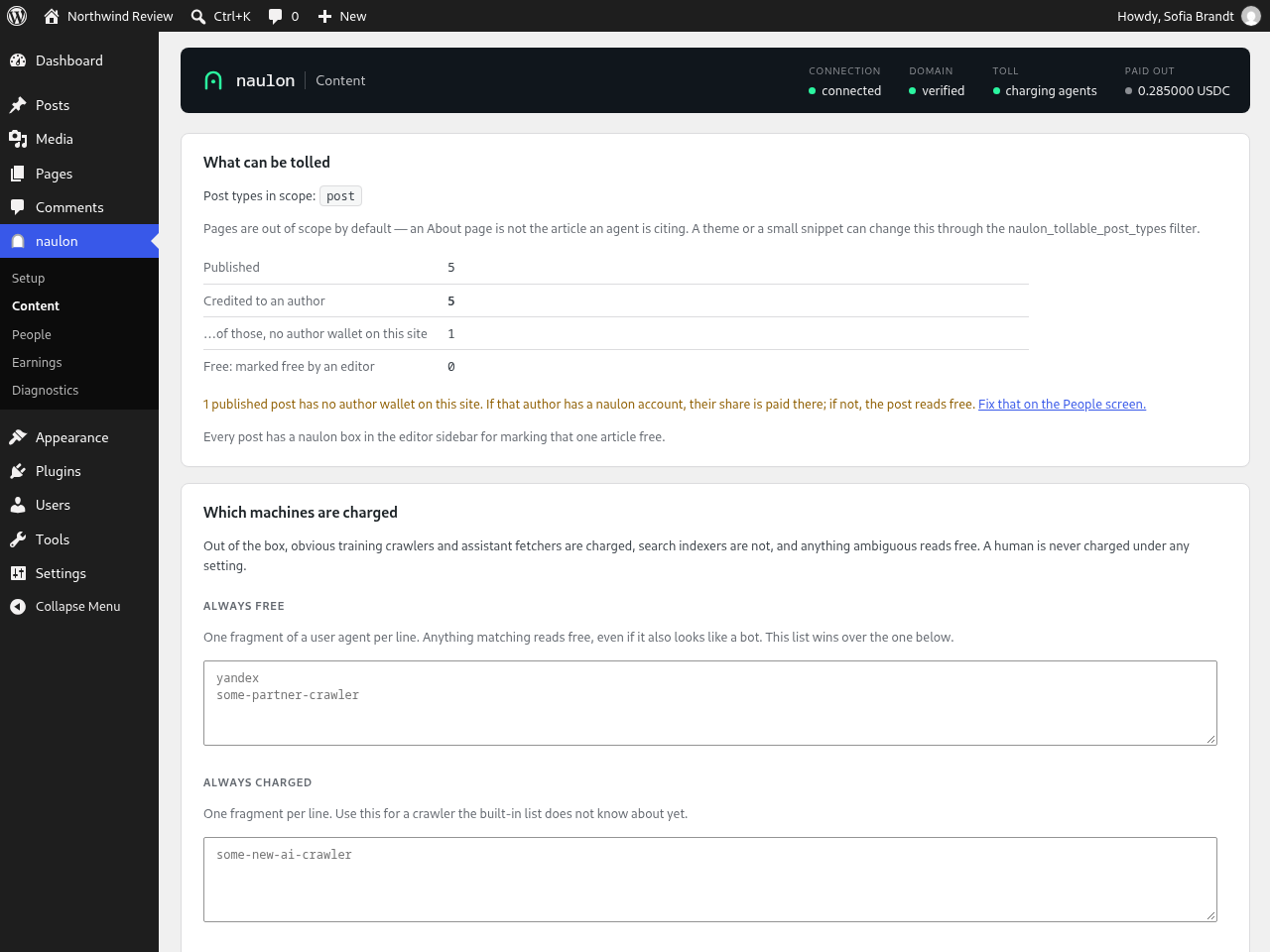
- Choose what is tolled under naulon → Content.
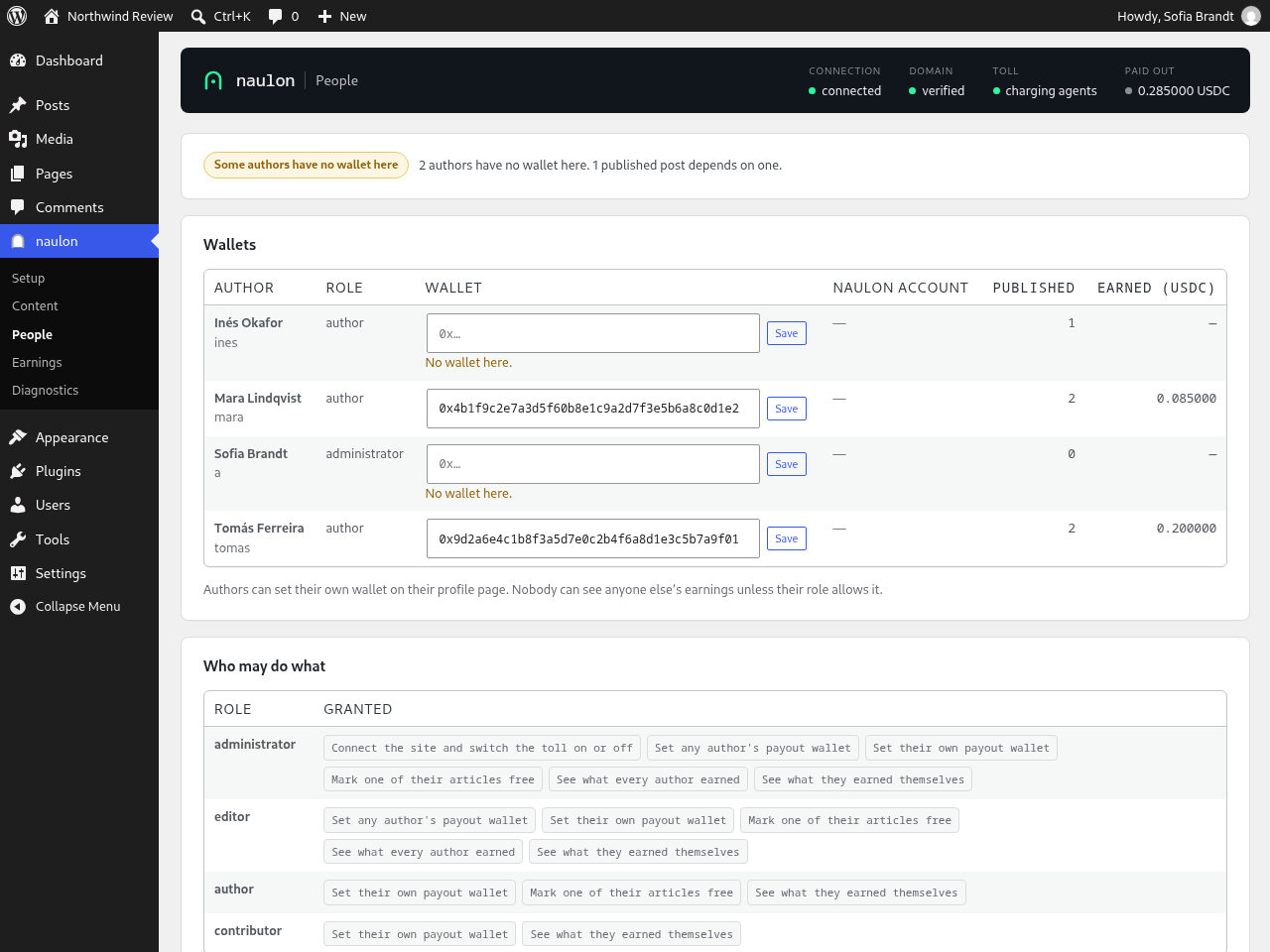
- Ask your authors to add a wallet address to their profile. A post by an author without one reads free, unless the service this site connects to holds a wallet for them.
Permalinks must not be set to Plain: with plain permalinks an article has no address to identify it by, and nothing can be tolled. The Setup screen says so if that is the case.
If anything caches pages on your site, install the cache guard from naulon → Diagnostics. A cached article is served before any plugin runs, so without it crawlers can read from the cache for free.
For the strongest key storage, add it to wp-config.php instead of the settings screen:
define( 'NAULON_API_KEY', 'nln_live_…' );
A key in wp-config.php stays out of your database, so it does not travel in database exports or backups. The settings screen will tell you which storage is in use.
Journal de modifications
Connect your site from the Setup screen and approve it on naulon.app. A pasted key keeps working.
0.9.0
- Connect to naulon from Setup: approve the site on naulon.app and come back connected, with your domain already proven. Pasting a key still works.
- On a connected site, Approve on People opens naulon.app with the author filled in, and you send the invitation there.
- naulon’s screens use the same buttons and fields as the naulon dashboard. The rest of WordPress is unchanged.
- Tables scroll inside their card on a phone instead of pushing the page sideways.
- Shorter, plainer wording on every screen.
- A gate address that does not offer Connect says so, instead of claiming it is not a naulon gate.
0.8.0
- Connect to a gate you host yourself. Paste its address and its key (
NAULON_ENFORCE_KEY), or put the key inwp-config.phpasNAULON_GATE_KEY. Before this, a self-hosted gate never answered the plugin, so nothing was charged. - A site connected to its own gate by address alone, without a key, now shows as not connected until you add the key.
- The licence the plugin publishes is read from the same enforcement document on every gate, hosted or your own.
- If naulon cannot answer a licence check or a payment, the agent now gets the article instead of being asked to pay again. A refusal from naulon still asks for payment.
- While a payment for a read is still being confirmed, the agent is asked to retry in two seconds instead of being offered the price again.
0.7.3
- New name: naulon – Get paid when AI reads your work. Nothing else changed.
0.7.2
- Setup no longer warns that a verified site “cannot pass” verification because its WordPress address says http. A verified site already passed the https check, often behind a proxy or CDN.
0.7.1
- The plugin’s answer about who is paid for a post or file is never stored by a CDN. Cloudflare caches any address ending in .pdf, so it kept the answer for a tolled file for four hours, and a changed author or wallet was not seen until it expired.
0.7.0
- Charge AI agents for files. Tick PDF, JSON, TXT or XML on your site’s page in the naulon dashboard and the plugin tolls those files in your media library the way it tolls articles. People still download free. A file is credited to the post it is attached to, with that post’s authors and price, and a file on a free post stays free.
- The plugin checks your server can do this before the dashboard offers it. It asks your own site for a small test file and only reports “working” when WordPress itself answered. Diagnostics shows the result, with the exact fix when your server ignores .htaccess (nginx), cannot write it, or a cache in front serves files on its own.
- Saving your key now lights up your site in the naulon dashboard straight away, instead of waiting for the first crawler.
Captures d'écran
Pour les développeurs
Est-ce votre plugin ? Montrez les chiffres.
Ajoutez un badge en direct à votre site, docs ou github readme. Il se met à jour par lui-même - aucun compte n'est nécessaire.
Best naulon alternatives
All AI Crawlers plugins →





FAQ
naulon: quick answers
Réponses directes, extraites des données en direct WordPress.org.
Source : WordPress.org
Is naulon free?
Yes. naulon is free to download and use from the official WordPress.org plugin directory.
Is naulon safe to use in 2026?
naulon is a solid plugin choice in 2026, with a few things worth checking first. Was last updated 3 weeks ago, and scores 64/100 on our health check.
How many websites use naulon?
naulon is active on <10 WordPress websites and has been downloaded 426 times since it launched in October 2026. It was downloaded 331 times in the last 30 days.
Does naulon work with WordPress 7.1?
Yes. The developer has tested naulon up to WordPress 7.1.5, the latest release. It requires WordPress 6.2 or newer.
What PHP version does naulon need?
naulon requires PHP 7.4 or higher. Most hosts run PHP 8.x today, so it works on any modern WordPress hosting.
When was naulon last updated?
The latest version, 0.9.0, was released on November 5, 2026 (3 weeks ago).
Who makes naulon?
naulon is developed and maintained by Raveen Abeywickrama.
What are the best alternatives to naulon?
The most popular alternatives to naulon are Better Robots.txt (5K+ installs), Prime SEO (100+ installs) and SEO Help (70+ installs).
Propulsé par PageForge
Un modèle et une feuille de calcul. Une vraie page pour chaque recherche.
PageForge transforme chaque ligne d'un CSV en une page WordPress avec son propre titre, URL, SEO et schéma, construit sur la mise en page que vous Déjà conçu. Gratuit sur WordPress.org.
- CSV et XLSX, plus Google Sheets sur les professionnels et les entreprises
- Son propre titre, URL, SEO champs et schéma pour chaque page
- Fonctionne avec l'éditeur de blocs, Elementor, Divi et Avada
- Gratuit sur WordPress.org, pas de carte de crédit