


myPOS Checkout
One-click checkout with instant settlement. Accept all major cards, Apple Pay and Google Pay. No setup costs or monthly fees.

Solid choice
myPOS Checkout is a solid plugin choice in 2026, with a few things worth checking first. It runs on 4K+ sites, is rated 3.3/5 and was last updated 2 weeks ago, and scores 66/100 on our health check.
- Actively developed — last update 2 weeks ago
- Tested with the latest WordPress (7.1)
- Momentum — downloads up 286.1% vs the previous 30 days
- Mixed reviews — 3.3/5 from 16 ratings
How does it stack up?
Side-by-side on installs, updates, ratings & support



Daily downloads
Download spikes usually follow a new release — each site that auto-updates counts as a download.
Rankings
Where myPOS Checkout stands todayWordPress.org search rankings
Live position in the plugin search, top 100| Keyword | Position |
|---|---|
| checkout | #48 |
| myPOS | #1 |
| payment gateway | >100 |
| payments | >100 |
| woocommerce | >100 |
Version adoption
Share of active sites per release.
Rating breakdown
★★★★★★★★★★ 3.3 from 16 reviews
About myPOS Checkout
From the official readme · v1.4.6Description
Created by myPOS for WooCommerce. No set up costs, no monthly fees. Only complete security and peace of mind with all major debit and credit card payments acceptance as well as digital wallets, ApplePay and Google Pay. Trusted by thousands of merchants in Europe.
Available in: Austria, Belgium, Bulgaria, Croatia, Cyprus, Czech Republic, Denmark, Estonia, Finland, France, Germany, Greece, Hungary, Iceland, Ireland, Italy, Latvia, Liechtenstein, Lithuania, Luxembourg, Malta, the Netherlands, Norway, Poland, Portugal, Romania, Slovakia, Slovenia, Spain and Sweden.
What makes the myPOS Checkout so awesome for you?
- Enjoy instant settlement of funds, at no extra cost: With myPOS you get instant payout, helping you ease liquidity challenges.
- Setting up is free: sign up for your free myPOS account to get started and accept payments immediately after every sale.
- No monthly or annual fees: you only pay a small transaction fee when you make a sale. Check out our tariff.
- Installation is easy: the process of integrating involves one click only, saving you hassles, money and time.
- Payment acceptance is seamless: accept all major debit and credit cards as well as Apple Pay and Google Pay payments in multiple currencies.
- Decrease cart abandonment: with a streamlined ultra-fast checkout in under 20 seconds, you can grow your revenue, increase checkout conversions and average order value with minimum efforts.
- Reduce refunds, chargebacks and disputes: the smoother your checkout, the smoother your customer’s user experience. What’s more, we don’t have any fees for refunds.
- Customise your payments page: all this is available from your myPOS account in the Store Settings.
- Improve trust levels: the myPOS Checkout plugin is a complete solution that is flawless, 3D secure and PCI-DSS compliant for payments.
- Get all the support you need 24/7: our team is right behind you every step of the way. Have any questions? Just get in touch!
What makes the myPOS Checkout so awesome for your customers?
- Make payments in 10+ supported currencies including EUR, USD, GBP, BGN, CHF, JPY, RON, HRK, CZK, PLN, ISK
- A seamless shopping and payment experience with checkout in under 20 seconds.
- Improved UX for your customers with fewer abandoned carts and more sales!
Much more than a plugin! What else do you get with myPOS Checkout?
We don’t just offer you a technical solution for your website but a full solution for your online business:
- Get paid in real time with all funds going straight into your free merchant account.
- Enjoy all the payments received with your free Visa business card.
- Ensure smooth cash flow for your online shop with instant deposits 24/7/365.
How to get started with the myPOS Checkout plugin for WooCommerce?
- Install the myPOS Checkout plugin for WooCommerce
- Log in to your myPOS account
- Select Stores -> Create new store -> WooCommerce
- Press One-Click integration
- Login and approve the access to your website
What’s coming soon?
Our team is constantly trying to bring you the best and most trusted payment methods and we keep upgrading our Checkout extension. Soon you can also expect a tailored post-purchase up-sale, which will increase your revenue in just a few clicks by offering more products and increasing your average order value.
Installation
Installation
- Sign in to your WordPress site as an administrator
- From your WordPress dashboard go to Plugins > Add New
- Search for myPOS Checkout plugin
- Click on ‘Install Now’ button to install myPOS Checkout plugin
- Activate the plugin by clicking on ‘Activate Plugin’
- Once the plugin is activated it is visible under menu Installed Plugins
Configuration
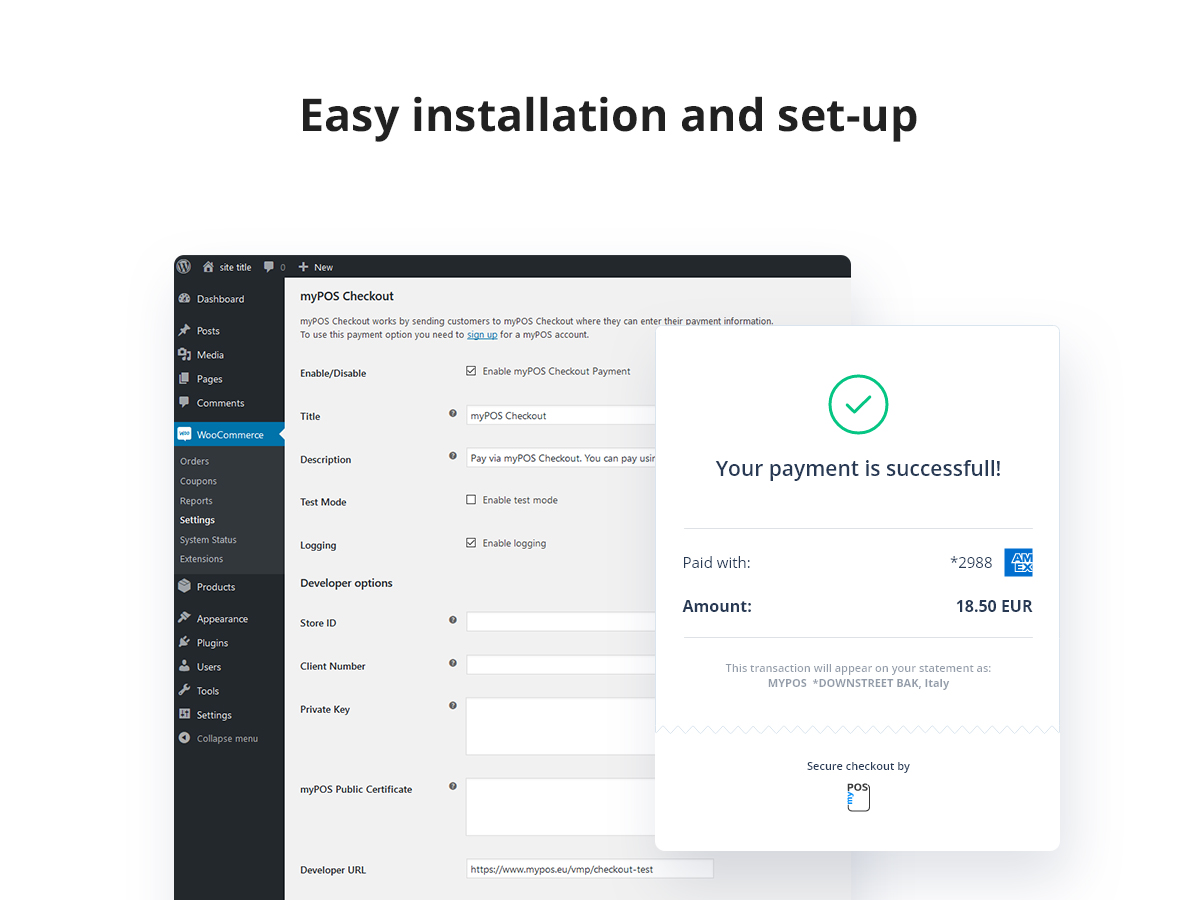
To configure the plugin, go to WooCommerce > Settings > Checkout > myPOS Checkout. By clicking on myPOS Checkout you can start to configure the payment method.
Requirements
- The minimum PHP version required for the myPOS Checkout plugin is 7.4 or greater
- In order to process card transactions successfully myPOS Checkout requires secure connection by using HTTPS protocol. You should install an SSL certificate onto your website to initiate a secure session. If your website is not using SSL certificate, your transactions will be automatically reversed by the system.
Once myPOS Checkout is installed and configured, your customers will be able to select it as a payment method and pay for your goods and services easily and secure, using their Debit/Credit card.
For further information, go to www.myPOS.com.
Changelog
Security fix for the upsells REST endpoint; also fixes repeated database checks on every page load and the checkout return language. Recommended update.
1.4.6
- Security – Fixed a PHP object injection issue in the upsells REST endpoint (non-array product ID input is now rejected).
- Fix – Database tables are no longer re-checked and re-altered on every page load; schema upgrades now run only when the schema version actually changes.
- Fix – Customers are now returned to the order-received/cancel page in the language they checked out in.
1.4.5
- Tweak – Tested with WordPress 7.1.2 and WooCommerce 11.1.2.
- Fix – Payment notifications are now validated against the order amount and currency.
1.4.3
- Tweak – Plugin name updated to comply with WooCommerce Marketplace naming guidelines.
- Tweak – Block type identifier updated to use mypos namespace.
- Fix – Text domain consistency across all plugin components.
1.0.0
- myPOS Checkout First Release
Screenshots
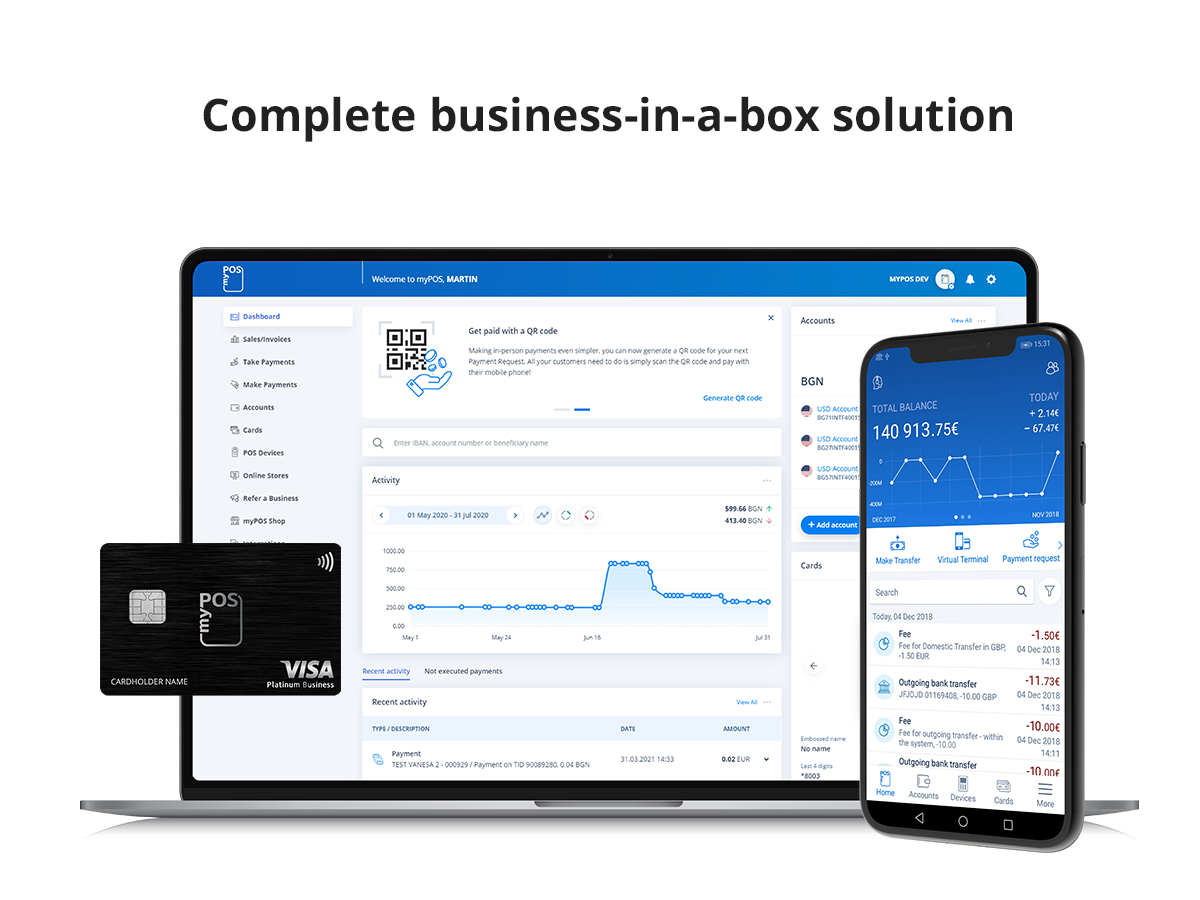
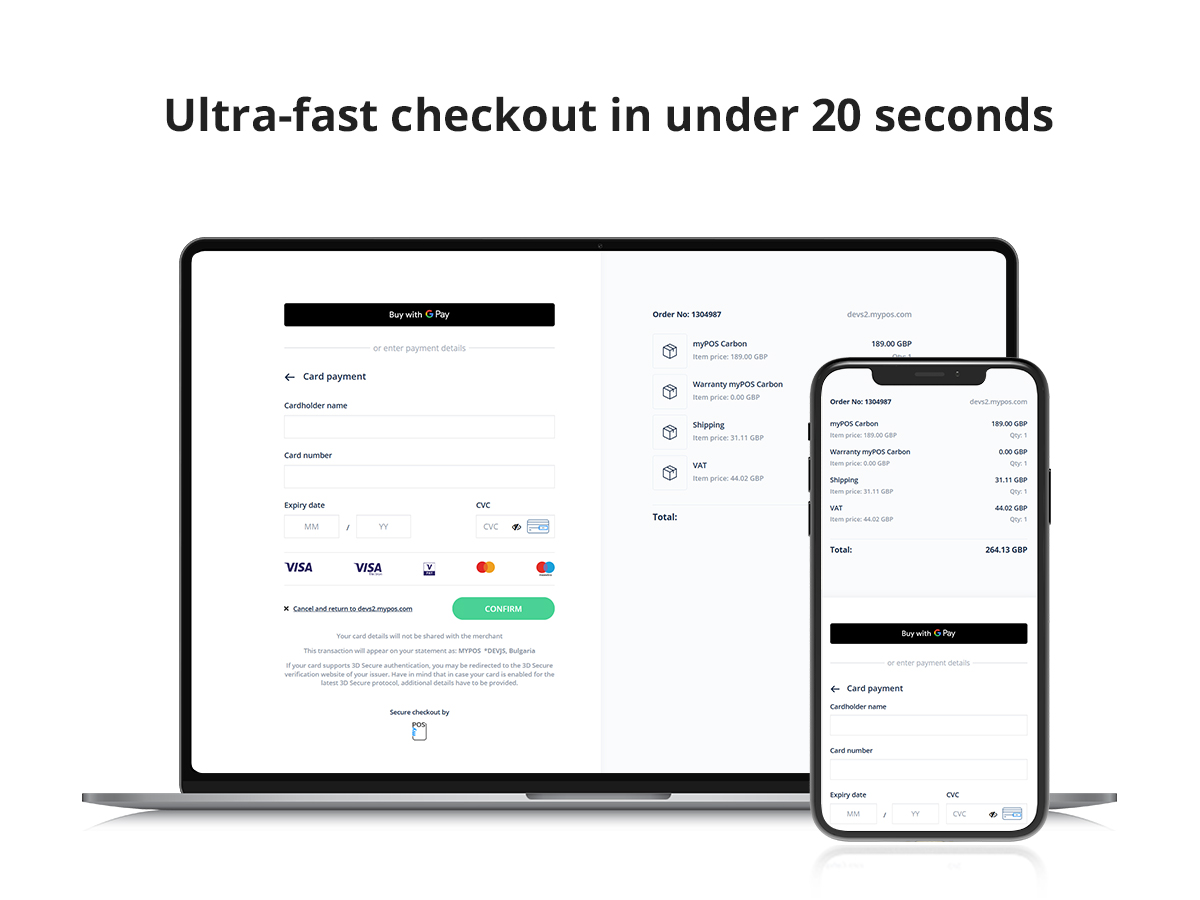
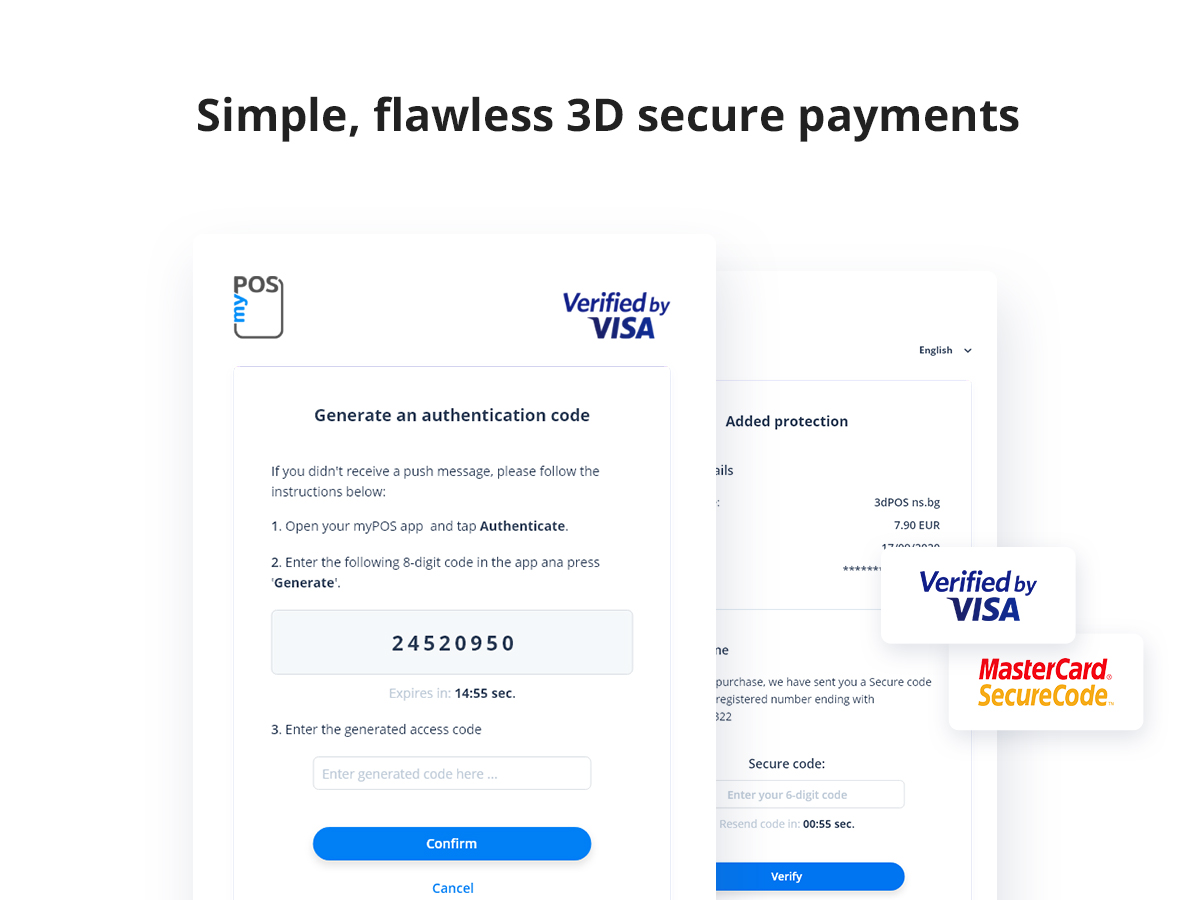
For developers
Is this your plugin? Show off the numbers.
Add a live badge to your site, docs or GitHub README. It updates on its own — no account needed.
Best myPOS Checkout alternatives
All checkout plugins →




FAQ
myPOS Checkout: quick answers
Straight answers, pulled from live WordPress.org data.
Source: WordPress.org
Is myPOS Checkout free?
Yes. myPOS Checkout is free to download and use from the official WordPress.org plugin directory.
Is myPOS Checkout safe to use in 2026?
myPOS Checkout is a solid plugin choice in 2026, with a few things worth checking first. It runs on 4K+ sites, is rated 3.3/5 and was last updated 2 weeks ago, and scores 66/100 on our health check.
How many websites use myPOS Checkout?
myPOS Checkout is active on 4K+ WordPress websites and has been downloaded 111,029 times since it launched in November 2015. It was downloaded 3,413 times in the last 30 days.
Does myPOS Checkout work with WordPress 7.1?
Yes. The developer has tested myPOS Checkout up to WordPress 7.1.5, the latest release. It requires WordPress 6.1 or newer.
What PHP version does myPOS Checkout need?
myPOS Checkout requires PHP 7.4 or higher. Most hosts run PHP 8.x today, so it works on any modern WordPress hosting.
When was myPOS Checkout last updated?
The latest version, 1.4.6, was released on November 5, 2026 (2 weeks ago).
Who makes myPOS Checkout?
myPOS Checkout is developed and maintained by myPOS Payments.
What are the best alternatives to myPOS Checkout?
The most popular alternatives to myPOS Checkout are Brazilian Market on WooComm… (60K+ installs), reCAPTCHA for WooCommerce (40K+ installs) and FunnelKit (30K+ installs).
Powered by PageForge
One template and a spreadsheet. A real page for every search.
PageForge turns each row of a CSV into a WordPress page with its own title, URL, SEO fields and schema, built on the layout you already designed. Free on WordPress.org.
- CSV and XLSX, plus Google Sheets on Professional and Enterprise
- Its own title, URL, SEO fields and schema for every page
- Works with the block editor, Elementor, Divi and Avada
- Free on WordPress.org, no credit card