


Mudrava RUM
Real User Monitoring (RUM) plugin for WordPress that tracks TTFB, LCP, server generation time, and other performance metrics from real visitors.

Choix solide
Mudrava RUM is a solid plugin choice in 2026, with a few things worth checking first. Was last updated 2 days ago, and scores 64/100 on our health check.
- Développé activement — Dernière mise à jour il y a 2 jours
- Testé avec le dernier WordPress (7.1)
- Petite base d'utilisateurs (<10 installations actives)
- Très peu de critiques jusqu'à présent
Comment s'accumule-t-il ?
Côte à côte sur les installations, les mises à jour, les évaluations et le support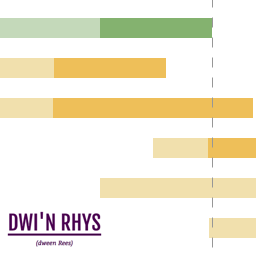



Téléchargements quotidiens
Les pics de téléchargement suivent généralement une nouvelle version - chaque site qui met à jour automatiquement compte comme un téléchargement.
Classements
Where Mudrava RUM stands todayWordPress.org Classements de recherche
Position en direct dans la recherche de plugins, Top 100| Mot-clé | Position |
|---|---|
| lcp | >100 |
| monitoring | >100 |
| performance | >100 |
| rum | #8 |
| ttfb | #53 |
About Mudrava RUM
À partir du Lisez-moi officiel · v1.1.0Description
Mudrava RUM captures real user performance data from your WordPress site visitors. Unlike synthetic testing tools, this plugin measures actual user experience including Time to First Byte (TTFB), Largest Contentful Paint (LCP), server generation time, total page load time, and more.
Caractéristiques :
- Collects TTFB, LCP, server generation time, total load, memory peak, device type, network type, country, and session ID
- Live Monitor dashboard with real-time log viewing
- Filterable by session ID, URL, device type, and network type
- On-demand performance reports with averages and P75 LCP
- Scheduled email summaries (daily or weekly via WP-Cron)
- One-click unsubscribe link in every report and alert, no login required
- Critical TTFB alerts with configurable thresholds
- Configurable sampling rate and URL blacklist
- Role-based exclusion (skip tracking for specific user roles)
- Automatic data retention management (max records and days)
- Color-coded performance indicators aligned with recommended performance thresholds
- Daily trend charts and CSV export
- Responsive admin interface for mobile and desktop
Comment ça marche :
A lightweight JavaScript collector runs on your site’s frontend, gathering LCP and navigation timing metrics from each page view, while WordPress supplies server-side response and memory measurements. Data is sent via the WordPress REST API and stored in a custom database table. The admin dashboard provides a Live Monitor view, filterable reports, and email summaries.
Links:
Intimité
Data Collection:
This plugin collects performance metrics (TTFB, LCP, load times, device type, network type) from site visitors. For logged-in visitors whose role is not excluded, a non-unique role label is stored with the event. No email address, username, or other personally identifying account data is stored. Session IDs are randomly generated and are not linked to user accounts.
External Requests:
This plugin does not send data to external third-party services. All collected data is stored locally in your WordPress database.
Cookies:
This plugin does not use cookies. Session IDs are stored in the browser’s sessionStorage.
Data Retention:
Collected data is automatically purged based on your configured retention settings (maximum records and retention days).
Report recipients:
Reports and alerts go to one configured address. If that recipient uses the unsubscribe link, the plugin stores only that address and the time of the opt-out, so it stops receiving emails. That entry is not linked to any user account or to any collected performance data, and it is removed when the recipient is re-subscribed or when the plugin is deleted.
Installation
- Téléchargez le dossier
mudrava-rumdans le répertoire/wp-content/plugins/. - Activez le plugin via le menu "plugins" dans WordPress.
- Go to Mudrava RUM > Settings to configure sampling rate, excluded roles, and email reports.
- Visit Mudrava RUM > Live Monitor to view incoming performance data.
Journal de modifications
Every report and alert email now carries a working one-click unsubscribe link, and the settings page shows when the configured recipient has stopped receiving emails. No schema change.
1.1.0
- Added: unsubscribe link in every email. Reports and alerts now end with a signed link and carry the List-Unsubscribe and List-Unsubscribe-Post headers (RFC 8058), so a recipient can stop the emails from the message itself, without any login, including one-click unsubscribe in mail clients that support it.
- Added: Settings shows an “Emails are paused” notice with a Resume reports button when the configured recipient has unsubscribed.
- Added: developer hooks mdvrm_unsubscribed, mdvrm_resubscribed and mdvrm_email_unsubscribe_line.
- Security: the token in the link is a 160-bit HMAC of the recipient address, keyed by a per-site secret that is generated once and kept out of the autoloaded option set. No address appears in the URL, tokens are compared in constant time, forged attempts are rate limited per client address, method overrides are rejected, automated link previews never trigger an opt-out, and the response page is noindex and no-store.
- Fixed: the “Tested up to” header now uses the major version (7.1), which Plugin Check requires.
- Fixed: the integration test runner now fails a suite when any assertion reports FAIL, not only when the process exits with an error.
- Tested: five integration suites on WordPress 7.1.5 with PHP 8.3, the new opt-out suite contributing 67 assertions, plus a manual end to end pass through a real browser and a local mail catcher. Plugin Check reports no errors or warnings.
1.0.2
- Tested: verified full compatibility with WordPress 7.1.4 – ingestion, queries and stats, reports and alerts, and the tracking collector suites all pass on a fresh WordPress 7.1.4 install (PHP 8.3). PHPCS clean on PHP 7.4, 8.0 and 8.3. No changes to the runtime code.
- Fixed: the version badge, asset fallback and stored version now report the release version – the
MDVRM_VERSIONconstant was left at 1.0.0 in the previous release.
1.0.1
- Security: ingestion and rate limiting hardened – trusted-proxy header trust restricted to configured proxies, CIDR validation, payload size limits, metric caps, URL/device/network normalization.
- Reliability: versioned dashboard aggregate caches, batched retention cleanup, null-safe metrics, local-day report grouping.
- UX: Live Monitor status badges with localized labels; settings shortcut in the Plugins list.
- Added developer hooks: mdvrm_log_inserted, mdvrm_report_email_subject, mdvrm_alert_email_subject.
- Tested: verified full compatibility with WordPress 7.1.1 – activation, Live Monitor, stats and settings screens, ingestion endpoint and collector smoke-tested on PHP 8.5.
1.0.0
- Full admin UI redesign: responsive layout, color-coded KPI cards, SVG trend charts, CSV export, accessible controls
- Fixed WP-Cron scheduling so housekeeping, scheduled reports, and retention purge actually run (hourly housekeeping)
- Fixed double sampling: the configured rate is now applied exactly once per pageview
- TTFB alerts now evaluate in real time on each recorded pageview instead of waiting for cron
- Scheduled email reports now cover the actual reporting period (last 24h / 7 days) instead of all retained data
- Server-side ingestion timestamp; stricter validation and clamping for all incoming metrics
- Rate limiting on the ingestion endpoint; URL/device/net/session/country whitelist validation before storage
- Fixed URL port preservation, device/network normalization, metric caps, P75 LCP calculation, and trend averages
- Added developer hooks for stored events and extensible email subjects, plus a Plugins-list settings shortcut
- Added metric indexes, faster batched FIFO/retention cleanup, and reduced dashboard aggregate-cache churn
- Fixed single-site uninstall to avoid multisite-only helpers and complete cleanup reliably
- Automated test suite (integration + REST contract tests) and stricter i18n coverage
0.2.0
- Renamed plugin from “True RUM Monitor” to “Mudrava RUM”
- Updated all prefixes, text domain, and slug to mudrava-rum / mdvrm_
0.1.8
- Communiqué public initial
- Live Monitor with real-time log viewing and filtering
- Performance reports with averages and P75 LCP
- Scheduled and manual email reports
- Critical TTFB alerts with configurable thresholds
- REST API endpoints for data collection and retrieval
Captures d'écran


Pour les développeurs
Est-ce votre plugin ? Montrez les chiffres.
Ajoutez un badge en direct à votre site, docs ou github readme. Il se met à jour par lui-même - aucun compte n'est nécessaire.
Best Mudrava RUM alternatives
All lcp plugins →




FAQ
Mudrava RUM: quick answers
Réponses directes, extraites des données en direct WordPress.org.
Source : WordPress.org
Is Mudrava RUM free?
Yes. Mudrava RUM is free to download and use from the official WordPress.org plugin directory.
Is Mudrava RUM safe to use in 2026?
Mudrava RUM is a solid plugin choice in 2026, with a few things worth checking first. Was last updated 2 days ago, and scores 64/100 on our health check.
How many websites use Mudrava RUM?
Mudrava RUM is active on <10 WordPress websites and has been downloaded 720 times since it launched in April 2026. It was downloaded 191 times in the last 30 days.
Does Mudrava RUM work with WordPress 7.1?
Yes. The developer has tested Mudrava RUM up to WordPress 7.1.5, the latest release. It requires WordPress 6.2 or newer.
What PHP version does Mudrava RUM need?
Mudrava RUM requires PHP 7.4 or higher. Most hosts run PHP 8.x today, so it works on any modern WordPress hosting.
When was Mudrava RUM last updated?
The latest version, 1.1.0, was released on November 27, 2026 (2 days ago).
Who makes Mudrava RUM?
Mudrava RUM is developed and maintained by MUDRAVA.
What are the best alternatives to Mudrava RUM?
The most popular alternatives to Mudrava RUM are Preload LCP Image (3K+ installs), Lazy Load Control For Eleme… (3K+ installs) and Preload Featured Images (1K+ installs).
Propulsé par PageForge
Un modèle et une feuille de calcul. Une vraie page pour chaque recherche.
PageForge transforme chaque ligne d'un CSV en une page WordPress avec son propre titre, URL, SEO et schéma, construit sur la mise en page que vous Déjà conçu. Gratuit sur WordPress.org.
- CSV et XLSX, plus Google Sheets sur les professionnels et les entreprises
- Son propre titre, URL, SEO champs et schéma pour chaque page
- Fonctionne avec l'éditeur de blocs, Elementor, Divi et Avada
- Gratuit sur WordPress.org, pas de carte de crédit