


Media Deduper
Save disk space and bring some order to the chaos of your media library by removing and preventing duplicate files.

Utiliser avec prudence
Media Deduper works, but test it on a staging site before relying on it in 2026. It runs on 9K+ sites, is rated 3.8/5 and was last updated 12 months ago, and scores 44/100 on our health check.
- Momentum : téléchargements en hausse de 16,1 % par rapport aux 30 jours précédents
- Uniquement testé jusqu'à WordPress 6,9 (le dernier est de 7,1)
Comment s'accumule-t-il ?
Côte à côte sur les installations, les mises à jour, les évaluations et le support



Téléchargements quotidiens
Les pics de téléchargement suivent généralement une nouvelle version - chaque site qui met à jour automatiquement compte comme un téléchargement.
Classements
Where Media Deduper stands todayWordPress.org Classements de recherche
Position en direct dans la recherche de plugins, Top 100| Mot-clé | Position |
|---|---|
| administrateur | >100 |
| attachments | >100 |
| médias | #65 |
| télécharger | >100 |
Adoption de version
Part de sites actifs par version.
Répartition des notes
★★★★★★★★★★ 3.8 from 44 reviews
About Media Deduper
From the official readme · v1.5.9Description
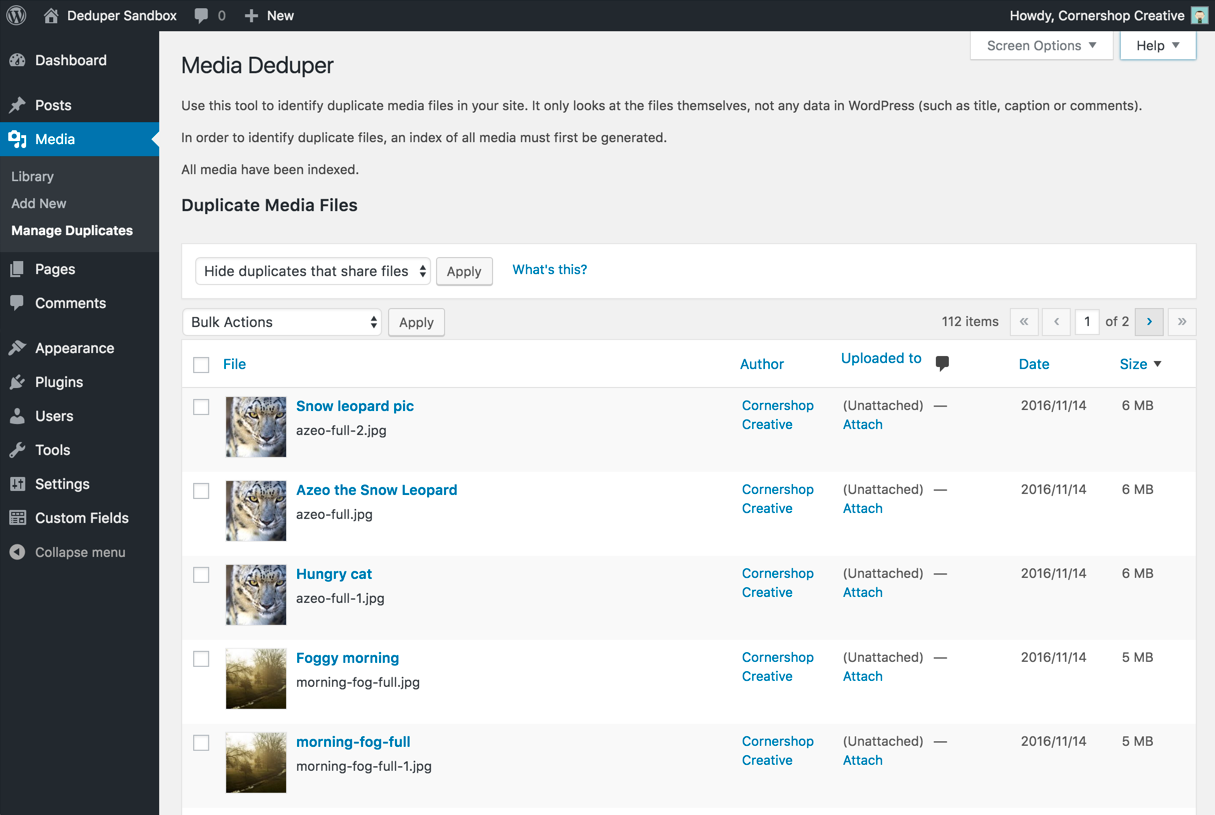
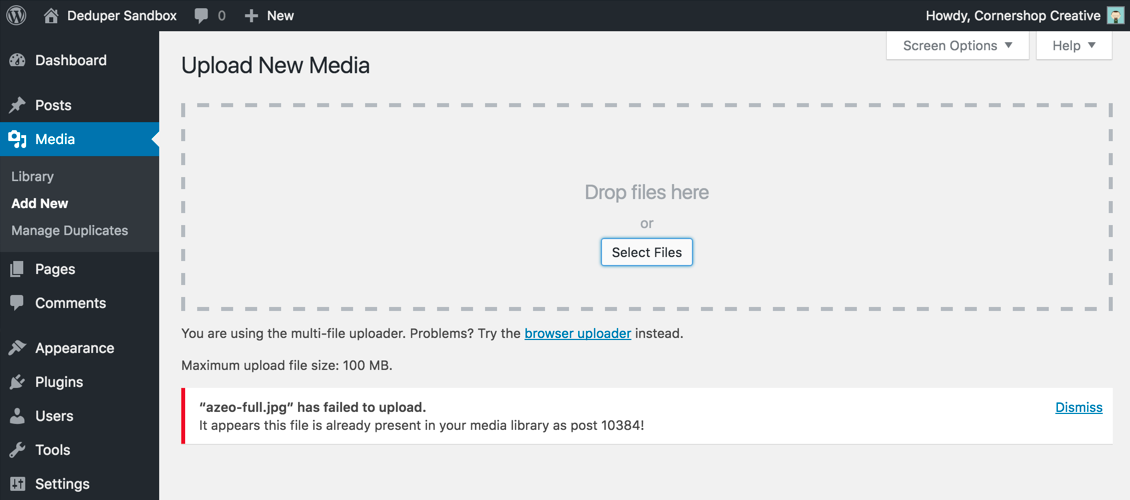
Media Deduper will find and eliminate duplicate images and attachments from your WordPress media library. After installing, you’ll have a new “Manage Duplicates” option in your Media section.
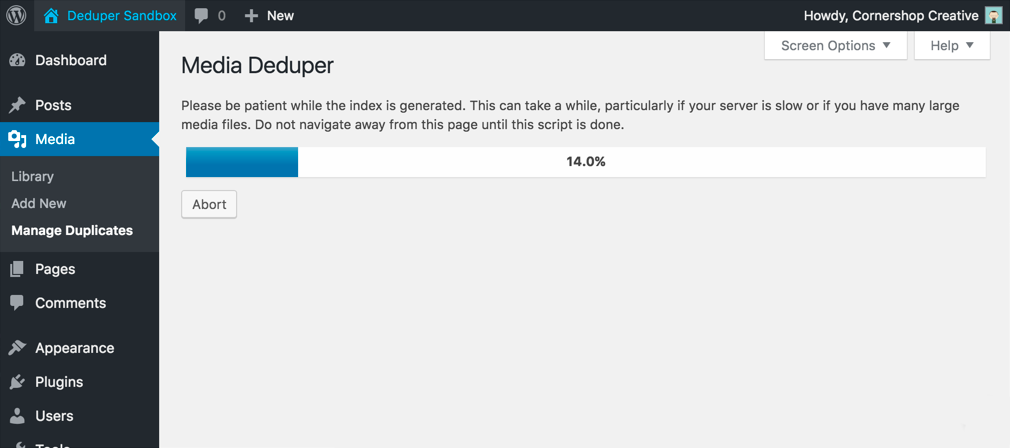
Before Media Deduper can identify duplicate assets, it will build an index of all the files in your media library, which can take some time. Once that’s done, however, Media Deduper automatically adds new uploads to its index, so you shouldn’t have to generate the index again.
Need faster indexing? Check out Media Deduper Pro.
Once up and running, Media Deduper provides you with a “Manage Duplicates” page listing all of your duplicate media files. The list makes it easy to see and delete duplicate files: delete one and its twin will disappear from the list because it’s then no longer a duplicate. Easy! By default, the list is sorted by file size, so you can focus on deleting the files that will free up the most space.
Use this plugin at your own risk. The plugin developers are not responsible for any lost data or site issues as a result of using this plugin.
Media Deduper comes with a “Smart Delete” option that prevents a post’s Featured Image from being deleted, even if that image is found to be a duplicate elsewhere on the site.
If a post has a featured image that’s a duplicate file, Smart Delete will re-assign that post’s image to an already-in-use copy of the image before deleting the duplicate so that the post’s appearance is unaffected. This feature only tracks Featured Images, and not images used in galleries, post bodies, shortcodes, meta fields, or anywhere else.
Looking for more features? Media Deduper Pro includes features for image fields from several popular plugins as well.
Note that duplicate identification is based on the data of the files themselves, not any titles, captions or other metadata you may have provided in the WordPress admin.
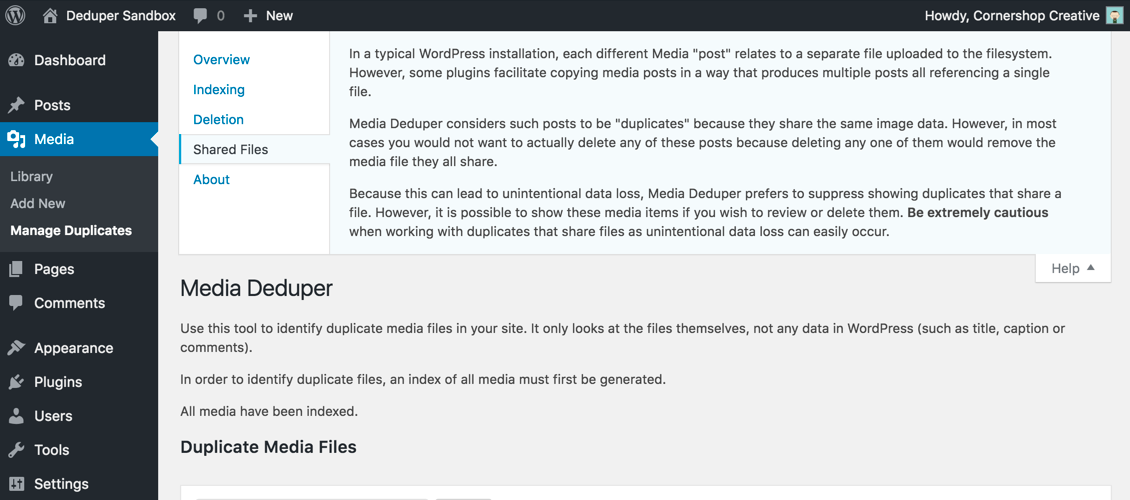
Media Deduper can differentiate between 1.) media items that are duplicates because the media files they link to have the same data and 2.) those that actually point to the same data file, which can happen with a plugin like WP Job Manager or Duplicate Post.
As with any plugin that can perform destructive operations on your database and/or files, using Media Deduper can result in permanent data loss if you’re not careful. Back up your data before you try out Media Deduper! Please!
Use this plugin at your own risk. The plugin developers are not responsible for any lost data or site issues as a result of using this plugin.
Need more support? Media Deduper Pro includes dedicated support from Cornershop Creative.
Obligations
Media Deduper requires PHP 7.0 or later.
Installation
- Upload the
media-deduperdirectory to your plugins directory (typically wp-content/plugins) - Activez le plugin via le menu « Plugins » dans WordPress
- Visit Media > Manage Duplicates to generate the duplicate index and see your duplicated files
Journal de modifications
1.5.9
- Fixed PHP warnings that could appear on the Debug Info screen if other plugins altered the
active_pluginsoption or the output of theget_plugins()function. - Fixed a deprecation from WP Core (“WP_Scripts::localize was called incorrectly”).
1.5.8
- Fixed deprecation warnings (“Creation of dynamic property…”) that appeared under PHP 8.0+.
- Fixed a deprecation from WP Core (“WP_List_Table::__set(): The property
is_trashis not declared.”).
1.5.7
- Enhancement: instead of warning about Smart Deletion each time a Smart Delete operation is performed, Media Deduper will now only warn before the first operation. Users can now Smart Delete multiple pages’ worth of items on the Manage Duplicates screen without repeatedly clicking through the Smart Delete warning.
- Fixed a bug that caused multiple copies of the warning message to appear when smart deleting items on the Manage Duplicates screen, when running on WordPress 5.7 and up.
- Fixed a bug that could, under rare circumstances, cause fatal errors on the Manage Duplicates screen.
- The “Block Duplicate Uploads” feature has been removed for the time being due to incompatibilities with the Block Editor.
1.5.6
- Addressed two issues with the warning message that appears when HTTP basic authentication is detected: the ‘Check Again’ link is no longer broken, and the message now goes away when WP Cron HTTP Auth is properly configured.
1.5.5
- Addressed a rare fatal error with trying to handle a WP_Error as an array in mdd_basic_auth_check().
1.5.4
- Enhancement: Now MDD tries to identify when a site is behind an http auth login that interfere’s with wp-cron and MDD’s ability to index media.
- Enhancement: Now only loading MDD scripts and styles on admin pages where they’re required.
Captures d'écran
Pour les développeurs
Est-ce votre plugin ? Montrez les chiffres.
Ajoutez un badge en direct à votre site, docs ou github readme. Il se met à jour par lui-même - aucun compte n'est nécessaire.
Best Media Deduper alternatives
Tous les plugins d'administrateur →




FAQ
Media Deduper: quick answers
Réponses directes, extraites des données en direct WordPress.org.
Source : WordPress.org
Is Media Deduper free?
Yes. Media Deduper is free to download and use from the official WordPress.org plugin directory.
Is Media Deduper safe to use in 2026?
Media Deduper works, but test it on a staging site before relying on it in 2026. It runs on 9K+ sites, is rated 3.8/5 and was last updated 12 months ago, and scores 44/100 on our health check.
How many websites use Media Deduper?
Media Deduper is active on 9K+ WordPress websites and has been downloaded 182,580 times since it launched in October 2015. It was downloaded 2,217 times in the last 30 days.
Does Media Deduper work with WordPress 7.1?
Media Deduper is officially tested up to WordPress 6.9.12, while the latest release is 7.1.5. It may still work, but try it on a staging site first.
When was Media Deduper last updated?
The latest version, 1.5.9, was released on December 3, 2025 (12 months ago).
Who makes Media Deduper?
Media Deduper is developed and maintained by cornershop.
What are the best alternatives to Media Deduper?
The most popular alternatives to Media Deduper are Loginizer (1M+ installs), Redux Framework (900K+ installs) and Admin Menu Editor (300K+ installs).
Propulsé par PageForge
Un modèle et une feuille de calcul. Une vraie page pour chaque recherche.
PageForge transforme chaque ligne d'un CSV en une page WordPress avec son propre titre, URL, SEO et schéma, construit sur la mise en page que vous Déjà conçu. Gratuit sur WordPress.org.
- CSV et XLSX, plus Google Sheets sur les professionnels et les entreprises
- Son propre titre, URL, SEO champs et schéma pour chaque page
- Fonctionne avec l'éditeur de blocs, Elementor, Divi et Avada
- Gratuit sur WordPress.org, pas de carte de crédit