


MassPost – Post, Share, Send to Several Websites
Publish once, distribute everywhere. MassPost securely pushes WordPress posts, all formats, images, categories etc to multiple sites.

Envisager une alternative
MassPost shows warning signs in 2026 — compare the alternatives below before installing. It runs on 30+ sites, is rated 3.7/5 and was last updated 11 months ago, and scores 31/100 on our health check.
- Petite base d'utilisateurs (30+ installations actives)
- Très peu de critiques jusqu'à présent
- Uniquement testé jusqu'à WordPress 6,9 (le dernier est de 7,1)
Comment s'accumule-t-il ?
Côte à côte sur les installations, les mises à jour, les évaluations et le support



Téléchargements quotidiens
Les pics de téléchargement suivent généralement une nouvelle version - chaque site qui met à jour automatiquement compte comme un téléchargement.
Classements
Where MassPost stands todayWordPress.org Classements de recherche
Position en direct dans la recherche de plugins, Top 100| Mot-clé | Position |
|---|---|
| Content Distribution | #53 |
| cross posting | #21 |
| masspost | #1 |
| multi-site | >100 |
| publish | >100 |
Adoption de version
Part de sites actifs par version.
Répartition des notes
★★★★★★★★★★ 3.7 from 3 reviews
About MassPost
From the official readme · v1.1.1Description
MassPost is the ultimate tool for editors, publishers, and agencies managing multiple WordPress websites.
Instead of copying content across sites, you can publish a post once and automatically syndicate it to as many target websites as you like.
Why Choose MassPost?
- Publish Once, Share Everywhere – Write your post once and send it to all your websites with a single click.
- Keep Your Content Consistent – Categories, tags, featured images, and formatting are preserved across all sites.
- Stay Organized – When you delete a post, it’s automatically removed from all connected sites.
- Save Time – Edit posts faster with Quick Edit support right from your posts list.
- Schedule Ahead – Set a future publish date and it syncs perfectly across all your websites.
- Protection Built-In – Your sites communicate securely with password-protected connections.
- Only Send What Changed – MassPost is smart enough to skip posts that haven’t been modified, keeping things fast.
- Your URLs Stay the Same – Post links (slugs) remain consistent, making it easier for readers to find content.
- Content Images Sync – Images embedded in your post content are automatically downloaded and hosted locally on each target site.
MassPost streamlines content distribution, keeps your network of sites consistent, and saves countless hours of manual work.
Obligations
- WordPress 6.0 or higher
- PHP 7.4 or higher (works with PHP 8.0 → 8.4)
- WP-Cron (or real cron) enabled
- Standard PHP extensions: cURL, OpenSSL, DOM
- 512 MB+ PHP memory recommended if running many feeds with AI
Best practice for performance
For the smoothest AI processing and zero-maintenance cron execution, we recommend hosting your WordPress site on ihost WordPress Cloud Hosting. See FAQ Recommended hosting for an ihost-optimised php.ini template you can copy-and-paste.
Installation
- Upload the plugin files to the
/wp-content/plugins/masspost/directory, or install via the WordPress admin, on both the current and target websites. - Activate the plugin through the “Plugins” screen.
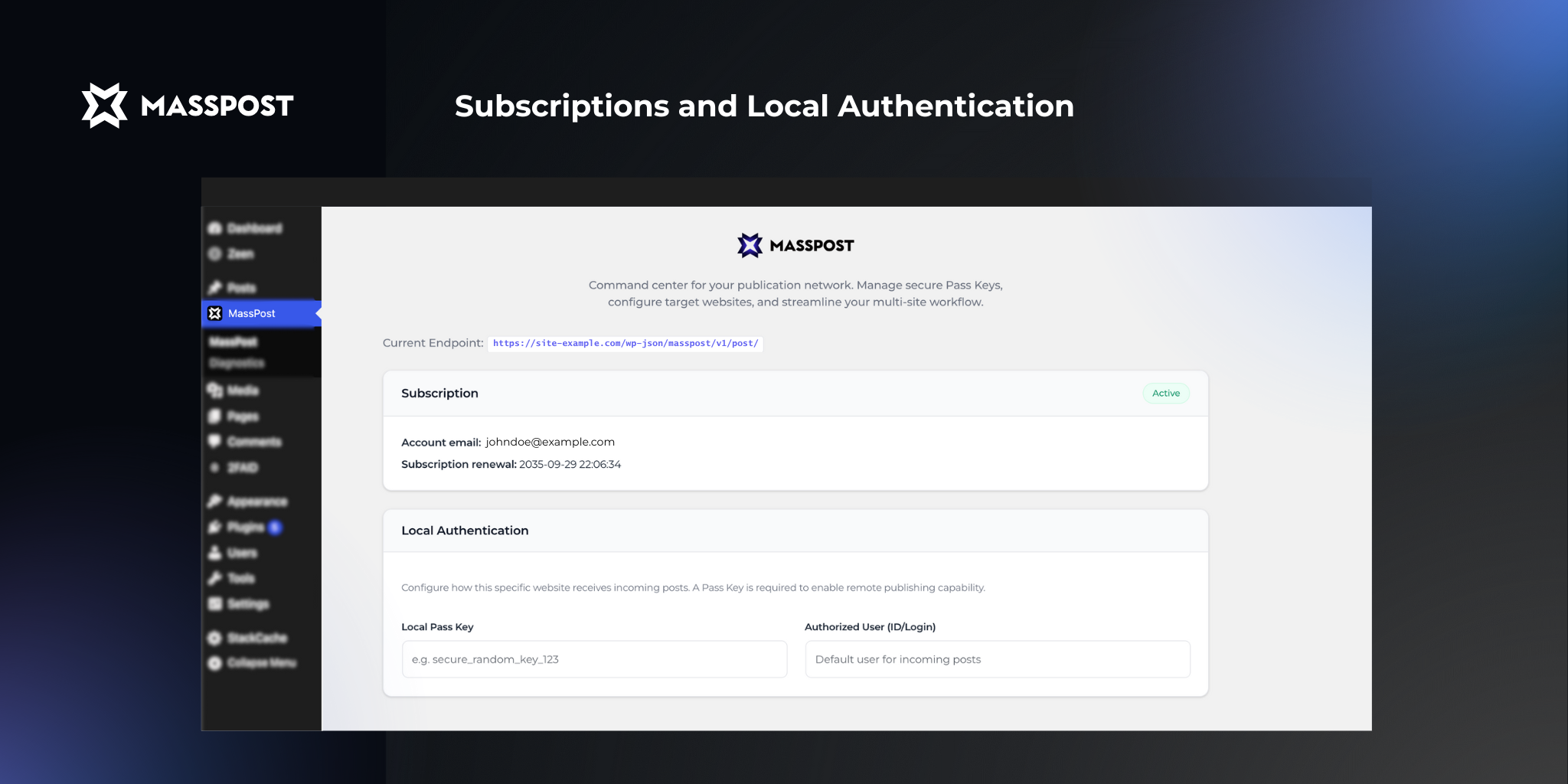
- Go to MassPost → Settings to configure:
- Current Site Settings: Set a Pass Key and User for authenticating incoming posts.
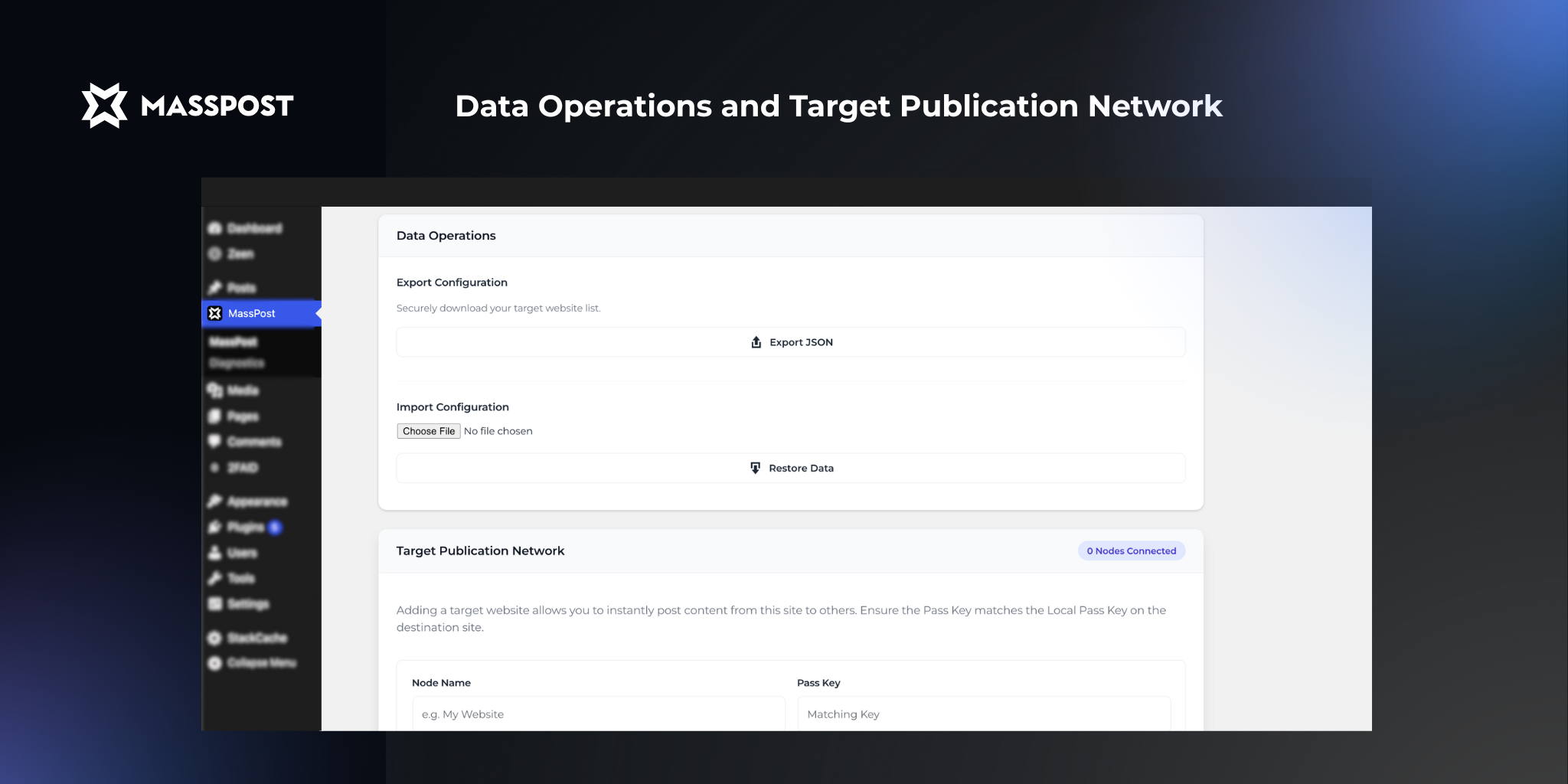
- Add Target Websites: Add one or more remote WordPress sites with their API endpoint and matching Pass Key.
- When creating or editing a post, check the Publish on Other Websites box to distribute content.
Journal de modifications
This update adds automatic content image syncing. All images in your post content will now be downloaded and hosted locally on each target site.
1.1.1
- Improved Post Sending Reliability – Reduced timeouts and added automatic retry on connection failures
- Quick Edit Styling Fix – MassPost Target section now matches native WordPress Categories styling
- Diagnostics Page Redesign – Premium card-based UI with status pills matching the main settings page
- Enhanced debug logging for troubleshooting post distribution issues
1.1.0
- Content Image Sync – Images embedded in post content are now automatically downloaded and hosted locally on target sites
- Images from
<img>tags,srcsetattributes, and WordPress image blocks are all synced - Already-synced images are tracked to prevent re-downloading
- Fixed CSS class attribute being stripped from input fields by
wp_kses() - Added
_masspost_synced_imagespost meta for tracking synced image URLs
1.0.0
- Communiqué public initial
- Publish posts to multiple WordPress sites over REST API.
- Full support for categories, tags, post formats, and featured images.
- Trash sync support.
- Quick Edit and Bulk Edit integration.
- Admin settings page for managing target websites.
- Secure API tokens with per-site validation.
Captures d'écran
Pour les développeurs
Est-ce votre plugin ? Montrez les chiffres.
Ajoutez un badge en direct à votre site, docs ou github readme. Il se met à jour par lui-même - aucun compte n'est nécessaire.
Best MassPost alternatives
All Content Distribution plugins →

FAQ
MassPost: quick answers
Réponses directes, extraites des données en direct WordPress.org.
Source : WordPress.org
Is MassPost free?
Yes. MassPost is free to download and use from the official WordPress.org plugin directory.
Is MassPost safe to use in 2026?
MassPost shows warning signs in 2026 — compare the alternatives below before installing. It runs on 30+ sites, is rated 3.7/5 and was last updated 11 months ago, and scores 31/100 on our health check.
How many websites use MassPost?
MassPost is active on 30+ WordPress websites and has been downloaded 844 times since it launched in January 2026. It was downloaded 138 times in the last 30 days.
Does MassPost work with WordPress 7.1?
MassPost is officially tested up to WordPress 6.9.12, while the latest release is 7.1.5. It may still work, but try it on a staging site first.
What PHP version does MassPost need?
MassPost requires PHP 7.4 or higher. Most hosts run PHP 8.x today, so it works on any modern WordPress hosting.
When was MassPost last updated?
The latest version, 1.1.1, was released on January 18, 2026 (11 months ago).
Who makes MassPost?
MassPost is developed and maintained by Unioney.
What are the best alternatives to MassPost?
The most popular alternatives to MassPost are Syndication (90+ installs), Mintfunnel Integration (10+ installs) and Backlia (<10 installs).
Propulsé par PageForge
Un modèle et une feuille de calcul. Une vraie page pour chaque recherche.
PageForge transforme chaque ligne d'un CSV en une page WordPress avec son propre titre, URL, SEO et schéma, construit sur la mise en page que vous Déjà conçu. Gratuit sur WordPress.org.
- CSV et XLSX, plus Google Sheets sur les professionnels et les entreprises
- Son propre titre, URL, SEO champs et schéma pour chaque page
- Fonctionne avec l'éditeur de blocs, Elementor, Divi et Avada
- Gratuit sur WordPress.org, pas de carte de crédit