


Make Tables Responsive
Automatically makes the HTML tables in your posts and pages responsive (mobile-friendly).

Choix
Yes — Make Tables Responsive is a safe, well-maintained plugin to use in 2026. It runs on 6K+ sites, is rated 5/5 and was last updated 3 months ago, and scores 85/100 on our health check.
- Loved by users — 5/5 from 34 reviews
- Testé avec le dernier WordPress (7.1)
- Momentum — Téléchargements en hausse de 33,5 % par rapport aux 30 jours précédents
Comment s'accumule-t-il ?
Côte à côte sur les installations, les mises à jour, les évaluations et le support



Téléchargements quotidiens
Les pics de téléchargement suivent généralement une nouvelle version - chaque site qui met à jour automatiquement compte comme un téléchargement.
Classements
Where Make Tables Responsive stands todayWordPress.org Classements de recherche
Position en direct dans la recherche de plugins, Top 100| Mot-clé | Position |
|---|---|
| mobile | #88 |
| sensible | #5 |
| tables | #6 |
Adoption de version
Part de sites actifs par version.
Répartition des notes
★★★★★★★★★★ 5 from 34 reviews
About Make Tables Responsive
À partir du Lisezmoi officiel · v1.8.0Description
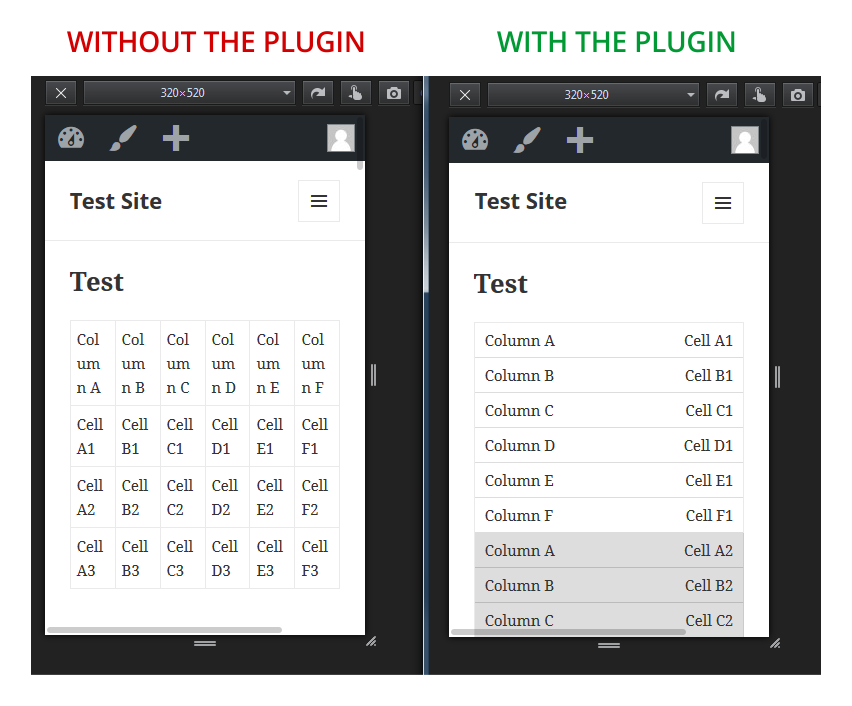
Automatically makes the HTML tables in your WordPress posts, pages, and widgets responsive (mobile-friendly). Devices with a small screen will see the tables in a new layout with two columns. In the first column will be the data from the first row (the column names), and in the second column will be the data from the other rows.
WordPress Plugin Demo
https://nikolaydev.com/demo-of-make-tables-responsive/
HTML and CSS Demo for Non-WordPress Sites
https://nikolaydev.com/make-tables-responsive-html-and-css-example/
Traits
- Affect post/page content, excerpts, category descriptions, and text/HTML widgets
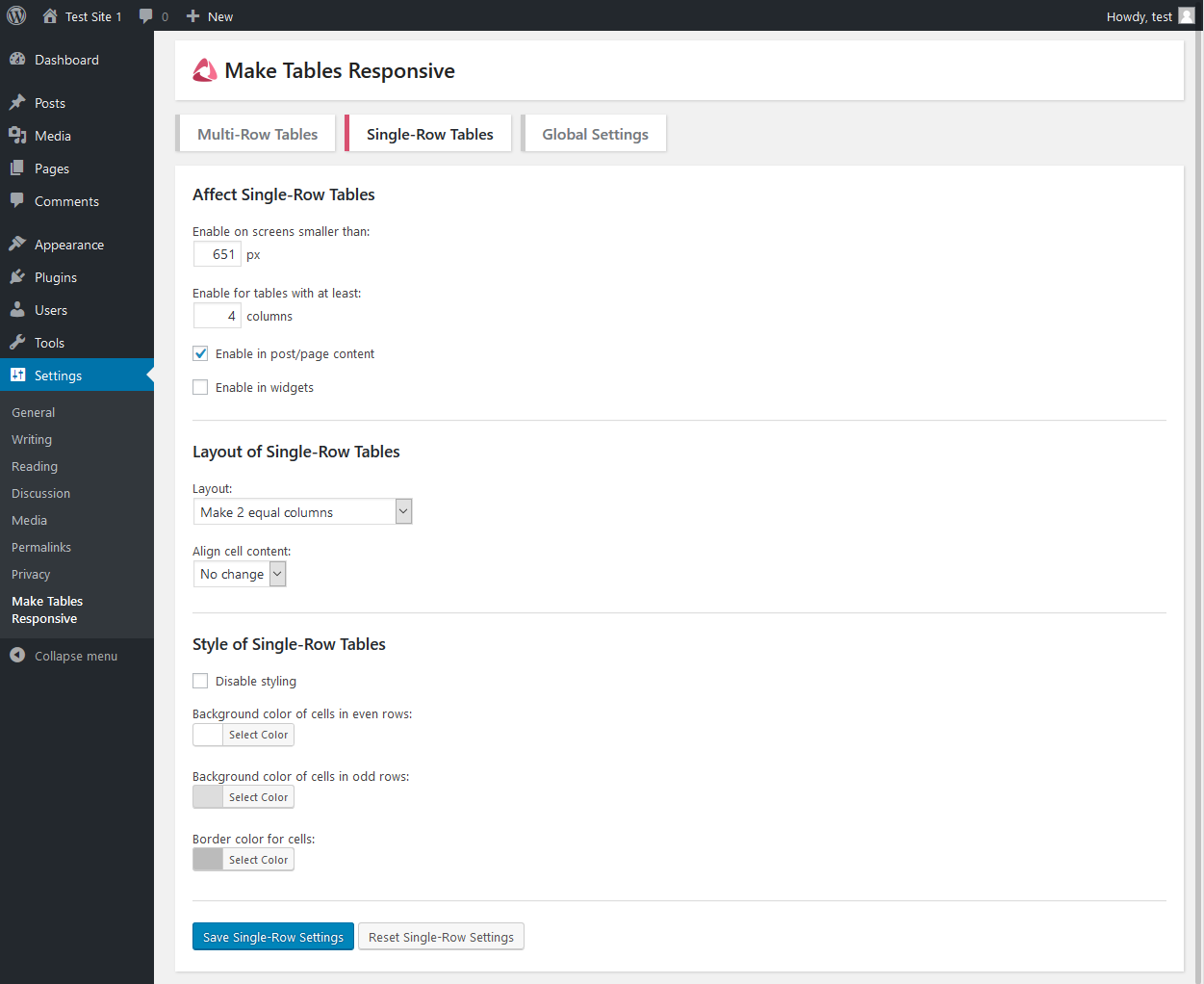
- Choose affected screen size
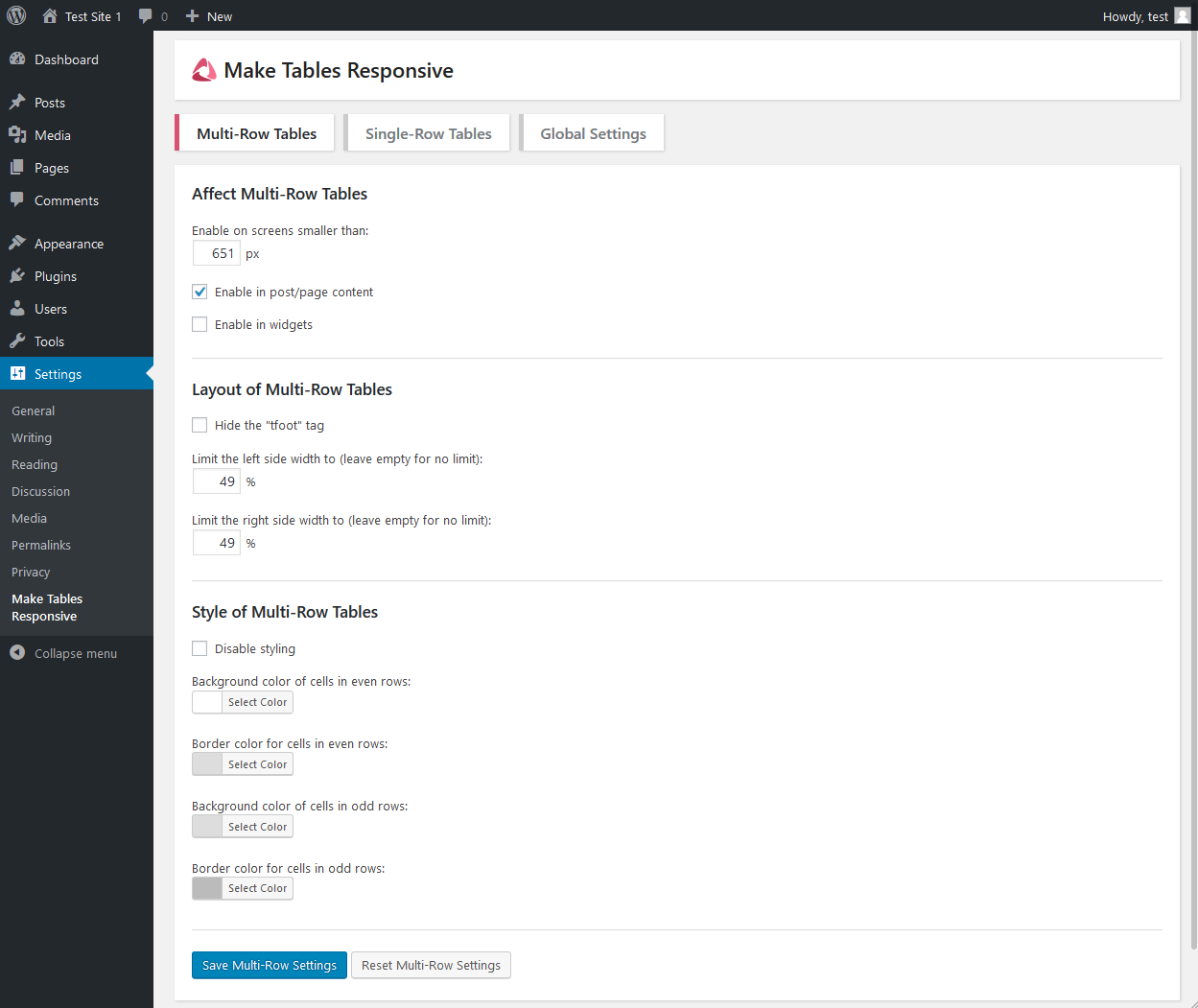
- Choose the cell background and border color for even and odd rows
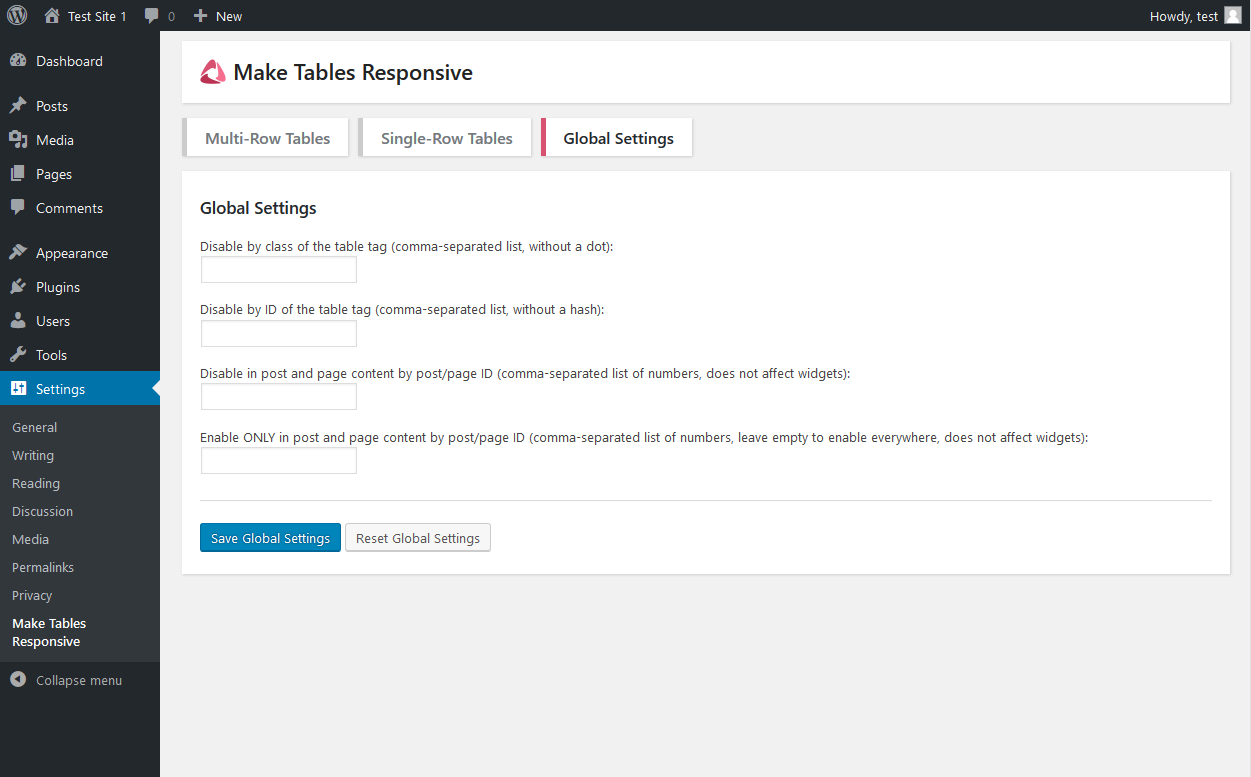
- Disable for tables by HTML class or ID
- Disable or enable only for posts and pages by ID
Pros 🙂
- Fully automatic
- Does not change the actual post/page content in the database
- Easily reverse changes by deactivating the plugin
- No jQuery or JavaScript on the front-end
Cons 🙁
- The first row must contain the column names
- Skips tables with merged cells
- Skips posts/pages with tables inside tables
- Skips multi-row tables when only some columns use “th” tags
- In multi-row tables, HTML code is stripped from the cells with the column names, when displayed in the responsive version (as the left column)
Installation
Simply install and activate the plugin, like you would any normal plugin.
- Visit your Plugins Add New Screen
- Find the plugin by searching for: Make Tables Responsive
- Install the plugin, by clicking the “Install Now” button
- Activate the plugin, by clicking the “Activate” button
Journal de modifications
1.8.0 – 1 April 2024
- Recommended action: Check if your non-English or special characters are still showing correctly in the tables after this update. New encoding function is used.
- Fixed: Deprecation notice in PHP 8.2. PHP Deprecated: mb_convert_encoding(): Handling HTML entities via mbstring is deprecated.
1.7.0 – 31 October 2023
- Added: Option to affect output created by a shortcode callback (filter do_shortcode_tag). Enable this if your site content does not go through the default the_content filter. For example Oxygen Builder works like that.
- Fixed: Styling code displayed as normal text in sites using Oxygen Builder.
- Updated: Language file.
1.6.1 – 23 September 2023
- Fixed: Apostrophe character shown as its HTML entity in the column name of the mobile table in some cases (probably when wptexturize is disabled).
1.6.0 – 25 June 2023
- Added: Option to enable the plugin for the excerpt.
- Added: Option to enable the plugin for the category descriptions.
- Updated: Language file.
1.5.10 – 15 March 2023
- Fixed: The disable by parent class would not work if there were multiple exact same tables on the page and only some had the parent class.
1.5.9 – 14 March 2023
- Added: A global option to exclude all tables without a header section (a thead tag).
- Fixed: We now hide all admin dashboard notices on the plugin settings page, because they can break the layout and take up space.
- Updated: Language file.
Captures d'écran
Pour les développeurs
Est-ce votre plugin ? Montrez les chiffres.
Ajoutez un badge en direct à votre site, docs ou github readme. Il se met à jour par lui-même - aucun compte n'est nécessaire.
Best Make Tables Responsive alternatives
All mobile plugins →





FAQ
Make Tables Responsive: quick answers
Réponses directes, extraites des données en direct WordPress.org.
Source : WordPress.org
Is Make Tables Responsive free?
Yes. Make Tables Responsive is free to download and use from the official WordPress.org plugin directory.
Is Make Tables Responsive safe to use in 2026?
Yes — Make Tables Responsive is a safe, well-maintained plugin to use in 2026. It runs on 6K+ sites, is rated 5/5 and was last updated 3 months ago, and scores 85/100 on our health check.
How many websites use Make Tables Responsive?
Make Tables Responsive is active on 6K+ WordPress websites and has been downloaded 66,650 times since it launched in November 2017. It was downloaded 789 times in the last 30 days.
Does Make Tables Responsive work with WordPress 7.1?
Yes. The developer has tested Make Tables Responsive up to WordPress 7.1.5, the latest release. It requires WordPress 3.5 or newer.
What PHP version does Make Tables Responsive need?
Make Tables Responsive requires PHP 5.3.6 or higher. Most hosts run PHP 8.x today, so it works on any modern WordPress hosting.
When was Make Tables Responsive last updated?
The latest version, 1.8.0, was released on September 3, 2026 (3 months ago).
Who makes Make Tables Responsive?
Make Tables Responsive is developed and maintained by Nikolay Nikolov.
What are the best alternatives to Make Tables Responsive?
The most popular alternatives to Make Tables Responsive are AMP (300K+ installs), AMP for WP (70K+ installs) and WP Mobile Menu (70K+ installs).
Propulsé par PageForge
Un modèle et une feuille de calcul. Une vraie page pour chaque recherche.
PageForge transforme chaque ligne d'un CSV en une page WordPress avec son propre titre, URL, SEO et schéma, construit sur la mise en page que vous Déjà conçu. Gratuit sur WordPress.org.
- CSV et XLSX, plus Google Sheets sur les professionnels et les entreprises
- Son propre titre, URL, SEO champs et schéma pour chaque page
- Fonctionne avec l'éditeur de blocs, Elementor, Divi et Avada
- Gratuit sur WordPress.org, pas de carte de crédit