


LF Drive
Connect your LF Drive library to WordPress. Add images, video, audio, PDFs, download buttons, paid file links and upload forms.

Utiliser avec prudence
LF Drive works, but test it on a staging site before relying on it in 2026. Was last updated 1 month ago, and scores 60/100 on our health check.
- Testé avec le dernier WordPress (7.1)
- Petite base d'utilisateurs (<10 installations actives)
- Très peu de critiques jusqu'à présent
Comment s'accumule-t-il ?
Côte à côte sur les installations, les mises à jour, les évaluations et le support



Téléchargements quotidiens
Les pics de téléchargement suivent généralement une nouvelle version - chaque site qui met à jour automatiquement compte comme un téléchargement.
Classements
Where LF Drive stands todayWordPress.org Classements de recherche
Position en direct dans la recherche de plugins, Top 100| Mot-clé | Position |
|---|---|
| acoustique | >100 |
| cloud storage | >100 |
| file sharing | >100 |
| médias | >100 |
| vidéo | >100 |
About LF Drive
À partir du Lisezmoi officiel · v1.2.4Description
LF Drive connects WordPress to the LF Drive cloud file storage and sharing service.
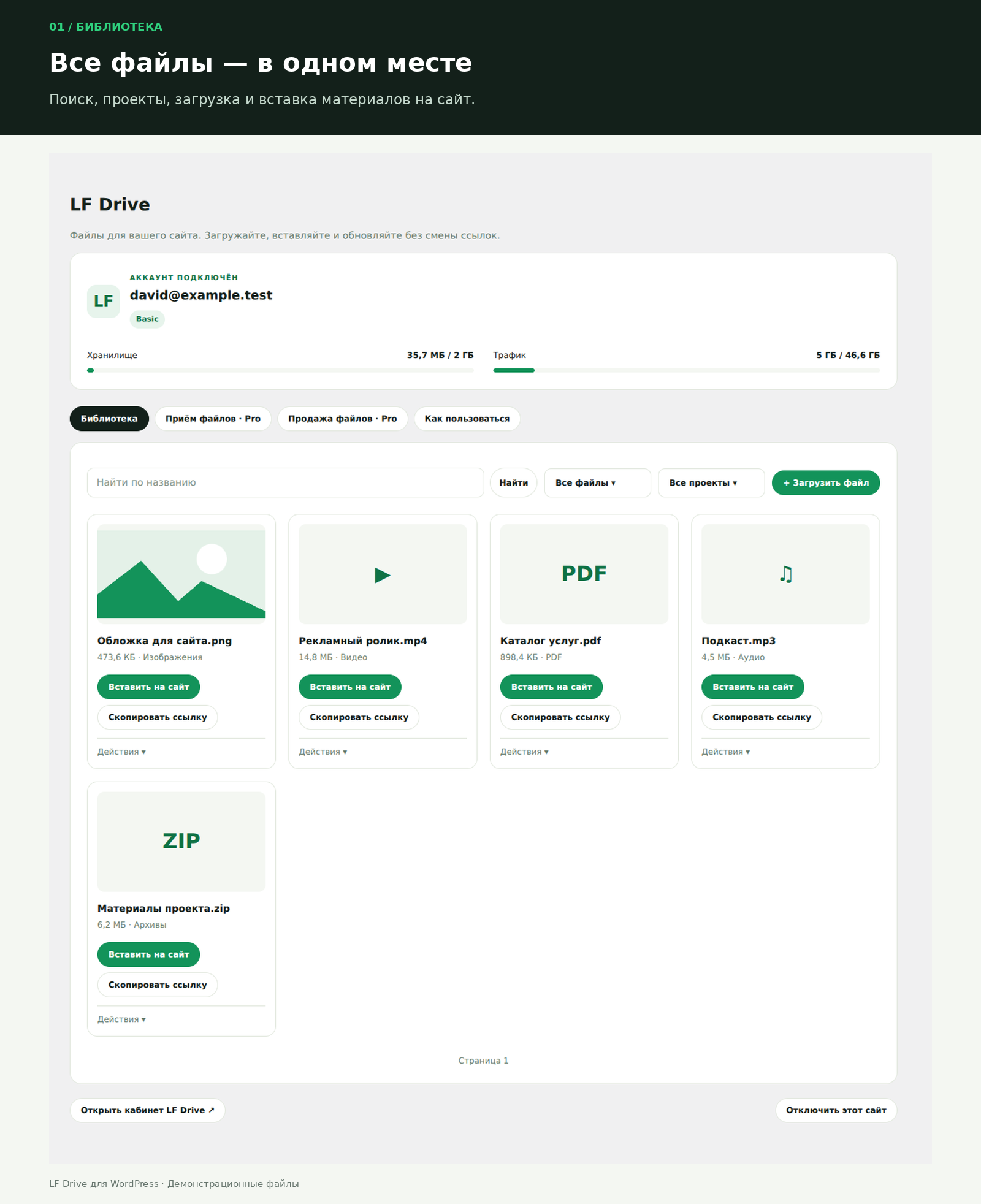
Browse your library, search files, choose projects, upload files, copy links and view file statistics from WordPress.
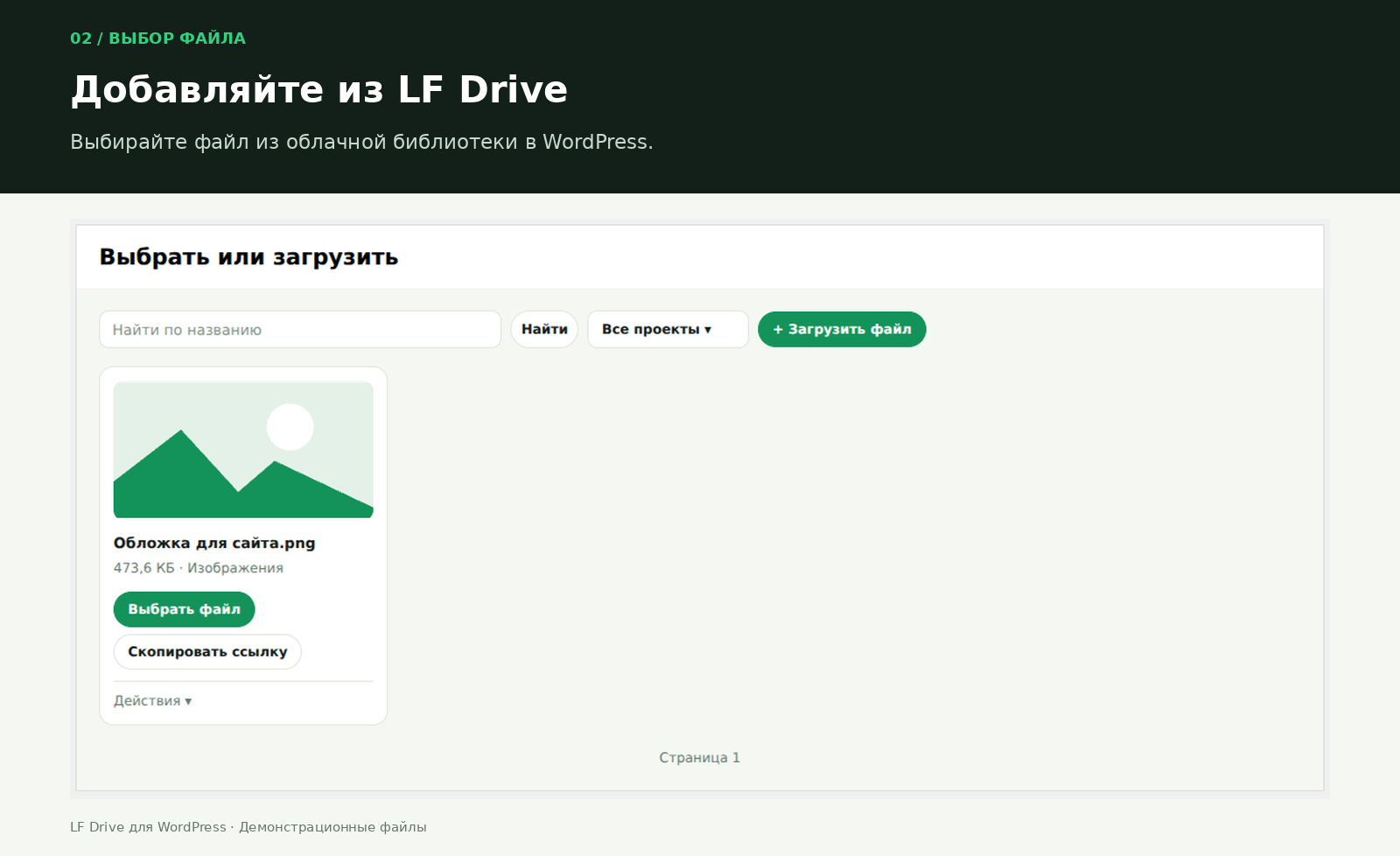
Insert files using the LF Drive tab in the media dialog, dedicated blocks, shortcodes or the Elementor widget.
Features include:
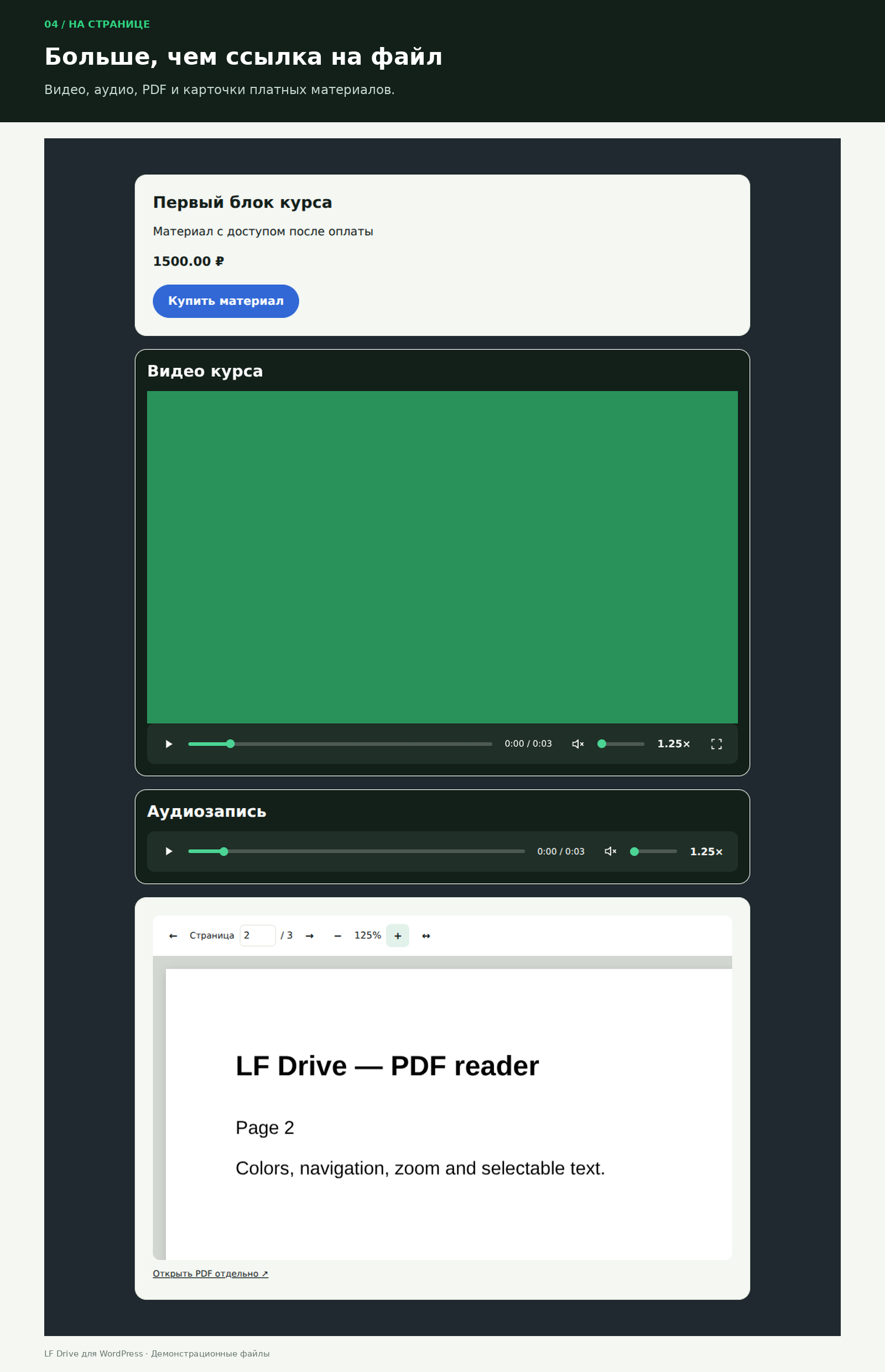
* A shared media library and dedicated image, video, audio and PDF blocks.
* Custom video and audio controls, including playback, seeking, volume and speed.
* A PDF reader with page navigation, zoom and text selection.
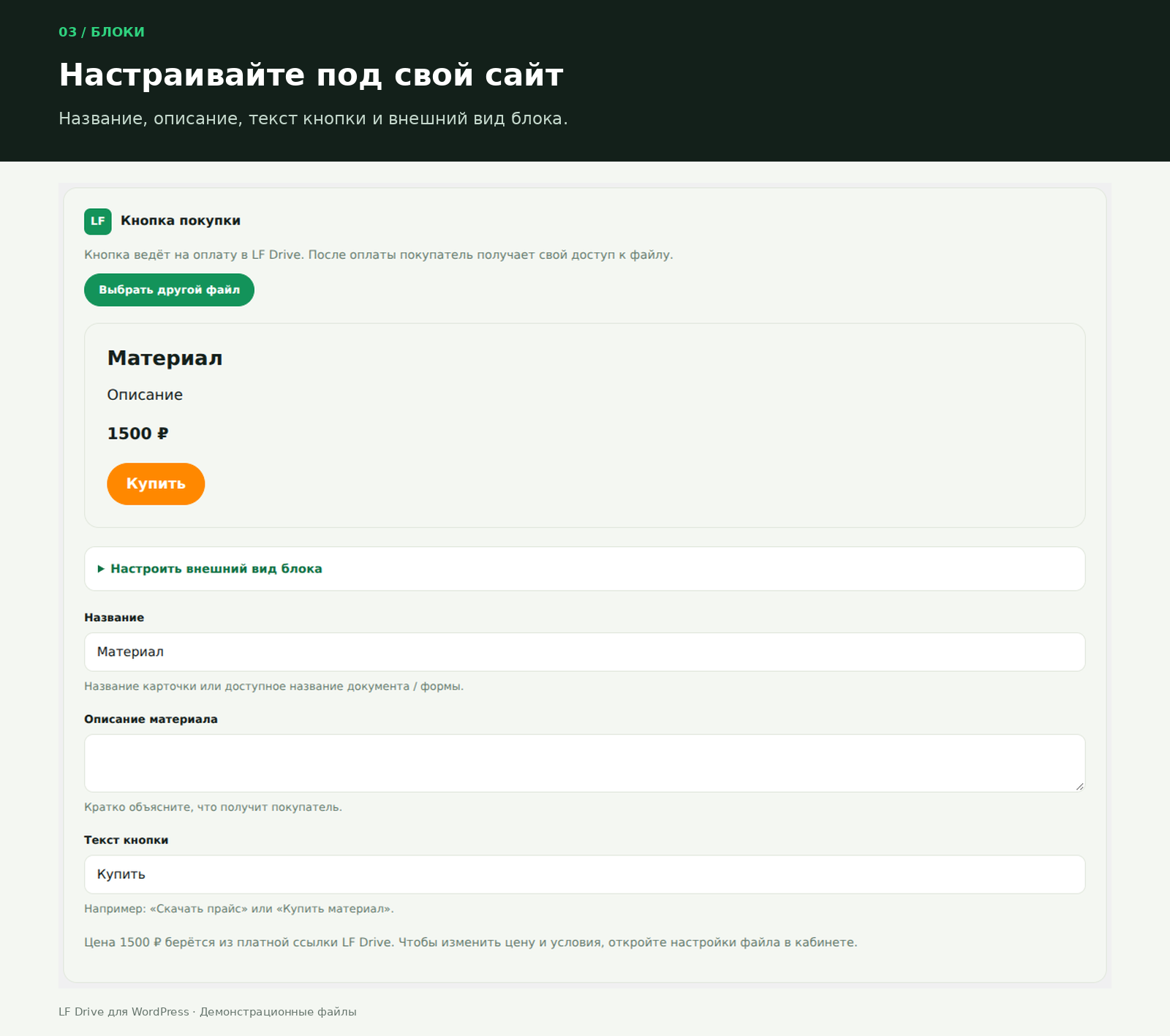
* Download buttons, paid file cards and visitor upload forms.
* Individual block colors, typography, spacing, width and rounded corners.
* File replacement without changing the public link, when permitted by your LF Drive plan.
The plugin is free. An LF Drive account and a dedicated WordPress integration token are required. Service features and storage limits depend on your LF Drive plan. Paid links and upload forms must be available and configured in your account. This plugin does not move an existing WordPress media library to LF Drive automatically.
Services externes
This plugin connects to LF Drive at https://lfdrive.ru/app/wordpress-api.php over HTTPS after the user connects an account.
The WordPress server sends the authorization token, library requests, selected upload files, file and project IDs, search terms, statistics parameters and form titles to LF Drive to provide the requested actions.
When visitors view embedded files or forms, their browser requests content from LF Drive. Forms send visitor-provided data and files to LF Drive according to the form owner’s settings.
The PDF reader first requests a public document directly. If browser cross-origin restrictions prevent loading, WordPress may retrieve the document through a signed, public LF Drive file URL. The proxy accepts only signed public file URLs, checks safe redirects and PDF content, and limits documents to 32 MB. Temporary files are deleted after retrieval. LF Drive remains responsible for file access rules.
The integration token is encrypted in the WordPress database using a key derived from WordPress salts. Changing salts requires reconnecting the account.
Service website: https://lfdrive.ru/
Terms of service: https://lfdrive.ru/oferta.html
Privacy policy: https://lfdrive.ru/privacy.html
Third-party libraries and source code
PDF.js 6.4.299 by Mozilla is bundled locally in assets/pdfjs under the Apache License 2.0. It is not loaded from a third-party CDN.
License: assets/pdfjs/LICENSE
Source project: https://github.com/mozilla/pdf.js
Source release: https://github.com/mozilla/pdf.js/tree/v6.4.299
Distributed package: https://www.npmjs.com/package/pdfjs-dist/v/6.4.299
Build instructions: https://github.com/mozilla/pdf.js#building-pdfjs
The package includes the module, worker, CMaps, standard fonts and WASM assets with their included licenses.
The LF Drive plugin JavaScript and CSS are provided as readable source files in assets.
Installation
- Install LF Drive from the WordPress plugin directory, or upload the plugin ZIP through Plugins > Add New > Upload Plugin.
- Activez le plugin.
- Sign in to your LF Drive account or create one at https://lfdrive.ru/.
- Generate a dedicated WordPress token at https://lfdrive.ru/app/wordpress.php.
- Open Media > LF Drive in your WordPress dashboard, enter the token and connect your account.
- Use the LF Drive tab in the media dialog or add a dedicated LF Drive block.
Journal de modifications
WordPress administration compatibility fixes. Existing LF Drive connections, attachment records, blocks and shortcodes are retained. Open the integration under Media > LF Drive.
1.2.4
Moved the integration page to Media. Limited administration assets to supported media/editor screens and explicitly enqueued media dialogs. Expanded all grouped selectors to retain explicit LF Drive scoping. Introduced full-length internal prefixes with compatibility reads for existing tokens and attachment metadata. Limited public assets to LF Drive content and prevented repeated frontend configuration output.
1.2.3
Updated the author URL to distinguish the developer profile from the plugin website.
1.2.2
Updated compatibility declaration after testing rendering, HTML filtering and PDF proxy filesystem handling with WordPress 7.1.3 core components.
1.2.1
Improved input sanitization and Elementor HTML filtering. Reworked temporary PDF file handling with WordPress filesystem APIs. Updated plugin directory documentation and removed a development guide from the release package.
1.2.0
Added individual block appearance settings, light/dark/transparent presets, custom video and audio players, and a bundled PDF.js reader with page navigation and zoom.
1.1.1
Compact controls in the WordPress media dialog.
Captures d'écran
Pour les développeurs
Est-ce votre plugin ? Montrez les chiffres.
Ajoutez un badge en direct à votre site, docs ou github readme. Il se met à jour par lui-même - aucun compte n'est nécessaire.
Best LF Drive alternatives
Tous les plugins audio →





FAQ
LF Drive: quick answers
Réponses directes, extraites des données en direct WordPress.org.
Source : WordPress.org
Is LF Drive free?
Yes. LF Drive is free to download and use from the official WordPress.org plugin directory.
Is LF Drive safe to use in 2026?
LF Drive works, but test it on a staging site before relying on it in 2026. Was last updated 1 month ago, and scores 60/100 on our health check.
How many websites use LF Drive?
LF Drive is active on <10 WordPress websites and has been downloaded 220 times since it launched in October 2026. It was downloaded 100 times in the last 30 days.
Does LF Drive work with WordPress 7.1?
Yes. The developer has tested LF Drive up to WordPress 7.1.5, the latest release. It requires WordPress 6.5 or newer.
What PHP version does LF Drive need?
LF Drive requires PHP 7.4 or higher. Most hosts run PHP 8.x today, so it works on any modern WordPress hosting.
When was LF Drive last updated?
The latest version, 1.2.4, was released on October 18, 2026 (1 month ago).
Who makes LF Drive?
LF Drive is developed and maintained by Давид Левонович.
What are the best alternatives to LF Drive?
The most popular alternatives to LF Drive are Presto Player (100K+ installs), Seriously Simple Podcasting (20K+ installs) and Compact WP Audio Player (20K+ installs).
Propulsé par PageForge
Un modèle et une feuille de calcul. Une vraie page pour chaque recherche.
PageForge transforme chaque ligne d'un CSV en une page WordPress avec son propre titre, URL, SEO et schéma, construit sur la mise en page que vous Déjà conçu. Gratuit sur WordPress.org.
- CSV et XLSX, plus Google Sheets sur les professionnels et les entreprises
- Son propre titre, URL, SEO champs et schéma pour chaque page
- Fonctionne avec l'éditeur de blocs, Elementor, Divi et Avada
- Gratuit sur WordPress.org, pas de carte de crédit