


Marketing tout-en-un HubSpot – formulaires, popups, chat en direct
HubSpot is a CRM platform with all the tools and integrations you need for marketing, sales, and customer service. Each product in the platform is powerful alone, but the real magic happens when you use them together…

Choix solide
HubSpot All-In-One Marketing is a solid plugin choice in 2026, with a few things worth checking first. It runs on 200K+ sites, is rated 4.3/5 and was last updated 3 days ago, and scores 74/100 on our health check.
- Prouvé à grande échelle sur plus de 200 000 sites actifs
- Actively developed — last update 3 days ago
- Momentum — downloads up 67.4% vs the previous 30 days
- Uniquement testé jusqu'à WordPress 6,9 (le dernier est de 7,1)
Comment s'accumule-t-il ?
Côte à côte sur les installations, les mises à jour, les évaluations et le support



Téléchargements quotidiens
Les pics de téléchargement suivent généralement une nouvelle version - chaque site qui met à jour automatiquement compte comme un téléchargement.
Classements
Where HubSpot All-In-One Marketing stands todayWordPress.org Classements de recherche
Position en direct dans la recherche de plugins, Top 100| Mot-clé | Position |
|---|---|
| analytique | >100 |
| crm | #44 |
| forms | #61 |
| live chat | #8 |
| marketing | #12 |
Adoption de version
Part de sites actifs par version.
Répartition des notes
★★★★★★★★★★ 4.3 from 207 reviews
About HubSpot All-In-One Marketing
From the official readme · v11.3.82Description
HubSpot is a CRM platform with all the tools and integrations you need for marketing, sales, and customer service. Each product in the platform is powerful alone, but the real magic happens when you use them together. See for yourself in the free HubSpot WordPress plugin.
Build a relationship with your audience and grow your business with HubSpot. HubSpot’s all-in-one WordPress plugin allows you to manage contacts (CRM), create the best email marketing campaigns, engage visitors with live chat and chatbots, add beautiful forms to pages, and more.
Use HubSpot to:
- 💬 Connect with visitors on your site in real-time using live chat and chatbots.
- 📋 Capture leads with ease — build custom forms or link existing forms from your website in minutes.
- 📧 Nurture your leads by sending newsletters & automating email marketing campaigns.
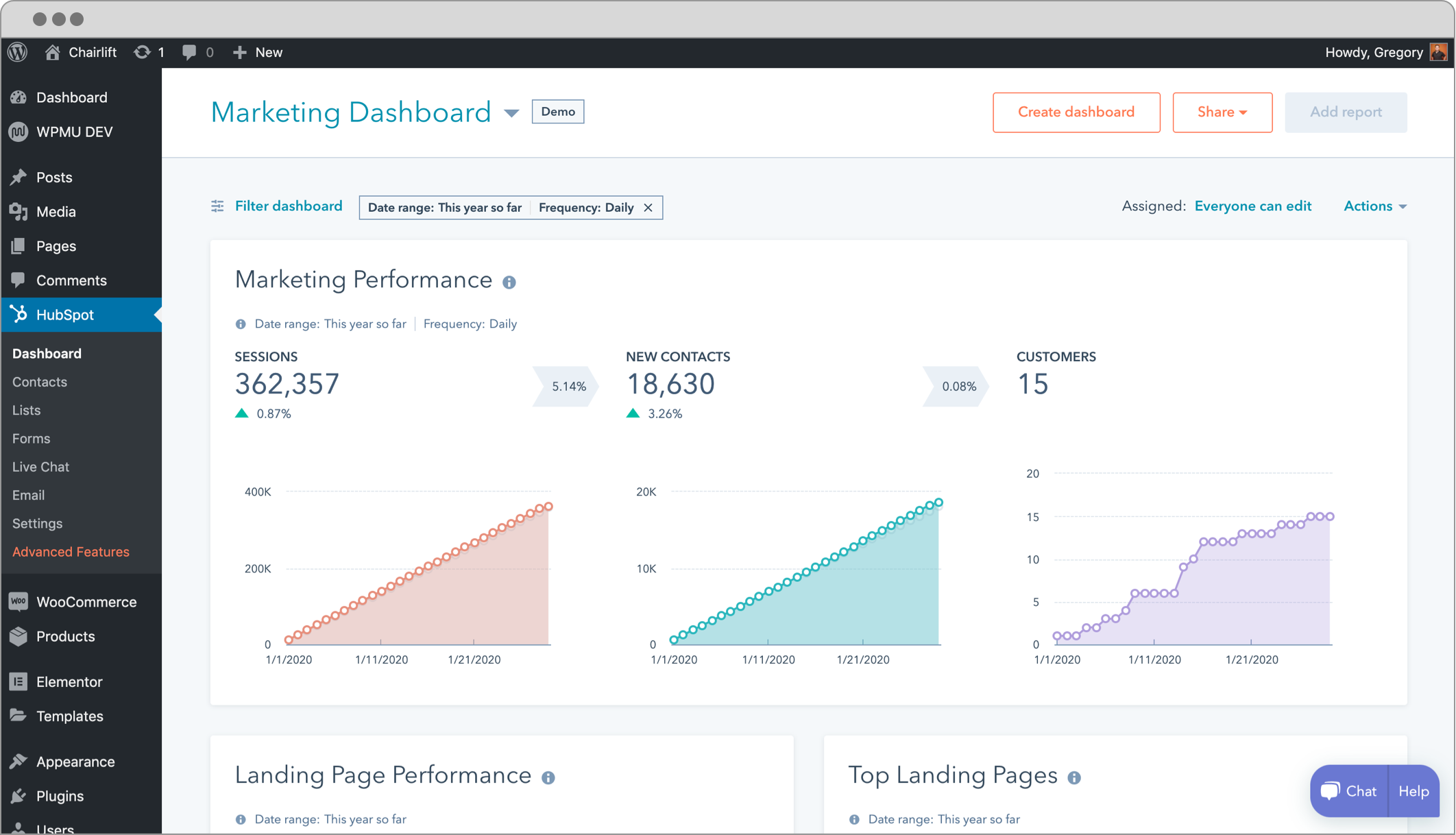
- 📈 Track the health of your business with easy-to-understand analytics dashboards.
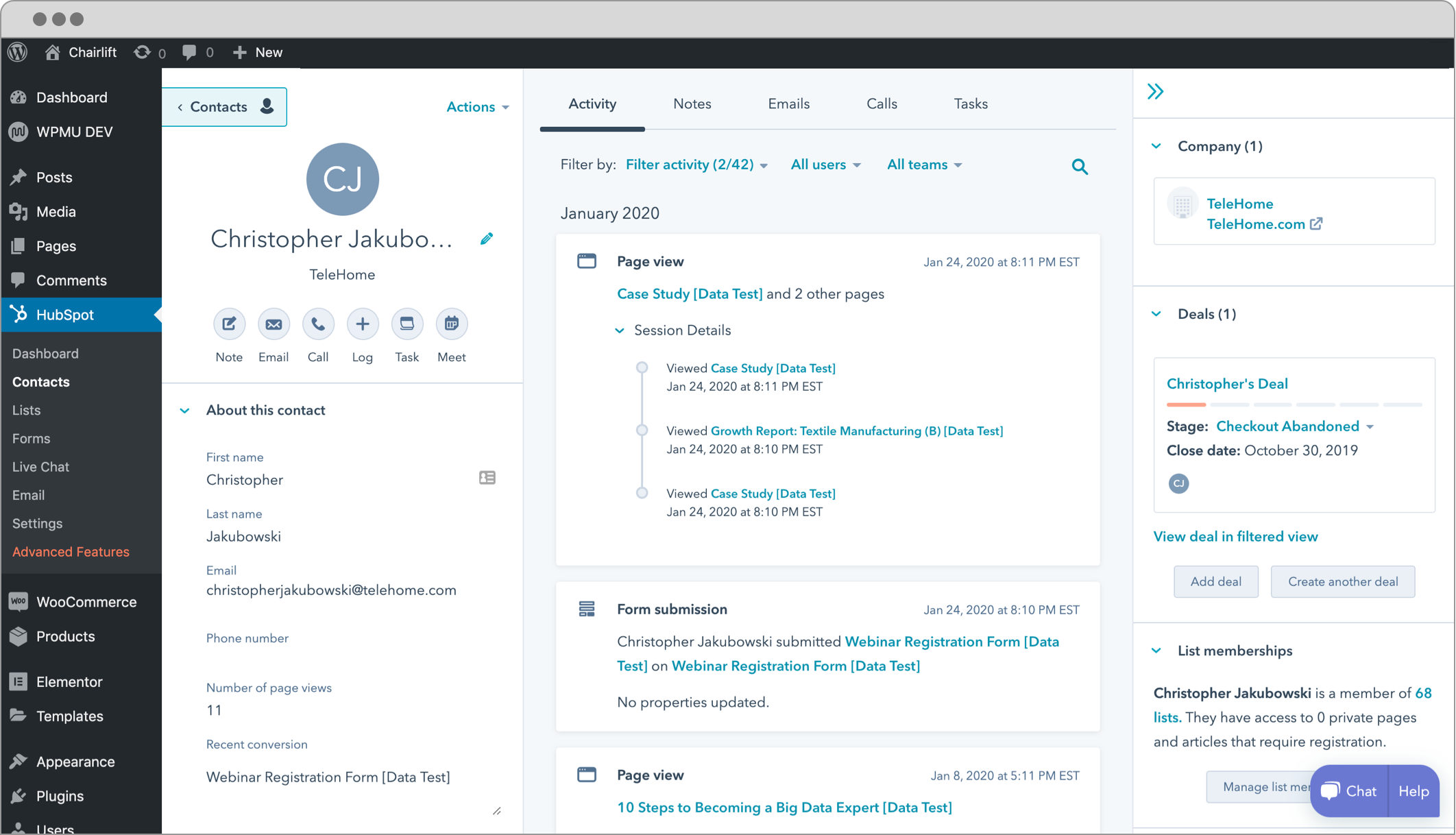
- 🚀 See a unified timeline of a contact’s page views, past conversations, and more in the smart WordPress CRM plugin.
Ready to get started? Click download in the top right corner of the page.
CRM & Contact Management Platform
Your CRM in the HubSpot WordPress plugin is your company’s command center. It’s the place where you can track every single customer interaction and get a 360-degree view of your customers. You can even use it to manage or automate marketing, sales, and service processes.]
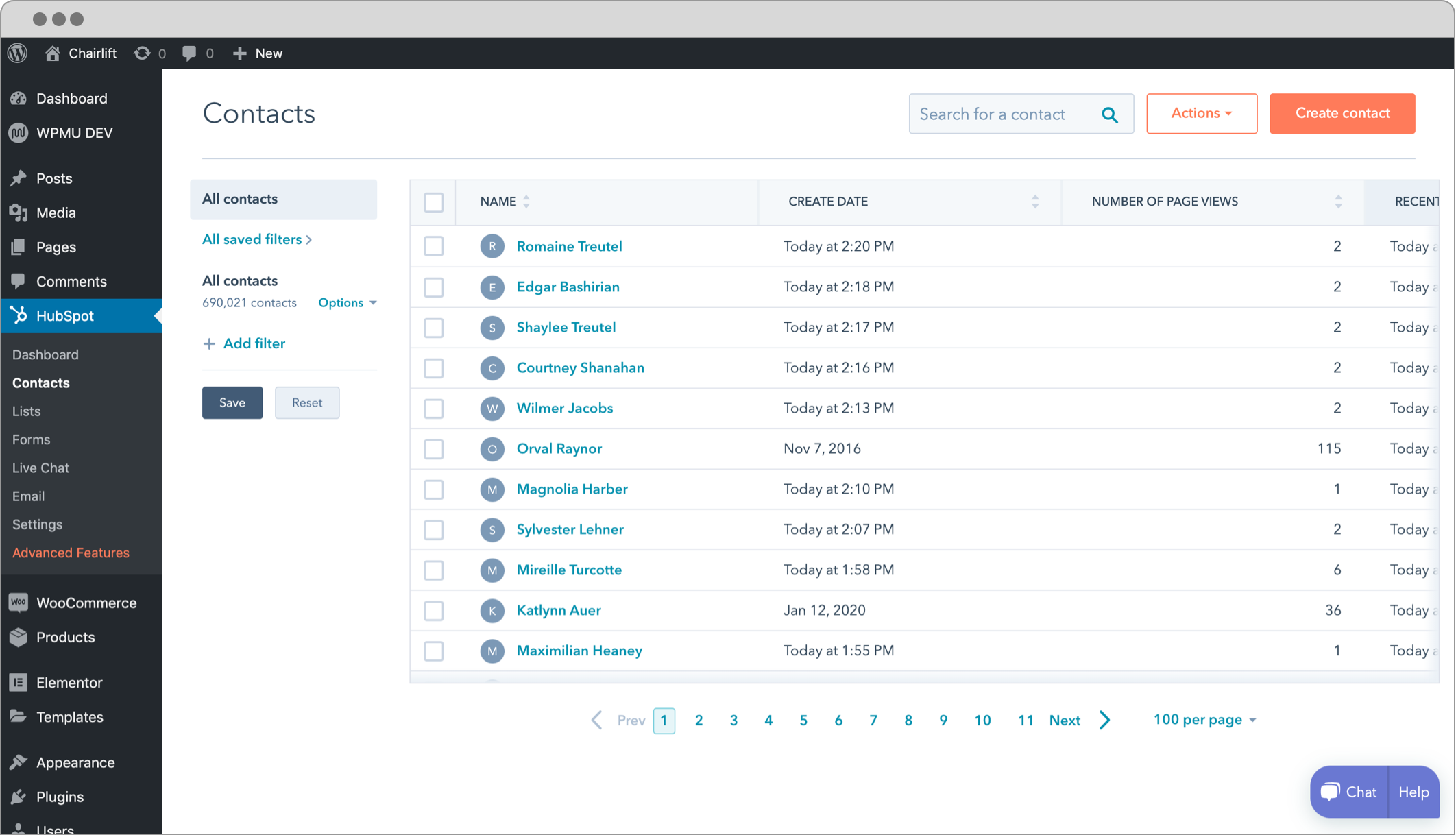
With HubSpot CRM, you don’t need to jump from tool to tool to keep track of everything. Instead, you can store all of your data in one place.
HubSpot’s free WordPress CRM gives you ultimate visibility into customer interactions across every team in your organization. That means that everyone will be on the same page—from marketing to sales to customer service—and able to help your customers more effectively.
Best of all, if you’re planning on growing your business (or you already are), HubSpot has the tools to grow with you.
Features of our top WordPress CRM that you’ll love, suited specifically for your business needs:
✅ Lead generation & lead management on your WordPress website
✅ Pipeline management
✅ WordPress email marketing
✅ WordPress reporting dashboard
✅ Contact management
✅ Prospect tracking
Streamline your entire business with the free CRM solution that has something for everyone. Try the HubSpot CRM plugin today.
Email Newsletter & Marketing Automation Software
Would you like to enhance your WordPress email marketing campaigns or build the best email newsletter templates? 🤔
Maybe you’d like to explore different automation features, build professional emails in minutes, and send them to your entire contact database with ease.
Try the HubSpot WordPress email marketing plugin today. Customers love our free email marketing software for features like:
🤩 20+ pre-designed free email templates to match your campaign goals. (Choose from free newsletter templates, eBooks, welcome emails, and more!)
All you have to do is add your content and press send!
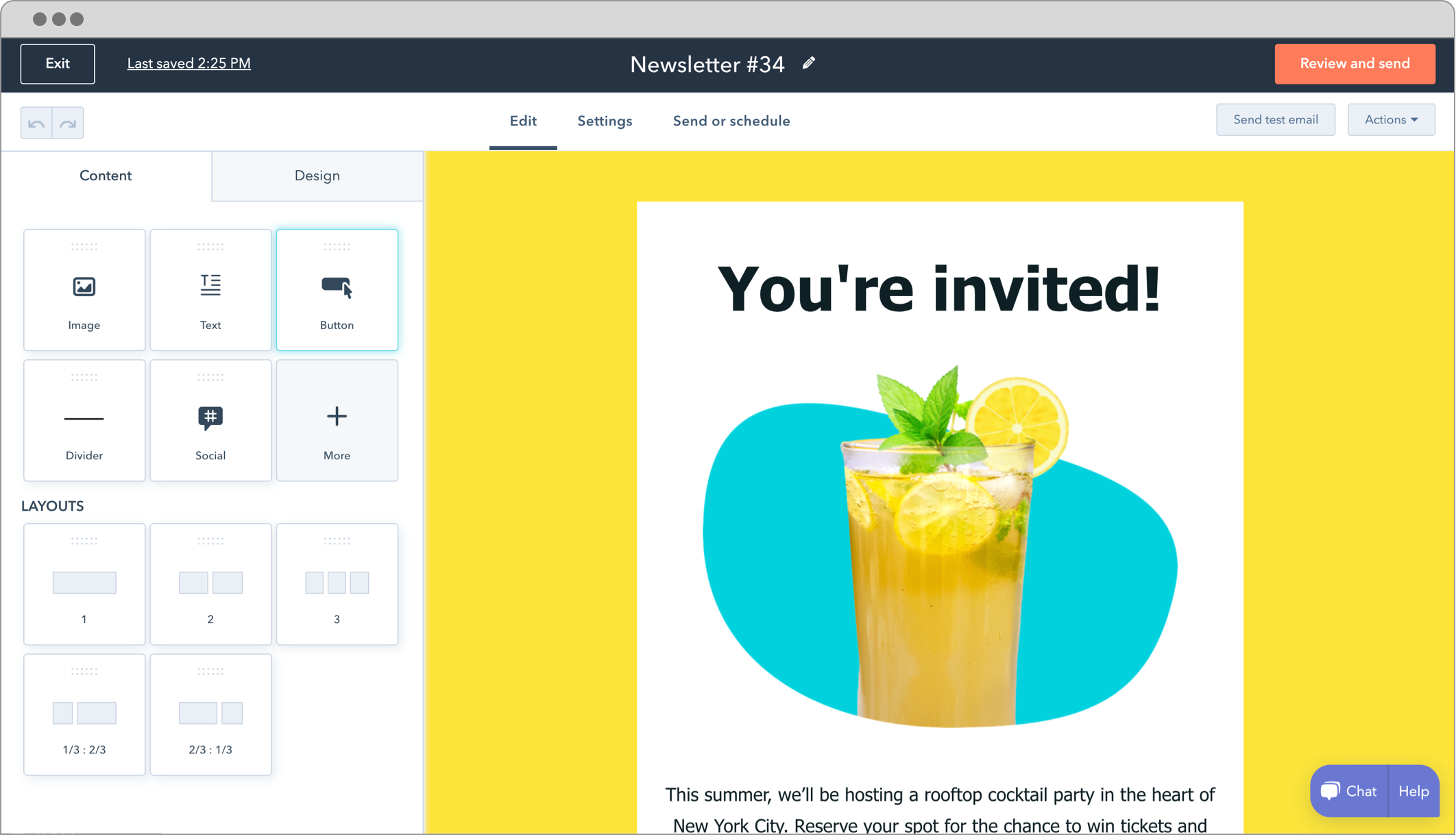
⚒️ Drag and drop WordPress newsletter builder.
Build beautiful newsletter templates with the HubSpot WordPress plugin. Create custom newsletter templates effortlessly with a drag-and-drop builder.
Test out newsletters before you send them, schedule publications for the best time to convert, optimize for mobile devices, and save your own email designs to use again later.
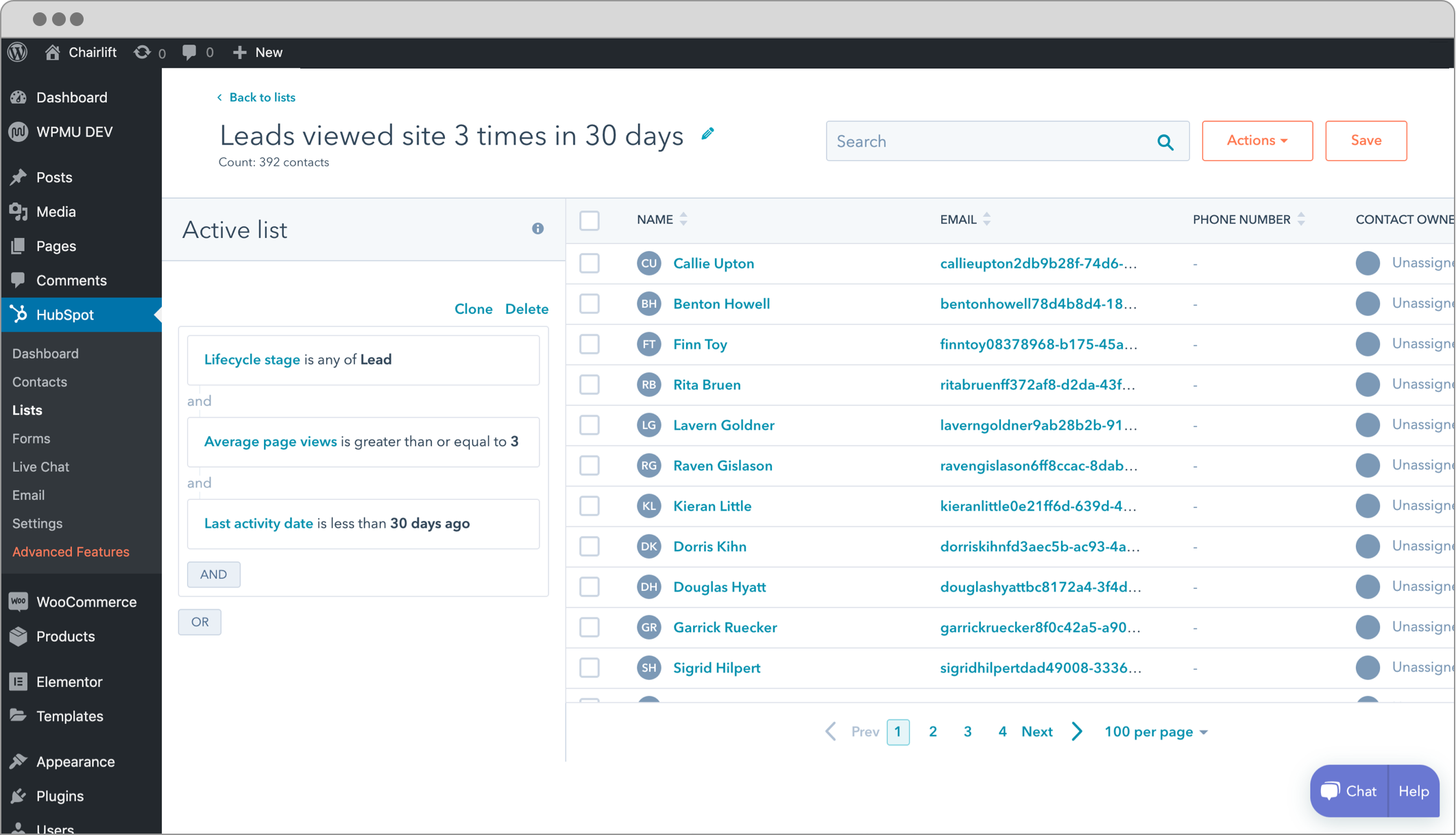
Send newsletters to targeted contact lists all within the free WordPress newsletter plugin tool..
Adjust typography, designs, colors, and more to create email campaigns your subscribers will love!
🤖 Email automation software, email tracking, and A/B testing tools.
Send automated emails anytime someone fills out a form or engages with your live chat & chatbots. You can send messages immediately or use email scheduling to send messages later.
Setup an A/B test of your newsletter while designing it. Test out different email calls to action and optimize your newsletters with the best performing versions.
Email is one of the most effective ways to stay connected to your audience. With email tracking, all of your emails are logged in your database. You can measure email engagement with reports for delivery rates, open rates, and click-through rates — and use that information to improve campaigns.
Live Chat & Chatbots
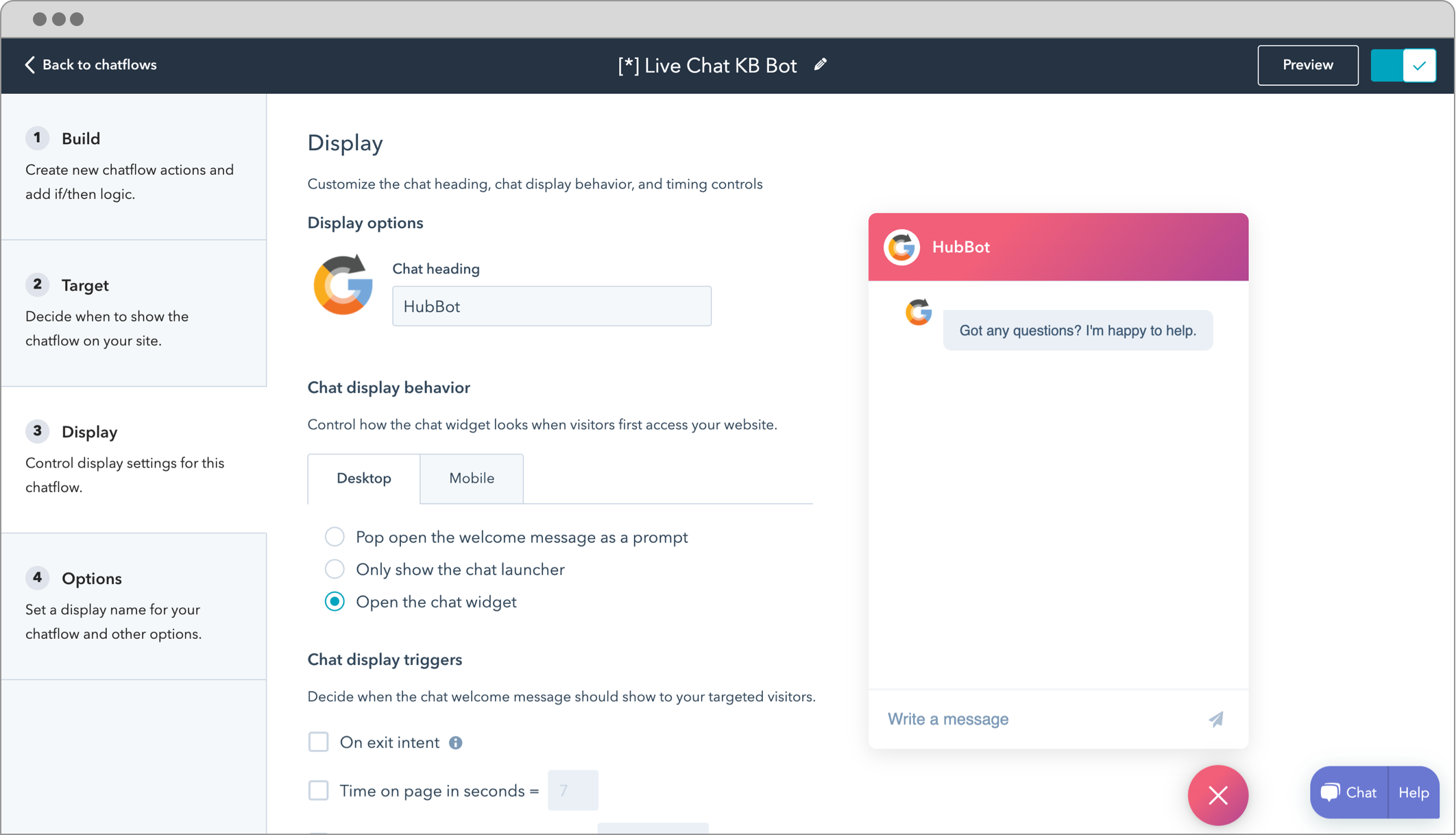
Make your website a 24-hour marketing machine on autopilot with the HubSpot WordPress live chat plugin.
Live website chat inside the HubSpot WordPress plugin streamlines the customer experience, making it easier than ever for you to engage with website visitors leads, convert them into customers, and provide them with the support they need.
HubSpot’s free WordPress live chat solution software offers:
😀 Custom styling to match your website
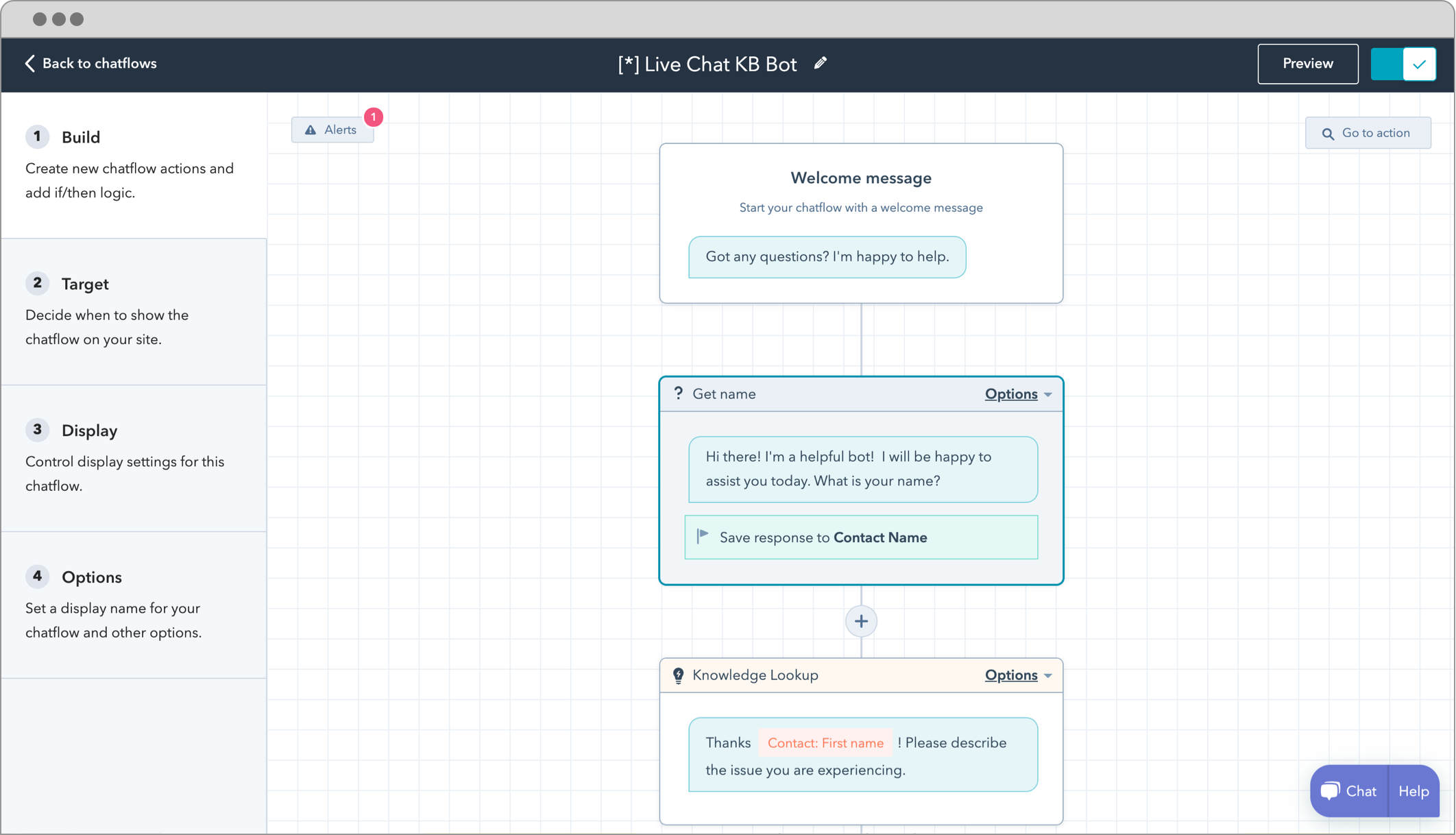
🤖 A variety of chatbot options including:
- ✅ Concierge chatbot
- ✅ Qualify leads chatbot
- ✅ Meetings chatbot
- ✅ Tickets chatbot
- ✅ Knowledge base & support chatbot
- ✅ Offline chatbot
📲 Real-time live messaging on the go via HubSpot’s mobile app
👨💻 A Slack integration to receive and respond to live chat notifications
🕐 24/7 live chat support on autopilot
Our free live chat plugin feature helps you turn website visitors into customers by providing insightful, real-time support.
Forms & Popups
Want to know the easiest way to learn more about your visitors?
Ask them directly.
The problem is that forms can come in so many different shapes and sizes that it’s hard to know where to start. That’s why HubSpot has options for you.
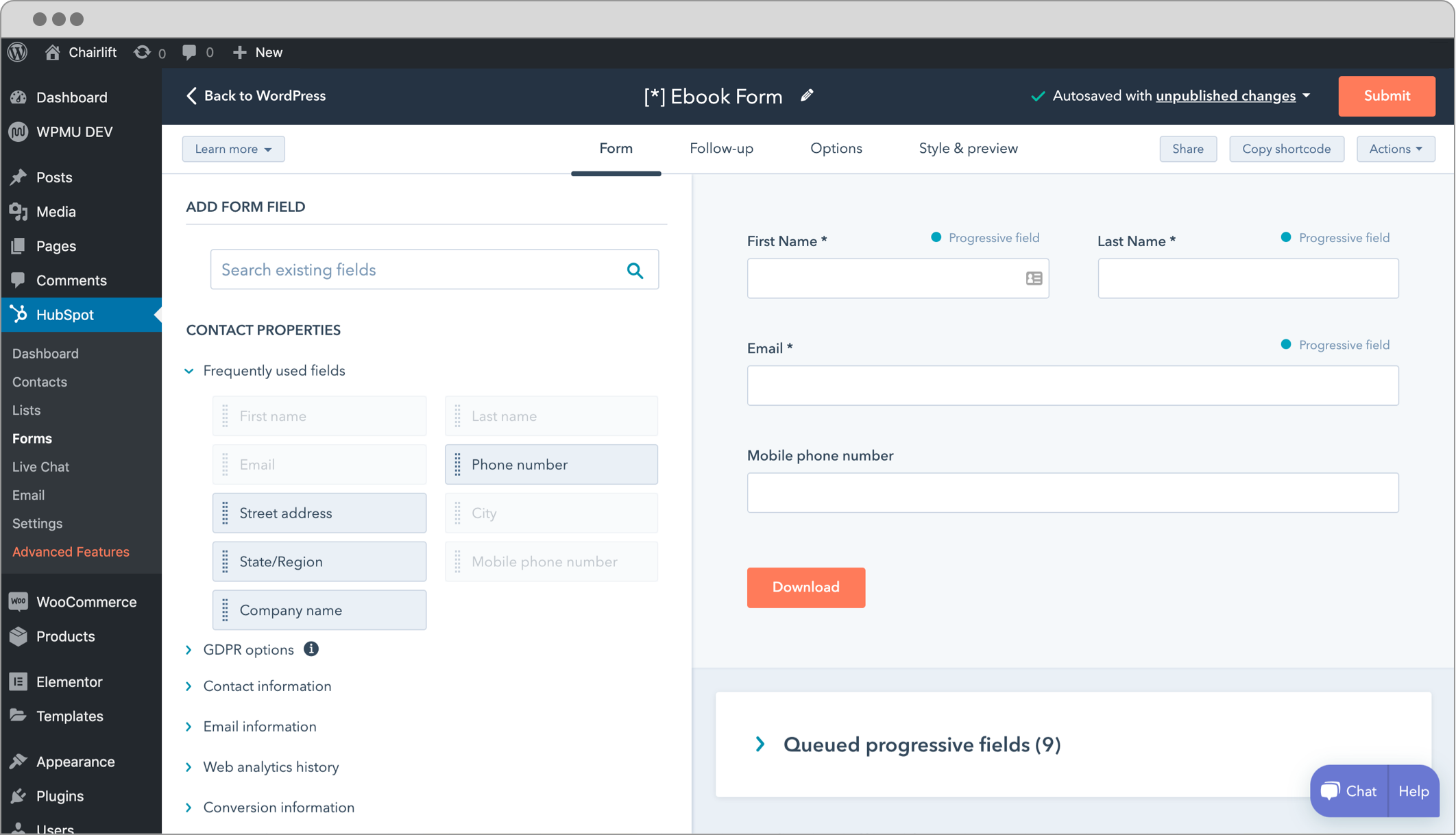
HubSpot’s form builder and popup plugin give you the power to create or edit forms in just a few clicks.
First, get familiar with our different form types:
✅ Embedded
✅ Standalone page
✅ Dropdown banner
✅ Slide in left/right box
Then, when you’re ready to go, pick a custom template:
✅ Contact us
✅ Newsletter sign up form template
✅ Event registration template
✅ Talk to an expert template
✅ Book a meeting template
✅ Gated content template
✅ More coming soon
Choose from a variety of settings, color schemes, and fonts — or start from scratch. HubSpot comes with an intuitive form and popup builder that simplifies the process, no matter what type of form you have in mind.
Rather stick with your existing forms and popup plugin? That’s fine too! HubSpot integrates with most WordPress form builders, form creators, and popup builders out-of-the-box so you don’t have to worry about a thing.
Analytique
Customers are browsing your website, but what are they actually looking at?
The HubSpot WordPress plugin gives you a straightforward, visual answer.
With built-in marketing analytics (email analytics, web traffic analytics, WordPress analytics), it’s easy to understand which marketing actions are driving the most results… and which ones you need to fix. Quickly see how your forms, popup forms, live chat & chatbots, email marketing, and sales follow-ups are helping grow your business.
👩💻 Get a complete picture of who’s on your site.
What pages are being looked at? Who is visiting the pages? How long do they stay on-site? What parts of the site do they spend the most time on? With our plugin, you’ll be able to see everything about your visitor behavior in one place—and learn how to convert them into customers!
📈 Get detailed reports across marketing channels.
Create detailed reports on performance of various assets, from blog posts and landing pages to email campaigns and more. Arrange these views in dashboards in your plugin, so you can easily see the performance of your website and make data-driven decisions.
Seamless Integrations
Ready to get started? Now you can easily integrate HubSpot with over 1030 integrations including:
💻 Social Media Software, Analytics, & Advertising Software Integrations
✅ Adroll
✅ Facebook Ads
✅ Facebook Messenger
✅ Google Ads
✅ Hotjar
✅ Instagram
✅ Linkedin Ads
✅ Twitter
✅ YouTube
📲 Communications & Design Integrations
✅ Canva
✅ HelloSign
✅ Slack
✅ Vidyard
✅ Integromat
✅ Zoom
🖥️ CRM, Email Marketing, & Marketing Automation Integrations
✅ Active Campaign
✅ Campaign Monitor
✅ Constant Contact
✅ Drip
✅ Gmail
✅ Hustle
✅ Mailchimp
✅ Ontraport
✅ Outlook
✅ Salesforce
✅ Sendinblue
✅ WP Fusion
✅ Zoho
✅ Neverbounce
✅ Email Delivery Optimization by Seventh Sense
💵 E-commerce (Online Store), Recurring Payment, & Payment Processing Integrations
✅ BigCommerce
✅ Shopify
✅ Stripe
✅ WooCommerce
📆 Events & Meeting Scheduling Software Integrations
✅ Calendly
✅ Eventbrite
✅ The Events Calendar
📋 Forms, Landing Page Builders, & CRO Integrations
✅ Elementor
✅ Formidable Forms
✅ Forminator
✅ Gravity Forms
✅ Instapage
✅ JotForm
✅ Kali Forms
✅ MailOptIn
✅ Ninja Forms
✅ OptInMonster
✅ Sumo
✅ Survey Monkey
✅ Typeform
✅ Unbounce
✅ WPForms
💬 Live Chat & Customer Support Software Integrations
✅ Drift
✅ Front
✅ Help Scout
✅ Intercom
✅ LiveChat
✅ Pure Chat
✅ Zendesk
✅ Sakari SMS
✅ Treble.ai
🔋 Productivity & Project Management Software Integrations
✅ Asana
✅ Jira
What are people saying about the HubSpot plugin?
“HubSpot was a big factor in helping us scale WP Buffs to $1M in revenue. Their plugin and sales CRM made our sales process so much more professional and kept us fully organized as we grew from 1 salesperson to 4. Plus, the reporting dashboards allow me to know where our sales game is strong and where we can still improve with just a few clicks. Needless to say, I’m all in on HubSpot.” – Joe Howard, Founder & CEO, WP Buffs
“HubSpot educates marketers beyond just the anonymous web analytics they get from Google Analytics. Instead, it digs down to individual users.” – Michael Shoup, Founder / CEO, 12South Marketing
“HubSpot dramatically cuts down the time I spend on marketing. We used to spend tons of time generating very few inbound leads, but those numbers have gone through the roof with minimal effort.” – Brian Ruhlmann, Director of Sales & Marketing, AdmitHub
Installation
Recherche
The easiest way to install this plugin is to use the WordPress Admin interface.
- Go to your admin dashboard
- Find the “Plugins” menu
- Click on “Add New”
- Search for “HubSpot”
- Click “Install Now”
- Go to your “Plugins” menu
- Click “Activate” on the HubSpot – CRM, Email Marketing, Live Chat, Forms & Analytics plugin
- Log in or sign up for a HubSpot account
Your WordPress site and HubSpot account will be connected and you’re ready to get started with HubSpot – CRM, Email Marketing, Live Chat, Forms & Analytics.
Upload
- Upload the ‘leadin’ folder to the ‘/wp-content/plugins/’ directory
- Activez le plugin via le menu « Plugins » dans WordPress
Having trouble? Check out our help documentation
Journal de modifications
Full changelog here
– Current version: 11.3.82
– Version release date: 2026-11-03
11.3.82 (2026-11-03)
- Fix HubSpot widgets intermittently failing to load in the Elementor editor with a CORS error by loading the embedder script with crossorigin=”anonymous”, so a cached no-CORS copy is never reused for a CORS request
11.3.78 (2026-09-17)
- Fix Elementor HubSpot blocks not reopening in edit mode after being deselected, caused by an unguarded teardown throwing inside the editor’s destroy chain
Captures d'écran
Pour les développeurs
Est-ce votre plugin ? Montrez les chiffres.
Ajoutez un badge en direct à votre site, docs ou github readme. Il se met à jour par lui-même - aucun compte n'est nécessaire.
Best HubSpot All-In-One Marketing alternatives
Tous les plugins d'analyse →





FAQ
HubSpot All-In-One Marketing: quick answers
Réponses directes, extraites des données en direct WordPress.org.
Source : WordPress.org
Is HubSpot All-In-One Marketing free?
Yes. HubSpot All-In-One Marketing is free to download and use from the official WordPress.org plugin directory.
Is HubSpot All-In-One Marketing safe to use in 2026?
HubSpot All-In-One Marketing is a solid plugin choice in 2026, with a few things worth checking first. It runs on 200K+ sites, is rated 4.3/5 and was last updated 3 days ago, and scores 74/100 on our health check.
How many websites use HubSpot All-In-One Marketing?
HubSpot All-In-One Marketing is active on 200K+ WordPress websites and has been downloaded 21,345,154 times since it launched in March 2014. It was downloaded 164,765 times in the last 30 days.
Does HubSpot All-In-One Marketing work with WordPress 7.1?
HubSpot All-In-One Marketing is officially tested up to WordPress 6.9.12, while the latest release is 7.1.5. It may still work, but try it on a staging site first.
What PHP version does HubSpot All-In-One Marketing need?
HubSpot All-In-One Marketing requires PHP 7.2 or higher. Most hosts run PHP 8.x today, so it works on any modern WordPress hosting.
When was HubSpot All-In-One Marketing last updated?
The latest version, 11.3.82, was released on November 16, 2026 (3 days ago).
Who makes HubSpot All-In-One Marketing?
HubSpot All-In-One Marketing is developed and maintained by HubSpot.
What are the best alternatives to HubSpot All-In-One Marketing?
The most popular alternatives to HubSpot All-In-One Marketing are Site Kit by Google (5M+ installs), MonsterInsights (2M+ installs) and WP Statistics (500K+ installs).
Propulsé par PageForge
Un modèle et une feuille de calcul. Une vraie page pour chaque recherche.
PageForge transforme chaque ligne d'un CSV en une page WordPress avec son propre titre, URL, SEO et schéma, construit sur la mise en page que vous Déjà conçu. Gratuit sur WordPress.org.
- CSV et XLSX, plus Google Sheets sur les professionnels et les entreprises
- Son propre titre, URL, SEO champs et schéma pour chaque page
- Fonctionne avec l'éditeur de blocs, Elementor, Divi et Avada
- Gratuit sur WordPress.org, pas de carte de crédit