

Latest Posts Block – Dynamic Posts Grid, Posts List, Posts Tile with Stunning Layouts for WordPress Blogs & Pages
Dynamic Posts Grid, Posts List, Posts Tile with Stunning Layouts for WordPress Blogs & Pages

Choix solide
Latest Posts Block is a solid plugin choice in 2026, with a few things worth checking first. It runs on 6K+ sites, is rated 4/5 and was last updated 3 weeks ago, and scores 76/100 on our health check.
- Développé activement — Dernière mise à jour il y a 3 semaines
- Testé avec le dernier WordPress (7.1)
- Momentum — downloads up 726.9% vs the previous 30 days
- Très peu de critiques jusqu'à présent
Comment s'accumule-t-il ?
Côte à côte sur les installations, les mises à jour, les évaluations et le support


Téléchargements quotidiens
Les pics de téléchargement suivent généralement une nouvelle version - chaque site qui met à jour automatiquement compte comme un téléchargement.
Classements
Where Latest Posts Block stands todayWordPress.org Classements de recherche
Position en direct dans la recherche de plugins, Top 100| Mot-clé | Position |
|---|---|
| blocs | >100 |
| Blog | #38 |
| Blocs de Gutenberg | >100 |
| post grid | #31 |
| posts list | #6 |
Adoption de version
Part de sites actifs par version.
Répartition des notes
★★★★★ ★★★★★ 4 sur 1 avis
About Latest Posts Block
From the official readme · v1.1.4Description
Dynamic Posts Grid, Posts List, Posts Tile with Stunning Layouts for WordPress Blogs & Pages
Latest Posts Block Lite
A beautiful collection of latest posts Gutenberg blocks for WordPress, which helps you to design posts grid, posts list, full posts layout, advanced express posts design and tile layouts of your posts.
Try it Now | Home | Demos | Documentation | Premium
Primary components
Style an awesome posts box with advanced options and controls
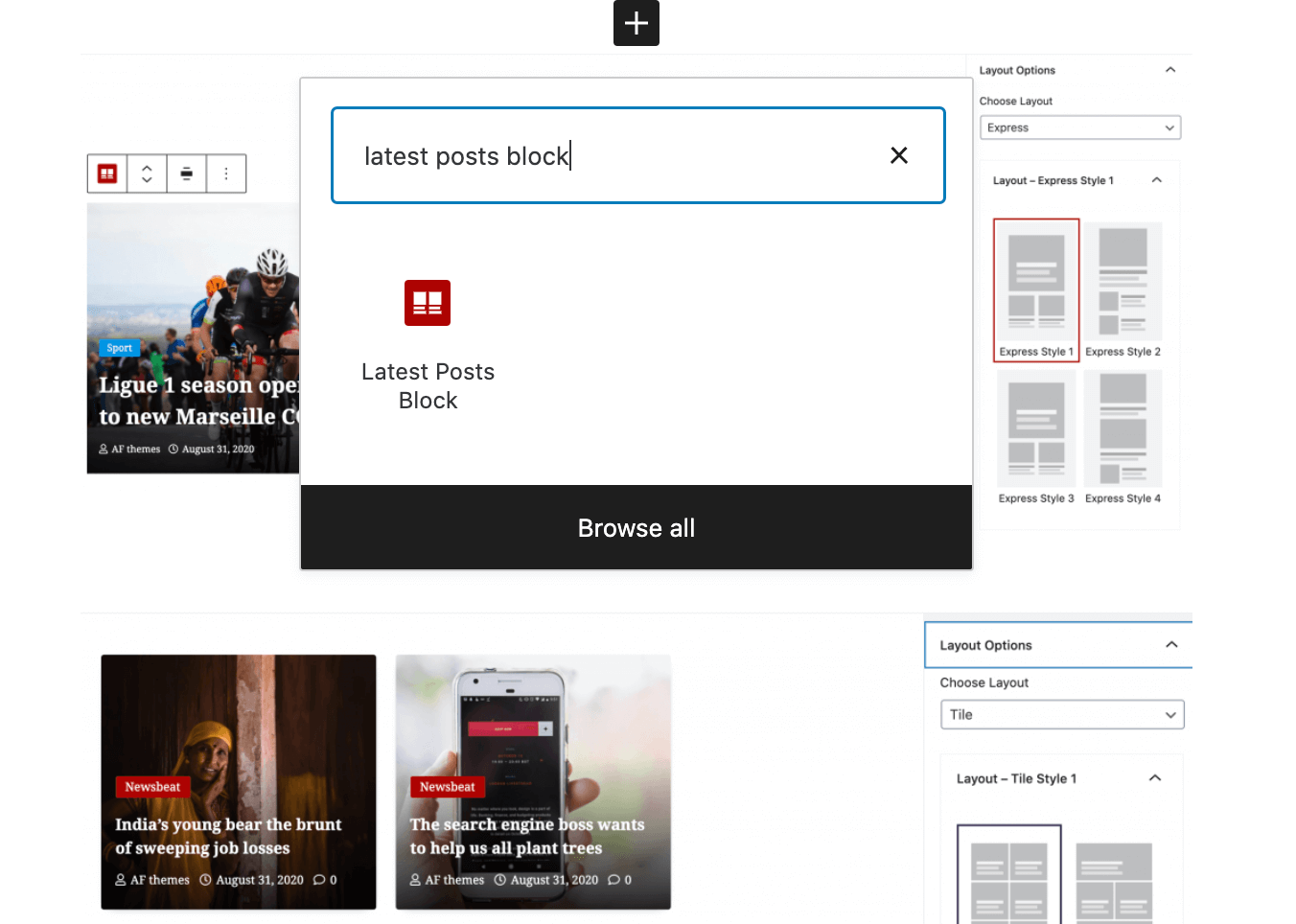
Layouts Options
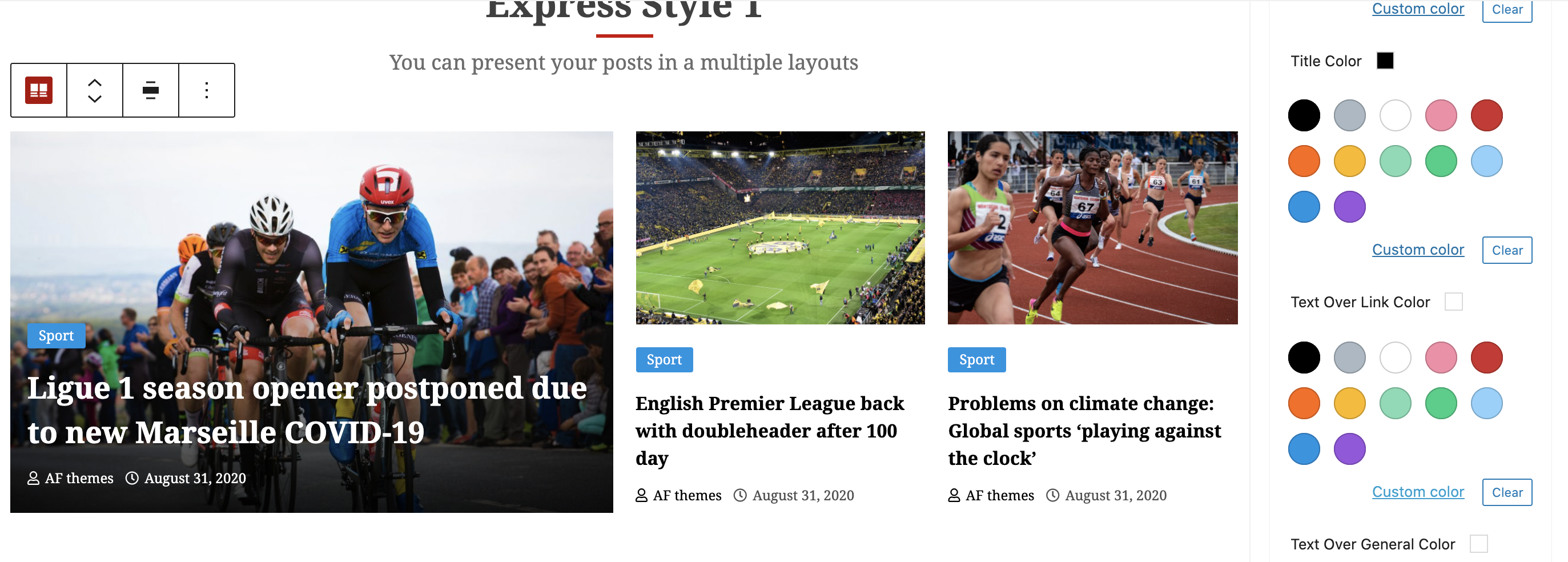
Only with the best layout may you show the content worthwhile. Each layouts (gird, list, full, express and tile) have 6 different looks that could lead to an improved posts section being imagined.
Posts Query Controls
Predefined query filter of posts and ordering of the based on date and name, so you can select and display them in specified method.
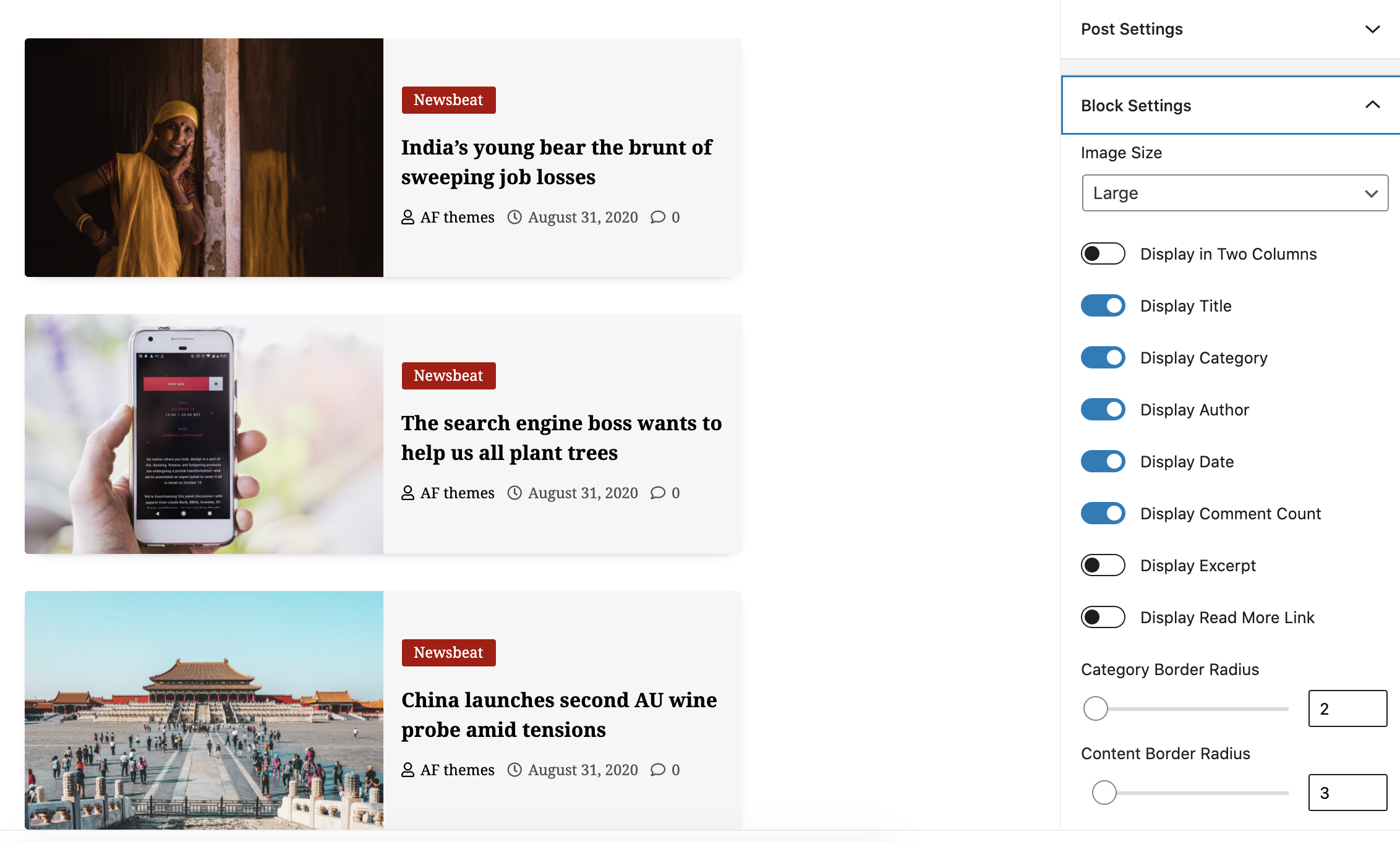
Block Options
Very useful switch panel to select image sizes, columns, title, category and other meta items toggles along with respective options will let you to take control over your posts content block display.
Category Styles
Using the Category Style section, you can choose one of the design to show on your posts box.
Content Order Options
Separate your individual posts block with pre-defined posts content layouts with the available Content Order options.
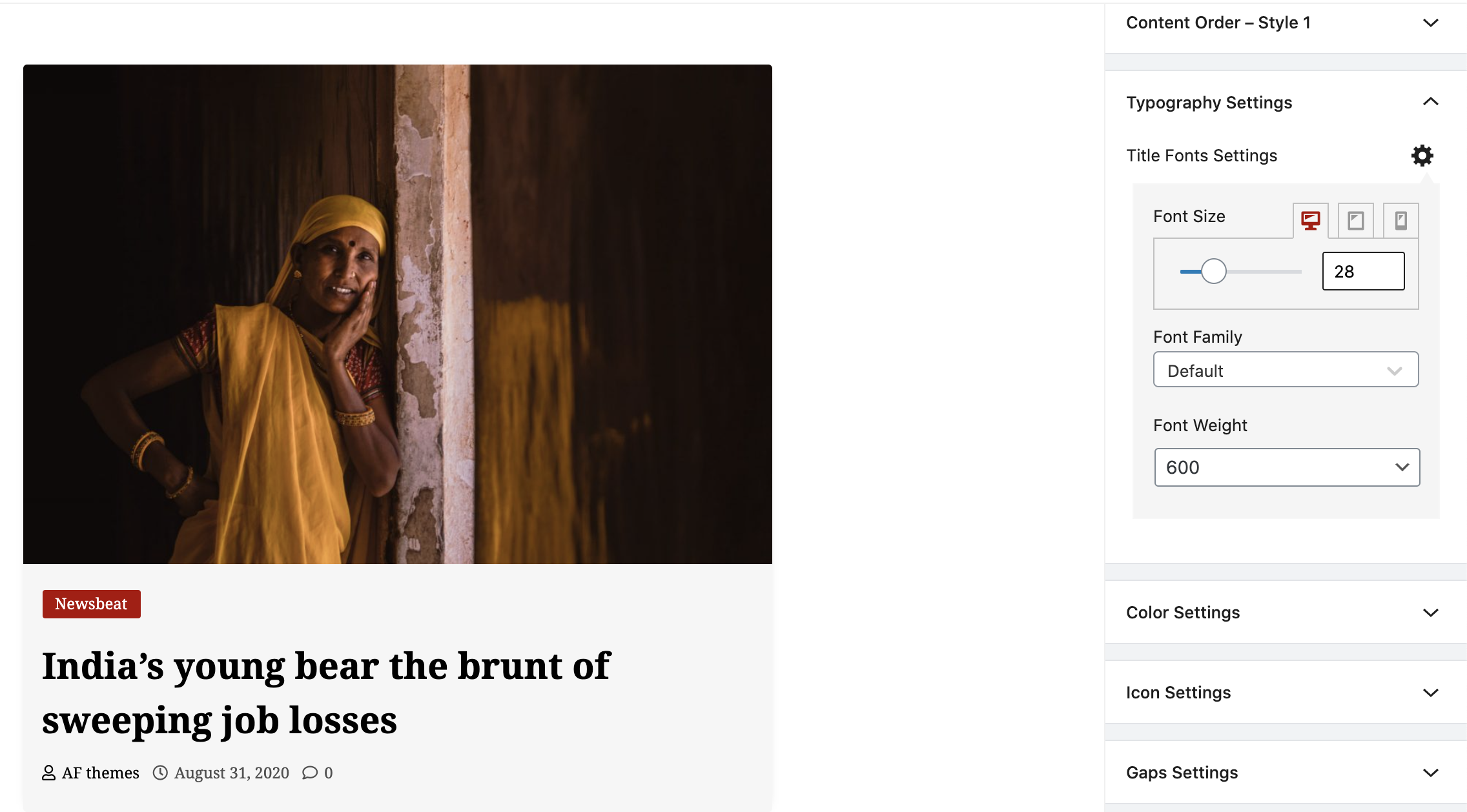
Typography Settings and Controls
Typography Settings lets you to choose the font family, font weight along with font size on 3 different devices sizes like desktop, tab and mobile view.
Options de couleur
With unlimited color options for Title, Spotlight Title, links, General, etc you can set an appearance of your posts box in a desired color schemes.
Icon Settings
Icon Settings options gives you a facility to select desired FontAwesome icons for Author, Date and Comment Count.
Gaps Settings
Whenever you need to give spaces on your posts box contents, Gaps Settings helps you to get intended controls.
Free Version:
Get Basic Controls at your fingertips.
- 5+ posts box layouts
- Basic posts content control options
- Basic Pre-designed content orders
- Multiple posts query controls like category select, order, number of posts, etc.
- Basic category display designs
- Excerpt toggle
- Read more toggle
- Basic Typography and color controls
- 800+ Google fonts family with font weight and subset controls
- Texts sizes controls as per device sizes
- Box gaps and spacing controls
- Basic customizable layouts
Premium Version:
Get All Outstanding Controls at your fingertips.
- 30+ posts box layouts
- 10+ posts content control options
- 6+ Pre-designed content orders
- Multiple posts query controls like category select, order, number of posts, etc.
- Multiple category display designs
- Posts block image size controls
- Excerpt toggle and length options
- Custom Read more link controls
- Typography and color controls
- 800+ Google fonts family with font weight and subset controls
- Texts sizes controls as per device sizes
- Font Awesome 5 Icons for posts box contents
- Box-shadow, borders and border radius
- All Box content gaps and spacing controls
- Highly customizable layouts
Let’s Start Designing Your dream page in Minutes with Latest Posts Block!
Get the outstanding themes from AF themes
__ Check all of our Free themes __
- CoverNews
- ChromeNews
- MoreNews
- Newsphere
- DarkNews
- BroadNews
- EnterNews
- Newsium
- Newsever
- Shopical
- StoreCommerce
- Storeship
- Elegant Magazine
- And More..
__ Check all of our Premium themes__
- CoverNews Pro
- ChromeNews Pro
- MoreNews Pro
- Newsphere Pro
- DarkNews Pro
- BroadNews Pro
- EnterNews Pro
- Newsium Pro
- Newsever Pro
- Shopical Pro
- StoreCommerce Pro
- Storeship Pro
- Elegant Magazine Pro
- And More..
Welcome in for other amazing plugins from AF themes
__ Check all of our Free plugins __
- Compagnon AF
- Templatespare
- Blockspare
- Elespare
- Latest Posts Block Lite
- Magic Content Box Lite
- WP Post Author
__ Check all of our Premium plugins __
Licence
Image License
All images are self drawn image by AF themes and released under same license as plugin
Plugin License
GPLv2 or later
http://www.gnu.org/licenses/gpl-2.0.html
This program is free software; you can redistribute it and/or modify it under
the terms of the [GNU General Public License][] as published by the Free
Software Foundation; either version 2 of the License, or (at your option) any
later version.
This program is distributed in the hope that it will be useful, but WITHOUT ANY
WARRANTY. See the GNU General Public License for more details.
Installation
- Télécharger le plugin
- Upload to your /plugins directory or simply install via WordPress admin interface.
- Activate.
- Go to page/post edit panel
- Click on “+” sign
- Get Latest Posts Block blocks icon option
- You will get beautiful custom blocks on WordPress editor to build your site.
Journal de modifications
1.1.0
- WordPress 6.5 Compatibility Check
1.0.6
- WordPress 6.2 Compatibility Check
1.0.5
- WordPress 6.1.1 Compatibility Check
1.0.4
- WordPress 5.8 Compatibility Check
1.0.3
- WordPress 5.7 Compatibility Check
1.0.2
- Screenshots Updated
Captures d'écran


Pour les développeurs
Est-ce votre plugin ? Montrez les chiffres.
Ajoutez un badge en direct à votre site, docs ou github readme. Il se met à jour par lui-même - aucun compte n'est nécessaire.
Best Latest Posts Block alternatives
Plugins Tous les blocs →





FAQ
Latest Posts Block: quick answers
Réponses directes, extraites des données en direct WordPress.org.
Source : WordPress.org
Is Latest Posts Block free?
Yes. Latest Posts Block is free to download and use from the official WordPress.org plugin directory.
Is Latest Posts Block safe to use in 2026?
Latest Posts Block is a solid plugin choice in 2026, with a few things worth checking first. It runs on 6K+ sites, is rated 4/5 and was last updated 3 weeks ago, and scores 76/100 on our health check.
How many websites use Latest Posts Block?
Latest Posts Block is active on 6K+ WordPress websites and has been downloaded 242,536 times since it launched in September 2020. It was downloaded 5,011 times in the last 30 days.
Does Latest Posts Block work with WordPress 7.1?
Yes. The developer has tested Latest Posts Block up to WordPress 7.1.5, the latest release. It requires WordPress a recent version or newer.
What PHP version does Latest Posts Block need?
Latest Posts Block requires PHP 5.3 or higher. Most hosts run PHP 8.x today, so it works on any modern WordPress hosting.
When was Latest Posts Block last updated?
The latest version, 1.1.4, was released on November 1, 2026 (3 weeks ago).
Who makes Latest Posts Block?
Latest Posts Block is developed and maintained by AF themes.
What are the best alternatives to Latest Posts Block?
The most popular alternatives to Latest Posts Block are Spectra Legacy (1M+ installs), Kadence Blocks (600K+ installs) and Extendify (500K+ installs).
Propulsé par PageForge
Un modèle et une feuille de calcul. Une vraie page pour chaque recherche.
PageForge transforme chaque ligne d'un CSV en une page WordPress avec son propre titre, URL, SEO et schéma, construit sur la mise en page que vous Déjà conçu. Gratuit sur WordPress.org.
- CSV et XLSX, plus Google Sheets sur les professionnels et les entreprises
- Son propre titre, URL, SEO champs et schéma pour chaque page
- Fonctionne avec l'éditeur de blocs, Elementor, Divi et Avada
- Gratuit sur WordPress.org, pas de carte de crédit