


Junocal Booking – Class Schedule for Solo Instructors and Studios
Class booking for yoga, pilates, dance, fitness and music. Shows your Junocal schedule, courses, packs and memberships. Needs a Junocal account.

Choix solide
Junocal Booking is a solid plugin choice in 2026, with a few things worth checking first. Was last updated 4 days ago, and scores 64/100 on our health check.
- Développé activement — Dernière mise à jour il y a 4 jours
- Testé avec le dernier WordPress (7.1)
- Petite base d'utilisateurs (<10 installations actives)
- Très peu de critiques jusqu'à présent
Comment s'accumule-t-il ?
Côte à côte sur les installations, les mises à jour, les évaluations et le support



Téléchargements quotidiens
Les pics de téléchargement suivent généralement une nouvelle version - chaque site qui met à jour automatiquement compte comme un téléchargement.
Classements
Where Junocal Booking stands todayWordPress.org Classements de recherche
Position en direct dans la recherche de plugins, Top 100| Mot-clé | Position |
|---|---|
| class Booking | >100 |
| class schedule | >100 |
| dance | #29 |
| fitness | >100 |
| yoga | #74 |
About Junocal Booking
À partir du Lisezmoi officiel · v1.0.4Description
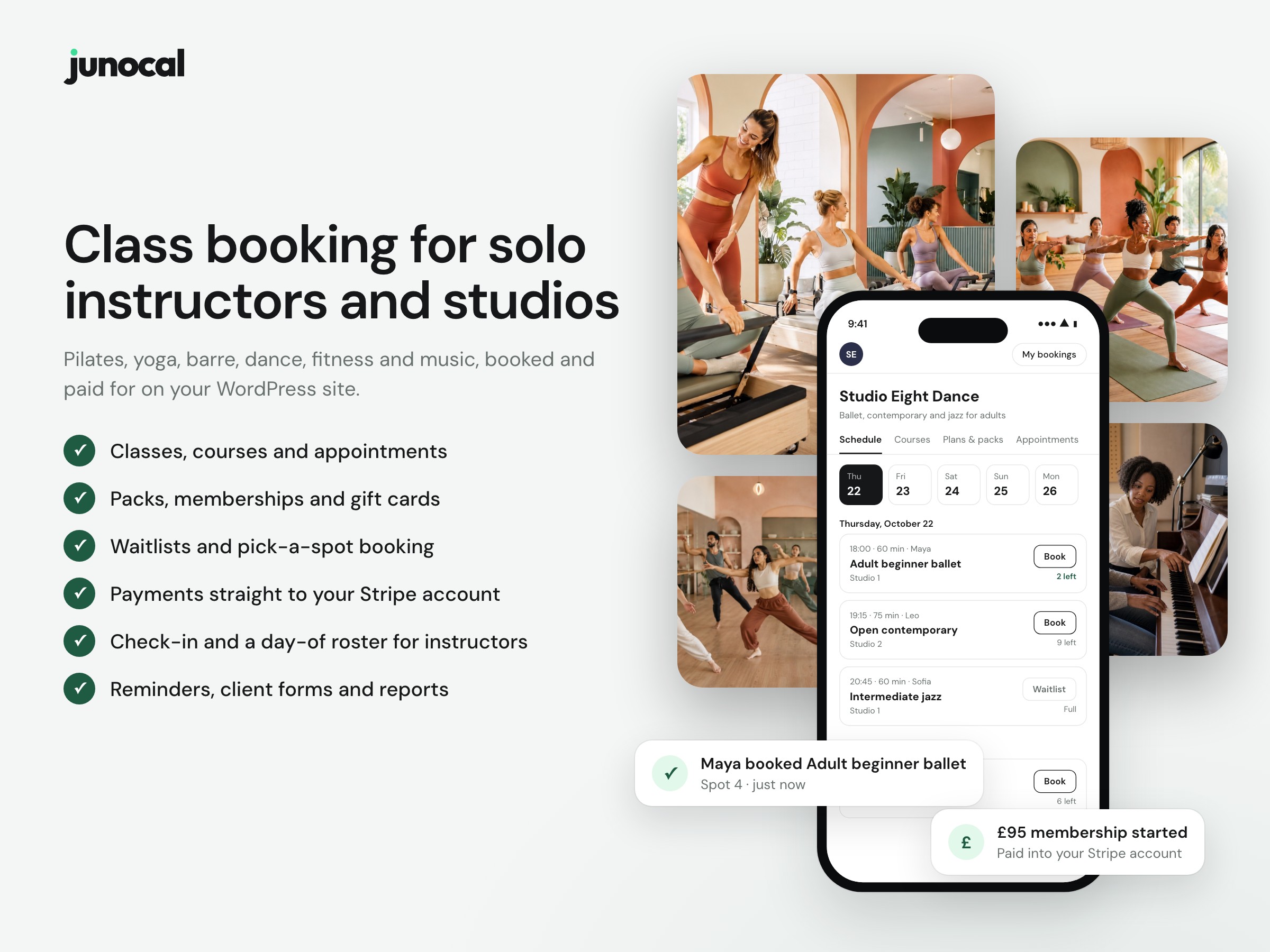
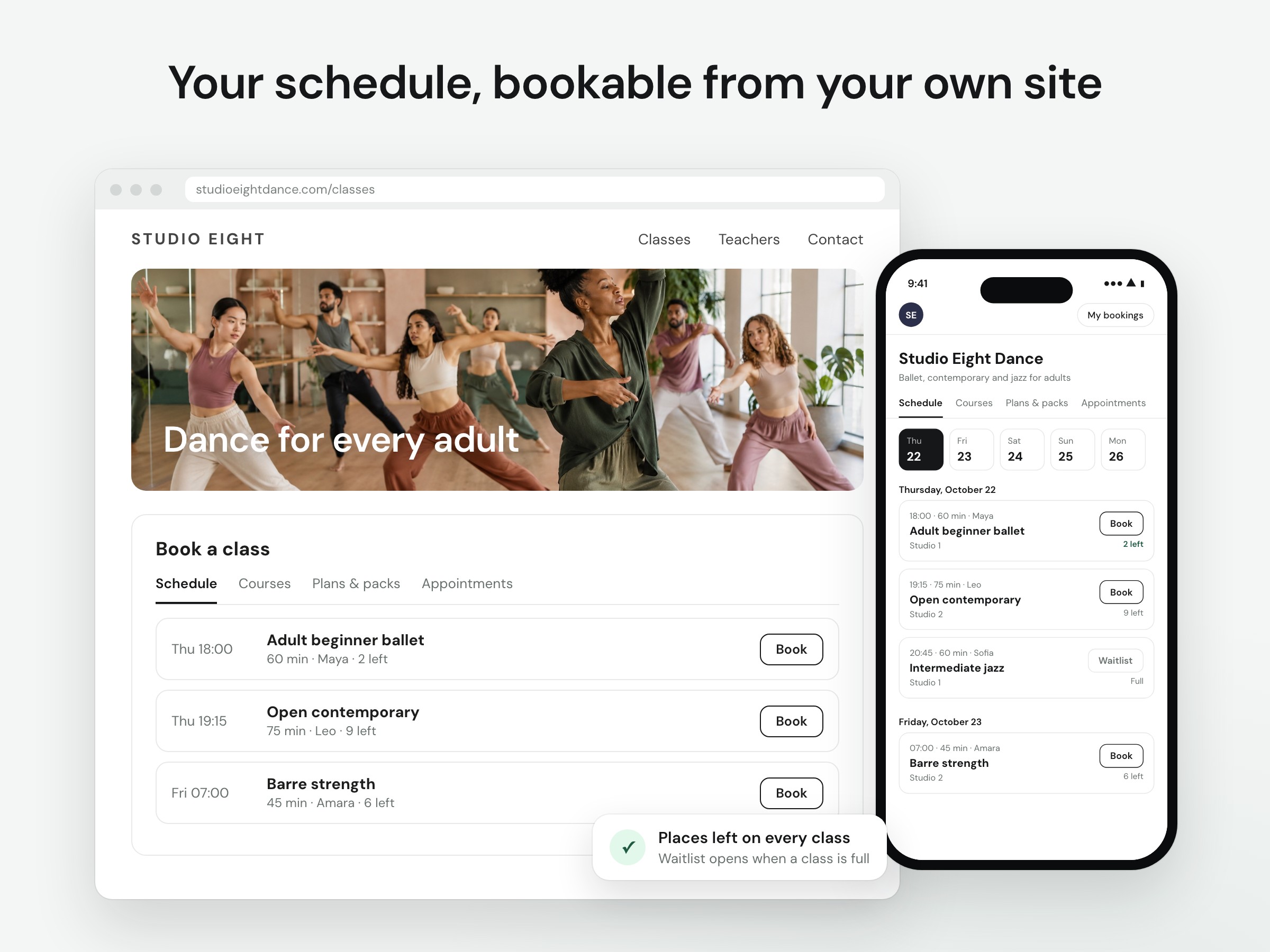
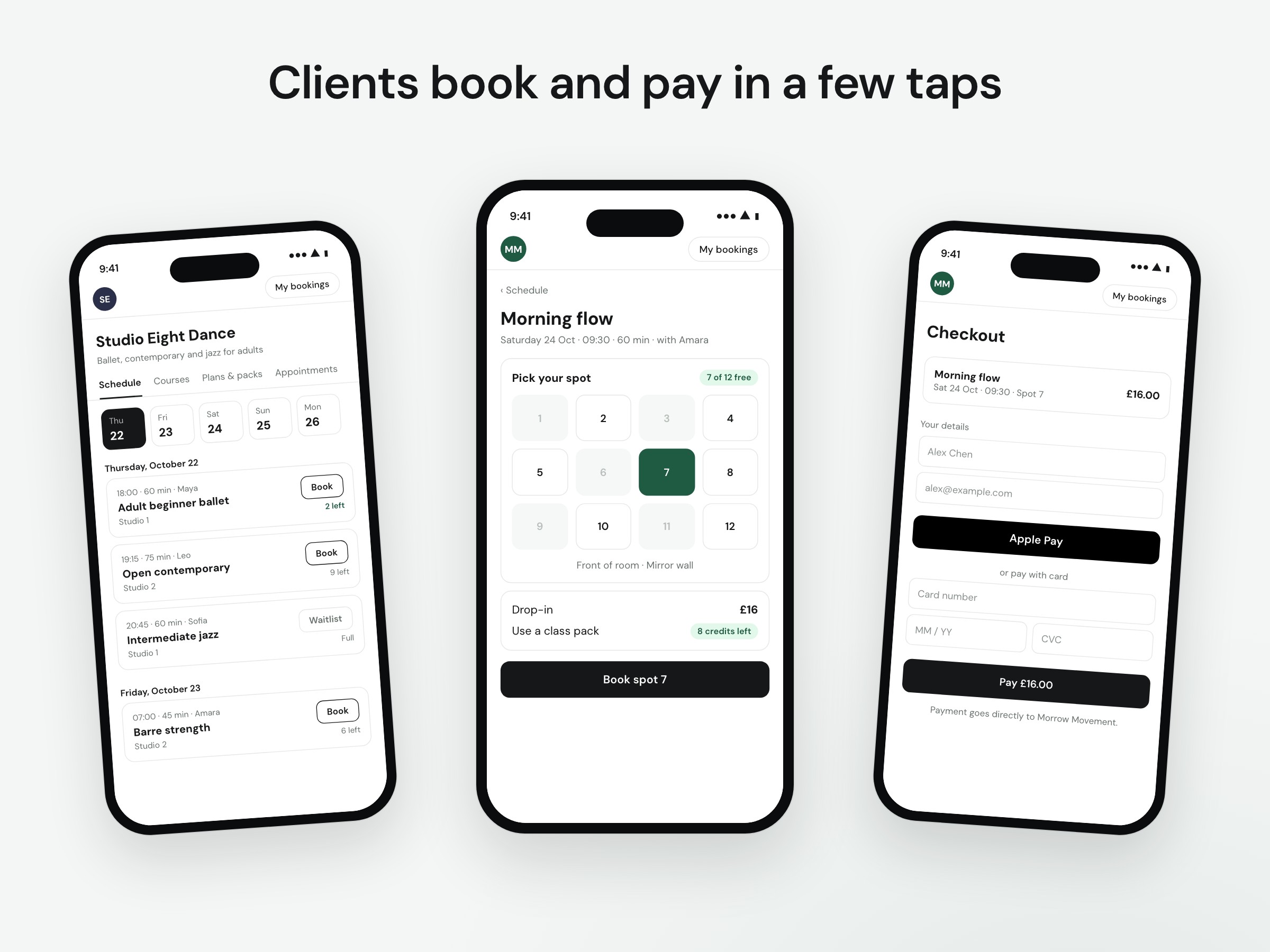
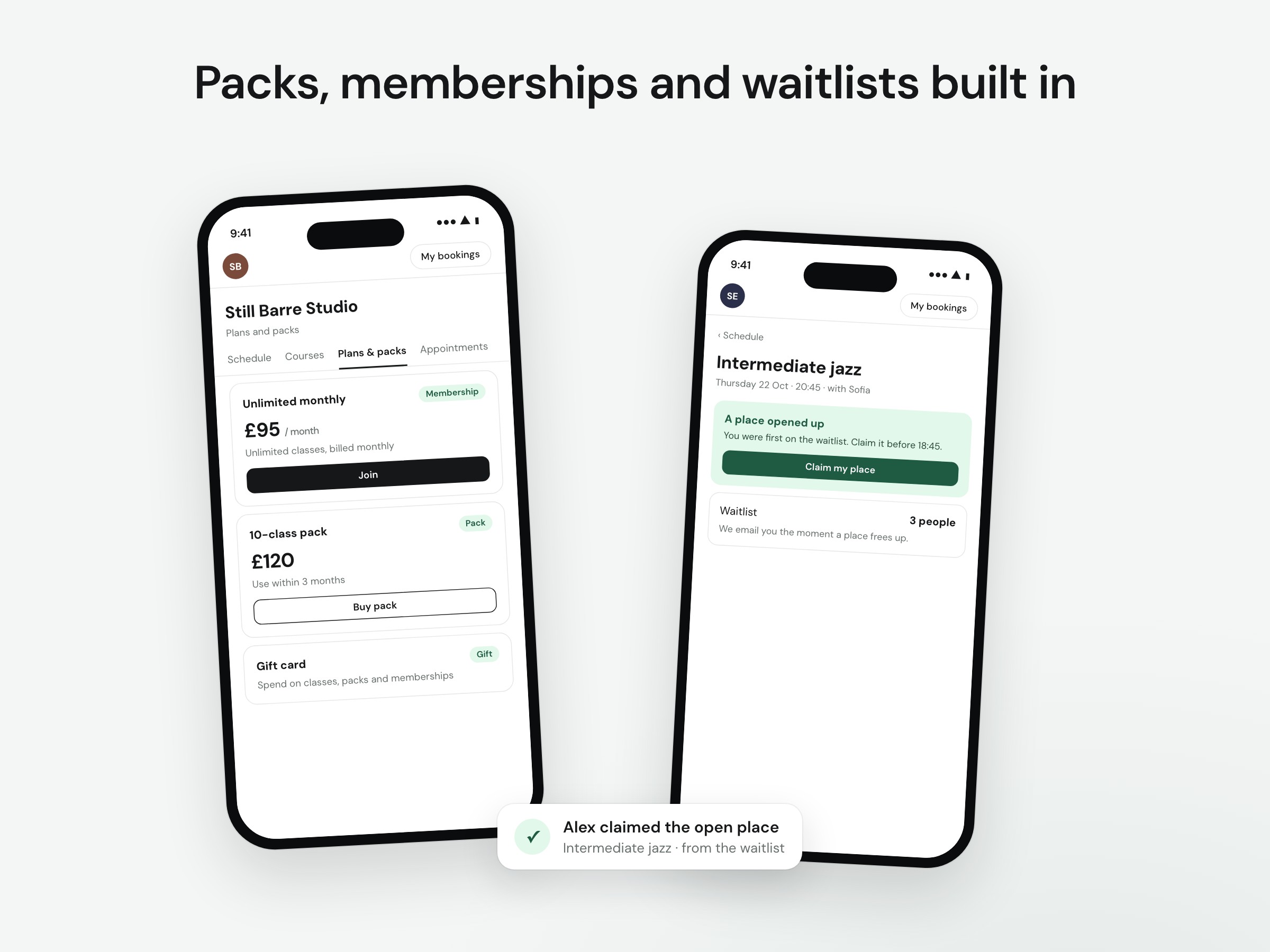
Junocal Booking is a free class booking and scheduling plugin for solo instructors and studios that teach yoga, pilates, barre, dance, fitness, personal training and music lessons. It puts your live class timetable on any WordPress page. Clients book classes, courses and appointments, buy class packs and memberships, and join the waitlist when a class is full. Payments go to your own Stripe account. You need a Junocal account.
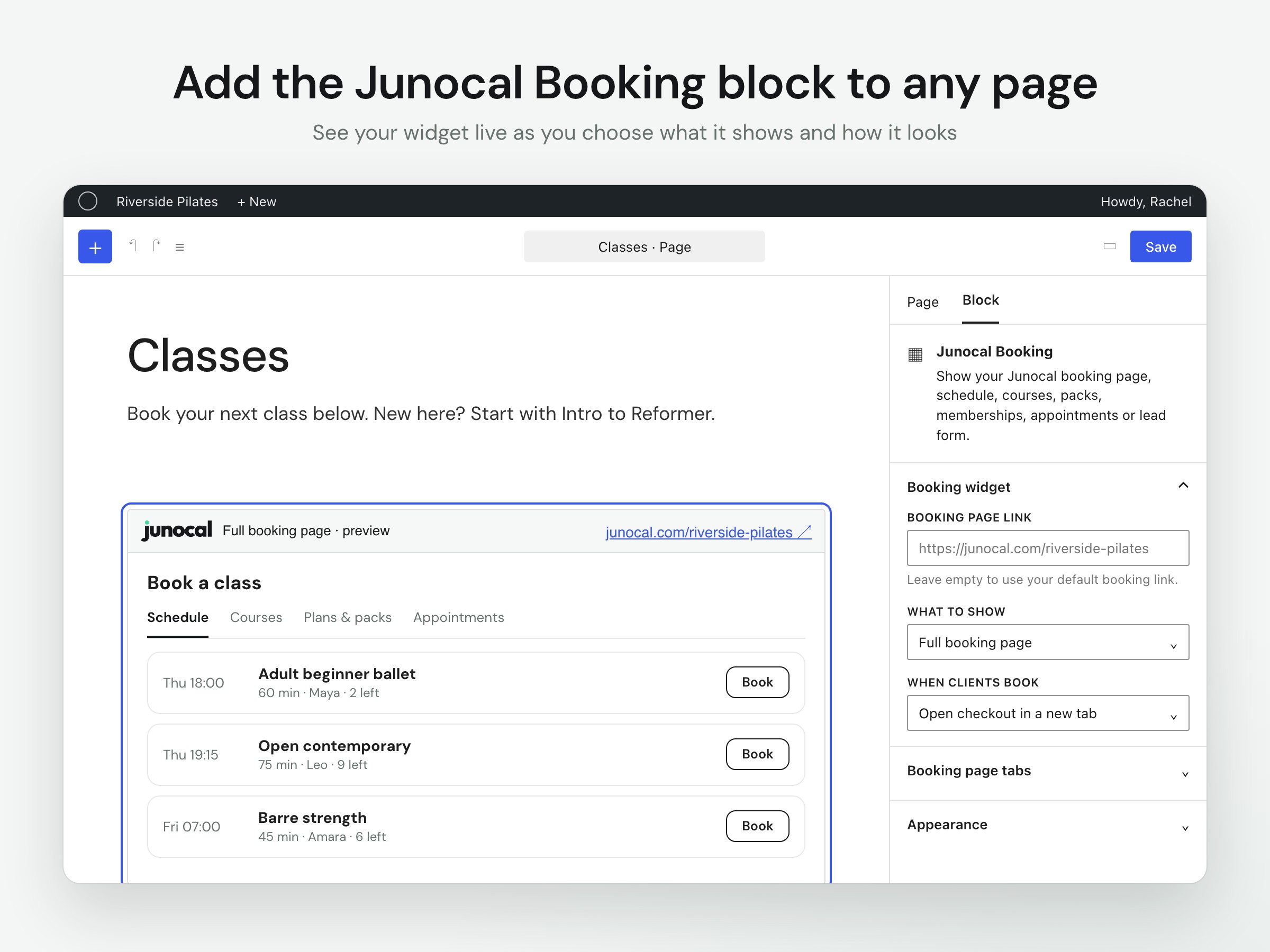
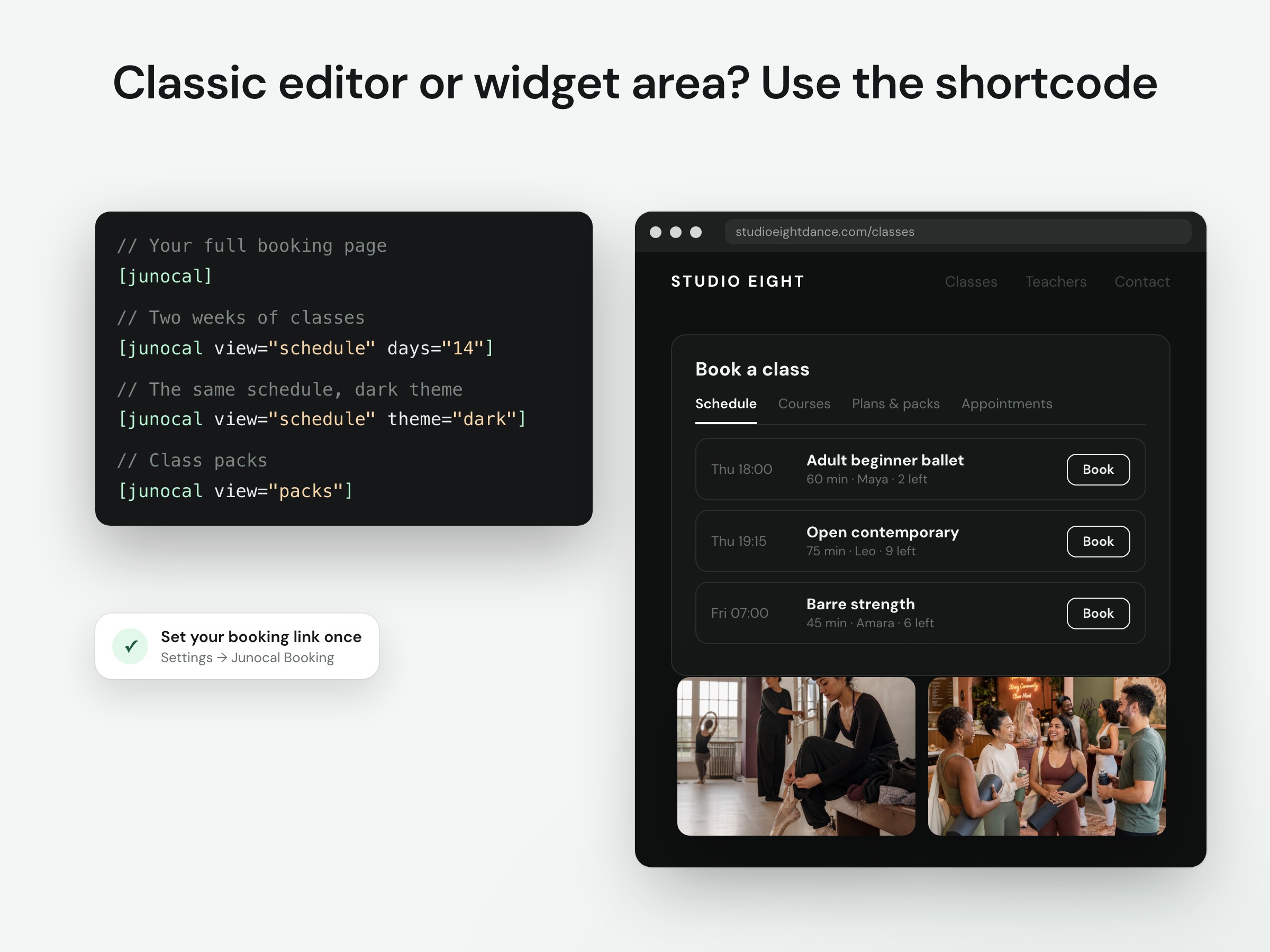
There’s no code to paste. Add the Junocal Booking block, or the [junocal] shortcode in the classic editor, a widget area or Elementor. Clients browse your timetable on your site and book in a few taps. Registration and payment run on your secure Junocal booking page.
Junocal runs the bookings behind the plugin: your timetable, class capacity, credits, renewals, reminders, waivers, check-in and payments. There’s no marketplace, so no commission on your bookings. Bookings and card details aren’t stored in your WordPress database, so there’s nothing extra to back up or secure.
Who it’s for
- Yoga studios: weekly classes, intro offers, class packs, memberships students can pause, and teacher training sold as a course.
- Pilates and barre studios: clients pick their reformer or their spot at the barre, with drop-ins, packs and memberships, plus privates and duets.
- Dance studios and schools: term courses, kids’ classes booked by parents, partner classes where dancers choose Leader or Follower, and adult drop-ins with class packs.
- Fitness studios and gyms: spin, HIIT and strength classes where members pick a bike or station, with intro offers, memberships and waitlists.
- Personal trainers: 1:1 and small-group sessions, session packs and coaching memberships.
- Music teachers and schools: weekly lessons, term enrollment and lesson packs.
It works the same for one instructor with a weekly class and for a studio with several rooms or locations.
What you can show
- Full booking page: everything you offer, with a shared cart. Its Shop tab sells gift cards and recorded classes.
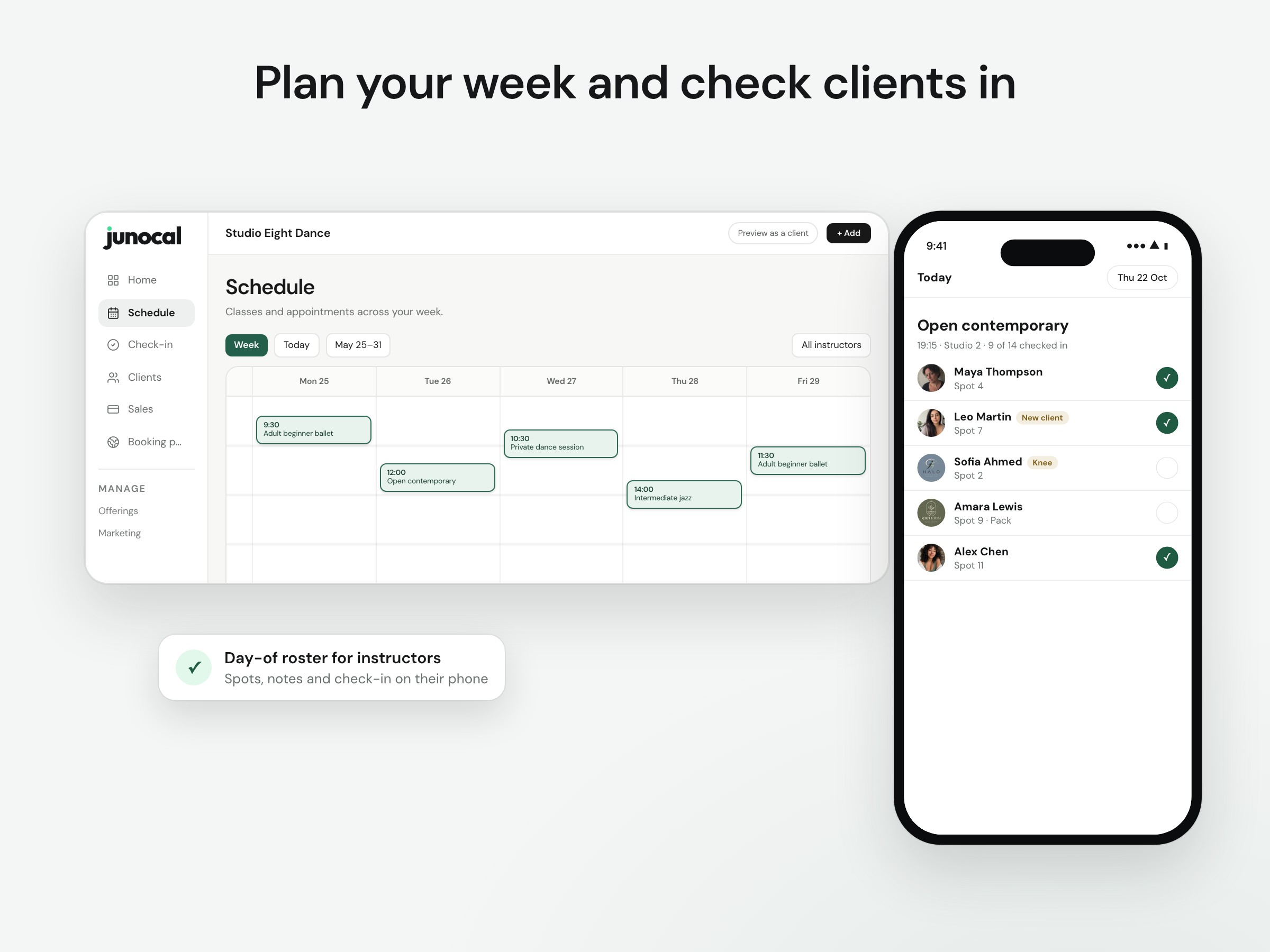
- Class schedule: a timetable of upcoming classes, 1 to 30 days ahead, with live booking and waitlists.
- Courses: courses and programs open for enrollment.
- Class packs and memberships, with prices and purchase buttons.
- Appointments: your services and available times, for one-to-one sessions such as personal training or music lessons.
- Lead form: enquiries go straight to Leads in Junocal.
Comment cela fonctionne
- Add your booking link under Settings → Junocal Booking.
- Add the Junocal Booking block to a page and choose what to show. The editor shows a live preview of your widget as you change its settings. In the classic editor or a widget area, use the
[junocal]shortcode. - Match it to your site under Appearance: button colour, background, corners, font, list or cards, and whether your studio name shows. Anything left on Default follows your Junocal booking page theme. For the full booking page, you can choose its tabs and which one opens first.
The widget follows your Junocal settings, so prices, availability, booking rules and branding stay in one place. Each widget also includes a plain booking link that search engines can read and that works without JavaScript.
You can show an “Online booking by Junocal” credit link under the widget. It is off until you turn it on.
You need a Junocal account. Try Studio free for 14 days.
Services externes
This plugin shows a booking widget provided by Junocal, so it connects to Junocal. Nothing is sent from your WordPress server. Requests come from your visitors’ browsers, and only on pages that show the Junocal Booking block or the [junocal] shortcode with a booking link set.
Junocal (junocal.com) shows your schedule, offerings and booking forms.
- In the block editor, the block shows a live preview of your widget, so the editor’s browser loads your booking page from junocal.com in a frame. Junocal receives that browser’s IP address and browser details.
- When a page with a widget loads, the visitor’s browser loads the widget script from
https://junocal.com/widget.jsand your booking page from junocal.com in a frame. Junocal receives the visitor’s IP address, browser details and the page address, as far as the browser’s referrer policy allows. For the lead form, it also receives anyutm_source,utm_mediumandutm_campaignvalues in the page address. The widget’s markup also tells Junocal that it was added by this WordPress plugin. - When a visitor books, buys or sends an enquiry, Junocal receives what they enter, such as their name, email address and booking details, to handle it for you.
- So a visitor can return to an unfinished payment, the widget keeps a short-lived order reference in that browser tab’s session storage.
- Junocal terms of service and privacy policy.
Stripe processes payments on your own Stripe account. When a visitor pays, Junocal shows Stripe’s payment form, loaded from js.stripe.com, on junocal.com or on your page, depending on your Junocal settings. Card details go directly to Stripe.
Installation
- Install and activate the plugin from Plugins → Add New.
- Go to Settings → Junocal Booking and paste the link to your Junocal booking page, for example
https://junocal.com/your-page. - Edit a page, add the Junocal Booking block and publish.
Shortcode
[junocal] shows your full booking page. Options:
studio: a booking link, when a widget shows a different Junocal booking page from the default.view: booking, schedule, courses, packs, memberships, appointments or enquiry (the lead form).days: for the schedule, how many days to show, from 1 to 30. The default is 7.theme: light or dark.navigation: new-tab (the default) opens checkout in a new tab. same-tab continues in the same tab.header: hide (the default) or show, to show your studio name above the widget.layoutanddensity: for a single section, list or cards, and comfortable or compact.radius: square or round corners.font: serif. Leave them out to follow your booking page theme, or soft corners and a sans serif font without one.accentandbackground: a button colour and a background colour as hex, such as#1F5A43. The background can also betransparent. Leave them out to follow your booking page theme or studio colours.sections,startandcatalog: for the full booking page, which tabs to show in order (schedule, appointments, courses, pricing, store, about), which one opens first, andcatalog="unified"to show classes and courses together.
Examples: [junocal view="schedule" days="14" theme="dark"] and [junocal view="packs" layout="cards" accent="#1F5A43"]
Journal de modifications
A small settings page update. Existing widgets look the same.
1.0.4
- Settings → Junocal Booking has a link to leave a review of the plugin on WordPress.org.
1.0.3
- Appearance settings left on Default now say so: they follow your Junocal booking page theme, if you’ve chosen one.
- The plugin’s name in your Plugins list matches its directory name.
1.0.2
- The block shows a live preview of your widget in the editor, updating as you change its settings.
- New Appearance settings: button colour, background, corners, font style, list or cards, spacing and showing your studio name. The shortcode takes the same options.
- For the full booking page, choose which tabs show, in what order, and which one opens first.
- Separate inserter entries for the schedule, courses, class packs, memberships, appointments and lead form.
- The credit line sits centred under the widget, and its link and the fallback booking link open in a new tab when checkout does.
- Links from the plugin and this page back to Junocal now say where they came from, so Junocal can see sign-ups from WordPress.
1.0.1
- The block editor shows Junocal’s new logo.
1.0.0
- First release: the Junocal Booking block, the
[junocal]shortcode and the settings page.
Captures d'écran

Pour les développeurs
Est-ce votre plugin ? Montrez les chiffres.
Ajoutez un badge en direct à votre site, docs ou github readme. Il se met à jour par lui-même - aucun compte n'est nécessaire.
Best Junocal Booking alternatives
All class Booking plugins →
FAQ
Junocal Booking: quick answers
Réponses directes, extraites des données en direct WordPress.org.
Source : WordPress.org
Is Junocal Booking free?
Yes. Junocal Booking is free to download and use from the official WordPress.org plugin directory.
Is Junocal Booking safe to use in 2026?
Junocal Booking is a solid plugin choice in 2026, with a few things worth checking first. Was last updated 4 days ago, and scores 64/100 on our health check.
How many websites use Junocal Booking?
Junocal Booking is active on <10 WordPress websites and has been downloaded 369 times since it launched in October 2026. It was downloaded 201 times in the last 30 days.
Does Junocal Booking work with WordPress 7.1?
Yes. The developer has tested Junocal Booking up to WordPress 7.1.5, the latest release. It requires WordPress 6.3 or newer.
What PHP version does Junocal Booking need?
Junocal Booking requires PHP 7.4 or higher. Most hosts run PHP 8.x today, so it works on any modern WordPress hosting.
When was Junocal Booking last updated?
The latest version, 1.0.4, was released on November 26, 2026 (4 days ago).
Who makes Junocal Booking?
Junocal Booking is developed and maintained by Junocal Team.
What are the best alternatives to Junocal Booking?
The most popular alternatives to Junocal Booking are Gym Class Pass Manager (70+ installs), Free Booking System (10+ installs) and Gather Grove Booking (<10 installs).
Propulsé par PageForge
Un modèle et une feuille de calcul. Une vraie page pour chaque recherche.
PageForge transforme chaque ligne d'un CSV en une page WordPress avec son propre titre, URL, SEO et schéma, construit sur la mise en page que vous Déjà conçu. Gratuit sur WordPress.org.
- CSV et XLSX, plus Google Sheets sur les professionnels et les entreprises
- Son propre titre, URL, SEO champs et schéma pour chaque page
- Fonctionne avec l'éditeur de blocs, Elementor, Divi et Avada
- Gratuit sur WordPress.org, pas de carte de crédit