


Jetpack VaultPress Backup
Save each change and get back online fast with one-click restores. The most proven WordPress backup plugin with over 270 million backups.

Choix solide
Jetpack VaultPress Backup is a solid plugin choice in 2026, with a few things worth checking first. It runs on 20K+ sites, is rated 4.5/5 and was last updated 4 weeks ago, and scores 77/100 on our health check.
- Prouvé à grande échelle sur plus de 20 000 sites actifs
- Aimé par les utilisateurs — 4,5/5 sur 35 avis
- Développé activement — Dernière mise à jour il y a 4 semaines
- Testé avec le dernier WordPress (7.1)
- Momentum — downloads up 230.9% vs the previous 30 days
Comment s'accumule-t-il ?
Côte à côte sur les installations, les mises à jour, les évaluations et le support



Téléchargements quotidiens
Les pics de téléchargement suivent généralement une nouvelle version - chaque site qui met à jour automatiquement compte comme un téléchargement.
Classements
Where Jetpack VaultPress Backup stands todayWordPress.org Classements de recherche
Position en direct dans la recherche de plugins, Top 100| Mot-clé | Position |
|---|---|
| sauvegarder | #17 |
| jetpack | #7 |
| restore | #37 |
Adoption de version
Part de sites actifs par version.
Répartition des notes
★★★★★ ★★★★★ 4,5 sur 35 avis
About Jetpack VaultPress Backup
From the official readme · v4.0Description
Jetpack VaultPress Backup is a plugin that gives you cloud-based backups and one-click restores without needing to install the full Jetpack plugin. The most proven WordPress backup plugin with over 270 million backups. Save each change and get back online fast with one-click restores.
Note: To use this plugin you will need to have a paid Jetpack plan that includes Backup.
Restoring your site has never been easier
If you make money from your site, or spend hours perfecting content, you need WordPress backups. Protect your investment by getting your site back online in seconds. Our automated WordPress backup plugin is powerful enough for pros, but easy enough for beginners.
- Easy-to-use plugin with one-click restores
- Restore from anywhere with the Jetpack mobile app
- Restore even if your site is offline
- No developer required
- Best-in-class support
If your host’s servers go down, you’re covered
Host backups offer some protection but may not be sufficient to fully safeguard your valuable data. They often have limitations, such as single daily backups only, on-site storage, and clunky interfaces.
Unlock the VaultPress Backup advantage:
- Unmatched Security: Safeguard every change in real-time in the ultra-secure Jetpack Cloud.
- Instant Recovery: Restore your site even when your host is down.
- Backups built specifically for WordPress and WooCommerce sites.
Reliability you can trust
Jetpack VaultPress Backup is built on WordPress.com’s world‑class infrastructure, so you can be sure your site is safe and can be recovered at any moment. Host backups are often time‑consuming and require technical expertise to restore. You’ve got more important things to do.
- Backups of all files including WordPress database backups, theme file backups and plugin backups
- Backups of all WooCommerce customer and order data
- Redundant copies made on multiple servers
- Off-site / cloud backups so there’s no load on your server
- Global server infrastructure
- Tested to ensure no conflicts with major plugins or hosts
Backups built for WooCommerce
Backups are essential for eCommerce stores. New orders come in at any moment, so you need a plan to keep your order and customer data safe. That’s why we designed the Jetpack VaultPress Backup plugin specifically with WooCommerce in mind.
- Restore your site to any past state while keeping all orders and products current
- Protect your customer data and stay GDPR compliant
- Custom WooCommerce table backups
A must‑have for WordPress site builders
Save hours of time developing and maintaining sites by restoring to any point. Just one change pays for itself. Real‑time backups go beyond a snapshot to give you total power and flexibility. The activity log lets you know exactly what action (and who) broke the site, so you can look like a pro for your clients.
- Full, incremental, and differential backups in real-time
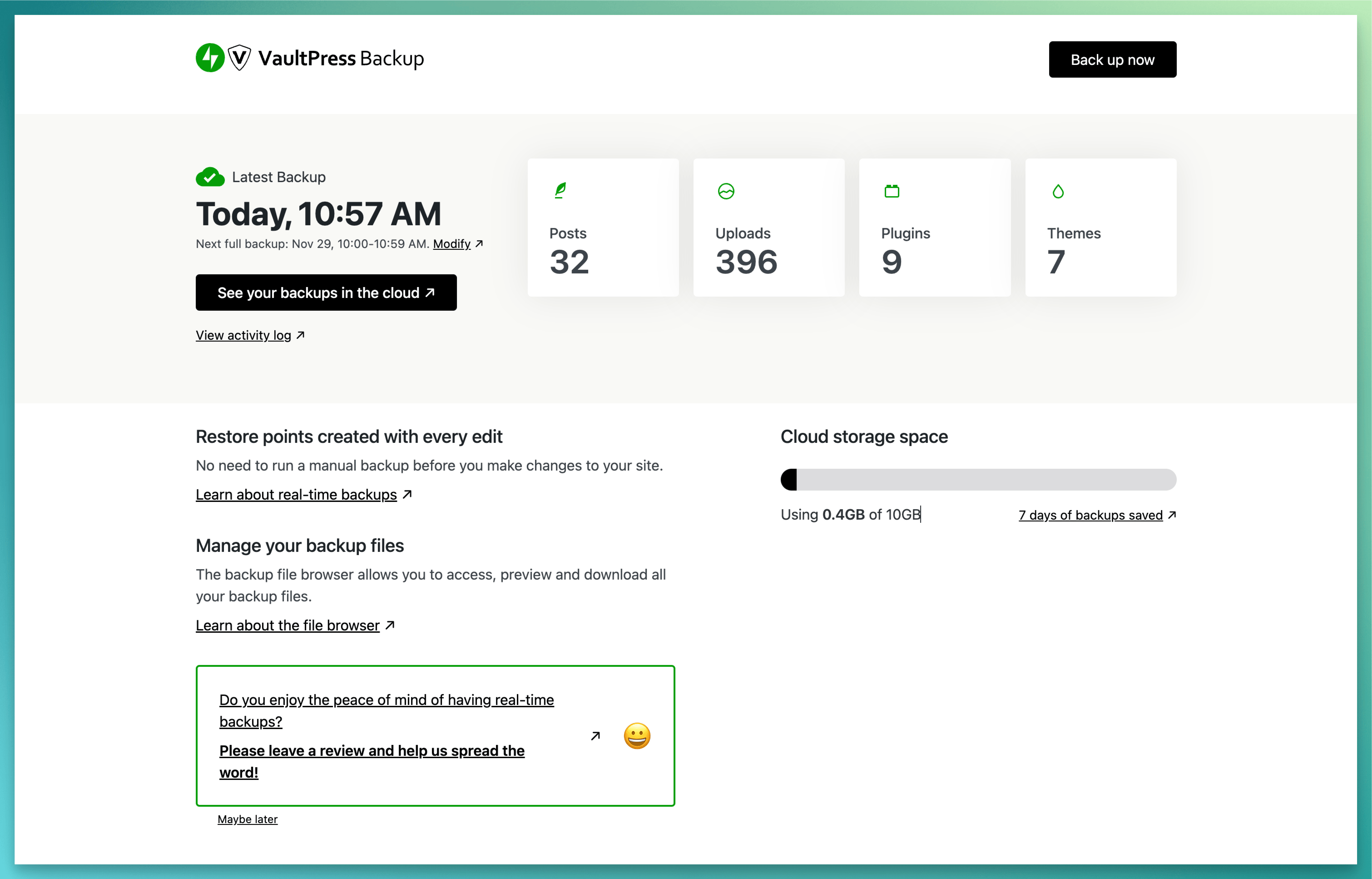
- Start a backup anytime with the Back up now button
- Complete list of all site changes
- Quickly restore from any point
- Be empowered to experiment with the look and feel of your site
Expert Support
We have a global team of Happiness Engineers ready to provide incredible support. Ask your questions in the support forum or contact us directly.
Get Started
Installation is free, quick, and easy. It only takes a few minutes to install Jetpack VaultPress Backup.
Note: To use this plugin you will need to have a paid Jetpack plan that includes Backup.
Installation
Automated installation
The first option is to install Jetpack VaultPress Backup from within your WP Admin.
- To begin, click on the Plugins link in the left hand sidebar, then click Add New.
- Search for Jetpack VaultPress Backup. The latest version will be in the search results. Click the Install Now button:
- Next, click the Activate button. After activating, you will be prompted to set up Jetpack VaultPress Backup.
Manual Alternatives
Alternatively, install Jetpack VaultPress Backup via the plugin directory, or upload the files manually to your server and follow the on-screen instructions.
Detailed instructions on installing Jetpack VaultPress Backup can be found in our Getting Started with the Jetpack VaultPress Backup Plugin article.
Journal de modifications
4.0 – 2026-11-04
Ajoutée
- Activity Log: Link backups to that backup in the Backup dashboard, which now opens any backup from a link, not only those on the activity page it shows. Backups that finished with warnings can now be opened and restored there too.
- Connection: Add a Connected view to the Users page listing users with a linked WordPress.com account.
- Connection: Show connection errors on the Connectors card, and keep showing the connection owner when their account connection breaks.
- Connection: Surface SSL certificate verification failures reported by WordPress.com as a connection error notice.
- Connection: Transfer connection ownership to another administrator without leaving your site.
- Connection: Transfer connection ownership to another connected administrator from the Connectors page.
- My Jetpack: Add an Available filter to the Features list.
- My Jetpack: Add catalog-controlled Pro offers and preserve existing plan management.
- My Jetpack: Allow the Automattic for Agencies banner to be dismissed.
- My Jetpack: Recognize Jetpack Pro subscriptions and licenses.
- On sites hosted on WordPress.com, warn before restoring a backup with known security threats, and mark such backups in the backup list and the Activity Log. “Restore backup” in the Activity Log now opens the restore screen in wp-admin.
Modifié
- Journal d'activité : affichez l'avis d'erreur de connexion uniquement lorsqu'une erreur de connexion a été enregistrée.
- Boost: Wait up to four minutes for slow speed tests in My Jetpack instead of timing out after two.
- Charts: follow the WordPress admin color scheme for chart series colors.
- Charts: update chart grid, axis and label colors immediately when the theme changes.
- Connection: Ask for confirmation before disconnecting your user account, and offer to transfer ownership first when you own the connection.
- Connection: Link the connection owner’s name on the Connectors card to their profile, and update the card without reloading the page when a non-owner disconnects their account.
- Connection: Show a clear message when connecting the site to WordPress.com from the Connectors card fails, instead of WordPress.com’s raw error text.
- Connection: Show every connection error in one notice, each with the account it affects, and link to Site Health when a firewall is blocking WordPress.com.
- Connection: Use one wording across My Jetpack and the Connectors screen for the consent notice shown before connecting, for Offline Mode, and for the ownership lock.
- Connection: When disconnecting the site from the Connectors card, list the plugins that will stop working and link to help.
- General: Update minimum WordPress version to 7.0.
- Link the failed download screen to a guide on how to fix it.
- My Jetpack: answer module switch clicks immediately, and explain what happened when a change fails.
- My Jetpack: Connect a WordPress.com account from feature cards that need one. Show feature states through switches or buttons instead of redundant Active or Inactive badges, and show host restrictions below descriptions. Leave features out of Available when their only action is an install you cannot make.
- My Jetpack: Keep focus on pricing tooltip icons when they open, announce their content to screen readers, and show a focus ring after clicking them.
- My Jetpack: Leave the recommendation to install or activate plugins included in a bundle plan out of the Jetpack menu notification badge.
- My Jetpack: Line up notices with the cards below them, and drop the grey background behind the Features grid and list buttons.
- My Jetpack: On the Features tab, keep a plugin’s switch busy until its card is up to date after a failed change, or after any change on sites that also run Jetpack.
- My Jetpack: Open supported Modules links in Features when Jetpack is active.
- My Jetpack: Open the Jetpack Connection details on the Connectors screen from the header’s Manage connection link.
- My Jetpack: Refresh Pro availability while preserving existing offers.
- My Jetpack: Restyle dashboard notices to match the WordPress design system.
- My Jetpack: Show a connection error on the Overview connection card while your account is still to be connected, instead of only asking you to connect it.
- My Jetpack: Show a Features tab in place of the Products tab.
- My Jetpack: Show Backup’s state from the site’s plan on its Features card instead of a switch, offering an upgrade, or a renewal for an expired plan.
- My Jetpack: Show product cards flat, without a drop shadow.
- My Jetpack: Show the avatar and connection status control in the header by default, with access to connection and plan details.
- My Jetpack: Show the dashboard in the new rounded admin page frame.
- My Jetpack: Show the Features page on sites in Offline Mode, without connecting to WordPress.com.
- My Jetpack: Show the Jetpack menu notification badge when a connection error is detected.
- My Jetpack: Show what Paid Stats actually adds — UTM tracking, device stats, and region & city locations — instead of commercial use.
- My Jetpack: Turn a module on once Install Jetpack or Activate Jetpack on its card finishes setup.
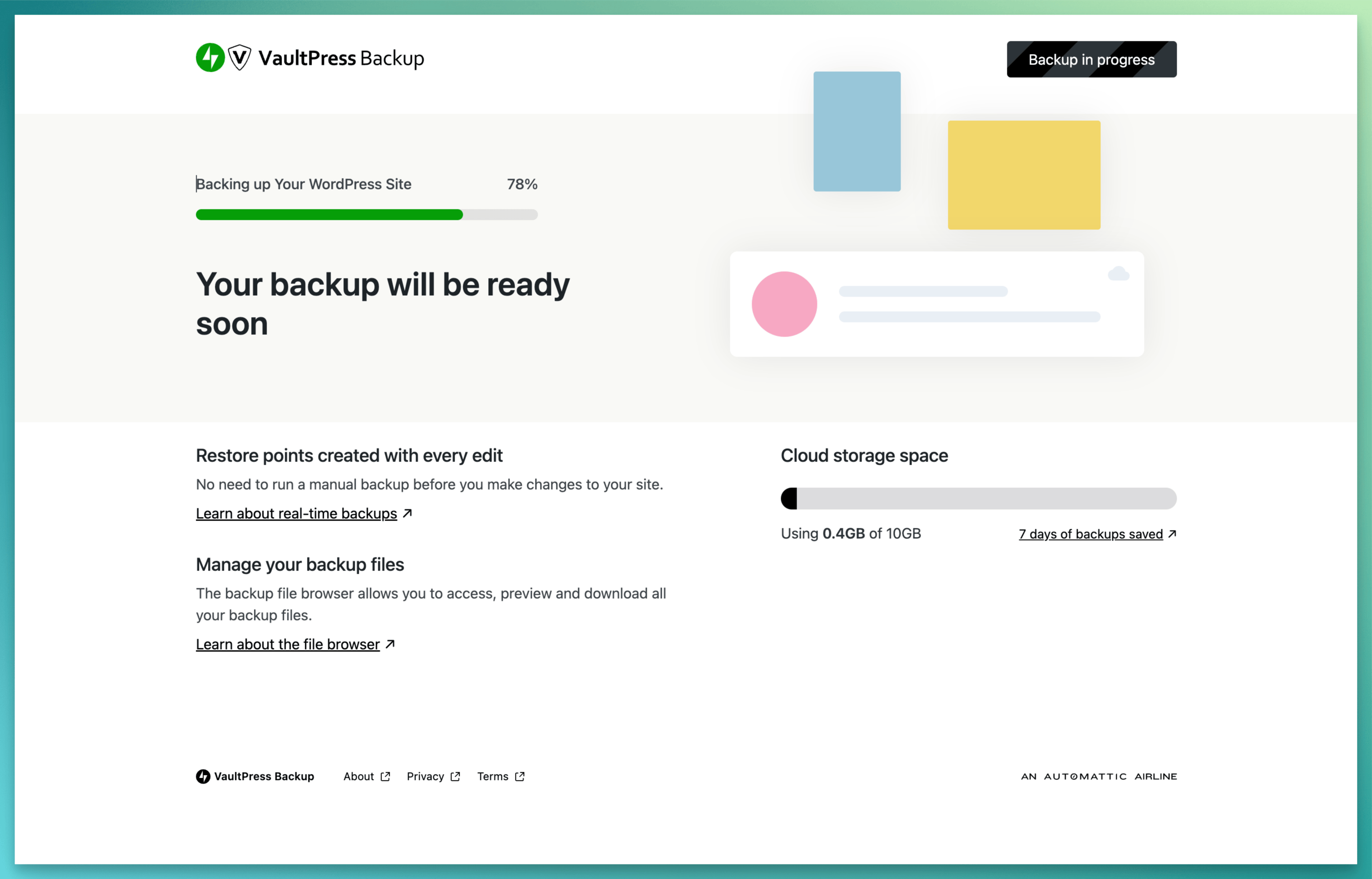
- Replace the dashboard with a redesigned one, where you can browse each backup’s files, restore or download a backup, and change when backups run and how long they are kept.
- Review request: Ask about backups instead of real-time backups, which was inaccurate on daily plans.
- Sidebar: sort Jetpack menu items alphabetically, pinning My Jetpack to the top and external links and Settings to the bottom.
- Testé jusqu'à WordPress 7.1.
- Mettre à jour les dépendances du package.
- Use the design system progress bar for the backup, restore, download and storage meters.
Supprimé
- Mise à jour des exigences de la version PHP vers PHP 7.4 ou plus récent.
Fixé
- Activity Log: Fix the page overlapping the admin menu in right-to-left languages.
- Activity Log: honor the module setting, so the page can be turned off.
- Journal d'activité : affichez un sélecteur de date vide sur le plan gratuit, au lieu d'une plage de dates, il ne s'applique pas.
- Activity Log: Stop the frame from flashing while loading and when switching admin pages.
- Admin dashboards: Keep the page header and content in view when the wp-admin menu is taller than the window.
- Cache the promoted Backup subscription price so the screen shown to sites without a plan stops fetching it from WordPress.com on every load.
- Charts: draw labels at the design system’s font weight and size.
- Connection: Explain why connecting the site failed instead of showing a raw or generic error.
- Connection: Fix a stale connection error notice that could persist on healthy sites.
- Connection: Fix reconnecting your WordPress.com account so it no longer disconnects other users and clears the broken-connection notice on the first attempt.
- Connection: Hide connection error notices from users who cannot fix the connection.
- Connection: Let users without admin access reconnect their own broken account from the connection error notice.
- Connection: Report a broken connection on My Jetpack’s connection card instead of claiming everything looks good, and show a break only the connection owner can repair as a warning, not an error, to everyone else.
- Connection: Show connection owner names containing characters like & correctly.
- Connection: Stop showing a duplicate account notice when your WordPress.com email differs from your site email only in letter case.
- Connection: Stop Site Health from showing spurious connection failures — remove the redundant outbound HTTP/HTTPS checks, and no longer prompt a reconnect when the WordPress.com connection test is inconclusive.
- Connexion : empêche les utilisateurs qui ne peuvent pas configurer la connexion de site à devenir le propriétaire de la connexion lorsque la connexion du propriétaire est manquante.
- Connection: Translate the Connectors card’s text on sites that don’t use English.
- Connection: Update wording for some connection error notices.
- Dashboard: Continue the wp-admin menu color behind the page frame on WordPress.com and third-party admin color schemes.
- Fix the backup overview ability reporting no storage usage, storage limit or backup time.
- Footer: Hide Products and Help links when My Jetpack is unavailable.
- JITM: Fix missing messages and a console error on sites without the Jetpack plugin active.
- Keep admin icons colored after the @wordpress/icons 16 update, which draws them as strokes.
- My Jetpack: always label the license activation link ‘Activate a license’. It previously read ‘Activate a new license’ on sites with a plan, even when no licenses had been activated.
- My Jetpack: Bring the first Features results into view after changing the filter or search while scrolled down.
- My Jetpack: Fix the layout of the connection screen for right-to-left languages.
- My Jetpack: Hide other plugins’ notices while the setup screen is open, and stop the full-screen layout breaking when another plugin adds an admin body class first.
- My Jetpack: Keep the Automattic for Agencies banner hidden after dismissing it and switching tabs.
- My Jetpack: Keep the Help tab’s cards inside their column on narrow screens.
- My Jetpack: keep the stats chart tooltip under sticky and fixed page elements.
- My Jetpack: Make the connection screen’s Connect button and footer links reachable on shorter screens.
- My Jetpack: Open pricing tooltips with the keyboard and dismiss them with Escape.
- My Jetpack: Point users who cannot connect the site at an administrator, instead of an onboarding screen they cannot complete.
- My Jetpack: Return to the tab you came from with the back link on product upgrade screens.
- My Jetpack: Show each notice once instead of twice.
- My Jetpack: Show the correct product status and use the active plugin copy when turning products on or off with both stable and Beta or development copies installed.
- My Jetpack: Show the highest-priority notice first when several are set at once.
- My Jetpack: Show the right product status as soon as fresher plan data is available, instead of reusing an earlier lookup.
- My Jetpack: Stop offering retired Security and Growth plans while preserving existing subscriptions.
- My Jetpack: Stop repeating the partner lookup request on every page load.
- My Jetpack: Stop reporting an error when switching VideoPress off while the Jetpack plugin is inactive.
- My Jetpack: Stop showing $0.00 for paid plans on recommendation cards when prices cannot be loaded.
- My Jetpack: Stop showing an empty account avatar on the Overview connection card on sites without a connection owner when nothing in use needs a user connection.
- My Jetpack: Stop the Stats dashboard from asking which plan you want again after Start for Free was already chosen.
- My Jetpack: stretch the tab content background to the full height of the page.
- Report a WordPress.com failure on the Backup plan check as an error instead of as a missing plan.
- Show a failure message when your backup status cannot be read, rather than the screen that says your first backup is on its way, and let the “Back up now” button recover when a backup could not be queued.
- Show a finished backup in the list without a page reload, even when WordPress.com is slow to list it, and add a “Backup complete” notice that stays until it is dismissed.
- Show storage usage and the plan limit the right way round when the interface is translated.
- Show that Backup is unavailable in Offline Mode instead of the dashboard, so a local copy of a site can’t act on the live site’s backups.
- Status: Detect a site served on any 127.0.0.0/8 loopback address, or on 0.0.0.0, as a local site.
- Stop a slow or failing WordPress.com from reading as a missing Backup plan.
- Stop the Get VaultPress Backup button from staying busy when setup fails.
- Underline the “Get in touch with us”, “Learn more” and “Modify” links, so they stand out from the sentence around them without relying on color.
Captures d'écran
Pour les développeurs
Est-ce votre plugin ? Montrez les chiffres.
Ajoutez un badge en direct à votre site, docs ou github readme. Il se met à jour par lui-même - aucun compte n'est nécessaire.
Best Jetpack VaultPress Backup alternatives
Tous les plugins de sauvegarde →





FAQ
Jetpack VaultPress Backup: quick answers
Réponses directes, extraites des données en direct WordPress.org.
Source : WordPress.org
Is Jetpack VaultPress Backup free?
Yes. Jetpack VaultPress Backup is free to download and use from the official WordPress.org plugin directory.
Is Jetpack VaultPress Backup safe to use in 2026?
Jetpack VaultPress Backup is a solid plugin choice in 2026, with a few things worth checking first. It runs on 20K+ sites, is rated 4.5/5 and was last updated 4 weeks ago, and scores 77/100 on our health check.
How many websites use Jetpack VaultPress Backup?
Jetpack VaultPress Backup is active on 20K+ WordPress websites and has been downloaded 411,676 times since it launched in August 2021. It was downloaded 20,422 times in the last 30 days.
Does Jetpack VaultPress Backup work with WordPress 7.1?
Yes. The developer has tested Jetpack VaultPress Backup up to WordPress 7.1.5, the latest release. It requires WordPress 7.0 or newer.
What PHP version does Jetpack VaultPress Backup need?
Jetpack VaultPress Backup requires PHP 7.4 or higher. Most hosts run PHP 8.x today, so it works on any modern WordPress hosting.
When was Jetpack VaultPress Backup last updated?
The latest version, 4.0, was released on November 4, 2026 (4 weeks ago).
Who makes Jetpack VaultPress Backup?
Jetpack VaultPress Backup is developed and maintained by Automattic.
What are the best alternatives to Jetpack VaultPress Backup?
The most popular alternatives to Jetpack VaultPress Backup are All-in-One WP Migration and… (5M+ installs), UpdraftPlus: WP Backup & Mi… (4M+ installs) and Jetpack (3M+ installs).
Propulsé par PageForge
Un modèle et une feuille de calcul. Une vraie page pour chaque recherche.
PageForge transforme chaque ligne d'un CSV en une page WordPress avec son propre titre, URL, SEO et schéma, construit sur la mise en page que vous Déjà conçu. Gratuit sur WordPress.org.
- CSV et XLSX, plus Google Sheets sur les professionnels et les entreprises
- Son propre titre, URL, SEO champs et schéma pour chaque page
- Fonctionne avec l'éditeur de blocs, Elementor, Divi et Avada
- Gratuit sur WordPress.org, pas de carte de crédit