


IP Location Block
Block or allow WordPress visitors by country, US state or region, IP, CIDR, or ASN. Protect public pages, login, and wp-admin.

Choix
Yes — IP Location Block is a safe, well-maintained plugin to use in 2026. It runs on 10K+ sites, is rated 4.5/5 and was last updated 1 month ago, and scores 92/100 on our health check.
- Prouvé à grande échelle sur plus de 10 000 sites actifs
- Aimé par les utilisateurs — 4,5/5 sur 35 avis
- Développé activement — Dernière mise à jour il y a 1 mois
- Testé avec le dernier WordPress (7.1)
- Nécessite PHP 8.1 ou plus récent
Comment s'accumule-t-il ?
Côte à côte sur les installations, les mises à jour, les évaluations et le support


Téléchargements quotidiens
Les pics de téléchargement suivent généralement une nouvelle version - chaque site qui met à jour automatiquement compte comme un téléchargement.
Classements
Where IP Location Block stands todayWordPress.org Classements de recherche
Position en direct dans la recherche de plugins, Top 100| Mot-clé | Position |
|---|---|
| country block | #4 |
| geo blocking | #3 |
| ip blocker | #2 |
| region blocker | #2 |
| state blocker | #2 |
Adoption de version
Part de sites actifs par version.
Répartition des notes
★★★★★ ★★★★★ 4,5 sur 35 avis
About IP Location Block
From the official readme · v1.4.3Description
IP Location Block is a WordPress geo blocking plugin for blocking or allowing visitors by country, US state or equivalent region, IP address, CIDR range, or ASN.
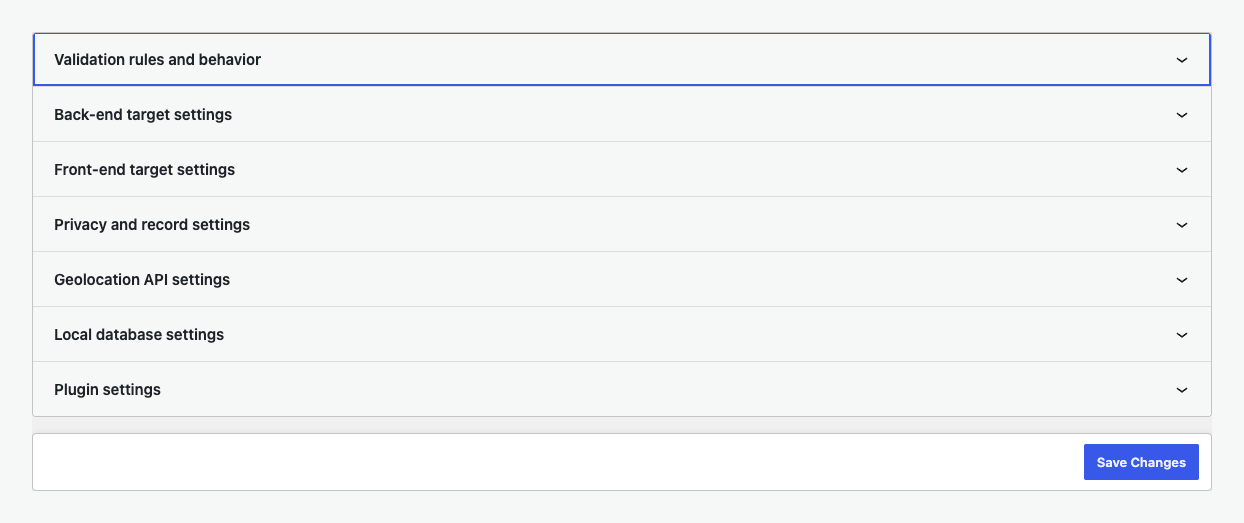
Simple view covers common rules. Advanced view adds login, registration, comment, XML-RPC, bot, response, logging, privacy, provider, and diagnostic controls.
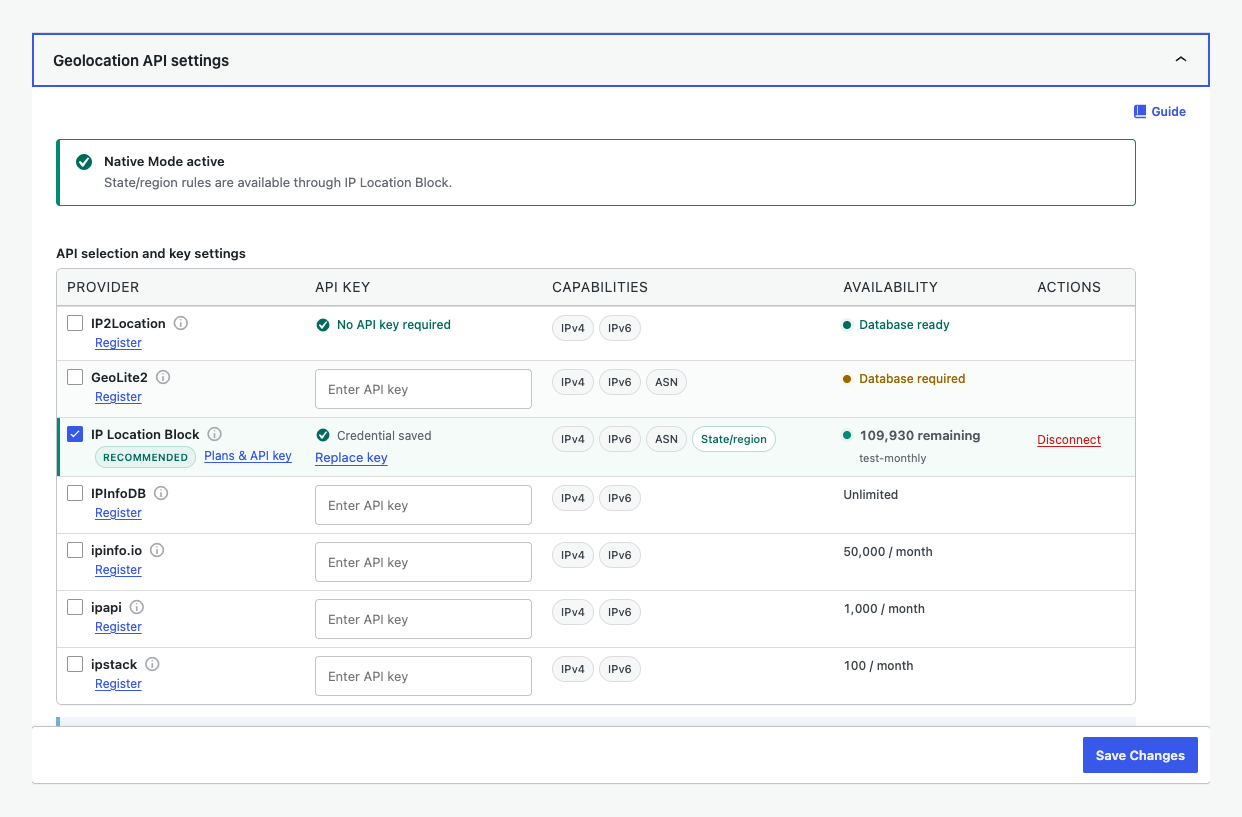
For the recommended setup, connect the IP Location Block Cloud provider for premium, frequently updated data, better country accuracy, ASN data, and state or region precision.
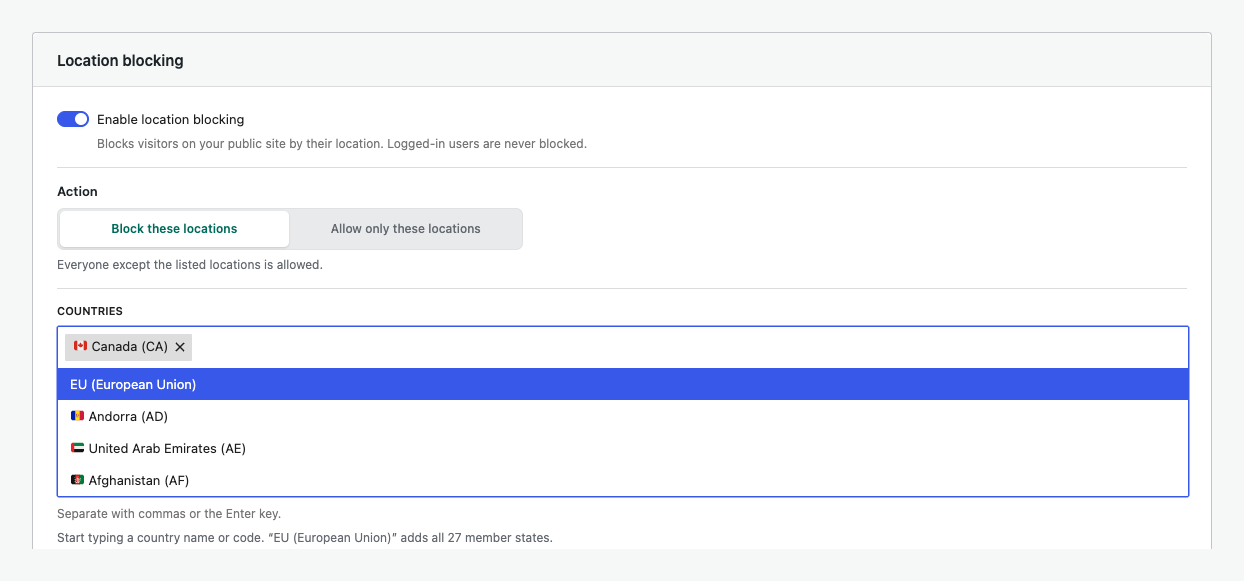
WordPress geo blocking by country, state, or region
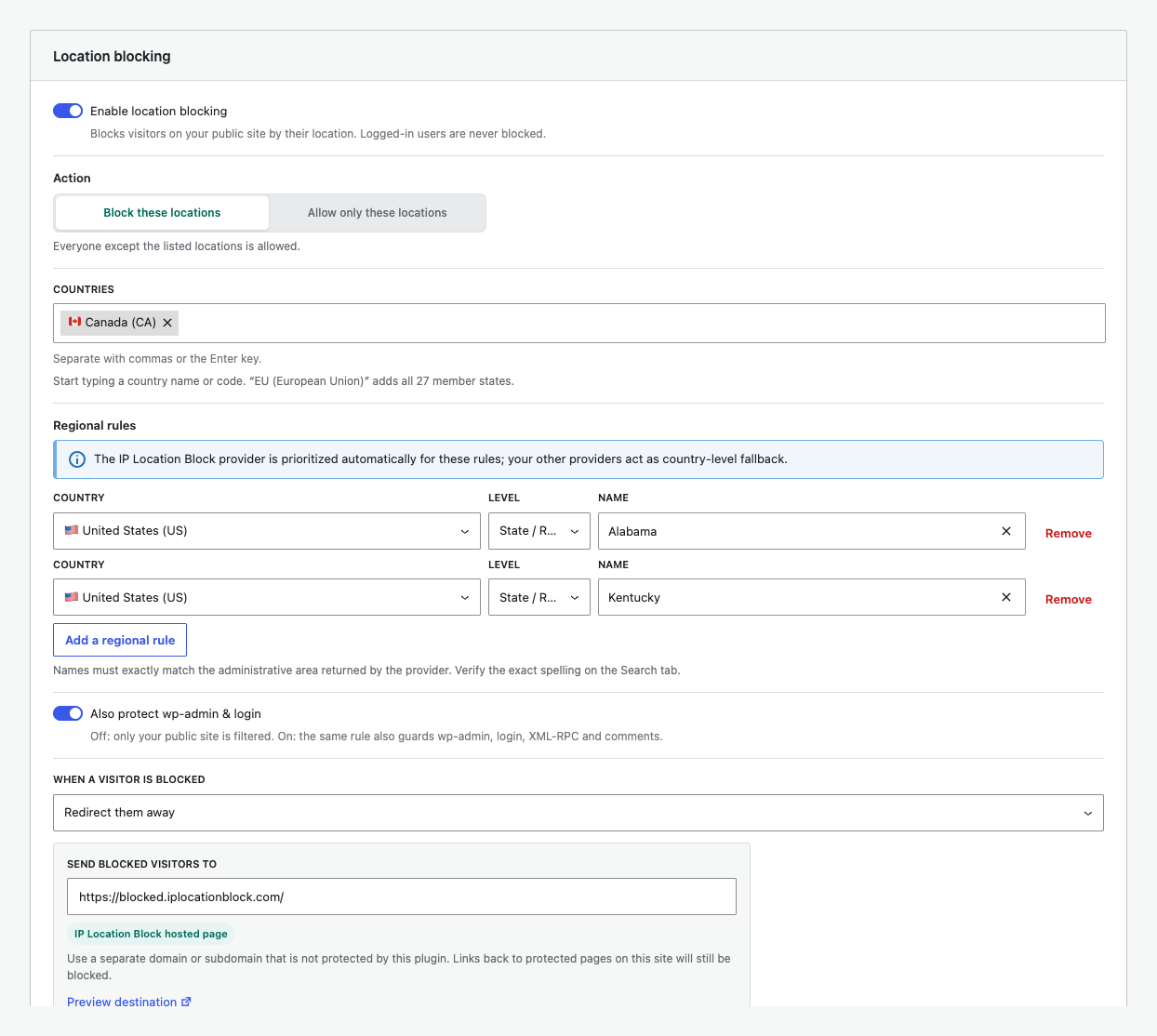
Use a blocklist to deny selected locations or an allowlist to limit access. Regional rules use the administrative area returned for a country, such as a state, province, prefecture, territory, or region. This supports regional availability, service areas, store access, and site policies. Country rules remain active when precision is unavailable.
Principales caractéristiques
- Block or allow visitors by country and state or equivalent region.
- Add priority rules for IP addresses, IPv4 or IPv6 CIDR ranges, and ASNs.
- Protect public pages, login, registration, comments, XML-RPC, and selected wp-admin requests.
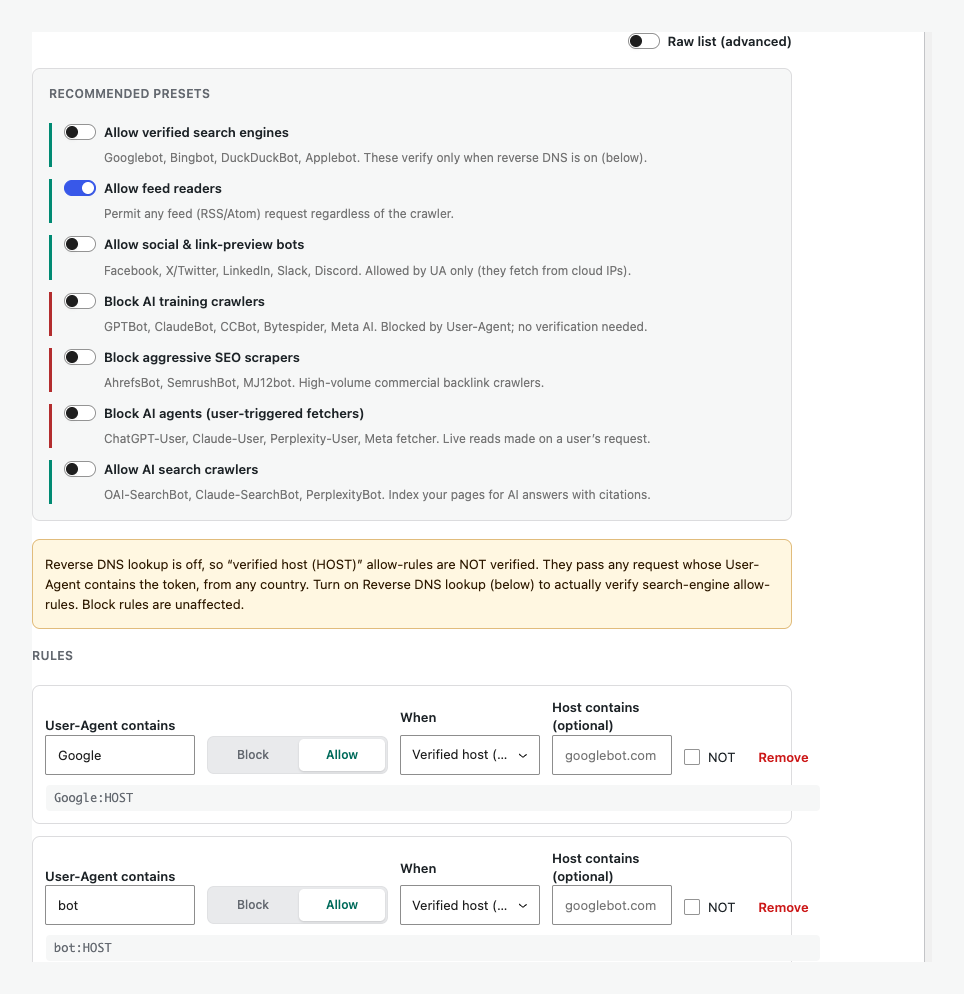
- Configure blocked responses and control failed logins or unwanted bots.
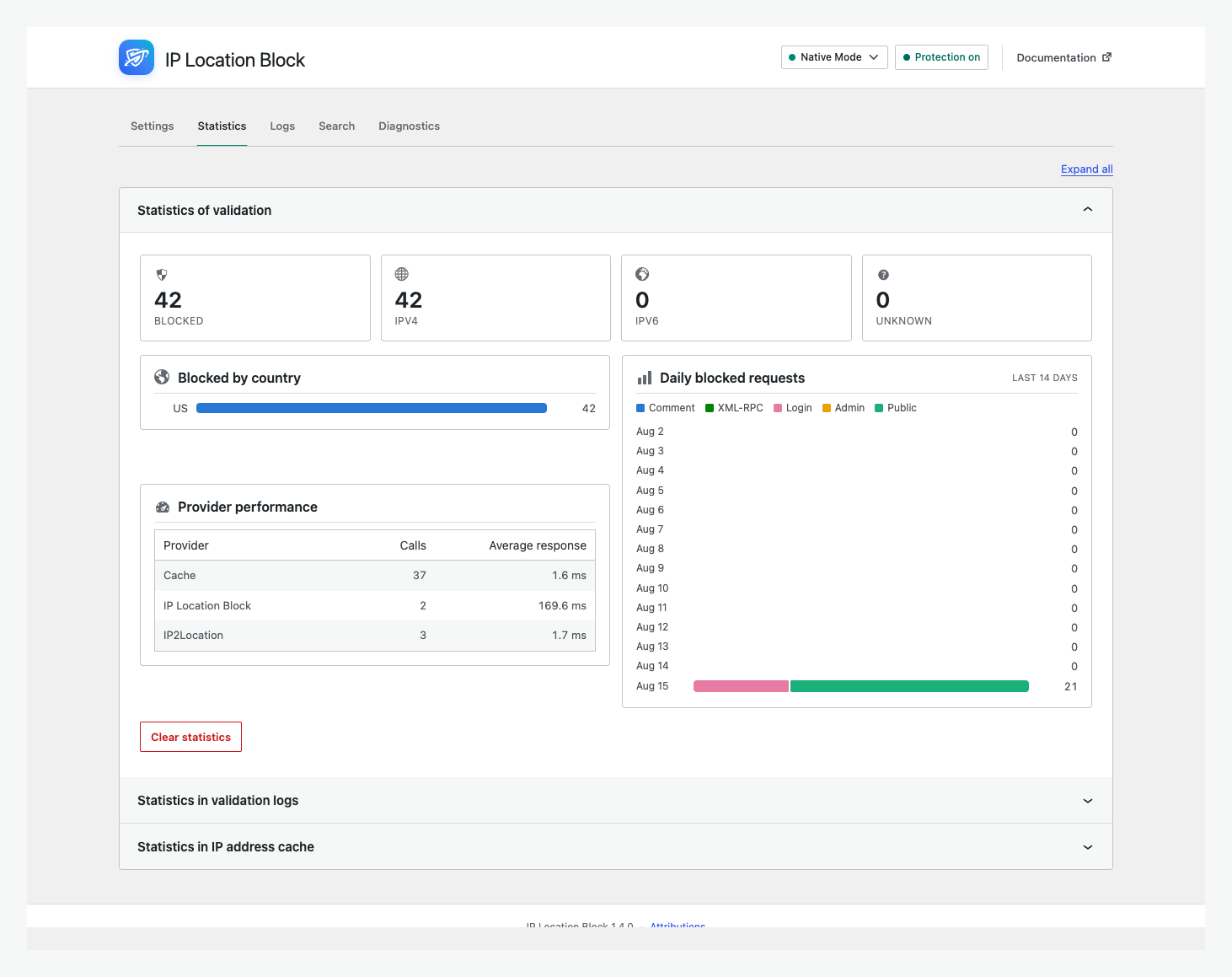
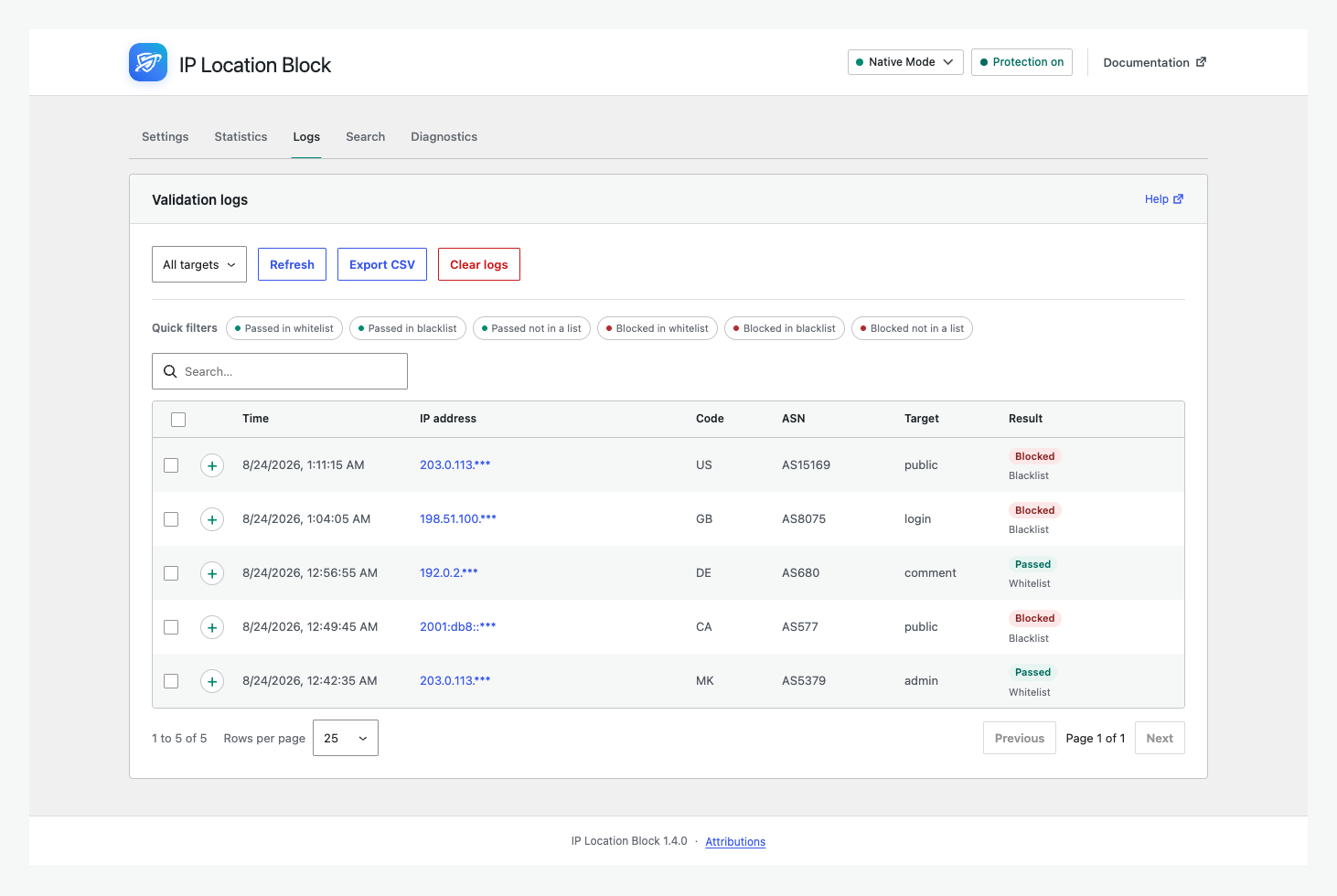
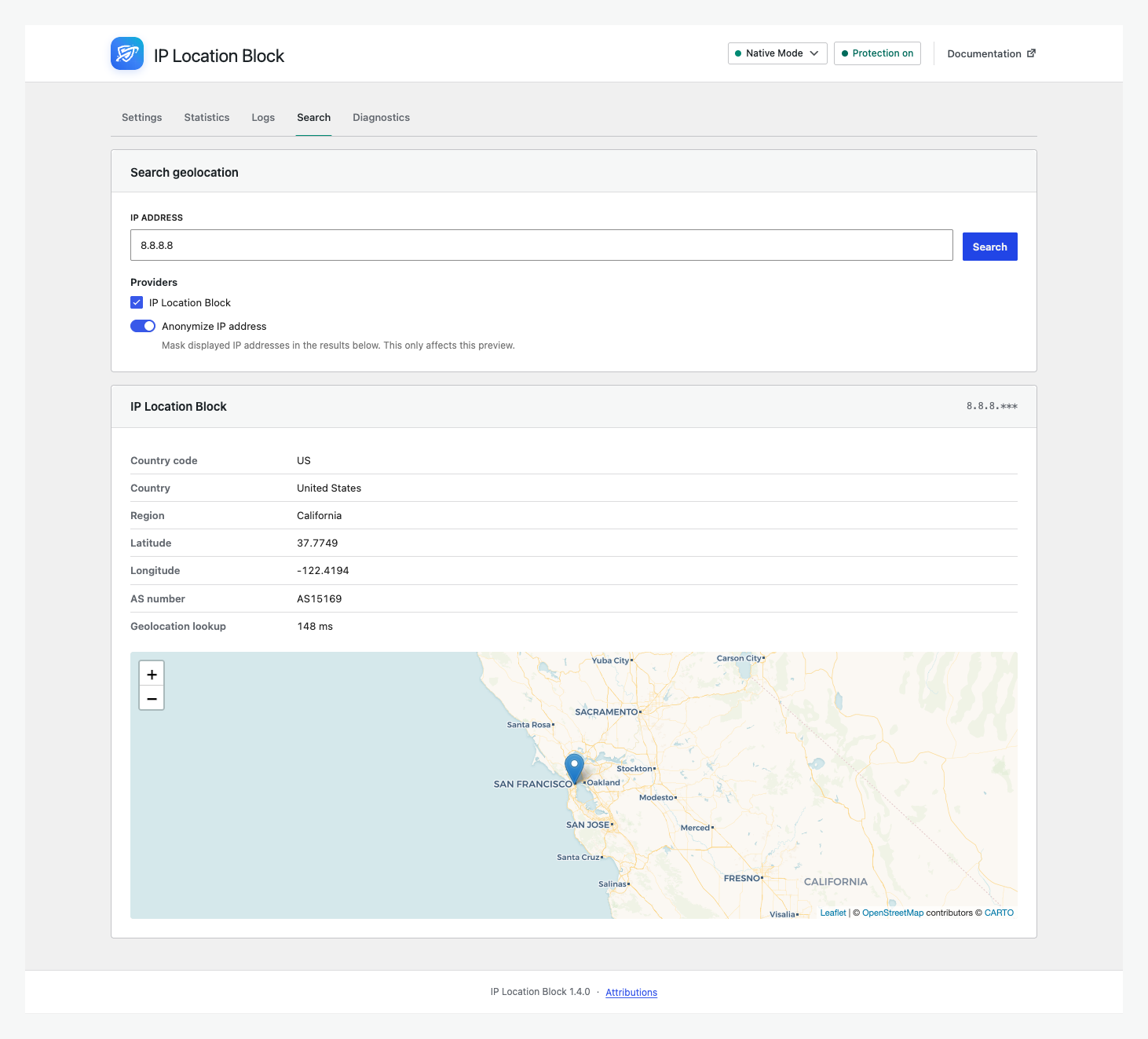
- Search IPs and review validation logs, statistics, and diagnostics.
- Use frequently updated data from the IP Location Block Cloud provider with country-level fallbacks.
- Encrypt stored IP addresses, with optional anonymization.
IP Location Block Cloud provider
- Better accuracy: Premium geolocation databases are updated frequently for more reliable country results.
- Regional precision: Add state, province, prefecture, territory, or equivalent regional rules.
- Broader data: Use IPv4, IPv6, and ASN information through one managed provider.
Legacy local and third-party providers remain supported for existing installations and country-level fallback rules. Regional precision requires the IP Location Block Cloud provider.
External services and privacy
- IP Location Block Cloud provider: Selecting this provider sends the visitor IP and configured credential to IP Location Block for lookup. Review its privacy policy and terms.
- IP2Location LITE: For compatibility with this provider, the plugin downloads country databases on activation and scheduled updates. Review its terms and privacy policy.
- MaxMind GeoLite2: For compatibility with this provider, the plugin uses your license key to download databases. Review its license and privacy policy.
- Other remote providers: Selecting IPInfoDB, IPinfo.io, ipapi, or ipstack sends the visitor IP and configured credential to that service for lookup. No remote provider is selected automatically.
Other remote provider policies: IPInfoDB privacy and service agreement; IPinfo.io privacy and terms; ipapi privacy and terms; ipstack privacy and terms.
The administrator chooses the providers and is responsible for any required consent or disclosure.
Documentation, support, and credits
Use the documentation, troubleshooting guide, support forum, or GitHub.
Independently maintained, IP Location Block is based on IP Geo Block by tokkonopapa. It uses IP2Location LITE and GeoLite2 data under their licenses.
Installation
- Open Plugins > Add New Plugin, search for IP Location Block, install it, and activate it.
- Open Settings > IP Location Block.
- In Simple view, choose whether to block or allow locations and where protection applies.
- Connect the IP Location Block Cloud provider for the recommended accuracy, ASN data, and regional precision.
- Verify representative IPs in Search, save the rules, and use Advanced view when you need more control.
See the getting started guide for a complete walkthrough.
Journal de modifications
Recommended for all sites: fixes saving settings on firewall-protected hosts such as WordPress.com, a conflict with other plugins on hosts without bcmath, and false cron warnings.
1.4.3
Release Date – 20 Oct 2026
- Fix: Saving settings in the new interface failed with “The response is not a valid JSON response” on hosts with a web application firewall, such as WordPress.com. The bad-signature list is now sent encoded, as the classic interface always did. Importing and exporting settings are covered too.
- Fix: On hosts without the PHP bcmath extension, IP Location Block 1.4.0 to 1.4.2 defined global bcmath functions that always failed, which broke other plugins that use them (for example, saving rules in Woo Discount Rules). The plugin no longer defines global functions, and IPv6 lookups with the local IP2Location database keep working without bcmath.
- Fix: On hosts where WordPress cannot write files directly, the WordPress FTP credentials form no longer appears in front of pages and admin requests. This also caused “Failed to load settings” in the new interface.
- Fix: Diagnostics no longer report a missing database update schedule on sites that don’t use a local database, and missing database update and cleanup schedules are recreated automatically.
- Improvement: “Failed to load settings” and failed saves now say which request failed and why.
1.4.2
Release Date – 1 Oct 2026
- Fix: Service endpoints moved to iplocationblock.net while iplocationblock.com is unavailable, restoring IP Location Block Cloud lookups and quota checks.
- New: Define
IP_LOCATION_BLOCK_API_BASEin wp-config.php to point the cloud provider at a different API address. - Change: The default page for blocked visitors moved to geoblocked.im. Sites still using the old default are moved over automatically; custom redirect URLs are not changed.
1.4.1
Release Date – 4 Sep 2026
- The release notes panel now appears only on fresh installations. Existing sites are no longer shown it after an update, on single sites and across a network.
- Simple Mode now has a compact Native Mode suggestion that can be permanently hidden for all administrators on the site.
- Uninstalling now clears the stored release notes panel state, so a later re-installation is treated as a first install again.
1.4.0
Release Date – 24 Aug 2026
- Redesigned the admin with Simple and Advanced views, provider setup, statistics, logs, search, and diagnostics.
- Added searchable state or region rules and a modern bot-rule builder.
- Prioritized the IP Location Block provider for regional rules while retaining country fallbacks.
- Rebuilt internals with PSR-4 and scoped dependencies, plus broad provider, cache, database, filesystem, and interface fixes.
- Requires PHP 8.1 and WordPress 6.5 or newer. The redesigned admin requires WordPress 6.6.
Older release history is available in changelog.txt included with the plugin.
Captures d'écran
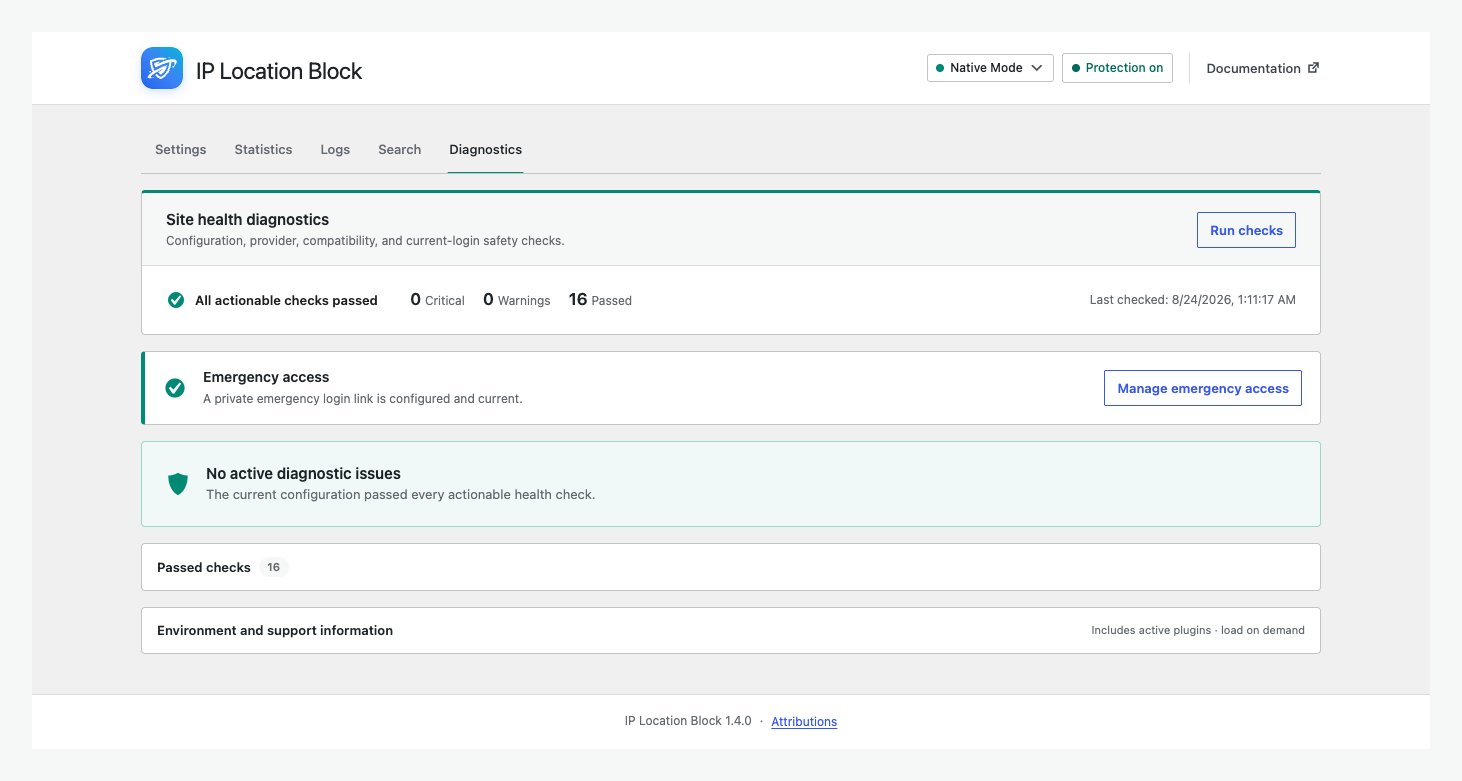
Pour les développeurs
Est-ce votre plugin ? Montrez les chiffres.
Ajoutez un badge en direct à votre site, docs ou github readme. Il se met à jour par lui-même - aucun compte n'est nécessaire.
Best IP Location Block alternatives
All country block plugins →




FAQ
IP Location Block: quick answers
Réponses directes, extraites des données en direct WordPress.org.
Source : WordPress.org
Is IP Location Block free?
Yes. IP Location Block is free to download and use from the official WordPress.org plugin directory.
Is IP Location Block safe to use in 2026?
Yes — IP Location Block is a safe, well-maintained plugin to use in 2026. It runs on 10K+ sites, is rated 4.5/5 and was last updated 1 month ago, and scores 92/100 on our health check.
How many websites use IP Location Block?
IP Location Block is active on 10K+ WordPress websites and has been downloaded 263,112 times since it launched in May 2021. It was downloaded 10,067 times in the last 30 days.
Does IP Location Block work with WordPress 7.1?
Yes. The developer has tested IP Location Block up to WordPress 7.1.5, the latest release. It requires WordPress 6.5 or newer.
What PHP version does IP Location Block need?
IP Location Block requires PHP 8.1 or higher. Most hosts run PHP 8.x today, so it works on any modern WordPress hosting.
When was IP Location Block last updated?
The latest version, 1.4.3, was released on October 20, 2026 (1 month ago).
Who makes IP Location Block?
IP Location Block is developed and maintained by Ideologix.
What are the best alternatives to IP Location Block?
The most popular alternatives to IP Location Block are SF GeoGuard (50+ installs), Wonderful Geoblocking Count… (30+ installs) and Smart Country Blocker (20+ installs).
Propulsé par PageForge
Un modèle et une feuille de calcul. Une vraie page pour chaque recherche.
PageForge transforme chaque ligne d'un CSV en une page WordPress avec son propre titre, URL, SEO et schéma, construit sur la mise en page que vous Déjà conçu. Gratuit sur WordPress.org.
- CSV et XLSX, plus Google Sheets sur les professionnels et les entreprises
- Son propre titre, URL, SEO champs et schéma pour chaque page
- Fonctionne avec l'éditeur de blocs, Elementor, Divi et Avada
- Gratuit sur WordPress.org, pas de carte de crédit