


HRTSoftX – Conditional Elements
Add Gutenberg content to WordPress hooks and control its visibility with conditions, user roles, devices, and shortcodes.

Choix solide
HRTSoftX – Conditional Elements is a solid plugin choice in 2026, with a few things worth checking first. Is rated 5/5 and was last updated 1 month ago, and scores 67/100 on our health check.
- Testé avec le dernier WordPress (7.1)
- Petite base d'utilisateurs (<10 installations actives)
- Très peu de critiques jusqu'à présent
Comment s'accumule-t-il ?
Côte à côte sur les installations, les mises à jour, les évaluations et le support



Téléchargements quotidiens
Les pics de téléchargement suivent généralement une nouvelle version - chaque site qui met à jour automatiquement compte comme un téléchargement.
Classements
Where HRTSoftX stands todayWordPress.org Classements de recherche
Position en direct dans la recherche de plugins, Top 100| Mot-clé | Position |
|---|---|
| conditional content | >100 |
| content visibility | >100 |
| display conditions | >100 |
| hooks | >100 |
| user roles | >100 |
Répartition des notes
★★★★★ ★★★★★ 5 sur 1 avis
About HRTSoftX – Conditional Elements
À partir du Lisez-moi officiel · v1.0.0Description
Conditional Elements lets you create content with the WordPress block editor, add it to WordPress hooks, and control when it is displayed.
Create Gutenberg content, choose where it should appear, and configure conditions to control its visibility. You can include or exclude content based on configured conditions, control visibility by user role or device, and use custom WordPress action hooks when you need more flexibility.
Principales caractéristiques
- Gutenberg Content – Create and manage content using the WordPress block editor.
- Flexible Placement – Add Gutenberg content before or after supported locations.
- Theme-Aware Placement – Automatically provides available placement options based on the active theme.
- Block Theme Support – Provides placement options for WordPress block themes.
- Custom Hooks – Add content to your own WordPress action hooks.
- Include Conditions – Display content when selected conditions are met.
- Exclude Conditions – Prevent content from being displayed when selected conditions are met.
- User Role Conditions – Control content visibility based on the current user’s role.
- Device Visibility – Show or hide content for desktop, tablet, or mobile devices.
- Shortcodes – Render Conditional Elements content directly inside posts, pages, templates, widgets, or other shortcode-compatible areas.
Placement
Conditional Elements provides theme-aware placement options based on the active theme.
For supported classic themes, additional theme-specific placement options may be available.
For other classic themes, common WordPress hook locations are available, including:
- Before Site Wrapper
- After Site Wrapper
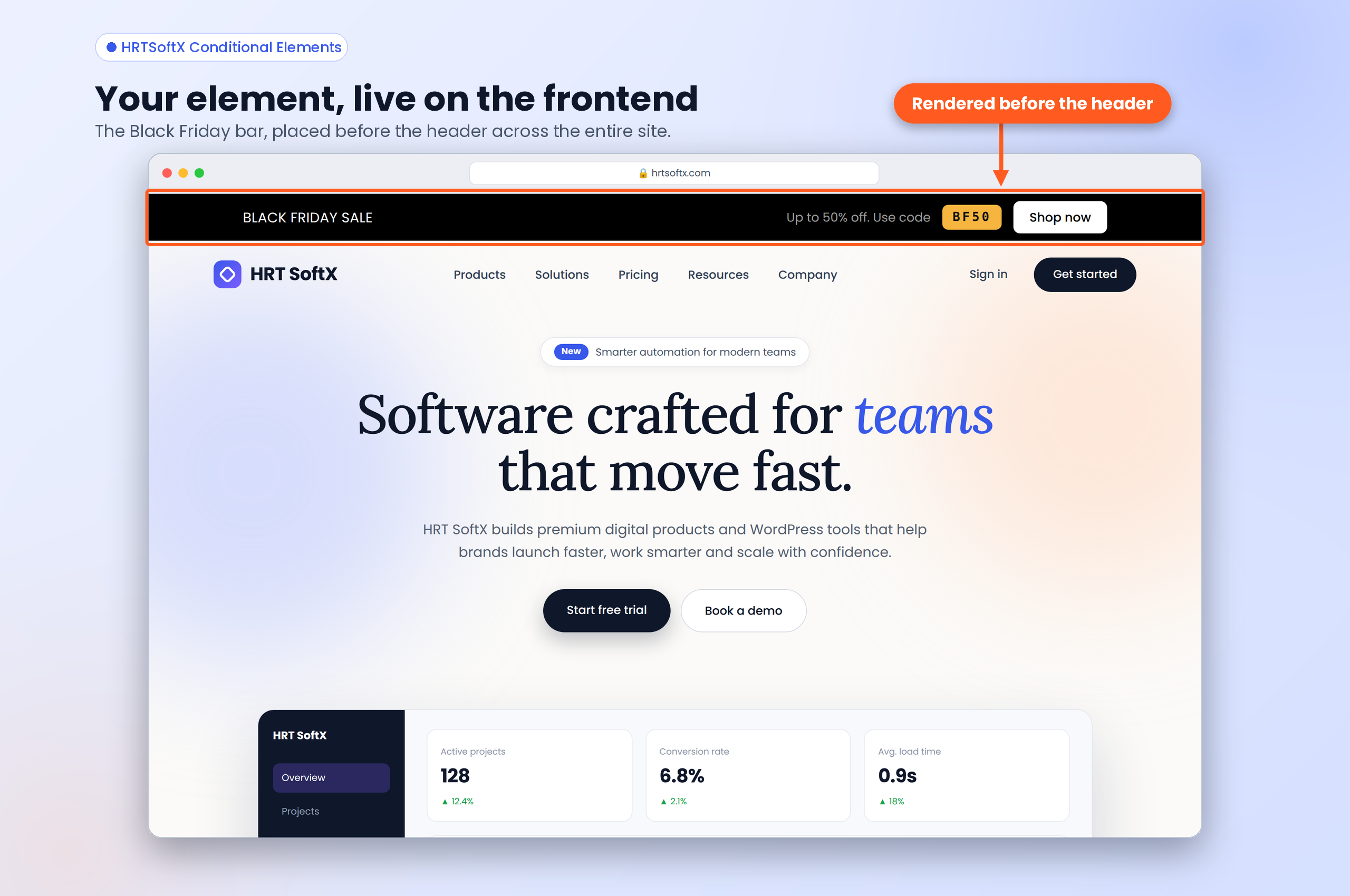
- Before Header
- Before Inner Content
- After Inner Content
- Before Footer
- After Footer
For WordPress block themes, supported placement locations include:
- Before Site Wrapper
- After Site Wrapper
- Before Header
- After Header
- Before Title
- After Title
- Before Content
- After Content
- Before Inner Content
- After Inner Content
- Before Footer
- After Footer
Available placement options depend on the active theme and its supported hooks.
You can also use Custom Hook to add content to any WordPress action hook.
Conditions
Conditional Elements provides several ways to control when content is displayed.
Comprendre
Display content when the configured conditions match.
Exclude
Prevent content from being displayed when the configured conditions match.
User Role
Control content visibility based on the current user’s WordPress role.
Device Visibility
Control visibility based on the visitor’s device:
- Desktop
- Tablet
- Portable
Shortcode
Each Conditional Element has a shortcode that can be copied directly from the Shortcode column in the Conditional Elements list table.
Exemple :
[hrtcel_element id=32]
Use the shortcode anywhere WordPress supports shortcodes.
The shortcode respects the Conditional Element’s configured conditions by default.
Bypass Conditions
You can optionally bypass the configured conditions by passing bypass_conditions=”true”.
Exemple :
[hrtcel_element id=32 bypass_conditions=”true”]
This renders the element’s content without applying its configured conditional rules.
Code source
The JavaScript and CSS files in the build/ directory are compiled from human-readable source code. The full, uncompiled source is included in this plugin in the src/ directory.
Compiled files and their sources:
build/hrtcel-admin-list.jsandbuild/hrtcel-admin-list.cssare built fromsrc/admin-list/build/hrtcel-sidebar.jsandbuild/hrtcel-sidebar.cssare built fromsrc/sidebar/
The source is written in TypeScript/React and SCSS. The build is configured in package.json, tsconfig.json and webpack.config.js, and uses the @wordpress/scripts toolchain (webpack). Dependency versions are locked in package-lock.json.
Building from source
Requirements: Node.js 20.17 or later and npm.
- Open the plugin directory in a terminal.
- Run
npm installto install the build tools. - Run
npm run buildto regenerate the files inbuild/. - Run
npm run devduring development to rebuild automatically when files change.
Third-party libraries
The following libraries are bundled into the compiled JavaScript:
- react-select (MIT) – https://github.com/JedWatson/react-select
- Emotion packages used by react-select (MIT) – https://github.com/emotion-js/emotion
- @wordpress/icons (GPL-2.0-or-later) – https://github.com/WordPress/gutenberg/tree/trunk/packages/icons
All other @wordpress/* packages are loaded from WordPress core as script dependencies and are not bundled.
Installation
- Install Conditional Elements through the WordPress plugin directory or upload the plugin files to the /wp-content/plugins/hrtsoftx-conditional-elements/ directory.
- Activate the plugin through the Plugins screen in WordPress.
- Go to Conditional Elements in the WordPress admin area.
- Create your content using the WordPress block editor.
- Select a placement and configure your conditions.
- Publish your Conditional Element.
- Copy the shortcode from the Shortcode column when you want to render the element directly.
Journal de modifications
1.0.0
- Version initiale.
Captures d'écran


Pour les développeurs
Est-ce votre plugin ? Montrez les chiffres.
Ajoutez un badge en direct à votre site, docs ou github readme. Il se met à jour par lui-même - aucun compte n'est nécessaire.
Best HRTSoftX alternatives
All conditional content plugins →





FAQ
HRTSoftX – Conditional Elements: quick answers
Réponses directes, extraites des données en direct WordPress.org.
Source : WordPress.org
Is HRTSoftX – Conditional Elements free?
Yes. HRTSoftX – Conditional Elements is free to download and use from the official WordPress.org plugin directory.
Is HRTSoftX – Conditional Elements safe to use in 2026?
HRTSoftX – Conditional Elements is a solid plugin choice in 2026, with a few things worth checking first. Is rated 5/5 and was last updated 1 month ago, and scores 67/100 on our health check.
How many websites use HRTSoftX – Conditional Elements?
HRTSoftX – Conditional Elements is active on <10 WordPress websites and has been downloaded 214 times since it launched in October 2026. It was downloaded 87 times in the last 30 days.
Does HRTSoftX – Conditional Elements work with WordPress 7.1?
Yes. The developer has tested HRTSoftX – Conditional Elements up to WordPress 7.1.5, the latest release. It requires WordPress 6.6 or newer.
What PHP version does HRTSoftX – Conditional Elements need?
HRTSoftX – Conditional Elements requires PHP 7.4 or higher. Most hosts run PHP 8.x today, so it works on any modern WordPress hosting.
When was HRTSoftX – Conditional Elements last updated?
La dernière version, 1.0.0, est sortie le 8 octobre 2026 (il y a 1 mois).
Who makes HRTSoftX – Conditional Elements?
HRTSoftX – Conditional Elements is developed and maintained by HRTSoftX.
What are the best alternatives to HRTSoftX – Conditional Elements?
The most popular alternatives to HRTSoftX – Conditional Elements are Block Visibility (40K+ installs), Logic Hop (70+ installs) and All-in-One Content Restrict… (50+ installs).
Propulsé par PageForge
Un modèle et une feuille de calcul. Une vraie page pour chaque recherche.
PageForge transforme chaque ligne d'un CSV en une page WordPress avec son propre titre, URL, SEO et schéma, construit sur la mise en page que vous Déjà conçu. Gratuit sur WordPress.org.
- CSV et XLSX, plus Google Sheets sur les professionnels et les entreprises
- Son propre titre, URL, SEO champs et schéma pour chaque page
- Fonctionne avec l'éditeur de blocs, Elementor, Divi et Avada
- Gratuit sur WordPress.org, pas de carte de crédit